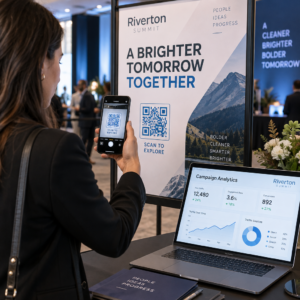
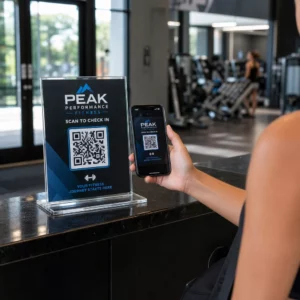
De beste praktijken voor de plaatsing van QR-codes komen neer op vijf regels. Print de code minimaal 2 x 2 cm (0.8 x 0.8 inch), houd een rustzone van vier modules aan elke zijde, gebruik donkere modules op een lichte achtergrond, plaats deze op een vlakke matte ondergrond op een comfortabele hoogte, en voeg er een korte call-to-action naast toe. Test elke gedrukte proef met minstens twee telefoons voordat de volledige oplage wordt gedrukt.
Deze gids behandelt de ontwerp regels en richtlijnen voor QR-codes wat betreft grootte, contrast en oppervlak, waar de code op elk type materiaal te plaatsen, hoe te adverteren met QR-codes, en wat de landingspagina achter de code nodig heeft.
QR-code beste praktijken in één oogopslag
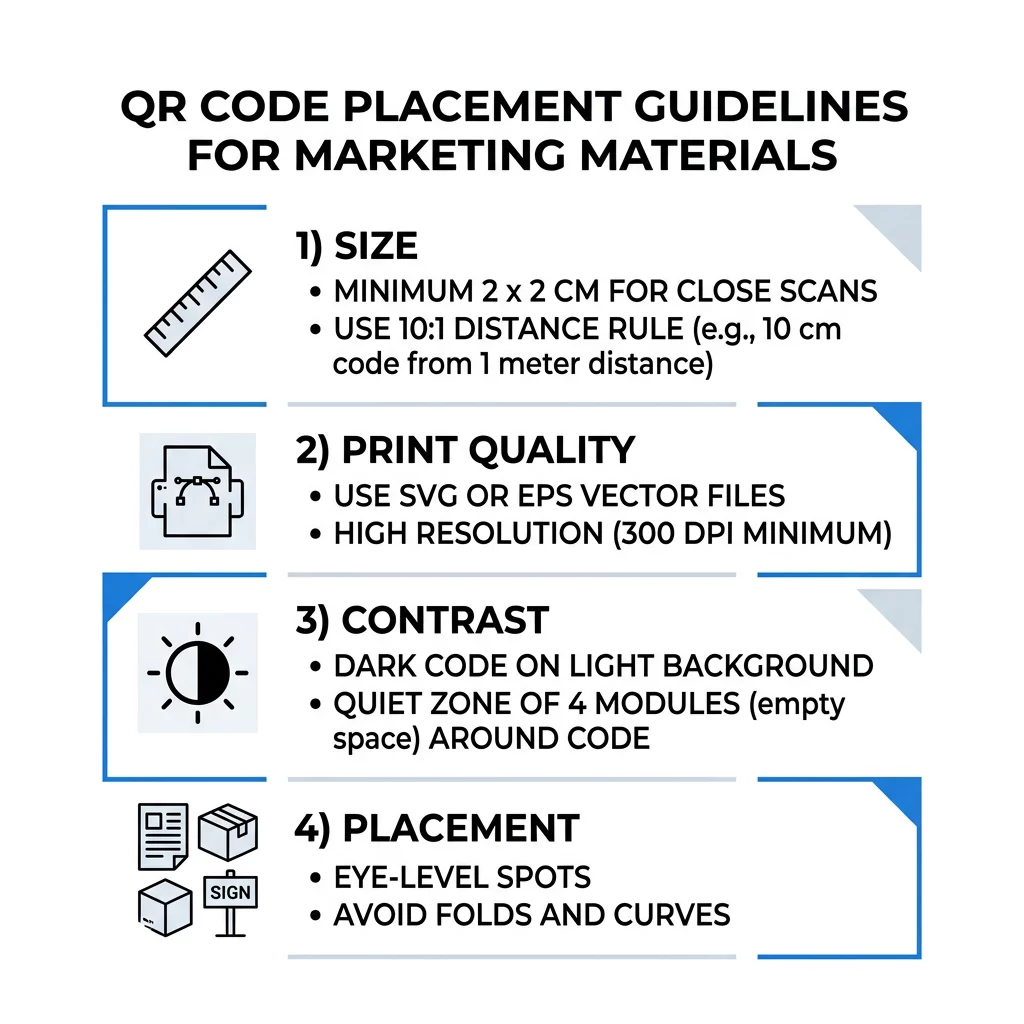
- Maat: minimaal 2 x 2 cm (0.8 x 0.8 inch) voor draagbare items. Voor afstand, gebruik 1 inch codepositie per 10 inch scan afstand.
- Stille zone: een lege marge van minimaal vier modules aan alle vier de zijden. Geen tekst, lijnen of snijtekens erin.
- Contrast: donkere code op een lichte achtergrond. Keer deze nooit om of gebruik geen lichte code op een donkere achtergrond, tenzij u het op verschillende telefoons hebt getest.
- Oppervlak: vlak en mat. Vermijd vouwen, naden, bochten, reflectie en glanzend laminaat.
- Oproep tot actie: vertel mensen waarom ze moeten scannen, bijvoorbeeld “Scan om het menu te zien”.
- Bestemming: een mobielvriendelijke pagina die snel laadt en overeenkomt met wat de oproep tot actie beloofde.
- Testen: scan de uiteindelijke proef op een iPhone en een Android-telefoon, in het licht waar de code zal worden gebruikt.
Technische standaarden voor grootte en kijkafstand
Een QR-code die te klein of wazig is, zal niet scannen. Voor handheld-materialen op korte afstand is de praktische minimumgrootte 2 x 2 cm (0.8 x 0.8 inch). Voor grotere materialen die vanuit een kamer of vanaf straat worden bekeken, gebruikt u de 10:1-regel: sta minimaal 1 inch codepositie toe voor elke 10 inch scan afstand. Een poster die mensen van 5 voet afstand lezen, heeft een code van minimaal 6 inch breed nodig.
Voor commercieel drukwerk, exporteer de illustratie als een vectorbestand zoals SVG, EPS of PDF. Vectorbestanden blijven scherp op elk formaat, terwijl rasterafbeeldingen wazig worden bij vergroting. Als u een rasterafbeelding zoals PNG moet gebruiken, exporteer deze dan op een formaat dat groot genoeg is voor 300 DPI op het uiteindelijke afdrukformaat. Lees onze gids voor QR-codeformaten om de juiste afmetingen voor elk formaat te controleren.
| Plaatsingstype | Aanbevolen grootte | Kijkafstand | Foutcorrectieniveau |
|---|---|---|---|
| Visitekaartjes | 2 x 2 cm (0,8 x 0,8 in) | Handheld (minder dan 30 cm) | Niveau L of M |
| Flyers en brochures | 3 x 3 cm (1,2 x 1,2 in) | Armlengte (30 tot 60 cm) | Niveau M |
| Productverpakkingen | 3 x 3 cm (1,2 x 1,2 in) | Handheld (30 tot 60 cm) | Niveau Q of H |
| Posters en displays | 10 x 10 cm (4 x 4 inch) | Loopafstand (90 tot 210 cm) | Niveau M |
| Billboards en spandoeken | 40 x 40 cm (16 x 16 inch) of groter | Grote afstand (4,5+ m) | Niveau H |
Foutcorrectie laat een scanner een code lezen, zelfs wanneer een deel ervan beschadigd of bedekt is. Niveau L herstelt ongeveer 7% van de gegevens, M ongeveer 15%, Q ongeveer 25% en H ongeveer 30%. Hogere niveaus maken het patroon dichter, dus een code met een lange URL op niveau H heeft een groter afdrukformaat nodig om leesbaar te blijven.
Ontwerpregels voor QR-codes: Contrast, Rustzones en Oppervlaktekeuze
Scanners lezen een QR-code door het verschil te detecteren tussen donkere modules en de lichte ruimte eromheen. Zwarte modules op een witte achtergrond zijn de veiligste keuze. Merkkleuren werken als de donkere modules duidelijk donkerder blijven dan de achtergrond. Controleer het resultaat door uw ontwerp naar grijstinten te converteren: als de code er flets uitziet, zal een telefooncamera ook moeite hebben.
- Houd de voorgrond donkerder dan de achtergrond. Licht-op-donker (omgekeerde) codes falen op veel oudere scanner-apps.
- Gebruik geen rood op een donkere achtergrond, of twee kleuren met vergelijkbare helderheid.
- Laat aan elke kant een rustzone van minimaal vier modules vrij. Tekst, randen, foto's en bijsnijdlijnen binnen deze marge kunnen het scannen belemmeren.
- Rek de code niet uit. Houd hem perfect vierkant.
- Vermijd glanzend laminaat, glimmende folie en glas dat licht reflecteert. Gebruik mat papier of matte laminering.
- Als u een logo toevoegt, houd het dan klein en in het midden, en gebruik een hoger foutcorrectieniveau.
Veel mislukte scans komen voort uit een handvol herhaalde fouten. Vermijd deze veelvoorkomende QR-code plaatsingsfouten voordat u afdrukt.
Beste praktijken voor de plaatsing van QR-codes op verschillende print- en displayformaten
De plaatsing bepaalt of mensen de code überhaupt opmerken. Plaats deze waar mensen al kijken en waar ze een telefoon stil kunnen houden. Voeg er een korte instructie naast toe, want mensen scannen niet wat ze niet begrijpen.
Flyers, brochures en direct mail
Plaats de code waar de lezer klaar is met lezen, bijvoorbeeld in de rechterbenedenhoek of het laatste paneel:
- Plaats QR-codes op flyers naast de hoofdaanbieding en houd ze uit de buurt van de bijgesneden randen van het papier.
- Plaats QR-codes op brochures binnen een enkel paneel. Plaats een code niet over een vouw of plooi, want het patroon buigt en breekt dan.
- Voor direct mail, houd de code buiten de frankeerindicaties en de vrije zone voor barcodes die door uw postdienst wordt vereist. Controleer de regels bij uw postverwerker.
Productverpakkingen en etiketten
Verpakkingen bereiken mensen nadat ze iets gekocht hebben, wat geschikt is voor installatievideo's, garantieregistratie en nabestelaanbiedingen:
- Plaats QR-codes op productverpakkingen op een vlak paneel, niet op een afgeronde hoek of een smalle hals.
- Gebruik foutcorrectieniveau Q of H, zodat de code nog steeds leesbaar is na krassen, vocht of hantering.
- Houd de code uit de buurt van scheurstrips, naden en prijskaartjes die een deel ervan zouden kunnen bedekken.
- Houd de code op flessen en blikjes klein genoeg om op het platste deel te passen. Een code die ver om een ronding wikkelt, zal niet scannen.
Posters, Winkelpuien en Openbare Schermen
Borden moeten werken voor mensen die een paar meter verderop lopen of staan:
- Plaats QR-codes op posters op ooghoogte, ongeveer 1 tot 1,7 meter van de grond, zodat niemand hoeft te bukken of te reiken.
- Houd QR-codes op displays en schermen lang genoeg op het scherm om te scannen. Tien seconden is een veilig minimum, en een statische code die zichtbaar blijft is beter dan één in een bewegende animatie.
- Volg de basisprincipes van het gebruik van QR-codes in printmedia en toon één code per bord, zodat de camera niet hoeft te kiezen.
- Plaats geen codes waar mensen niet kunnen stoppen, zoals op een bewegend voertuig, een hoog billboard of een raam ver van de stoep.
Hoe te Adverteren met QR-codes
Om te adverteren met QR-codes, behandel elke code als een korte advertentie met één doel. Kies de plaatsing, schrijf een call-to-action, stuur mensen naar één specifieke pagina en meet het resultaat. Gebruik dit proces:
- Kies één doel per code, zoals een kortingsbon, een menu, een recensie of een productpagina.
- Genereer de code met de bestemming al ingesteld. Stuur mensen niet naar een homepage als je een kortingsbon hebt beloofd.
- Plaats het volgens de bovengenoemde regels voor grootte en oppervlak, en voeg een call-to-action toe met het voordeel, bijvoorbeeld “Scan voor 15% korting op uw eerste bestelling”.
- Gebruik een andere code voor elke plaatsing (flyer, raam, verpakking), zodat u kunt zien welke werkt.
- Druk één proefversie af, scan deze met twee telefoons, en bestel dan pas de volledige oplage.
- Controleer de scancounts na een week of twee en verplaats budget naar de plaatsingen die scans opleveren.
Goede plaatsen om te adverteren met QR-codes zijn onder andere etalages, tafelstandaards, kassabonnen, bezorgdozen, evenementenborden, beursstands en direct mail. Zwakke plaatsen zijn alles wat beweegt, alles boven ooghoogte en overal waar geen mobiel signaal is.
Scans verhogen met Call-to-Action-kaders
Een code zonder context geeft mensen geen reden om hun telefoon te pakken. Plaats er een korte call-to-action naast. Voorbeelden die werken: “Scan om het menu te bekijken”, “Scan om een tafel te reserveren”, “Scan voor 15% korting”, “Scan om een recensie achter te laten”. Plaats de tekst direct boven of onder de code, in een lettergrootte die mensen vanaf dezelfde afstand als de code kunnen lezen.
Een logo in het midden kan mensen helpen de code te vertrouwen. Gebruik een QR code met logo maken, houd het logo klein en test de code opnieuw nadat u het hebt toegevoegd. Het afdrukken van het korte webadres onder de code geeft mensen die niet kunnen scannen een manier om het in te typen.
Best practices voor QR-code landingspagina's
De meeste mensen scannen met een telefoon, met één hand, vaak via mobiele data. De pagina achter de code bepaalt of de scan een klant wordt. Volg deze best practices voor QR-code landingspagina's:
- Ontwikkel eerst voor een telefoonscherm. Gebruik grote tekst en grote knoppen.
- Laat de pagina snel laden. Gebruik kleine afbeeldingen en vermijd zware pop-ups of autoplay video.
- Stem de 'call to action' af. Als het bord zegt "Scan voor 15% korting", toon dan de korting op het eerste scherm.
- Plaats één hoofactie bovenaan de pagina (boven de vouw), zoals één knop voor de coupon, de boeking of de oproep.
- Houd formulieren kort. Vraag om een e-mailadres of een telefoonnummer, niet om een volledig profiel.
- Gebruik https en zorg ervoor dat de pagina werkt zonder in te loggen.
- Test het op zowel iPhone als Android, via mobiele data en niet alleen via kantoor-wifi.
Betrokkenheid volgen met dynamische technologie
Een statische QR-code slaat het webadres op in het patroon zelf. Deze verloopt nooit en werkt zonder enige service, wat voldoende is voor een permanente link zoals een Wi-Fi-login of een contactkaart. De beperking is dat u het adres na het afdrukken niet kunt wijzigen. Als de pagina verhuist of een aanbieding eindigt, verwijst elke afgedrukte code naar de oude pagina.
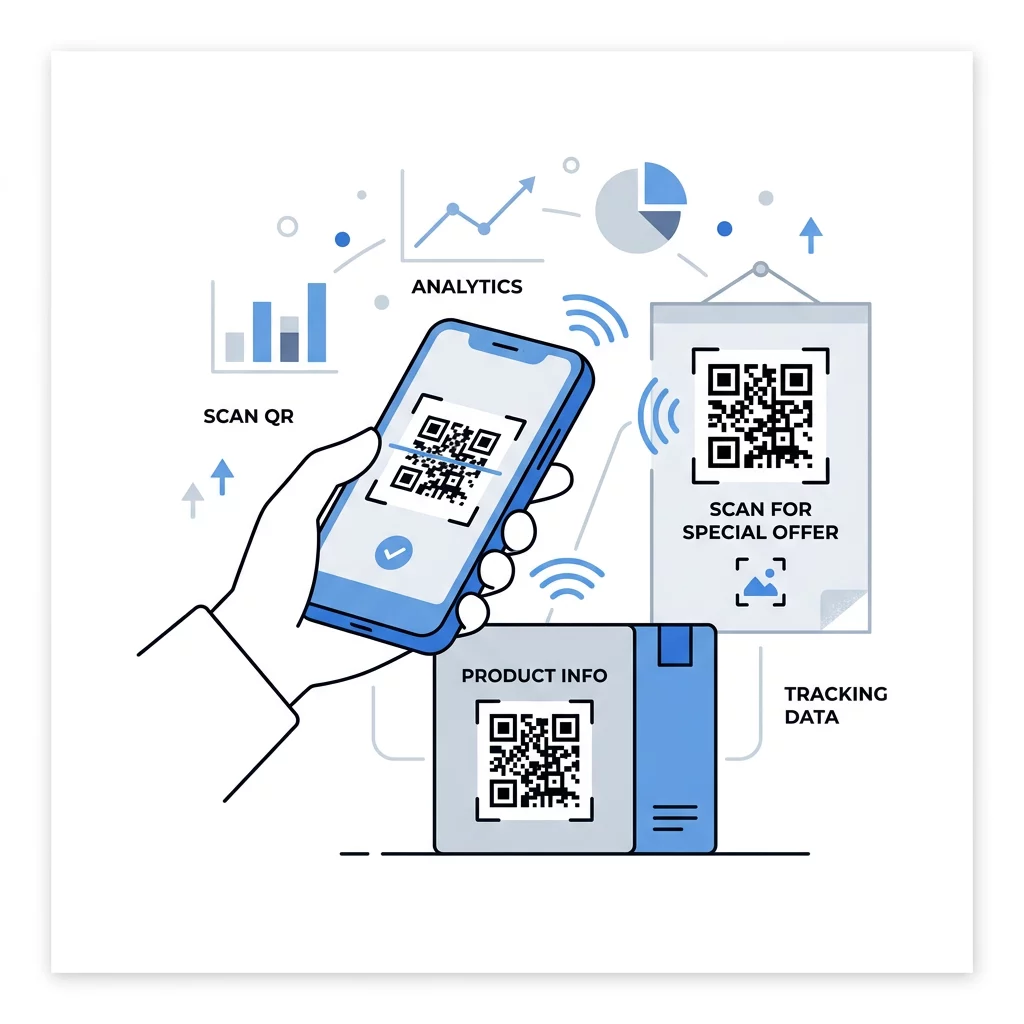
Een dynamische QR-code verwijst naar een korte link die u op elk moment kunt omleiden, zodat de afgedrukte code hetzelfde blijft terwijl de bestemming verandert. Het registreert ook scans, inclusief wanneer, waar en op welk type apparaat. Dit helpt u om een flyer te vergelijken met een raamsticker, en het elimineert herdrukkosten wanneer een campagne verandert. Een korte link zorgt ook voor een eenvoudiger, minder dicht patroon dat gemakkelijker scant op kleine formaten.
Pageloot dynamische codes worden geleverd met een gratis proefperiode van 14 dagen en een 30-dagen geld-terug-garantie op abonnementen, en u kunt de abonnementen bekijken op pageloot.com/pricing. Een dynamische code met een maandelijks of jaarlijks abonnement wordt inactief wanneer het abonnement afloopt, dus kies dynamische codes voor campagnes die u van plan bent te blijven uitvoeren.
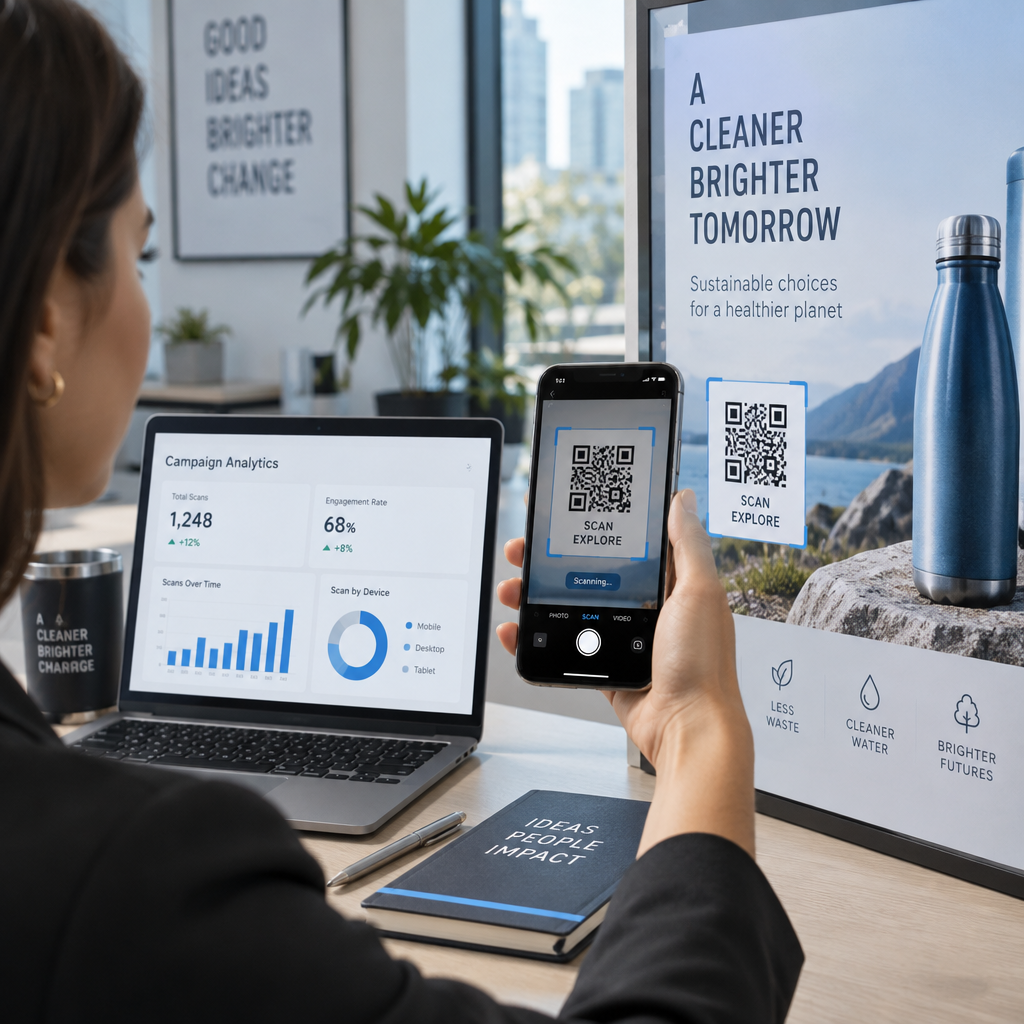
Campagneprestaties volgen Wilt u zien welke materialen de meeste scans genereren? Gebruik de Dynamische QR code generator om bewerkbare codes te maken, scanstatistieken te bekijken en bestemmings-URL's bij te werken zonder opnieuw af te drukken.
Samengevat: kies een formaat dat past bij de kijkafstand, houd de stille zone vrij, gebruik een hoog contrast, plaats de code op een vlak oppervlak op ooghoogte en schrijf een oproep tot actie. Test vervolgens de gedrukte proefversie voordat de volledige oplage wordt geproduceerd. Je kunt je code maken en downloaden met de Gratis QR-code maken op Pageloot.
Veelgestelde vragen
Plaats de code op een plat, mat oppervlak op een comfortabele hoogte, minimaal 2 x 2 cm voor handzame items, met een rustzone van vier modules aan elke zijde. Plaats het waar mensen al kijken, zoals aan het einde van een flyer of in het midden van een poster, en voeg er een korte call-to-action naast toe.
Gebruik donkere modules op een lichte achtergrond, houd de code vierkant en onuitgerekt, laat een rustige zone van ten minste vier modules over, en houd elk logo klein en gecentreerd. Print niet op glanzende of gebogen oppervlakken, en test de geprinte proef op meer dan één telefoon.
Het praktische minimum voor handheld materialen zoals visitekaartjes is 2 x 2 cm (0,8 x 0,8 inch). Voor materialen die van een afstand worden bekeken, gebruik de 10:1 regel: 1 inch codebreedte per 10 inch scanafstand.
Geef elke code één doel, verwijs deze naar een specifieke pagina die aansluit bij je call-to-action, en plaats deze op ooghoogte op een vlak oppervlak. Gebruik een aparte code voor elke plaatsing en vergelijk het aantal scans na één tot twee weken.
Een pagina die snel laadt op een telefoon, de beloofde aanbieding toont op het eerste scherm, één duidelijke actie heeft en geen login vereist. Test het op iPhone en Android via mobiele data.
Ja, maar houd de code klein en plaats deze op het vlakste deel van het oppervlak. Als de code te ver om een curve heen wikkelt, vervormt het patroon en kan de camera het niet volledig lezen.
Gebruik een dynamische QR-code. Het afgedrukte patroon blijft hetzelfde, en je wijzigt de bestemming in je account. Een statische QR-code kan na het afdrukken niet meer worden gewijzigd.
De meest voorkomende oorzaken zijn een te kleine code, een ontbrekende rustige zone (quiet zone), een laag contrast, een glanzend of gebogen oppervlak en een wazig bestand met lage resolutie. Print een grotere proefkopie en controleer deze punten in die volgorde.