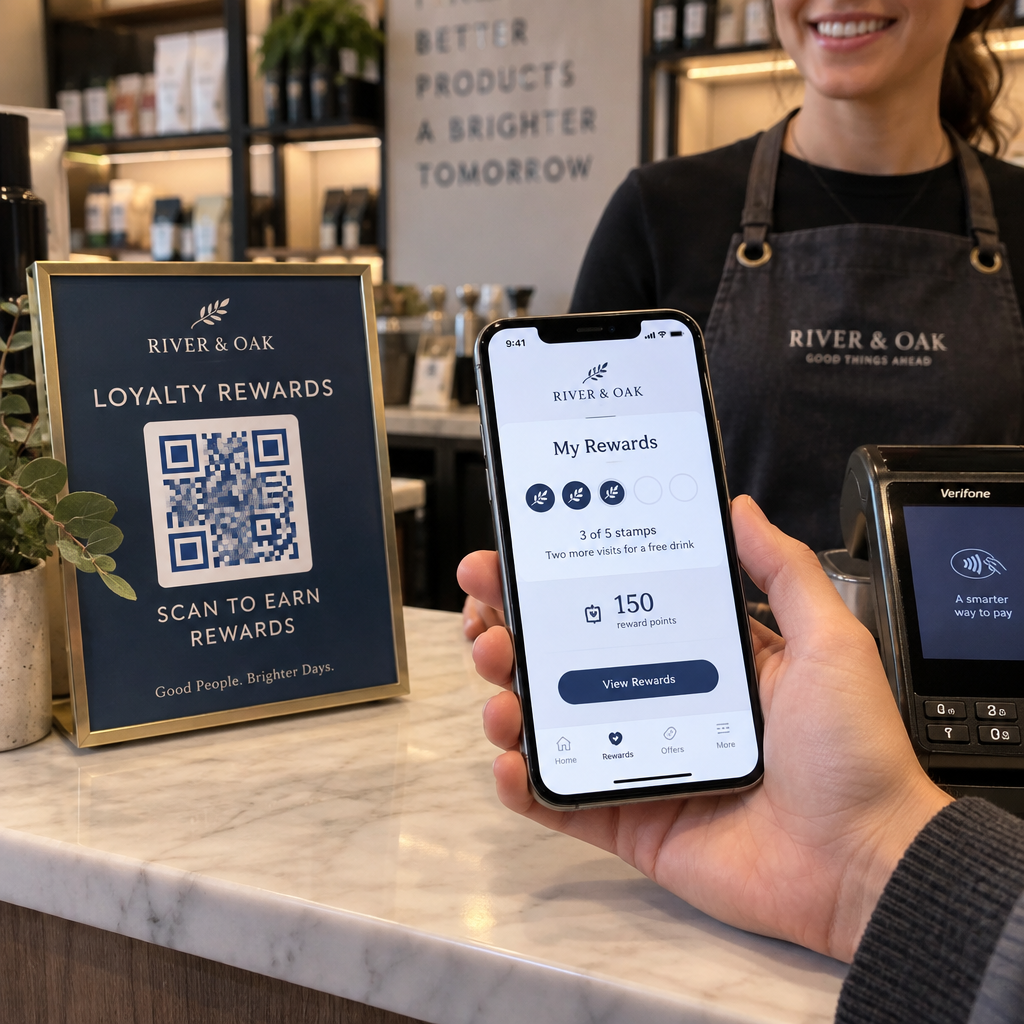
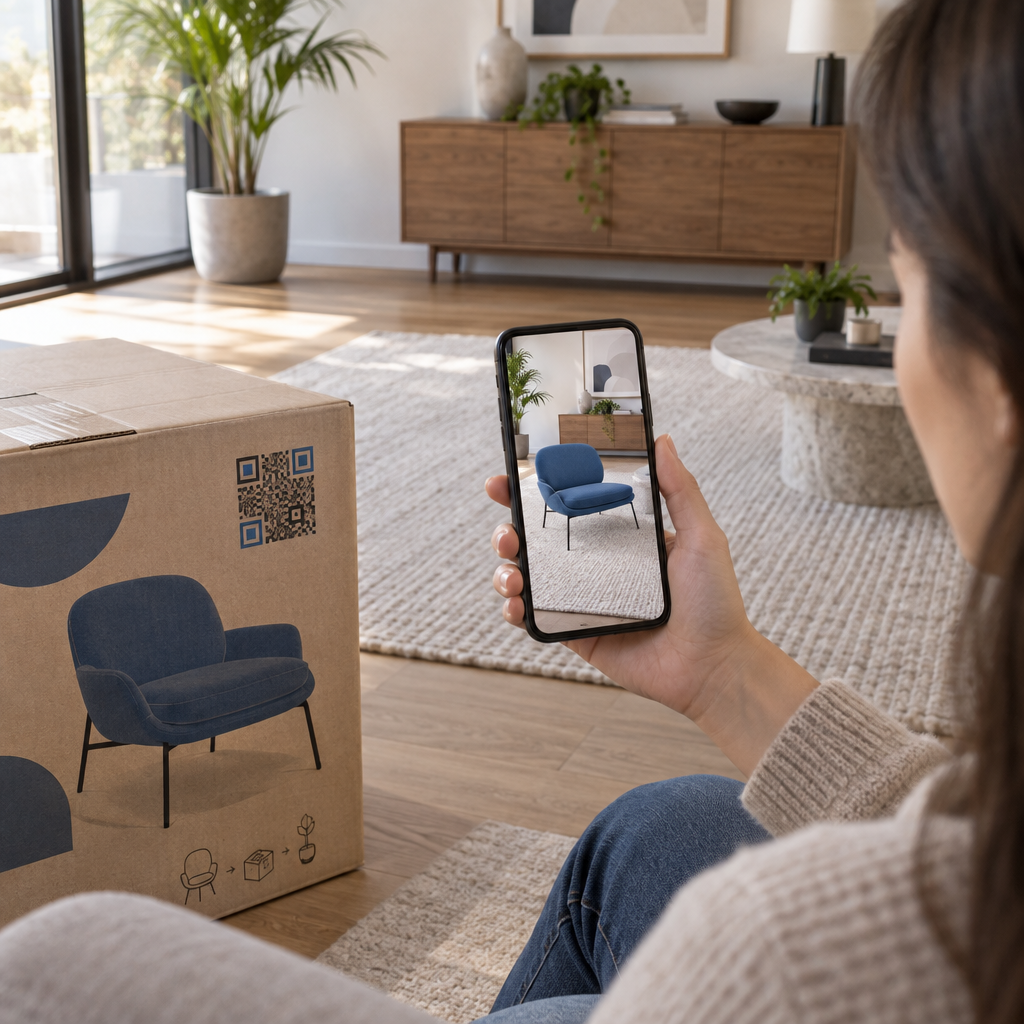
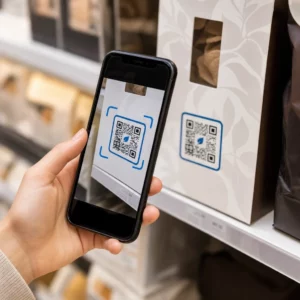
Praktik terbaik kode QR untuk penempatan berlandaskan pada lima aturan. Cetak kode minimal 2 x 2 cm (0,8 x 0,8 inci), jaga zona tenang empat modul di setiap sisi, gunakan modul gelap pada latar belakang terang, letakkan di permukaan datar doff pada ketinggian yang nyaman, dan tambahkan panggilan tindakan singkat di sebelahnya. Uji setiap bukti cetak dengan setidaknya dua ponsel sebelum produksi cetak penuh.
Panduan ini mencakup aturan dan pedoman desain kode QR untuk ukuran, kontras, dan permukaan, tempat meletakkan kode pada setiap jenis material, cara beriklan menggunakan kode QR, dan apa yang dibutuhkan halaman arahan di balik kode tersebut.
Praktik Terbaik Kode QR Sekilas
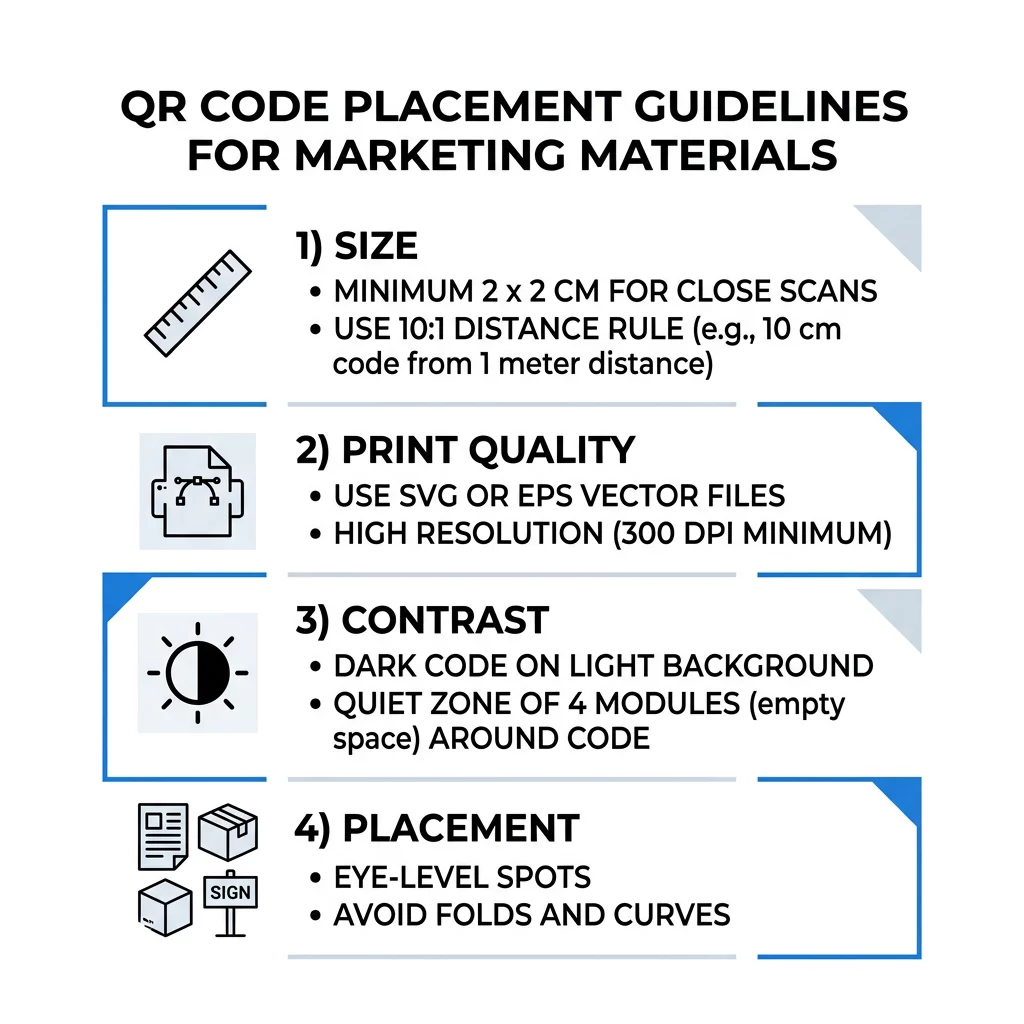
- Ukuran: setidaknya 2 x 2 cm (0,8 x 0,8 inci) untuk barang genggam. Untuk jarak, gunakan lebar kode 1 inci per 10 inci jarak pemindaian.
- Zona tenang: margin kosong setidaknya empat modul di keempat sisinya. Tidak ada teks, garis, atau tanda potong di dalamnya.
- Kontras: kode gelap pada latar belakang terang. Jangan pernah membaliknya atau menggunakan kode terang pada latar belakang gelap kecuali Anda telah mengujinya di beberapa ponsel.
- Permukaan: datar dan doff. Hindari lipatan, jahitan, lekukan, silau, dan laminasi glossy.
- Panggilan tindakan: beritahu orang mengapa harus memindai, misalnya “Pindai untuk melihat menu”.
- Tujuan: halaman yang ramah seluler yang memuat cepat dan sesuai dengan apa yang dijanjikan oleh panggilan tindakan.
- Pengujian: pindai bukti akhir pada iPhone dan ponsel Android, dalam cahaya di mana kode akan digunakan.
Standar Teknis untuk Ukuran dan Jarak Pandang
Kode QR yang terlalu kecil atau buram tidak akan dapat dipindai. Untuk material genggam jarak dekat, ukuran minimum praktis adalah 2 x 2 cm (0,8 x 0,8 inci). Untuk material yang lebih besar yang dilihat dari seberang ruangan atau jalan, gunakan aturan 10:1: izinkan setidaknya lebar kode 1 inci untuk setiap 10 inci jarak pemindaian. Poster yang dibaca orang dari jarak 5 kaki membutuhkan kode setidaknya selebar 6 inci.
Untuk cetak komersial, ekspor karya seni sebagai file vektor seperti SVG, EPS, atau PDF. File vektor tetap tajam di ukuran berapa pun, sedangkan gambar raster menjadi buram saat diperbesar. Jika Anda harus menggunakan gambar raster seperti PNG, ekspor dalam ukuran yang cukup besar untuk 300 DPI pada ukuran cetak akhir. Baca panduan ukuran kode QR untuk memeriksa dimensi yang tepat untuk setiap format.
| 6. Jenis Penempatan | Ukuran yang disarankan | Jarak Pandang | Tingkat Koreksi Kesalahan |
|---|---|---|---|
| Kartu nama | 2 x 2 cm (0,8 x 0,8 inci) | Genggam (di bawah 1 kaki) | 9. Level L atau M |
| Pamflet dan brosur | 3 x 3 cm (1,2 x 1,2 inci) | Sejauh lengan (1 hingga 2 kaki) | 14. Level M |
| Kemasan produk | 3 x 3 cm (1,2 x 1,2 inci) | Genggam (1 hingga 2 kaki) | 11. Level Q atau H |
| Poster dan tampilan | 10 x 10 cm (4 x 4 inci) | Jarak jalan kaki (3 hingga 7 kaki) | 14. Level M |
| Papan reklame dan spanduk | 40 x 40 cm (16 x 16 inci) atau lebih besar | Jarak jauh (15+ kaki) | Tingkat H |
Koreksi kesalahan memungkinkan pemindai membaca kode bahkan ketika sebagian darinya rusak atau tertutup. Level L memulihkan sekitar 7% data, M sekitar 15%, Q sekitar 25%, dan H sekitar 30%. Level yang lebih tinggi membuat pola menjadi lebih padat, sehingga kode dengan URL panjang pada Level H memerlukan ukuran cetak yang lebih besar agar tetap terbaca.
Aturan Desain Kode QR: Kontras, Zona Tenang, dan Pemilihan Permukaan
Pemindai membaca kode QR dengan mendeteksi perbedaan antara modul gelap dan ruang terang di sekitarnya. Modul hitam di latar belakang putih adalah pilihan teraman. Warna merek dapat berfungsi jika modul gelap tetap jelas lebih gelap dari latar belakang. Periksa hasilnya dengan mengubah desain Anda menjadi skala abu-abu: jika kode terlihat pudar, kamera ponsel juga akan kesulitan.
- Pertahankan latar depan lebih gelap dari latar belakang. Kode terang-di-gelap (inverted) sering gagal di banyak aplikasi pemindai lama.
- Jangan gunakan warna merah pada latar belakang gelap, atau dua warna dengan kecerahan yang serupa.
- Sisakan zona tenang minimal empat modul di setiap sisi. Teks, batas, foto, dan garis potong di dalam margin ini dapat menghentikan pemindaian.
- Jangan meregangkan kode. Pertahankan bentuknya tetap persegi sempurna.
- Hindari laminasi mengkilap, foil berkilau, dan kaca yang memantulkan cahaya. Gunakan kertas matte atau laminasi matte.
- Jika Anda menambahkan logo, jaga agar tetap kecil dan di tengah, serta gunakan level koreksi kesalahan yang lebih tinggi.
Banyak pemindaian yang gagal berasal dari beberapa kesalahan berulang. Hindari ini kesalahan umum penempatan kode QR sebelum Anda mencetak.
Praktik Terbaik Penempatan Kode QR di Berbagai Format Cetak dan Tampilan
Penempatan menentukan apakah orang akan memperhatikan kode sama sekali. Letakkan di tempat orang sudah melihat dan di mana mereka bisa memegang ponsel dengan stabil. Tambahkan instruksi singkat di sampingnya, karena orang tidak memindai apa yang tidak mereka pahami.
Selebaran, Brosur, dan Surat Langsung
Letakkan kode di tempat pembaca selesai membaca, misalnya di sudut kanan bawah atau panel terakhir:
- Letakkan Kode QR pada brosur di samping penawaran utama dan jauhkan dari tepi kertas yang terpotong.
- Tempatkan kode QR pada brosur di dalam satu panel. Jangan menempatkan kode melintasi lipatan atau kerutan, karena polanya akan melengkung dan rusak.
- Untuk surat langsung, jaga agar kode berada di luar indikasi pos dan zona bebas barcode yang disyaratkan oleh layanan pos Anda. Periksa aturan dengan penyedia layanan pengiriman surat Anda.
Kemasan dan Label Produk
Kemasan menjangkau orang setelah mereka membeli, yang cocok untuk video pengaturan, pendaftaran garansi, dan penawaran pemesanan ulang:
- Letakkan kode QR pada kemasan produk pada panel datar, bukan di sudut membulat atau leher sempit.
- Gunakan koreksi kesalahan Level Q atau H agar kode masih dapat dibaca setelah tergores, lembap, atau ditangani.
- Jauhkan kode dari strip sobek, jahitan, dan stiker harga yang dapat menutupi sebagiannya.
- Pada botol dan kaleng, jaga agar kode cukup kecil untuk diletakkan di bagian paling datar. Kode yang melilit jauh di sekitar lengkungan tidak akan dapat dipindai.
Poster, Etalase Toko, dan Layar Publik
Tanda perlu berfungsi untuk orang yang berjalan atau berdiri beberapa kaki jauhnya:
- Letakkan Kode QR pada poster setinggi mata, kira-kira 106 hingga 167 cm dari tanah, sehingga tidak ada yang perlu membungkuk atau menjangkau.
- Jaga kode QR pada layar dan tampilan di layar cukup lama untuk dipindai. Sepuluh detik adalah minimal yang aman, dan kode statis yang tetap terlihat lebih baik daripada yang ada dalam animasi bergerak.
- Ikuti dasar-dasar menggunakan kode QR di media cetak dan tampilkan satu kode per tanda, agar kamera tidak perlu memilih.
- Jangan menempatkan kode di tempat orang tidak bisa berhenti, seperti pada kendaraan bergerak, papan reklame tinggi, atau jendela yang jauh dari trotoar.
Cara Beriklan Menggunakan Kode QR
Untuk beriklan menggunakan kode QR, perlakukan setiap kode sebagai iklan singkat dengan satu tujuan. Pilih penempatan, tulis ajakan bertindak (call to action), arahkan orang ke satu halaman spesifik, dan ukur hasilnya. Gunakan proses ini:
- Pilih satu tujuan per kode, seperti kupon, menu, ulasan, atau halaman produk.
- Buat kode dengan tujuan yang sudah ditetapkan. Jangan arahkan orang ke halaman utama jika Anda menjanjikan kupon.
- Tempatkan menggunakan aturan ukuran dan permukaan di atas, dan tambahkan ajakan bertindak (call to action) dengan manfaatnya, contohnya “Pindai untuk diskon 15% pada pesanan pertama Anda”.
- Gunakan kode yang berbeda untuk setiap penempatan (brosur, jendela, kemasan), sehingga Anda bisa mengetahui mana yang berhasil.
- Cetak satu contoh, pindai dengan dua ponsel, dan baru kemudian pesan jumlah penuh.
- Periksa jumlah pindaian setelah satu atau dua minggu dan alihkan anggaran ke penempatan yang mendapatkan pindaian.
Tempat yang baik untuk beriklan dengan kode QR meliputi jendela toko, tenda meja (table tent), struk, kotak pengiriman, tanda acara, stan pameran dagang, dan surat langsung. Tempat yang kurang efektif meliputi benda bergerak apa pun, apa pun yang di atas tingkat mata, dan di mana pun tanpa sinyal seluler.
Meningkatkan Pindaian dengan Bingkai Ajakan Bertindak (Call-to-Action Frames)
Kode tanpa konteks tidak memberikan alasan bagi orang untuk mengeluarkan ponsel. Letakkan ajakan bertindak singkat di sampingnya. Contoh yang berhasil: “Pindai untuk melihat menu”, “Pindai untuk memesan meja”, “Pindai untuk diskon 15%”, “Pindai untuk meninggalkan ulasan”. Tempatkan teks langsung di atas atau di bawah kode, dengan ukuran yang dapat dibaca orang dari jarak yang sama dengan kode.
Logo di tengah dapat membantu orang mempercayai kode tersebut. Gunakan Generator QR Code dengan Logo, jaga agar logo tetap kecil, dan uji ulang kode setelah menambahkannya. Mencetak alamat web singkat di bawah kode memberikan cara bagi orang yang tidak bisa memindai untuk mengetiknya.
Praktik Terbaik Halaman Arahan (Landing Page) Kode QR
Kebanyakan orang memindai menggunakan ponsel, dengan satu tangan, seringkali menggunakan data seluler. Halaman di balik kode menentukan apakah pindaian tersebut menjadi pelanggan. Ikuti praktik terbaik halaman arahan kode QR ini:
- Bangun untuk layar ponsel terlebih dahulu. Gunakan teks besar dan tombol besar.
- Buat halaman memuat dengan cepat. Gunakan gambar kecil dan hindari pop-up berat atau video putar otomatis.
- Sesuaikan ajakan bertindak. Jika papan bertuliskan “Pindai untuk diskon 15%”, tunjukkan diskon di layar pertama.
- Tempatkan satu tindakan utama di bagian atas halaman, seperti satu tombol untuk kupon, pemesanan, atau panggilan.
- Pertahankan formulir singkat. Minta alamat email atau nomor telepon, bukan profil lengkap.
- Gunakan https, dan pastikan halaman berfungsi tanpa login.
- Uji di iPhone dan Android, dengan data seluler dan tidak hanya Wi-Fi kantor.
Melacak Keterlibatan dengan Teknologi Dinamis
Kode QR statis menyimpan alamat web di dalam pola. Kode ini tidak pernah kedaluwarsa dan berfungsi tanpa layanan apa pun, yang cukup untuk tautan permanen seperti login Wi-Fi atau kartu kontak. Batasannya adalah Anda tidak dapat mengubah alamat setelah dicetak. Jika halaman berpindah atau penawaran berakhir, setiap kode yang dicetak akan mengarah ke halaman lama.
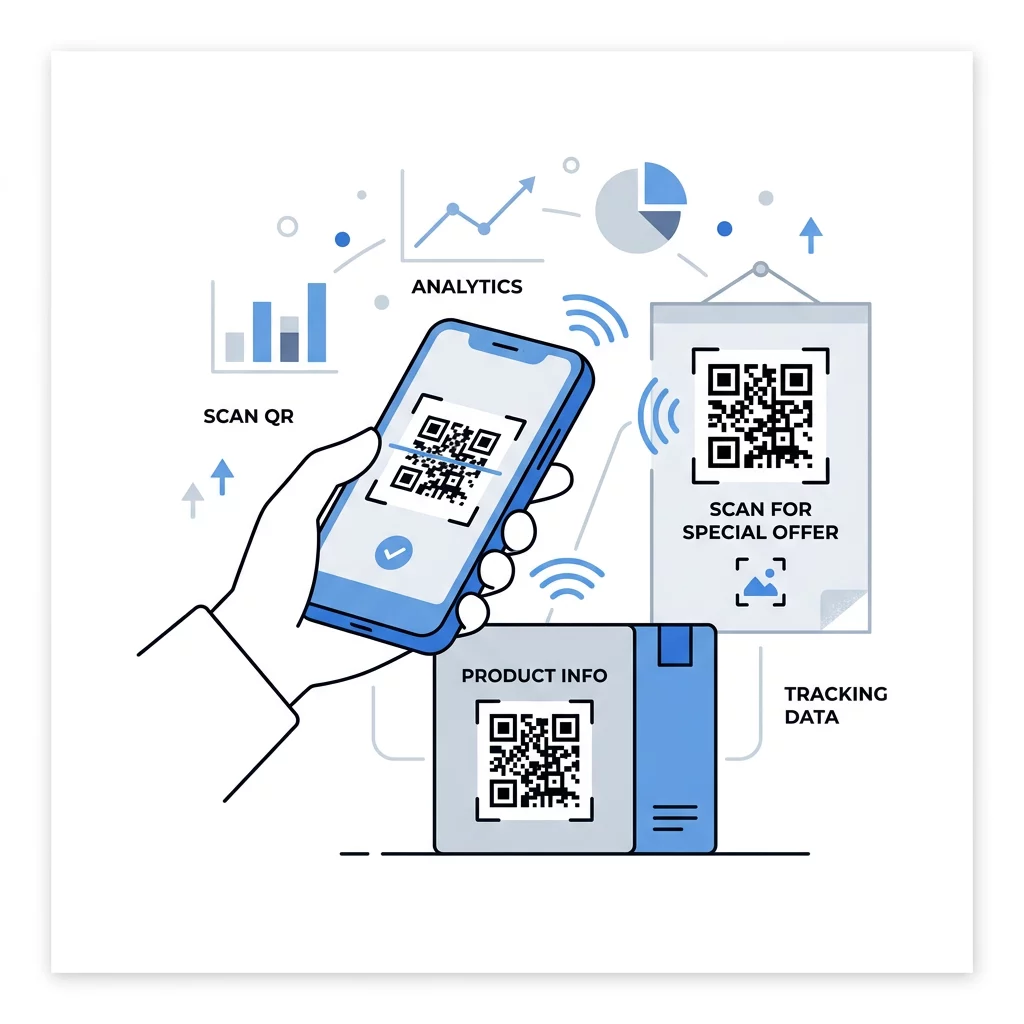
Kode QR dinamis mengarah ke tautan pendek yang dapat Anda alihkan kapan saja, sehingga kode yang dicetak tetap sama sementara tujuannya berubah. Kode ini juga merekam pemindaian, termasuk kapan, di mana, dan di perangkat jenis apa. Ini membantu Anda membandingkan brosur dengan tanda jendela, dan menghilangkan biaya cetak ulang saat kampanye berubah. Tautan pendek juga memberikan pola yang lebih sederhana, tidak terlalu padat, yang lebih mudah dipindai pada ukuran kecil.
Kode dinamis Pageloot hadir dengan uji coba gratis 14 hari dan jaminan uang kembali 30 hari pada paket, dan Anda dapat melihat paketnya di pageloot.com/pricing. Kode dinamis pada paket bulanan atau tahunan menjadi tidak aktif saat paket berakhir, jadi pilih kode dinamis untuk kampanye yang ingin Anda terus jalankan.
Lacak Kinerja Kampanye Ingin melihat materi mana yang menghasilkan pemindaian terbanyak? Gunakan Generator QR Code Dinamis untuk membuat kode yang dapat diedit, meninjau analitik pemindaian, dan memperbarui URL tujuan tanpa mencetak ulang.
Sebagai ringkasan: pilihlah ukuran yang sesuai dengan jarak pandang, pastikan zona hening tetap bersih, gunakan kontras tinggi, letakkan kode pada permukaan datar setinggi mata, dan tuliskan ajakan bertindak. Kemudian uji cetakan awal sebelum produksi penuh. Anda dapat membuat dan mengunduh kode Anda dengan Generator kode QR gratis di Pageloot.
Pertanyaan yang sering diajukan
Letakkan kode di permukaan datar, tidak mengkilap (matte), pada ketinggian yang nyaman, minimal 2 x 2 cm untuk barang-barang yang digenggam, dengan zona tenang empat modul di setiap sisi. Tempatkan di mana orang-orang sudah biasa melihat, misalnya di bagian akhir pamflet atau di tengah poster, dan tambahkan ajakan bertindak (call to action) singkat di sampingnya.
Gunakan modul gelap pada latar belakang terang, jaga kode tetap berbentuk persegi dan tidak meregang, sisakan zona tenang setidaknya empat modul, dan jaga agar logo tetap kecil dan berada di tengah. Jangan mencetak pada permukaan mengkilap atau melengkung, dan uji bukti cetak pada lebih dari satu ponsel.
Batas minimum praktis untuk materi genggam seperti kartu nama adalah 2 x 2 cm (0.8 x 0.8 inci). Untuk materi yang dilihat dari jarak jauh, gunakan aturan 10:1: lebar kode 1 inci untuk setiap 10 inci jarak pemindaian.
Berikan setiap kode satu tujuan, arahkan ke halaman spesifik yang sesuai dengan ajakan bertindak Anda, dan letakkan pada ketinggian mata di permukaan datar. Gunakan kode terpisah untuk setiap penempatan dan bandingkan jumlah pemindaian setelah satu hingga dua minggu.
Halaman yang memuat dengan cepat di ponsel, menampilkan penawaran yang dijanjikan di layar pertama, memiliki satu tindakan yang jelas, dan tidak memerlukan login. Uji di iPhone dan Android menggunakan data seluler.
Ya, tapi jaga agar kodenya kecil dan letakkan di bagian permukaan yang paling datar. Jika kode melilit terlalu jauh di sekitar kurva, polanya akan terdistorsi dan kamera tidak dapat membaca semuanya.
Gunakan kode QR dinamis. Pola cetaknya tetap sama, dan Anda mengubah tujuannya di akun Anda. Kode QR statis tidak dapat diubah setelah dicetak.
Penyebab paling umum adalah kode yang terlalu kecil, zona tenang yang hilang, kontras rendah, permukaan yang mengkilap atau melengkung, dan berkas dengan resolusi rendah yang buram. Cetak salinan uji yang lebih besar dan periksa poin-poin ini sesuai urutan.