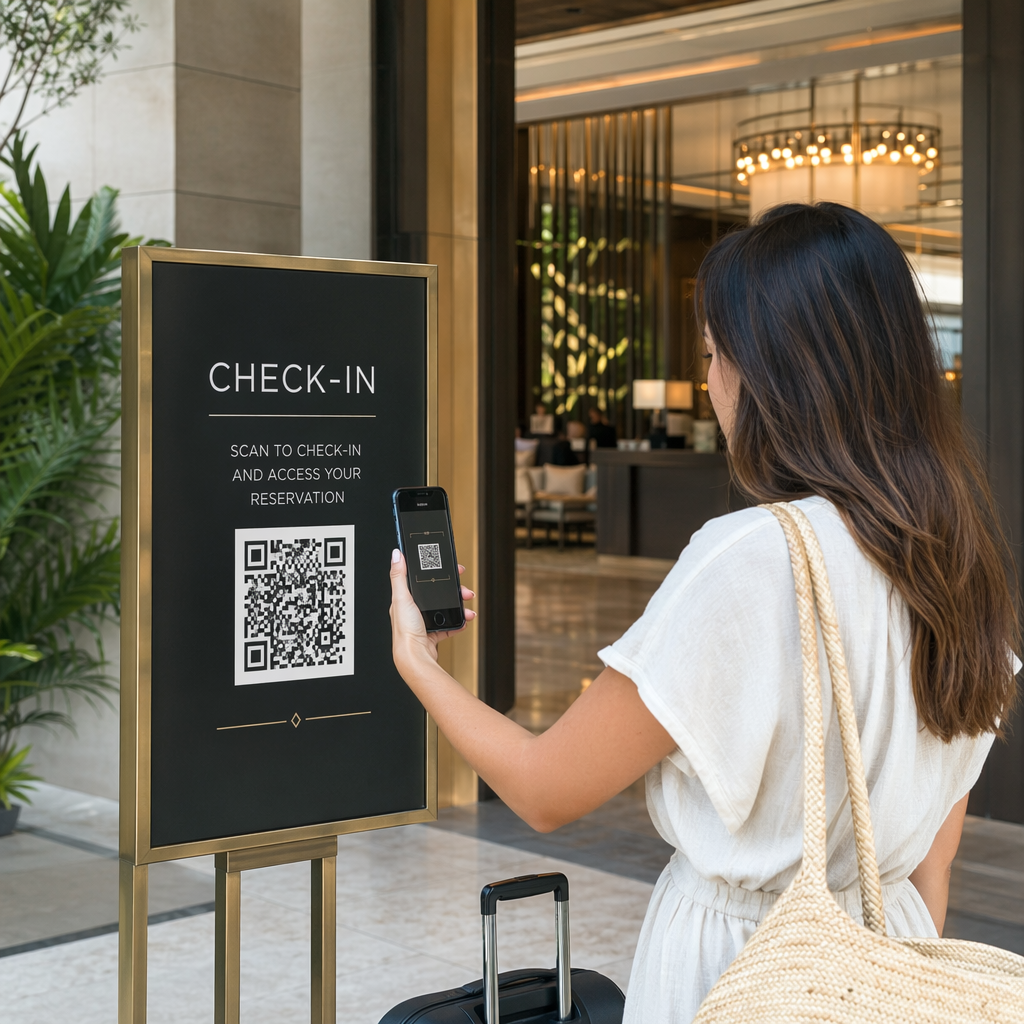
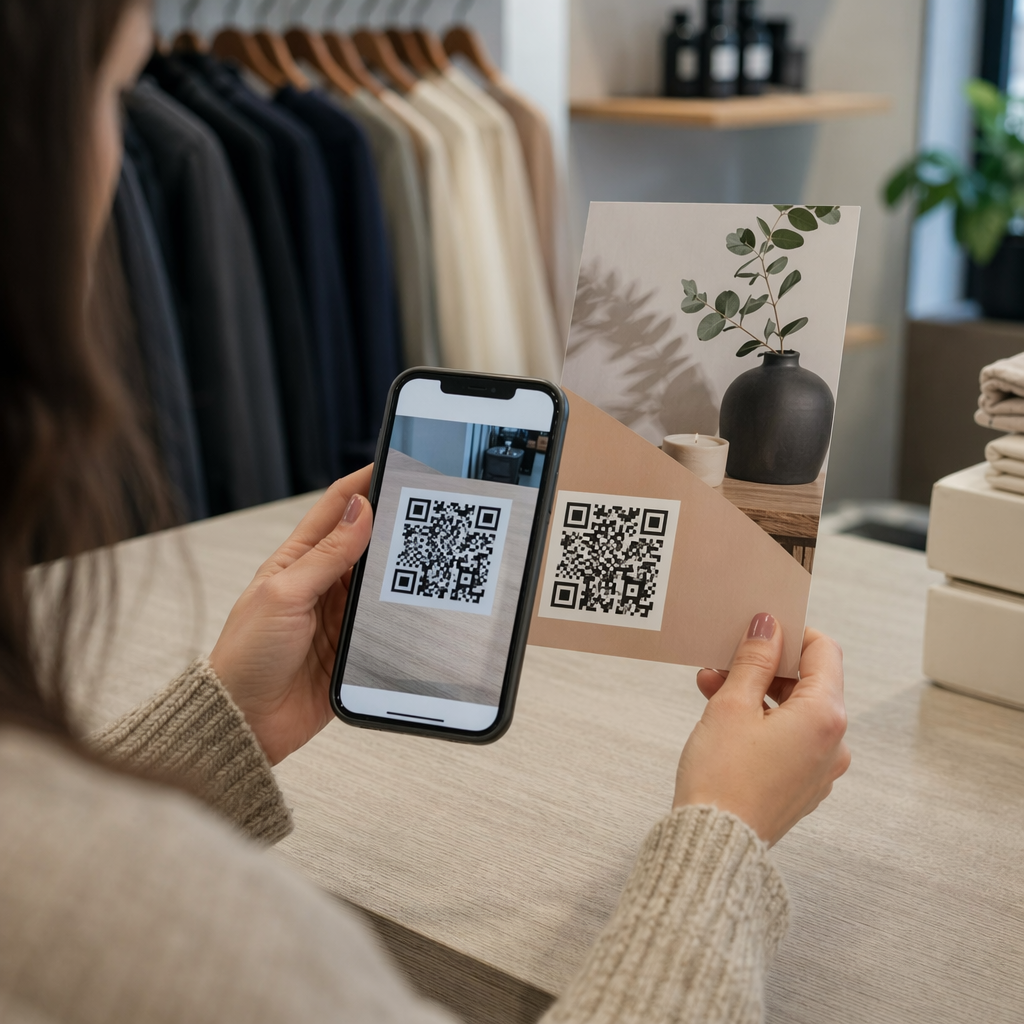
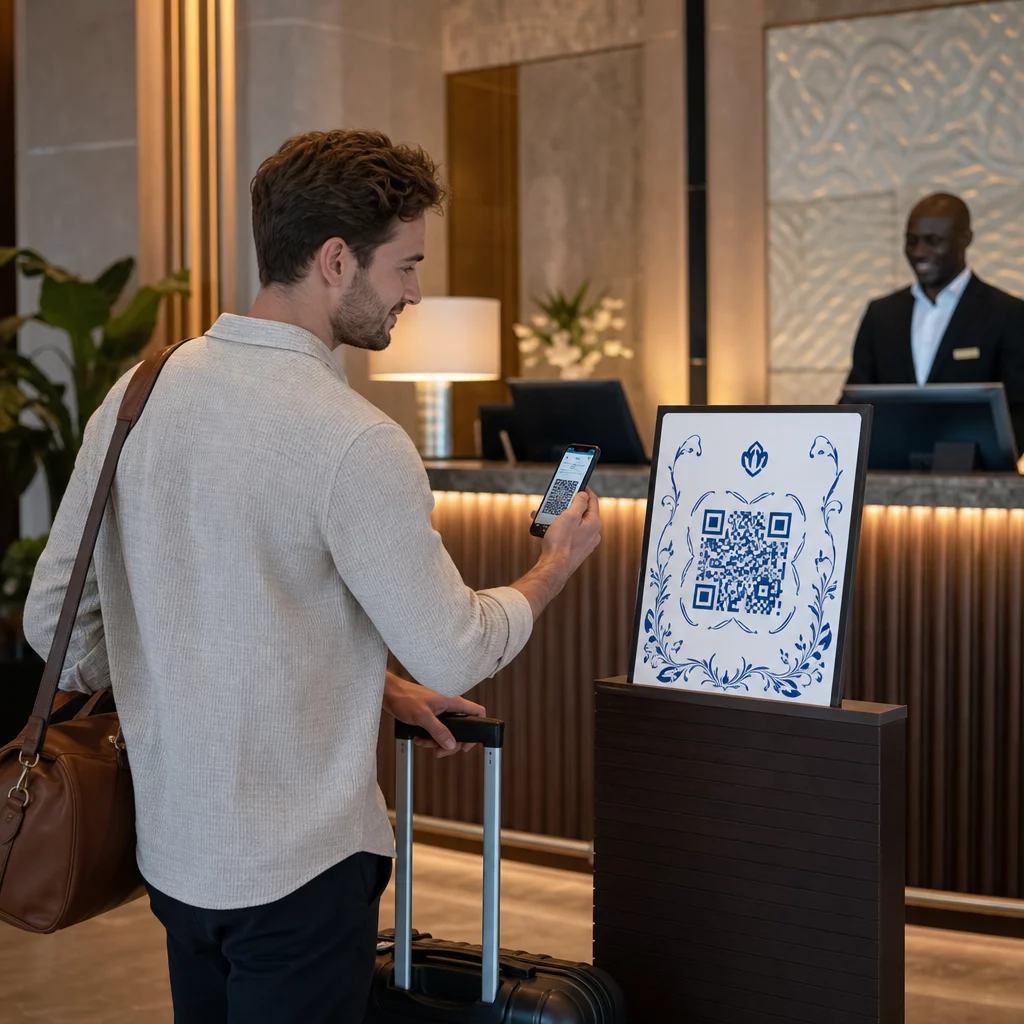
Vai vēlaties padarīt savas dāvanu kartes vieglāk izmantojamas un grūtāk ignorējamas? Slikti izstrādāts izpirkšanas process frustrē klientus un noved pie neizmantotiem atlikumiem, kas stāv dīkā. Šis ceļvedis skaidro, kā pievienot QR kodus fiziskajām un digitālajām dāvanu kartēm, ko tie sniedz jūsu uzņēmumam un kā tos pareizi iestatīt.
Kāpēc QR kodiem ir vieta uz dāvanu kartēm
Dāvanu kartes ir nozīmīga pirkumu kategorija. Jaunākie aptaujas dati liecina, ka 76% ASV patērētāju pēdējā gada laikā iegādājās dāvanu karti, un 40% no šiem pirkumiem bija digitāli. Tomēr izpirkšanas paradumi ievērojami atšķiras – patērētāji digitālās dāvanu kartes iztērē vidēji 16,8 dienās, salīdzinot ar 35,3 dienām fiziskajām kartēm. Šī atšķirība atspoguļo reālus ieņēmumus, kas stāv plauktā.
QR kods uz dāvanu kartes novērš berzi izpirkšanas procesā. Tā vietā, lai lūgtu klientam ievadīt garu kartes numuru vai pārvietoties pa daudzpakāpju norēķinu procesu, viena skenēšana novirza viņu tieši uz maksājumu lapu, atlikuma pārbaudi vai tiešsaistes veikalu. Šis pūļu samazinājums tieši pārvēršas ātrākā izpirkšanā un mazāk pamestu atlikumu.
Papildus ērtībām, QR kodi sniedz jums kaut ko, ko tradicionālās dāvanu kartes nevar: datus. Jūs varat izsekot, kad un kur kartes tiek skenētas, kuri karšu dizaini darbojas labāk un vai klienti pabeidz izpirkšanu pēc skenēšanas.
Fiziskās dāvanu kartes: QR koda pievienošana, kas darbojas
Fiziskajai dāvanu kartei ir ierobežota vieta, tāpēc katrs dizaina lēmums ir svarīgs. QR koda pievienošana ir vienkārša, taču daži tehniski standarti nosaka, vai tas patiešām uzticami skenējas reālajā pasaulē.
Minimālais izmērs un klusā zona
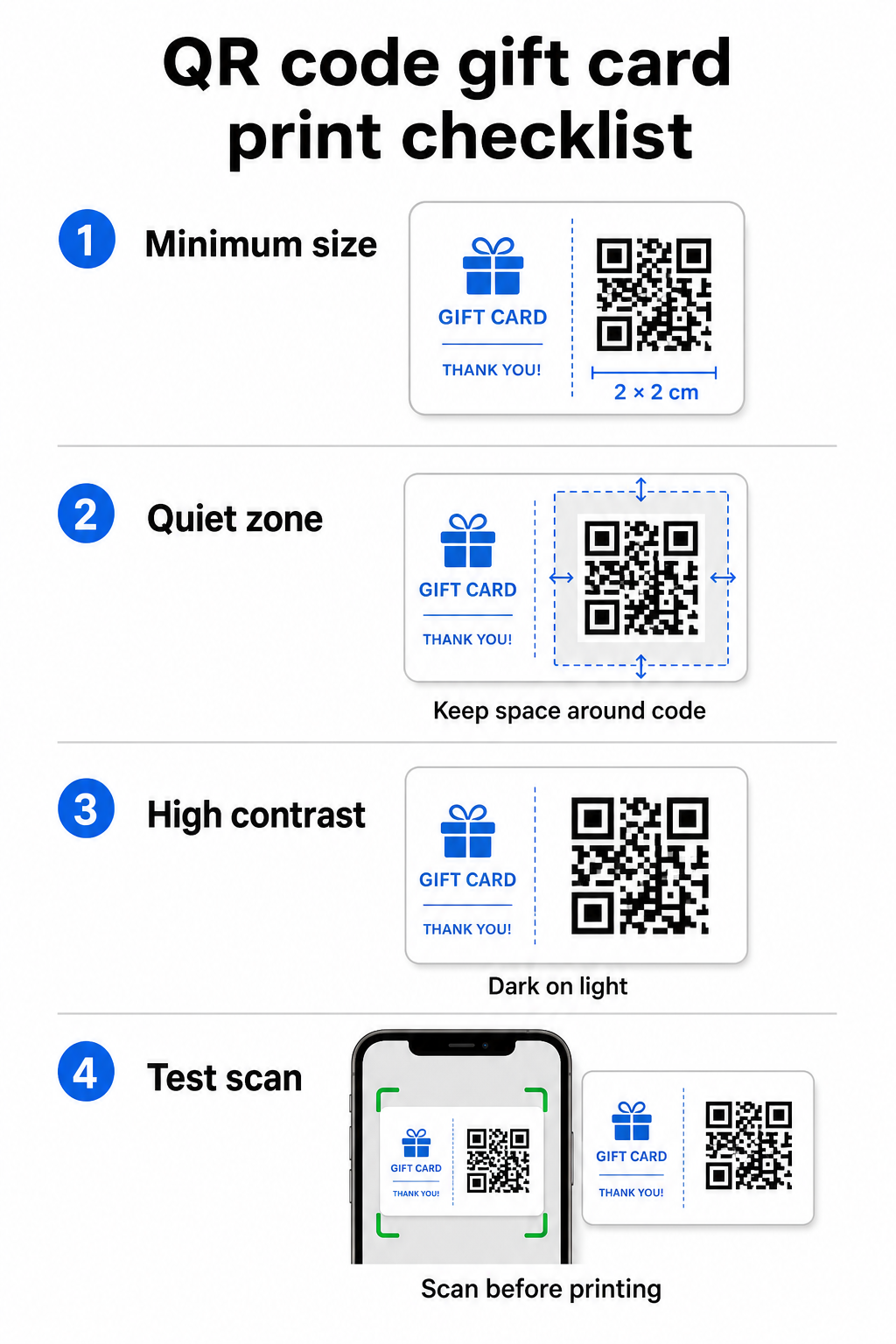
Lai nodrošinātu uzticamu skenēšanu uz drukātiem materiāliem, jūsu QR kodam jābūt vismaz 2 × 2 cm. Ap pašu kodu atstājiet tukšu apmali – ko sauc par klusā zona kluso zonu – vismaz četru moduļu platumā no visām pusēm. Ja katrs modulis jūsu QR kodā ir 2 mm plats, tas nozīmē 8 mm apmali visapkārt. Koda pārpildīšana ar tekstu vai dizaina elementiem šajā zonā ir viens no visbiežākajiem iemesliem, kāpēc kodi netiek skenēti.
Kontrasta prasības
Izmantojiet tumšu priekšplāna krāsu uz gaiša fona. Minimālā ieteicamā kontrasta attiecība ir 4:1, lai gan melns uz balta (21:1) joprojām ir visuzticamākā kombinācija. Izvairieties no apgrieztām krāsu shēmām (gaišs raksts uz tumša fona), gradientiem un ēnām – tie visi rada nekonsekventu kontrastu, kas mulsina kameru skenerus. Detalizētus norādījumus skatiet QR kodu krāsu kontrasta labāko praksi.
Izvietojums uz kartes
Novietojiet QR kodu kartes aizmugurē, prom no magnētiskās joslas un nokasāmās PIN zonas. Kartes priekšpuse ir paredzēta zīmola atpazīstamībai; aizmugurē atrodas funkcionālie elementi, piemēram, kartes numuri un QR kodi. Iekļaujiet īsu aicinājumu uz darbību blakus kodam – piemēram, “Skenējiet, lai pārbaudītu savu atlikumu” vai “Skenējiet, lai izmantotu tiešsaistē” – lai klienti saprastu, kas notiek, kad viņi skenē.
Izmantojiet dinamiskos QR kodus elastībai
Ja drukājat fiziskās kartes lielos apjomos, statisks QR kods jūs piesaista vienam galamērķa URL. A dinamiskais QR kods ļauj jums jebkurā laikā atjaunināt galamērķi, nepārdrukājot karti. Tas ir svarīgi, ja pārveidojat savu izpirkšanas portālu, rīkojat sezonas akciju vai migrējat uz jaunu maksājumu sistēmu. Jūs varat izveidot un pārvaldīt dinamiskos QR kodus, izmantojot Pageloot QR koda ģeneratoru, kas arī nodrošina skenēšanas analīzi no centralizēta informācijas paneļa.
Saglabājiet savas dāvanu karšu kampaņas elastīgas Nepieciešams atjaunināt, uz kurieni norāda jūsu dāvanu karšu QR kodi, nepārdrukājot tūkstošiem karšu? Izmantojiet Saites QR koda ģenerators lai izveidotu dinamiskus kodus, kurus varat pārvirzīt jebkurā laikā, ar pilnu skenēšanas izsekošanu.
Digitālās dāvanu kartes: QR kodi e-pasta un maka formātos
Digitālā dāvanu karte – piegādāta pa e-pastu, SMS vai saglabāta mobilajā makā – var saturēt QR kodu tikpat efektīvi kā fiziskā. Šajā kontekstā QR kods kalpo kā pats izpirkšanas mehānisms.
Kad klients saņem digitālu dāvanu karti, e-pastā vai attēla failā iegultais QR kods var tieši novirzīt uz norēķinu lapu, kurā jau ir ielādēta kartes vērtība, kupona galveno lapu ar izpirkšanas norādījumiem vai maksājumu apstrādātāju, piemēram, PayPal vai Stripe. Klients skenē kodu norēķinoties – veikalā vai tiešsaistē – un vērtība tiek piemērota automātiski.
Šī pieeja īpaši labi darbojas uzņēmumiem, kas darbojas gan fiziskos, gan tiešsaistes veikalos. Klients, kurš saņem digitālu dāvanu karti pa e-pastu, var ienākt jūsu veikalā, atvērt e-pastu un ļaut kasierim skenēt QR kodu no sava tālruņa ekrāna – kartes numurs nav nepieciešams.
Konkrēti maksājumu plūsmai, Pageloot PayPal QR kodu ģenerators ļauj jums izveidot kodu, kas tieši ved uz maksājumu lapu, padarot vienkāršu skenēšanas-maksāšanas izpirkšanas pieredzes iekļaušanu jūsu digitālās dāvanu kartes dizainā.
Kam piesaistīt jūsu dāvanu kartes QR kodu
Jūsu izvēlētais galamērķis nosaka klienta pieredzi pēc skenēšanas. Šeit ir visbiežāk sastopamās un efektīvākās iespējas:
| Galamērķis | Labākais izmantošanas gadījums |
|---|---|
| Tiešsaistes veikals vai norēķinu lapa | Pilnīga e-komercijas izpirkšana; kartes vērtība piemērota norēķinoties |
| Atlikuma pārbaudes lapa | Ļauj sa |
| Coupon or offer landing page | Paired promotions alongside the gift card value |
| Payment link (PayPal, Stripe) | Direct payment at physical point of sale |
| Brand welcome page | New customer onboarding; links to loyalty program signup |
If you want to run promotions alongside your gift card program – offering bonus discounts to recipients who scan within a set timeframe, for example – Pageloot’s Kupona QR koda ģenerators lets you build a landing page that displays multiple offers, tracks which locations collect the most redemptions, and updates those offers without generating a new code.
For a broader look at how QR-based promotions compare to traditional discount methods, see QR codes vs. traditional coupons: which works better.
Tracking Redemptions and Campaign Performance
Viena no skaidrākajām priekšrocībām, izmantojot QR kodus dāvanu kartēs – salīdzinājumā ar tikai tradicionālajiem kartes numuriem – ir analītikas slānis, ko tie pievieno. Ar platformu, piemēram, Pageloot, katra skenēšana tiek reģistrēta ar laika zīmogu, ierīces veidu un atrašanās vietas datiem. Tas jums parāda:
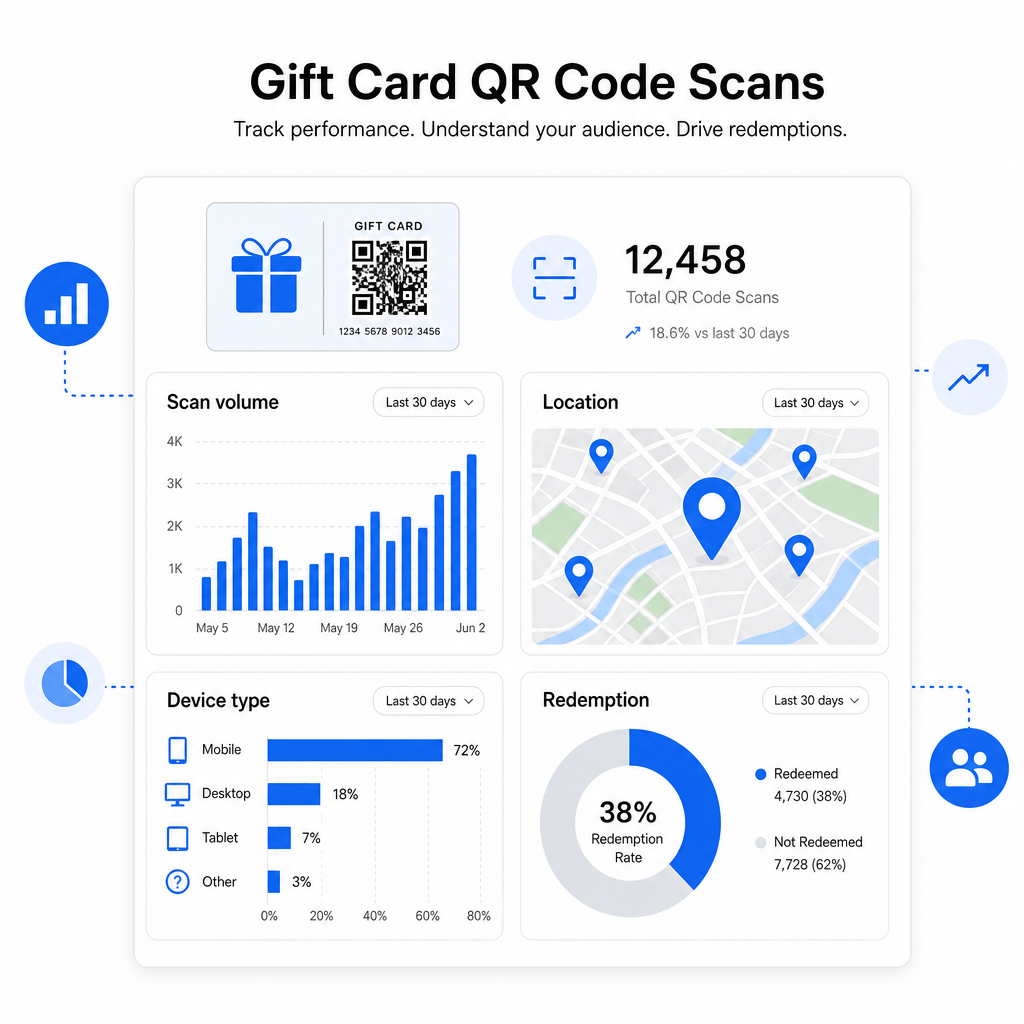
- Kuri karšu dizaini vai reklāmas partijas tiek skenēti visvairāk
- Vai klienti skenē, bet nepabeidz izpirkšanu, norādot uz problēmu ar galveno lapu
- Izpirkšanas ģeogrāfiskais sadalījums, noderīgs mazumtirgotājiem ar vairākām atrašanās vietām
- Maksimālie izpirkšanas laiki, kas var sniegt informāciju par nākotnes reklāmas laika plānošanu
Šie dati ir īpaši vērtīgi mazumtirdzniecības uzņēmumiem, kas veic dāvanu karšu kampaņas ap svētkiem vai sezonas pasākumiem. Lai uzzinātu vairāk par to, kā QR kodi atbalsta mazumtirdzniecības maksājumu un iesaistes stratēģijas, skatiet QR kodi mazumtirdzniecībai un kā QR kodi vienkāršo mazumtirdzniecības maksājumus.
Skatiet, kuras dāvanu karšu kampaņas veicina izpirkšanu Izsekojiet skenēšanas apjomu, ierīču veidus un atrašanās vietas katram QR kodam uz jūsu dāvanu kartēm. Sāciet ar Pageloot QR kodu ģenerators un piekļūstiet savam analītikas informācijas panelim no pirmās dienas.
Juridiskie apsvērumi dāvanu kartēm ASV.
Ja jūs izsniedzat dāvanu kartes Amerikas Savienotajās Valstīs, federālais likums regulē to darbību. Saskaņā ar CARD likumu un E regulu (12 C.F.R. § 1005.20), aptvertās dāvanu kartes – ieskaitot veikalu dāvanu kartes un vispārējas lietošanas priekšapmaksas kartes – nevar beigties ātrāk kā piecus gadus no izsniegšanas datuma, un neaktivitātes maksas var tikt piemērotas tikai pēc 12 secīgiem mēnešiem bez aktivitātes, ar ne vairāk kā vienu šādu maksu mēnesī. Visas maksas un derīguma termiņi ir skaidri jāatklāj klientam.
QR koda pievienošana jūsu dāvanu kartei nemaina šīs saistības, bet tas dod jums praktisku rīku tās skaidrāk paziņot. Jūsu QR koda galvenā lapa var parādīt atlikušo bilanci, derīguma termiņu, piemērojamās maksas un pilnus noteikumus formātā, kas ir daudz vieglāk lasāms nekā sīkais teksts uz fiziskas kartes.
Ņemiet vērā, ka daži priekšapmaksas produkti ir atbrīvoti no šiem federālajiem noteikumiem – tostarp atkārtoti ielādējamas kartes, kas netiek tirgotas kā dāvanu kartes, un reklāmas atlīdzības kartes –, taču valsts likumi var noteikt papildu prasības. Vienmēr pārskatiet gan federālos, gan piemērojamos valsts noteikumus pirms dāvanu karšu programmas uzsākšanas.
Dizaina kontrolsaraksts pirms drukāšanas vai nosūtīšanas
Pirms dāvanu karšu QR kodu pabeigšanas veiciet šīs pārbaudes:
- Izmērs: Vismaz 2 × 2 cm fiziskām kartēm; mērogojams e-pasta vai maka displejam
- Klusā zona: Vismaz četri tukšas vietas moduļi visās četrās pusēs
- Kontrasts: Tumšs priekšplāns uz gaiša fona, vismaz 4:1 attiecība
- Galamērķis: Pārbaudiet saiti vairākās ierīcēs un apstipriniet, ka tā pareizi ielādējas mobilajā ierīcē
- Aicinājums uz darbību: Iekļaujiet īsu instrukciju blakus kodam, paskaidrojot, ko dara skenēšana
- Dinamisks pret statisku: Izmantojiet dinamisku kodu, ja galamērķis var mainīties vai ja vēlaties skenēšanas analītiku
- Kļūdu labošana: Izmantojiet Q vai H līmeni, ja QR kodam pievienojat logotipu, lai saglabātu skenējamību
Lai iegūtu pilnīgu pārskatu par QR kodu dizaina standartiem, skatiet labāko praksi QR kodu lasāmībā.
QR kodi pārvērš pasīvu dāvanu karti par aktīvu klientu saskares punktu. Pareizi izstrādāti un saistīti ar labi izveidotu izpirkšanas pieredzi, tie samazina berzi, palielina izpirkšanas rādītājus un sniedz jums izmērāmus datus par to, kā patiesībā darbojas jūsu dāvanu karšu programma. Sāciet ar dinamisku kodu, lai saglabātu kontroli pār galamērķi, un izmantojiet savu skenēšanas analītiku, lai laika gaitā turpinātu uzlabot pieredzi.
Izveidojiet savu dāvanu kartes QR kodu šodien Izveidojiet zīmolotu, izsekojamu QR kodu savai dāvanu karšu programmai dažu minūšu laikā. Izmēģiniet Pageloot QR kodu ģenerators bez maksas 14 dienas – nav nepieciešama kredītkarte.
Biežāk uzdotie jautājumi
Ja jūs izmantojat dinamisku QR kodu, jūs varat atjaunināt galamērķa saiti jebkurā laikā, nemainot pašu kodu. Tas nozīmē, ka jūs varat izdrukāt QR kodu vienreiz un vēlāk novirzīt to uz jaunu maksājumu lapu, sezonas piedāvājumu vai atjauninātu portālu. Tomēr, ja jums ir nepieciešams mainīt kartes fizisko dizainu, jums būs jāpārdrukā.
Izveidojiet zīmola, izsekojamu QR kodu savai dāvanu karšu programmai dažu minūšu laikā. Izmēģiniet to.
Izmantojiet QR koda platformu, kas ietver iebūvētu analītiku, piemēram, Pageloot. Katra skenēšana tiek ierakstīta ar laiku, ierīces veidu un atrašanās vietu, lai jūs varētu redzēt, cik daudz karšu tiek skenētas, kad izpirkšanas aktivitāte sasniedz maksimumu un vai klienti atsakās pirms izpirkšanas pabeigšanas. Šie dati palīdz jums identificēt un novērst vājos punktus jūsu izpirkšanas plūsmā.