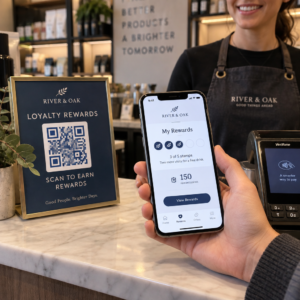
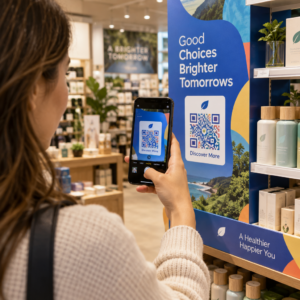
Mengelola kampanye kode QR di berbagai klien lebih sulit dari yang terlihat – terutama ketika Anda membutuhkan pelacakan yang konsisten, pelaporan yang jelas, dan fleksibilitas untuk memperbarui materi tanpa mencetak ulang. Panduan ini mencakup bagaimana agensi pemasaran dapat membuat, mengelola, dan mengukur kampanye kode QR yang memberikan hasil terukur untuk setiap akun klien.
Mengapa Kode QR Penting bagi Agensi Pemasaran
Kode QR telah jauh melampaui hal baru. Pada tahun 2025, 89 juta orang Amerika memindai kode QR, dengan angka tersebut diproyeksikan melebihi 100 juta pada tahun 2026. Bagi agensi, tingkat adopsi tersebut berarti kode QR kini menjadi saluran yang layak – dan diharapkan – di hampir setiap industri klien.
Yang membuat mereka sangat berharga di tingkat agensi adalah peran ganda mereka: mereka menghubungkan materi cetak dan fisik ke pengalaman digital yang dapat dilacak. Poster, kartu nama, atau label produk menjadi titik sentuh yang terukur saat membawa kode QR dinamis.
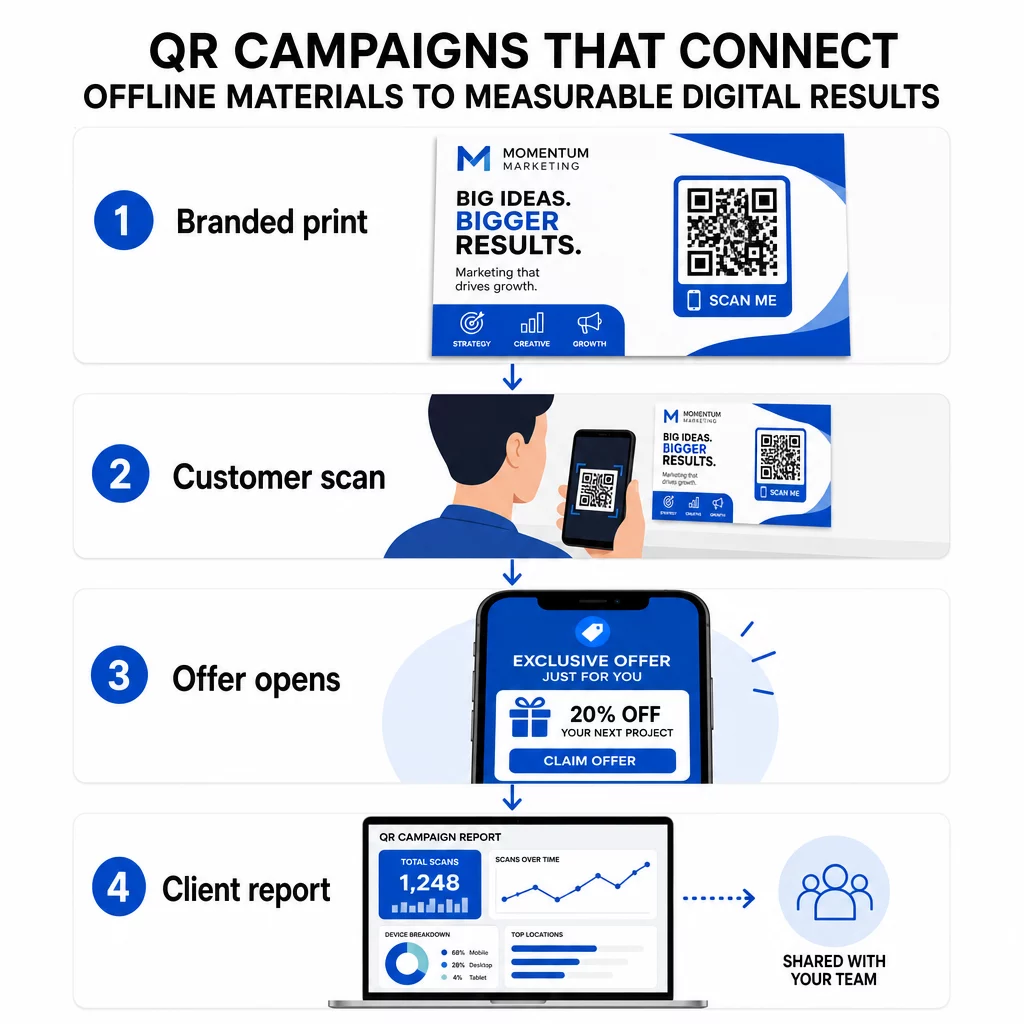
Alasan utama agensi harus memasukkan kode QR ke dalam perangkat standar mereka:
- Kinerja offline yang terukur – Lacak penempatan fisik mana yang mendorong keterlibatan paling banyak di seluruh volume pemindaian, lokasi, dan waktu dalam sehari
- Manajemen kampanye yang fleksibel – Perbarui URL tujuan tanpa mencetak ulang, sehingga satu kode dapat melayani seluruh siklus hidup kampanye
- Pelaporan siap klien – Bagikan data pemindaian langsung dengan klien melalui laporan yang dapat dibagikan, tanpa mengharuskan mereka untuk masuk
- Konsistensi merek – Warna kustom, logo, dan template desain menjaga setiap kode selaras dengan identitas visual setiap klien
Kelola Setiap Kampanye Klien di Satu Tempat Itu Platform Agensi Pageloot memberikan tim pemasaran laporan klien yang dapat dibagikan, dasbor label putih, parameter UTM bawaan, dan kontrol akses berbasis peran – sehingga Anda dapat menskalakan manajemen kode QR di sejumlah akun.
Jenis Kode QR yang Paling Sering Digunakan Agensi
Tujuan kampanye yang berbeda membutuhkan format kode QR yang berbeda. Berikut adalah jenis-jenis yang cenderung memberikan nilai paling besar dalam pekerjaan agensi:
Kode QR Tautan – Mengarahkan Lalu Lintas ke URL Apa Pun
Kode QR tautan mengirim pengguna langsung ke halaman web mana pun – halaman arahan, halaman produk, formulir pendaftaran, atau profil sosial. Ini adalah jenis yang paling serbaguna untuk penggunaan kampanye.
Aplikasi umum:
- Pamflet cetak dan surat langsung yang menautkan ke penawaran promosi
- Undangan acara yang terhubung ke halaman RSVP
- Penempatan di luar ruangan yang mengarahkan audiens ke saluran sosial atau mikrositus kampanye
Kode QR PDF – Bagikan Dokumen Tanpa Mencetaknya
Ketika kampanye klien melibatkan aset yang kaya konten – studi kasus, brosur produk, whitepaper – kode QR PDF memungkinkan Anda mendistribusikannya dengan rapi.
- Lampirkan informasi produk terperinci ke papan nama di toko tanpa mencetak setiap halaman
- Lacak seberapa sering dokumen diakses dan berapa lama
- Perbarui file di balik kode setiap kali konten berubah, tanpa mengeluarkan kode baru
Kode QR vCard – Mempermudah Jaringan dan Perolehan Prospek
Tim penjualan dan eksekutif di pameran dagang dan acara mendapatkan manfaat dari kartu nama digital. Kode QR vCard secara instan membagikan detail kontak saat dipindai, dan dapat disematkan di kartu nama cetak, tanda tangan email, dan lencana acara.
Agensi dapat mengintegrasikan ini dengan alur kerja CRM sehingga setiap pemindaian dari prospek menjadi entri otomatis, mengurangi entri data manual dan penundaan tindak lanjut.
Kode QR Gambar – Konten Visual Tanpa Tautan
Kode QR gambar mengirimkan konten visual secara langsung – berguna untuk menampilkan portofolio, galeri produk, atau infografis yang tidak memerlukan pengalaman halaman arahan (landing page) penuh.
Kode QR Email – Mengurangi Hambatan Berlangganan Buletin
Menempatkan kode QR email pada materi fisik – kemasan, poster, selebaran acara – memicu email yang sudah ditulis sebelumnya atau permintaan pendaftaran buletin saat dipindai. Ini menghilangkan hambatan memasukkan alamat email secara manual dan bekerja sangat baik di acara langsung.
Kode QR Aplikasi – Meningkatkan Tingkat Unduhan
Untuk klien yang mempromosikan aplikasi seluler, kode QR aplikasi pintar mendeteksi perangkat pengguna dan mengarahkan mereka ke toko aplikasi yang benar – App Store untuk iOS, Google Play untuk Android. Kode tunggal ini menggantikan dua tautan terpisah dan mengurangi kebingungan bagi pengguna akhir.
Menyiapkan Kampanye Kode QR untuk Klien
Cara Anda menyusun dan mengelola kode QR sama pentingnya dengan jenis yang Anda gunakan. Agensi yang menangani banyak klien membutuhkan sistem yang menjaga kampanye tetap terorganisir, dapat diaudit, dan mudah dilaporkan.
Gunakan Kode QR Dinamis untuk Setiap Kampanye Aktif
Kode QR dinamis mengkodekan URL pengalihan singkat daripada tujuan akhir. Ini berarti Anda dapat mengubah ke mana kode mengarah kapan saja – bahkan setelah materi dicetak dan didistribusikan.
Bagi agensi, ini menghilangkan salah satu masalah paling mahal dalam pemasaran cetak: kebutuhan untuk mencetak ulang semuanya ketika URL berubah, kampanye berakhir, atau klien mengubah pesan di tengah jalan.
Kode dinamis juga membuka analitik. Setiap pemindaian dicatat dengan stempel waktu, lokasi, jenis perangkat, dan sistem operasi – data yang tidak akan terlihat dengan kode statis. Anda dapat mempelajari lebih lanjut tentang apa yang dapat dilacak di panduan pelacakan kode QR.
Atur Kode berdasarkan Klien dan Kampanye
Gunakan folder untuk menjaga kode QR setiap klien terpisah dan diberi label dengan jelas. Sistem folder Pageloot memungkinkan Anda mengelompokkan kode berdasarkan proyek, membandingkan kinerja antar kampanye, dan segera mengidentifikasi penempatan berkinerja terbaik. Anggota tim dapat diberikan akses ke folder tertentu, dan izin berbasis peran mencegah pengeditan atau penghapusan yang tidak sah.
Terapkan Parameter UTM Secara Konsisten
Parameter UTM adalah penghubung antara data pemindaian QR dan tumpukan analitik Anda yang lebih luas. Dengan menandai setiap URL tujuan dengan nilai UTM standar, Anda dapat mengatribusikan lalu lintas dari penempatan kode QR mana pun langsung ke kampanye, saluran, dan materi iklan yang benar di Google Analytics atau CRM klien Anda.
Ikuti konvensi pemformatan ini untuk menjaga data tetap bersih di seluruh akun:
- Gunakan semua huruf kecil (misalnya, `utm_source=pageloot` bukan `Pageloot`)
- Hindari spasi – gunakan tanda hubung atau garis bawah untuk nilai multi-kata
- Pertahankan definisi yang konsisten: `source` = platform atau mitra, `medium` = jenis saluran (misalnya, `cetak`, `email`), `campaign` = inisiatif spesifik
- Jangan pernah menerapkan UTM ke tautan internal, karena ini menimpa sumber akuisisi asli dan merusak atribusi
Platform agensi Pageloot menyertakan kemampuan UTM bawaan sehingga parameter dapat ditambahkan secara otomatis selama pembuatan kode daripada secara manual per tautan.
Sesuaikan Kode untuk Merek Setiap Klien
Kode QR hitam-putih generik menyatu dengan latar belakang desain apa pun. Sebuah Kode QR dengan logo dan warna merek menonjol, menandakan kepercayaan, dan meningkatkan tingkat pemindaian.
Saat mendesain kode bermerek, perhatikan persyaratan teknis ini:
- Pertahankan zona tenang setidaknya empat modul di semua sisi – tanpa logo, teks, atau pola di margin ini
- Gunakan kontras tinggi: pola gelap pada latar belakang terang adalah kombinasi paling andal untuk pemindaian
- Jaga agar logo cukup kecil sehingga tidak menghalangi pola itu sendiri
- Ekspor dalam format vektor (SVG, EPS, atau PDF) untuk dicetak guna menghindari pikselasi
Buat Kode QR Bermerek untuk Setiap Klien Menggunakan Generator QR Code dengan Logo untuk membuat kode yang sepenuhnya disesuaikan yang sesuai dengan warna, font, dan identitas visual merek apa pun – lalu unduh dalam format siap cetak.
Pelacakan dan Pelaporan Kinerja Kampanye
Lapisan analitik adalah tempat kode QR mendapatkan tempatnya dalam alur kerja agensi profesional. Daripada memperkirakan apakah kampanye cetak menghasilkan, Anda mendapatkan data konkret.
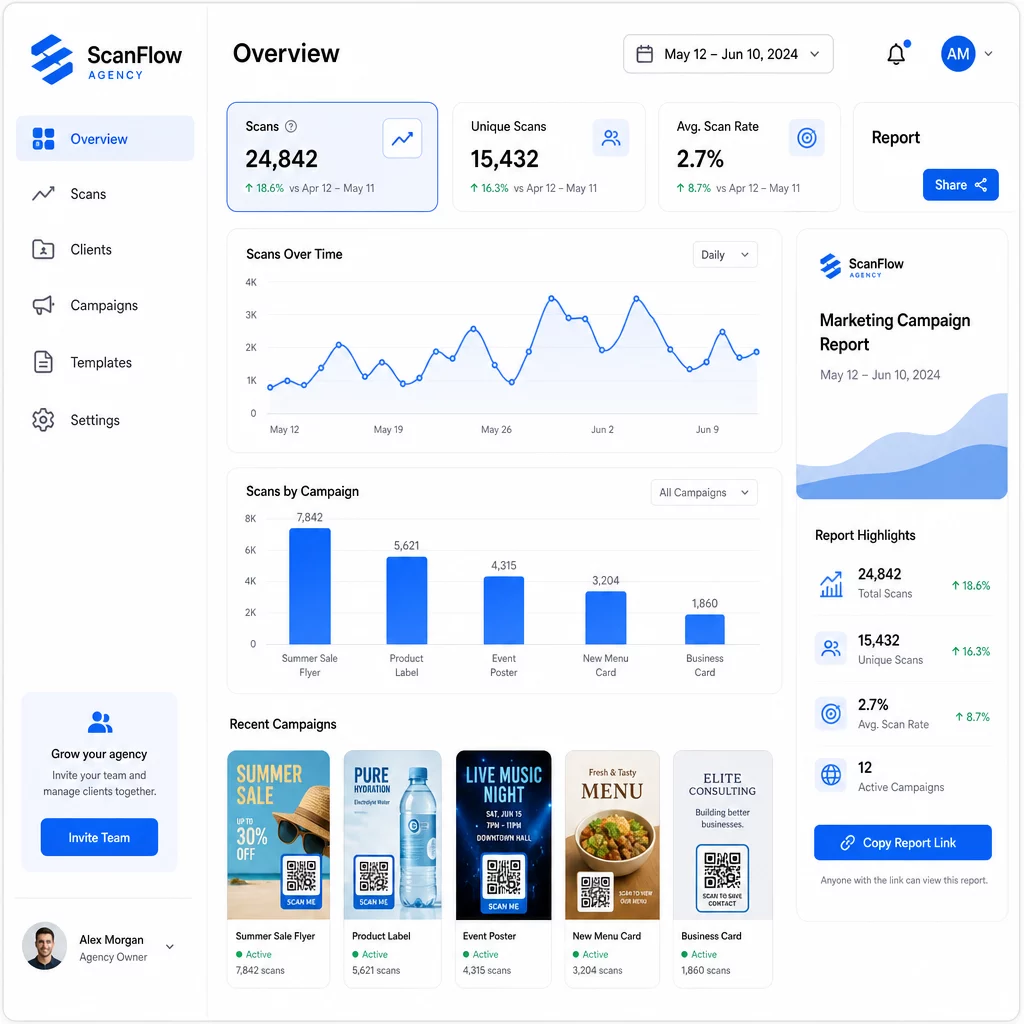
Apa yang Dapat Anda Lacak
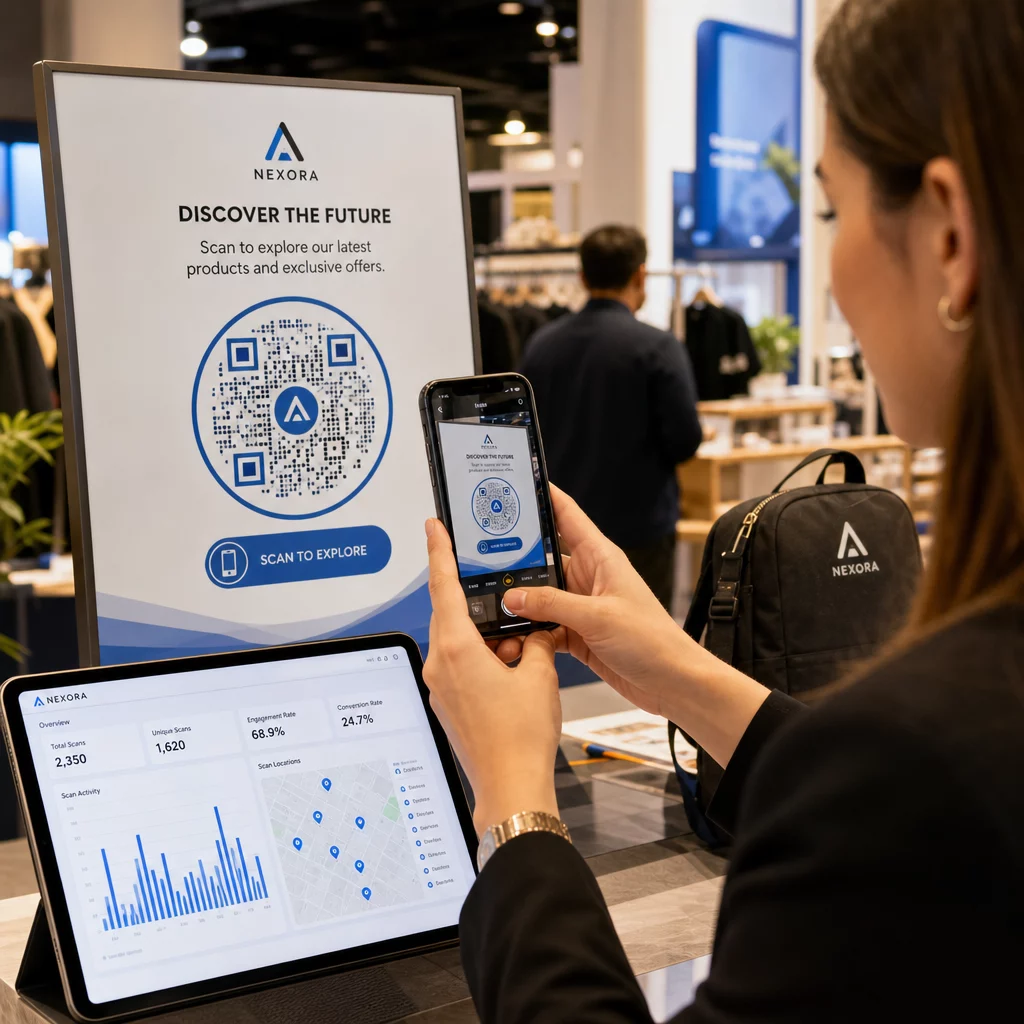
Itu dasbor analitik kode QR menangkap:
- Total pemindaian dan pemindaian unik – Membedakan antara keterlibatan keseluruhan dan pengguna individu
- Stempel waktu pemindaian – Mengidentifikasi waktu keterlibatan puncak dan pola hari dalam seminggu
- Lokasi geografis – Melihat pasar, wilayah, atau bahkan tempat tertentu mana yang mendorong aktivitas terbanyak
- Perincian Perangkat dan OS – Memahami apakah audiens Anda sebagian besar iOS atau Android, desktop atau seluler
Data ini memungkinkan Anda mengidentifikasi penempatan dengan lalu lintas tinggi, mengalihkan anggaran ke apa yang berhasil, dan membuat rekomendasi konkret kepada klien tentang di mana harus memusatkan kampanye di masa mendatang.
Bagikan Hasil Tanpa Memerlukan Login
Salah satu bagian paling memakan waktu dalam manajemen klien agensi adalah menyiapkan laporan kinerja. Laporan klien Pageloot yang dapat dibagikan memberikan klien halaman statistik langsung – dengan merek logo mereka sendiri – di mana mereka dapat memeriksa data pemindaian secara real time tanpa memerlukan akun mereka sendiri. Ini menghemat jam persiapan laporan setiap bulan sambil menjaga klien tetap terinformasi dan yakin akan kinerja kampanye.
Uji A/B Penempatan dan Tujuan
Kode QR dinamis membuat Pengujian A/B jauh lebih mudah. Karena URL tujuan dapat ditukar tanpa mengeluarkan kode baru, Anda dapat menjalankan penempatan fisik yang sama terhadap berbagai halaman arahan, CTA, atau penawaran dan membandingkan tingkat pemindaian-ke-konversi secara langsung.
Uji satu variabel pada satu waktu – halaman tujuan, bahasa penawaran, atau penempatan kode pada materi – dan gunakan analitik pemindaian untuk menentukan versi mana yang menghasilkan hasil yang lebih baik sebelum melakukan penskalaan.
Tempatkan Kode di Lokasi yang Akan Benar-benar Dipindai
Analitik hanya membantu jika orang melakukan pemindaian. Panduan Panduan penempatan kode QR membahas ini secara mendalam, tetapi aturan intinya adalah:
- Posisikan kode setinggi mata (sekitar 3,5 hingga 5,5 kaki dari lantai) di lingkungan fisik
- Sertakan ajakan bertindak yang jelas di dekat setiap kode – nyatakan apa yang akan didapatkan pengguna saat mereka memindai
- Jaga agar kode cukup besar untuk jarak pandang yang diharapkan (pedoman umum: lebar minimum dalam sentimeter sama dengan jarak pemindaian dalam sentimeter dibagi 10)
- Uji setiap kode di berbagai perangkat dan kondisi pencahayaan sebelum materi dicetak
Pertimbangan Privasi dan Kepatuhan
Kode QR mengumpulkan data – jenis perangkat, OS, browser, lokasi geografis, dan perilaku setelah pemindaian. Bagi agensi yang bekerja dengan berbagai klien dan pasar, memahami konteks peraturan sangatlah penting.
Jika audiens klien mana pun mencakup penduduk UE, kampanye perlu mempertimbangkan persyaratan GDPR: persetujuan eksplisit, pemberitahuan privasi yang jelas, dan minimalisasi data. Kampanye yang berbasis di California menyentuh CCPA, yang memerlukan transparansi dan mekanisme opt-out. Klien layanan kesehatan membawa persyaratan HIPAA yang meluas ke platform apa pun yang menangani data terkait pasien.
Itu Panduan peraturan privasi kode QR membahas kerangka kerja utama secara rinci. Kode QR dinamis sangat berguna untuk kepatuhan karena Anda dapat memperbarui kebijakan privasi, ketentuan, atau pengungkapan pengumpulan data tanpa mengeluarkan kode baru atau mencetak ulang materi.
Pertanyaan yang sering diajukan
Kode QR statis mengkodekan tujuan tetap dan tidak dapat diubah setelah dibuat – mereka juga tidak menyediakan analitik. Kode QR dinamis menunjuk ke URL pengalihan yang dapat diperbarui kapan saja, dan mereka mencatat data pemindaian termasuk stempel waktu, lokasi, dan jenis perangkat. Untuk kampanye klien yang aktif, kode QR dinamis adalah pilihan standar karena mereka menawarkan fleksibilitas dan kinerja yang terukur.
Gunakan platform manajemen kode QR yang mendukung organisasi berbasis folder, analitik waktu nyata, dan laporan klien yang dapat dibagikan. Dengan menetapkan folder sendiri untuk setiap klien dan menerapkan parameter UTM yang konsisten ke URL tujuan, Anda dapat menarik data yang bersih dan dapat diatribusikan untuk setiap akun tanpa mencampur metrik kampanye.
Ya. Setiap pemindaian kode QR dapat mengumpulkan data seperti informasi perangkat, lokasi, dan perilaku penjelajahan. Tergantung pada geografi audiens, kampanye mungkin perlu mematuhi GDPR (UE), CCPA (California), atau HIPAA (layanan kesehatan). Menggunakan kode QR dinamis membantu karena halaman tujuan dan pemberitahuan privasi dapat diperbarui tanpa mencetak ulang materi. Konsultasikan peraturan yang relevan untuk pasar setiap klien sebelum peluncuran.