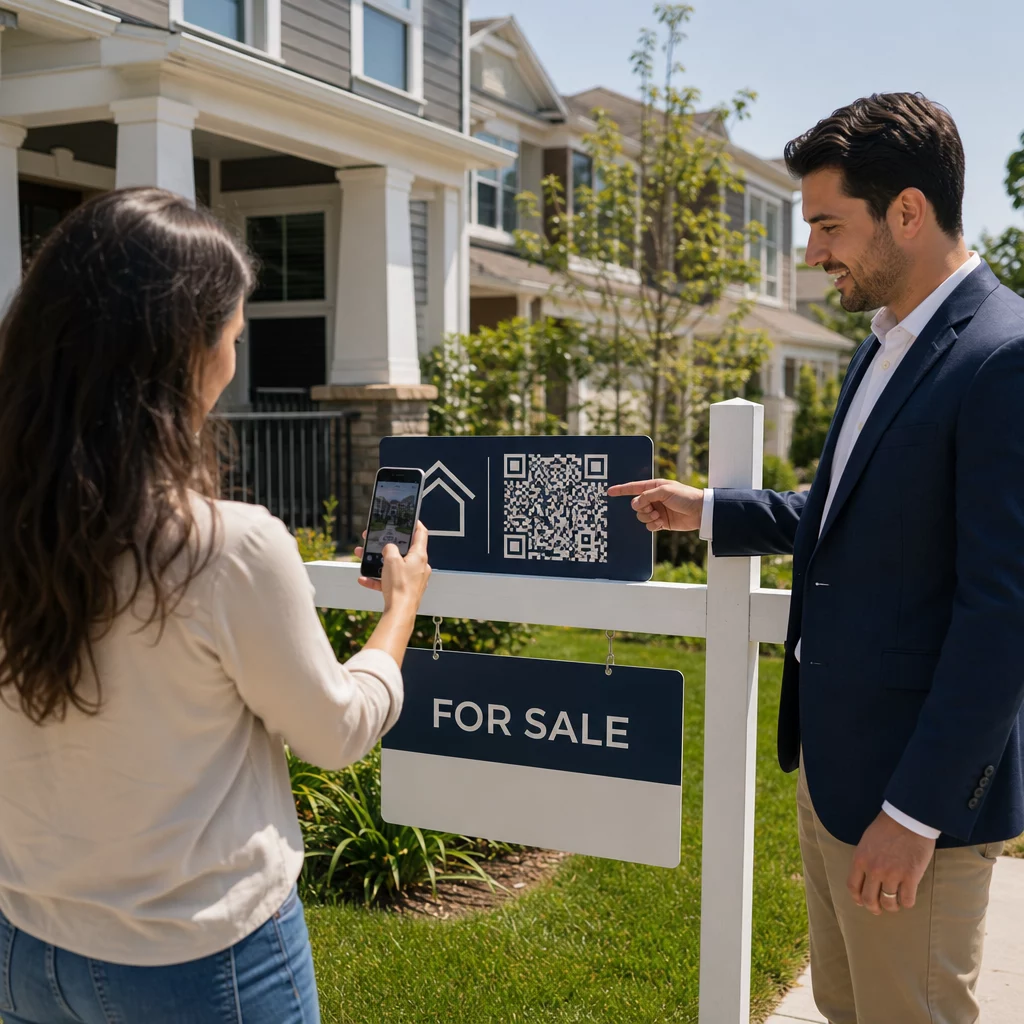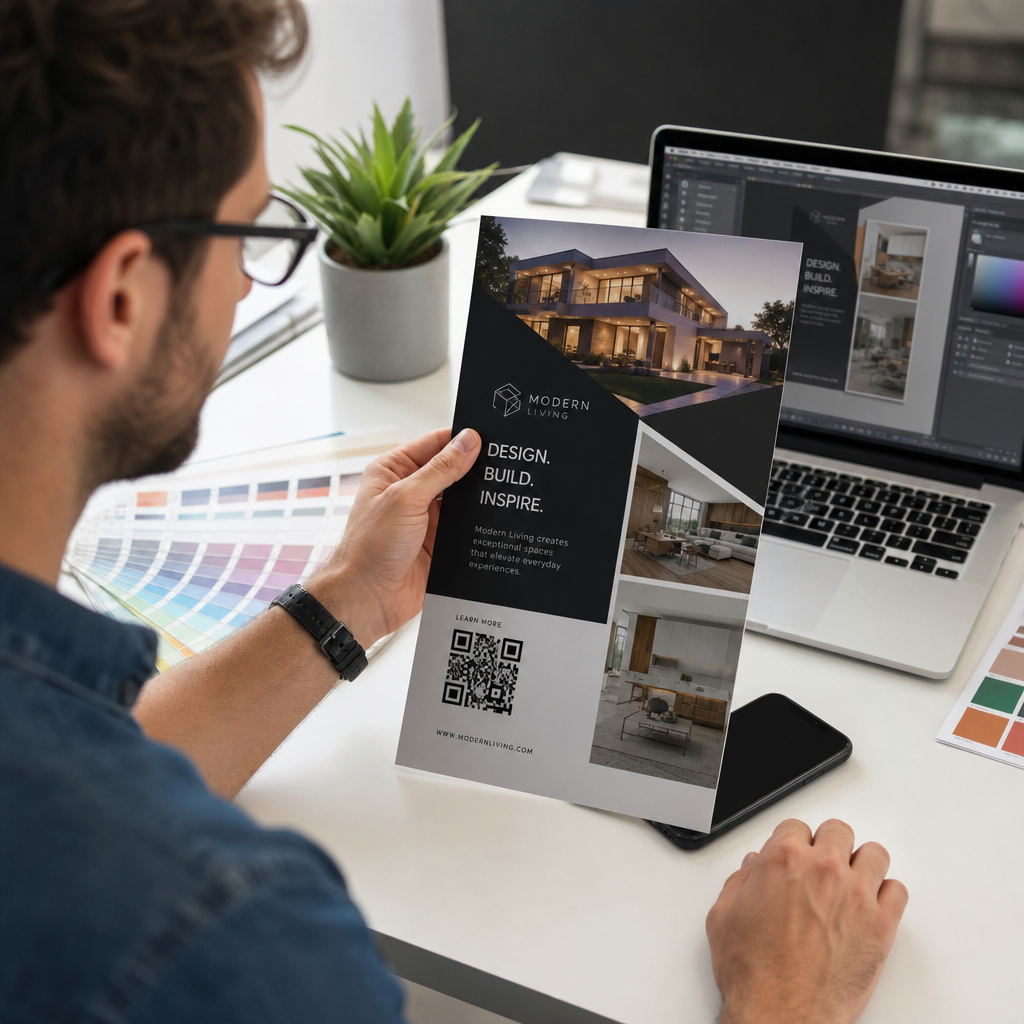
Próbál egy QR-kódot átméretezni, de csak elmosódott, beolvashatatlan eredménnyel jár? A rossz méretek – vagy a rossz fájlformátum használata – teljesen használhatatlanná teheti a QR-kódot nyomtatás után. Ez az útmutató pontosan bemutatja, hogyan kell helyesen átméretezni egy QR-kódot, kitérve a fájlformátumokra, méretszabályokra, felbontási követelményekre és a leggyakoribb elkerülendő hibákra.
Miért romlik el a QR-kód átméretezése
A legtöbb QR-kód minőségi probléma két dologra vezethető vissza: rossz fájlformátummal kezdésre vagy egy kép felbontásának támogatási határán túli skálázására.
Amikor egy alacsony felbontású raszterképet – egy JPEG-et vagy egy kis PNG-t – nagyobbá nyújt a tervezőprogramjában, a szkennernek elmosódott, elmosódott modulokat kell olvasnia éles fekete-fehér négyzetek helyett. Egy alacsony felbontású QR-kód nyújtása az egyik legmegbízhatóbb módja annak, hogy elmosódott, beolvashatatlan nyomtatási eredményt kapjon. Van egy kevésbé nyilvánvaló probléma is: az átméretezés akaratlanul is torzíthatja a kód arányait, vagy eltávolíthatja a csendes zónát – a kódot körülvevő tiszta fehér margót –, ami miatt a szkennerek tévesen olvassák be, vagy teljesen kihagyják a mintát. Ezen hibapontok megértése az átméretezés előtt a legközvetlenebb út egy ténylegesen működő kódhoz.
Vektor vs. Raszter: A legfontosabb fájlformátum-döntés
A legmeghatározóbb döntés, amit egy QR-kód átméretezésekor hoz, az, hogy vektoros vagy raszteres fájllal dolgozik-e.
Vektoros formátumok (SVG, EPS, PDF) a QR-kódot matematikai utasításokként tárolják, nem pedig rögzített pixelrácsként. Ez azt jelenti, hogy bármilyen méretre skálázhatók – bélyegtől óriásplakátig – élesség vagy tisztaság elvesztése nélkül. Bármilyen nyomtatásra szánt anyaghoz a vektor a helyes választás.
Raszteres formátumok (PNG, JPEG, BMP) a kódot pixelrácsként tárolják, rögzített felbontási plafonnal. Amint az eredeti felbontásuk fölé skálázza őket, a szoftvernek pixeladatokat kell kitalálnia, ami elmosódást eredményez. A JPEG különösen problémás, mert a tömörítési algoritmusa kisimítja az éleket, közvetlenül aláásva azt az éles kontrasztot, amelyre egy QR-szkennernek szüksége van az egyes modulok beolvasásához.
| Formátum | Veszteségmentesen skálázható | Ajánlott | Megjegyzések |
|---|---|---|---|
| SVG | Igen | Nyomtatás, nagy formátum | Általánosan a legjobb átméretezéshez |
| EPS | Igen | Professzionális nyomtatás | Standard a nyomdai tervezési munkafolyamatokban |
| Igen | Nyomtatás, megosztás | Megőrzi a vektoradatokat | |
| PNG | Nem (rögzített felbontás) | Web, digitális kijelző | Elfogadható nagy felbontásnál |
| JPEG | Nem (veszteséges tömörítés) | Egyik sem | Teljesen kerülendő QR-kódokhoz |
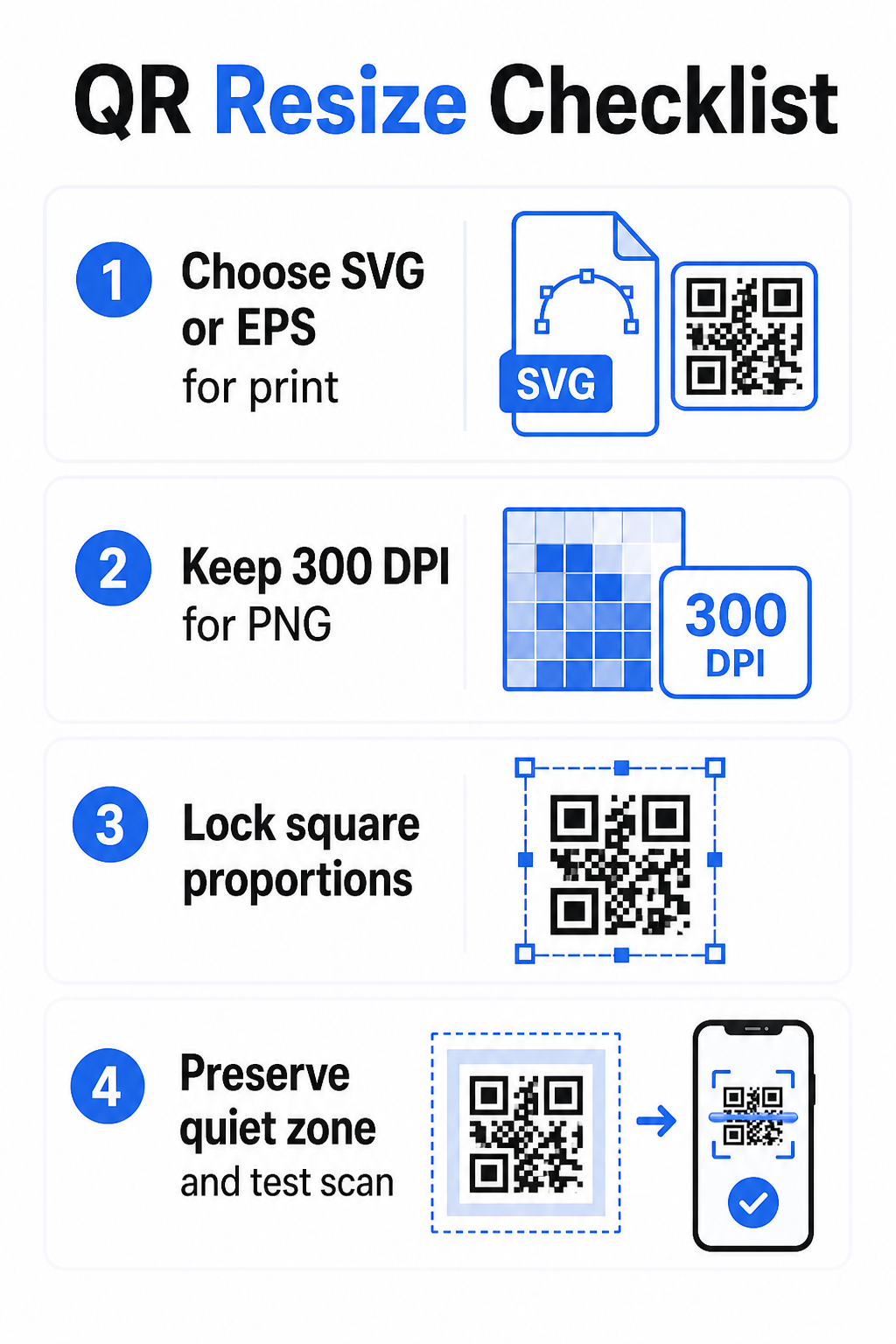
Amikor QR-kódot tölt le nyomtatáshoz, mindig SVG vagy EPS formátumot válasszon. Ha raszteres fájlra van szüksége digitális képernyőhöz vagy olyan platformhoz, amely nem fogad el vektoros formátumokat, exportáljon nagy felbontású PNG-t – soha ne JPEG-et.
Nyomtatásra kész QR-kódok létrehozása a megfelelő formátumban Generálja QR-kódját, és töltse le nyomtatásra kész SVG, EPS vagy PDF fájlként a Pageloot QR Kód Generátor. Nincs szükség tervezőprogramra.
Felbontási szabályok raszteres fájlokhoz
Ha PNG-vel dolgozik nyomtatáshoz, a felbontás – DPI-ben (dots per inch) mérve – határozza meg, hogy a kód éles marad-e a végső nyomtatott méretében.
A nyomtatás minimális szabványa 300 DPI a végső nyomtatott méretekben. Ez azt jelenti, hogy a képfájl pixelméreteinek meg kell egyezniük a tervezett fizikai mérettel az adott sűrűség mellett. Például:
- Egy QR-kód nyomtatva 1 hüvelyk × 1 hüvelyk legalább 300 × 300 pixel
- Egy QR-kód nyomtatva 4 hüvelyk × 4 hüvelyk legalább 1200 × 1200 pixel
Ha a fájl nem éri el ezt a küszöböt a célméretnél, az egyes modulok – a QR-adatokat hordozó apró négyzetek – elmosódnak. Ezen a ponton a szkenner már nem tudja megkülönböztetni a sötétet a világostól, és a kód hibás lesz. Digitális képernyőkhöz, nagyjából minimum 240 × 240 pixel praktikus iránymutatás a képernyőn megjelenő kódokhoz, bár a nagyobb méret mindig biztonságosabb a nagyításhoz és az eszközök közötti kompatibilitáshoz. A tisztább megoldás nyomtatáshoz az, ha teljesen kihagyja a rasztert, és vektoros fájlt használ, amely végtelen skálázhatóságot biztosít felbontási aggodalmak nélkül.
Hogyan méretezzen át egy QR-kódot lépésről lépésre
lépés: Kezdje a megfelelő forrásfájllal
Töltse le vagy exportálja QR-kódját SVG vagy EPS formátumban, ha nyomtatásra kerül. Ha csak raszteres fájlja van, ellenőrizze, hogy a pixelméretek támogatják-e a 300 DPI-t a célnyomtatási méretnél az átméretezés előtt. Egy PNG QR-kód jól működhet digitális elhelyezésekhez, ha megfelelő felbontással exportálják – közvetlenül létrehozhat egyet a QR PNG generátor és használja bárhol, ahol átlátszóságra vagy raszterkompatibilitásra van szükség.
lépés: Arányosan skálázza
Átméretezéskor mindig tartsa meg az eredeti képarányt. A QR-kódok definíció szerint négyzet alakúak, és vízszintes vagy függőleges nyújtásuk torzítja a modulokat négyzetekből téglalapokká, ami összezavarhatja vagy meghiúsíthatja a szkennereket. Bármely tervezőalkalmazásban – Illustrator, Canva, InDesign, Photoshop – rögzítse a képarányt, mielőtt egy sarokfogantyút húzna. Még egy finom torzítás is elegendő ahhoz, hogy problémákat okozzon a szigorúbb szkenner-implementációknál.
lépés: Őrizze meg a csendes zónát
A csendes zóna a QR-kódot mind a négy oldalán körülvevő tiszta fehér szegély. Az ISO/IEC 18004 szabvány előírja, hogy ennek a margónak minden oldalon legalább négy modul szélesnek kell lennie. Amikor átméretez egy QR-kódot, és egy nagyobb tervbe helyezi, ez a zóna gyakran az első dolog, amit levágnak, vagy más tervezési elemek behatolnak rá. Ha a kódjában minden modul 2 mm széles, a csendes zónának legalább 8 mm-nek kell lennie minden oldalon. Tekintse ezt a teret nem tárgyalhatónak – eltávolítása megszakítja a szkenner felismerését.
lépés: Kontraszt ellenőrzése átméretezés után
Színes vagy texturált háttérre történő átméretezés csökkentheti a kód moduljai és környezete közötti tényleges kontrasztot. A szkennerek a sötét és világos területek közötti különbségre támaszkodnak a kód olvasásához. A legbiztonságosabb kombináció továbbra is a sötét modulok világos háttéren – a fekete fehéren 21:1 kontrasztarányt biztosít. Törekedjen legalább 4:1 előtér és háttér színek között, és kerülje a kód elhelyezését színátmeneteken, zsúfolt mintákon vagy fényvisszaverő felületeken. Részletes útmutatásért lásd QR-kód színkontrasztra vonatkozó legjobb gyakorlatokat.
lépés: Tesztelés nyomtatás előtt
Nyomtasson egy próbanyomatot a pontosan tervezett méretben a pontosan tervezett anyagra, majd tesztelje több eszközzel – iOS és Android egyaránt – mielőtt elkötelezi magát egy teljes gyártási sorozat mellett. Tesztelje a tényleges szkennelési távolságon, amelyet a felhasználók tapasztalni fognak. Egy kód, amely tökéletesen szkennel karnyújtásnyira, meghiúsulhat azon a távolságon, ahol ténylegesen elhelyezték. Lásd hogyan teszteljük a QR-kódokat mobil használhatóság szempontjából egy teljes tesztelési ellenőrzőlistáért.
Minimális és maximális méretre vonatkozó irányelvek
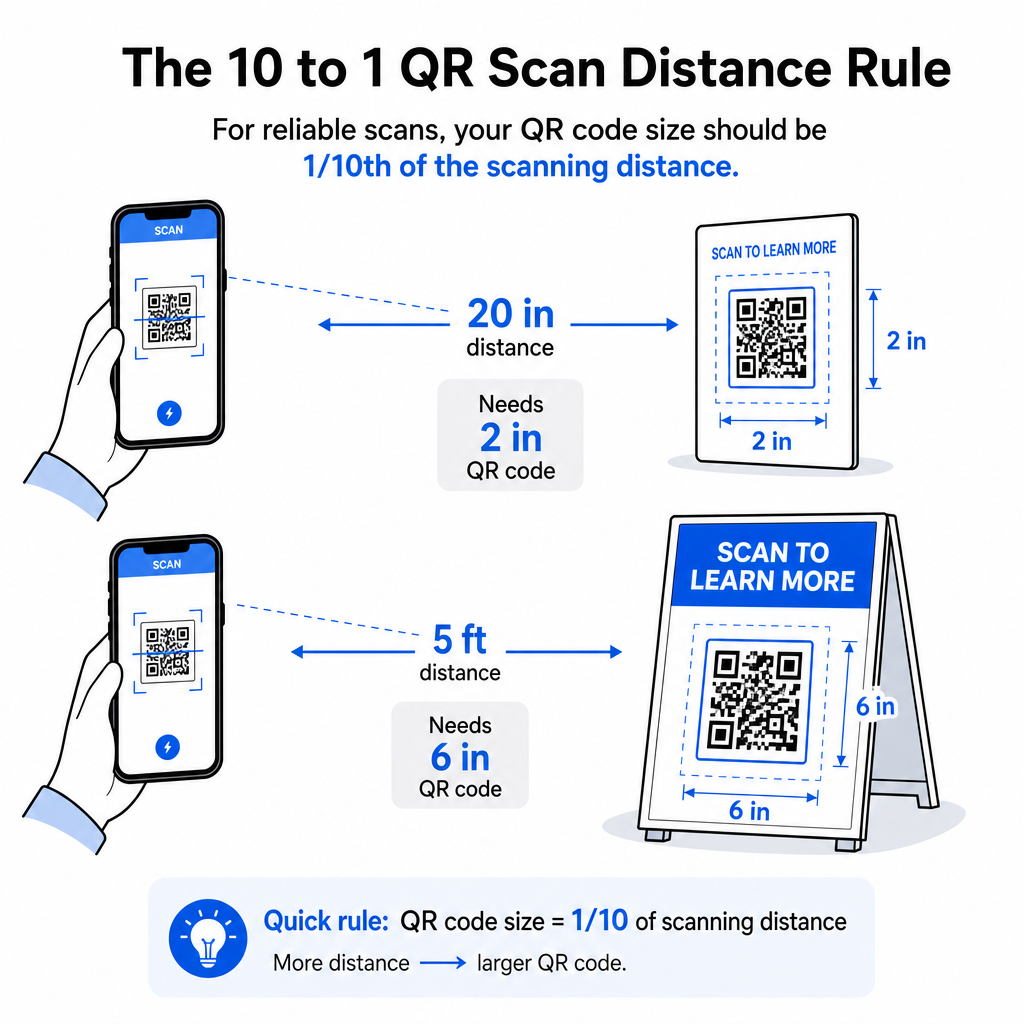
A QR-kód felelősségteljes átméretezése azt jelenti, hogy ismeri a mérethatárokat az adott felhasználási esethez. Az alapvető szabály a 10:1 távolság-méret arány: a maximális tervezett szkennelési távolság körülbelül tízszerese legyen a QR-kód szélességének. Egy 20 hüvelyk távolságból szkennelt kódnak legalább 2 hüvelyk szélesnek kell lennie; egy 5 láb távolságból szkenneltnek legalább 6 hüvelyk szélesnek; egy 30 láb távolságból szkennelt óriásplakát kódnak legalább 36 hüvelyk szélesnek kell lennie.
Gyakori nyomtatási alkalmazásokhoz íme megbízható kiindulási pontok:
| Használjon esetet | Minimális ajánlott méret |
|---|---|
| Névjegykártyák | 0,8 × 0,8 hüvelyk (2 × 2 cm) |
| Szórólapok és brosúrák | 1,2 × 1,2 hüvelyk (3 × 3 cm) |
| Plakátok és táblák | 1,6 × 1,6 hüvelyk (4 × 4 cm) |
| Óriásplakátok és bannerek | 16 × 16 hüvelyk (40 × 40 cm) vagy nagyobb |
Névjegykártya alkalmazásokhoz a 0,8 × 0,8 hüvelyk a gyakorlati minimum a megbízható közeli szkenneléshez – a kisebbre váltás jelentősen növeli a szkennelési hiba kockázatát. Lásd a útmutatót a QR-kód méretekhez névjegykártyákhoz az adott formátumra vonatkozó konkrét ajánlásokért. Nincs hivatalos felső mérethatár; szükség szerint növelje a méretet a szkennelési távolság alapján. Az egyes felhasználási esetek átfogó elemzéséért a QR-kód méretezési útmutatónkban mindent lefed a névjegykártyáktól az óriásplakátokig. Felfedezheti azt is, hogy hogyan befolyásolja a QR-kód mérete a láthatóságot megértse a méretek és a szkennelési siker közötti szélesebb körű kapcsolatot.
Szüksége van QR-kódra a névjegykártyájához? Használja a Névjegykártya QR-kód generátor hogy létrehozzon egy névjegykártya nyomtatáshoz méretezett és tervezett kódot, SVG exporttal együtt.
Hogyan befolyásolja az adatsűrűség az átméretezést
Az átméretezést bonyolító egyik tényező az adatsűrűség – a QR-kódban kódolt információ mennyisége. Minél több adatot tartalmaz egy QR-kód, annál sűrűbbé válik a modulrácsa. A sűrűbb rácsok nagyobb fizikai méreteket igényelnek, hogy az egyes modulok olvashatók maradjanak a kamera szintjén.
Egy hosszú URL-t nyomkövetési paraméterekkel kódoló QR-kód sokkal több adatot tartalmaz, mint egy rövid átirányítási URL-re mutató. Amikor zsugorít egy nagy sűrűségű kódot, a modulok túl kicsivé válnak ahhoz, hogy a legtöbb okostelefon-kamera megbízhatóan feloldja őket. A dinamikus QR-kódok közvetlenül megoldják ezt a problémát. A teljes cél URL kódolása helyett egy dinamikus kód egy rövid belső átirányítást kódol, alacsonyan tartva a kód adatsűrűségét, függetlenül attól, hogy hova mutat. Ez azt jelenti, hogy kisebbre nyomtathatja a kódot a szkennelhetőség feláldozása nélkül – és később frissítheti a célt újranyomtatás nélkül.
Hibajavítás és átméretezési tolerancia
A QR-kódok beépített hibajavítást tartalmaznak, amely lehetővé teszi számukra, hogy részlegesen sérült vagy eltakart állapotban is szkennelhetők maradjanak. Az ISO/IEC 18004 szabvány négy szintet határoz meg:
| Szint | Helyreállítási képesség |
|---|---|
| L (alacsony) | ~7% adat |
| M (közepes) | ~15% adat |
| Q (kvartilis) | ~25% adat |
| H (magas) | ~30% adat |
Ha egy QR-kódot kisebb méretre méretez át, vagy logót ad hozzá a kód közepéhez, a hibajavítási szint növelése pufferként szolgál a modul szintű sérülések vagy a szkennelési pontatlanság ellen. A Q vagy H szint megfelelő a márkázott vagy erősen testreszabott kódokhoz. Ne feledje, hogy a magasabb hibajavítás növeli az adatsűrűséget, ami kissé nagyobb minimális méretet igényelhet a kompenzáláshoz.
Gyakori átméretezési hibák elkerülése
- Képernyőfelvétel használata forrásfájlként. A képernyőfelvételek alacsony felbontású raszterképek. Nyomtatáshoz való nagyításuk a beolvashatatlan QR-kódok egyik leggyakoribb oka.
- A kód aránytalan nyújtása. Még egy enyhe vízszintes vagy függőleges torzítás is négyzetekről téglalapokra változtatja a modulok alakját, ami megakadályozhatja, hogy a szkennerek helyesen olvassák be a kódot.
- A csendes zóna levágása. Szűk tervezési elrendezésen belüli átméretezés gyakran azt eredményezi, hogy más elemek behatolnak a csendes zónába. Tartson legalább négy modulnyi tiszta teret minden oldalon – ez a margó technikai követelmény, nem stilisztikai választás.
- Feltételezve, hogy egy képernyőn működő kód nyomtatásban is működni fog. A képernyőn megjelenítés és a nyomtatott kimenet különböző környezetek. Egy kód, amely 72 DPI-n élesnek tűnik a képernyőn, homályosan nyomtatódhat 300 DPI-n, ha az alapul szolgáló fájlfelbontás nem támogatja.
- Nem tesztelés átméretezés után. Mindig ellenőrizze a beolvashatóságot a végső anyagon, a végső méretben, a tervezett szkennelési távolságból.
Részletesebb útmutatásért, a 10. QR-kód nyomtatási felbontási útmutatónkban és a QR-kód olvashatóságára vonatkozó legjobb gyakorlatokat tárgyalja a nyomtatás-specifikus részleteket, amelyeket érdemes tudni a gyártás megkezdése előtt.
Méretezés különböző nyomtatási anyagokhoz
A felület, amire nyomtat, befolyásolja, hogy mekkora QR-kódra van szüksége, a szkennelési távolságra vonatkozó szempontoktól függetlenül. Durva, texturált vagy ívelt felületek torzíthatják a modulokat és csökkenthetik a tényleges kontrasztot, ami megköveteli, hogy a 10:1 szabály önmagában javasolt méreténél nagyobbra skálázza.
- Sima papír vagy karton – Standard méretirányelvek érvényesek; a matt felületek előnyösebbek a fényeseknél a tükröződés és a visszaverődések csökkentése érdekében
- Hullámkarton – Adjon hozzá 10–25%-ot a minimális mérethez a felületi textúra és az élek szabálytalanságainak kompenzálására
- Szövet – Sima poliészter esetén használhatók a standard minimumok; durva vagy nyúlós textíliák gyakran 25–50%-tal nagyobb kódokat igényelnek
- Fém vagy üveg – A magas fényvisszaverő képesség szkennelési problémákat okoz; használjon matt felületeket vagy vinil borításokat és növelje a kód méretét
Az anyagfajták szerinti teljes bontásért lásd QR-kód méretezése különböző nyomtatási anyagokhoz témakörben található., és útmutatásért arról, hogy maga a nyomtatási módszer hogyan befolyásolja a kimeneti minőséget, 15. az, hogy a nyomtatási technikák hogyan befolyásolják a QR-kód olvashatóságát, nagymértékben függ olyan tényezőktől, mint a tinta elfolyása. Nedvszívó anyagokon, mint például szövet vagy texturált papír, a tinta szétterjedhet, kiterjesztve a sötét modulokat és összehúzva a köztük lévő fehér tereket. érdemes elolvasni, mielőtt nyomtatási megrendelést ad le. Az elhelyezési döntésekhez, amelyek túlmutatnak a méretezésen, a QR-kód elhelyezési útmutató marketinghez tárgyalja az elhelyezést anyagtípus és kampánykontextus szerint.
A QR-kód megfelelő átméretezése azt jelenti, hogy a megfelelő fájlformátumot választja az átméretezés előtt, fenntartja az arányokat és a csendes zóna margóit végig, és ellenőrzi, hogy a kimenet megfelel-e a felbontási és kontraszt szabványoknak a végső nyomtatott vagy megjelenített méretben. Vektoros fájllal kezdve teljesen kiküszöböli a kockázat nagy részét – tisztán skálázható bármely irányba anélkül a felbontási korlát nélkül, amelyet a raszterképek szabnak. Ha QR-kódokat épít folyamatos kampányokhoz, egy dinamikus QR-kód további előnyt biztosít a cél frissítésére nyomtatás után, így egy mai méretezési vagy elhelyezési döntés nem köti le Önt a későbbi újranyomtatási költségekbe.
Gyakori kérdések
Az SVG, EPS vagy PDF a legjobb formátumok átméretezéshez, mert vektor alapúak, és bármilyen méretre skálázhatók anélkül, hogy veszítenének az élességükből. A PNG elfogadható digitális használatra, ha nagy felbontásban exportálják. A JPEG-et teljesen el kell kerülni – a tömörítése kisimítja az éles széleket, amelyekre a szkennereknek szükségük van az egyes modulok megkülönböztetéséhez.
A legtöbb közeli nyomtatási alkalmazás gyakorlati minimuma 0,8 × 0,8 hüvelyk (2 × 2 cm). Kisebbre menni növeli a szkennelési hiba kockázatát. Nagyobb távolságból történő szkenneléshez alkalmazza a 10:1 szabályt: a kód szélességének legalább egytizedének kell lennie a maximális tervezett szkennelési távolságnak – tehát egy 20 hüvelyk távolságból szkennelt kódnak legalább 2 hüvelyk szélesnek kell lennie.
Nem – a kódolt adatok és a hibajavítási szint rögzítettek, amikor a kód generálásra kerül. Az átméretezés csak a kép fizikai vagy pixelméreteit változtatja meg. Amit az átméretezés befolyásolhat, az az, hogy a modulok tiszták és megkülönböztethetők maradnak-e az új méretben, ezért a 300 DPI fenntartása nyomtatáshoz, a csendes zóna margóinak megőrzése és az arányos skálázás mind alapvető lépések.