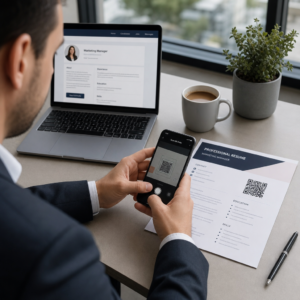
Gondolkodott már azon, hogy az a négyzetes vagy csíkos kód a beszállókártyáján valójában mire való? Ennek megértése megkímélheti egy frusztráló feltartóztatástól a biztonsági ellenőrzésnél vagy a kapunál. Ez az útmutató pontosan elmagyarázza, hogyan működnek a beszállókártya-kódok, és mire számíthat, amikor beolvassa őket a repülőtéren.
Milyen típusú kód található egy beszállókártyán
Nem minden beszállókártya-kód egyforma, és a különbség számít, amikor egy szkenner előtt áll.
A légitársaságok egy globális szabványt követnek, az úgynevezett IATA vonalkódos beszállókártya (BCBP), amelyet a 792. számú határozat határoz meg. Ez a szabvány meghatározza, milyen vonalkódformátumokat használhatnak a légitársaságok, és hogyan kell strukturálni a bennük lévő adatokat, hogy a világ bármely repülőtéri szkennere be tudja olvasni ugyanazt a kártyát.
E szabvány szerint két széles kódcsalád használatos:
- PDF417 – Egy téglalap alakú, egymásra rakott vonalkód, amely vízszintes vonalak sorozatának tűnik, oszlopokra osztva. Ez a nyomtatott beszállókártyák alapértelmezett formátuma, és ez a leggyakoribb formátum, amit papíron láthat.
- 2D mátrixkódok (Aztec, Data Matrix, QR-kód) – Négyzetes vagy kompakt rácsalapú kódok. Ezek a mobil beszállókártyák szabványos formátumai, amelyek telefon képernyőjén jelennek meg, bár nyomtatott kártyákon is megjelenhetnek a BCBP szabvány jelenlegi verziója szerint.
Tehát bár sokan “QR-kódnak” nevezik, a beszállókártyája technikailag tartalmazhat Aztec kódot, Data Matrix kódot vagy PDF417 vonalkódot, a légitársaságtól és attól függően, hogy mobil vagy nyomtatott verziót használ. A lényeg az, hogy mindegyik ugyanazt a strukturált adatot kódolja. Ahhoz, hogy többet megtudjon arról, hogyan használják a QR-kódokat konkrétan a légitársaságok és repülőterek között, a QR-kódok használata légitársaságok és repülőterek számára áttekintés hasznos referencia.
Milyen adatok tárolódnak a kódban
A beszállókártyáján lévő vonalkód nem csupán egy jegyszám. Egy strukturált adatüzenetet kódol, amely kötelező mezők meghatározott készletét tartalmazza, beleértve:
- Az Ön teljes utasneve
- A PNR (utasnévrekord) – az Ön foglalási hivatkozási kódja
- Indulási és érkezési repülőtéri kódok (pl. JFK → LAX)
- Üzemeltető légitársaság kódja és járatszám
- Repülés dátuma
- Ülés száma és utazási osztály kódja
- Becsekkolási sorszám
- Utas státusz
A szabvány támogatja továbbá több repülési szakasz egyetlen vonalkódba kódolását, ezért egy átszállásos útvonal néha megjelenhet egyetlen beolvasható kódként a beszállókártyáján ahelyett, hogy két különálló lenne.
Néhány légitársaság tartalmaz még egy opcionális biztonsági mezőt , amely digitális aláírást tartalmaz. Ez lehetővé teszi a repülőtéri rendszerek számára, hogy ellenőrizzék, hogy a vonalkódot nem módosították vagy hamisították, további védelmi réteget biztosítva a hamisított kártyák ellen.
Hogyan működik a szkennelési folyamat a repülőtéren
Amikor bemutatja beszállókártyáját egy ellenőrzőponton vagy kapunál, a szkenner a másodperc töredéke alatt beolvassa az összes kódolt mezőt. Íme, mi történik az egyes szakaszokban.
A TSA biztonsági ellenőrzésnél: A tisztviselő vagy az automata olvasó ellenőrzi az Ön személyazonosságát, és megerősíti, hogy érvényes, becsekkolt foglalása van egy induló járatra. Több mint 225 amerikai repülőtéren a TSA telepítette a Credential Authentication Technology (CAT) rendszert, amely képes előhívni a járat adatait pusztán az államilag kibocsátott személyazonosító okmányának beolvasásával – ami azt jelenti, hogy egyáltalán nem kell beszállókártyát felmutatnia a biztonsági ellenőrzőponton. Azonban, ha a CAT berendezés egy adott sávban nem elérhető, egy tisztviselő továbbra is kérheti a beszállókártyáját.
A beszállókapunál: Itt történik mindig a beolvasás, függetlenül attól, hogy melyik repülőtéren van. A kapuügynök szkennere beolvassa a beszállókártya kódját, megerősíti az ülését és az utas státuszát, és rögzíti, hogy beszállt. Ezen a ponton minden alkalommal szüksége lesz a beszállókártyájára – mobil vagy nyomtatott formában.
Olvasson be bármilyen beszállókártya-formátumot azonnal Ellenőrizni szeretné, mi van kódolva egy QR-ben vagy vonalkódban? Használja a Pageloot QR-kód szkenner vagy Vonalkód olvasó bármely támogatott formátum beolvasásához és dekódolásához közvetlenül a böngészőjéből – nincs szükség alkalmazásra.
Mobil vs. Nyomtatott beszállókártyák: Gyakorlati különbségek
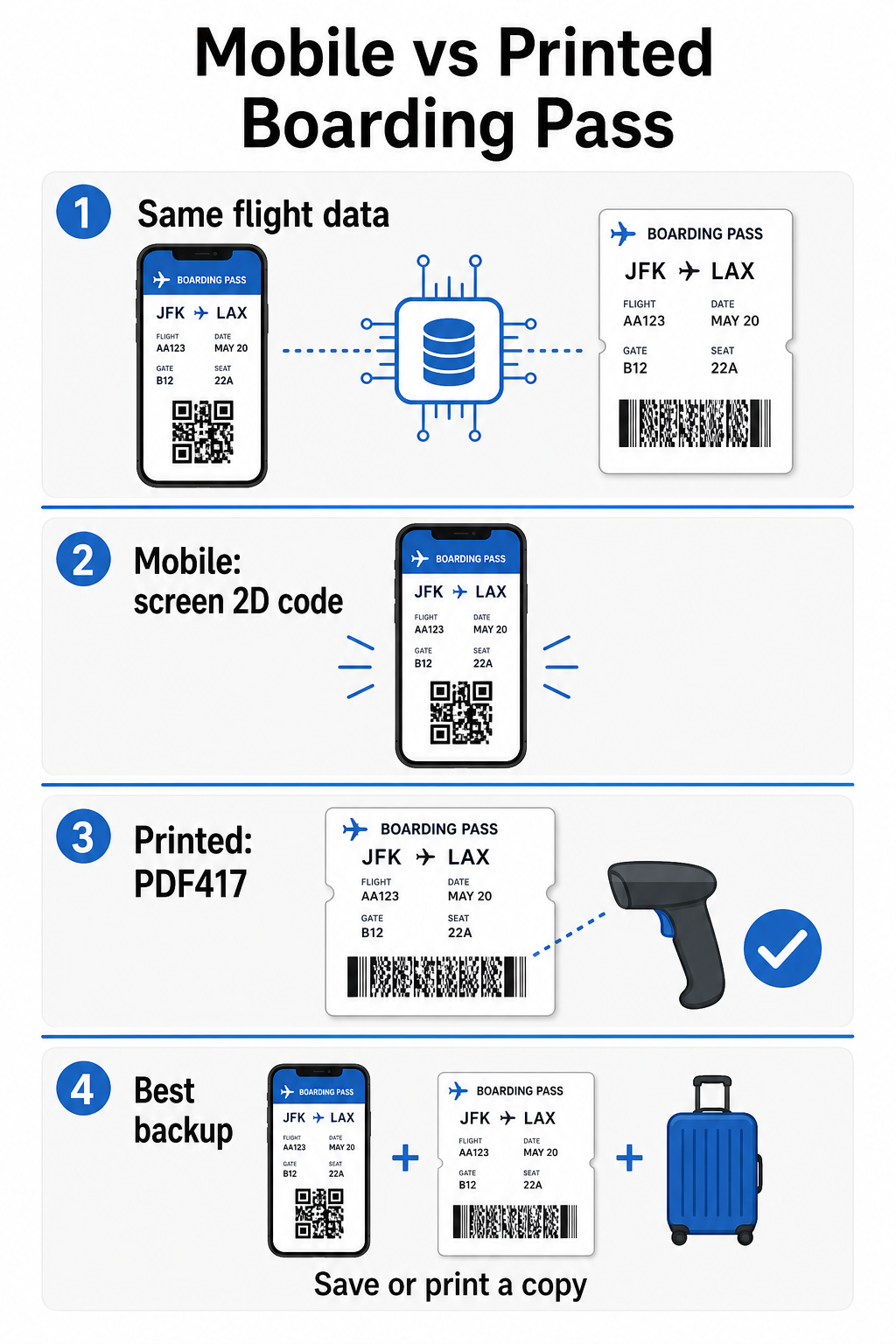
Mindkét formátum azonos adatokat kódol. A különbség teljes mértékben arról szól, mennyire megbízhatóan olvashatók be ezek az adatok valós repülőtéri körülmények között.
| Tényező | Mobil beszállókártya | Nyomtatott beszállókártya |
|---|---|---|
| Elfogadott formátum | Aztec, Data Matrix, vagy QR-kód | PDF417 (alapértelmezett); továbbá Aztec, Data Matrix, QR |
| Szkenner kompatibilitás | A legtöbb modern 2D szkenner; néhány régebbi lézerszkenner nehézségekbe ütközhet | Széles körben kompatibilis minden repülőtéri szkennerrel |
| Képernyő tükröződés kockázata | Igen – erős repülőtéri világítás tükröződéseket okozhat | Nincs |
| Moiré mintázat kockázata | Igen – az LCD/LED képernyők vizuális interferencia sávokat hozhatnak létre | Nincs |
| Fizikai sérülés kockázata | Repedt vagy piszkos képernyő akadályozhatja a kódot | A papír gyűrődhet, szakadhat vagy elkenődhet |
| Kényelem | Nincs szükség nyomtatásra; mindig a telefonján van | Mindenhol működik, nem igényel akkumulátort |
| Repülőtéri elfogadás | Nem univerzális – egyes amerikai repülőterek nyomtatott beszállókártyát igényelnek | Minden repülőtéren elfogadott |
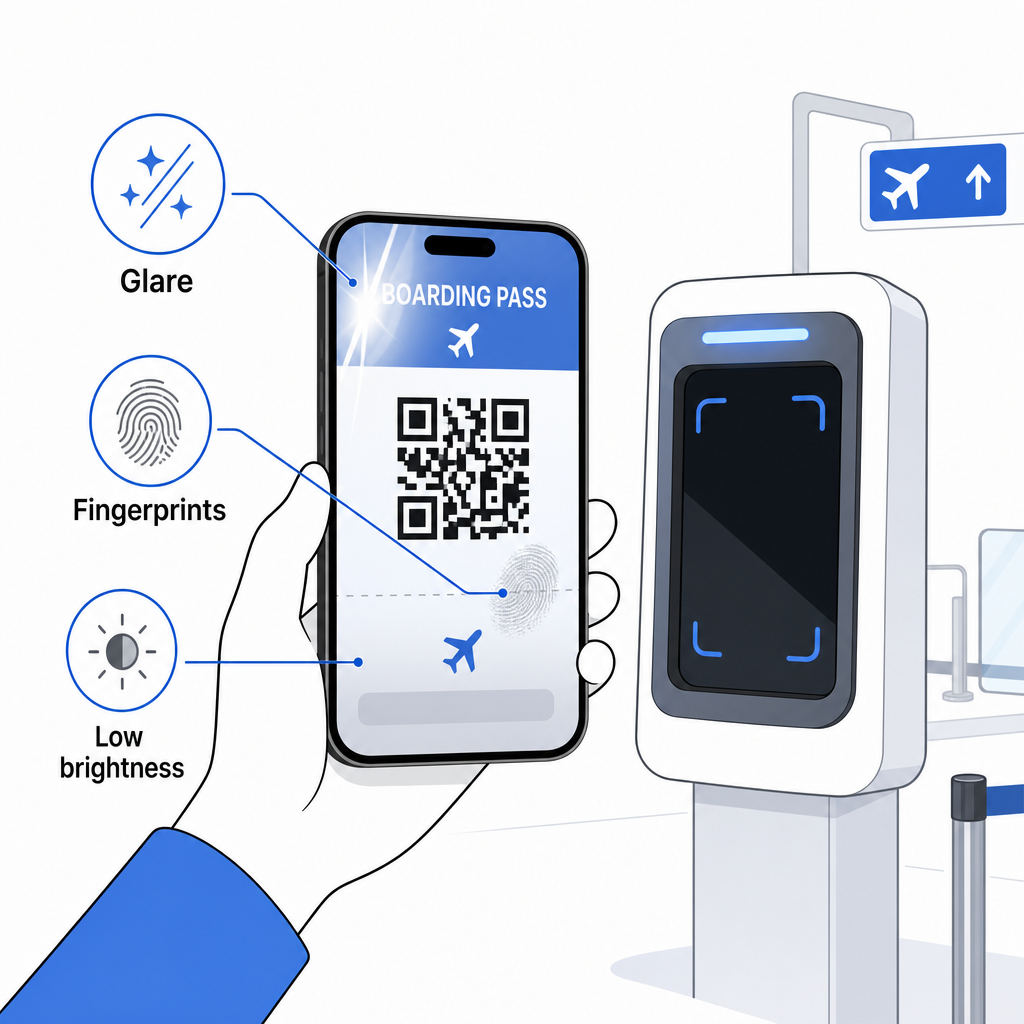
A mobil beszállókártyákkal kapcsolatos fő kihívás az, hogy a hagyományos lézerszkennerek a papírról visszaverődő fényre vannak optimalizálva, nem pedig a képernyőről kibocsátott fényre. Amikor egy telefont erős terminálvilágítás alatt tartunk, a képernyő tükröződést vagy fényvisszaverő interferenciát okozhat, ami csökkenti azt a kontrasztot, amelyre a szkennernek szüksége van a vonalkód pontos dekódolásához. A moiré minták – az LCD és LED képernyők által előállítható vizuális sávok – egy másik interferenciaforrás, amellyel a nyomtatott beszállókártyák egyszerűen nem rendelkeznek.
Ezen problémák minimalizálása érdekében mobil beszállókártya használatakor:
- Maximalizálja a képernyő fényerejét mielőtt megközelítené a szkennert
- Tisztítsa meg a képernyőjét – az ujjlenyomatok és foltok közvetlenül a vonalkód felett megzavarják a dekódolást
- Tartsa láthatóan a teljes vonalkódot a képernyőn anélkül, hogy levágnák vagy részben eltakarnák értesítési sávok
- Forgassa el, ha szükséges – egyes szkennerek egy bizonyos tájolásban előnyben részesítik a kódot
További információkért arról, hogy mi befolyásolja a vonalkód olvashatóságát általában, a a QR-kód olvashatóságára vonatkozó legjobb gyakorlatokat útmutató részletesen tárgyalja a kontrasztot, a méretezést és a környezeti tényezőket.
Mikor érdemes nyomtatott beszállókártyát magával vinnie
A mobil beszállókártya zökkenőmentesen működik az amerikai nagy repülőterek túlnyomó többségén. Azonban vannak olyan speciális helyzetek, amikor egy nyomtatott példány biztonságosabb választás:
- Kisebb regionális repülőterek amelyek még nem frissítették a szkennereiket a mobil képernyőkódok megbízható olvasására
- Nemzetközi csatlakozások, ahol a beszállókártya elfogadási szabályzatai jelentősen eltérnek országonként és légitársaságonként
- Hosszú utazások vagy utazás olyan területekre, ahol korlátozott a töltési lehetőség, ahol a telefon akkumulátora problémát jelenthet
- Régebbi vagy sérült eszközök ahol a képernyő repedései vagy az alacsony fényerő megnehezítik a kód olvasását
Ha nem biztos abban, hogy az indulási repülőtere elfogadja-e a mobiljegyeket, utazás előtt érdeklődjön közvetlenül a légitársaságánál. Egyes légitársaságok kifejezetten feltüntetik a repülőtéri kompatibilitást a mobil beszállókártya oldalaikon. Ha érdekli, hogyan alkalmazhatók ugyanezek a QR-kód elvek más típusú jegyekre és rendezvényjegyekre, a QR-kódokat a jegyeken oldal részletesen tárgyalja ezt a felhasználási esetet.
Mi történik, ha a beszállókártyája nem olvasható be?
Ha egy szkenner elutasítja a beszállókártyáját – legyen az mobil vagy nyomtatott –, érdemes ismerni a leggyakoribb okokat, mielőtt egy forgalmas beszállási sor elejére kerülne.
A képernyő tükröződése vagy az alacsony fényerő a fő bűnös a mobiljegyek esetében. Próbálja meg enyhén megdönteni a telefont, vagy a kezével körbefogni a képernyőt a környezeti fény blokkolásához, és mindig állítsa a kijelzőt teljes fényerőre, mielőtt egy szkennerhez közelít. Az ujjlenyomatok vagy foltok a vonalkódon egy másik gyakori probléma, amelyet egy gyors törléssel orvosolni lehet. Nyomtatott jegyek esetén az erősen gyűrött vagy részben szakadt vonalkód nem biztos, hogy helyesen dekódolható, ezért érdemes elkerülni a papírjegy közvetlenül a kód mentén történő hajtogatását.
A hiányos kijelző is gyakori probléma – győződjön meg róla, hogy a teljes kód látható, és nem takarja el a telefontokja vagy egy értesítési sáv. A kapuügynökök rendszeresen kezelik a szkennelési hibákat, és manuálisan is megkereshetik foglalását az Ön neve és PNR-je alapján. A sikertelen beolvasás ritkán jelent komoly problémát, de lassítja a folyamatot a nagy forgalmú beszállás során.
Megértés hogyan javítják a QR-kódok az utazási élményt tágabb értelemben is segíthet abban, hogy a legtöbbet hozza ki azokból a digitális eszközökből, amelyeket a légitársaságok ma már az utazás során kínálnak.
A beszállókártya vonalkódja – legyen az QR-kód, Aztec-kód vagy PDF417 csík – pontos, szabványosított adatcsomagot tartalmaz, amelyre a repülőtéri rendszerek támaszkodnak az Ön személyazonosságának és ülésfoglalásának valós idejű ellenőrzéséhez. A mobil beszállókártyák kényelmesek és jól működnek a legtöbb nagy amerikai repülőtéren, de a nyomtatott kártyák maradnak a leguniverzálisabban kompatibilis opció. A legbiztonságosabb megközelítés, ha előre ismeri a repülőtereit, és tart egy biztonsági mentési lehetőséget, amikor kevésbé ismert útvonalakon utazik.
Ha meg szeretné fejteni, mi is van valójában egy beszállókártya vonalkódjában tárolva, a Pageloot Vonalkódolvasót lehetővé teszi, hogy bármilyen támogatott formátumot közvetlenül a böngészőjéből olvasson be, alkalmazás telepítése nélkül.
Gyakori kérdések
Nem mindig. A nyomtatott beszállókártyák leggyakrabban PDF417 vonalkódot használnak – a téglalap alakú csíkos formátumot – alapértelmezettként az IATA BCBP szabvány szerint. A mobil beszállókártyák 2D mátrix formátumokat használnak, mint például az Aztec, Data Matrix vagy QR-kód. Mindezek ugyanazt a strukturált utasadatot kódolják; a formátum médiumonként és légitársaságonként változik.
Nem feltétlenül. Több mint 225, TSA hitelesítő technológiával (CAT) felszerelt amerikai repülőtéren az Ön kormány által kibocsátott igazolványa elegendő ahhoz, hogy megerősítse az Ön repülési adatait a biztonsági ellenőrzőponton – beszállókártya nem szükséges. Azonban Önnek továbbra is be kell jelentkeznie a légitársaságánál, hogy beszállókártyát (mobil vagy nyomtatott) szerezzen, és Önnek mindig be kell szkennelnie azt a beszállókapunál, amikor Ön felszáll a repülőgépre.
A leggyakoribb okok a képernyő tükröződése az erős repülőtéri világításból, ujjlenyomatok vagy foltok a vonalkód felett, alacsony képernyő fényerő, és moiré minták, amelyeket az LCD vagy LED képernyők produkálhatnak. A megbízhatóság javítása érdekében tisztítsa meg a képernyőjét, mielőtt elérné a szkennert, állítsa a fényerőt maximálisra, és győződjön meg róla, hogy a teljes vonalkód teljesen látható és akadálytalan.