Elveszít minősített jelentkezőket, mert a felvételi folyamata túl sok súrlódást okoz? Az elavult jelentkezési munkafolyamatok, a manuális adatbevitel és a jelöltek elkötelezettségének gyenge láthatósága időt és tehetséget veszít a munkaerő-közvetítő cégeknek. Ez az útmutató elmagyarázza, hogyan oldják meg ezeket a problémákat a QR-kódok – és hogyan implementálhatja őket a toborzási folyamatába.
Miért elégtelen a jelöltkövetés QR-kódok nélkül
A legtöbb munkaerő-közvetítő cég még mindig manuális lépések mozaikjára támaszkodik: a jelöltek hosszú URL-eket írnak be, űrlapokat töltenek ki asztali gépen, vagy felvesznek egy szórólapot egy állásbörzén, és soha nem fejezik be a folyamatot. Minden átadás lehetőséget teremt arra, hogy egy minősített jelentkező lemorzsolódjon.
A számok tükrözik, hogyan viselkednek valójában a jelöltek. A Pew Research Center kutatása szerint az okostelefonos álláskeresők 50%-a használta telefonját online álláspályázat kitöltésére, és az álláspályázatok körülbelül kétharmadát ma már mobil eszközökről nyújtják be. Ha az alkalmazási folyamata nincs mobilra optimalizálva, akkor a saját jelöltállományával dolgozik szemben.
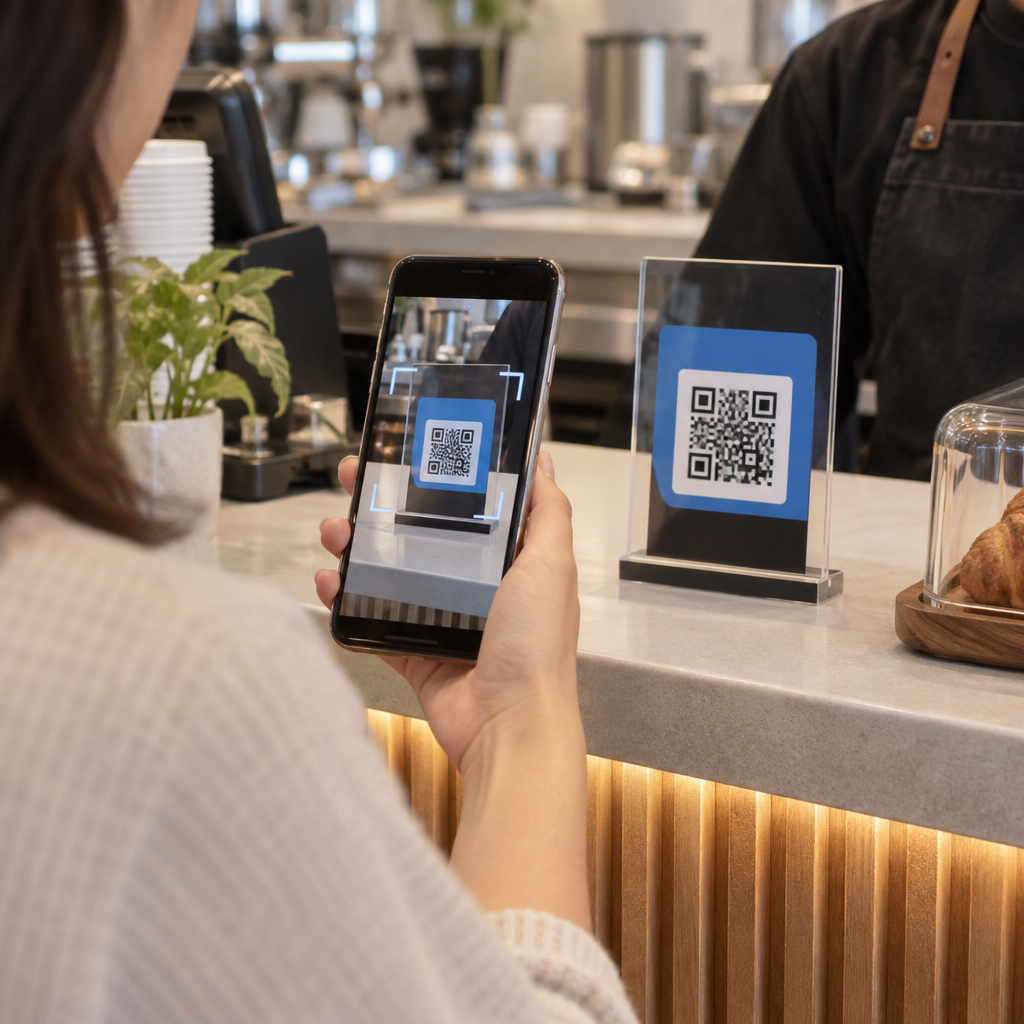
A QR-kódok áthidalják ezt a szakadékot. Egyetlen szkennelés eljuttatja a jelöltet egy fizikai érintkezési pontról – egy plakátról, egy névjegykártyáról, egy állásbörze standjáról – közvetlenül egy jelentkezési űrlapra, állásleírásra vagy időpontfoglalási linkre. Nincs gépelés, nincs keresés, nincs súrlódás.
Hol illeszkednek a QR-kódok a toborzási munkafolyamatába
A QR-kódok nem egyszer használatos eszközök. Javíthatják a jelöltekkel való interakciókat a felvételi tölcsér minden szakaszában.
Állásbörzéken és rendezvényeken. Helyezzen el egy QR-kódot a standján, hogy a látogatókat konkrét álláshirdetésekre irányítsa, vagy elérhetőségi adatokat gyűjtsön egy Google Form QR-kód. Minden szkennelés digitális nyilvántartást hoz létre az interakcióról – nincsenek elveszíthető névjegykártyák, nincsenek később egyeztetendő táblázatok. Az események bejelentkezését is egyszerűsítheti egy QR-kódos jelenléti rendszerrel amely automatikusan rögzíti az érkezéseket.
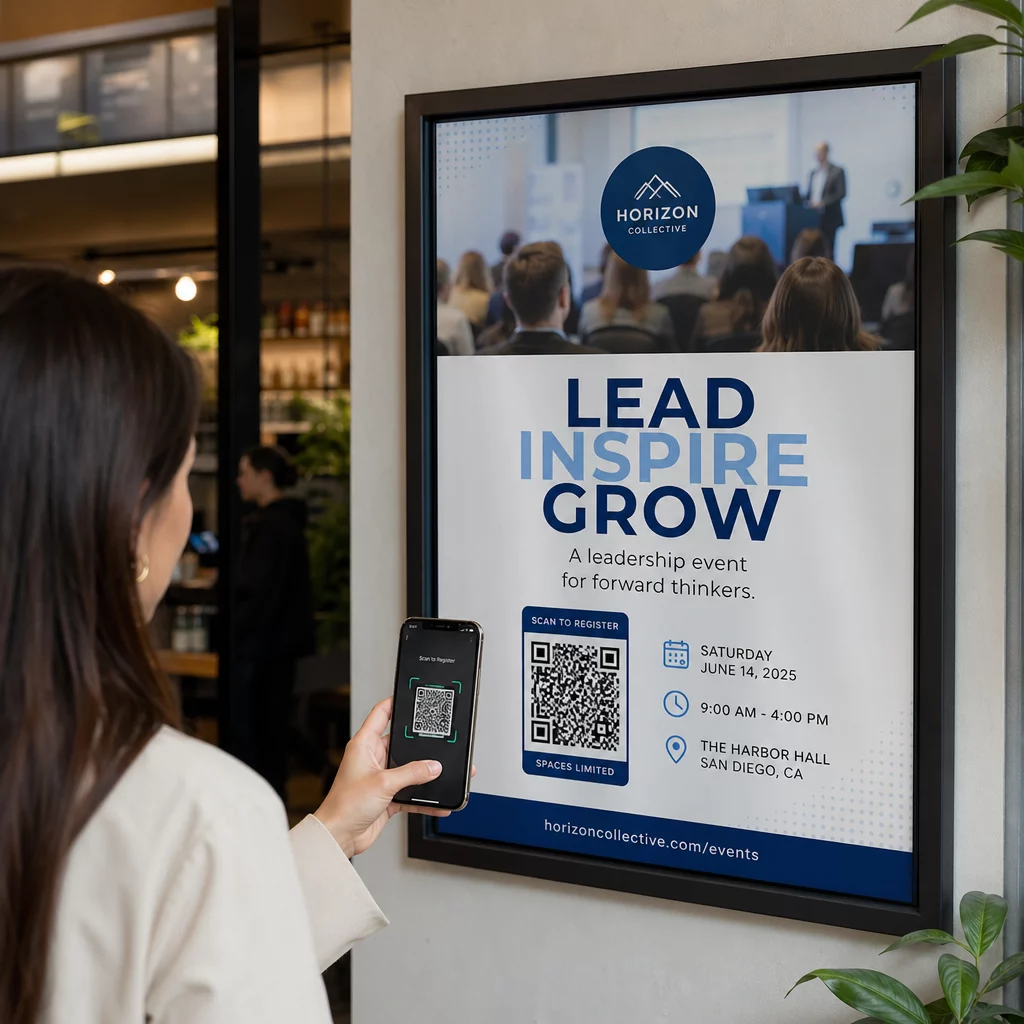
Nyomtatott anyagokon. Szórólapok, plakátok és brosúrák olyan jelölteket is elérhetnek, akik nem aktívan keresnek állást. Egy QR-kód egy plakáton , amely egy rövid videóra mutat a cégkultúráról vagy egy aktuális állásajánlatról, súrlódásmentes módot biztosít a passzív jelölteknek a felfedezésre anélkül, hogy azonnal elköteleznék magukat egy teljes jelentkezés mellett.
Névjegykártyákon. A toborzók beilleszthetnek egy LinkedIn QR-kód vagy egy linket az aktuális állásajánlataikhoz, így a személyes beszélgetések hasznos kapcsolatokká válnak. A Pageloot LinkedIn QR-kód generátor megkönnyíti egy beolvasható kód létrehozását, amely közvetlenül a profiljára vagy a cégoldalára mutat.
Digitális kampányokban. Az e-mail hírlevelek, állásportálok és közösségi média posztok mind tartalmazhatnak QR-kódokat, amelyek egy dedikált céloldalra irányítják a jelölteket. Az itt történő használat dinamikus QR kódok lehetővé teszi, hogy nyomon kövesse, mely digitális csatornák generálják a legkvalifikáltabb jelentkezéseket.
Önéletrajz beküldéséhez. Egy QR-kód összekapcsolása egy Google űrlappal vagy jelentkezési portállal lehetővé teszi a jelöltek számára, hogy azonnal feltöltsék adataikat, megragadva a szándékot, amikor a legmagasabb az elkötelezettség.
Rendezvénytoborzás egyszerűsítése Nyomon kell követnie a résztvevők bejelentkezését és rögzítenie kell a jelöltadatokat egy lépésben? A QR-kódos jelenlétkövető közvetlenül kapcsolódik a Google űrlapokhoz, így minden beolvasás automatikusan naplózásra kerül.
Hogyan működik a QR-kód követés a toborzók számára
Egy QR-kód önmagában csak egy parancsikon. Az igazi érték az általa generált adatokból származik. Dinamikus QR-kódok rögzít minden beolvasást, beleértve a következő mérőszámokat:
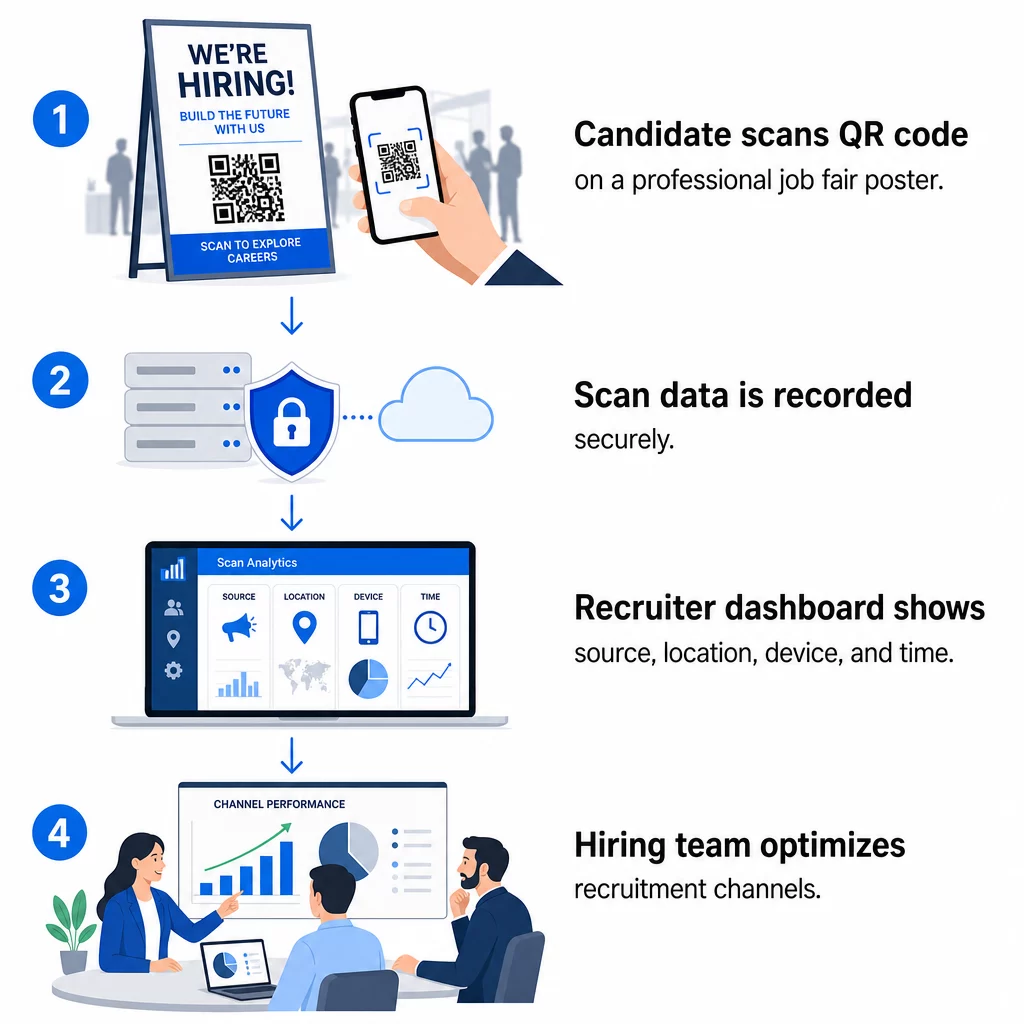
- Beolvasások száma – összes és egyedi beolvasás idővel
- Időbélyeg – amikor a jelöltek a legvalószínűbb, hogy elköteleződnek
- Helyadatok – mely városokból vagy régiókból érkeznek a jelentkezései
- Eszköztípus és operációs rendszer – megerősítve, hogy a mobilalkalmazás-folyamata valóban működik-e
Ezek az adatok segítenek megválaszolni gyakorlati kérdéseket: Generálnak-e utókövetéseket az állásbörze anyagai? Felülmúlja-e a poszterén lévő QR-kód az e-mailjében lévőt? Mely hirdetési helyek vonzzák azokat a jelölteket, akik kitöltik a teljes jelentkezést?
Többet megtudhat az adatok olvasásáról és felhasználásáról a Pageloot útmutatójában, amely a QR-kód beolvasások és elemzések nyomon követéséről szól.
UTM paraméterek hozzáadása a mélyebb attribúcióhoz
Ha csapata Google Analytics-et használ, UTM paramétereket fűzhet ahhoz az URL-hez, amelyre a QR-kódja mutat. Ez lehetővé teszi a QR-kód által generált forgalom nyomon követését a többi csatornájával együtt, manuális egyeztetés nélkül. Egy egyetemi állásbörzén elhelyezett kód használhatja az `utm`source=careerfair` és `utm`közeg=QRcode`, megkönnyítve az adott csatorna összehasonlítását a LinkedIn hirdetésekkel vagy az állásportálok forgalmával a GA4-ben.
A Pageloot útmutatója arról, UTM paraméterek QR-kódokhoz részletesen bemutatja az elnevezési konvenciókat és a jelentéskészítési beállításokat.
Minden toborzási csatorna nyomon követése Használja a Dinamikus QR-kód generátor nyomon követhető, UTM-címkével ellátott kódok létrehozása minden toborzási érintkezési ponthoz, és pontosan látni, hogy mely csatornák vonzzák a megfelelő jelölteket.
Statikus vs. dinamikus QR-kódok a toborzásban
Nem minden QR-kódnak kell dinamikusnak lennie, de a legtöbb toborzási alkalmazás profitál belőle. Íme egy gyakorlati összehasonlítás:
| FUNKCIÓ | Statikus QR-kód | Dinamikus QR-kód |
|---|---|---|
| Cél szerkeszthető nyomtatás után | Nem | Igen |
| Szkennelési analitika | Nem | Igen |
| Működik az álláshirdetés lezárása után is | Nem (ha az URL megszakad) | Igen (átirányítás új hirdetésre) |
| Előfizetést igényel | Nem | Igen |
| Legjobb: | Állandó referenciaanyagok | Aktív kampányok, állásbörzék, nyomtatott hirdetések |
A dinamikus kódok fő előnye a toborzásban a rugalmasság. Ha egy pozíció betöltésre kerül, mielőtt a nyomtatott anyagai elavulnának, átirányíthatja azt a QR-kódot egy hasonló nyitott pozícióra vagy egy általános jelentkezési oldalra – újranyomtatás nélkül. Részletesebb elemzésért lásd a Pageloot összehasonlítását a statikus és dinamikus QR-kódokat.
Márkás QR-kódok építése, amelyekben a jelöltek megbíznak
Az általános fekete-fehér QR-kódokat beolvassák, de a márkásak jobban teljesítenek és erősítik a munkáltatói identitását. A Pageloot QR-kód generátorunk felfedezésével kezdheti. lehetővé teszi, hogy beágyazza cége logóját, alkalmazza a márkaszíneket, és válasszon a tervezési sablonok közül, így minden kód az anyagai tudatos részének tűnik, nem pedig utólagos gondolatnak.

Néhány gyakorlati útmutató a nyomtatott toborzási anyagokhoz:
- Névjegykártyákhoz használjon minimális QR-kód méretet: 0,8 × 0,8 hüvelyk a megbízható olvashatóság biztosítása érdekében.
- Plakátok és szórólapok esetén törekedjen legalább 1,2 × 1,2 hüvelyk, tiszta fehér térrel a kód körül.
- Tartson fenn legalább 4:1 kontrasztarányt a sötét modulok és a háttér között.
- Nyomtasson 300 DPI-vel annak érdekében, hogy a kód éles és olvasható maradjon.
A márkás, jól méretezett QR-kódok professzionalizmust sugároznak, és ösztönzik a jelölteket a folytatásra. A szkennelés utáni mobilbarát célhelyekről bővebben lásd a Pageloot útmutatóját a következő témában: mobil QR-kód céloldal bevált gyakorlatokat.
Megfelelőségi szempontok a jelöltadatok kezeléséhez
A QR-kódok adatokat gyűjtenek, és ezek az adatok felelősséggel járnak. Az amerikai munkaerő-közvetítő cégeknek tisztában kell lenniük néhány alapvető követelménnyel a QR-alapú toborzási munkafolyamatok kialakításakor:
- EEOC nyilvántartás-vezetés: A szövetségi törvény előírja a munkaadók számára, hogy minden pályázati nyilvántartást – beleértve a QR-kóddal összekapcsolt űrlapokon keresztül benyújtottakat is – legalább egy évig őrizzenek meg a nyilvántartás elkészítésének dátumától számítva. Azoknak a szövetségi vállalkozóknak, akiknek 150 vagy több alkalmazottjuk van, és legalább 150 000 dolláros szerződéseik vannak, két évig kell megőrizniük a nyilvántartásokat.
- Önkéntes önazonosítás: Ha a QR-kódhoz kapcsolt űrlapjai demográfiai adatokat gyűjtenek az EEO jelentésekhez, akkor az abban való részvételnek önkéntesnek kell lennie, külön kell tartani a jelentkezési anyagoktól, és soha nem használható fel felvételi döntésekhez.
- Adatvédelmi kötelezettségek: Ha platformja adatvédelmi ígéreteket tesz a jelölteknek – akár kifejezetten, akár hallgatólagosan –, akkor köteles betartani azokat. Győződjön meg arról, hogy minden QR-kódhoz kapcsolt űrlap és céloldal tartalmaz egy világos adatvédelmi nyilatkozatot, és hogy a jelölt adatai biztonságosan tárolódnak.
- ADA és algoritmikus eszközök: Ha a QR-munkafolyamata bármilyen automatizált szűrőeszközhöz kapcsolódik, az EEOC útmutatása előírja, hogy ezeket az eszközöket értékelni kell a védett csoportokra, beleértve a fogyatékossággal élő jelölteket is, gyakorolt potenciális hátrányos megkülönböztetés szempontjából.
Ezek a követelmények nem bonyolítják a QR-kód bevezetését – hanem azt formálják, hogyan tervezi meg az adatgyűjtést a szkennelés másik végén.
Hogyan támogatja a Pageloot a toborzó csapatokat
A Pageloot platformja eszközöket biztosít a munkaerő-közvetítő cégeknek a QR-kódok létrehozásához, kezeléséhez és elemzéséhez a toborzás minden szakaszában. Több mint 20 000 vállalat bízik benne 110 országban, a platform a következőket tartalmazza:
- A Dinamikus QR-kód generátor szerkeszthető, nyomon követhető kódokhoz
- A Google Forms kérdőív QR kód generátor azonnali jelentkezési és szűrőűrlap linkekhez
- A link QR-kód generátor a jelöltek bármely álláshirdetésre vagy céloldalra irányításához
- Egy jelenléti QR-kód eszköz események bejelentkezéséhez és jelöltek naplózásához
- Valós idejű analitikai műszerfal, amely nyomon követi a szkennelések számát, helyét, eszközét és időzítését
- Teljes márkaépítési vezérlők, beleértve logókat, színeket és tervezési sablonokat
- Támogatás 25+ QR-kód típushoz nyomtatott és digitális formátumokban
Egy 14 napos ingyenes próbaidőszak hozzáférést biztosít dinamikus kódokhoz, analitikához és márkás testreszabáshoz, mielőtt elkötelezné magát egy fizetős csomag mellett.
Kezdje el a toborzási QR-kódokkal Hozzon létre márkás, nyomon követhető kódokat következő állásbörzéjéhez, e-mail kampányához vagy nyomtatott hirdetéséhez a Pageloot QR Kód Generátor – 14 napig ingyenesen kipróbálható, bankkártya nélkül.
A QR-adatok átalakítása okosabb felvételi döntésekké
A QR-kódjai által generált szkennelési adatok nem csupán egy hiúsági mutató – hanem visszajelzési hurok a toborzási stratégiájához. Ha az esemény QR-kódjai nagy szkennelési volument generálnak, de alacsony az alkalmazások kitöltésének száma, a probléma valószínűleg a mobilélmény a szkennelés másik végén. Ha az egyik városban elhelyezett plakátjai jobban teljesítenek, mint egy másikban, az tájékoztatja Önt arról, hová összpontosítsa a következő nyomtatási futamot.
Idővel a QR-szkennelési analitika és a jelentkezőkövető rendszer adatai kombinálásával tisztább képet kaphat arról, hogy mely érintkezési pontok válnak ténylegesen felvételekké – és melyek pazarolják a költségvetést. Ez a váltás a reaktív toborzásról az adatvezérelt felvételre.
Gyakori kérdések
Nem. Bármely modern okostelefon beépített kameraalkalmazással képes beolvasni egy QR-kódot anélkül, hogy további szoftvert kellene letöltenie. Ez jelentős akadályt hárít el az elköteleződés elől, különösen a személyes eseményeken, ahol a jelöltek vonakodhatnak új alkalmazásokat telepíteni.
Igen, de csak akkor, ha dinamikus QR-kódot használ. A dinamikus kódok egy rövid átirányítási URL-t kódolnak, amelyet bármikor új célra irányíthat a Pageloot irányítópultjáról. Ha egy állás megszűnik, vagy egy űrlap linkje megváltozik, átirányíthatja a kódot anélkül, hogy egyetlen szórólapot vagy plakátot is újra kellene nyomtatnia.
A QR-kód maga szkennelési szintű adatokat gyűjt – időbélyeget, eszköz típusát, operációs rendszert és a szkennelés földrajzi helyét. Nem gyűjt személyes azonosító információkat, hacsak a jelölt aktívan nem küld be egy űrlapot a szkennelés után. A kapcsolt űrlapokon keresztül gyűjtött bármely személyes adatot az Ön adatvédelmi szabályzata és az alkalmazandó munkajog szabályozza, beleértve az EEOC nyilvántartási követelményeit.