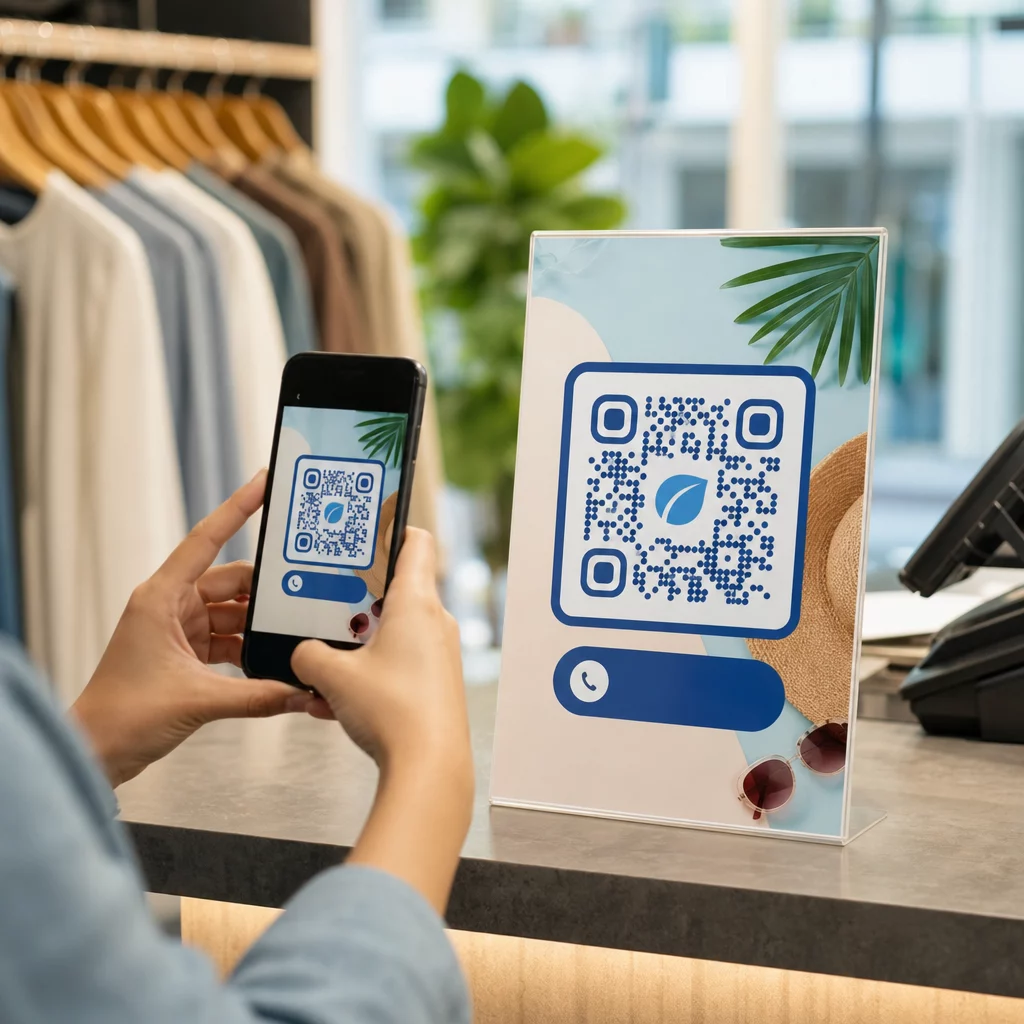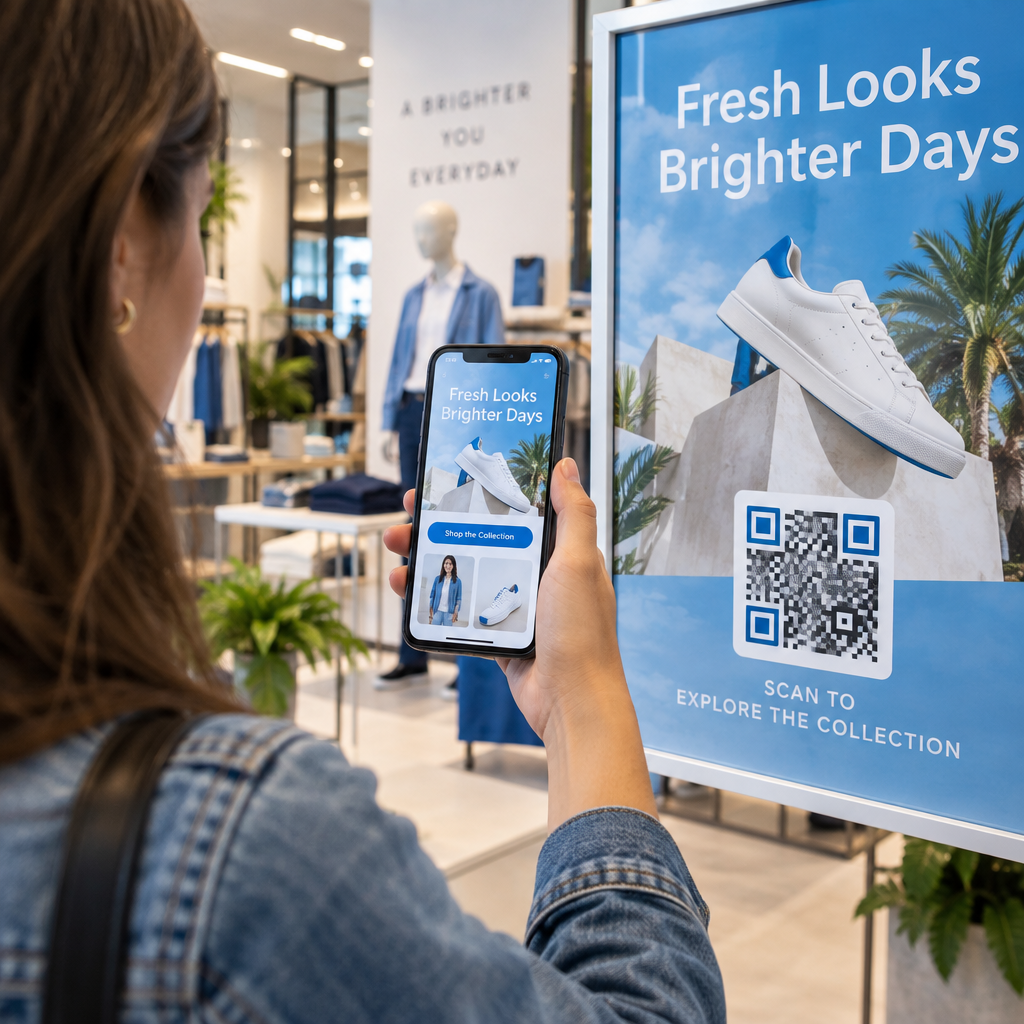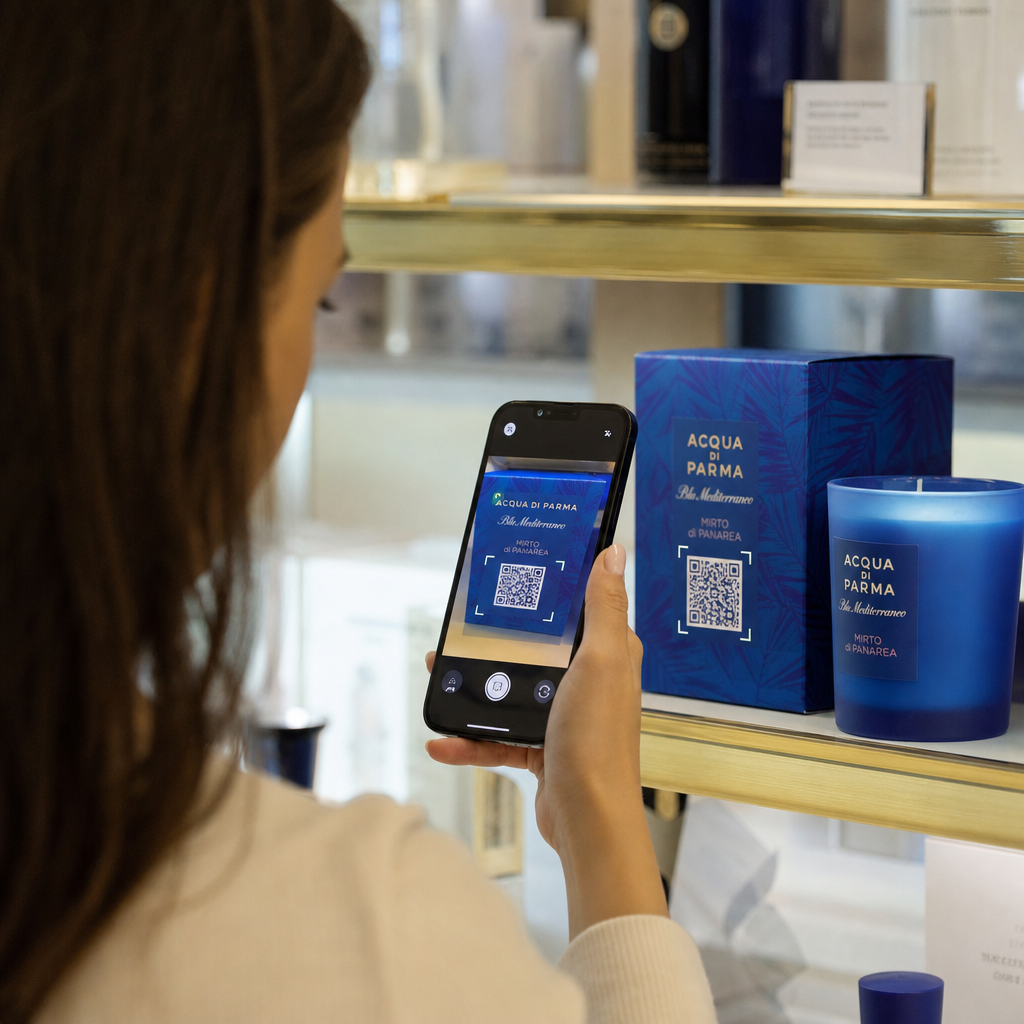
Ar bandote pakeisti QR kodo dydį, bet gaunate neryškų, nenuskaitomą rezultatą? Neteisingai nustatyti matmenys – arba netinkamo failo formato naudojimas – gali padaryti jūsų QR kodą visiškai nenaudingu po spausdinimo. Šis vadovas išsamiai paaiškins, kaip teisingai pakeisti QR kodo dydį, apimant failų formatus, dydžio taisykles, raiškos reikalavimus ir dažniausiai pasitaikančias klaidas, kurių reikia vengti.
Kodėl QR kodo dydžio keitimas nepavyksta
Dauguma QR kodo kokybės problemų kyla dėl vienos iš dviejų priežasčių: pradedant nuo netinkamo failo formato arba keičiant vaizdo mastelį viršijant jo raiškos galimybes.
Kai paimate mažos raiškos rastrinį vaizdą – JPEG arba mažą PNG – ir ištempiate jį didesnį savo dizaino programinėje įrangoje, skaitytuvas turi skaityti neryškius, neaiškius modulius, o ne ryškius juodai baltus kvadratus. Mažos raiškos QR kodo tempimas yra vienas patikimiausių būdų gauti neryškų, nenuskaitomą spausdinimo rezultatą. Taip pat yra mažiau akivaizdi problema: dydžio keitimas gali netyčia iškraipyti kodo proporcijas arba pašalinti ramiąją zoną – aiškų baltą kraštą aplink kodą – dėl ko skaitytuvai neteisingai nuskaito arba visiškai praleidžia raštą. Šių gedimo taškų supratimas prieš keičiant dydį yra tiesiausias kelias į kodą, kuris iš tikrųjų veikia.
Vektorinis vs. Rastrinis: Svarbiausias failo formato sprendimas
Vienintelis svarbiausias pasirinkimas, kurį darote keisdami QR kodo dydį, yra tai, ar dirbate su vektoriniu, ar rastriniu failu.
Vektoriniai formatai (SVG, EPS, PDF) saugo QR kodą kaip matematines instrukcijas, o ne fiksuotą pikselių tinklelį. Tai reiškia, kad jie keičia mastelį iki bet kokio dydžio – nuo pašto ženklo iki reklaminio stendo – neprarandant ryškumo ar aiškumo. Viskam, kas bus spausdinama, vektorinis formatas yra teisingas pasirinkimas.
Rastriniai formatai (PNG, JPEG, BMP) kodą saugo kaip pikselių tinklelį su fiksuota raiškos riba. Kai juos padidinate virš pradinės raiškos, programinė įranga turi sukurti pikselių duomenis, o tai sukelia išsiliejimą. JPEG yra ypač problemiškas, nes jo glaudinimo algoritmas išlygina kraštus, tiesiogiai pakenkdamas ryškiam kontrastui, kurio reikia QR skaitytuvui, kad nuskaitytų kiekvieną modulį.
| Formatas | Keičia mastelį be nuostolių | Rekomenduojama | Pastabos |
|---|---|---|---|
| SVG | Taip | Spauda, didelis formatas | Geriausias bendrai keičiant mastelį |
| EPS | Taip | Profesionali spauda | Standartas spaudos dizaino darbo eigose |
| Taip | Spauda, dalijimasis | Išsaugo vektorinius duomenis | |
| PNG | Ne (fiksuota raiška) | Žiniatinklis, skaitmeninis ekranas | Priimtinas esant didelei raiškai |
| JPEG | Ne (glaudinimas su nuostoliais) | Nei vienas | Visiškai venkite QR kodams |
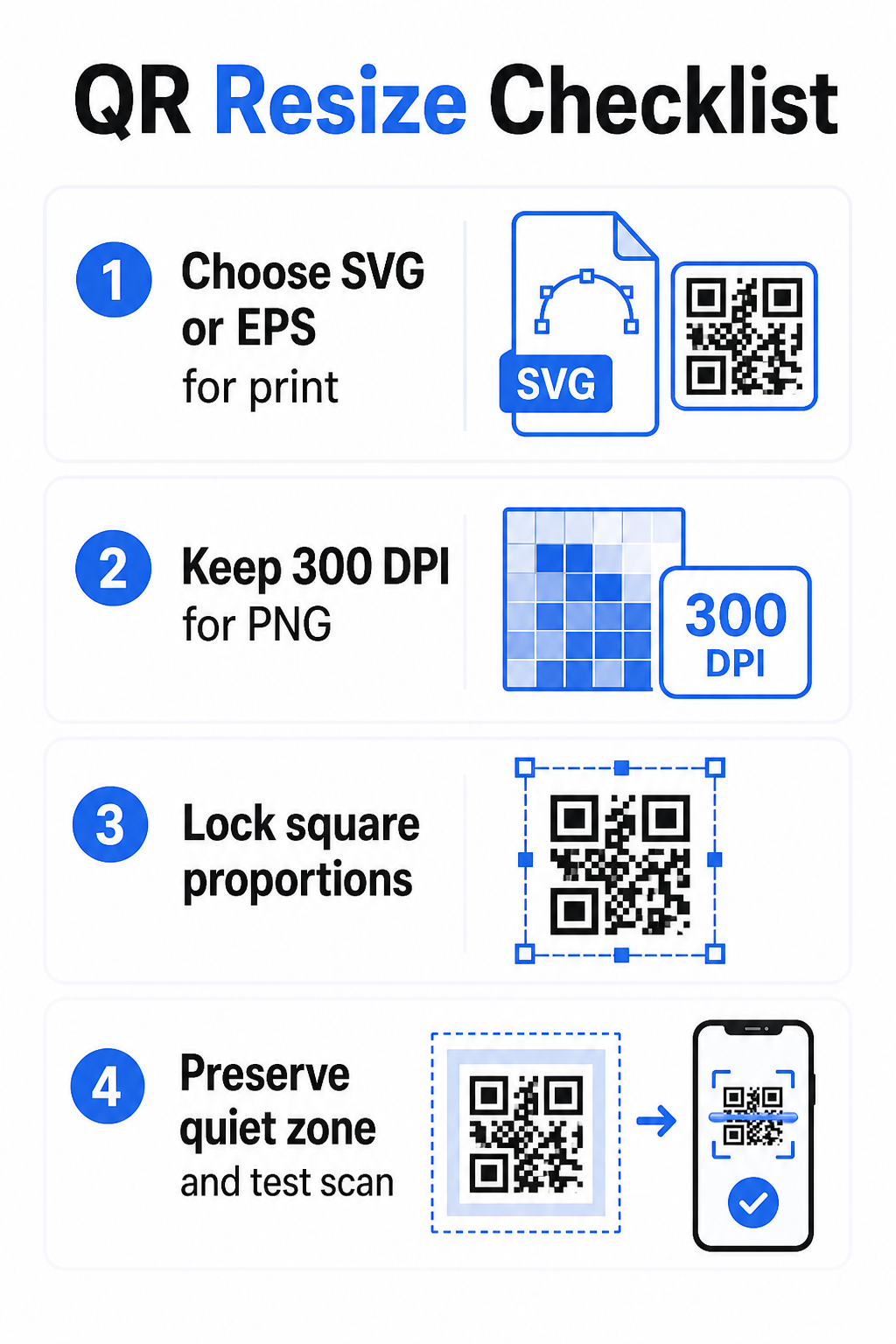
Kai atsisiunčiate QR kodą spausdinimui, visada pasirinkite SVG arba EPS. Kai jums reikia rastrinio failo skaitmeniniam ekranui arba platformai, kuri nepriima vektorinių formatų, eksportuokite didelės raiškos PNG – niekada JPEG.
Kurkite spausdinimui paruoštus QR kodus tinkamu formatu Sugeneruokite savo QR kodą ir atsisiųskite jį kaip spausdinimui paruoštą SVG, EPS arba PDF failą naudodami „Pageloot“ QR kodų generatorius. Nereikia jokios dizaino programinės įrangos.
Raiškos taisyklės rastriniams failams
Jei dirbate su PNG spausdinimui, raiška – matuojama DPI (taškais colyje) – lemia, ar kodas išliks ryškus galutiniame atspausdintame dydyje.
Minimalus spausdinimo standartas yra 300 DPI galutiniais atspausdintais matmenimis. Tai reiškia, kad jūsų paveikslėlio failo pikselių matmenys turi atitikti numatytą fizinį dydį esant tokiam tankiui. Pavyzdžiui:
- QR kodas, atspausdintas 1 colis × 1 colis reikia bent 300 × 300 pikselių
- QR kodas, atspausdintas 4 coliai × 4 coliai reikia bent 1 200 × 1 200 pikselių
Jei jūsų failas neatitinka šios ribos jūsų tiksliniame dydyje, atskiri moduliai – maži kvadratėliai, kurie perduoda QR duomenis – susilies. Tuo metu skaitytuvas nebegali atskirti tamsos nuo šviesos, ir kodas tampa neveiksmingas. Skaitmeniniams ekranams, mažiausiai apytiksliai 240 × 240 pikselių yra praktinė gairė ekrano rodymo kodams, nors didesnis visada saugesnis priartinimui ir suderinamumui tarp įrenginių. Švaresnis sprendimas spausdinimui yra visiškai praleisti rastrą ir naudoti vektorinį failą, kuris suteikia neribotą mastelį be jokių raiškos problemų.
Kaip pakeisti QR kodo dydį žingsnis po žingsnio
1 žingsnis: Pradėkite nuo tinkamo šaltinio failo
Atsisiųskite arba eksportuokite savo QR kodą SVG arba EPS formatu, jei jis bus spausdinamas. Jei turite tik rastrinį failą, prieš keisdami dydį patikrinkite, ar pikselių matmenys palaiko 300 DPI jūsų tiksliniame spausdinimo dydyje. PNG QR kodas gali puikiai veikti skaitmeniniam patalpinimui, kai eksportuojamas pakankama raiška – galite jį sukurti tiesiogiai naudodami PNG QR kodo generatorius ir naudoti jį visur, kur reikalingas skaidrumas arba rastrinis suderinamumas.
2 žingsnis: Masteliuoti proporcingai
Visada išlaikykite originalų kraštinių santykį keisdami dydį. QR kodai pagal apibrėžimą yra kvadratiniai, o juos ištempiant horizontaliai arba vertikaliai, moduliai iškraipomi iš kvadratų į stačiakampius, o tai gali suklaidinti arba sutrikdyti skaitytuvus. Bet kurioje dizaino programoje – Illustrator, Canva, InDesign, Photoshop – užrakinkite kraštinių santykį prieš vilkdami kampinį valdiklį. Net subtilus iškraipymas yra pakankamas sukelti problemų su griežtesniais skaitytuvų įgyvendinimais.
3 žingsnis: Išsaugokite ramiąją zoną
Rami zona yra aiškus baltas kraštas, supantis QR kodą iš visų keturių pusių. ISO/IEC 18004 standartas nurodo, kad ši paraštė turi būti bent keturių modulių pločio iš kiekvienos pusės. Kai keičiate QR kodo dydį ir įdedate jį į didesnį dizainą, ši zona dažnai yra pirmas dalykas, kuris apkarpo arba įsiskverbia į kitus dizaino elementus. Jei kiekvienas jūsų kodo modulis yra 2 mm pločio, jūsų rami zona turi būti bent 8 mm iš visų pusių. Laikykite šią erdvę nediskutuotina – jos pašalinimas sutrikdo skaitytuvo atpažinimą.
4 žingsnis: Patikrinkite kontrastą po dydžio keitimo
Dydžio keitimas ant spalvoto ar tekstūruoto fono gali sumažinti efektyvų kontrastą tarp kodo modulių ir jo aplinkos. Skaitytuvai remiasi tamsių ir šviesių sričių skirtumu, kad nuskaitytų kodą. Saugiausias derinys išlieka tamsūs moduliai šviesiame fone – juoda ant balto suteikia 21:1 kontrasto santykį. Siekite minimalaus kontrasto santykio 4:1 tarp priekinio ir foninio plano spalvų, ir venkite dėti kodą ant gradientų, margų raštų ar atspindinčių paviršių. Iš QR kodo spalvų kontrasto geriausios praktikos.
Step 5: Test Before Printing
Print a proof at the exact intended size on the exact intended material, then test with multiple devices – both iOS and Android – before committing to a full production run. Test at the actual scanning distance users will experience. A code that scans perfectly at arm’s length may fail at the distance it’s actually placed. See how to test QR codes for mobile usability for a full testing checklist.
Minimum and Maximum Size Guidelines
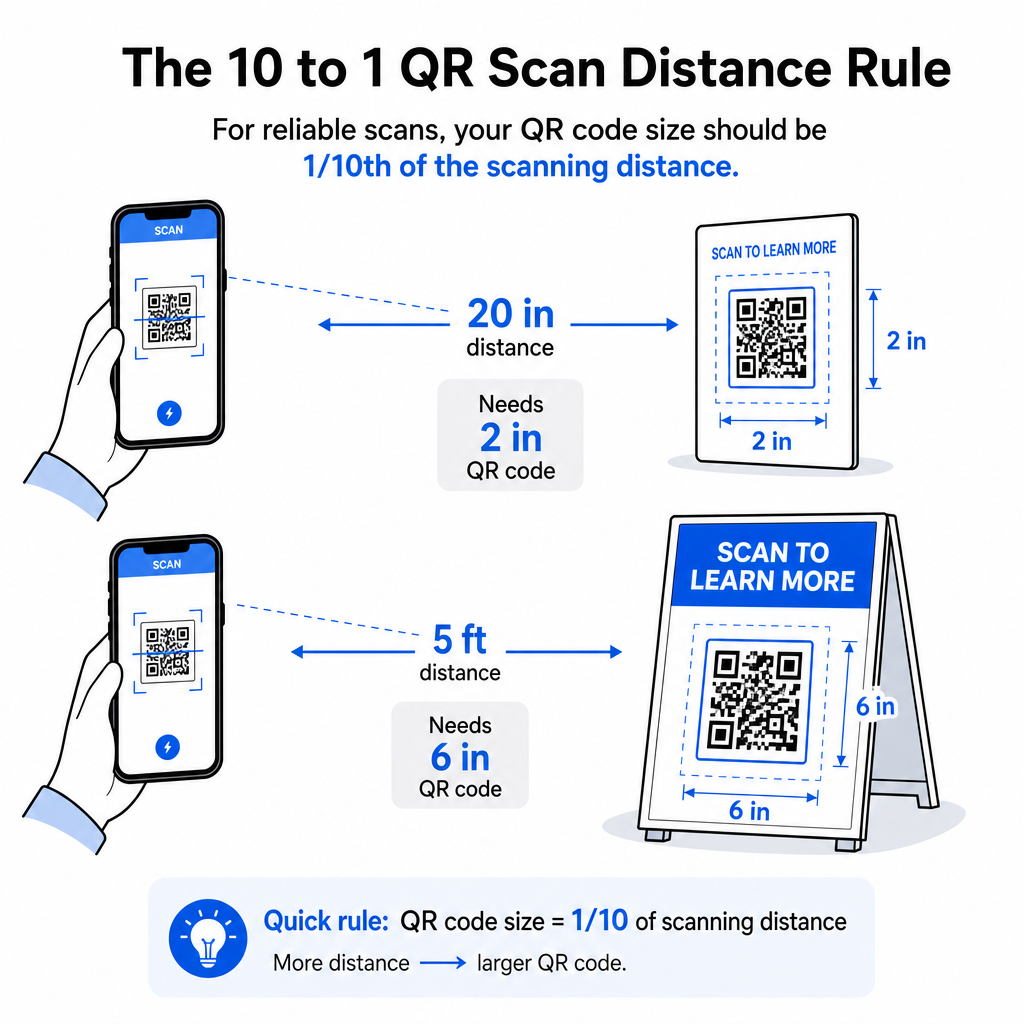
Resizing a QR code responsibly means knowing the size boundaries for your specific use case. The core rule is the 10:1 atstumo ir dydžio santykis: the maximum intended scanning distance should be approximately ten times the width of the QR code. A code scanned from 20 inches away should be at least 2 inches wide; one scanned from 5 feet away should be at least 6 inches wide; a billboard code scanned from 30 feet away should be at least 36 inches wide.
For common print applications, here are reliable starting points:
| Naudojimo atvejis | Minimum Recommended Size |
|---|---|
| Vizitinės kortelės | 0,8 × 0,8 colio (2 × 2 cm) |
| Skrajutės ir brošiūros | 1,2 × 1,2 colio (3 × 3 cm) |
| Posters and signage | 1.6 × 1.6 in (4 × 4 cm) |
| Billboards and banners | 16 × 16 in (40 × 40 cm) or larger |
For business card applications, 0.8 × 0.8 inches is the practical minimum for reliable close-range scanning – going smaller increases the risk of scan failure significantly. See the guide to QR code sizes for business cards dėl konkrečių rekomendacijų dėl to formato. Nėra oficialios viršutinės dydžio ribos; didinkite pagal poreikį, atsižvelgiant į nuskaitymo atstumą. Išsamiam suskirstymui pagal kiekvieną naudojimo atvejį, QR kodo dydžio vadove apima viską nuo vizitinių kortelių iki reklaminių stendų. Taip pat galite ištirti kaip QR kodo dydis veikia matomumą kad suprastumėte platesnį ryšį tarp matmenų ir nuskaitymo sėkmės.
Reikia QR kodo savo vizitinei kortelei? Naudoti Vizitinės kortelės QR kodo generatorius sukurti kodą, kurio dydis ir dizainas pritaikytas vizitinių kortelių spausdinimui, su SVG eksportu.
Kaip duomenų tankis veikia dydžio keitimą
Vienas veiksnys, apsunkinantis dydžio keitimą, yra duomenų tankis – informacijos kiekis, užkoduotas QR kode. Kuo daugiau duomenų yra QR kode, tuo tankesnis tampa jo modulių tinklelis. Tankesni tinkleliai reikalauja didesnių fizinių dydžių, kad atskiri moduliai būtų įskaitomi kameros lygiu.
QR kodas, koduojantis ilgą URL su sekimo parametrais, turi daug daugiau duomenų nei tas, kuris nukreipia į trumpą peradresavimo URL. Sumažinus didelio tankio kodą, moduliai tampa per maži, kad dauguma išmaniųjų telefonų kamerų galėtų juos patikimai atpažinti. Dinaminiai QR kodai tiesiogiai išsprendžia šią problemą. Užuot kodavę visą paskirties URL, dinaminis kodas koduoja trumpą vidinį peradresavimą, išlaikydamas kodo duomenų tankį žemą, nepriklausomai nuo to, kur jis nukreipia. Tai reiškia, kad galite spausdinti kodą mažesnį, neprarandant nuskaitymo galimybės – ir vėliau atnaujinti paskirties vietą be pakartotinio spausdinimo.
Klaidų taisymas ir dydžio keitimo tolerancija
QR kodai turi įmontuotą klaidų taisymą, kuris leidžia juos nuskaityti net ir iš dalies pažeistus ar uždengtus. ISO/IEC 18004 standartas apibrėžia keturis lygius:
| Lygis | Atkūrimo galimybė |
|---|---|
| L (žemas) | ~7% duomenų |
| M (vidutinis) | ~15% duomenų |
| Q (kvartilis) | ~25% duomenų |
| H (didelis) | ~30% duomenų |
Jei keičiate QR kodo dydį į mažesnį dydį, arba pridedate logotipą į kodo centrą, padidinus klaidų taisymo lygį suteikiama apsauga nuo modulio lygio pažeidimų ar skenavimo netikslumų. Q arba H lygis tinka firminiams ar labai pritaikytiems kodams. Turėkite omenyje, kad didesnis klaidų taisymas padidina duomenų tankį, o tai gali reikalauti šiek tiek didesnio minimalaus dydžio kompensavimui.
Dažnos dydžio keitimo klaidos, kurių reikia vengti
- Naudojant ekrano nuotrauką kaip šaltinio failą. Ekrano nuotraukos yra žemos raiškos rastriniai vaizdai. Jų didinimas spausdinimui yra viena dažniausių neskenuojamų QR kodų priežasčių.
- Kodo tempimas neproporcingai. Net nedidelis horizontalus ar vertikalus iškraipymas pakeičia modulio formas iš kvadratų į stačiakampius, o tai gali neleisti skaitytuvams teisingai nuskaityti kodo.
- Tyliosios zonos apkirpimas. Dydžio keitimas ankštame dizaino išdėstyme dažnai lemia, kad kiti elementai įsiskverbia į tyliąją zoną. Palikite bent keturis aiškios erdvės modulius iš visų pusių – ši paraštė yra techninis reikalavimas, o ne stilistinis pasirinkimas.
- Manymas, kad ekrane veikiantis kodas veiks ir spausdinant. Ekrano rodymas ir spausdintas rezultatas yra skirtingos aplinkos. Kodas, kuris ekrane atrodo ryškus esant 72 DPI, gali atsispausdinti neryškiai esant 300 DPI, jei pagrindinė failo raiška to nepalaiko.
- Netestavimas po dydžio keitimo. Visada patikrinkite nuskaitymo galimybę ant galutinės medžiagos, galutiniu dydžiu, iš numatyto nuskaitymo atstumo.
Išsamesnių gairių ieškokite QR kodo spausdinimo raiškos vadove ir geriausia praktika QR kodo skaitomumui apima spausdinimui būdingas detales, kurias verta žinoti prieš pradedant gamybą.
Dydžio nustatymas skirtingoms spausdinimo medžiagoms
Paviršius, ant kurio spausdinate, turi įtakos tam, kokio dydžio turi būti jūsų QR kodas, nepriklausomai nuo nuskaitymo atstumo aplinkybių. Grubūs, tekstūruoti ar išlenkti paviršiai gali iškraipyti modulius ir sumažinti efektyvų kontrastą, todėl jums gali prireikti padidinti mastelį labiau, nei siūlytų vien tik 10:1 taisyklė.
- Lygus popierius arba kartonas – Taikomos standartinės dydžio gairės; matinės apdailos yra pageidautinos, o ne blizgios, siekiant sumažinti atspindžius ir blizgesį
- Gofruotas kartonas – Pridėkite 10–25% prie minimalaus dydžio, siekiant kompensuoti paviršiaus tekstūrą ir kraštų nelygumus
- Audinys – Lygus poliesteris gali naudoti standartinius minimumus; grubūs ar tamprūs tekstilės gaminiai dažnai reikalauja 25–50% didesnių kodų
- Metalas arba stiklas – Didelis atspindėjimas sukelia nuskaitymo problemų; naudokite matinius paviršius arba vinilo perdangas ir padidinkite kodo dydį
Išsamų suskirstymą pagal medžiagos tipą rasite QR kodo dydžio nustatymas skirtingoms spausdinimo medžiagoms, ir gairių, kaip pats spausdinimo metodas veikia išvesties kokybę, kaip spausdinimo technikos veikia QR kodo nuskaitomumą verta perskaityti prieš pateikiant spausdinimo užsakymą. Dėl išdėstymo sprendimų, kurie viršija dydžio nustatymą, QR kodo išdėstymo vadovas rinkodarai apima pozicionavimą pagal medžiagos tipą ir kampanijos kontekstą.
Tinkamai keisti QR kodo dydį reiškia pasirinkti tinkamą failo formatą prieš keičiant dydį, išlaikyti proporcijas ir tyliosios zonos paraštes visame procese bei patikrinti, ar jūsų išvestis atitinka raiškos ir kontrasto standartus galutiniame atspausdintame ar rodomame dydyje. Pradėjus nuo vektorinio failo, didžioji dalis rizikos visiškai pašalinama – jis švariai keičia mastelį bet kuria kryptimi be raiškos apribojimų, kuriuos nustato rastriniai vaizdai. Jei kuriate QR kodus nuolatinėms kampanijoms, naudojant dinaminis QR kodas suteikia jums papildomą pranašumą atnaujinti paskirties vietą po spausdinimo, todėl šiandienos dydžio ar išdėstymo sprendimas neužrakina jūsų į pakartotinio spausdinimo išlaidas ateityje.
Dažniausiai užduodami klausimai
SVG, EPS, arba PDF yra geriausi formatai dydžio keitimui, nes jie yra vektoriniai ir keičiasi į bet kokį dydį neprarandant aštrumo. PNG yra priimtinas skaitmeniniam naudojimui, kai eksportuojamas didele raiška. JPEG reikėtų visiškai vengti – jo suglaudinimas išlygina aštrius kraštus, kuriuos skeneriai turi atskirti kiekvieną modulį.
Praktiškai minimalus dydis daugumai artimo nuotolio spausdinimo programų yra 0,8 × 0,8 colio (2 × 2 cm). Mažesnis dydis padidina nuskaitymo gedimo riziką. Norėdami nuskaityti didesniais atstumais, taikykite 10:1 taisyklę: kodo plotis turėtų būti bent viena dešimtoji maksimalaus numatyto nuskaitymo atstumo – taigi, kodas, nuskaitytas iš 20 colių atstumo, turėtų būti bent 2 colių pločio.
Ne – užkoduoti duomenys ir klaidų taisymo lygis yra fiksuoti, kai kodas yra sugeneruojamas. Dydžio keitimas keičia tik fizinius arba pikselių vaizdo matmenis. Ką dydžio keitimas gali paveikti, yra tai, ar moduliai išlieka aiškūs ir atskiriami naujuoju dydžiu, štai kodėl 300 DPI išlaikymas spaudai, tyliosios zonos paraščių išsaugojimas ir proporcingas mastelio keitimas yra visi esminiai žingsniai.