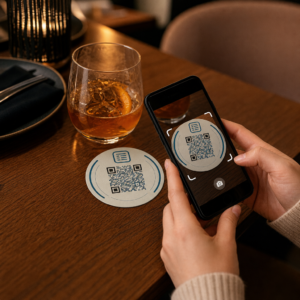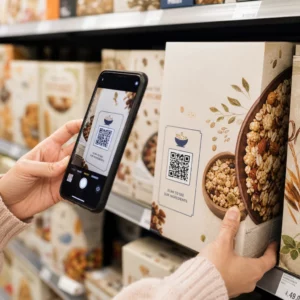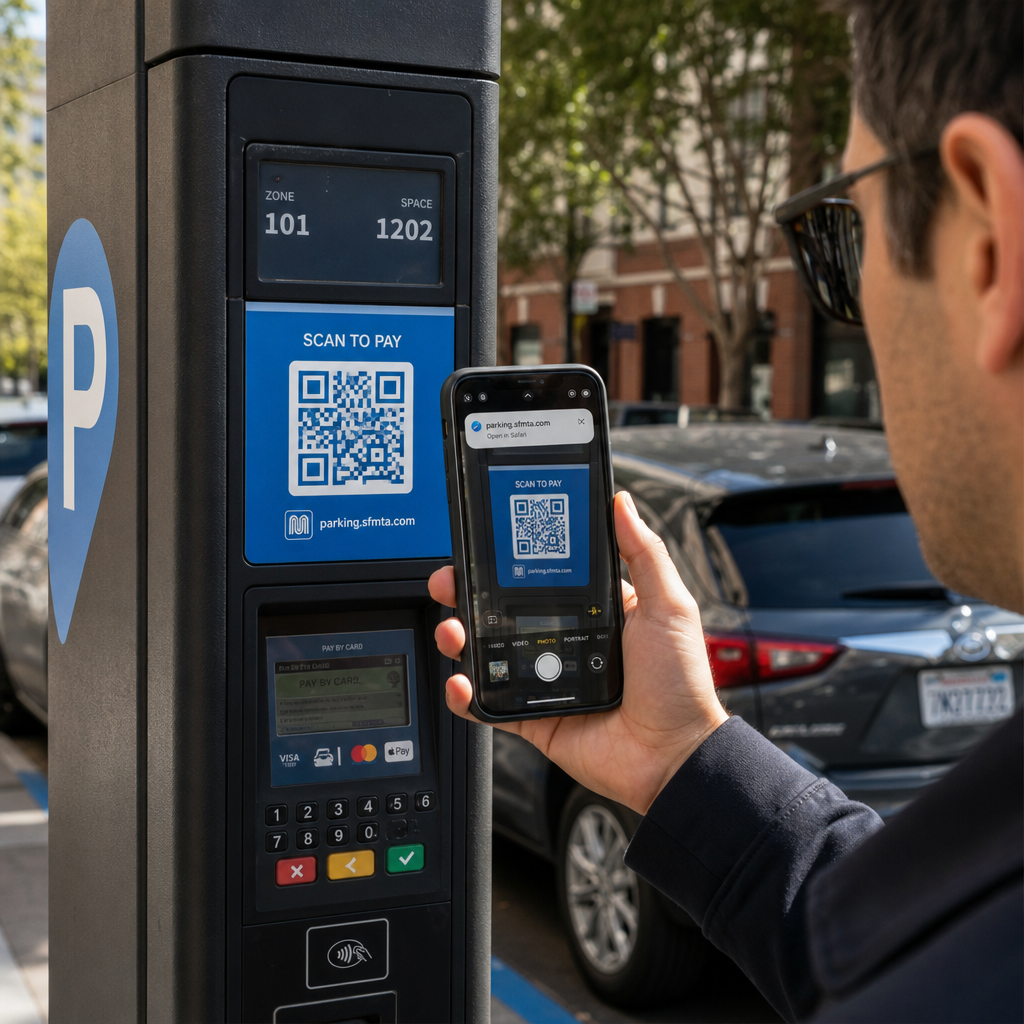
¿Alguna vez ha escaneado un código QR en un parquímetro o en un cartel, solo para dudar antes de tocar el enlace? Los estafadores manipulan rutinariamente estos cuadrados en blanco y negro para robar contraseñas, obtener detalles de pago o instalar malware en dispositivos desprevenidos. Aprender a inspeccionar códigos físicos, verificar las vistas previas de URL y reconocer las tácticas comunes de estafa le ayudará a escanear con total confianza.
Cómo funcionan las estafas con códigos QR falsos
Los códigos QR son inherentemente opacos. A diferencia de los enlaces de texto estándar, el ojo humano no puede decodificar el patrón de píxeles en blanco y negro para ver a dónde conduce antes de escanearlo. Los ciberdelincuentes explotan este punto ciego a través del phishing con códigos QR, a menudo llamado quishing.
Los atacantes implementan códigos QR falsos en varios puntos de contacto comunes:
- Colocación de pegatinas sobre señalización legítima: Los estafadores superponen códigos falsos sobre parquímetros, máquinas expendedoras de boletos o menús de restaurantes existentes para redirigir a las víctimas a portales de pago clonados. Esta técnica ha causado pérdidas financieras generalizadas en los últimos Estafas de estacionamiento con código QR.
- Envío de notificaciones de paquetes no solicitados: Los estafadores entregan paquetes inesperados o correo físico que contienen códigos QR que solicitan a los destinatarios verificar detalles personales o preferencias de entrega en sitios fraudulentos de robo de identidad.
- Incrustación de códigos dentro de archivos adjuntos de correo electrónico maliciosos: Los ciberdelincuentes colocan códigos QR dentro de facturas PDF o correos electrónicos de notificación urgente para eludir los filtros de seguridad de correo electrónico estándar que buscan enlaces de texto sin formato, lo que introduce graves riesgos empresariales de phishing con código QR.
- Distribución de folletos promocionales falsos: Los folletos fraudulentos ofrecen descuentos falsos o avisos públicos urgentes para presionar a los usuarios a escanear códigos que desencadenan descargas de archivos peligrosas o recolectan credenciales de inicio de sesión.
En todos los casos, los atacantes explotan la familiaridad y la velocidad de las interacciones QR estándar para eludir su precaución de seguridad normal.
Señales de advertencia comunes de un código QR malicioso
Detectar un código QR falso requiere inspeccionar tanto el entorno físico donde aparece el código como la estructura del enlace digital que hay detrás.
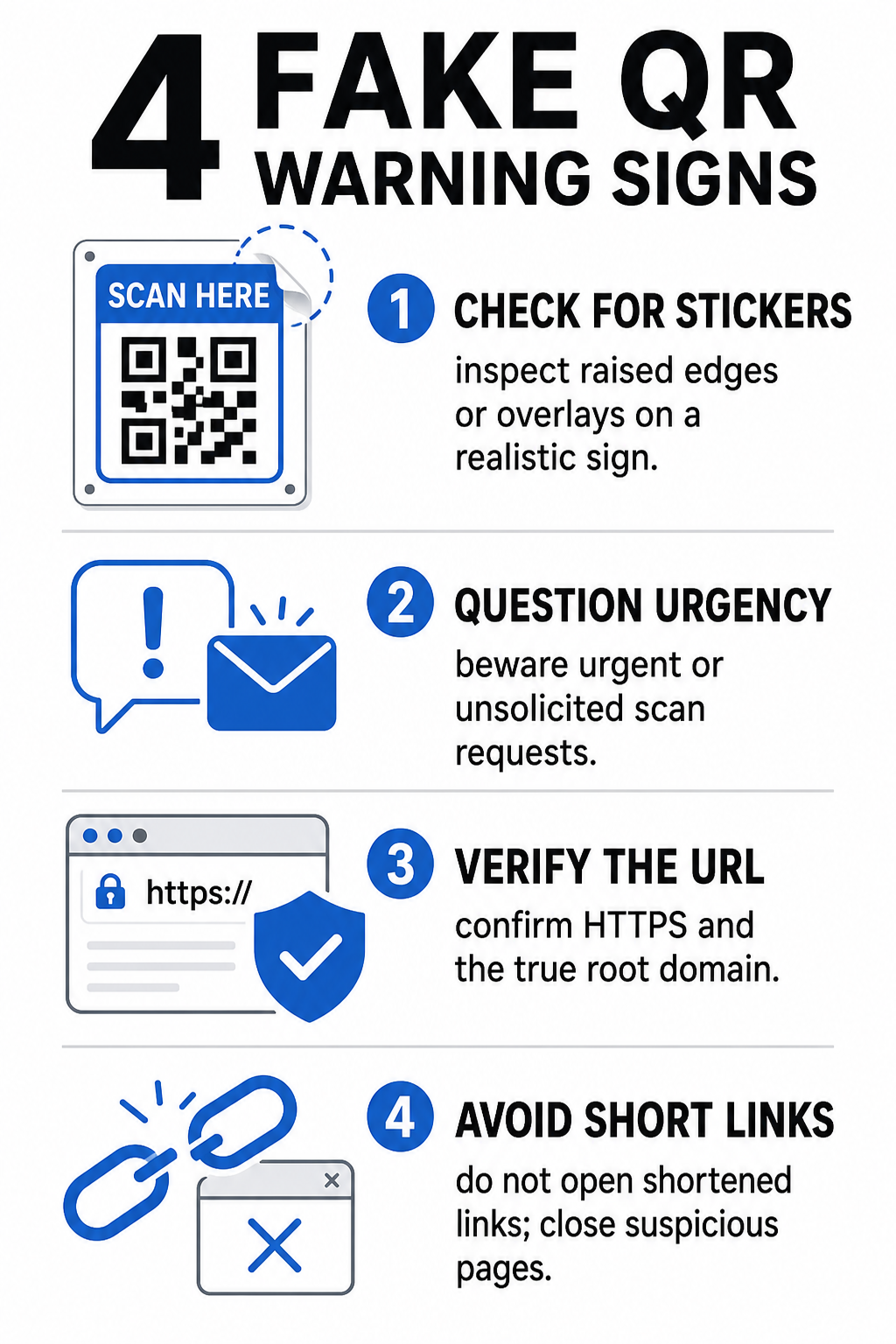
| Categoría de Riesgo | Qué Buscar | Amenaza Potencial |
|---|---|---|
| Manipulación Física | Bordes de pegatinas levantados, etiquetas despegándose o gráficos desalineados en señales físicas. | Estafa de superposición que le dirige fuera de los legítimos sistemas de pago de estacionamiento. |
| Mensajes no Solicitados | Correos electrónicos, mensajes de texto o cartas urgentes que exigen un pago inmediato mediante código QR. | Intento de phishing diseñado para engañarle y hacerle introducir credenciales bajo presión. |
| Protocolos Inseguros | URL que comienzan con `http://` no cifrado en lugar de `https://` seguro. | Intercepción de datos o páginas de inicio de sesión falsas que recopilan credenciales. |
| Suplantación de Dominio | Nombres de marca mal escritos, letras fuera de lugar o dominios de nivel superior desconocidos. | Sitio web suplantado clonado para imitar portales de empresas auténticas. |
| Enlaces Acortados | Acortadores de enlaces genéricos que ocultan el dominio real de la página de destino. | Destino oculto que esconde malware o redireccionamientos ilícitos. |
Si detecta cualquiera de estas señales de alerta, evite escanear el código o cierre la pestaña del navegador inmediatamente si el enlace ya se ha abierto. Comprender los principios más amplios de [threat-modeling] le ayudará a aclarar cómo los enlaces maliciosos recopilan metadatos personales e información de seguimiento. riesgos de privacidad de los códigos QR ayuda a aclarar cómo los enlaces maliciosos recopilan metadatos personales e información de seguimiento.
Cómo Verificar de Forma Segura una URL de Destino Antes de Tocar
Tomarse unos segundos para inspeccionar el destino de un código QR antes de abrirlo proporciona una sólida protección contra los ataques de phishing.
- Inspeccione la vista previa de la cámara o el banner del escáner: Posicione la cámara de su smartphone sobre el código y lea atentamente el dominio de la URL previsualizada antes de tocar para abrirla.
- Compruebe si el dominio raíz ha sido suplantado: Observe el nombre de dominio principal antes de cualquier barra o subdominio. Por ejemplo, `nombremarca.com.sitiodeatacante.com` está controlado por un atacante, no por la marca oficial. Esté atento a los intercambios sutiles de caracteres, como reemplazar la letra minúscula `l` por el número `1`.
- Evite descargar aplicaciones directamente desde redirecciones QR: Busca y descarga aplicaciones directamente desde la tienda de aplicaciones oficial de tu dispositivo en lugar de confiar en un enlace proporcionado por un código QR.
- Navega directamente a portales web de confianza para realizar pagos: Evita introducir contraseñas o información de tarjetas de crédito en páginas a las que llegues a través de códigos QR no solicitados. En su lugar, abre tu navegador móvil y escribe manualmente la dirección del sitio web oficial.
Prueba códigos sospechosos en línea ¿Quieres previsualizar y verificar de forma segura los enlaces de destino antes de abrirlos en tu smartphone? Usa la herramienta gratuita Escáner de código QR Pageloot para subir imágenes de códigos e inspeccionar el contenido de destino de forma segura.
Pasos prácticos para prevenir estafas con códigos QR
Tanto los consumidores individuales como los propietarios de negocios pueden implementar prácticas de seguridad estructuradas para mantener seguros los puntos de contacto físicos y digitales.
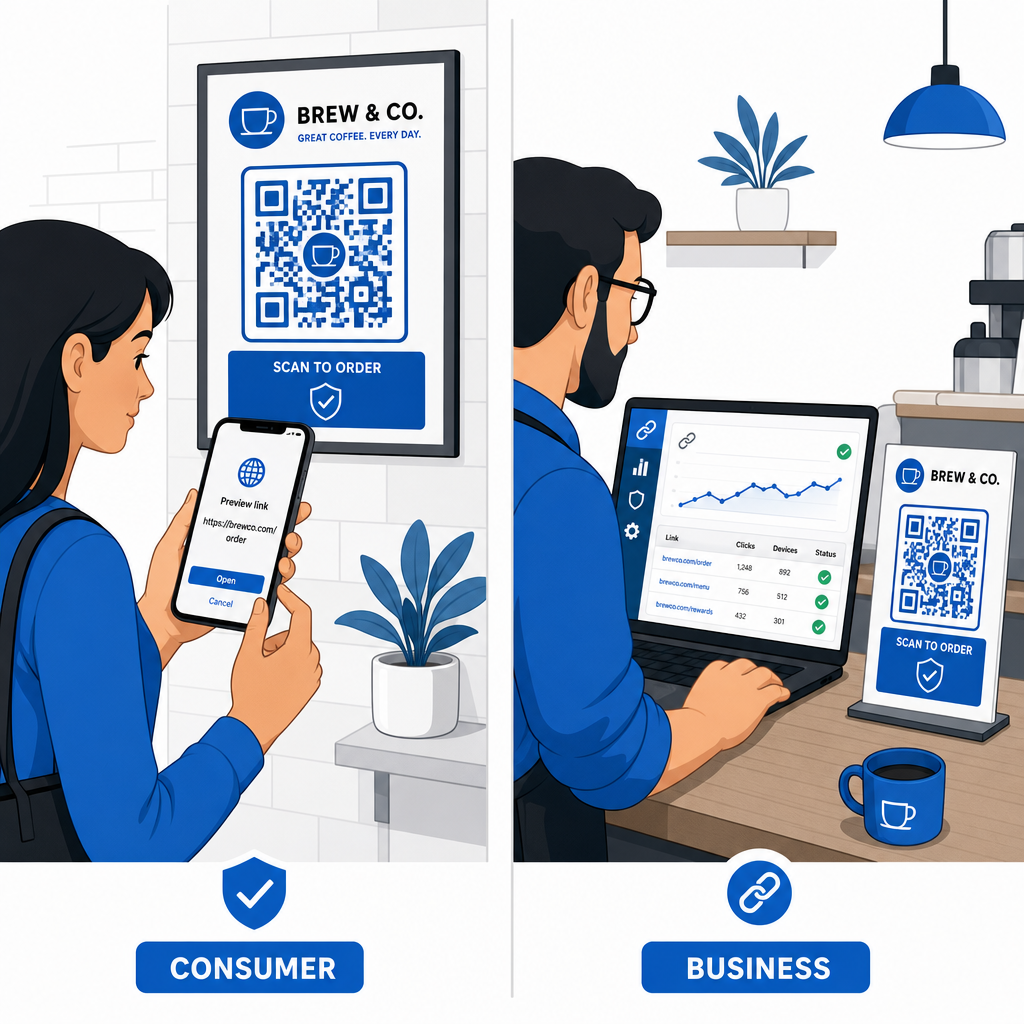
Pautas para consumidores cotidianos
- Verifica la señalización física en busca de superposiciones: Toca la superficie de parquímetros, cargadores públicos o carteles para asegurarte de que ninguna pegatina cubre el código original.
- Escribe las direcciones web manualmente para transacciones: Abre tu navegador web y escribe directamente las direcciones URL oficiales al pagar facturas de servicios públicos o introducir credenciales financieras.
- Habilita la autenticación de dos factores en todas las cuentas: Protege los inicios de sesión en línea con un paso de verificación adicional para que las contraseñas robadas por sí solas no puedan conceder acceso a la cuenta.
- Reporta actividades fraudulentas a portales oficiales: Envía informes de códigos fraudulentos o estafas a las autoridades locales y a portales de denuncia oficiales como el Centro de Denuncias de Delitos en Internet del FBI (IC3) o la Comisión Federal de Comercio (FTC).
Pautas para propietarios de negocios
- Implementa códigos QR dinámicos en todas las campañas: Usa códigos QR dinámicos para mantener un control total sobre los enlaces de destino, permitiendo actualizaciones inmediatas o la desactivación del enlace si se detecta una amenaza.
- Aplica branding personalizado y logotipos visuales: Personaliza los diseños de los códigos con logotipos de la empresa y colores de marca específicos, haciendo que sea significativamente más difícil para los estafadores replicar tus códigos con pegatinas genéricas.
- Implementa herramientas de monitoreo de seguridad en capas: Combine la gestión segura de códigos QR con herramientas especializadas de seguridad empresarial para evaluar enlaces entrantes y detectar amenazas de phishing en los canales corporativos. Puede revisar herramientas defensivas dedicadas en nuestra guía sobre cómo herramientas especializadas para detectar phishing de códigos QR.
- Audite los puntos de contacto físicos rutinariamente: Inspeccione regularmente los letreros físicos, los exhibidores de mesa y los quioscos para detectar superposiciones de pegatinas o manipulaciones físicas. La combinación de verificaciones físicas con mejores prácticas de seguridad para pagos con códigos QR preserva la confianza del cliente. Para una estrategia organizacional completa, explore nuestro desglose sobre cómo proteger su negocio de las estafas con códigos QR.
Proteja sus interacciones digitales con el escaneo inteligente
Detectar códigos QR falsos se reduce a reconocer manipulaciones físicas, verificar dominios de destino y evitar la entrada impulsiva de credenciales o el envío de pagos. Al inspeccionar las vistas previas de URL y confiar en direcciones web verificadas, puede disfrutar de forma segura la comodidad de los códigos QR sin comprometer su seguridad.
Al analizar códigos QR desconocidos en su smartphone u ordenador de escritorio, verifique su contenido de forma segura antes de actuar. Utilice la herramienta web Escáner de código QR Pageloot para previsualizar destinos codificados y confirmar la seguridad del enlace al instante.
Preguntas frecuentes
Escanear un código QR simplemente lee texto codificado, normalmente una dirección web. Simplemente escanear el código rara vez infecta un dispositivo directamente; sin embargo, tocar el enlace previsualizado para visitar un sitio web malicioso o descargar un archivo no confiable desde esa página de destino puede instalar malware en tu teléfono.
Cambie inmediatamente su contraseña en el sitio web afectado y en cualquier otra cuenta que comparta esas credenciales. Active la autenticación de dos factores de inmediato, notifique a su banco si se expusieron detalles financieros y monitoree sus informes de crédito en busca de actividad no reconocida.
Los códigos QR dinámicos dirigen el tráfico a través de una plataforma de gestión segura en lugar de incrustar datos de destino fijos. Si una página web de destino se ve comprometida o requiere actualización, los administradores pueden modificar la URL de destino o desactivar el enlace de forma remota sin necesidad de reemplazar los materiales impresos físicos.