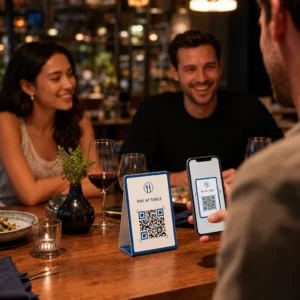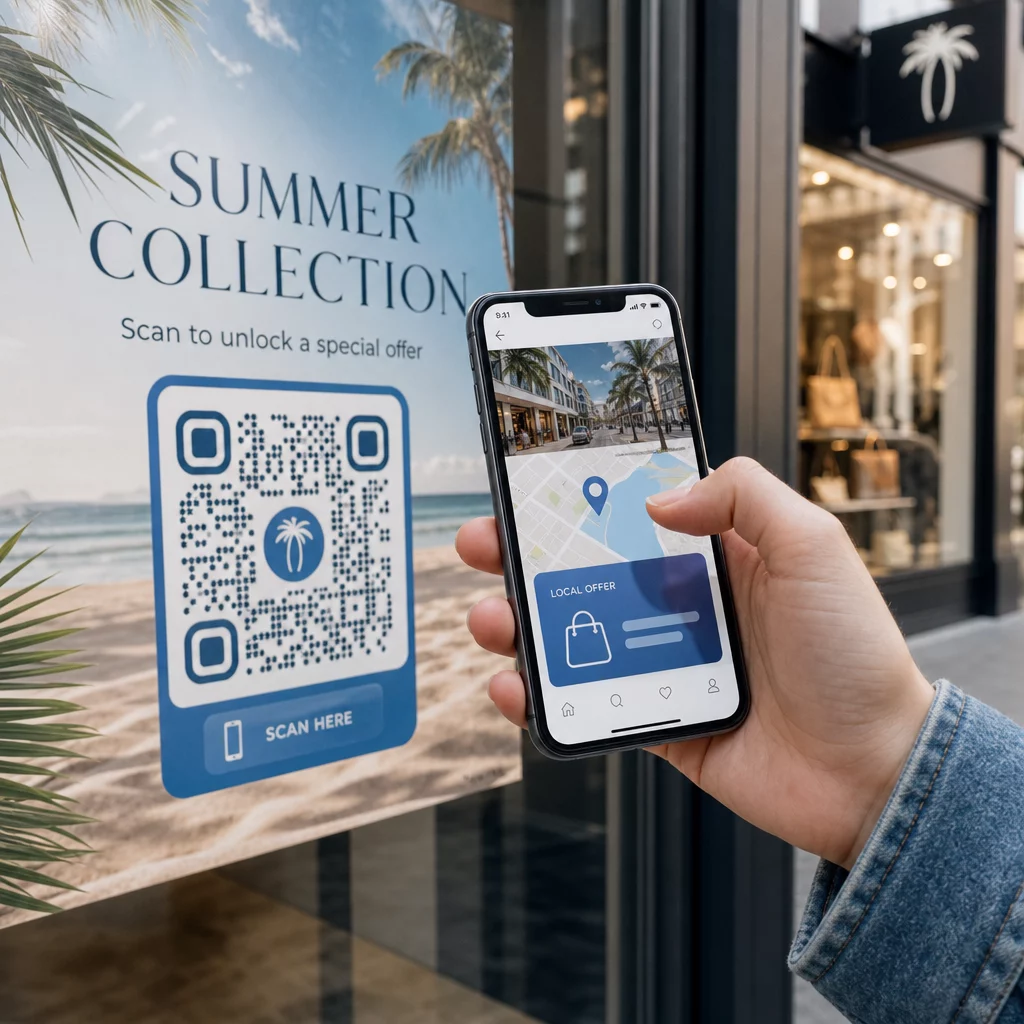
Chcete, aby každý skener přistál na obsahu, který je relevantní k jeho poloze? Když jeden QR kód pošle všechny na stejnou stránku bez ohledu na geografii, ztrácíte šanci oslovit místní publikum cílenými nabídkami, jazykem a kontextem. Tento průvodce vysvětluje, jak funguje přesměrování QR kódů na základě polohy, jak jej nastavit a na co si dát pozor.
Proč přesměrování na základě polohy vyžaduje dynamické QR kódy
Standardní statický QR kód kóduje pevnou URL přímo do svého vzoru. Tato destinace se nikdy nemůže změnit – pokaždé byste museli vytisknout nový kód. Dynamické QR kódy fungují jinak: samotný kód kóduje krátkou přesměrovací URL a skutečná destinace je řízena na serveru. To znamená, že můžete kdykoli aktualizovat, kam kód směřuje, aniž byste se dotkli tištěného materiálu.
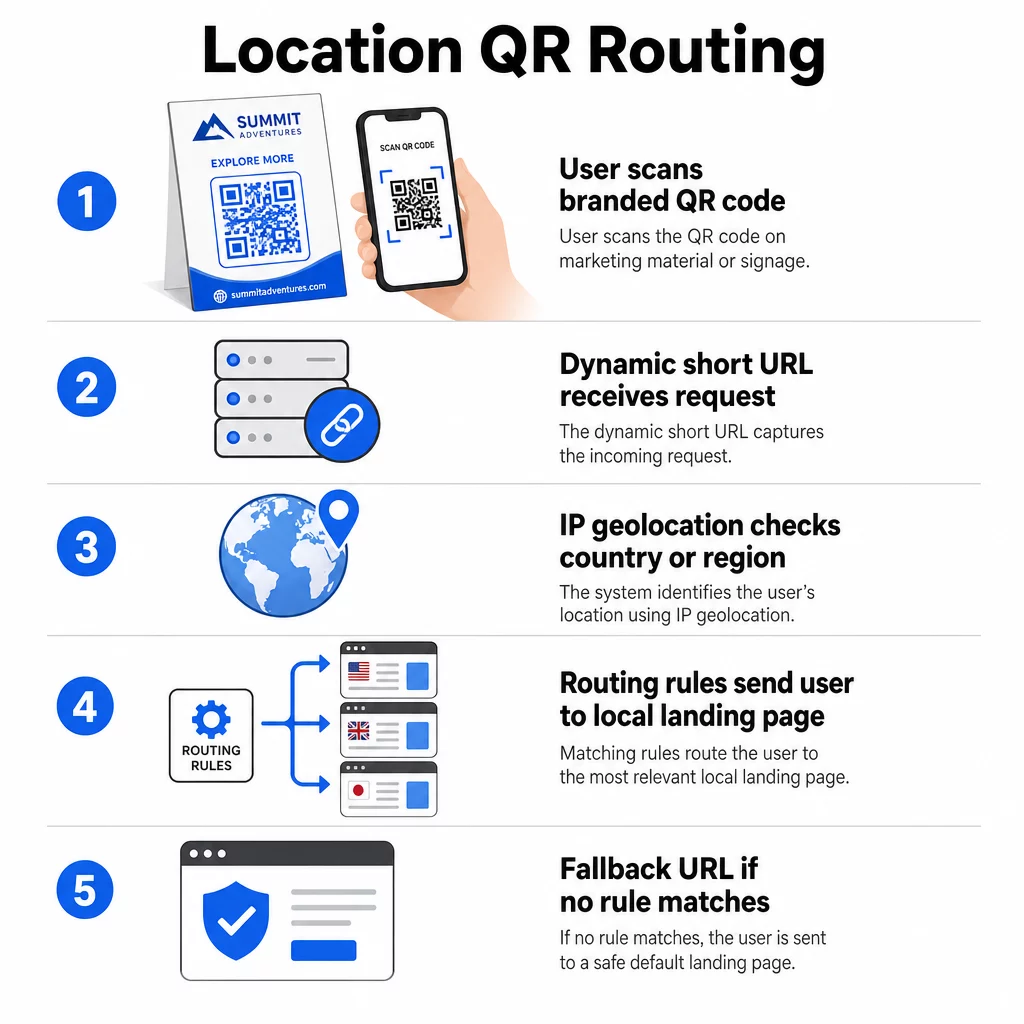
Přesměrování na základě polohy staví na tomto základu. Když někdo naskenuje dynamický kód, přesměrovací vrstva zkontroluje geografickou polohu skeneru – typicky odvozenou z IP adresy zařízení – a aplikuje pravidla, která jste nakonfigurovali, aby sloužila URL specifickou pro danou zemi nebo region. Pokud se žádné pravidlo neshoduje, systém se vrátí k výchozí URL, kterou jste nastavili.
Pochopení rozdíl mezi statickými a dynamickými QR kódy je nejdůležitějším prvním krokem před vytvořením jakékoli kampaně citlivé na polohu.
Vytvořte QR kódy citlivé na polohu Jste připraveni posílat skenery na správné místo podle jejich polohy? Použijte Dynamický QR kód k vytvoření editovatelných, sledovatelných kódů s vestavěnými pravidly pro polohu.
Jak skutečně funguje detekce polohy
Většina platforem používá geolokaci na základě IP adresy: když zařízení naskenuje QR kód a otevře krátkou přesměrovací URL, požadavek nese IP adresu. Platforma vyhledá tuto IP adresu v geolokační databázi, aby určila zemi nebo region skeneru, a poté přesměruje na odpovídající cílovou URL.
Tento přístup je spolehlivý na úrovni země – přesnost se obecně uvádí v rozmezí 90–99 % pro detekci země – ale výrazně klesá pro menší geografické oblasti. Regionální nebo státní detekce se pohybuje kolem 55–80 % přesnosti a přesnost na úrovni města klesá na 50–75 %. Spolehlivost dále snižuje několik faktorů:
- Použití VPN nebo proxy, kde se zdánlivá poloha IP liší od fyzické polohy uživatele
- Mobilní NAT na úrovni operátora, který může přiřadit IP adresy registrované daleko od skutečného zařízení
- Firemní sítě, kde se provoz směruje přes centrální IP adresu kanceláře
- Zastaralé geolokační databáze, které nezachytily přesuny IP adres
Pro kampaně, kde je dostatečné cílení na úrovni země – různé jazykové verze, regionální propagace, obchodní stránky specifické pro danou zemi – funguje detekce založená na IP adrese dobře. Pro hyperlokální cílení na úrovni čtvrti nebo místa poskytuje větší přesnost poloha založená na GPS (kde uživatel udělí povolení), ačkoli to vyžaduje výslovnou výzvu k souhlasu.
Vždy nakonfigurujte výchozí záložní URL pro skenery, jejichž polohu nelze určit nebo kteří spadají mimo vaše definovaná pravidla. Tím se zabrání tomu, aby se kdokoli dostal do slepé uličky.
Co potřebujete, než začnete
Než nastavíte pravidla pro polohu, mějte připraveny tyto tři věci:
- Platforma pro dynamické QR kódy která podporuje geografické směrování. Hledejte takovou, která vám umožní definovat cílové URL adresy pro jednotlivé země nebo regiony, aktualizovat pravidla bez opětovného tisku a sledovat data skenování podle polohy. Funkce Pagelootu zahrnují všechny tyto funkce v jednom panelu.
- Cílové URL adresy pro každou cílovou geografickou oblast. Ty by měly být plně vytvořeny a optimalizovány pro mobilní zařízení před spuštěním. Každá regionální stránka by měla podle potřeby odrážet místní jazyk, měnu, nabídky nebo informace o obchodu.
- Záložní URL která funguje pro jakýkoli skener, který neodpovídá konkrétnímu pravidlu – obvykle vaše hlavní webová stránka nebo neutrální vstupní stránka, kde si uživatelé mohou sami vybrat svůj region.
Jak nastavit přesměrování na základě polohy
Krok 1: Vytvořte dynamický QR kód
Zaregistrujte se k plánu dynamického QR kódu a vytvořte nový kód pomocí Dynamický QR kód. V této fázi zadejte zástupnou cílovou URL – pravidla pro polohu nakonfigurujete následně. Přizpůsobte vzhled kódu barvami a logem vaší značky, abyste vybudovali důvěru a podpořili skenování.
Krok 2: Nakonfigurujte pravidla geografického směrování
Ve vašem řídicím panelu pro správu QR kódů najděte nastavení přesměrování nebo směrování pro kód, který jste právě vytvořili. Přidejte pravidla podle země (nebo regionu, pokud je podporováno):
- Vyberte cílovou geografickou oblast (například Německo)
- Zadejte cílovou URL pro tuto geografickou oblast (například vaši produktovou stránku v němčině)
- Opakujte pro každou zemi nebo region, na který chcete cílit
- Nastavte výchozí záložní URL pro všechna ostatní umístění
Systém používá dočasná přesměrování HTTP 302, což znamená, že krátká URL zůstává vždy stejná, zatímco cíl lze kdykoli aktualizovat, aniž by to ovlivnilo vytištěný kód.
Krok 3: Přidejte branding do QR kódu
Značkový QR kód – s vaším logem uprostřed vzoru a barvami, které odpovídají vaší identitě – povzbuzuje uživatele ke skenování, spíše než k ignorování. Většina platforem vám umožňuje ovládat velikost loga, barevnou paletu a styl okrajů. Ujistěte se, že kontrast mezi popředím a pozadím kódu zůstává dostatečně vysoký pro spolehlivé skenování, zejména pokud se kód objeví na různých površích nebo v různých světelných podmínkách.
Pro hlubší pohled na geofencing a osvědčené postupy umístění, včetně pravidla velikosti 10:1 pro tiskové materiály, tato příručka pokrývá kompletní kontrolní seznam návrhu a nasazení.
Krok 4: Testování před nasazením
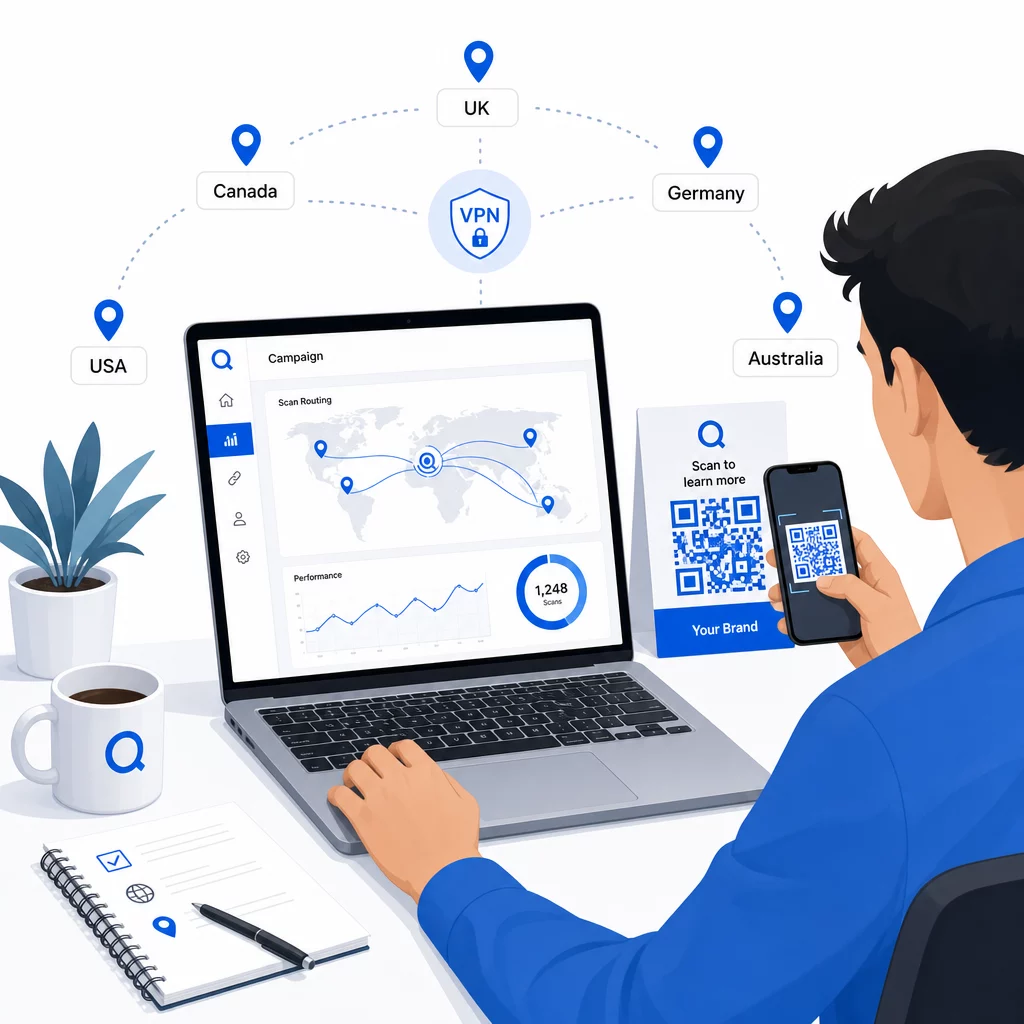
Testování je nezbytné. Před tiskem nebo publikováním čehokoli ověřte, že každé geografické pravidlo správně směruje. Použijte VPN nastavenou na každou cílovou zemi k simulaci skenování z těchto míst a pokaždé potvrďte, že se dostanete na očekávanou cílovou URL adresu. Otestujte také záložní URL adresu s umístěním mimo jakékoli definované pravidlo.
Testujte na více typech zařízení (iOS a Android), na Wi-Fi i mobilních datových připojeních a v různých světelných podmínkách, abyste potvrdili skenovatelnost. Zdokumentujte veškeré problémy a vyřešte je před spuštěním. Pokud budete potřebovat provést změny později, proces úpravy cíle dynamického QR kódu je přímočarý a nevyžaduje žádný přetisk.
Tvorba regionálního obsahu, který si zaslouží sken
Pravidlo umístění, které směruje skener na obecnou stránku, postrádá smysl. Cílový obsah by měl odrážet to, co činí každou geografickou oblast odlišnou:
- Jazyk: I na anglicky mluvících trzích se liší formulace, pravopis a tón. Pro neanglicky mluvící trhy se očekává plně přeložená stránka.
- Místní nabídky a ceny: Měna, načasování akcí a dostupnost produktů se liší podle regionu. Ukažte, co je v daném místě skutečně relevantní a k zakoupení.
- Informace o prodejně nebo kontaktní údaje: Pokud máte fyzické pobočky, zobrazte tu nejbližší na základě polohy skeneru.
- Regulační nebo compliance detaily: Některá odvětví – potravinářství a nápoje, zdravotnictví, finanční služby – mají regionálně specifické požadavky na zveřejňování informací. Zajistěte, aby každá stránka splňovala místní normy.
Výzkum ukazuje, že 39 % zákazníků aktivně vyhledává personalizovaný obsah QR kódů. Stránka specifická pro region není jen příjemným doplňkem – stále více se stává základním očekáváním. Pro širší pohled na oslovení místního publika s geocílenými QR kódy, včetně příkladů skutečných značek, se tato příručka podrobněji zabývá strategií lokalizace.
Měření a zlepšování výkonu
Dynamické QR kódy generují data o skenování automaticky. Použijte analytický panel své platformy ke sledování:
- Objem skenování podle země nebo regionu, k identifikaci, kde je zapojení nejsilnější
- Časování skenování, k pochopení, kdy jsou uživatelé nejaktivnější na každém trhu
- Typy zařízení, k zajištění, že se vaše regionální stránky správně zobrazují pro dominantní zařízení v každé geografické oblasti
- Chování konverzí, pokud jste připojili parametry UTM k vašim cílovým URL adresám a integrovali se s nástrojem jako Google Analytics
Pro kompletní průvodce tím, co je sledovatelné a jak interpretovat data, průvodce na téma sledování skenů QR kódů a analýzu pokrývá celou škálu metrik dostupných s dynamickými kódy.
Použijte tato data k provádění A/B testů na regionálních vstupních stránkách, upravte umístění fyzických QR kódů na místa s vyšším provozem a přesuňte rozpočet směrem k trhům, které přinášejí nejlepší výsledky. Měsíčně kontrolujte výkon a aktualizujte cílové URL adresy, jak se mění kampaně, nabídky nebo obsah – aniž byste tiskli jediný nový kód.
Sledujte každé skenování podle lokality Podívejte se, které regiony generují největší zapojení a upravte své kampaně v reálném čase. Začněte s Dynamický QR kód a získejte kompletní analytický panel od prvního dne.
Zpracování soukromí a dodržování předpisů o datech
Shromažďování údajů o poloze – dokonce i na základě IP adresy – vytváří povinnosti v oblasti dodržování předpisů. Pravidla se liší podle regionu:
- GDPR (Evropská unie): Pro zpracování údajů o poloze potřebujete právní základ. Pro marketingové účely je obvykle vyžadován výslovný souhlas. Buďte transparentní ohledně toho, jaké údaje shromažďujete a proč, ještě před provedením skenování.
- CCPA (Kalifornie): Uživatelé mají právo vědět, jaké osobní údaje o nich uchováváte, a požádat o jejich vymazání. Vaše platforma a procesy musí tyto požadavky podporovat.
- HIPAA (Spojené státy): Zdravotnické kontexty vyžadují dodatečné záruky ohledně jakýchkoli dat souvisejících s pacienty, včetně signálů o poloze spojených s QR kódy souvisejícími se zdravím.
Praktické kroky k dodržení souladu:
- Shromažďujte údaje o poloze pouze tehdy, pokud specifickým a srozumitelným způsobem zlepšují uživatelský zážitek
- Jasně sdělte uživatelům – před skenováním – jaké údaje se shromažďují a jak se používají
- Poskytněte alternativní cestu pro uživatele, kteří odmítnou sdílení polohy (například stránku, kde si mohou ručně vybrat svůj region)
- Používejte HTTPS a šifrované úložiště dat
- Spolupracujte s platformou, která splňuje uznávané bezpečnostní standardy a umožňuje vám spravovat uchovávání dat
Udržujte své oznámení o ochraně osobních údajů stručné, srozumitelné a snadno k nalezení – včetně jakéhokoli tištěného materiálu, který nese QR kód.
Omezení, která je třeba mít na paměti
Geolokace na základě IP adresy není dokonalá a někteří uživatelé budou nevyhnutelně přesměrováni na nesprávnou regionální destinaci – zejména ti, kteří používají VPN, cestují do zahraničí nebo se připojují přes firemní síť. Několik způsobů, jak snížit dopad:
- Vždy poskytněte viditelný volič jazyka nebo regionu na každé vstupní stránce, aby si uživatelé s nesprávným směrováním mohli sami opravit svůj zážitek
- Vyhněte se pevnému uzamykání obsahu podle geografie způsoby, které frustrují uživatele, kteří vědí, že chtějí obsah z jiného regionu
- Sledujte své analytické údaje kvůli anomáliím, jako je neočekávaně vysoký provoz ze země, která neodpovídá vašemu cílení, což může naznačovat chyby směrování
Často kladené otázky
Ne. Protože dynamické QR kódy používají krátkou přesměrovávací URL adresu řízenou na úrovni serveru, můžete kdykoli aktualizovat cílové URL adresy pro jakékoli geografické pravidlo, aniž byste měnili nebo přetiskovali samotný kód. Vytištěný kód zůstává stejný; mění se pouze logika směrování.
Přesnost na úrovni země je obecně vysoká – kolem 90–99 % ve většině případů – díky čemuž je spolehlivá pro směrování uživatelů na stránky specifické pro danou zemi nebo jazykové verze. Přesnost výrazně klesá na regionální úrovni, úrovni města nebo čtvrti a dále se snižuje pro uživatele používající VPN, mobilní operátory s centralizovaným směrováním IP nebo firemní sítě. Pokud potřebujete přesnější lokální cílení, hledejte platformy, které podporují lokalizaci na základě GPS se souhlasem uživatele.
Systém směruje skener na výchozí záložní URL, kterou nakonfigurujete při nastavování kódu. Proto je definování spolehlivého záložního cíle – obvykle vašeho hlavního webu nebo neutrální vstupní stránky s ručním výběrem regionu – nezbytnou součástí jakéhokoli nastavení QR kódu založeného na poloze.