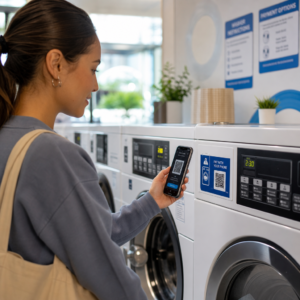
هل تبحث عن طرق لجعل معروضات متحفك أكثر جاذبية دون الحاجة إلى إصلاح شامل لتجربة الزوار بأكملها؟ لا يمكن للملصقات الجدارية الثابتة والكتيبات المطبوعة أن تفعل الكثير – يتوقع الزوار بشكل متزايد الوصول الرقمي إلى محتوى أكثر ثراءً على أجهزتهم الخاصة. يغطي هذا الدليل الطرق الأكثر عملية لتطبيق رموز QR في المتاحف، بدءًا من الأدلة الصوتية والخرائط الرقمية وصولاً إلى التذاكر وإمكانية الوصول.
لماذا تتبنى المتاحف رموز QR
تمنح رموز QR المتاحف طريقة منخفضة التكلفة لإنشاء نظام معلومات متعدد الطبقات يتجاوز بكثير ما يمكن وضعه على ملصق مادي. يمكن للزائر الواقف أمام قطعة أثرية مسح رمز والوصول فورًا إلى نصوص موسعة، وصور، ومقاطع فيديو، وسرد صوتي، أو حتى الواقع المعزز – كل ذلك على هاتفه الذكي الخاص، وبالسرعة التي تناسبه.
الجاذبية الأساسية هي المرونة. يمكن للمتاحف تحديث المحتوى المرتبط بالرمز في أي وقت دون إعادة طباعة أي شيء، مما يجعل رموز QR الديناميكية عملية بشكل خاص للمعارض المتغيرة أو البرامج الموسمية. بالإضافة إلى تقديم المحتوى، تفتح رموز QR أيضًا قناة مباشرة لجمع ملاحظات الزوار، وتقديم محتوى متعدد اللغات، وربط العروض المادية بالجولات الافتراضية والمجموعات عبر الإنترنت.
أنشئ رموز QR للمتاحف قابلة للتحديث هل تحتاج إلى تحديث محتوى المعرض دون إعادة طباعة اللافتات؟ استخدم الـ مولد QR code ديناميكي لإنشاء رموز يمكنك تعديلها في أي وقت من لوحة تحكم مركزية.
طرق شائعة لاستخدام رموز QR في المتاحف
| حالة الاستخدام | ما يقدمه |
|---|---|
| أدلة صوتية ومرئية | قصص معارض مروية، مقابلات فنانين، إعادة بناء متحركة |
| خرائط رقمية | خرائط طوابق قابلة للتصفح يصل إليها الزوار على هواتفهم |
| معلومات المعرض | نص موسع، سياق تاريخي، مصدر القطعة الأثرية |
| تجارب تفاعلية | تراكبات الواقع المعزز، ألعاب البحث عن الكنز، اختبارات |
| التذاكر | الدخول بدون تلامس عبر تذاكر رقمية قابلة للمسح |
| إمكانية الوصول إلى شبكة الواي فاي | اتصال فوري بالشبكة دون كتابة كلمات المرور |
| تعليقات الزوار | نماذج استبيان يمكن الوصول إليها مباشرة من أرض المعرض |
| عروض متجر الهدايا الترويجية | روابط لعروض المتجر الحصرية أو صفحات المنتجات عبر الإنترنت |
| التبرع والعضوية | بوابات للتبرع أو الانضمام يمكن الوصول إليها بمسح واحد |
أدلة الصوت والفيديو
تتيح الجولات الصوتية المرمزة برموز QR للزوار مسح رمز عند كل معرض وسماع الروايات أو تعليقات المنسقين أو قصص الخلفية على أجهزتهم الخاصة. وهذا يحل محل معدات الصوت المستأجرة الضخمة ويدعم مسارات مرنة وذاتية الوتيرة عبر المتحف. بالنسبة للمؤسسات التي ترغب في المضي قدمًا،, يمكن لرموز QR للواقع المعزز أن تحول طريقة سرد القصص في المتاحف عن طريق وضع نماذج ثلاثية الأبعاد أو رسوم متحركة مباشرة فوق القطع الأثرية المادية عندما يوجه الزائر هاتفه نحو المعرض.
يمكن للمتاحف إنشاء أدلة صوتية باستخدام مولد باركود QR لملفات MP3, ، والذي يتيح لك تحميل ملفات صوتية وإنشاء رمز قابل للمسح يمكن للزوار تشغيله مباشرة من أجهزتهم. لمحتوى الفيديو – مثل مقابلات الفنانين أو تصورات الترميم خطوة بخطوة – فإن مولد باركود QR لـ YouTube يجعل ربط أي معرض بفيديو مستضاف أمرًا سهلاً.
الخرائط الرقمية والجولات ذاتية التوجيه
يمكن للمتاحف الكبيرة استخدام رموز QR PDF لمنح الزوار خريطة رقمية تفاعلية تساعدهم على التنقل بين الأقسام، وتحديد مواقع معارض معينة، وتخطيط زيارتهم وفقًا لاهتماماتهم. يُمكّن نشر الرموز في “محطات” الجولات المحددة التي ترتبط بملفات صوتية أو صفحات ويب تصف ما يراه الزائر من استكشاف مستقل تمامًا باستخدام هاتف ذكي فقط.
لإلقاء نظرة أعمق على بناء هذه التجارب، فإن دليل استخدام رموز QR للجولات الافتراضية يستعرض عملية الإعداد الكاملة، من استضافة المحتوى الخاص بك إلى تصميم الرموز ووضعها.
معلومات المعرض والتجارب التفاعلية
يسمح وضع رموز QR بالقرب من المعروضات للزوار بالوصول إلى سياق إضافي – خلفية تاريخية، سير ذاتية للفنانين، مصدر المجموعة – دون ازدحام الملصق. تذهب بعض المتاحف إلى أبعد من ذلك من خلال إنشاء ألعاب البحث عن الكنز، حيث يوفر كل رمز بالقرب من قطعة أثرية معلومات حول الكائن ودليلًا يشير إلى المحطة التالية. يشجع هذا التنسيق الاستكشاف النشط ويحافظ على تفاعل الزوار عبر صالات عرض متعددة.
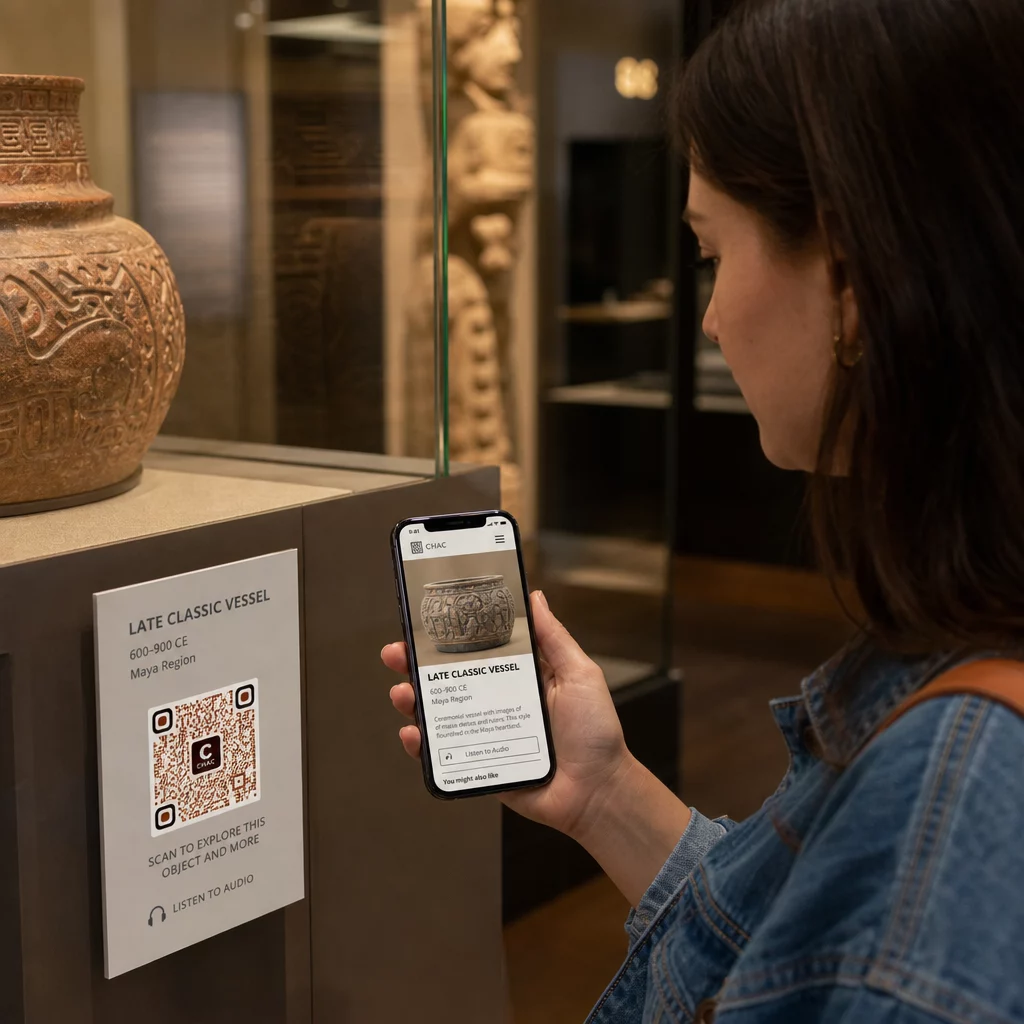
استخدمت المتاحف أيضًا رموز QR في منشآت الفن الحديث لربط العمل المادي بالسرد الرقمي، بما في ذلك المحتوى المُلَعَّب وروايات تاريخ التصميم المضمنة في الرموز نفسها.
التذاكر والدخول بدون تلامس
تمنح التذاكر الرقمية عبر رموز QR الزوار تذاكر قابلة للمسح يمكنهم إظهارها عند نقاط الدخول مباشرة من هواتفهم. يؤدي هذا إلى تبسيط إدارة الدخول، وتقليل طوابير الانتظار، وإزالة الاعتماد على مخزون التذاكر المادية – وهو مفيد بشكل خاص خلال فترات الازدحام الشديد.
ملاحظات الزوار
يسمح وضع رموز QR عند المخارج أو في جميع أنحاء أرضية المعرض للزوار بملء نموذج ملاحظات بسرعة دون تسليمهم استبيانًا ورقيًا. تساعد البيانات التي تم جمعها المتاحف على فهم تفضيلات الزوار، وتقييم المعروضات، وتخطيط التحسينات. و باركود الرابط الإشارة إلى نموذج عبر الإنترنت هي أبسط طريقة لإعداد ذلك.
اعتبارات إمكانية الوصول
يمكن لرموز QR أن تحسن إمكانية الوصول بشكل كبير عند تطبيقها بعناية – ولكنها يمكن أن تخلق أيضًا حواجز إذا لم يتم معالجة تلك الاحتياجات مسبقًا.
توفير بديل. لن يمتلك كل زائر هاتفًا ذكيًا أو يشعر بالراحة عند مسح رمز. قدم دائمًا طريقة أخرى للوصول إلى نفس المحتوى، مثل عنوان URL مطبوع قريب، أو خيار الرسائل القصيرة، أو موظف يمكنه المساعدة. قد يجد الزوار المكفوفون أو ضعاف البصر أن الوصول عبر الرسائل القصيرة أكثر قابلية للاستخدام من مسح رمز الاستجابة السريعة.
التصميم للتباين والرؤية. استخدم عناصر رمز داكنة على خلفية فاتحة واهدف إلى نسبة تباين لا تقل عن 4:1. هذا يفي بمتطلبات تباين غير النص في WCAG 2.1 ويضمن بقاء الرمز مقروءًا للزوار ضعاف البصر. تتوفر إرشادات مفصلة حول تحقيق ذلك في أفضل ممارسات قابلية استخدام رمز QR المرجع.
تحديد حجم الرموز لمسافة المسح. قاعدة تقريبية هي نسبة 10:1 – لكل 10 سم من مسافة المسح المتوقعة، يجب أن يكون الرمز بعرض 1 سم على الأقل. الحد الأدنى العملي لمعظم مواقع المتاحف هو 2 × 2 سم (حوالي 0.8 × 0.8 بوصة)، على الرغم من أن التنسيقات الأكبر أفضل للمعارض التي تُرى من مسافة بعيدة.
مراعاة ارتفاع الموضع. قم بتركيب الرموز على ارتفاع وزاوية يمكن للزوار الذين يستخدمون الكراسي المتحركة أو ذوي القامة المحدودة الوصول إليها ومسحها بشكل مريح. يعمل التثبيت على مستوى العين من 3 إلى 5 أقدام من الأرض بشكل جيد للزوار الواقفين؛ قد تكون هناك حاجة إلى مواضع أقل لضمان الشمولية الكاملة.
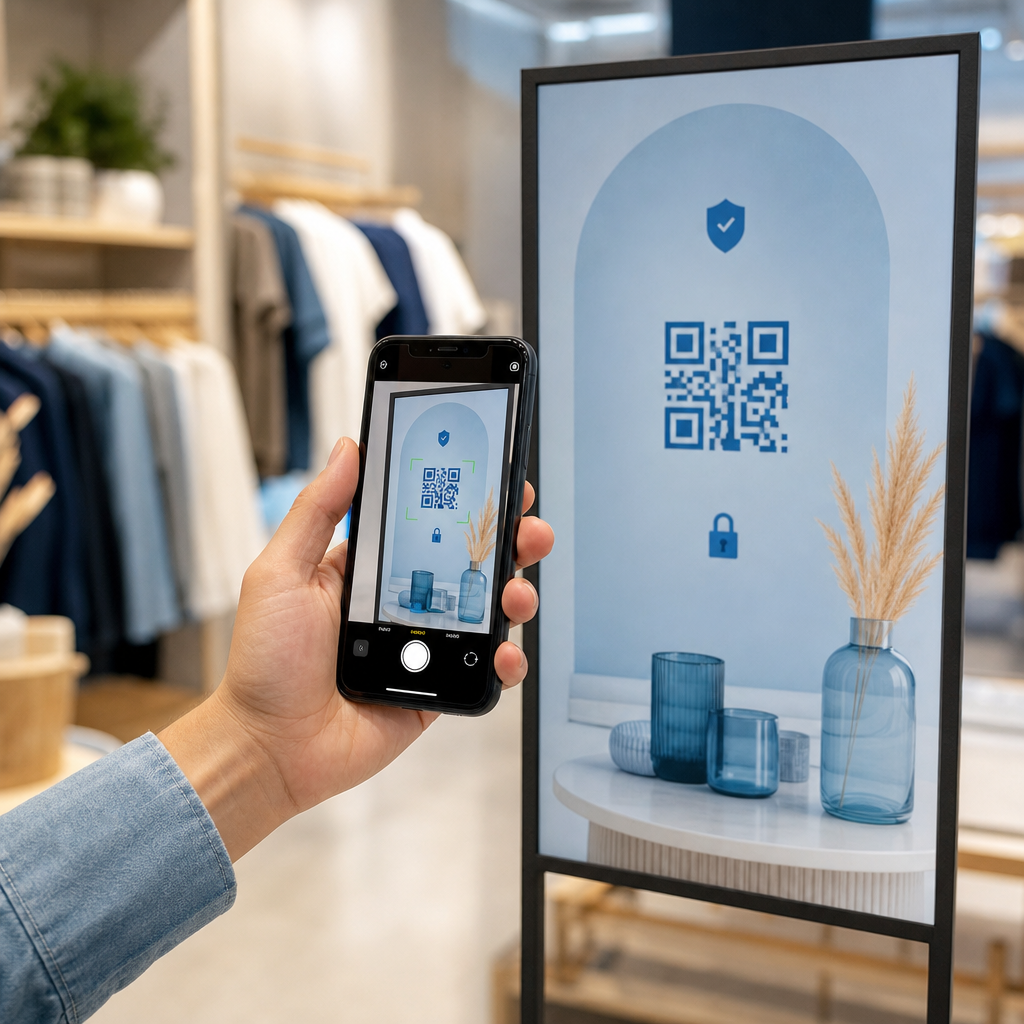
تقديم تعليمات قصيرة وواضحة. لن يعرف جميع الزوار كيفية مسح رمز الاستجابة السريعة. تعليمات موجزة – “افتح تطبيق الكاميرا الخاص بك ووجهه نحو هذا الرمز” – تزيل التخمين. حافظ على اتساق التعليمات في جميع أنحاء المتحف حتى لا يضطر الزوار إلى إعادة تعلم التفاعل في كل معرض.
الاختبار باستخدام التقنيات المساعدة. قبل الإطلاق، تحقق من أن المحتوى المرتبط وأي طرق وصول بديلة تعمل بشكل صحيح مع قارئات الشاشة وأدوات التكبير مثل VoiceOver و TalkBack.
بالنسبة للمتاحف المهتمة بشكل خاص بإمكانية الوصول الصوتي،, رموز QR المنشطة صوتيًا قدم بديلاً بدون استخدام اليدين يربط المسح بالسرد المنطوق – وهو مفيد بشكل خاص للزوار الذين لا يستطيعون التنقل بشكل مريح في الواجهات المرئية.
كيفية إعداد رموز الاستجابة السريعة (QR Codes) في متحفك
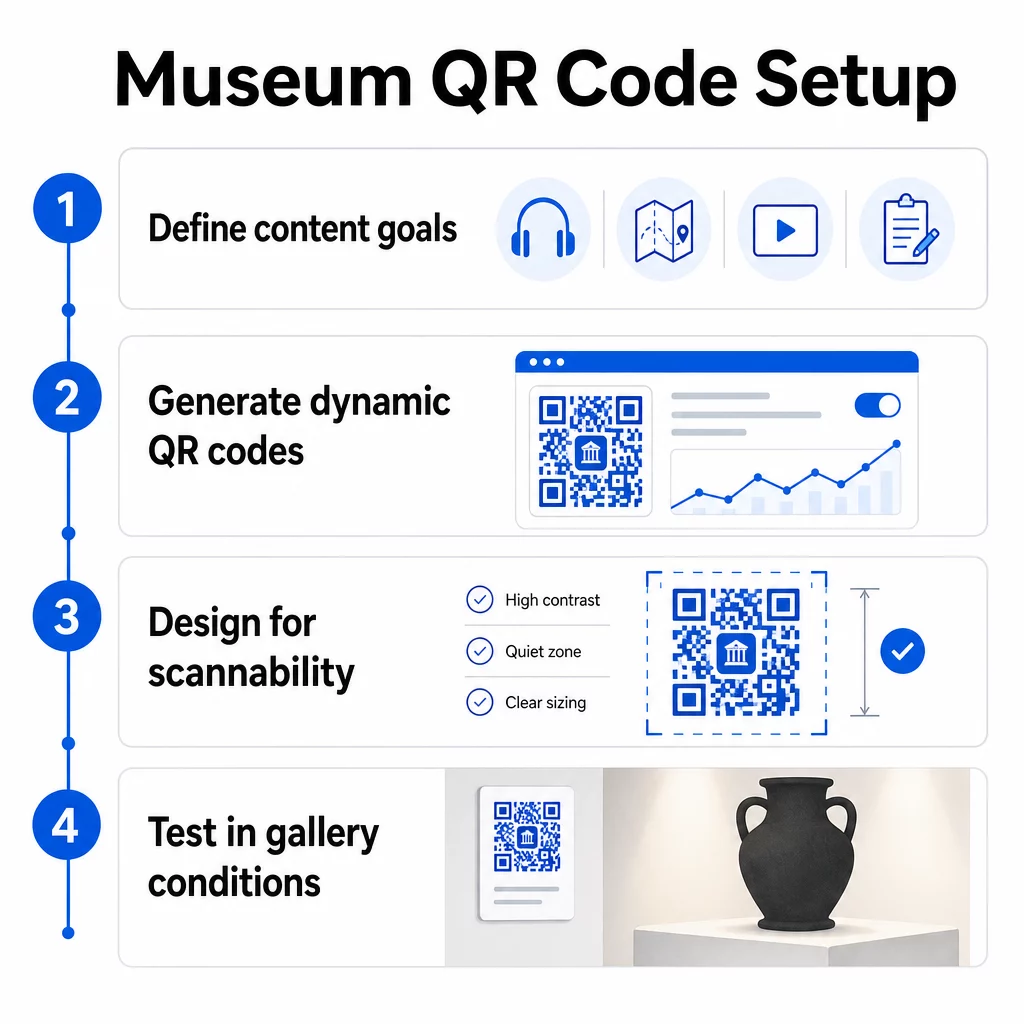
الخطوة 1: حدد المحتوى والأهداف الخاصة بك
قبل إنشاء رمز واحد، حدد ما سيقدمه كل رمز ومن يخدمه. يختلف الدليل الصوتي لقطعة أثرية رئيسية عن نموذج الملاحظات عند المخرج. حدد أنواع الرموز الخاصة بك – صوت، خريطة PDF، فيديو، رابط استبيان – وقم بمطابقة كل منها مع تنسيق المحتوى المناسب.
الخطوة 2: أنشئ رموزك
استخدم منصة رموز QR تدعم الرموز الديناميكية حتى تتمكن من تحديث الوجهات دون إعادة الطباعة. منصة Pageloot مولد رمز الاستجابة السريعة تتيح لك إنشاء رموز لعناوين URL وملفات PDF وملفات صوتية ومقاطع فيديو والمزيد، ثم إدارتها من لوحة تحكم واحدة. توفر الرموز الديناميكية أيضًا تحليلات المسح الضوئي – تتبع الحجم والموقع ونوع الجهاز والتوقيت – حتى تتمكن من معرفة المعروضات التي تثير أكبر قدر من الاهتمام.
تتبع تفاعل المعروضات هل تريد معرفة القطع الأثرية التي يتفاعل معها الزوار أكثر؟ استخدم رموز QR ديناميكية مع تحليلات مدمجة لمراقبة بيانات المسح الضوئي عبر كل معرض في متحفك.
الخطوة 3: التصميم لسهولة المسح الضوئي
طبق علامة تجارية متسقة – ألوان وشعار متحفك – مع الحفاظ على تباين عالٍ بين الرمز وخلفيته. حافظ على منطقة هادئة واضحة (حد فارغ) حول كل رمز. للحصول على إرشادات تصميم مفصلة، فإن أفضل الممارسات لقابلية قراءة رمز الاستجابة السريعة المقال يغطي نسب التباين والمناطق الهادئة وموضع الشعار ومستويات تصحيح الأخطاء من الناحية العملية.
الخطوة 4: اطبع الرموز وضعها بشكل استراتيجي
اطبع الرموز بحجم كافٍ لمسافة المسح المتوقعة، باستخدام تنسيقات المتجهات عالية الدقة (SVG أو EPS أو PDF) لتجنب الضبابية. ضعها على مستوى العين بالقرب من المعرض الذي تشير إليه – وليس عبر الغرفة. للتركيبات الكبيرة أو المعقدة، فإن الدليل الشامل لوضع رمز الاستجابة السريعة يوفر نصائح خاصة بالبيئة والتي تتناسب جيدًا مع إعدادات المتاحف.
الخطوة 5: اختبر قبل الافتتاح
اختبر كل رمز على أجهزة iOS و Android، تحت ظروف الإضاءة الفعلية لمعرضك. تحقق من أن الصفحات المرتبطة تُحمّل بسرعة على بيانات الهاتف المحمول (وليس فقط شبكة WiFi)، وأن محتوى الصوت والفيديو يعمل بشكل صحيح، وأن أي طرق وصول بديلة تعمل كما هو مقصود.
المتاحف الشهيرة التي تستخدم رموز الاستجابة السريعة (QR Codes)
- المتحف الوطني للتاريخ الطبيعي بواشنطن (السميثسونيان) استخدم تجارب الواقع المعزز المرتبطة برموز QR لإضفاء الحيوية على المعروضات المادية من خلال التراكبات الرقمية وإعادة البناء ثلاثية الأبعاد.
- متحف المتروبوليتان للفنون يدمج الوصول عبر رمز QR في تجربة الزوار القياسية كخيار للوصول إلى دليله الرقمي.
- متحف الأكروبوليس يقدم دليلاً صوتيًا يعتمد على رمز QR يمكّن من الجولات ذاتية التوجيه، مما يجعل الزيارة أكثر مرونة وغنية بالمعلومات للزوار الدوليين.
- المتحف البريطاني يستخدم رموز QR ليتمكن الزوار من الوصول إلى محتوى إضافي ومعرفة المزيد عن المعروضات بالسرعة التي تناسبهم.
للحصول على منظور أوسع حول التطبيقات المبتكرة، فإن دليل رموز QR لجولات الفن الافتراضية يوثق كيف تستخدم المؤسسات هذه الأدوات لتوسيع تجربة المتحف إلى ما وراء الجدران المادية.
الأسئلة الشائعة
يمكن لرمز QR الخاص بالمتحف أن يرتبط بأي محتوى رقمي تقريبًا: روايات صوتية، أدلة فيديو، تجارب واقع معزز، خرائط PDF، صفحات معلومات المعرض، نصوص متعددة اللغات، نماذج ملاحظات، بوابات تبرع، أو جولات افتراضية. يعتمد التنسيق الذي تختاره على ما يخدم بشكل أفضل كل معرض واحتياجات الزائر.
لا. يمكن للهواتف الذكية الحديثة التي تعمل بنظامي iOS وأندرويد مسح رموز QR مباشرةً باستخدام تطبيق الكاميرا المدمج – لا يلزم تطبيق منفصل. قد تحتاج بعض الأجهزة القديمة إلى ماسح ضوئي مخصص لرموز QR، لذا من الممارسات الجيدة ذكر ذلك في تعليماتك والتأكد من أن المحتوى المرتبط بك يتم تحميله بسرعة على متصفح جوال قياسي.
تتيح لك أكواد QR الديناميكية تحديث المحتوى الذي يشير إليه الكود في أي وقت دون إعادة طباعة الكود المادي. هذا يعني أنه يمكنك تحديث أوصاف المعروضات، أو استبدال الملفات الصوتية لموسم جديد، أو إصلاح رابط معطل دون المساس بلافتاتك المطبوعة. توفر الأكواد الديناميكية أيضًا تحليلات المسح الضوئي – توضح لك أي المعروضات تجذب أكبر قدر من التفاعل، وفي أي الأوقات، وعلى أي الأجهزة – مما يمنح فريقك بيانات قابلة للتنفيذ لتخطيط المعروضات وتحسين تجربة الزوار.