Os seus códigos QR estão a colocar os seus clientes em risco sem que você perceba? Os burlões tornaram a fraude de códigos QR uma ameaça generalizada, e as empresas que os utilizam em campanhas de marketing podem, inadvertidamente, tornar-se o veículo para um ataque. Este guia explica os riscos de segurança específicos que precisa de conhecer e os passos práticos para executar campanhas em que os seus clientes possam confiar.
As Verdadeiras Ameaças Por Trás do Marketing com Códigos QR
Compreender o que está em jogo é o primeiro passo para proteger as suas campanhas. Os códigos QR são inerentemente opacos – os utilizadores não conseguem ver para onde levam até os terem digitalizado. Isso torna-os uma ferramenta atraente para atores mal-intencionados.
Adulteração e Clonagem de Códigos
Um dos ataques mais diretos envolve a substituição física de um código QR legítimo por um fraudulento. Os criminosos imprimem códigos falsos em autocolantes e colocam-nos sobre os verdadeiros em locais públicos – parquímetros, mesas de restaurantes, expositores de retalho. Quando um cliente digitaliza o que parece ser o seu código, é na verdade direcionado para um site falsificado concebido para roubar pagamentos ou credenciais de login.
Este tipo de ataque é especialmente perigoso porque a sua marca sofre o impacto reputacional mesmo quando é a vítima. Os clientes associam a experiência fraudulenta ao seu negócio.
Phishing de Código QR (“Quishing”)
Quishing é uma forma de fraude de identidade onde os atacantes incorporam links maliciosos dentro de códigos QR e os distribuem via e-mail, folhetos impressos ou sinalização pública. O site de destino muitas vezes parece legítimo – imitando uma página real de login ou pagamento – onde as vítimas são solicitadas a inserir informações sensíveis.
Agências federais de aplicação da lei nos EUA alertaram especificamente que os ataques de quishing frequentemente criam um falso senso de urgência para pressionar as pessoas a digitalizar e agir rapidamente. O phishing de credenciais representa a grande maioria das ameaças avançadas de códigos QR, tornando-o um dos riscos mais sérios para empresas que lidam com contas de clientes ou pagamentos.
Exposição da Privacidade de Dados
Cada digitalização de código QR pode capturar metadados – tipo de dispositivo, localização, carimbo de data/hora, navegador – dependendo de como o seu rastreamento está configurado. Sem os controlos adequados, estes dados podem ser expostos, mal manuseados ou recolhidos de formas que violam os regulamentos de privacidade. Empresas que operam sob o RGPD (para utilizadores da UE) ou CCPA/CPRA (para residentes da Califórnia) enfrentam multas significativas por manuseamento inadequado de dados. Saiba mais sobre os riscos de privacidade específicos que os códigos QR criam e como os abordar.
Experiências Quebradas Que Minam a Confiança
A segurança não se trata apenas de ataques. Um código QR que leva a um link quebrado, uma página não otimizada para dispositivos móveis ou um site de carregamento lento cria uma má experiência que mina a confiança do cliente. Se os seus códigos falharem mesmo ocasionalmente, os clientes ficam menos dispostos a digitalizá-los – e mais suscetíveis ao argumento de que “os códigos QR não são confiáveis”.”
Criação Segura de Códigos QR: O Que Fazer Certo Antes de Lançar
Use Códigos QR Dinâmicos em Vez de Estáticos
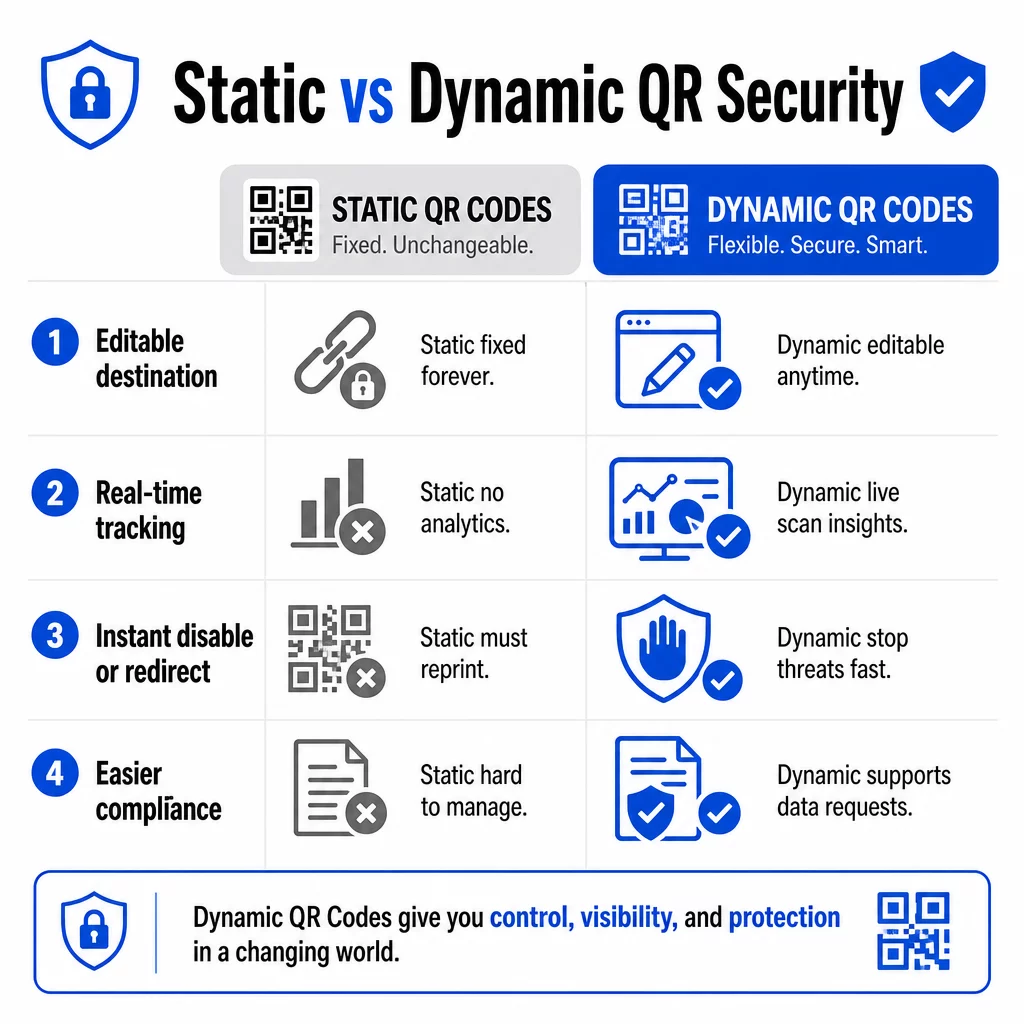
A decisão de segurança mais impactante que você pode tomar é escolher códigos QR dinâmicos em vez de estáticos. Veja por que isso importa:
| RECURSO | Códigos QR Estáticos | Códigos QR Dinâmicos |
|---|---|---|
| URL de Destino | Fixo permanentemente | Editável a qualquer momento |
| Rastreamento de digitalização | Não suportado | Análise completa incluída |
| Resposta a ameaças | Deve reimprimir | Desativar ou redirecionar instantaneamente |
| Suporte de conformidade | Difícil | Mais fácil de gerenciar solicitações de dados |
| Custo | Gratuito ou baixo | Baseado em assinatura |
Os códigos estáticos incorporam o destino diretamente no padrão. Uma vez impressos, você não pode alterá-los. Se um código estático for comprometido ou levar a um lugar problemático, sua única opção é reimprimir e redistribuir cada material em que ele aparece.
Os códigos dinâmicos usam uma URL de redirecionamento curta que você controla a partir de um painel. Se você detectar atividade de leitura suspeita ou precisar atualizar o destino, pode fazê-lo imediatamente – sem tocar em um único item impresso. Para qualquer campanha em andamento, os códigos dinâmicos são a escolha apropriada.
Acompanhe e Proteja Suas Campanhas em Tempo Real Use o Gerador de QR Code Dinâmico para criar códigos que você pode atualizar, monitorar e desativar instantaneamente se algo parecer suspeito.
Link Apenas para Destinos Protegidos por HTTPS
Cada URL para a qual seus códigos QR apontam deve usar criptografia TLS/SSL – indicada por `https://` e pelo ícone de cadeado no navegador. Isso garante que a conexão entre o dispositivo do usuário e seu site seja criptografada e que o site seja certificado e confiável.
Evite vincular a destinos HTTP, mesmo temporariamente. Se o endereço de uma página mudar, configure os redirecionamentos corretamente em vez de deixar o URL original quebrar. Um link quebrado é um quebra-confiança; um redirecionamento para uma página não segura é um risco de segurança. Revise a lista de verificação completa para as melhores práticas de geração segura de códigos QR.
Adicione Branding Visível a Cada Código
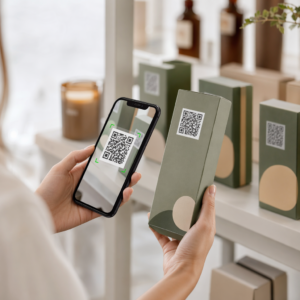
Um código QR simples em preto e branco não dá aos usuários nenhum sinal sobre sua origem ou se é seguro. Códigos QR com branding – aqueles que incorporam seu logotipo, cores da marca e modelos de design – são significativamente mais difíceis para os atacantes replicarem de forma convincente, e sinalizam legitimidade aos clientes antes de digitalizarem.
Use cores que se alinhem com sua identidade visual, mantenha alto contraste para escaneabilidade e mantenha os designs limpos. Quando você também usa um URL que inclui seu nome de domínio (em vez de um domínio de link curto genérico), os clientes têm um ponto de verificação adicional.
Aplique Controles de Acesso Baseados em Função
Se vários membros da equipe gerenciam suas campanhas de código QR, restrinja quem pode editar ou desativar códigos. Alterações não autorizadas em códigos ativos – sejam acidentais ou maliciosas – representam um risco sério. O gerenciamento centralizado com permissões baseadas em função garante que apenas pessoas autorizadas possam fazer alterações, o que é especialmente importante para equipes empresariais ou agências que gerenciam códigos em nome de vários clientes.
Posicionamento Físico e Prevenção de Violação
Como e onde você exibe códigos QR afeta tanto a usabilidade quanto a segurança. As decisões de posicionamento merecem tanta atenção quanto os próprios códigos.
- Use materiais à prova de violação para códigos exibidos em locais públicos. Códigos em menus, balcões ou paredes devem ser impressos diretamente nos materiais, em vez de serem aplicados como adesivos removíveis, sempre que possível.
- Inspecione os códigos físicos regularmente, especialmente em locais de alto tráfego. Mantenha uma imagem de referência de como seu código legítimo se parece para que a equipe possa identificar substituições não autorizadas.
- Fixe os displays em locais fixos. Códigos sob vidro, laminados em superfícies ou integrados em sinalização são muito mais difíceis de adulterar do que encartes soltos ou folhetos de papel.
- Coloque os códigos no nível dos olhos apropriado – geralmente entre 1,07 e 1,68 metros – em áreas bem iluminadas com bom contraste em relação ao fundo.
A orientação federal adverte especificamente os consumidores para verificarem os códigos QR físicos em busca de sinais de adulteração (como um adesivo colocado sobre o original) antes de escanear. Ao tornar seus códigos fisicamente mais difíceis de substituir, você reduz o risco de que os clientes encontrem uma versão fraudulenta.
O Que Dizer aos Clientes Antes de Escanear
Os clientes são sua segunda linha de defesa. Quando eles entendem como é uma interação segura com um código QR, estão mais bem posicionados para identificar algo errado.
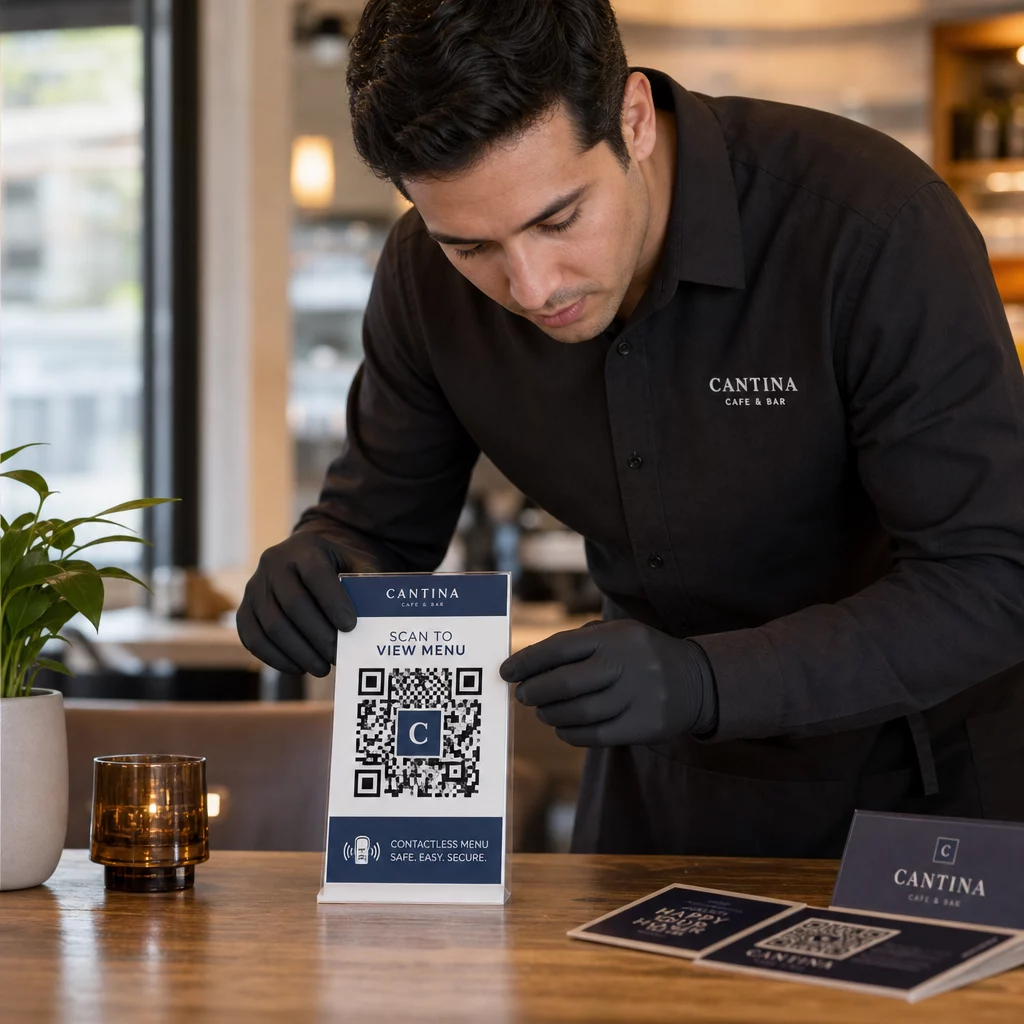
Sempre coloque uma chamada para ação clara e específica ao lado de cada código QR. Instruções vagas como “Escaneie aqui” não ajudam os usuários a avaliar se um código é legítimo. Em vez disso, use frases como:
- “Escaneie para ver o menu de hoje”
- “Escaneie para acessar seu recibo”
- “Escaneie para instruções de configuração do produto”
Esta informação contextual diz aos usuários o que eles devem esperar após escanear – tornando mais fácil reconhecer quando algo está errado. Um código QR que promete mostrar um menu, mas abre uma página de login, é um sinal de alerta imediato.
Incentive os clientes a pré-visualizar o URL antes de segui-lo. A maioria das câmeras de smartphones modernos exibe o URL de destino antes de iniciar o navegador. Os usuários devem procurar seu domínio reconhecível e verificar erros de digitação ou caracteres substituídos (por exemplo, `paeg1oot.com` em vez de `pageloot.com`).
Aconselhe a não usar aplicativos de leitura de QR de terceiros baixados de fontes desconhecidas. As câmeras nativas de smartphones (iOS e Android ambos incluem leitura de QR integrada) são a opção mais segura e exibem pré-visualizações de URL antes de navegar.
Monitorização de Campanhas para Atividade Suspeita
Criar um código QR seguro não é uma ação única. A monitorização ativa é o que separa uma campanha que permanece segura de uma que é explorada.
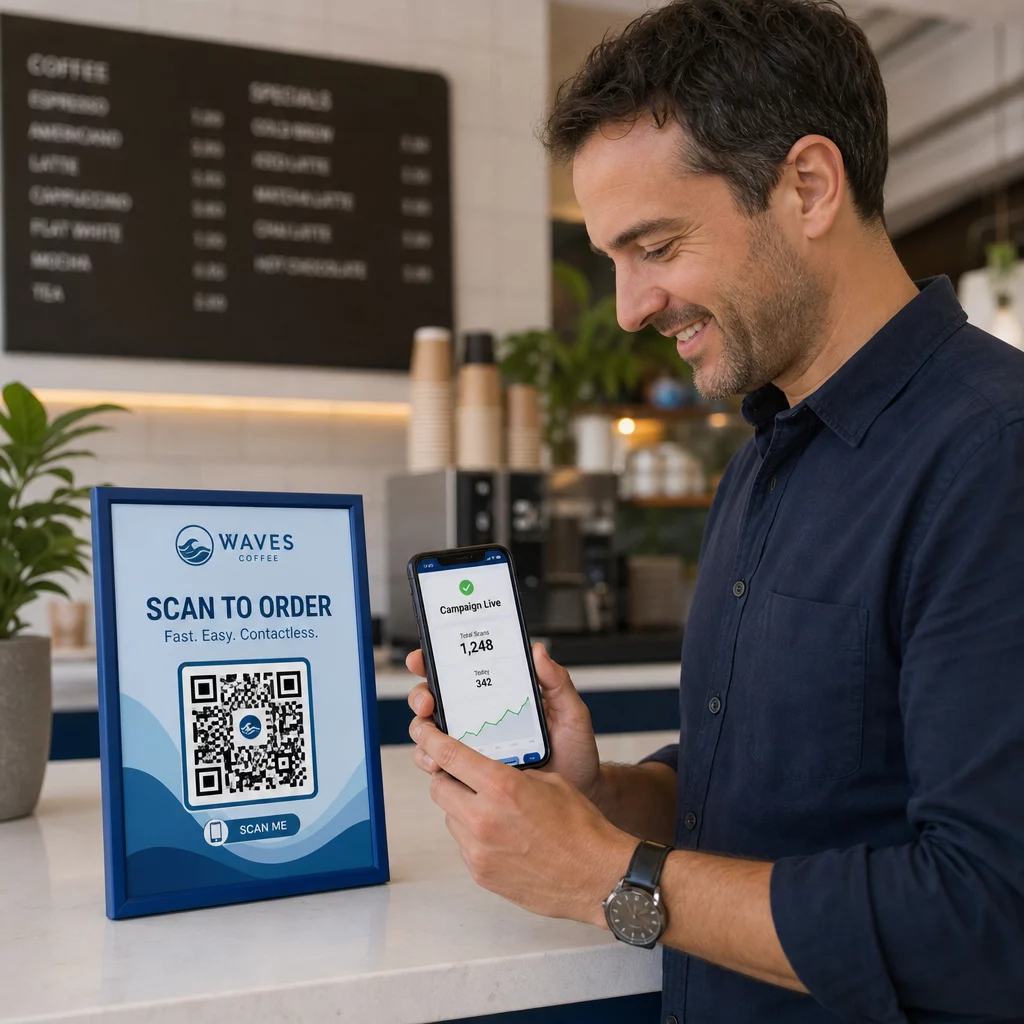
Códigos QR dinâmicos fornecem dados de rastreamento em tempo real incluindo contagem de scans, tipo de dispositivo, sistema operativo e localização geográfica. Estes dados têm uma dupla função: medem o desempenho da campanha e sinalizam anomalias.
Observe estes sinais de alerta nos seus dados de scan:
- Um pico repentino de scans de uma região geográfica inesperada
- Um alto volume de scans de um único dispositivo ou endereço IP num curto período
- Padrões de scan que não correspondem ao seu público-alvo esperado (dispositivos errados, horários errados, localizações erradas)
Qualquer um destes padrões pode indicar que um código está a ser explorado ou testado por agentes maliciosos. Com códigos dinâmicos, pode desativar o URL afetado imediatamente, redirecionar para uma página de destino segura e investigar antes de decidir se retoma a campanha.
Configure auditorias regulares – tanto digitais (revisão de análises) quanto físicas (inspeção de posicionamentos de códigos) – num cronograma definido. Quanto mais cedo detetar um problema, menos danos ele poderá causar.
Veja Cada Scan à Medida que Acontece O painel de controlo da Pageloot oferece uma visão completa do desempenho e anomalias dos scans. Comece a rastrear as suas campanhas de código QR com códigos dinâmicos hoje.
Manter a Conformidade com as Regulamentações de Privacidade de Dados
Se os seus códigos QR recolhem quaisquer dados do utilizador – mesmo que apenas a localização do scan e o tipo de dispositivo – tem obrigações legais dependendo de onde os seus clientes estão localizados.
GDPR aplica-se quando você está segmentando usuários na União Europeia. Requer consentimento explícito antes de coletar informações pessoais e exige que os usuários possam solicitar acesso ou exclusão de seus dados. A não conformidade acarreta multas de até 4% da receita anual global ou €20 milhões, o que for maior.
CCPA/CPRA aplica-se a residentes da Califórnia e lhes dá o direito de optar por não participar da coleta de dados. Embora nem sempre exija consentimento prévio, requer divulgação clara e um mecanismo de exclusão acessível. Violações intencionais podem resultar em multas de até $7.988 por incidente.
Passos práticos para manter a conformidade:
- Colete apenas os dados mínimos necessários para os objetivos da sua campanha
- Torne sua política de privacidade fácil de encontrar a partir de qualquer página de destino de código QR
- Use uma plataforma de código QR que suporte solicitações de exclusão de dados
- Escolha plataformas com certificações de conformidade reconhecidas, como GDPR, SOC 2 ou HIPAA, quando aplicável
Ser transparente sobre como você lida com os dados é tanto um requisito legal quanto uma medida de construção de confiança. Clientes que entendem o que você coleta – e por quê – são mais propensos a interagir com seus códigos. Explore como construir campanhas de código QR que respeitam a privacidade em mais detalhes.
Testando Antes de Implementar
Nenhum código QR deve ser lançado sem ser testado em vários dispositivos e condições. Um código que escaneia perfeitamente no seu telefone pode falhar em um dispositivo Android mais antigo, em iluminação fraca ou quando impresso em um tamanho menor.
Antes da implementação:
- Teste em dispositivos iOS e Android usando aplicativos de câmera nativos
- Escaneie sob as condições de iluminação esperadas em cada local de posicionamento
- Verifique se o destino carrega corretamente e está totalmente otimizado para dispositivos móveis
- Confirme a velocidade de carregamento da página – páginas lentas aumentam o abandono e criam oportunidades para usuários impacientes serem redirecionados para outro lugar
- Verifique se o URL exibido na pré-visualização da leitura corresponde ao seu domínio esperado
Para Códigos QR colocados em materiais impressos, use formatos vetoriais (SVG, EPS ou PDF) para impressão para evitar desfoque. Mantenha uma zona de silêncio – a borda branca ao redor do código – de pelo menos quatro módulos de largura em cada lado. O tamanho prático mínimo para a maioria dos materiais de marketing é de 0,8 × 0,8 polegadas; para cartões de visita visualizados de perto, pelo menos 1 × 1 polegada.
Treinando Sua Equipe
Os controles tecnológicos só vão até certo ponto. Sua equipe de marketing precisa entender como é uma campanha de código QR segura e quais sinais indicam que algo deu errado.
Aborde estas áreas no treinamento da equipe:
- Como reconhecer um código físico adulterado
- Como interpretar análises de leitura e identificar anomalias
- Quais passos tomar quando um código é suspeito de ter sido comprometido (desativar, investigar, notificar)
- Como aplicar requisitos de marca e HTTPS ao criar novos códigos
- Como escrever chamadas para ação eficazes que forneçam contexto para os usuários
O Checklist de marketing com QR code para pequenas empresas é uma referência útil para incorporar esses fluxos de trabalho ao processo padrão da sua equipe.
Perguntas frequentes
Códigos QR estáticos incorporam o URL de destino permanentemente no padrão do código e não podem ser alterados após a criação. Se um código estático for comprometido ou levar a uma página quebrada, você deve reimprimir cada item físico em que ele aparece. Códigos QR dinâmicos usam um URL de redirecionamento curto que você controla a partir de um painel, para que você possa atualizar o destino ou desativar o código instantaneamente sem reimprimir nada. Códigos dinâmicos também fornecem análises de leitura em tempo real, o que ajuda a detectar atividades suspeitas. Para qualquer campanha de marketing onde segurança e flexibilidade importam, os códigos dinâmicos são a melhor escolha.
Inspecione regularmente os códigos físicos em cada local de colocação e compare-os com uma imagem de referência do código legítimo. Digitalmente, monitore suas análises de digitalização em busca de padrões incomuns – picos inesperados de volume, digitalizações de regiões geográficas não reconhecidas ou uma alta frequência de digitalizações de um único dispositivo. Como os códigos QR dinâmicos rastreiam essas métricas em tempo real, você pode detectar anomalias rapidamente e desativar o redirecionamento afetado antes que danos significativos ocorram.
Cada página de destino vinculada a partir de um código QR deve usar HTTPS (criptografia TLS/SSL), carregar rapidamente em dispositivos móveis e exibir claramente a identidade da sua marca para que os usuários possam confirmar que estão no lugar certo. Para páginas que coletam quaisquer dados do usuário, inclua um link visível para sua política de privacidade e um mecanismo acessível de opt-out ou consentimento, conforme exigido pelo GDPR ou CCPA. Se a página lida com informações sensíveis, como pagamentos ou credenciais de login, considere adicionar autenticação multifator como uma camada extra de proteção.