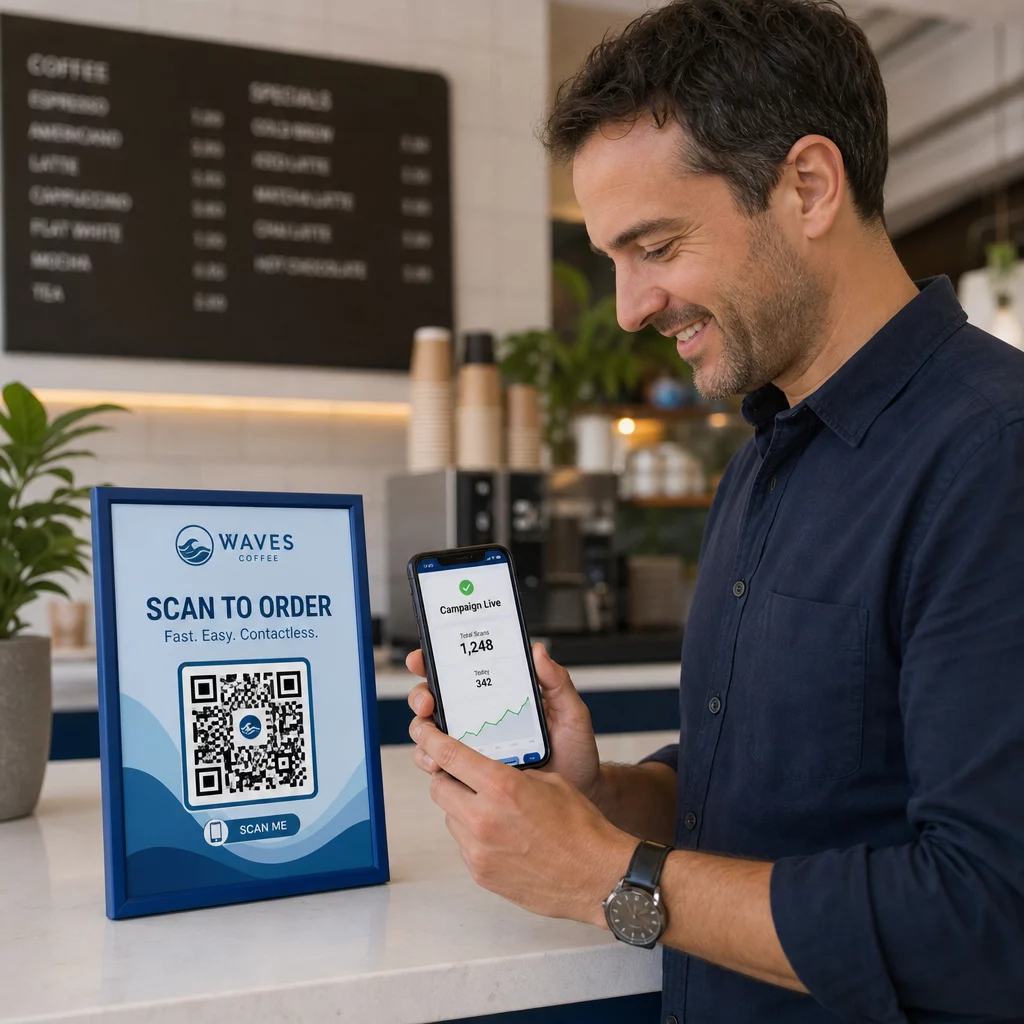
Are your QR codes putting your customers at risk without you realizing it? Scammers have made QR code fraud a mainstream threat, and businesses using them in marketing campaigns can inadvertently become the vehicle for an attack. This guide walks you through the specific security risks you need to know and the practical steps to run campaigns your customers can trust.
The Real Threats Behind QR Code Marketing
Understanding what you’re up against is the first step to protecting your campaigns. QR codes are inherently opaque – users can’t see where they lead until they’ve already scanned them. That makes them an attractive tool for bad actors.
Code Tampering and Cloning
One of the most straightforward attacks involves physically replacing a legitimate QR code with a fraudulent one. Criminals print sticker-based fake codes and place them over real ones in public locations – parking meters, restaurant tables, retail displays. When a customer scans what looks like your code, they’re actually directed to a spoofed site designed to steal payment or login credentials.
This type of attack is especially dangerous because your brand takes the reputational hit even when you’re the victim. Customers associate the fraudulent experience with your business.
QR Code Phishing (“Quishing”)
Quishing is a form of identity fraud where attackers embed malicious links inside QR codes and distribute them via email, printed flyers, or public signage. The destination site often looks legitimate – mimicking a real login or payment page – where victims are prompted to enter sensitive information.
Federal law enforcement agencies in the U.S. have specifically warned that quishing attacks often create a false sense of urgency to pressure people into scanning and acting quickly. Credential phishing accounts for the vast majority of advanced QR code threats, making it one of the most serious risks for businesses that handle customer accounts or payments.
Data Privacy Exposure
Every QR code scan can capture metadata – device type, location, timestamp, browser – depending on how your tracking is configured. Without proper controls, this data can be exposed, mishandled, or collected in ways that violate privacy regulations. Businesses operating under GDPR (for EU users) or CCPA/CPRA (for California residents) face significant fines for improper data handling. Learn more about the specific privacy risks QR codes create and how to address them.
Broken Experiences That Undermine Trust
Security isn’t just about attacks. A QR code that leads to a broken link, a non-mobile-friendly page, or a slow-loading site creates a bad experience that erodes customer confidence. If your codes fail even occasionally, customers become less willing to scan them – and more susceptible to the argument that “QR codes can’t be trusted.”
Secure QR Code Creation: What to Get Right Before You Launch
Use Dynamic QR Codes Instead of Static Ones
The single most impactful security decision you can make is choosing динамічні QR-коди over static ones. Here’s why it matters:
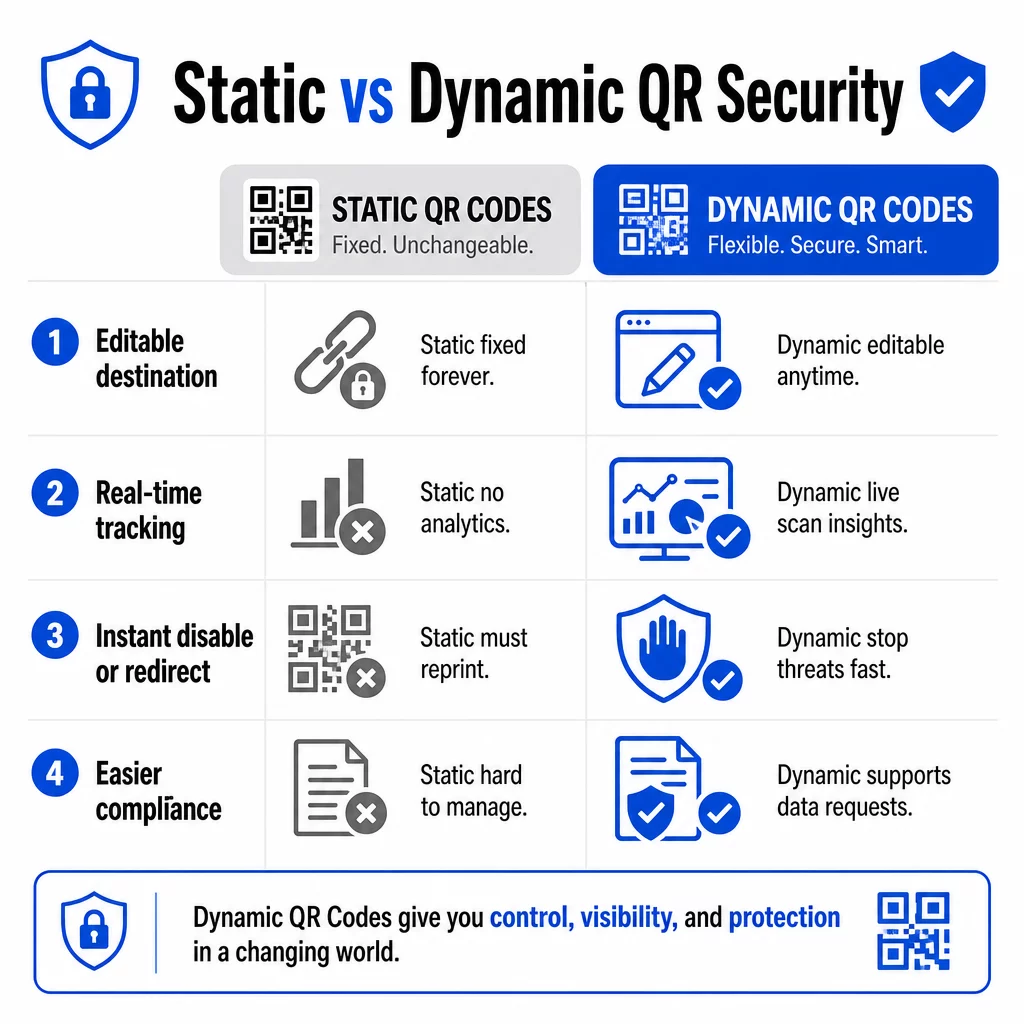
| Функція | Статичні QR-коди | Динамічні QR-коди |
|---|---|---|
| Destination URL | Fixed permanently | Editable anytime |
| Відстеження сканування | Не підтримується | Full analytics included |
| Response to threats | Must reprint | Disable or redirect instantly |
| Compliance support | Difficult | Easier to manage data requests |
| Вартість | Free or low | Subscription-based |
Static codes embed the destination directly into the pattern. Once printed, you can’t change them. If a static code is compromised or leads somewhere problematic, your only option is to reprint and redistribute every piece of material it appears on.
Dynamic codes use a short redirect URL that you control from a dashboard. If you detect suspicious scan activity or need to update the destination, you can do it immediately – without touching a single printed item. For any ongoing campaign, dynamic codes are the appropriate choice.
Track and Protect Your Campaigns in Real Time Використовувати Генератора динамічних QR-кодів to create codes you can update, monitor, and disable instantly if anything looks suspicious.
Link Only to HTTPS-Secured Destinations
Every URL your QR codes point to should use TLS/SSL encryption – indicated by `https://` and the padlock icon in the browser. This ensures the connection between the user’s device and your site is encrypted and that the site is certified and trusted.
Avoid linking to HTTP destinations, even temporarily. If a page’s address changes, configure redirects properly rather than letting the original URL break. A dead link is a trust-breaker; a redirect to an unsecured page is a security risk. Review the full checklist for secure QR code generation best practices.
Add Visible Branding to Every Code
A plain black-and-white QR code gives users no signal about where it came from or whether it’s safe. Branded QR codes – ones that incorporate your logo, brand colors, and design templates – are significantly harder for attackers to convincingly replicate, and they signal legitimacy to customers before they scan.
Use colors that align with your visual identity, maintain high contrast for scannability, and keep designs clean. When you also use a URL that includes your domain name (rather than a generic short-link domain), customers have an additional verification point.
Apply Role-Based Access Controls
If multiple team members manage your QR code campaigns, restrict who can edit or disable codes. Unauthorized changes to live codes – whether accidental or malicious – represent a serious risk. Centralized management with role-based permissions ensures only authorized people can make changes, which is especially important for enterprise teams or agencies managing codes on behalf of multiple clients.
Physical Placement and Tamper Prevention
How and where you display QR codes affects both usability and security. Placement decisions deserve as much attention as the codes themselves.
- Use tamper-evident materials for codes displayed in public locations. Codes on menus, countertops, or walls should be printed directly on materials rather than applied as removable stickers where possible.
- Inspect physical codes regularly, especially in high-traffic locations. Keep a reference image of what your legitimate code looks like so staff can spot unauthorized replacements.
- Secure displays in fixed locations. Codes under glass, laminated to surfaces, or integrated into signage are much harder to tamper with than loose inserts or paper handouts.
- Place codes at appropriate eye level – generally between 3.5 and 5.5 feet – in well-lit areas with good contrast against the background.
Federal guidance specifically warns consumers to check physical QR codes for signs of tampering (such as a sticker placed over the original) before scanning. By making your codes physically harder to replace, you reduce the risk that customers encounter a fraudulent version.
What to Tell Customers Before They Scan
Customers are your second line of defense. When they understand what a safe QR code interaction looks like, they’re better positioned to spot something wrong.
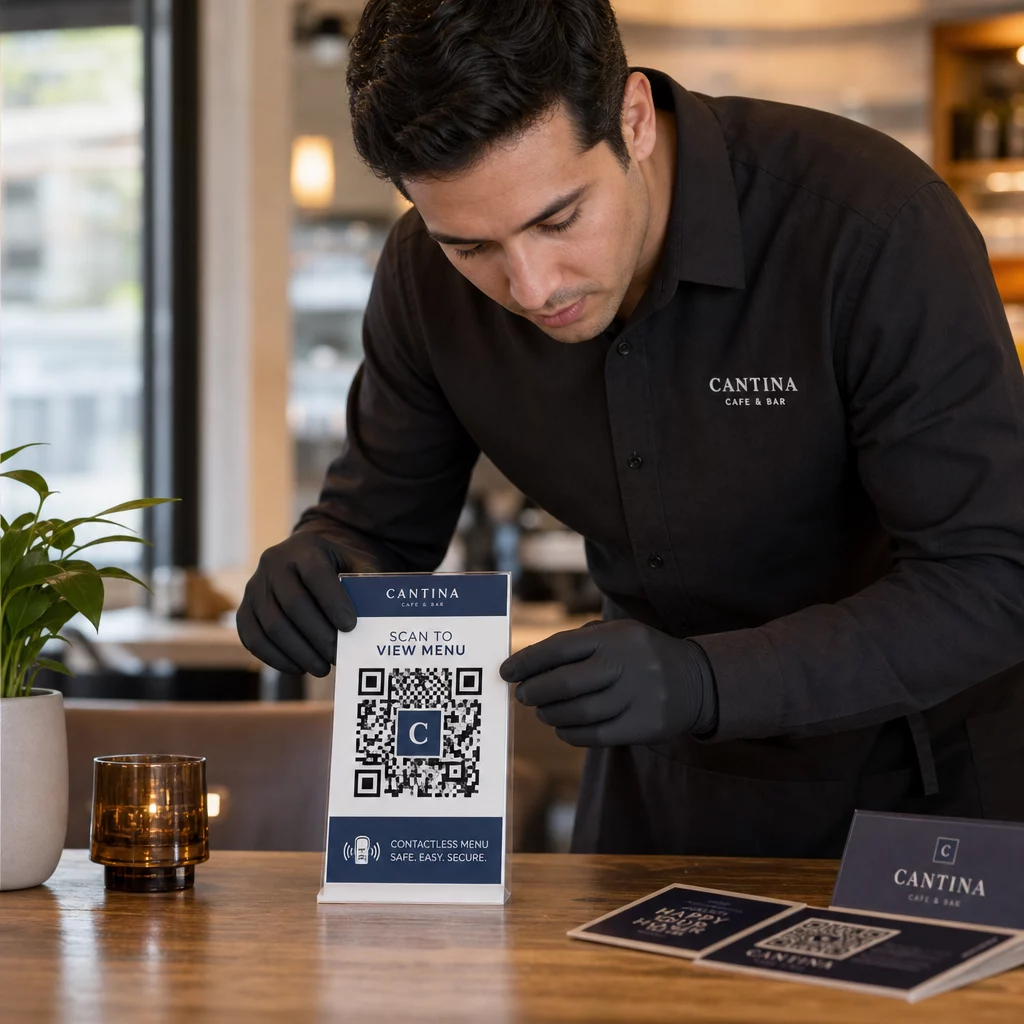
Always place a clear, specific call-to-action next to every QR code. Vague instructions like “Scan here” don’t help users assess whether a code is legitimate. Instead, use phrases like:
- “Scan to view today’s menu”
- “Scan to access your receipt”
- “Scan for product setup instructions”
This contextual information tells users what they should expect after scanning – making it easier to recognize when something is off. A QR code that promises to show a menu but opens a login page is an immediate red flag.
Encourage customers to preview the URL before following it. Most modern smartphone cameras display the destination URL before launching the browser. Users should look for your recognizable domain and check for misspellings or substituted characters (for example, `paeg1oot.com` instead of `pageloot.com`).
Advise against using third-party QR scanner apps downloaded from unknown sources. Native smartphone cameras (iOS and Android both include built-in QR scanning) are the safest option and display URL previews before navigating.
Monitoring Campaigns for Suspicious Activity
Creating a secure QR code isn’t a one-time action. Active monitoring is what separates a campaign that stays secure from one that gets exploited.
Dynamic QR codes provide real-time tracking data including scan count, device type, operating system, and geographic location. This data serves double duty: it measures campaign performance and it flags anomalies.
Watch for these warning signs in your scan data:
- A sudden spike in scans from an unexpected geographic region
- A high volume of scans from a single device or IP address in a short window
- Scan patterns that don’t match your expected audience (wrong devices, wrong times, wrong locations)
Any of these patterns could indicate that a code is being exploited or tested by bad actors. With dynamic codes, you can disable the affected URL immediately, redirect to a safe landing page, and investigate before deciding whether to resume the campaign.
Set up regular audits – both digital (reviewing analytics) and physical (inspecting code placements) – on a defined schedule. The sooner you detect an issue, the less damage it can cause.
See Every Scan as It Happens Pageloot’s dashboard gives you a full view of scan performance and anomalies. Start tracking your QR code campaigns with dynamic codes today.
Staying Compliant with Data Privacy Regulations
If your QR codes collect any user data – even just scan location and device type – you have legal obligations depending on where your customers are located.
GDPR applies when you’re targeting users in the European Union. It requires explicit consent before collecting personal information and mandates that users can request access to or deletion of their data. Non-compliance carries fines of up to 4% of global annual revenue or €20 million, whichever is greater.
CCPA/CPRA applies to California residents and gives them the right to opt out of data collection. While it doesn’t always require upfront consent, it requires clear disclosure and an accessible opt-out mechanism. Intentional violations can result in fines of up to $7,988 per incident.
Practical steps to stay compliant:
- Collect only the minimum data necessary for your campaign goals
- Make your privacy policy easy to find from any QR code landing page
- Use a QR code platform that supports data deletion requests
- Choose platforms with recognized compliance certifications such as GDPR, SOC 2, or HIPAA where applicable
Being transparent about how you handle data is both a legal requirement and a trust-building measure. Customers who understand what you collect – and why – are more likely to engage with your codes. Explore how to build privacy-respecting QR code campaigns in more detail.
Testing Before You Deploy
No QR code should go live without being tested across multiple devices and conditions. A code that scans perfectly on your phone may fail on an older Android device, in dim lighting, or when printed at a smaller size.
Before deployment:
- Test on both iOS and Android devices using native camera apps
- Scan under the lighting conditions expected at each placement location
- Verify the destination loads correctly and is fully mobile-optimized
- Confirm page load speed – slow pages increase abandonment and create openings for impatient users to be redirected elsewhere
- Check that the URL displayed in the pre-scan preview matches your expected domain
Для QR codes placed in print materials, use vector formats (SVG, EPS, or PDF) for printing to avoid blurring. Maintain a quiet zone – the white border around the code – of at least four modules wide on every side. Minimum practical size for most marketing materials is 0.8 × 0.8 inches; for business cards viewed at close range, at least 1 × 1 inch.
Training Your Team
Technology controls only go so far. Your marketing team needs to understand what a secure QR code campaign looks like and what signs indicate something has gone wrong.
Cover these areas in team training:
- How to recognize a tampered physical code
- How to interpret scan analytics and identify anomalies
- What steps to take when a code is suspected to be compromised (disable, investigate, notify)
- How to apply branding and HTTPS requirements when creating new codes
- How to write effective calls-to-action that provide context for users
Цей Маркетинговий чек-лист QR-кодів для малого бізнесу is a useful reference for building these workflows into your team’s standard process.
Часті запитання
Static QR codes embed the destination URL permanently into the code pattern and cannot be changed after creation. If a static code is compromised or leads to a broken page, you must reprint every physical item it appears on. Dynamic QR codes use a short redirect URL that you control from a dashboard, so you can update the destination or disable the code instantly without reprinting anything. Dynamic codes also provide real-time scan analytics, which helps you detect suspicious activity. For any marketing campaign where security and flexibility matter, dynamic codes are the better choice.
Regularly inspect physical codes at each placement location and compare them against a reference image of the legitimate code. Digitally, monitor your scan analytics for unusual patterns – unexpected spikes in volume, scans from unrecognized geographic regions, or a high frequency of scans from a single device. Because dynamic QR codes track these metrics in real time, you can detect anomalies quickly and disable the affected redirect before significant harm occurs.
Every landing page linked from a QR code should use HTTPS (TLS/SSL encryption), load quickly on mobile devices, and clearly display your brand identity so users can confirm they’re in the right place. For pages that collect any user data, include a visible link to your privacy policy and an accessible opt-out or consent mechanism as required by GDPR or CCPA. If the page handles sensitive information such as payments or login credentials, consider adding multi-factor authentication as an extra layer of protection.