Vos codes QR mettent-ils vos clients en danger sans que vous vous en rendiez compte ? Les escrocs ont fait de la fraude aux codes QR une menace courante, et les entreprises qui les utilisent dans leurs campagnes marketing peuvent par inadvertance devenir le vecteur d'une attaque. Ce guide vous présente les risques de sécurité spécifiques que vous devez connaître et les étapes pratiques pour mener des campagnes auxquelles vos clients peuvent faire confiance.
Les véritables menaces derrière le marketing par code QR
Comprendre ce à quoi vous êtes confronté est la première étape pour protéger vos campagnes. Les codes QR sont intrinsèquement opaques – les utilisateurs ne peuvent pas voir où ils mènent avant de les avoir scannés. Cela en fait un outil attrayant pour les acteurs malveillants.
Altération et clonage de codes
L'une des attaques les plus simples consiste à remplacer physiquement un code QR légitime par un code frauduleux. Les criminels impriment de faux codes sous forme d'autocollants et les placent sur de vrais codes dans des lieux publics – parcmètres, tables de restaurant, présentoirs de vente au détail. Lorsqu'un client scanne ce qui ressemble à votre code, il est en fait dirigé vers un site falsifié conçu pour voler des informations de paiement ou des identifiants de connexion.
Ce type d'attaque est particulièrement dangereux car votre marque subit un préjudice de réputation même lorsque vous en êtes la victime. Les clients associent l'expérience frauduleuse à votre entreprise.
Phishing par code QR (“ Quishing ”)
Le quishing est une forme de fraude à l'identité où les attaquants intègrent des liens malveillants dans des codes QR et les distribuent par e-mail, des dépliants imprimés ou des panneaux publics. Le site de destination semble souvent légitime – imitant une véritable page de connexion ou de paiement – où les victimes sont invitées à saisir des informations sensibles.
Les agences fédérales d'application de la loi aux États-Unis ont spécifiquement averti que les attaques de quishing créent souvent un faux sentiment d'urgence pour inciter les gens à scanner et à agir rapidement. Le phishing d'identifiants représente la grande majorité des menaces avancées liées aux codes QR, ce qui en fait l'un des risques les plus graves pour les entreprises qui gèrent des comptes clients ou des paiements.
Exposition des données privées
Chaque scan de code QR peut capturer des métadonnées – type d'appareil, emplacement, horodatage, navigateur – selon la configuration de votre suivi. Sans contrôles appropriés, ces données peuvent être exposées, mal gérées ou collectées de manière à violer les réglementations en matière de confidentialité. Les entreprises opérant sous le RGPD (pour les utilisateurs de l'UE) ou le CCPA/CPRA (pour les résidents de Californie) encourent des amendes importantes pour une mauvaise gestion des données. Apprenez-en davantage sur les risques spécifiques en matière de confidentialité que les codes QR créent et comment les aborder.
Expériences défaillantes qui minent la confiance
La sécurité ne concerne pas seulement les attaques. Un code QR qui mène à un lien brisé, une page non adaptée aux mobiles ou un site à chargement lent crée une mauvaise expérience qui érode la confiance des clients. Si vos codes échouent même occasionnellement, les clients sont moins enclins à les scanner – et plus sensibles à l'argument selon lequel “ les codes QR ne sont pas fiables ”.”
Création sécurisée de codes QR : Ce qu'il faut faire avant le lancement
Utilisez des codes QR dynamiques plutôt que statiques
La décision de sécurité la plus impactante que vous puissiez prendre est de choisir les codes QR dynamiques plutôt que des statiques. Voici pourquoi c'est important :
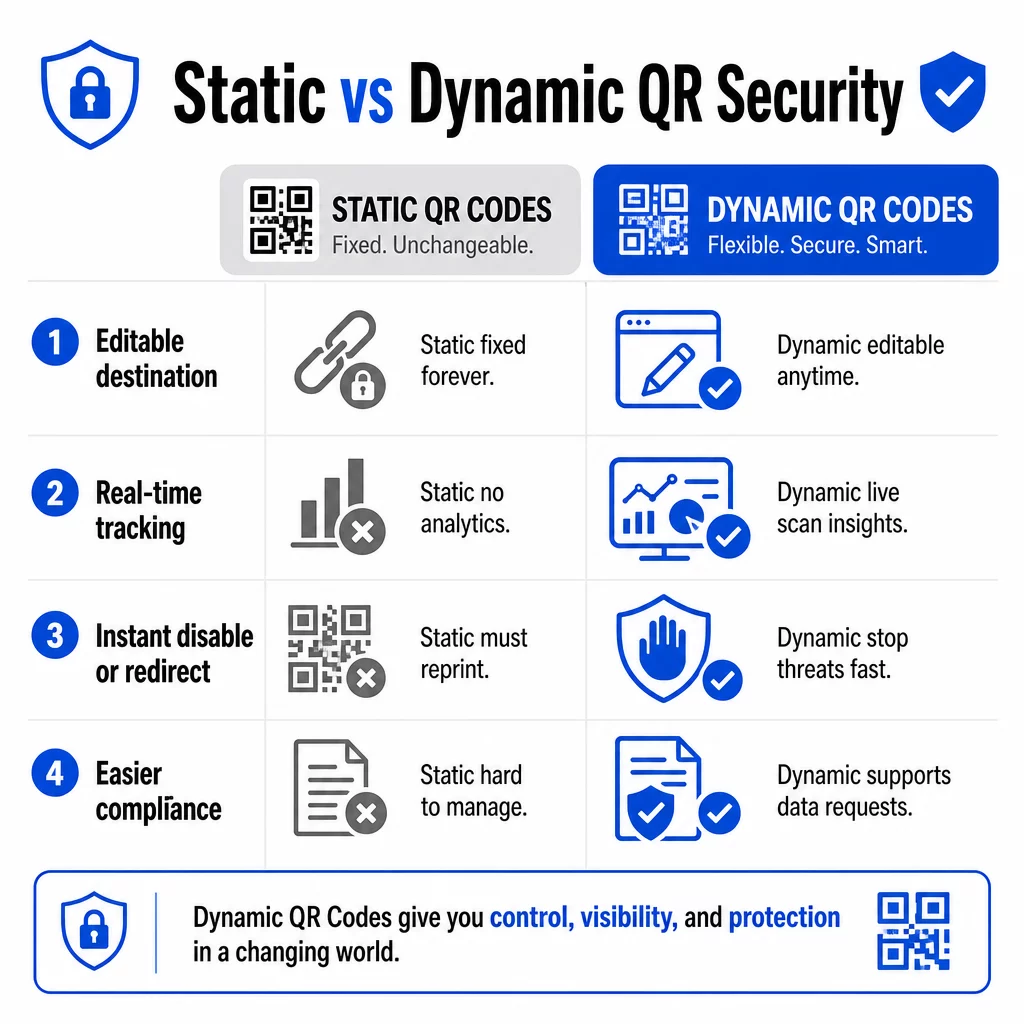
| FONCTIONNALITÉ | Codes QR statiques | Dynamic QR Codes |
|---|---|---|
| URL de destination | Fixé de manière permanente | Modifiable à tout moment |
| Suivi des analyses | Non pris en charge | Analyses complètes incluses |
| Réponse aux menaces | Doit être réimprimé | Désactiver ou rediriger instantanément |
| Support de conformité | Difficile | Plus facile de gérer les demandes de données |
| Coût | Gratuit ou peu coûteux | Basé sur un abonnement |
Les codes statiques intègrent la destination directement dans le motif. Une fois imprimés, vous ne pouvez pas les modifier. Si un code statique est compromis ou mène à un endroit problématique, votre seule option est de réimprimer et de redistribuer chaque élément de matériel sur lequel il apparaît.
Les codes dynamiques utilisent une courte URL de redirection que vous contrôlez depuis un tableau de bord. Si vous détectez une activité de scan suspecte ou si vous devez mettre à jour la destination, vous pouvez le faire immédiatement – sans toucher un seul élément imprimé. Pour toute campagne en cours, les codes dynamiques sont le choix approprié.
Suivez et protégez vos campagnes en temps réel Utilisez le Générateur de QR code dynamique pour créer des codes que vous pouvez mettre à jour, surveiller et désactiver instantanément si quelque chose semble suspect.
Liez uniquement à des destinations sécurisées par HTTPS
Chaque URL vers laquelle vos codes QR pointent doit utiliser le chiffrement TLS/SSL – indiqué par `https://` et l'icône de cadenas dans le navigateur. Cela garantit que la connexion entre l'appareil de l'utilisateur et votre site est chiffrée et que le site est certifié et fiable.
Évitez de créer des liens vers des destinations HTTP, même temporairement. Si l'adresse d'une page change, configurez correctement les redirections plutôt que de laisser l'URL originale se briser. Un lien mort est un briseur de confiance ; une redirection vers une page non sécurisée est un risque de sécurité. Consultez la liste de contrôle complète des meilleures pratiques de génération de codes QR sécurisés.
Ajoutez une marque visible à chaque code
Un code QR noir et blanc uni ne donne aucune indication aux utilisateurs sur sa provenance ou sa sécurité. Les codes QR de marque – ceux qui intègrent votre logo, les couleurs de votre marque et vos modèles de conception – sont beaucoup plus difficiles à reproduire de manière convaincante pour les attaquants, et ils signalent la légitimité aux clients avant qu'ils ne les scannent.
Utilisez des couleurs qui correspondent à votre identité visuelle, maintenez un contraste élevé pour la lisibilité et gardez des designs épurés. Lorsque vous utilisez également une URL qui inclut votre nom de domaine (plutôt qu'un domaine de lien court générique), les clients disposent d'un point de vérification supplémentaire.
Appliquez des contrôles d'accès basés sur les rôles
Si plusieurs membres de l'équipe gèrent vos campagnes de codes QR, restreignez qui peut modifier ou désactiver les codes. Les modifications non autorisées apportées aux codes en direct – qu'elles soient accidentelles ou malveillantes – représentent un risque sérieux. Une gestion centralisée avec des permissions basées sur les rôles garantit que seules les personnes autorisées peuvent apporter des modifications, ce qui est particulièrement important pour les équipes d'entreprise ou les agences gérant des codes pour le compte de plusieurs clients.
Placement physique et prévention des altérations
La manière et l'endroit où vous affichez les codes QR affectent à la fois l'utilisabilité et la sécurité. Les décisions de placement méritent autant d'attention que les codes eux-mêmes.
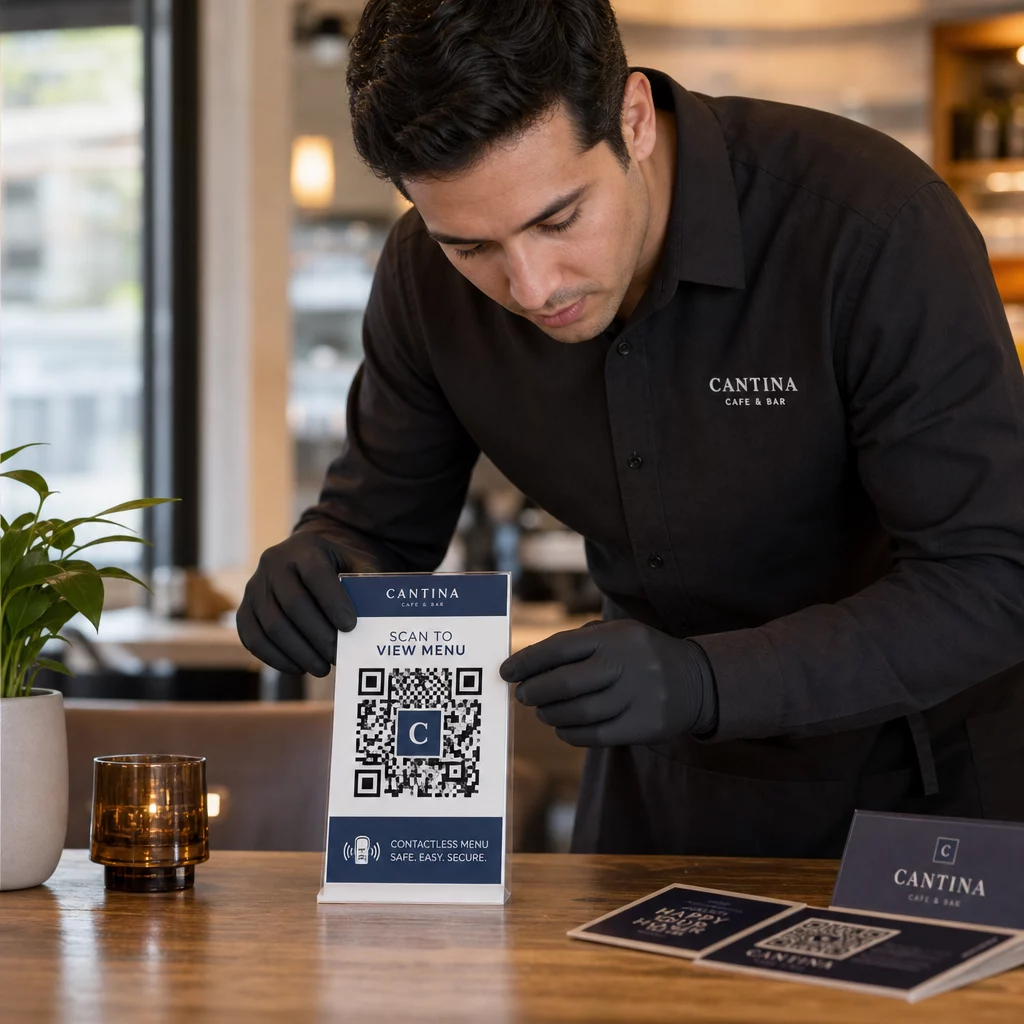
- Utilisez des matériaux inviolables pour les codes affichés dans des lieux publics. Les codes sur les menus, les comptoirs ou les murs doivent être imprimés directement sur les matériaux plutôt que d'être appliqués comme des autocollants amovibles lorsque cela est possible.
- Inspecter les codes physiques régulièrement, surtout dans les endroits très fréquentés. Conservez une image de référence de votre code légitime afin que le personnel puisse repérer les remplacements non autorisés.
- Sécurisez les affichages dans des emplacements fixes. Les codes sous verre, laminés sur des surfaces ou intégrés à la signalisation sont beaucoup plus difficiles à altérer que les inserts volants ou les dépliants en papier.
- Placez les codes à une hauteur appropriée pour les yeux – généralement entre 1,05 et 1,65 mètre – dans des zones bien éclairées avec un bon contraste par rapport à l'arrière-plan.
Les directives fédérales avertissent spécifiquement les consommateurs de vérifier les codes QR physiques pour détecter tout signe d'altération (comme un autocollant placé sur l'original) avant de scanner. En rendant vos codes physiquement plus difficiles à remplacer, vous réduisez le risque que les clients rencontrent une version frauduleuse.
Ce qu'il faut dire aux clients avant qu'ils ne scannent
Les clients sont votre deuxième ligne de défense. Lorsqu'ils comprennent à quoi ressemble une interaction sécurisée avec un code QR, ils sont mieux placés pour repérer quelque chose d'anormal.
Placez toujours un appel à l'action clair et spécifique à côté de chaque code QR. Des instructions vagues comme “ Scanner ici ” n'aident pas les utilisateurs à évaluer si un code est légitime. Utilisez plutôt des phrases comme :
- “ Scanner pour consulter le menu du jour ”
- “ Scanner pour accéder à votre reçu ”
- “ Scanner pour les instructions de configuration du produit ”
Ces informations contextuelles indiquent aux utilisateurs ce qu'ils doivent attendre après le scan – ce qui facilite la reconnaissance d'une anomalie. Un code QR qui promet d'afficher un menu mais ouvre une page de connexion est un signal d'alarme immédiat.
Encouragez les clients à prévisualiser l'URL avant de la suivre. La plupart des appareils photo de smartphones modernes affichent l'URL de destination avant de lancer le navigateur. Les utilisateurs doivent rechercher votre domaine reconnaissable et vérifier les fautes d'orthographe ou les caractères substitués (par exemple, `paeg1oot.com` au lieu de `pageloot.com`).
Déconseillez l'utilisation d'applications de scanner QR tierces téléchargées depuis des sources inconnues. Les appareils photo natifs des smartphones (iOS et Android incluent tous deux la numérisation QR intégrée) sont l'option la plus sûre et affichent des aperçus d'URL avant la navigation.
Surveillance des campagnes pour détecter les activités suspectes
La création d'un code QR sécurisé n'est pas une action ponctuelle. Une surveillance active est ce qui distingue une campagne qui reste sécurisée d'une campagne qui est exploitée.
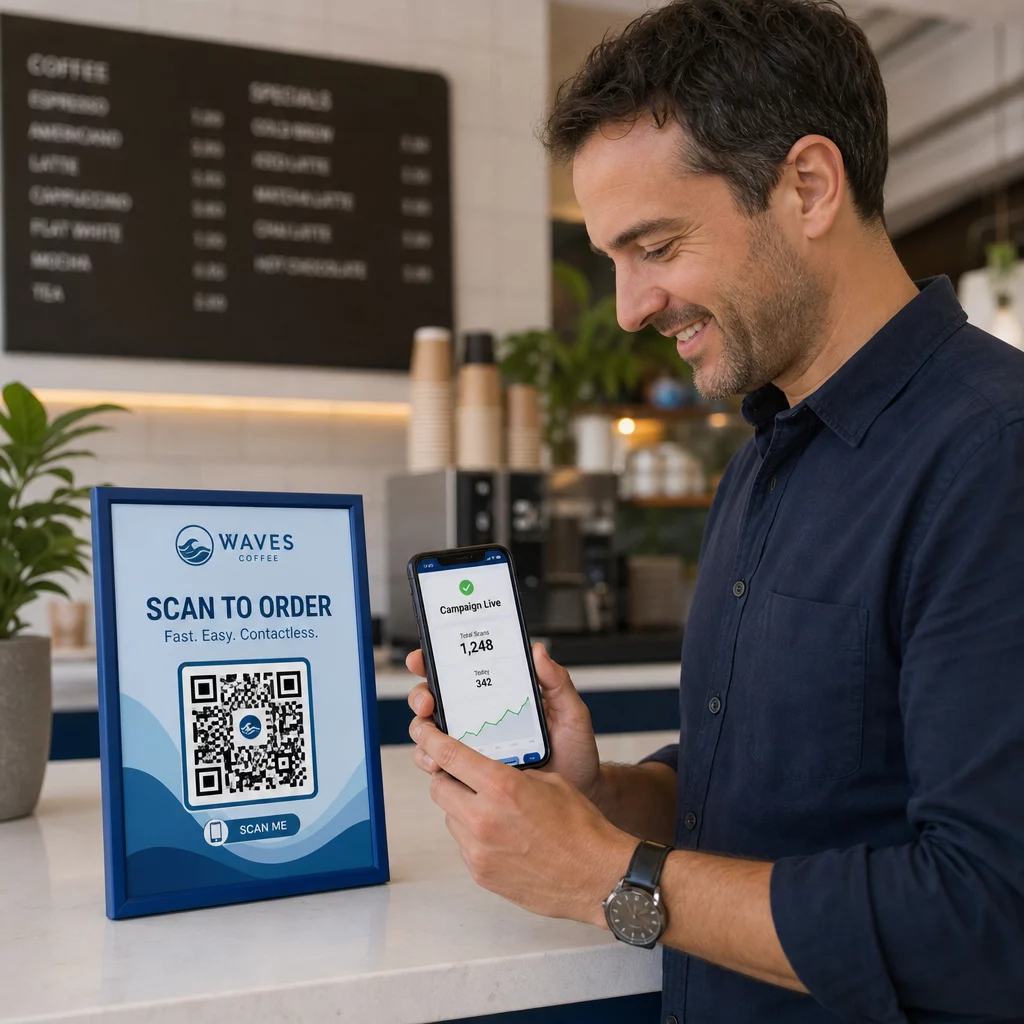
Les codes QR dynamiques fournissent des données de suivi en temps réel y compris le nombre de scans, le type d'appareil, le système d'exploitation et la localisation géographique. Ces données ont une double fonction : elles mesurent la performance de la campagne et signalent les anomalies.
Surveillez ces signes avant-coureurs dans vos données de scan :
- Une augmentation soudaine des scans provenant d'une région géographique inattendue
- Un volume élevé de scans provenant d'un seul appareil ou d'une seule adresse IP sur une courte période
- Des schémas de scan qui ne correspondent pas à votre public attendu (mauvais appareils, mauvais horaires, mauvais emplacements)
N'importe lequel de ces schémas pourrait indiquer qu'un code est exploité ou testé par des acteurs malveillants. Avec les codes dynamiques, vous pouvez désactiver immédiatement l'URL affectée, rediriger vers une page de destination sécurisée et enquêter avant de décider de reprendre la campagne.
Mettez en place des audits réguliers – à la fois numériques (examen des analyses) et physiques (inspection des emplacements des codes) – selon un calendrier défini. Plus tôt vous détectez un problème, moins il peut causer de dommages.
Voyez chaque scan en temps réel Le tableau de bord de Pageloot vous offre une vue complète des performances de scan et des anomalies. Commencez à suivre vos campagnes de codes QR avec des codes dynamiques dès aujourd'hui.
Rester conforme aux réglementations sur la confidentialité des données
Si vos codes QR collectent des données utilisateur – même juste la localisation du scan et le type d'appareil – vous avez des obligations légales en fonction de l'emplacement de vos clients.
RGPD s'applique lorsque vous ciblez des utilisateurs dans l'Union européenne. Il exige un consentement explicite avant de collecter des informations personnelles et impose que les utilisateurs puissent demander l'accès ou la suppression de leurs données. Le non-respect entraîne des amendes pouvant aller jusqu'à 4 % du chiffre d'affaires annuel mondial ou 20 millions d'euros, le montant le plus élevé étant retenu.
CCPA/CPRA s'applique aux résidents de Californie et leur donne le droit de refuser la collecte de données. Bien qu'il n'exige pas toujours un consentement préalable, il requiert une divulgation claire et un mécanisme de désabonnement accessible. Les violations intentionnelles peuvent entraîner des amendes allant jusqu'à 7 988 $ par incident.
Étapes pratiques pour rester conforme :
- Ne collectez que les données minimales nécessaires à vos objectifs de campagne
- Rendez votre politique de confidentialité facile à trouver depuis n'importe quelle page de destination de code QR
- Utilisez une plateforme de codes QR qui prend en charge les demandes de suppression de données
- Choisissez des plateformes avec des certifications de conformité reconnues telles que le RGPD, SOC 2 ou HIPAA, le cas échéant
Être transparent sur la façon dont vous traitez les données est à la fois une exigence légale et une mesure de renforcement de la confiance. Les clients qui comprennent ce que vous collectez – et pourquoi – sont plus susceptibles d'interagir avec vos codes. Découvrez plus en détail comment créer des campagnes de codes QR respectueuses de la vie privée.
Tester avant de déployer
Aucun code QR ne devrait être mis en ligne sans avoir été testé sur plusieurs appareils et dans diverses conditions. Un code qui scanne parfaitement sur votre téléphone peut échouer sur un ancien appareil Android, dans un éclairage faible ou lorsqu'il est imprimé à une taille plus petite.
Avant le déploiement :
- Testez sur les appareils iOS et Android en utilisant les applications d'appareil photo natives
- Scannez dans les conditions d'éclairage prévues à chaque emplacement
- Vérifiez que la destination se charge correctement et est entièrement optimisée pour les mobiles
- Confirmez la vitesse de chargement de la page – les pages lentes augmentent l'abandon et créent des opportunités pour les utilisateurs impatients d'être redirigés ailleurs
- Vérifiez que l'URL affichée dans l'aperçu avant le scan correspond à votre domaine attendu
Pour Codes QR placés dans les supports imprimés, utilisez des formats vectoriels (SVG, EPS ou PDF) pour l'impression afin d'éviter le flou. Maintenez une zone de silence – la bordure blanche autour du code – d'au moins quatre modules de large de chaque côté. La taille pratique minimale pour la plupart des supports marketing est de 0,8 × 0,8 pouce ; pour les cartes de visite vues de près, au moins 1 × 1 pouce.
Formation de votre équipe
Les contrôles technologiques ont leurs limites. Votre équipe marketing doit comprendre à quoi ressemble une campagne de code QR sécurisée et quels sont les signes indiquant que quelque chose a mal tourné.
Couvrez ces domaines lors de la formation de l'équipe :
- Comment reconnaître un code physique altéré
- Comment interpréter les analyses de scan et identifier les anomalies
- Quelles mesures prendre lorsqu'un code est suspecté d'être compromis (désactiver, enquêter, notifier)
- Comment appliquer les exigences de marque et HTTPS lors de la création de nouveaux codes
- Comment rédiger des appels à l'action efficaces qui fournissent un contexte aux utilisateurs
Le Marketing par QR code : checklist pour petites entreprises est une référence utile pour intégrer ces flux de travail dans le processus standard de votre équipe.
Questions fréquentes
Les codes QR statiques intègrent l'URL de destination de manière permanente dans le motif du code et ne peuvent pas être modifiés après leur création. Si un code statique est compromis ou mène à une page rompue, vous devez réimprimer chaque élément physique sur lequel il apparaît. Les codes QR dynamiques utilisent une courte URL de redirection que vous contrôlez depuis un tableau de bord, vous permettant ainsi de mettre à jour la destination ou de désactiver le code instantanément sans rien réimprimer. Les codes dynamiques fournissent également des analyses de scan en temps réel, ce qui vous aide à détecter toute activité suspecte. Pour toute campagne marketing où la sécurité et la flexibilité sont importantes, les codes dynamiques sont le meilleur choix.
Inspectez régulièrement les codes physiques à chaque emplacement et comparez-les à une image de référence du code légitime. Numériquement, surveillez vos analyses de scan pour détecter des schémas inhabituels – des pics de volume inattendus, des scans provenant de régions géographiques non reconnues, ou une fréquence élevée de scans depuis un seul appareil. Parce que les codes QR dynamiques suivent ces métriques en temps réel, vous pouvez détecter rapidement les anomalies et désactiver la redirection affectée avant qu'un dommage significatif ne se produise.
Chaque page de destination liée à partir d'un code QR doit utiliser HTTPS (cryptage TLS/SSL), se charger rapidement sur les appareils mobiles et afficher clairement l'identité de votre marque afin que les utilisateurs puissent confirmer qu'ils sont au bon endroit. Pour les pages qui collectent des données utilisateur, incluez un lien visible vers votre politique de confidentialité et un mécanisme d'opt-out ou de consentement accessible, tel que requis par le RGPD ou le CCPA. Si la page gère des informations sensibles telles que des paiements ou des identifiants de connexion, envisagez d'ajouter une authentification multi-facteurs comme couche de protection supplémentaire.