האם קודי ה-QR שלכם מסכנים את הלקוחות שלכם מבלי שתשימו לב? רמאים הפכו את הונאת קודי ה-QR לאיום נפוץ, ועסקים המשתמשים בהם בקמפיינים שיווקיים עלולים להפוך בטעות לכלי להתקפה. מדריך זה מציג בפניכם את סיכוני האבטחה הספציפיים שאתם צריכים להכיר ואת הצעדים המעשיים להפעלת קמפיינים שהלקוחות שלכם יכולים לסמוך עליהם.
האיומים האמיתיים מאחורי שיווק באמצעות קודי QR
הבנת האתגרים העומדים בפניכם היא הצעד הראשון להגנה על הקמפיינים שלכם. קודי QR הם מטבעם אטומים – משתמשים אינם יכולים לראות לאן הם מובילים עד שהם כבר סרקו אותם. זה הופך אותם לכלי אטרקטיבי עבור גורמים זדוניים.
שיבוש ושיבוט קודים
אחת ההתקפות הפשוטות ביותר כוללת החלפה פיזית של קוד QR לגיטימי בקוד מזויף. עבריינים מדפיסים קודים מזויפים מבוססי מדבקות ומניחים אותם על קודים אמיתיים במקומות ציבוריים – מדחני חניה, שולחנות מסעדה, תצוגות קמעונאיות. כאשר לקוח סורק את מה שנראה כמו הקוד שלכם, הוא למעשה מופנה לאתר מתחזה שנועד לגנוב פרטי תשלום או אישורי כניסה.
סוג זה של התקפה מסוכן במיוחד מכיוון שהמותג שלכם סופג את הפגיעה במוניטין גם כשאתם הקורבן. לקוחות מקשרים את החוויה המרמתית לעסק שלכם.
דיוג באמצעות קודי QR (“קווישינג”)
קווישינג הוא סוג של הונאת זהות שבה תוקפים מטמיעים קישורים זדוניים בתוך קודי QR ומפיצים אותם באמצעות דוא"ל, פליירים מודפסים או שילוט ציבורי. אתר היעד נראה לעיתים קרובות לגיטימי – מחקה דף כניסה או תשלום אמיתי – שבו הקורבנות מתבקשים להזין מידע רגיש.
סוכנויות אכיפת חוק פדרליות בארה"ב הזהירו במיוחד כי התקפות קווישינג יוצרות לעיתים קרובות תחושת דחיפות כוזבת כדי ללחוץ על אנשים לסרוק ולפעול במהירות. דיוג אישורים מהווה את הרוב המכריע של איומי קודי QR מתקדמים, מה שהופך אותו לאחד הסיכונים החמורים ביותר עבור עסקים המטפלים בחשבונות לקוחות או בתשלומים.
חשיפת פרטיות נתונים
כל סריקת קוד QR יכולה ללכוד מטא-נתונים – סוג מכשיר, מיקום, חותמת זמן, דפדפן – בהתאם לאופן שבו מוגדר המעקב שלכם. ללא בקרות מתאימות, נתונים אלה עלולים להיחשף, להיטפל בצורה לא נכונה או להיאסף בדרכים המפרות תקנות פרטיות. עסקים הפועלים תחת GDPR (עבור משתמשי האיחוד האירופי) או CCPA/CPRA (עבור תושבי קליפורניה) עומדים בפני קנסות משמעותיים בגין טיפול לא נכון בנתונים. למדו עוד על סיכוני הפרטיות הספציפיים שיוצרים קודי QR וכיצד לטפל בהם.
חוויות שבורות הפוגעות באמון
אבטחה אינה רק עניין של התקפות. קוד QR המוביל לקישור שבור, לדף שאינו מותאם למובייל, או לאתר שנטען לאט, יוצר חוויה גרועה הפוגעת באמון הלקוחות. אם הקודים שלכם נכשלים אפילו מדי פעם, לקוחות יהיו פחות מוכנים לסרוק אותם – ויהיו רגישים יותר לטענה ש“אי אפשר לסמוך על קודי QR”.”
יצירת קודי QR מאובטחים: מה צריך לעשות נכון לפני ההשקה
השתמשו בקודי QR דינמיים במקום סטטיים
החלטת האבטחה המשפיעה ביותר שתוכלו לקבל היא בחירה קודי QR דינמיים על פני קודים סטטיים. הנה למה זה חשוב:
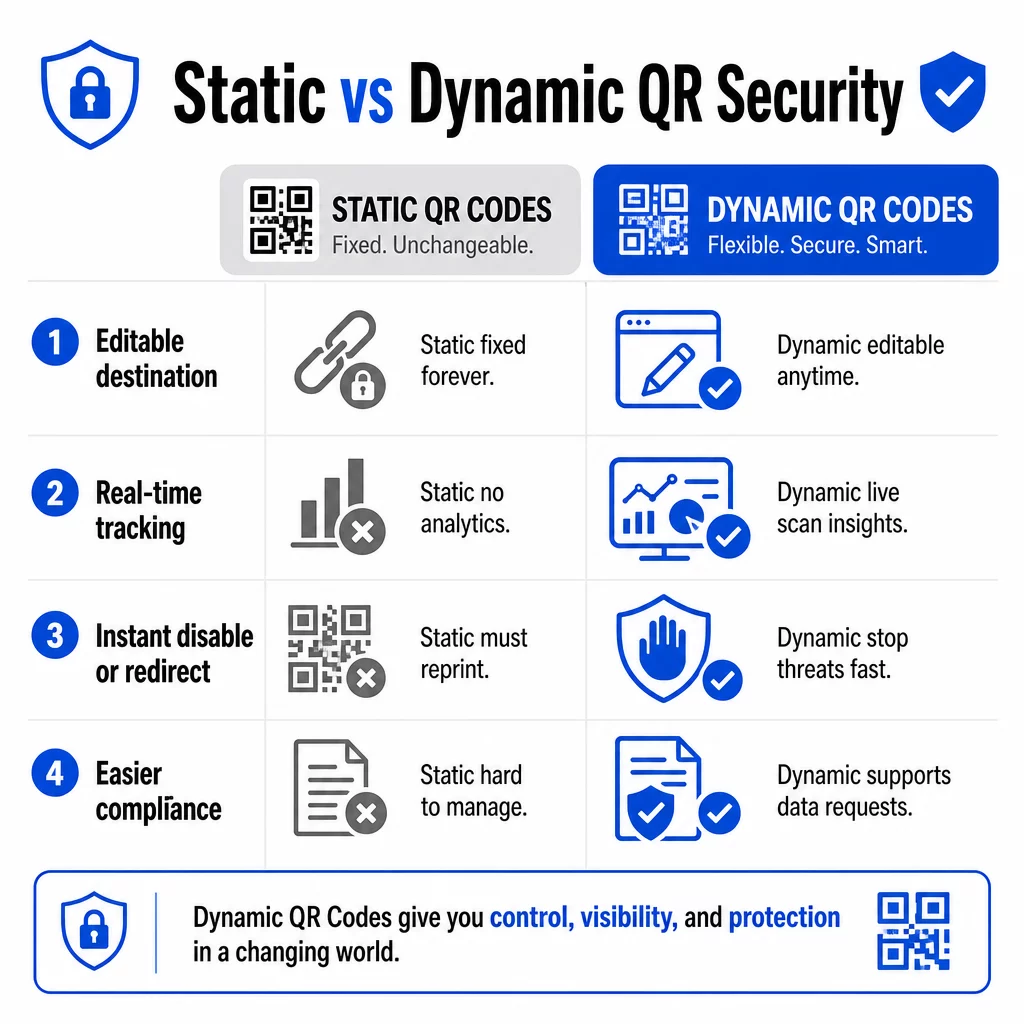
| תכונה | קודי QR סטטיים | קודי QR דינמיים |
|---|---|---|
| כתובת URL יעד | קבוע לצמיתות | ניתן לעריכה בכל עת |
| מעקב סריקה | לא נתמך | כולל ניתוח נתונים מלא |
| תגובה לאיומים | חובה להדפיס מחדש | השבתה או הפניה מחדש באופן מיידי |
| תמיכה בציות | קשה | קל יותר לנהל בקשות נתונים |
| עֲלוּת | חינם או בעלות נמוכה | מבוסס מנוי |
קודים סטטיים מטמיעים את היעד ישירות בתבנית. לאחר ההדפסה, לא ניתן לשנות אותם. אם קוד סטטי נפגע או מוביל למקום בעייתי, האפשרות היחידה שלכם היא להדפיס מחדש ולהפיץ מחדש כל פריט חומר שהוא מופיע עליו.
קודים דינמיים משתמשים בכתובת URL קצרה להפניה מחדש שאתם שולטים בה מלוח מחוונים. אם אתם מזהים פעילות סריקה חשודה או צריכים לעדכן את היעד, תוכלו לעשות זאת באופן מיידי – מבלי לגעת בפריט מודפס אחד. עבור כל קמפיין מתמשך, קודים דינמיים הם הבחירה המתאימה.
עקוב והגן על הקמפיינים שלך בזמן אמת להשתמש ב מחולל QR דינמי כדי ליצור קודים שתוכל לעדכן, לנטר ולבטל באופן מיידי אם משהו נראה חשוד.
קשר רק ליעדים מאובטחים ב-HTTPS
כל כתובת URL שאליה מפנים קודי ה-QR שלך צריכה להשתמש בהצפנת TLS/SSL – המסומנת על ידי `https://` וסמל המנעול בדפדפן. זה מבטיח שהחיבור בין מכשיר המשתמש לאתר שלך מוצפן ושהאתר מאושר ומהימן.
הימנע מקישור ליעדי HTTP, אפילו באופן זמני. אם כתובת של דף משתנה, הגדר הפניות מחדש כראוי במקום לתת לכתובת ה-URL המקורית להישבר. קישור שבור הוא שובר אמון; הפניה מחדש לדף לא מאובטח היא סיכון אבטחתי. עיין ברשימת הבדיקה המלאה לשיטות עבודה מומלצות ליצירת קודי QR מאובטחים.
הוסף מיתוג גלוי לכל קוד
קוד QR פשוט בשחור-לבן אינו נותן למשתמשים שום סימן מאיפה הוא הגיע או אם הוא בטוח. קודי QR ממותגים – כאלה המשלבים את הלוגו שלך, צבעי המותג ותבניות עיצוב – קשים באופן משמעותי לתוקפים לשכפל באופן משכנע, והם מאותתים על לגיטימיות ללקוחות לפני שהם סורקים.
השתמש בצבעים המתאימים לזהות החזותית שלך, שמור על ניגודיות גבוהה לסריקה, ושמור על עיצובים נקיים. כאשר אתה משתמש גם בכתובת URL הכוללת את שם הדומיין שלך (במקום דומיין קישור מקוצר גנרי), ללקוחות יש נקודת אימות נוספת.
החל בקרות גישה מבוססות תפקידים
אם מספר חברי צוות מנהלים את קמפייני קודי ה-QR שלך, הגבל מי יכול לערוך או לבטל קודים. שינויים לא מורשים בקודים פעילים – בין אם בטעות ובין אם בזדון – מהווים סיכון חמור. ניהול מרכזי עם הרשאות מבוססות תפקידים מבטיח שרק אנשים מורשים יכולים לבצע שינויים, וזה חשוב במיוחד עבור צוותי ארגונים או סוכנויות המנהלים קודים מטעם מספר לקוחות.
מיקום פיזי ומניעת חבלה
האופן והמקום שבו אתה מציג קודי QR משפיעים הן על השימושיות והן על האבטחה. החלטות מיקום ראויות לתשומת לב רבה כמו הקודים עצמם.
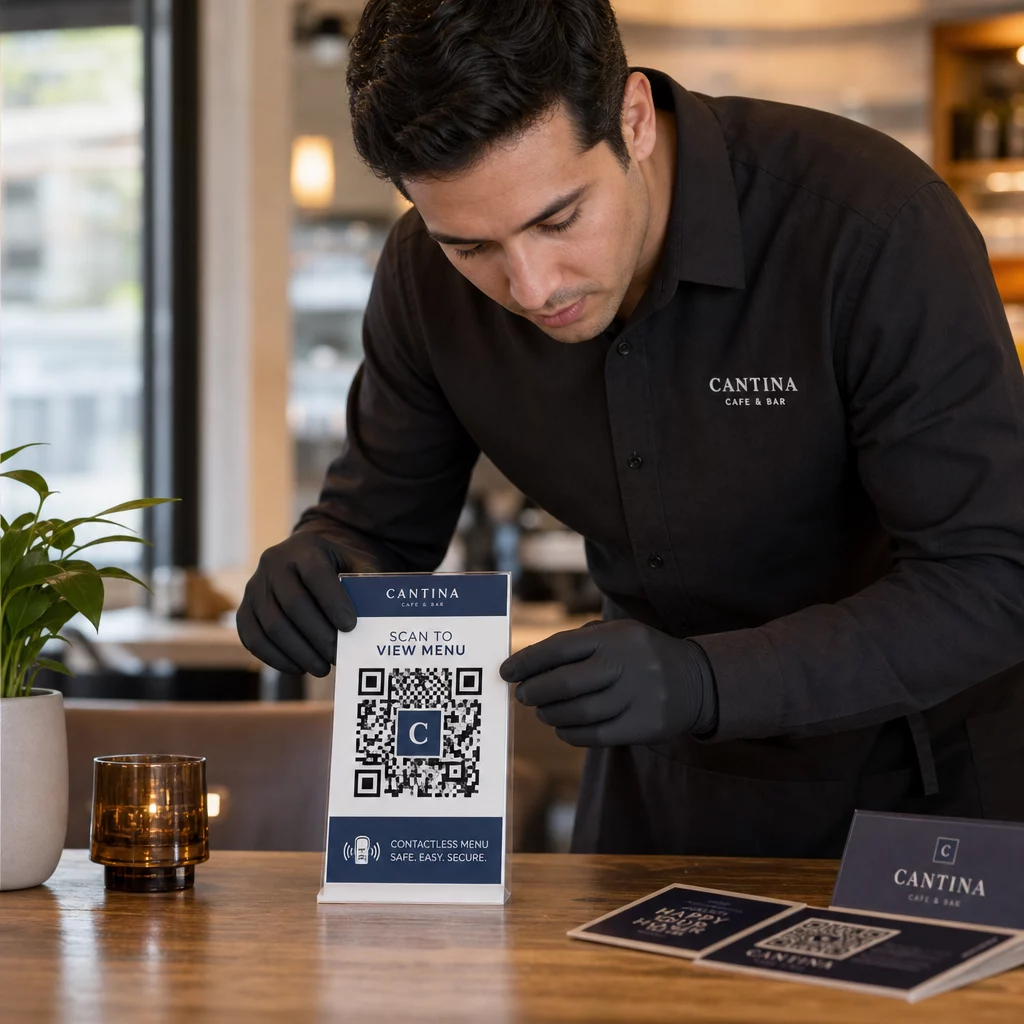
- השתמש בחומרים עמידים בפני חבלה עבור קודים המוצגים במקומות ציבוריים. קודים בתפריטים, על דלפקים או קירות צריכים להיות מודפסים ישירות על חומרים במקום להיות מודבקים כמדבקות ניתנות להסרה היכן שאפשר.
- בדוק קודים פיזיים באופן קבוע, במיוחד במיקומים עם תנועה רבה. שמור תמונת ייחוס של איך נראה הקוד הלגיטימי שלך כדי שהצוות יוכל לזהות החלפות לא מורשות.
- אבטח תצוגות במיקומים קבועים. קודים מתחת לזכוכית, מודבקים למשטחים, או משולבים בשילוט קשים הרבה יותר לשינוי מאשר עלונים רופפים או חומרי חלוקה מנייר.
- מקם קודים בגובה עיניים מתאים – בדרך כלל בין 3.5 ל-5.5 רגל – באזורים מוארים היטב עם ניגודיות טובה לרקע.
הנחיות פדרליות מזהירות במפורש צרכנים לבדוק קודי QR פיזיים לאיתור סימני חבלה (כגון מדבקה שהונחה מעל המקור) לפני הסריקה. על ידי הפיכת הקודים שלך לקשים יותר להחלפה פיזית, אתה מפחית את הסיכון שלקוחות יתקלו בגרסה מזויפת.
מה לומר ללקוחות לפני שהם סורקים
לקוחות הם קו ההגנה השני שלך. כשהם מבינים איך נראית אינטראקציית קוד QR בטוחה, הם ממוקמים טוב יותר לזהות משהו שאינו כשורה.
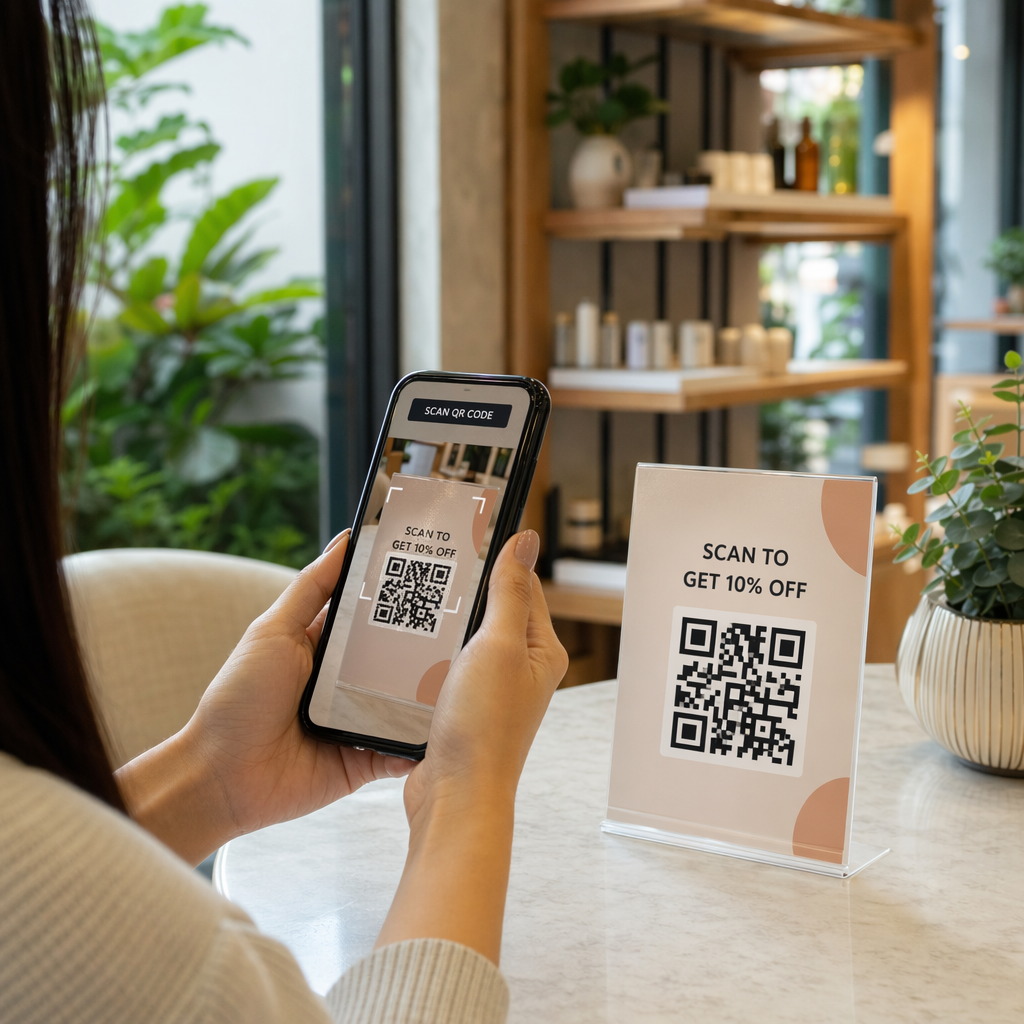
הצב תמיד קריאה לפעולה ברורה וספציפית ליד כל קוד QR. הוראות מעורפלות כמו “סרוק כאן” אינן עוזרות למשתמשים להעריך אם קוד לגיטימי. במקום זאת, השתמש בביטויים כמו:
- “סרוק כדי לצפות בתפריט של היום”
- “סרוק כדי לגשת לקבלה שלך”
- “סרוק להוראות הגדרת מוצר”
מידע קשרי זה אומר למשתמשים למה עליהם לצפות לאחר הסריקה – מה שמקל על זיהוי כאשר משהו אינו כשורה. קוד QR שמבטיח להציג תפריט אך פותח דף התחברות הוא דגל אדום מיידי.
עודד לקוחות להציג תצוגה מקדימה של כתובת האתר (URL) לפני שהם עוקבים אחריה. רוב מצלמות הסמארטפונים המודרניות מציגות את כתובת האתר היעד לפני הפעלת הדפדפן. משתמשים צריכים לחפש את הדומיין המוכר שלך ולבדוק אם יש שגיאות כתיב או תווים שהוחלפו (לדוגמה, `paeg1oot.com` במקום `pageloot.com`).
יעץ נגד שימוש באפליקציות סורק QR של צד שלישי שהורדו ממקורות לא ידועים. מצלמות סמארטפון מקוריות (גם iOS וגם אנדרואיד כוללות סריקת QR מובנית) הן האפשרות הבטוחה ביותר ומציגות תצוגות מקדימות של כתובות אתרים (URL) לפני הניווט.
ניטור קמפיינים אחר פעילות חשודה
יצירת קוד QR מאובטח אינה פעולה חד פעמית. ניטור פעיל הוא מה שמבדיל קמפיין שנשאר מאובטח מקמפיין שמנוצל.
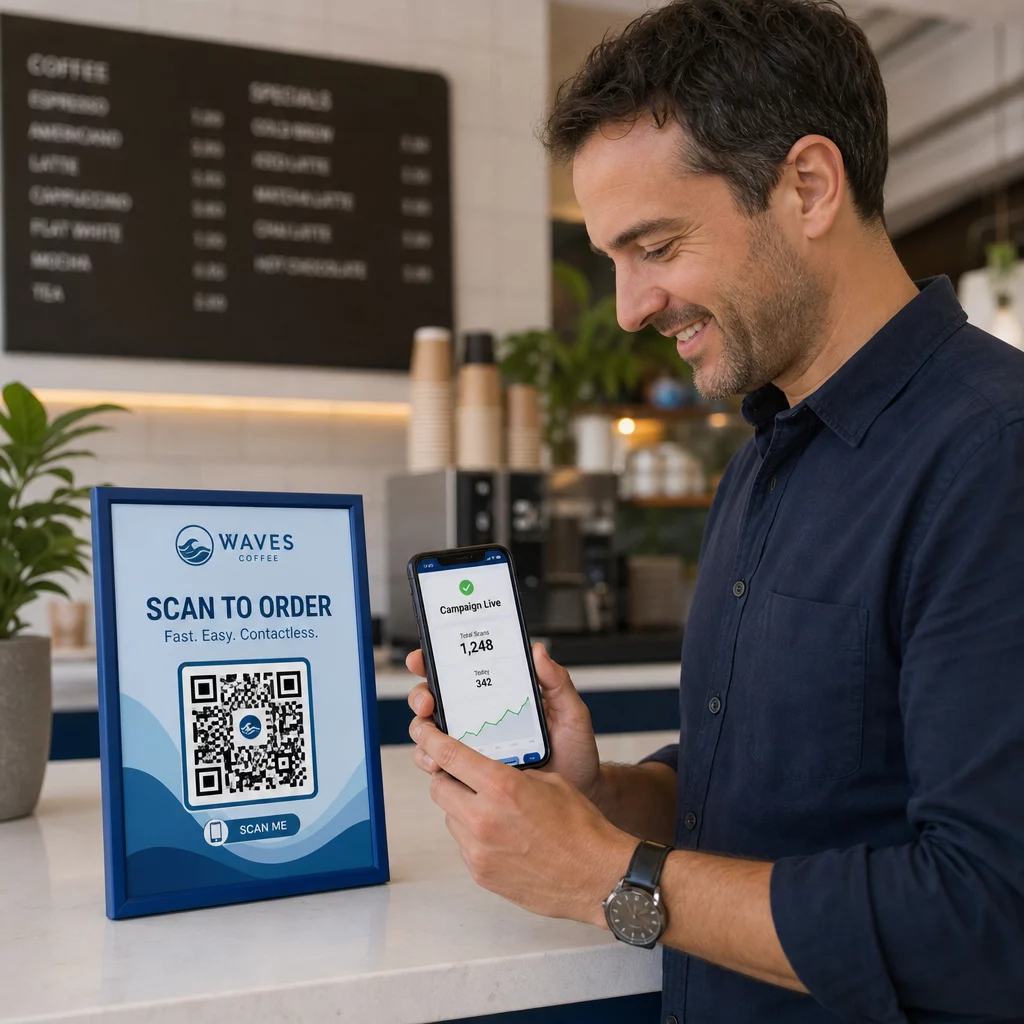
קודי QR דינמיים מספקים נתוני מעקב בזמן אמת כולל ספירת סריקות, סוג מכשיר, מערכת הפעלה ומיקום גיאוגרפי. נתונים אלה משרתים מטרה כפולה: הם מודדים את ביצועי הקמפיין והם מסמנים חריגות.
שימו לב לסימני אזהרה אלה בנתוני הסריקה שלכם:
- עלייה פתאומית בסריקות מאזור גיאוגרפי בלתי צפוי
- נפח גבוה של סריקות ממכשיר יחיד או כתובת IP בחלון זמן קצר
- דפוסי סריקה שאינם תואמים את קהל היעד הצפוי שלכם (מכשירים שגויים, זמנים שגויים, מיקומים שגויים)
כל אחד מהדפוסים הללו יכול להעיד על כך שקוד מנוצל או נבדק על ידי גורמים זדוניים. עם קודים דינמיים, תוכלו להשבית את כתובת ה-URL המושפעת באופן מיידי, להפנות לדף נחיתה בטוח, ולחקור לפני שתחליטו אם לחדש את הקמפיין.
הגדירו ביקורות קבועות – הן דיגיטליות (בדיקת אנליטיקה) והן פיזיות (בדיקת מיקומי קוד) – בלוח זמנים מוגדר. ככל שתגלו בעיה מוקדם יותר, כך הנזק שהיא עלולה לגרום יהיה קטן יותר.
ראו כל סריקה בזמן אמת לוח המחוונים של Pageloot מספק לכם תצוגה מלאה של ביצועי סריקה וחריגות. התחילו לעקוב אחר קמפייני קודי ה-QR שלכם עם קודים דינמיים היום.
שמירה על תאימות לתקנות פרטיות נתונים
אם קודי ה-QR שלכם אוספים נתוני משתמש כלשהם – אפילו רק מיקום סריקה וסוג מכשיר – יש לכם התחייבויות משפטיות בהתאם למיקום הלקוחות שלכם.
GDPR חל כאשר אתם ממקדים משתמשים באיחוד האירופי. הוא דורש הסכמה מפורשת לפני איסוף מידע אישי ומחייב שמשתמשים יוכלו לבקש גישה לנתונים שלהם או מחיקתם. אי-ציות גורר קנסות של עד 4% מההכנסה השנתית הגלובלית או 20 מיליון אירו, הגבוה מביניהם.
CCPA/CPRA חל על תושבי קליפורניה ומעניק להם את הזכות לבטל הסכמה לאיסוף נתונים. בעוד שהוא לא תמיד דורש הסכמה מראש, הוא דורש גילוי נאות ונגיש ומנגנון ביטול הסכמה נגיש. הפרות מכוונות עלולות לגרור קנסות של עד 7,988 דולר לכל אירוע.
צעדים מעשיים לשמירה על עמידה בתקנות:
- אספו רק את המידע המינימלי הנדרש למטרות הקמפיין שלכם
- הפכו את מדיניות הפרטיות שלכם לקלה למציאה מכל דף נחיתה של קוד QR
- השתמשו בפלטפורמת קוד QR התומכת בבקשות למחיקת נתונים
- בחרו פלטפורמות עם אישורי תאימות מוכרים כגון GDPR, SOC 2 או HIPAA היכן שרלוונטי
שקיפות לגבי אופן הטיפול בנתונים היא גם דרישה חוקית וגם אמצעי לבניית אמון. לקוחות שמבינים מה אתם אוספים – ולמה – נוטים יותר לעסוק בקודים שלכם. חקרו כיצד לבנות קמפיינים של קודי QR המכבדים פרטיות בפירוט רב יותר.
בדיקה לפני פריסה
אף קוד QR לא צריך לעלות לאוויר מבלי להיבדק על פני מספר מכשירים ותנאים. קוד שנסרק בצורה מושלמת בטלפון שלכם עלול להיכשל במכשיר אנדרואיד ישן יותר, בתאורה עמומה, או כאשר הוא מודפס בגודל קטן יותר.
לפני פריסה:
- בדקו גם במכשירי iOS וגם במכשירי אנדרואיד באמצעות אפליקציות מצלמה מקוריות
- סרקו בתנאי התאורה הצפויים בכל מיקום הצבה
- ודאו שהיעד נטען כהלכה ומותאם באופן מלא למובייל
- אשרו את מהירות טעינת הדף – דפים איטיים מגבירים נטישה ויוצרים פתחים למשתמשים חסרי סבלנות להיות מופנים למקום אחר
- בדוק שה-URL המוצג בתצוגה המקדימה לפני הסריקה תואם לדומיין הצפוי שלך
ל קודי QR הממוקמים בחומרי הדפסה, השתמש בפורמטים וקטוריים (SVG, EPS, או PDF) להדפסה כדי למנוע טשטוש. שמור על אזור שקט – הגבול הלבן סביב הקוד – ברוחב של לפחות ארבעה מודולים מכל צד. הגודל המעשי המינימלי עבור רוב חומרי השיווק הוא 0.8 × 0.8 אינץ'; עבור כרטיסי ביקור הנצפים מטווח קרוב, לפחות 1 × 1 אינץ'.
הכשרת הצוות שלך
בקרות טכנולוגיות מוגבלות בהיקפן. צוות השיווק שלך צריך להבין איך נראה קמפיין קוד QR מאובטח ומהם הסימנים המעידים שמשהו השתבש.
כסה תחומים אלה בהכשרת הצוות:
- כיצד לזהות קוד פיזי שעבר שינוי
- כיצד לפרש נתוני סריקה ולזהות חריגות
- אילו צעדים לנקוט כאשר קיים חשד שקוד נפרץ (השבתה, חקירה, הודעה)
- כיצד ליישם דרישות מיתוג ו-HTTPS בעת יצירת קודים חדשים
- כיצד לכתוב קריאות לפעולה יעילות המספקות הקשר למשתמשים
ה רשימת בדיקה לשיווק באמצעות קוד QR לעסקים קטנים הוא אסמכתא שימושית לשילוב תהליכי עבודה אלה בתהליך הסטנדרטי של הצוות שלך.
שאלות נפוצות
קודי QR סטטיים מטמיעים את כתובת ה-URL של היעד באופן קבוע בתבנית הקוד ולא ניתן לשנותם לאחר היצירה. אם קוד סטטי נפגע או מוביל לדף שבור, עליך להדפיס מחדש כל פריט פיזי שעליו הוא מופיע. קודי QR דינמיים משתמשים בכתובת URL קצרה להפניה מחדש שאתה שולט בה מלוח מחוונים, כך שתוכל לעדכן את היעד או להשבית את הקוד באופן מיידי מבלי להדפיס מחדש דבר. קודים דינמיים גם מספקים ניתוח סריקות בזמן אמת, מה שעוזר לך לזהות פעילות חשודה. עבור כל קמפיין שיווקי שבו אבטחה וגמישות חשובות, קודים דינמיים הם הבחירה הטובה יותר.
בדוק באופן קבוע קודים פיזיים בכל מיקום הצבה והשווה אותם לתמונת ייחוס של הקוד הלגיטימי. באופן דיגיטלי, עקוב אחר ניתוחי הסריקה שלך לאיתור דפוסים חריגים – עליות בלתי צפויות בנפח, סריקות מאזורים גיאוגרפיים לא מוכרים, או תדירות גבוהה של סריקות ממכשיר יחיד. מכיוון שקודי QR דינמיים עוקבים אחר מדדים אלה בזמן אמת, תוכל לזהות חריגות במהירות ולבטל את ההפניה המושפעת לפני שייגרם נזק משמעותי.
כל דף נחיתה המקושר מקוד QR צריך להשתמש ב-HTTPS (הצפנת TLS/SSL), להיטען במהירות במכשירים ניידים, ולהציג בבירור את זהות המותג שלך כדי שמשתמשים יוכלו לאשר שהם במקום הנכון. עבור דפים שאוספים נתוני משתמשים כלשהם, כלול קישור גלוי למדיניות הפרטיות שלך ומנגנון ביטול הסכמה או הסכמה נגיש כנדרש על ידי GDPR או CCPA. אם הדף מטפל במידע רגיש כגון תשלומים או פרטי התחברות, שקול להוסיף אימות רב-שלבי כשכבת הגנה נוספת.