Kockáztatják-e QR-kódjai ügyfeleit anélkül, hogy tudná? A csalók a QR-kód csalást általános fenyegetéssé tették, és az azokat marketingkampányokban használó vállalkozások akaratlanul is támadás eszközévé válhatnak. Ez az útmutató végigvezeti Önt a konkrét biztonsági kockázatokon, amelyeket ismernie kell, és a gyakorlati lépéseken, hogy olyan kampányokat futtasson, amelyekben ügyfelei megbízhatnak.
A QR-kód marketing mögötti valós fenyegetések
Annak megértése, hogy mivel áll szemben, az első lépés a kampányok védelmében. A QR-kódok eredendően átláthatatlanok – a felhasználók nem láthatják, hová vezetnek, amíg már be nem szkennelték őket. Ez vonzó eszközzé teszi őket a rosszindulatú szereplők számára.
Kódhamisítás és klónozás
Az egyik legegyszerűbb támadás egy legitim QR-kód fizikai lecserélését jelenti egy csalárdra. A bűnözők matricás hamis kódokat nyomtatnak, és nyilvános helyeken – parkolóórákon, éttermi asztalokon, kiskereskedelmi kijelzőkön – helyezik el az igaziak fölé. Amikor egy ügyfél beolvassa azt, ami az Ön kódjának tűnik, valójában egy hamisított oldalra irányítják, amelyet fizetési vagy bejelentkezési adatok ellopására terveztek.
Ez a fajta támadás különösen veszélyes, mert a márkája szenvedi el a hírnévromlást, még akkor is, ha Ön az áldozat. Az ügyfelek a csalárd élményt az Ön vállalkozásával azonosítják.
QR-kód adathalászat (“Quishing”)
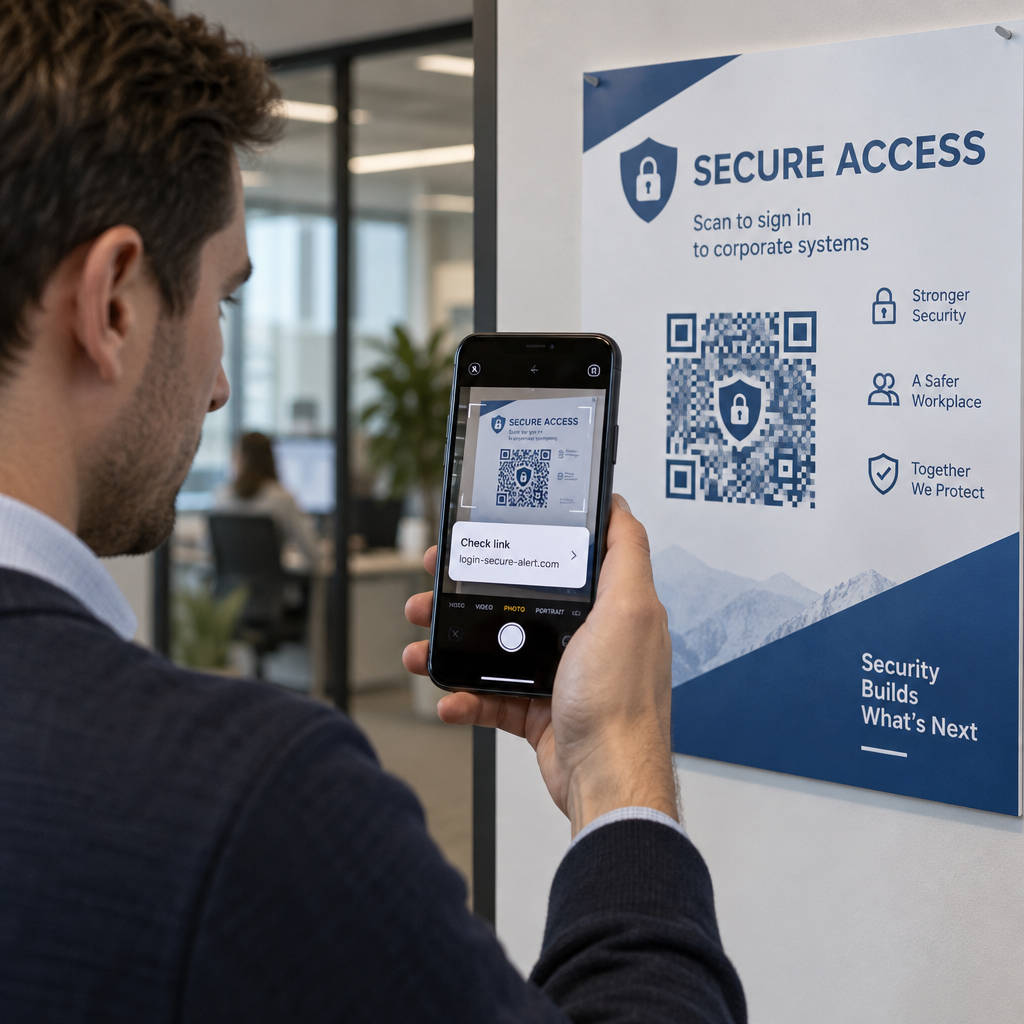
A quishing az identitáslopás egy formája, ahol a támadók rosszindulatú linkeket ágyaznak be QR-kódokba, és e-mailben, nyomtatott szórólapokon vagy nyilvános táblákon keresztül terjesztik azokat. A céloldal gyakran legitimnek tűnik – egy valódi bejelentkezési vagy fizetési oldalt utánozva –, ahol az áldozatokat érzékeny információk megadására kérik.
Az Egyesült Államok szövetségi bűnüldöző szervei kifejezetten figyelmeztettek, hogy a quishing támadások gyakran hamis sürgősségi érzetet keltenek, hogy nyomást gyakoroljanak az emberekre a gyors beolvasásra és cselekvésre. A hitelesítő adatok adathalászata teszi ki a fejlett QR-kód fenyegetések túlnyomó többségét, így ez az egyik legsúlyosabb kockázat az ügyfélfiókokat vagy fizetéseket kezelő vállalkozások számára.
Adatvédelmi kitettség
Minden QR-kód beolvasás metaadatokat rögzíthet – eszköz típusa, hely, időbélyeg, böngésző – attól függően, hogy hogyan van konfigurálva a nyomon követés. Megfelelő ellenőrzés nélkül ezek az adatok nyilvánosságra kerülhetnek, helytelenül kezelhetők, vagy olyan módon gyűjthetők, amely sérti az adatvédelmi előírásokat. Az GDPR (EU-felhasználók számára) vagy CCPA/CPRA (kaliforniai lakosok számára) hatálya alá tartozó vállalkozások jelentős bírságokkal szembesülnek a helytelen adatkezelés miatt. Tudjon meg többet a QR-kódok által okozott konkrét adatvédelmi kockázatokról és azok kezeléséről.
Megszakadt élmények, amelyek aláássák a bizalmat
A biztonság nem csak a támadásokról szól. Egy QR-kód, amely hibás linkre, nem mobilbarát oldalra vagy lassan betöltődő webhelyre vezet, rossz élményt teremt, amely aláássa az ügyfelek bizalmát. Ha a kódjai akár alkalmanként is hibáznak, az ügyfelek kevésbé lesznek hajlandóak beolvasni őket – és fogékonyabbá válnak arra az érvre, hogy “a QR-kódokban nem lehet megbízni”.”
Biztonságos QR-kód létrehozás: Mire figyeljen a bevezetés előtt
Használjon dinamikus QR-kódokat statikusak helyett
A legjelentősebb biztonsági döntés, amit hozhat, a választás dinamikus QR kódok a statikusak helyett. Íme, miért fontos:
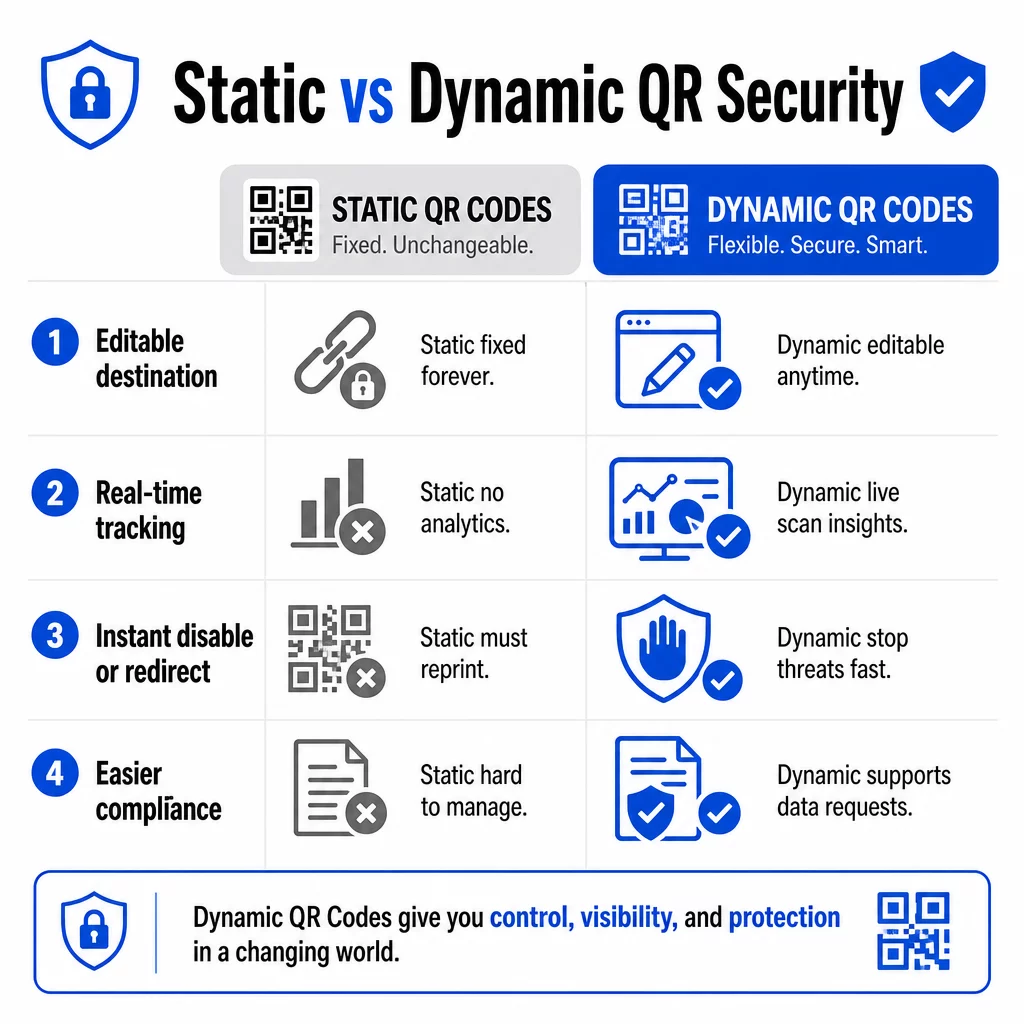
| FUNKCIÓ | Statikus QR-kódok | Dinamikus QR-kódok |
|---|---|---|
| Cél URL | Véglegesen rögzítve | Bármikor szerkeszthető |
| Szkenneléskövetés | Nem támogatott | Teljes analitika mellékelve |
| Válasz a fenyegetésekre | Újra kell nyomtatni | Azonnal letiltható vagy átirányítható |
| Megfelelőségi támogatás | Nehéz | Könnyebb kezelni az adatigényléseket |
| Költségek | Ingyenes vagy alacsony | Előfizetéses |
A statikus kódok közvetlenül a mintába ágyazzák a célt. Kinyomtatás után nem módosíthatók. Ha egy statikus kód kompromittálódik, vagy problémás helyre vezet, az egyetlen lehetőség az, hogy újra kinyomtatja és újra terjeszti az összes anyagot, amelyen szerepel.
A dinamikus kódok egy rövid átirányító URL-t használnak, amelyet egy irányítópultról vezérelhet. Ha gyanús szkennelési tevékenységet észlel, vagy frissítenie kell a célt, azonnal megteheti – anélkül, hogy egyetlen nyomtatott elemet is megérintene. Bármely folyamatban lévő kampányhoz a dinamikus kódok a megfelelő választás.
Kampányai nyomon követése és védelme valós időben Használja a Dinamikus QR-kód generátor olyan kódok létrehozásához, amelyeket azonnal frissíthet, felügyelhet és letilthat, ha bármi gyanúsnak tűnik.
Csak HTTPS-biztosított célhelyekre mutasson a link
Minden URL-nek, amelyre a QR-kódjai mutatnak, TLS/SSL titkosítást kell használnia – ezt az `https://` és a böngészőben lévő lakat ikon jelzi. Ez biztosítja, hogy a felhasználó eszköze és az Ön webhelye közötti kapcsolat titkosított legyen, és hogy a webhely tanúsított és megbízható.
Kerülje a HTTP célhelyekre mutató linkeket, még ideiglenesen is. Ha egy oldal címe megváltozik, megfelelően konfigurálja az átirányításokat, ahelyett, hogy hagyná az eredeti URL-t megszakadni. Egy halott link bizalomromboló; egy nem biztonságos oldalra történő átirányítás biztonsági kockázatot jelent. Tekintse át a biztonságos QR-kód generálási legjobb gyakorlatok teljes ellenőrzőlistáját.
Adjon látható márkajelzést minden kódhoz
Egy egyszerű fekete-fehér QR-kód nem ad semmilyen jelzést a felhasználóknak arról, hogy honnan származik, vagy hogy biztonságos-e. A márkajelzéssel ellátott QR-kódokat – amelyek tartalmazzák az Ön logóját, márkaszíneit és tervezési sablonjait – az támadók sokkal nehezebben tudják meggyőzően lemásolni, és már a szkennelés előtt jelezik a hitelességet az ügyfeleknek.
Használjon olyan színeket, amelyek illeszkednek vizuális identitásához, tartson fenn magas kontrasztot a szkennelhetőség érdekében, és tartsa tisztán a terveket. Ha olyan URL-t is használ, amely tartalmazza az Ön domain nevét (ahelyett, hogy egy általános rövid link domain lenne), az ügyfeleknek további ellenőrzési pontjuk van.
Alkalmazzon szerepalapú hozzáférés-vezérlést
Ha több csapattag kezeli a QR-kód kampányait, korlátozza, hogy ki szerkesztheti vagy tilthatja le a kódokat. Az élő kódokon végrehajtott jogosulatlan változtatások – akár véletlenek, akár rosszindulatúak – komoly kockázatot jelentenek. A szerepalapú engedélyekkel ellátott központosított kezelés biztosítja, hogy csak az arra jogosult személyek végezhessenek változtatásokat, ami különösen fontos a vállalati csapatok vagy ügynökségek számára, amelyek több ügyfél nevében kezelnek kódokat.
Fizikai elhelyezés és manipuláció megelőzése
Az, hogy hogyan és hol jeleníti meg a QR-kódokat, befolyásolja a használhatóságot és a biztonságot is. Az elhelyezési döntések ugyanolyan figyelmet érdemelnek, mint maguk a kódok.
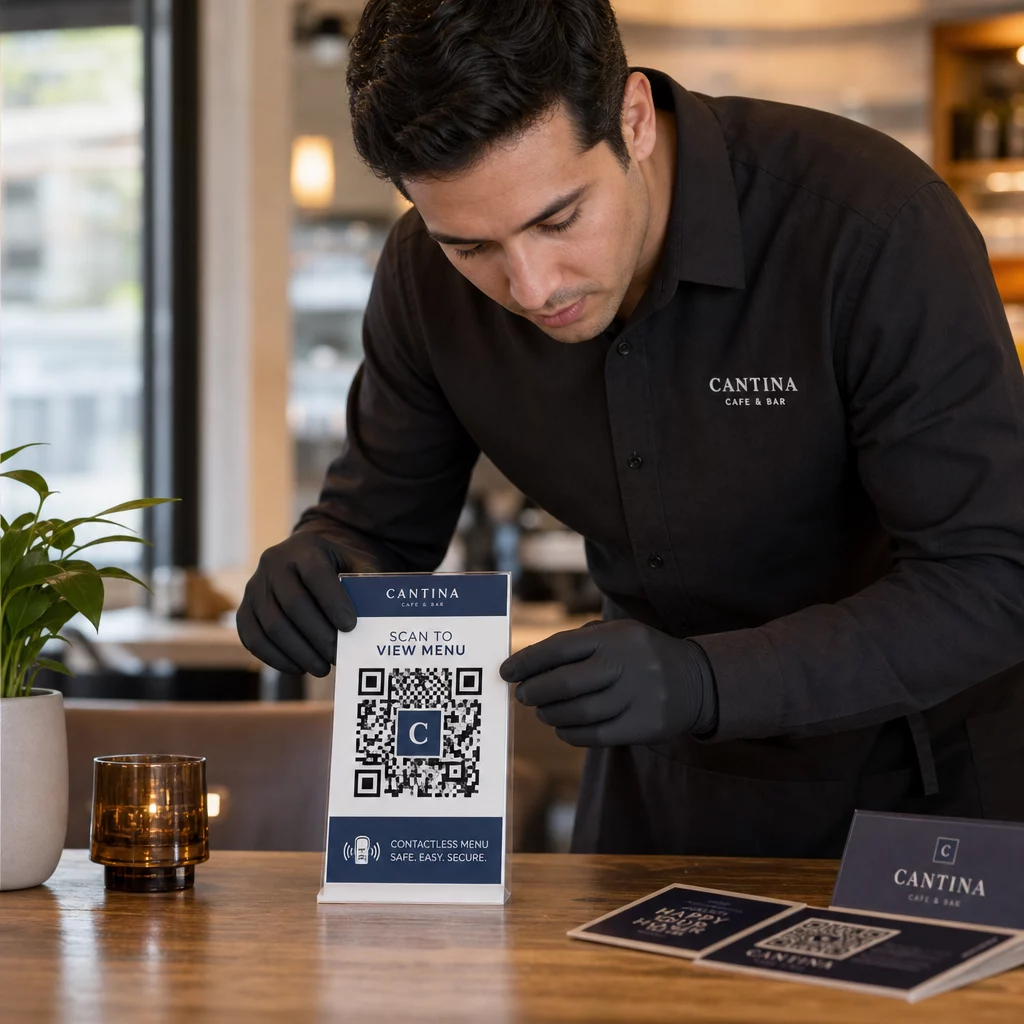
- Használjon manipulációt jelző anyagokat a nyilvános helyeken megjelenített kódokhoz. A menükön, pultokon vagy falakon lévő kódokat lehetőség szerint közvetlenül az anyagra kell nyomtatni, nem pedig eltávolítható matricaként felragasztani.
- Fizikai kódok rendszeres ellenőrzése, különösen nagy forgalmú helyeken. Tartson referenciaképet arról, hogy néz ki a jogos kódja, hogy a személyzet észrevehesse az illetéktelen cseréket.
- Rögzítse a kijelzőket fix helyeken. Az üveg alatt lévő, felületekre laminált vagy táblákba integrált kódokat sokkal nehezebb meghamisítani, mint a laza betéteket vagy papírkiadványokat.
- Helyezze el a kódokat megfelelő szemmagasságban – általában 106 és 167 cm között – jól megvilágított területeken, jó kontraszttal a háttérhez képest.
A szövetségi útmutatás kifejezetten figyelmezteti a fogyasztókat, hogy szkennelés előtt ellenőrizzék a fizikai QR-kódokat a manipuláció jelei (például az eredeti fölé ragasztott matrica) szempontjából. Azzal, hogy fizikailag nehezebbé teszi a kódok cseréjét, csökkenti annak kockázatát, hogy az ügyfelek csalárd verzióval találkozzanak.
Mit mondjon az ügyfeleknek szkennelés előtt
Az ügyfelek a második védelmi vonala. Ha megértik, hogyan néz ki egy biztonságos QR-kód interakció, jobban felkészültek arra, hogy észrevegyenek valami hibát.
Mindig helyezzen el egy világos, specifikus cselekvésre ösztönző felhívást minden QR-kód mellé. Az olyan homályos utasítások, mint a “Szkenneljen itt”, nem segítik a felhasználókat annak felmérésében, hogy egy kód legitim-e. Ehelyett használjon olyan kifejezéseket, mint:
- “Szkenneljen a mai menü megtekintéséhez”
- “Szkenneljen a nyugta eléréséhez”
- “Szkenneljen a termék beállítási útmutatójáért”
Ez a kontextuális információ megmondja a felhasználóknak, mire számíthatnak a szkennelés után – megkönnyítve annak felismerését, ha valami nincs rendben. Egy QR-kód, amely menüt ígér, de bejelentkezési oldalt nyit meg, azonnali vörös zászló.
Ösztönözze az ügyfeleket, hogy a követés előtt tekintsék meg az URL-t. A legtöbb modern okostelefon-kamera megjeleníti a cél URL-t a böngésző elindítása előtt. A felhasználóknak keresniük kell az Ön felismerhető domainjét, és ellenőrizniük kell a helyesírási hibákat vagy a helyettesített karaktereket (például `paeg1oot.com` a `pageloot.com` helyett).
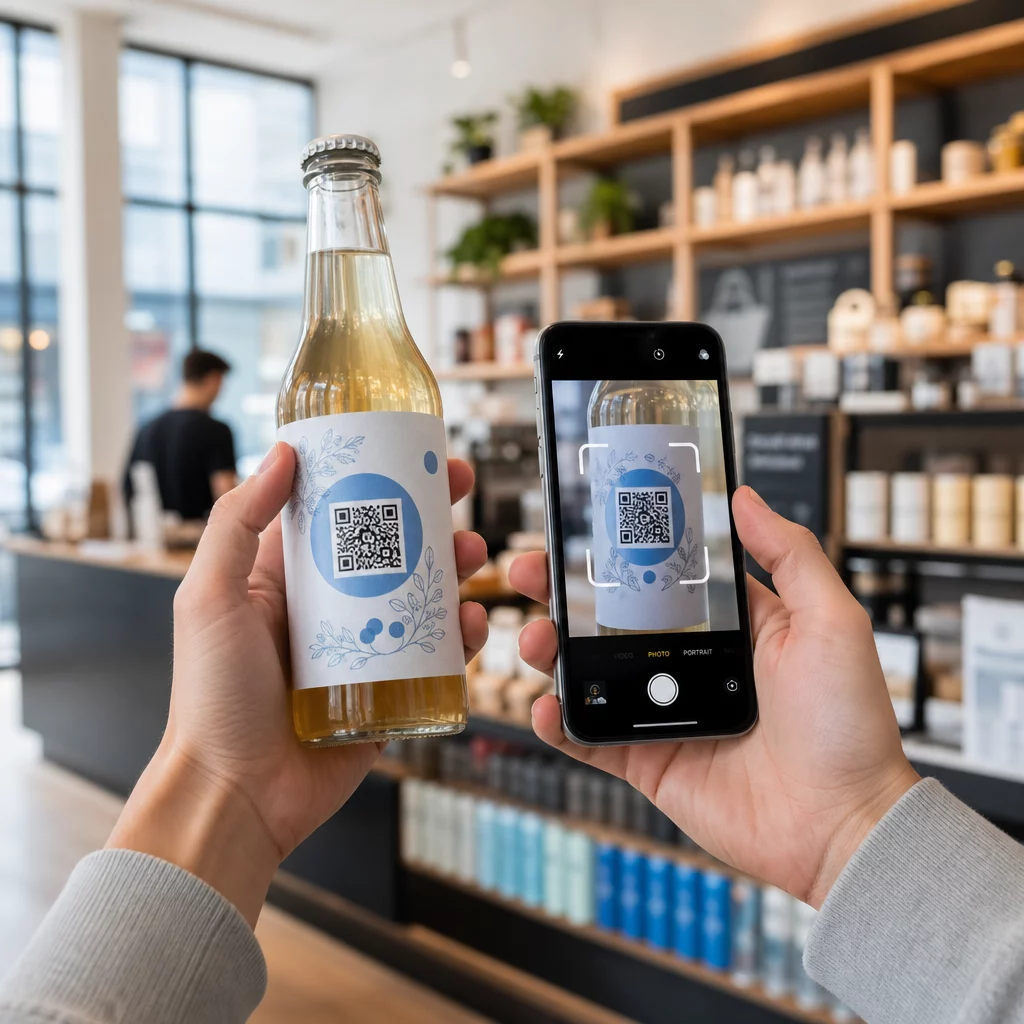
Tanácsolja, hogy ne használjon ismeretlen forrásból letöltött harmadik féltől származó QR-szkenner alkalmazásokat. A natív okostelefon-kamerák (az iOS és az Android is tartalmaz beépített QR-szkennelést) a legbiztonságosabb opciók, és megjelenítik az URL-előnézeteket a navigálás előtt.
Kampányok figyelése gyanús tevékenység szempontjából
Biztonságos QR-kód létrehozása nem egyszeri művelet. Az aktív felügyelet az, ami elválasztja a biztonságos kampányt attól, amelyet kihasználnak.
A dinamikus QR-kódok valós idejű nyomon követési adatokat biztosítanak beleértve a szkennelések számát, az eszköz típusát, az operációs rendszert és a földrajzi helyet. Ezek az adatok kettős célt szolgálnak: mérik a kampány teljesítményét és jelzik az anomáliákat.
Figyelje ezeket a figyelmeztető jeleket a szkennelési adataiban:
- Hirtelen megugrás a szkennelések számában egy váratlan földrajzi régióból
- Nagy mennyiségű szkennelés egyetlen eszközről vagy IP-címről rövid időn belül
- Szkennelési minták, amelyek nem egyeznek a várt közönséggel (rossz eszközök, rossz időpontok, rossz helyek)
Ezen minták bármelyike jelezheti, hogy egy kódot rosszindulatú szereplők kihasználnak vagy tesztelnek. Dinamikus kódokkal azonnal letilthatja az érintett URL-t, átirányíthat egy biztonságos céloldalra, és kivizsgálhatja, mielőtt eldöntené, hogy folytatja-e a kampányt.
Állítson be rendszeres ellenőrzéseket – digitálisat (elemzések áttekintése) és fizikait (kódelhelyezések ellenőrzése) egy meghatározott ütemterv szerint. Minél hamarabb észlel egy problémát, annál kevesebb kárt okozhat.
Lásson minden szkennelést, ahogy történik A Pageloot irányítópultja teljes áttekintést nyújt a szkennelési teljesítményről és az anomáliákról. Kezdje el nyomon követni QR-kód kampányait dinamikus kódokkal még ma.
Az adatvédelmi előírásoknak való megfelelés
Ha QR-kódjai bármilyen felhasználói adatot gyűjtenek – még ha csak a szkennelés helyét és az eszköz típusát is –, jogi kötelezettségei vannak attól függően, hogy hol találhatók az ügyfelei.
GDPR akkor alkalmazandó, ha az Európai Unióban élő felhasználókat céloz meg. Kifejezett hozzájárulást igényel a személyes adatok gyűjtése előtt, és előírja, hogy a felhasználók kérhetik adataikhoz való hozzáférést vagy azok törlését. A be nem tartás akár a globális éves bevétel 4%-ának megfelelő, vagy 20 millió eurós bírságot von maga után, attól függően, hogy melyik a nagyobb összeg.
CCPA/CPRA a kaliforniai lakosokra vonatkozik, és jogot biztosít számukra az adatgyűjtésből való kilépésre. Bár nem mindig igényel előzetes hozzájárulást, világos tájékoztatást és hozzáférhető leiratkozási mechanizmust ír elő. A szándékos jogsértések incidensenként akár 7 988 dolláros bírságot is vonhatnak maguk után.
Gyakorlati lépések a megfelelőség fenntartásához:
- Csak a kampánycélokhoz szükséges minimális adatot gyűjtse
- Tegye könnyen megtalálhatóvá adatvédelmi irányelveit bármely QR-kód céloldalról
- Használjon olyan QR-kód platformot, amely támogatja az adattörlési kérelmeket
- Válasszon olyan platformokat, amelyek elismert megfelelőségi tanúsítványokkal rendelkeznek, mint például a GDPR, SOC 2 vagy HIPAA, ahol releváns
Az adatok kezelésének átláthatósága jogi követelmény és bizalomépítő intézkedés is. Azok az ügyfelek, akik megértik, mit gyűjt – és miért –, nagyobb valószínűséggel használják a kódjait. Fedezze fel részletesebben, hogyan építhet adatvédelmi szempontból megfelelő QR-kód kampányokat.
Tesztelés telepítés előtt
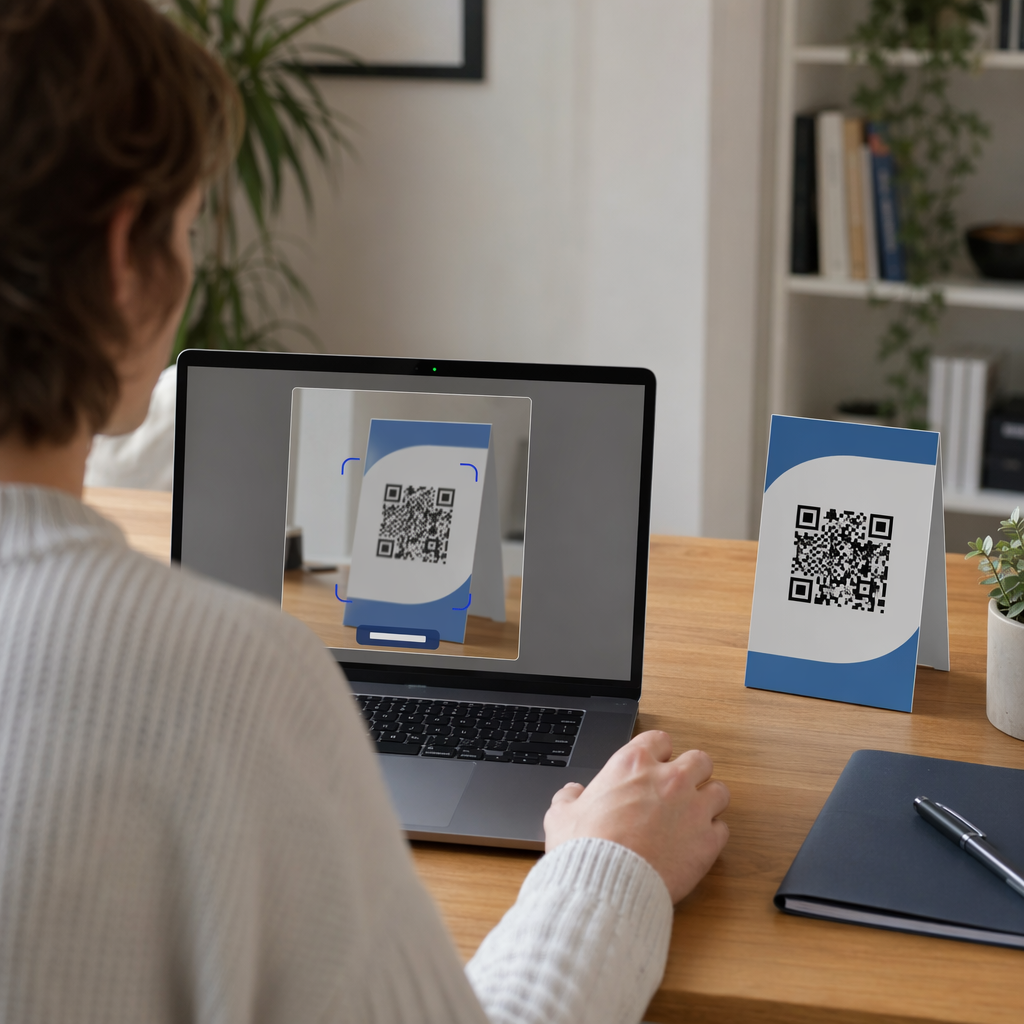
Egyetlen QR-kód sem kerülhet élesbe anélkül, hogy több eszközön és körülmény között tesztelték volna. Egy kód, amely tökéletesen beolvasható a telefonján, hibát mutathat egy régebbi Android-eszközön, gyenge fényviszonyok között, vagy kisebb méretben nyomtatva.
Telepítés előtt:
- Tesztelje iOS és Android eszközökön is natív kameraalkalmazások segítségével
- Olvassa be a várható fényviszonyok között az egyes elhelyezési helyeken
- Ellenőrizze, hogy a céloldal helyesen töltődik-e be, és teljesen mobilra optimalizált-e
- Erősítse meg az oldalbetöltési sebességet – a lassú oldalak növelik az elhagyást, és lehetőséget teremtenek a türelmetlen felhasználók számára, hogy máshová irányítsák őket.
- Ellenőrizze, hogy az előzetes beolvasási előnézetben megjelenő URL megegyezik-e a várt domainnel
Mert Nyomtatott anyagokban elhelyezett QR-kódok, használjon vektoros formátumokat (SVG, EPS vagy PDF) a nyomtatáshoz az elmosódás elkerülése érdekében. Tartson fenn egy csendes zónát – a kód körüli fehér szegélyt – legalább négy modul szélességben minden oldalon. A legtöbb marketinganyag minimális gyakorlati mérete 0,8 × 0,8 hüvelyk; névjegykártyákhoz közelről nézve legalább 1 × 1 hüvelyk.
Csapatának képzése
A technológiai ellenőrzések csak bizonyos mértékig hatékonyak. Marketingcsapatának meg kell értenie, hogyan néz ki egy biztonságos QR-kód kampány, és milyen jelek utalnak arra, hogy valami rosszul sült el.
Fedje le ezeket a területeket a csapatképzés során:
- Hogyan ismerhető fel egy manipulált fizikai kód
- Hogyan értelmezhetők a szkennelési elemzések és azonosíthatók az anomáliák
- Milyen lépéseket kell tenni, ha egy kód feltételezhetően kompromittálódott (letiltás, kivizsgálás, értesítés)
- Hogyan alkalmazhatók a márkaépítési és HTTPS követelmények új kódok létrehozásakor
- Hogyan írjunk hatékony cselekvésre ösztönző felhívásokat, amelyek kontextust biztosítanak a felhasználók számára
A QR-kód marketing ellenőrzőlista kisvállalkozások számára hasznos referencia ezen munkafolyamatok beépítéséhez a csapat szabványos folyamatába.
Gyakori kérdések
Statikus QR-kódok véglegesen beágyazzák a cél URL-t a kódmintázatba, és létrehozás után nem módosíthatók. Ha egy statikus kód kompromittálódik vagy hibás oldalra vezet, újra kell nyomtatnia minden fizikai elemet, amelyen megjelenik. A dinamikus QR-kódok rövid átirányítási URL-t használnak, amelyet egy irányítópultról vezérelhet, így frissítheti a célt vagy azonnal letilthatja a kódot anélkül, hogy bármit is újra kellene nyomtatnia. A dinamikus kódok emellett valós idejű szkennelési analitikát is biztosítanak, ami segít a gyanús tevékenységek észlelésében. Bármely marketingkampányhoz, ahol a biztonság és a rugalmasság számít, a dinamikus kódok a jobb választás.
Rendszeresen ellenőrizze a fizikai kódokat minden elhelyezési helyen, és hasonlítsa össze őket az eredeti kód referencia képével. Digitálisan figyelje a szkennelési analitikáját szokatlan mintákra – váratlan volumenugrások, ismeretlen földrajzi régiókból származó szkennelések, vagy egyetlen eszközről származó szkennelések magas gyakorisága. Mivel a dinamikus QR-kódok valós időben követik nyomon ezeket a mutatókat, gyorsan észlelheti az anomáliákat, és letilthatja az érintett átirányítást, mielőtt jelentős kár keletkezne.
Minden QR-kódról hivatkozott céloldalnak HTTPS-t (TLS/SSL titkosítás) kell használnia, gyorsan be kell töltenie mobileszközökön, és egyértelműen meg kell jelenítenie a márkaidentitását, hogy a felhasználók megerősíthessék, jó helyen járnak. Azon oldalak esetében, amelyek felhasználói adatokat gyűjtenek, tegyen közzé egy látható linket az adatvédelmi szabályzathoz, valamint egy hozzáférhető leiratkozási vagy hozzájárulási mechanizmust a GDPR vagy CCPA előírásainak megfelelően. Ha az oldal érzékeny információkat, például fizetési vagy bejelentkezési adatokat kezel, fontolja meg a többfaktoros hitelesítés hozzáadását további védelmi rétegként.