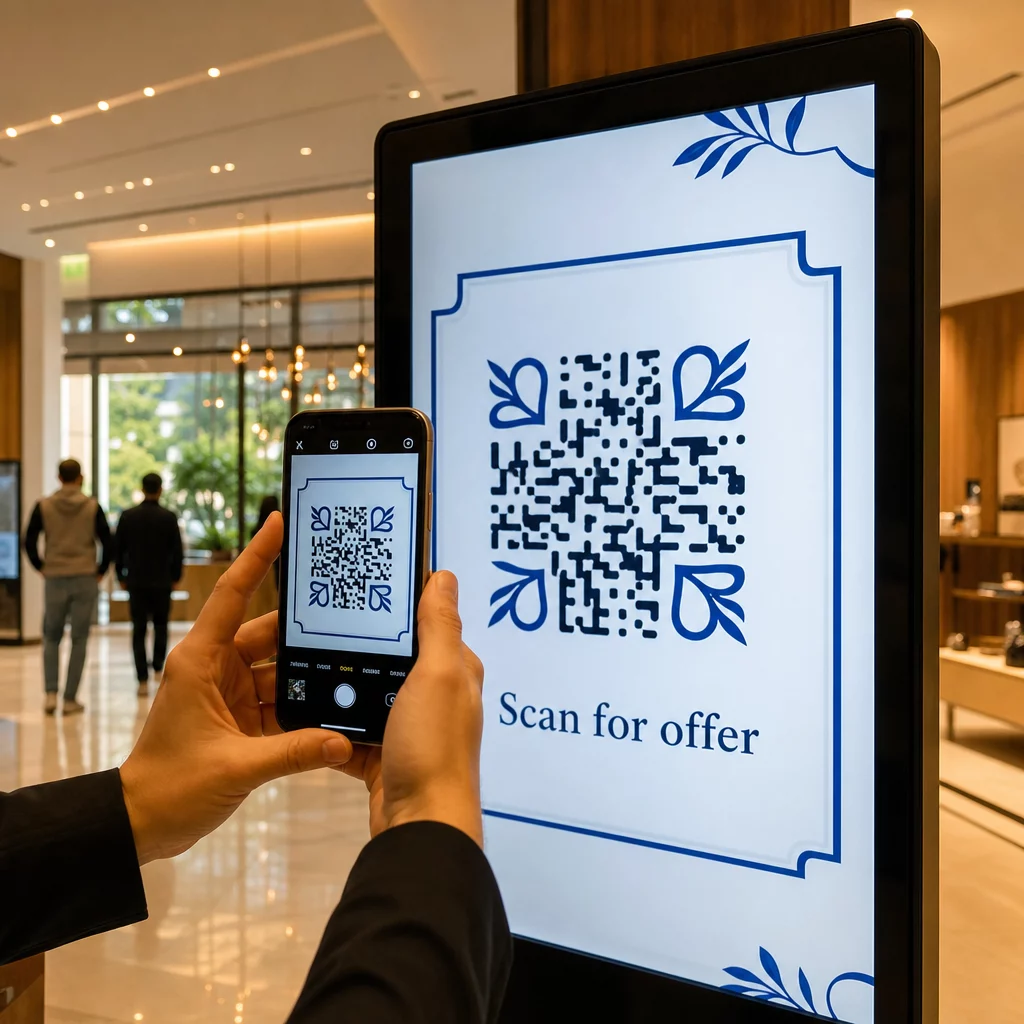
Czy Twoje cyfrowe wyświetlacze generują zaangażowanie, czy tylko wyświetlenia? Kod QR zamienia pasywny ekran w interaktywny punkt styku – ale tylko wtedy, gdy jest prawidłowo zaprojektowany i umieszczony. Ten przewodnik zawiera wszystko, co musisz wiedzieć, aby kody QR na ekranach faktycznie działały.
Dlaczego kody QR sprawiają, że wyświetlacze cyfrowe są bardziej efektywne
Cyfrowe oznakowanie i ekrany już dobrze przyciągają uwagę. Problem polega na przekształceniu tej uwagi w działanie. Widz czyta Twoją wiadomość, czuje się zainteresowany, a potem… przechodzi dalej. Nie ma mechanizmu, który połączyłby moment zainteresowania z kolejnym krokiem.
Kod QR wypełnia tę lukę. Kiedy ktoś skanuje kod na Twoim wyświetlaczu, dobrowolnie decyduje się na dalsze zaangażowanie – sygnalizuje zamiar. To pojedyncze skanowanie może połączyć go ze stroną produktu, ofertą promocyjną, formularzem rejestracyjnym lub filmem, wszystko z ekranu, na który już patrzył.
Jest to szczególnie przydatne w sytuacjach, gdy Twoja publiczność nie ma pod ręką długopisu lub nie będzie pamiętać, aby wyszukać później: targi, powierzchnie handlowe, węzły komunikacyjne i miejsca publiczne. Kod wykonuje pracę, nawet gdy Ty jesteś nieobecny.
Gdzie kody QR na wyświetlaczach działają najlepiej
Nie każde środowisko ekranowe jest równie odpowiednie dla kodów QR. Najlepsze miejsca mają wspólną cechę: widz ma naturalny moment, aby się zatrzymać, wyjąć telefon i zeskanować.
- Witryny sklepowe i fasady dają oglądającym witryny dostęp do szczegółów produktów, recenzji, cen lub opcji zakupu online, nawet gdy sklep jest zamknięty
- Wyświetlacze na targach i wystawach są idealne do przekształcania ruchu na stoisku w potencjalnych klientów – kody mogą prowadzić do cyfrowych broszur, zgłoszeń do konkursów, obserwowania w mediach społecznościowych lub ekskluzywnych ofert targowych
- Ekrany LED i kioski w sklepach docierają do odbiorców o dużym natężeniu ruchu pieszego i mogą wywoływać impulsywne działania, takie jak skanowanie w celu uzyskania zniżki lub oglądanie premiery nowego produktu
- Wyświetlacze w punktach sprzedaży i przy kasach to doskonałe miejsce na rejestracje do programów lojalnościowych, cyfrowe paragony lub promocje na kolejne zakupy
- Oznakowanie w transporcie publicznym i pojazdach rozszerza Twój zasięg do osób dojeżdżających do pracy i przechodniów – kod QR na oznakowanej furgonetce dostawczej, na przykład, działa całkowicie samodzielnie po wdrożeniu
Aby uzyskać głębsze spojrzenie na to, jak strategia umieszczania w sklepie wpływa na zaangażowanie, zobacz najlepszych miejsc na kody QR w sklepach detalicznych oraz porównanie kodów QR na opakowaniach w porównaniu z ekspozycjami sklepowymi.
Dobieranie odpowiedniego rozmiaru dla ekranów cyfrowych
Rozmiar to najczęstszy błąd w przypadku kodów QR na ekranach. Kod, który wygląda na duży w pliku projektowym, może stać się prawie niemożliwy do zeskanowania, gdy jest wyświetlany na monitorze po drugiej stronie pokoju.
Standardowa wytyczna to zasady 10:1: Twój kod QR powinien mieć co najmniej jedną dziesiątą zamierzonej odległości skanowania. Jeśli widzowie będą stać 1 metr od ekranu, kod musi mieć co najmniej 10 cm szerokości. Z 3 metrów celuj w 22–30 cm. Z 10 metrów, patrzysz na kod, który musi mieć mniej więcej 1 metr z każdej strony.
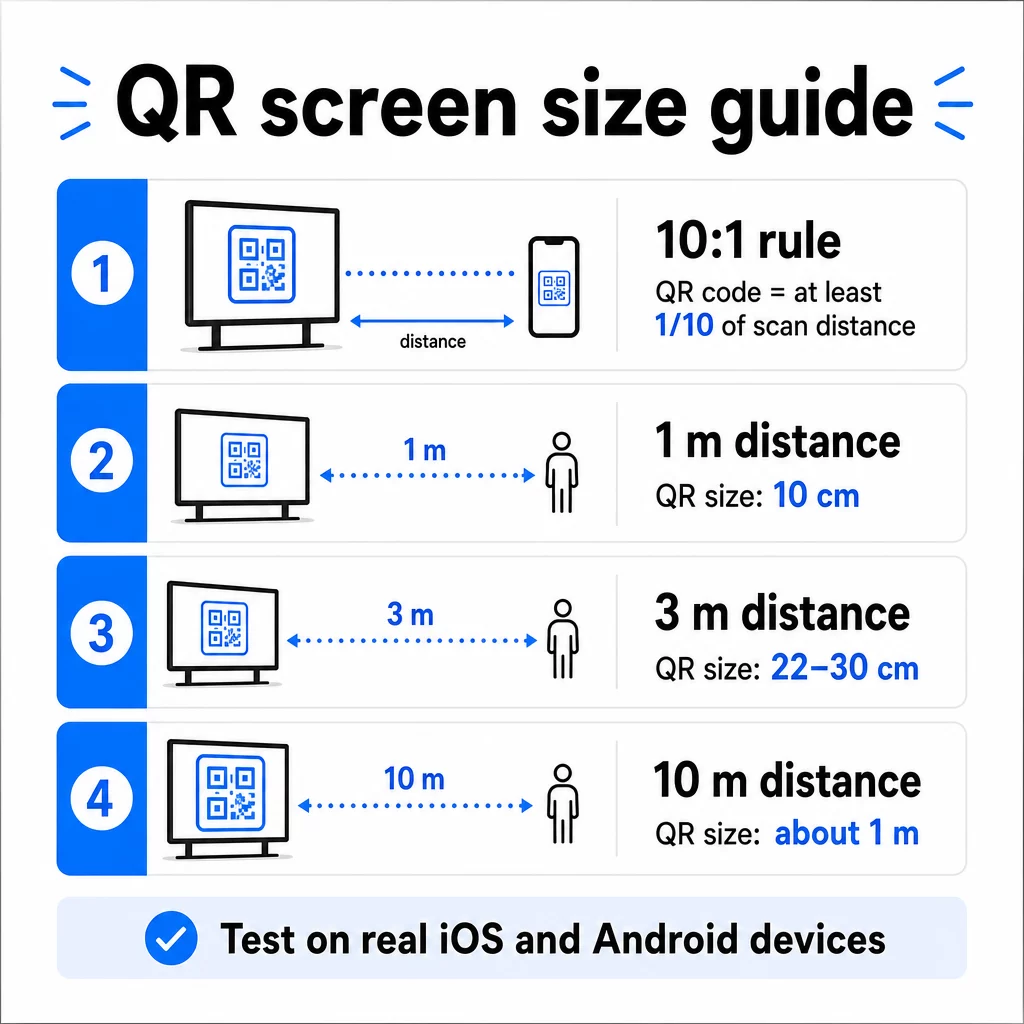
Dla odniesienia na wyświetlaczach 1080p, minimum 240 pikseli przy 72 dpi to punkt wyjścia dla skanowania z bliskiej odległości, ale to minimum musi znacznie wzrosnąć wraz ze wzrostem odległości oglądania. W przypadku ogólnego oznakowania cyfrowego, żaden kod QR nie powinien być mniejszy niż około 2 × 2 cale – a większy jest zawsze bezpieczniejszy, gdy ludzie skanują z odległości.
Zawsze weryfikuj rozmiar w rzeczywistych warunkach. Przetestuj kod w rzeczywistym rozmiarze wyświetlania, z zamierzonej odległości skanowania, zarówno na urządzeniach iOS, jak i Android, przed sfinalizowaniem projektu. Zapoznaj się z pełnymi wytycznymi dotyczącymi rozmiaru kodów QR dla różnych materiałów i kontekstów przy skalowaniu w różnych formatach.
Kontrast i kolor: Co sprawia, że kod jest skanowalny
Aparat smartfona odczytuje kod QR, wykrywając kontrast między ciemnymi modułami a jasnym tłem. Jeśli ten kontrast jest słaby, aparat ma trudności z rozróżnieniem wzoru – a skanowanie kończy się niepowodzeniem.
Niezawodny standard to ciemnego pierwszego planu na jasnym tle, przy czym czarny na białym jest najbardziej niezawodnym połączeniem. Używając kolorów marki, zachowaj wzór QR w ciemnym kolorze, a tło jasne. Unikaj odwróconych schematów kolorów (biały kod na czarnym tle), ponieważ wiele czytników kodów QR nie jest w stanie ich niezawodnie przetworzyć.
Dla ekranów w szczególności, kontrast staje się bardziej skomplikowany, ponieważ oświetlenie otoczenia, odblaski ekranu i częstotliwość odświeżania wpływają na to, co widzi kamera. Dąż do współczynnika kontrastu co najmniej 4,5:1 między kodem a jego tłem – ten próg wspiera również dostępność dla użytkowników z wadami wzroku. Unikaj gradientów i cieni w obszarze kodu, ponieważ tworzą one półtony, które mylą skanery.
Aby uzyskać pełne zestawienie par kolorów i ich wyników skanowania, zobacz przewodnik na temat najlepszymi praktykami kontrastu kolorów kodów QR.
Strefa Ciszy: Przestrzeń, która umożliwia skanowanie
Strefa ciszy to pusta ramka otaczająca kod QR ze wszystkich czterech stron. Nie jest dekoracyjna – jest funkcjonalna. Skanery używają tej pustej przestrzeni do identyfikacji początku i końca kodu, oddzielając go od innych elementów wizualnych, takich jak tekst, obrazy czy wzory tła.
Minimalna strefa ciszy to cztery moduły szerokości z każdej strony, gdzie moduł to szerokość najmniejszego kwadratu w kodzie. Jeśli skalujesz kod, strefa ciszy musi skalować się proporcjonalnie. Przycinanie lub obcinanie ramki – nawet nieznaczne – może powodować stałe błędy skanowania.
Na wyświetlaczach cyfrowych, gdzie projektanci często zmagają się z zatłoczonymi układami i ograniczoną przestrzenią ekranu, strefa ciszy jest często pierwszą rzeczą, która zostaje ściśnięta. Nie pozwól na to. Utrzymuj strefę ciszy wolną od logo, tekstu i wszelkich elementów projektowych, i upewnij się, że pasuje do koloru tła, aby wizualnie oddzielić kod od otoczenia.
Więcej na temat wymagań dotyczących strefy ciszy oraz najlepsze praktyki czytelności kodów QR jest dostępne, jeśli optymalizujesz istniejący projekt.
Umiejscowienie i układ na ekranie
Miejsce, w którym kod znajduje się w układzie wyświetlacza, wpływa zarówno na widoczność, jak i na szybkość skanowania. Kilka zasad stosuje się konsekwentnie:
- Umieść na wysokości wzroku. Umieszczenie kodu na wysokości około 105 do 135 cm od podłogi sprawia, że jest on dostępny zarówno dla stojących dorosłych, jak i dla użytkowników na wózkach inwalidzkich – bez konieczności kucania czy rozciągania.
- Umieść kod w naturalnym przepływie czytania. Umieszczenie na środku ekranu lub na dole pośrodku zazwyczaj działa dobrze; unikaj ukrywania kodu w rogu, gdzie konkuruje z innymi elementami.
- Używaj jednego kodu na wyświetlacz, jeśli to możliwe. Wiele kodów myli widzów co do tego, który zeskanować i może spowodować, że aplikacje aparatu skupią się na niewłaściwym.
- Zachowaj czysty projekt otoczenia. Zbyt wiele konkurujących treści na ekranie zmniejsza wskaźniki skanowania; daj kodowi wizualną przestrzeń do oddychania
W przypadku cyfrowych wyświetlaczy, które rotują treści, wyświetlaj kod QR przez cały czas trwania jego slotu. Widzowie potrzebują wystarczająco dużo czasu, aby zauważyć kod, zdecydować się na skanowanie i zakończyć skanowanie, zanim zmieni się slajd. Aby uzyskać więcej kontekstu na temat strategii rozmieszczania w różnych środowiskach, artykuł kompletny przewodnik po umieszczaniu kodów QR w marketingu omawia decyzje dotyczące układu w formatach drukowanych i cyfrowych.
Pisanie wezwania do działania, które generuje skany
Kod QR bez kontekstu jest ignorowany. Widzowie muszą wiedzieć – zanim sięgną po telefon – co otrzymają po zeskanowaniu.
Umieść krótkie, konkretne wezwanie do działania bezpośrednio obok kodu. “Zeskanuj, aby zobaczyć dzisiejsze menu”, “Zeskanuj, aby wziąć udział w losowaniu” lub “Zeskanuj, aby otrzymać 20% zniżki na kolejne zamówienie” działają lepiej niż ogólne komunikaty, takie jak “Skanuj tutaj”. Im bardziej konkretna korzyść, tym wyższy wskaźnik skanowania.
Zachowaj krótki tekst – wystarczą dwa do pięciu słów. Większe czcionki i wysoki kontrast dla tekstu CTA stosują te same zasady co sam kod: musi być czytelny z prawdopodobnej odległości widza. Zobacz dodatkowe wskazówki dotyczące najlepszych praktyk użyteczności kodów QR aby dowiedzieć się więcej o skutecznym kadrowaniu.
Dokąd powinien prowadzić skan
Każde skanowanie, które nie dostarcza natychmiastowej wartości, to stracona okazja. Ponieważ widzowie będą korzystać ze smartfonów, miejsce docelowe musi być stronę docelową zoptymalizowaną pod kątem urządzeń mobilnych która szybko się ładuje i spełnia konkretną obietnicę wezwania do działania.
Unikaj wysyłania użytkowników na swoją stronę główną lub do ogólnego katalogu produktów. Jeśli kod znajduje się na wyświetlaczu kasy promującym program lojalnościowy, strona docelowa powinna być formularzem rejestracji do programu lojalnościowego – nic więcej. Jeśli znajduje się na wyświetlaczu targowym, miejscem docelowym może być formularz zbierania danych kontaktowych lub arkusz specyfikacji do pobrania.
A Kod QR formularza Google jest praktyczną opcją do zbierania opinii, rejestracji na wydarzenia lub ankiet bezpośrednio z wyświetlacza. A kodu QR z linku działa dla każdego miejsca docelowego opartego na adresie URL i obsługuje pełną personalizację oraz śledzenie.
Zachowaj elastyczność swoich kodów QR na wyświetlaczach Chcesz zaktualizować, do czego prowadzi kod, bez zmiany samego kodu? Użyj Generator kodów QR do tworzenia dynamicznych kodów, które pozwalają edytować miejsce docelowe w dowolnym momencie – bez konieczności ponownego drukowania lub przeprojektowywania.
Używanie dynamicznych kodów QR na ekranach
Statyczne kody QR kodują stały adres URL lub fragment danych, który nigdy nie może się zmienić. W przypadku wyświetlaczy – zwłaszcza cyfrowych tablic informacyjnych, które rotują kampanie lub promują oferty ograniczone czasowo – stwarza to problem. Jeśli połączona treść się zmieni, musisz ponownie utworzyć i wdrożyć kod.
Dynamiczne kody QR rozwiązują to, kodując krótki adres URL przekierowania. Rzeczywiste miejsce docelowe można zaktualizować w dowolnym momencie za pośrednictwem panelu konta, podczas gdy sam kod pozostaje taki sam. Oznacza to, że możesz:
- Zaktualizować ofertę promocyjną bez przeprojektowywania układu ekranu
- Przekierować jeden kod do różnych kampanii w zależności od sezonu lub wydarzenia
- Natychmiast naprawić uszkodzony link bez żadnych zmian na wyświetlaczu
Dynamiczne kody odblokowują również analitykę skanowania – dane o tym, ile razy kod został zeskanowany, z jakiej lokalizacji, na jakim urządzeniu i o której godzinie. Dane te pomagają określić, które miejsca wyświetlania generują rzeczywiste zaangażowanie, a które są pomijane.
W przypadku ekranów z rotującą treścią, dynamiczne kody są szczególnie cenne, ponieważ ten sam zasób wizualny może służyć różnym kampaniom w czasie.
Śledź każde skanowanie z każdego ekranu Chcesz wiedzieć, które wyświetlacze faktycznie generują zaangażowanie? Użyj platformy Pageloot dynamicznych kodów QR do monitorowania w czasie rzeczywistym wskaźników skanowania, lokalizacji i danych urządzeń – i udoskonalaj swoją strategię wyświetlania na podstawie tego, co pokazują dane.
Testowanie przed uruchomieniem
Nawet dobrze zaprojektowany kod QR może zawieść w praktyce z powodu jasności wyświetlacza, kąta widzenia, częstotliwości odświeżania ekranu lub oświetlenia otoczenia. Zanim jakikolwiek wyświetlacz zostanie uruchomiony:
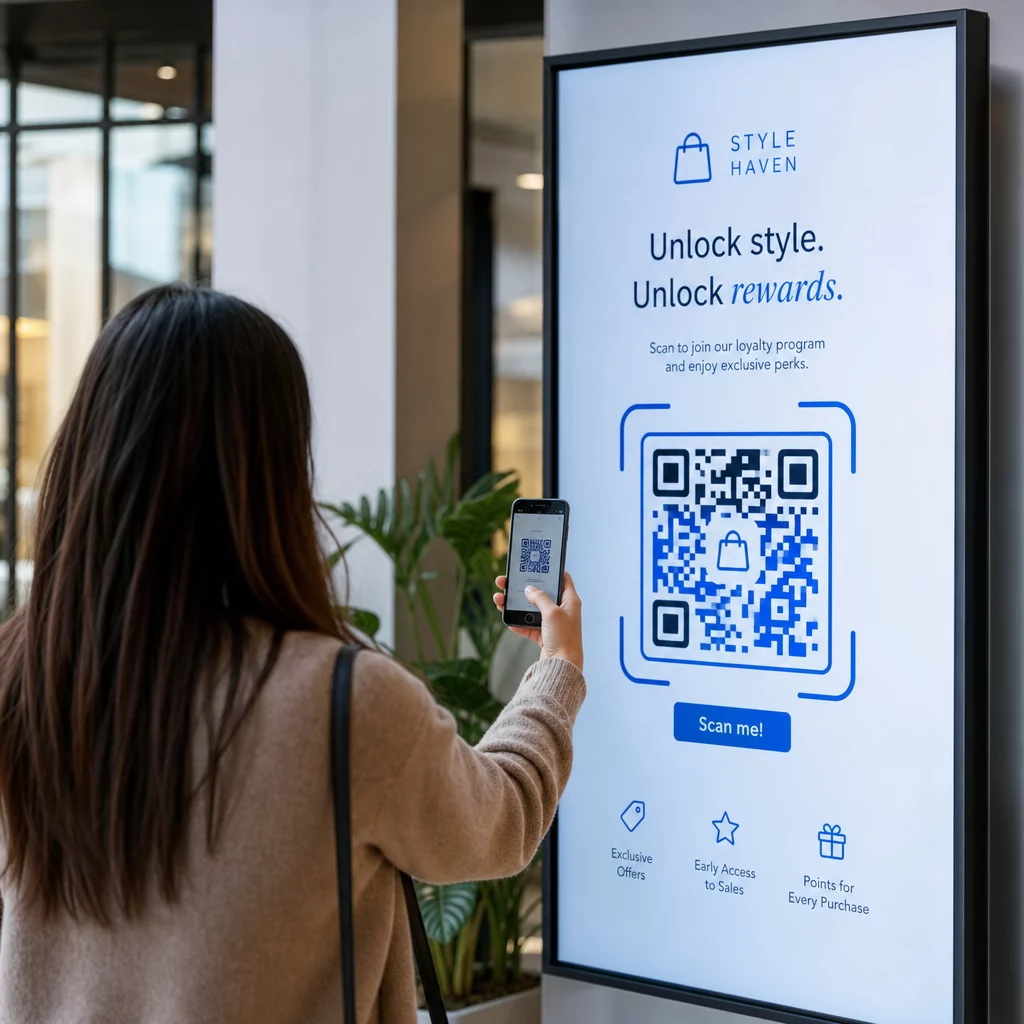
- Przetestuj kod w rzeczywistym rozmiarze i rozdzielczości ekranu, na którym będzie wyświetlany
- Skanuj z zamierzonych minimalnych i maksymalnych odległości
- Testuj na wielu urządzeniach – co najmniej jednym telefonie z systemem iOS i jednym z Androidem
- Testuj o różnych porach dnia, jeśli wyświetlacz znajduje się w pobliżu naturalnych źródeł światła, które zmieniają się w ciągu dnia
- Sprawdź, czy strona docelowa ładuje się poprawnie na urządzeniach mobilnych i zapewnia oczekiwane wrażenia
Plik Narzędzie do skanowania kodów QR może być użyty do weryfikacji zawartości kodu i potwierdzenia, że działa poprawnie przed wdrożeniem.
Poznaj Przegląd funkcji Pageloot oraz rozwiązania branżowe aby dowiedzieć się więcej o tym, jak kody QR mogą być stosowane w różnych kontekstach wyświetlania i sektorach biznesowych. Dobrze umieszczony, odpowiednio duży kod QR z wyraźnym wezwaniem do działania może zamienić każdy ekran w punkt konwersji. Dopasuj kontrast, strefę ciszy, rozmiar i miejsce docelowe – a następnie użyj dynamicznych kodów i analityki, aby stale się doskonalić. Zacznij od Generator kodów QR aby stworzyć swój pierwszy skanowalny kod wyświetlany już dziś.
Najczęściej zadawane pytania
Zastosuj zasadę 10:1: kod powinien mieć co najmniej jedną dziesiątą oczekiwanej odległości skanowania. Dla wyświetlacza skanowanego z 1 metra, kod powinien mieć co najmniej 10 cm szerokości. Dla ogólnego oznakowania cyfrowego, minimum 2 × 2 cale to rozsądny punkt wyjścia, przy czym rozmiar zwiększa się wraz ze wzrostem odległości oglądania. Zawsze testuj przy rzeczywistym rozmiarze i odległości wyświetlacza przed uruchomieniem.
Tak, jeśli używasz dynamicznego kodu QR. Kody dynamiczne używają adresu URL przekierowania, więc możesz zaktualizować miejsce docelowe w panelu swojego konta w dowolnym momencie – sam kod pozostaje taki sam. Jest to szczególnie przydatne w przypadku cyfrowych wyświetlaczy, które promują rotacyjne kampanie lub oferty ograniczone czasowo, ponieważ unikasz przeprojektowywania lub ponownego wdrażania wyświetlacza za każdym razem, gdy zmienia się połączona treść.
Najczęstsze przyczyny to niewystarczający kontrast między kodem a jego tłem, strefa ciszy, która została przycięta lub zagracona przez otaczające elementy graficzne, oraz kod, który jest zbyt mały jak na odległość oglądania. Na ekranach, jasność wyświetlacza i odblaski mogą również przeszkadzać. Upewnij się, że Twój kod używa ciemnego wzoru na jasnym tle, zachowuje wyraźną czteromodułową strefę ciszy ze wszystkich stron i spełnia wymagania dotyczące rozmiaru dla oczekiwanej odległości skanowania. Przetestuj na wielu urządzeniach, aby potwierdzić kompatybilność.