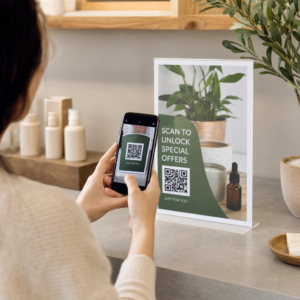
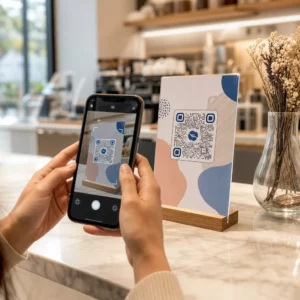
Szüksége van több száz – vagy több ezer – QR-kód generálására anélkül, hogy mindegyiket manuálisan építené fel? Egyenként létrehozni őket nagy léptékben kivitelezhetetlen, és inkonzisztenciát vezet be a kampányai között. Ez az útmutató végigvezeti Önt a tömeges QR-kód létrehozásának leggyorsabb, legmegbízhatóbb módszerein, a CSV-feltöltésektől a vállalati szintű automatizálásig.
Miért fontos a tömeges QR-kód létrehozás
Amikor termékbevezetést futtat, eseményregisztrációkat kezel, vagy leltárt címkéz, az egyedi QR-kód létrehozás egyszerűen nem skálázható. Még 50 kód esetén is órákig tartó ismétlődő munkát emészt fel a manuális generálás – és ez még a tervezési konzisztencia, a fájlszervezés vagy a nyomon követés beállítása előtt van.
A tömeges QR-kód eszközök ezt úgy oldják meg, hogy lehetővé teszik az összes kód definiálását egy strukturált fájlban – jellemzően CSV-ben vagy táblázatban –, és az egész köteg generálását egy munkafolyamatban. Az eredmény egy konzisztens, letöltésre kész kódkészlet, amely azonnal telepíthető.
A felhasználási esetek szinte minden iparágra kiterjednek:
- Kiskereskedelem és e-kereskedelem: egyedi termékkódok SKU-nként, amelyek specifikációkhoz, értékelésekhez vagy vásárlási oldalakhoz kapcsolódnak
- Rendezvények: résztvevőnkénti kódok bejelentkezéshez, munkamenet-hozzáféréshez vagy digitális programokhoz
- Vendégszeretet: asztalonkénti menükódok vagy szobaspecifikus információs linkek
- Logisztika és leltár: eszközcímkék, amelyek karbantartási nyilvántartásokhoz vagy helyadatokhoz kapcsolódnak
- Marketing ügynökségek: kampányspecifikus kódok egyedi nyomon követéssel elhelyezésenként
Mire van szüksége, mielőtt elkezdi
Mielőtt generálná a köteget, néhány döntés jelentősen befolyásolja a munkafolyamatát.
Statikus vs. dinamikus kódok: A statikus QR-kódok közvetlenül a mintába kódolják a célállomást. Kinyomtatás után nem módosíthatók. A dinamikus QR-kódok a platform által kezelt rövid átirányítási URL-t használnak, ami azt jelenti, hogy bármikor frissítheti a célállomást – még azután is, hogy a kódok már kinyomtatásra és terjesztésre kerültek. Tömeges kampányokhoz, ahol a tartalom változhat, dinamikus QR kódok a jobb választás.
Az adatfájlja: A tömeges generálási eszközök jellemzően CSV-t vagy táblázatot fogadnak el, egy sorral QR-kódonként. Minimum minden sornak tartalmaznia kell a cél URL-t vagy tartalmat. A platformtól függően mezőket is felvehet a kód nevéhez, mappához való hozzárendeléshez, UTM paraméterekhez vagy tervezési sablonhoz.
Tervezési konzisztencia: Ha a kódjainak márkaszíneket, logókat vagy specifikus keretstílusokat kell tartalmazniuk, győződjön meg arról, hogy az eszköz lehetővé teszi egy megosztott tervezési sablon alkalmazását az egész kötegre, ahelyett, hogy minden kódot egyedileg konfigurálna.
Volumen: Ismerje a léptékét, mielőtt eszközt választ. Egyes platformok néhány száz kódra korlátozzák a tömeges generálást kötegenként; a vállalati szintű platformok, mint a Pageloot, támogatják akár 100 000 QR-kódot egyetlen CSV-feltöltéssel.
Hogyan hozzunk létre QR-kódokat tömegesen CSV-feltöltéssel
A CSV-alapú tömeges generálás a leggyakoribb módszer. Íme, hogyan működik a folyamat egy Pageloot-hoz hasonló platformon.
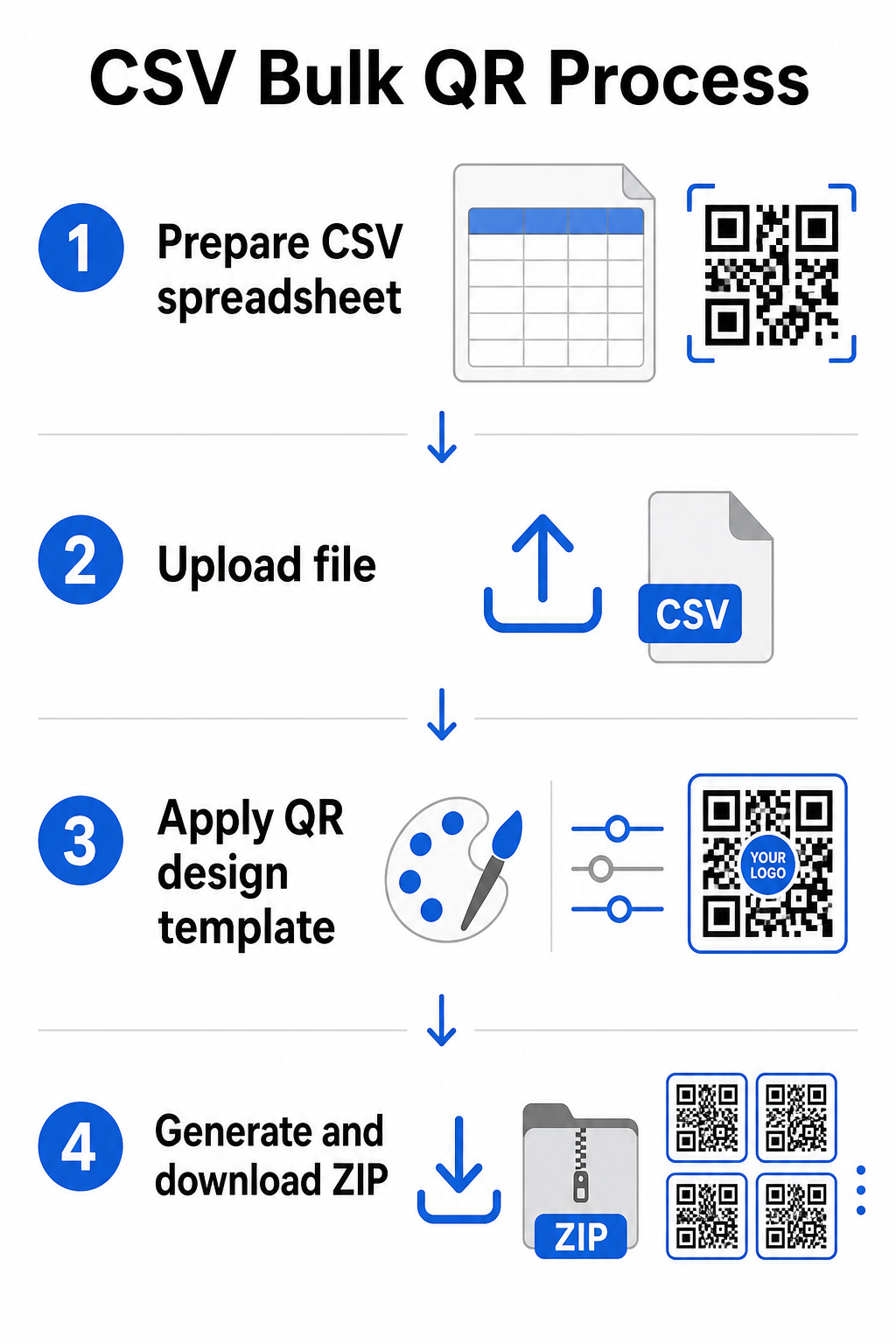
lépés: Készítse elő a táblázatát
Nyisson meg egy táblázatkezelő eszközt – Excel, Google Sheets vagy bármely CSV-szerkesztő – és strukturálja az adatait. Minden sor egy QR-kódot képvisel. Tartalmazzon minimum:
- A cél URL-t vagy tartalmat minden kódhoz
- Egy nevet vagy címkét minden kódhoz (ez segít a későbbi rendszerezésben)
- Bármilyen kampány- vagy mappaazonosítót, amit használni szeretne
Exportálja a fájlt CSV-ként (vesszővel elválasztott értékek), amikor készen áll a feltöltésre.
lépés: Töltse fel a CSV-t a tömeges generátorba
Jelentkezzen be Pageloot fiókjába, és navigáljon a tömeges létrehozás szakaszba. Töltse fel CSV fájlját. A platform minden sort elemzi, és sorba állítja a kódokat generálásra. Tekintse át az előnézetet, hogy megbizonyosodjon a leképezés helyességéről – a cél URL-eknek meg kell egyezniük a szándékolt sorokkal.
lépés: Alkalmazzon tervezési sablont
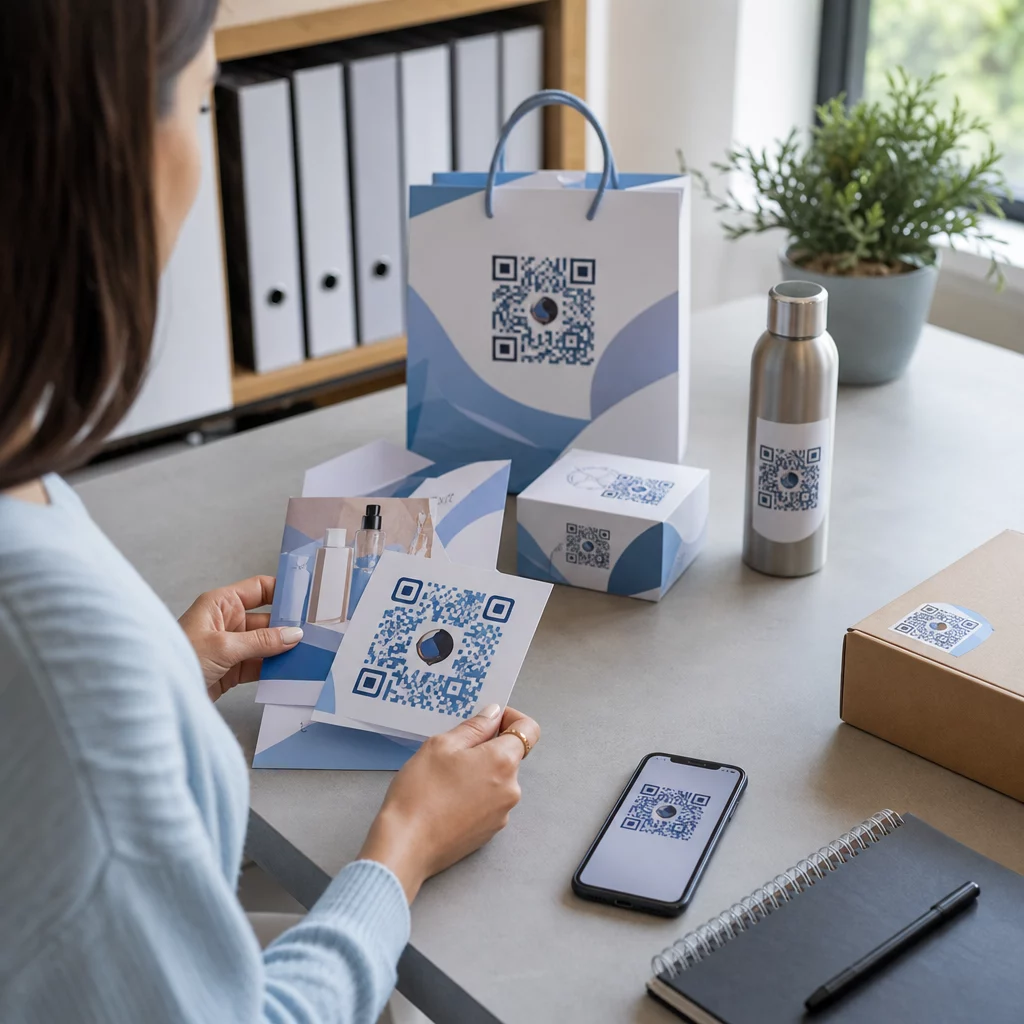
Ahelyett, hogy minden kódot manuálisan stílusozna, válasszon egy megosztott tervezési sablont, amelyet az egész kötegre alkalmaz. Itt adhatja hozzá márkája logóját, választhat színeket és konfigurálhat keretstílusokat. Egy konzisztens design alkalmazása ebben a szakaszban biztosítja, hogy minden kód egységesen nézzen ki a csomagoláson, nyomtatott anyagokon vagy táblákon.
lépés: Generálás és letöltés
Indítsa el a köteget. A platform egyszerre generálja az összes kódot, és letöltésre csomagolja őket, jellemzően ZIP fájlként, amely egyedi képfájlokat (PNG, SVG, PDF vagy EPS, az Ön kimeneti igényeitől függően) tartalmaz. A fájlnevek általában megegyeznek a táblázatban szereplő kódnevekkel, így egyszerűen hozzárendelhető minden kód a rendeltetésszerű használatához.
Generálja az egész köteget egyszerre Hagyja ki a manuális munkát, és hozzon létre több száz vagy több ezer QR-kódot egyetlen táblázatból. Használja a QR Kód Generátor vagy fedezze fel Dinamikus QR-kód lehetőségek hogy még ma elkezdje a tömeges létrehozást.
Google Sheets használata tömeges statikus QR-kódokhoz
Ha a csapata már a Google Táblázatokban dolgozik, a Pageloot közvetlen integrációt biztosít több statikus QR-kód táblázatadatokból történő generálásához. Ez a megközelítés különösen kényelmes azoknak a csapatoknak, amelyek élő adatokat tartanak fenn a Táblázatokban – termékkatalógusokat, eseményrésztvevői listákat vagy helyszínkönyvtárakat –, ahol a forrásadatok már strukturáltak és együttműködve frissülnek.
A folyamat a CSV-módszerhez hasonló, de exportálás és újra feltöltés helyett közvetlenül csatlakoztatja a Táblázatát. A kijelölt oszlop minden sora egy QR-kód bemenetévé válik. Ez csökkenti a súrlódást azoknál a csapatoknál, amelyek nem akarnak külön CSV-exportokat kezelni minden alkalommal, amikor a forrásadatok megváltoznak.
Nagy tételek rendszerezése generálás után
A kódok generálása csak a kihívás egy része. Nagy mennyiségben a rendszerezésük önálló feladattá válik. Néhány gyakorlat jelentősen segít.
Használjon mappákat a kódok kampány, projekt, ügyfél vagy termékvonal szerinti rendezéséhez. A Pageloot QR-kód mappa funkciója megkönnyíti a több tucat aktív kampány elkülönítését, így a csapattagok zavartalanul navigálhatnak. Hozzon létre egy világos elnevezési konvenciót a CSV-fájljában a feltöltés előtt – valami olyasmit, mint a `kampány-név`elhelyezésvariáns` – így az egyes kódok könnyen megtalálhatók és később párosíthatók az analitikai adataikkal. Végül, csoportosítsa felhasználási esetek szerint a kezdetektől fogva: tartsa az eseménykódokat, termékkódokat és marketingkódokat külön mappákban, hogy a teljesítményjelentés tiszta és cselekvőképes maradjon.
Tömeges QR-kódok dinamikus frissítéssel
A statikus tömeges QR-kódok egyik jelentős korlátja, hogy bármilyen célállomás-változás újranyomtatást igényel. Ha 5000 termékcímkét generál, és a hivatkozott céloldal URL-je megváltozik, ezek a kódok elavulttá válnak abban a pillanatban, amikor terjesztik őket.
A dinamikus tömeges QR-kódok kiküszöbölik ezt a problémát. A tétel minden kódja egy rövid átirányítási URL-re mutat, amelyet a Pageloot tart fenn. Frissítheti az egyes kódok célállomását – vagy módosításokat küldhet egy egész tételre – anélkül, hogy magát a fizikai kódot megérintené. Ez különösen értékes szezonális kampányoknál, ahol a céloldalak változnak, termékcsomagolásoknál, ahol az információs oldalak nyomtatás után frissülnek, és előre elkészített eseményanyagoknál, mielőtt a végleges URL-ek megerősítésre kerülnének.
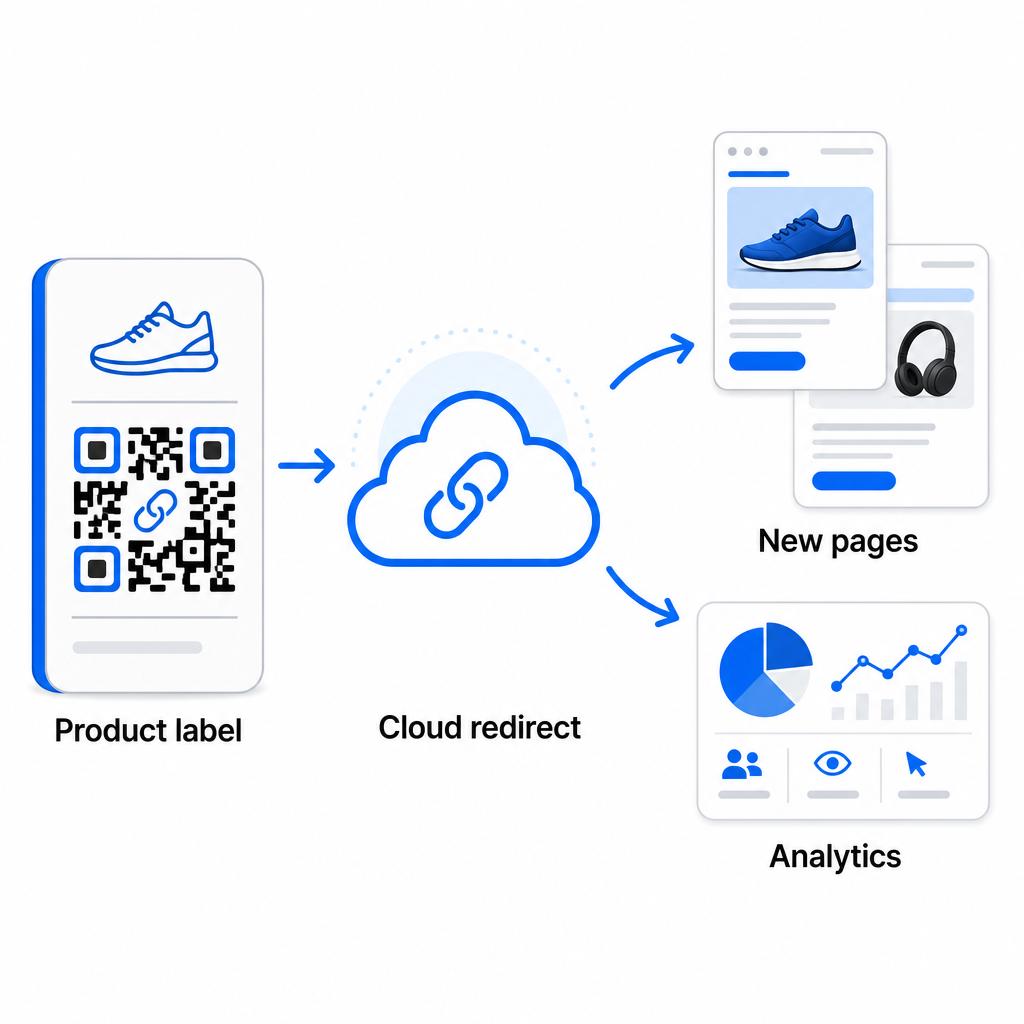
A rugalmasságon túl a dinamikus kódok feloldják a részletes szkennelési analitikát: szkennelések száma, szkennelési idők, földrajzi helyek, eszköz típusok, böngésző és operációs rendszer adatok, valamint GPS-alapú helymeghatározás. Bármely tömeges telepítésnél, ahol a teljesítmény számít, ez az adat közvetlen betekintést nyújt abba, hogy mely kódok működnek, és hol a legmagasabb az elkötelezettség. Többet megtudhat arról, hogy hogyan támogatják a dinamikus QR-kódok a marketingkampányokat és miért fontos ez a rugalmasság nagy léptékben.
Kövesse nyomon minden szkennelést a teljes tételen keresztül A dinamikus QR-kódok lehetővé teszik a célállomások frissítését és a teljesítmény valós idejű nyomon követését – a kampány minden kódjánál. Fedezze fel a Dinamikus QR-kód generátor hogy nyomon követhető tömeges kódokat hozzon létre teljes analitikai műszerfallal.
Skálázás vállalati mennyiségre
Azoknak a szervezeteknek, amelyek több tízezer kódot generálnak – gondoljunk nagy kiskereskedelmi láncokra, vállalati logisztikai műveletekre vagy országos marketingkampányokra – a munkafolyamatnak robusztusabbnak kell lennie, mint egyetlen CSV-feltöltés.
A Pageloot vállalati QR-kód platform támogatja a tömeges generálást nagy léptékben, CSV-alapú munkafolyamatokkal, amelyek akár 100 000 QR-kódot is képesek előállítani egyetlen művelettel. Ezen a szinten további szempontok is szerepet kapnak.
az API integráció teljesen kiküszöböli a manuális lépéseket azáltal, hogy automatizálja a kódgenerálást közvetlenül belső rendszerekből, mint például CRM-ekből, készletkezelő platformokból vagy e-kereskedelmi háttérrendszerekből. Az API-alapú munkafolyamatok lehetővé teszik a kódok programozott generálását, frissítését és visszavonását az adatok változásával. A gyakorlati működés mélyebb megértéséhez lásd a útmutatót a API-alapú QR-kód kezelés.
Szerepalapú hozzáférés fontossá válik nagy csapatok számára, lehetővé téve a különböző felhasználók számára, hogy specifikus kampányokat vagy ügyfeleket kezeljenek anélkül, hogy hozzáférnének nem kapcsolódó adatokhoz.
White-label opciók különösen relevánsak a ügynökségek számára, amelyek tömeges QR-telepítéseket kezelnek ügyfeleik nevében. A white-label funkciókkal a QR-kódok ügyfél domainekre mutatnak, és a műszerfalak ügyfélmárkázást viselnek – így az ügyfélélmény zökkenőmentes és professzionális marad.
Gyakori hibák, amelyeket el kell kerülni a tömeges generálás során
Néhány probléma ismétlődően felmerül, amikor a csapatok nagy mennyiségben generálnak QR-kódokat, és a legtöbbjük könnyen megelőzhető egy kis előzetes tervezéssel.
A nyomtatás előtti tesztelés hiánya a legköltségesebb hiba. Mindig olvasson be egy reprezentatív mintát a tételből, mielőtt nyomtatásba kezd. Egyetlen formázási hiba a CSV-ben több száz hibás kódhoz vezethet. Hasonlóképpen, statikus kódok használata változhat tartalomhoz olyan kockázat, amelyet a dinamikus kódok teljesen kiküszöbölnek – ha van esély arra, hogy egy cél URL vagy céloldal frissül, építse be ezt a rugalmasságot a kezdetektől fogva.
A fájlformátum-követelmények is fontosabbak, mint ahogy a csapatok gyakran gondolják. A nyomdai gyártáshoz vektoros formátumok (SVG, EPS, PDF) szükségesek az éles kimenethez bármilyen méretben, míg a PNG fájlok digitális használatra alkalmasak, de romolhat a minőségük, ha nagy formátumú nyomtatáshoz felnagyítják őket. A rendszerezés kihagyása a generálás előtt gyorsan kezelési fejfájást okoz – állítsa be a mappaszerkezetet és a névkonvenciót a tétel futtatása előtt, ne utána. Végül, az inkonzisztens design egy nagy tételen belül professzionálatlannak tűnik és aláássa a márka hitelességét; egy megosztott sablon alkalmazása a generáláskor sokkal hatékonyabb, mint a kódok egyenkénti szerkesztése utólag.
Gyakori kérdések
A legtöbb tömeges QR-kód eszköz, beleértve a Pagelootot is, elfogad CSV (vesszővel elválasztott értékek) fájlokat. Előkészítheti az adatait Excelben vagy Google Táblázatokban, és exportálhatja CSV-ként. Az Ön fájljának minden sora egy QR-kóddá válik. A Pageloot támogatja a közvetlen Google Táblázatok integrációt is a statikus tömeges generáláshoz anélkül, hogy külön fájlt kellene exportálnia.
Statikus QR-kódok véglegesen kódolják a célt – egyszer generálva és kinyomtatva a cél nem módosítható. A dinamikus QR-kódok a platform által kezelt átirányítási URL-t használnak, így bármikor frissítheti a célt újranyomtatás nélkül. Nagy tételek esetén, ahol a tartalom változhat – mint például termékoldalak, eseményrészletek vagy kampány céloldalak – a dinamikus kódok erősen ajánlottak. Emellett részletes szkennelési analitikát is biztosítanak, amit a statikus kódok nem tudnak nyújtani.
Ez a platformtól és a tervtől függ. A Pageloot vállalati szintű eszközei akár 100 000 QR-kód generálását is támogatják egyetlen CSV feltöltésből, így alkalmas nagyszabású kiskereskedelmi, logisztikai és marketing műveletekhez. Kisebb tételek esetén a standard tervek megfelelnek a tipikus üzleti igényeknek, mint például események, termékcsaládok vagy helyspecifikus kampányok.