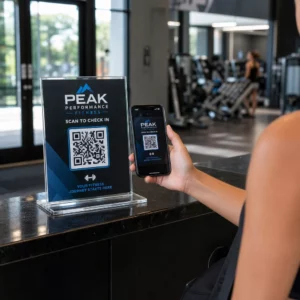
¿Quieres que tu código QR parezca parte de tu marca en lugar de un cuadrado genérico en blanco y negro? Un código QR simple funciona, pero uno de marca con tu logotipo y colores genera reconocimiento y se escanea más. Esta guía te muestra cómo crear un código QR personalizado que se vea profesional sin sacrificar la capacidad de escaneo.
Por qué los códigos QR de marca funcionan mejor
Un código QR estándar no le dice nada a un escáner sobre tu negocio. Uno de marca hace más trabajo incluso antes de que alguien lo escanee. Cuando tu logotipo se encuentra dentro del código y los colores de tu marca enmarcan el diseño, los clientes reconocen la fuente de inmediato. Ese reconocimiento genera confianza, y la confianza impulsa los escaneos.
Investigación cubierta en 7 ejemplos de códigos QR de marca muestra que los códigos QR de marca con logotipos pueden aumentar las tasas de escaneo entre un 30 y un 70% en comparación con los genéricos. Más allá de los números, un código de marca refuerza tu identidad visual cada vez que aparece en empaques, señalización o materiales impresos.
Empresas que aún están dando forma a su identidad visual pueden explorar ideas para un logotipo único para negocios antes de aplicarlo en códigos QR, empaques y otros materiales de marca. La clave es saber qué opciones de diseño ayudan y cuáles rompen la escaneabilidad.
Cómo la corrección de errores del código QR hace posible la integración del logotipo
Antes de personalizar tu código, ayuda entender por qué se pueden añadir logotipos sin romperlo. Los códigos QR incluyen corrección de errores incorporada basada en códigos Reed-Solomon, que añade datos redundantes para que los escáneres puedan reconstruir el patrón incluso cuando parte de él está oscurecido.
Hay cuatro niveles de corrección de errores:
- Nivel L – recupera hasta el 7% de los códigos dañados; tamaño de código más pequeño; mejor para uso en interiores limpios
- Nivel M – recupera hasta el 15%; la opción estándar para la mayoría de las aplicaciones de marketing
- Nivel Q – recupera hasta el 25%; adecuado para uso en exteriores o superficies texturizadas
- Nivel H – recupera hasta el 30%; recomendado siempre que añadas un logotipo
Cuando incrustas un logotipo en el centro de un código QR, estás oscureciendo intencionalmente parte del patrón. La corrección de errores de Nivel H lo compensa, permitiendo al escáner reconstruir los datos faltantes. Sin ella, incluso un pequeño logotipo puede causar fallos en el escaneo.
Para una mirada más profunda a cómo funciona esto en la práctica, vea Corrección de errores en códigos QR editables.
Cree un código QR de marca con un logotipo ¿Listo para construir un código QR que refleje su marca? Utilice el Generador de código QR con logo para subir su logotipo, elegir sus colores y generar un código escaneable y acorde a su marca en minutos.
Colocación del logotipo: Reglas que protegen la escaneabilidad
Añadir un logotipo incorrectamente es una de las razones más comunes por las que los códigos QR de marca fallan. Siga estas directrices para mantener su código fiable:
- Mantenga el logotipo centrado. El centro de un código QR contiene módulos de datos que se benefician más de la cobertura de corrección de errores. Centrar el logotipo evita los tres marcadores de posición de las esquinas, que son críticos para la orientación del escáner y nunca deben cubrirse.
- Limite la cobertura del logotipo a alrededor del 20-25% del área del código. Cubrir más del 30% va más allá de lo que incluso la corrección de errores de Nivel H puede recuperar. Acercarse al 20% le da un margen de seguridad cómodo.
- Utilice un archivo de logotipo de alta resolución. Un logotipo borroso o pixelado en el centro de un código añade ruido visual que puede interferir con el escaneo, especialmente en dispositivos antiguos. Utilice PNG o un formato vectorial como SVG para obtener el mejor resultado.
- Prefiera logotipos simples, cuadrados o circulares. Los logotipos rectangulares verticales corren el riesgo de superponerse a los patrones de temporización que recorren los bordes del código. Las formas horizontales o compactas son más seguras.
- Pruebe en múltiples dispositivos antes de imprimir. Un código que se escanea perfectamente en un iPhone nuevo puede fallar en un Android más antiguo con una cámara de menor resolución. Pruebe en diferentes plataformas y condiciones de iluminación.
Obtenga más información sobre la integración segura de logotipos en la guía sobre cómo agregar logotipos a los códigos QR.
Color y Contraste: Manteniendo los Colores de su Marca Escaneables
Puede usar los colores de su marca en un código QR, pero las elecciones de color afectan directamente si el código se escanea de manera confiable. Los escáneres leen la diferencia entre módulos oscuros y un fondo claro, no tonos específicos. Cuando ese contraste desaparece, también lo hace la escaneabilidad.
Las Reglas de Contraste a Seguir
- Use módulos de primer plano oscuros sobre un fondo claro. Este es el requisito básico. El clásico negro sobre blanco ofrece una relación de contraste de 21:1 y es la combinación más universalmente confiable.
- Mantenga una relación de contraste mínima de 4.5:1 para códigos más pequeños. Para códigos de gran formato vistos a distancia, una relación de 4:1 es aceptable. Puede verificar esto con cualquier verificador de contraste de accesibilidad web.
- Nunca invierta los colores. Un esquema claro sobre oscuro (blanco sobre negro) puede parecer llamativo, pero muchos escáneres QR fallan con esquemas de color invertidos.
- Evite los degradados dentro del patrón del módulo. Los degradados crean tonos medios que reducen el contraste local y confunden a los escáneres. Si desea un efecto de degradado, aplíquelo solo a elementos decorativos fuera del patrón del código, como un marco o un fondo.
- Mantenga la zona tranquila despejada. La zona tranquila es el margen en blanco que rodea el código QR. El estándar ISO requiere al menos cuatro módulos de espacio vacío en todos los lados. Si cada módulo tiene 2 mm de ancho, la zona tranquila debe tener al menos 8 mm en cada lado. Colocar texto, elementos decorativos o incluso su logotipo demasiado cerca de este borde puede causar fallos en el escaneo.
Para un desglose completo de qué combinaciones de colores funcionan y cuáles evitar, consulte la guía sobre mejores prácticas de contraste de color de códigos QR.
Tamaño y resolución: Acertar para la impresión
Un código QR bellamente diseñado que es demasiado pequeño para escanear anula su propósito. El tamaño afecta tanto la legibilidad como la distancia de escaneo.
- El tamaño mínimo para uso a corta distancia es de 0.8 × 0.8 pulgadas (aproximadamente 2 × 2 cm). Por debajo de esto, la mayoría de los escáneres tienen dificultades.
- Aplique la regla 10:1 para la distancia de escaneo. Por cada 10 cm de distancia de escaneo esperada, el código debe tener al menos 1 cm de ancho. Un código destinado a ser escaneado desde 50 cm de distancia debe tener al menos 5 cm de ancho.
- Exporte en formatos vectoriales para impresión. Los formatos SVG, EPS y PDF escalan sin perder calidad. Un PNG rasterizado a baja resolución aparecerá borroso al imprimirse, y un código borroso podría no escanearse. Exporte siempre a 300 DPI o superior para aplicaciones de impresión.
Para obtener orientación sobre el tamaño específico del contexto, consulte las mejores prácticas para la legibilidad de los códigos QR.
Paso a paso: Creación de un código QR de marca con un logotipo
Aquí hay un flujo de trabajo práctico para construir un código QR de marca que se escanee de manera confiable.
- Elija un generador que admita la incrustación de logotipos y la personalización de colores. No todas las herramientas lo hacen. Busque una que le permita establecer niveles de corrección de errores, cargar un logotipo y ajustar los colores de forma independiente. El de Pageloot generador de códigos QR cubre todo esto.
- Establezca su nivel de corrección de errores en H antes de añadir un logotipo. Algunos generadores tienen por defecto el Nivel M, lo cual no es suficiente cuando hay un logo presente.
- Introduce tu URL de destino o contenido. Si estás creando un código para una campaña o material impreso, considera usar un código QR dinámico para que puedas actualizar el destino más tarde sin reimprimir.
- Sube tu logo. Usa un archivo PNG o SVG. Mantén el logo simple – evita textos finos o ilustraciones complejas que pierdan claridad en tamaños pequeños.
- Aplica los colores de tu marca. Elige un color de primer plano oscuro que se alinee con la paleta de tu marca y combínalo con un fondo claro o blanco. Prueba la relación de contraste antes de finalizar.
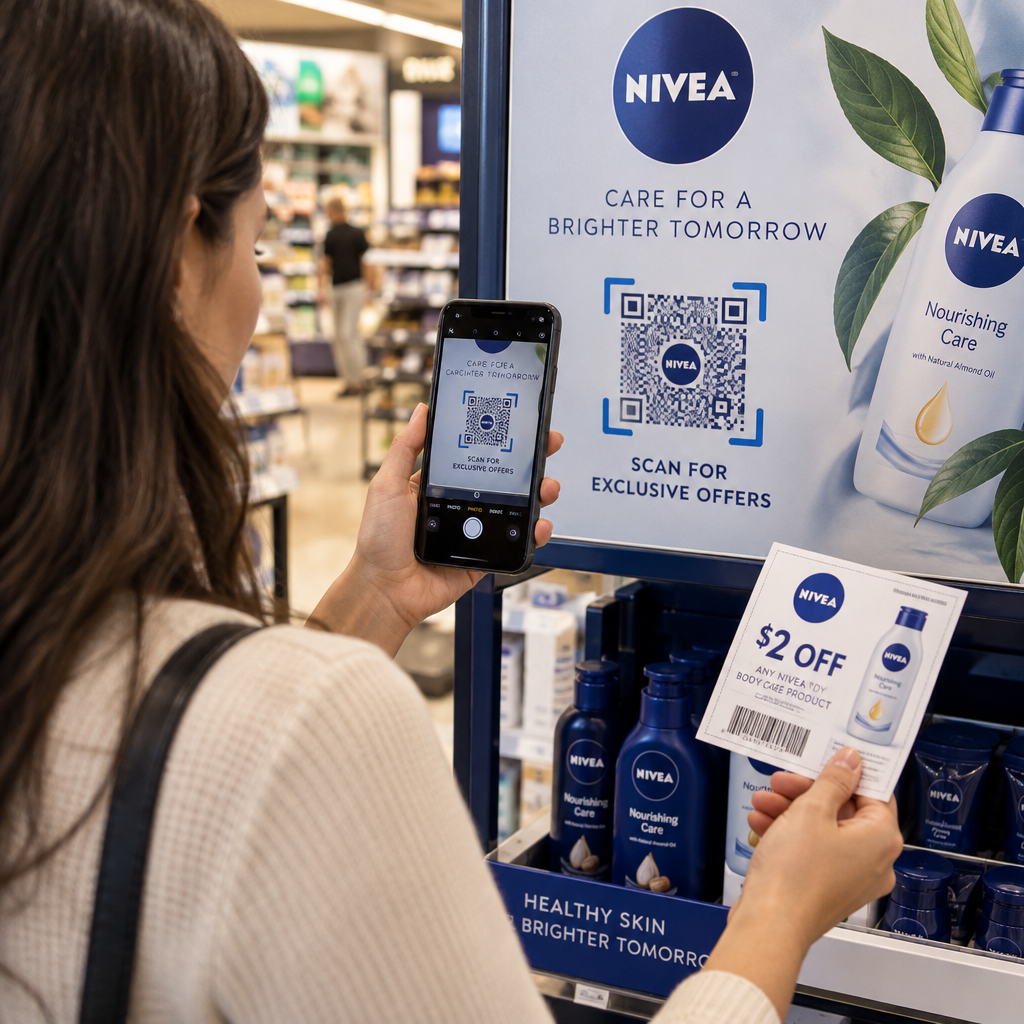
- Añade un marco con una llamada a la acción. Una frase corta como “Escanea para ver nuestro menú” o “Escanea para ofertas exclusivas” elimina la ambigüedad y aumenta las tasas de escaneo. Puedes combinar Marcos para códigos QR con los colores y el logo de tu marca.
- Previsualiza y prueba. Escanea el código en al menos dos dispositivos diferentes antes de descargarlo. Compruébalo en diferentes condiciones de iluminación y desde las distancias desde las que esperas que los usuarios escaneen.
- Descarga en el formato correcto. Usa SVG o EPS para impresión, PNG de alta resolución para uso digital.

Para diseños de marca listos para usar que puedes adaptar rápidamente, explora Plantillas de códigos QR.
Uso de códigos QR dinámicos para campañas de marca
Si su código QR de marca aparecerá en materiales impresos, un código dinámico le ofrece una ventaja significativa. Con un código estático, el destino queda bloqueado permanentemente. Con un código dinámico, la URL codificada en el patrón apunta a una redirección corta que usted controla. Puede cambiar a dónde lleva en cualquier momento sin reimprimir ni rediseñar el código.
Esto es importante para los códigos de marca en particular porque:
- Es posible que desee rotar ofertas de temporada o páginas de destino de campañas
- Puede arreglar enlaces rotos sin tocar el material físico
- Obtiene análisis de escaneo – datos en tiempo real sobre cuándo, dónde y con qué frecuencia se escanea el código
Los códigos dinámicos también combinan bien con los diseños de marca porque usted invierte más esfuerzo en un código que se ve profesional. Proteger esa inversión con contenido actualizable tiene sentido práctico. Obtenga más información sobre el conjunto completo de funciones disponible para códigos QR personalizados.
Aplicaciones en el Mundo Real por Industria
Comprender cómo otras empresas utilizan los códigos QR de marca puede ayudarle a identificar el enfoque correcto para sus propios materiales.
- Venta minorista: Las marcas de ropa incrustan códigos QR con su logotipo en las etiquetas colgantes, enlazando a guías de estilo, tablas de tallas o la tienda en línea. El logotipo en el centro hace que el código sea reconocible y acorde con la marca en el punto de venta.
- Restaurantes: Un código QR en un cartel de mesa o en la portada de un menú puede enlazar al menú digital, al sistema de reservas o al programa de fidelización. Combinar los colores del código con la paleta del restaurante mantiene el diseño cohesivo.
- Eventos: Los organizadores de eventos utilizan códigos QR de marca en credenciales, señalización y programas impresos para impulsar descargas de aplicaciones, registros o horarios de sesiones. Una alta corrección de errores es especialmente importante aquí, ya que los códigos pueden escanearse con iluminación variable.
- Empaques de productos: Un código QR de marca en el empaque puede enlazar a instrucciones de montaje, registro de garantía o reseñas de productos. Usar un código dinámico aquí significa que puede actualizar el destino a medida que el producto evoluciona.

Para ejemplos más detallados, consulte 7 ejemplos de códigos QR de marca.
Preguntas frecuentes
No, si sigues las pautas correctas. Configura la corrección de errores en Nivel H antes de añadir un logotipo, mantén el logotipo centrado y limita su cobertura a alrededor del 20–25% del área total del código. Evita cubrir los tres marcadores de posición de las esquinas. Prueba el código final en múltiples dispositivos antes de imprimir.
Sí, siempre y cuando mantengas un contraste suficiente entre los módulos oscuros y el fondo claro. Busca una relación de contraste de al menos 4.5:1. Evita los degradados dentro del patrón del módulo, nunca inviertas los colores a claro sobre oscuro, y mantén siempre la zona tranquila (el margen en blanco alrededor del código) completamente despejada.
El tamaño mínimo recomendado para el escaneo a corta distancia es de 0.8 × 0.8 pulgadas (aproximadamente 2 × 2 cm). Para códigos destinados a ser escaneados desde mayores distancias, utilice la regla 10:1: por cada 10 cm de distancia de escaneo esperada, el código debe tener al menos 1 cm de ancho. Exporte siempre los archivos de impresión en un formato vectorial como SVG o EPS para evitar la pixelación.