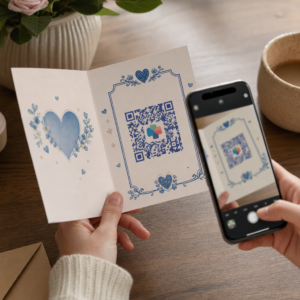
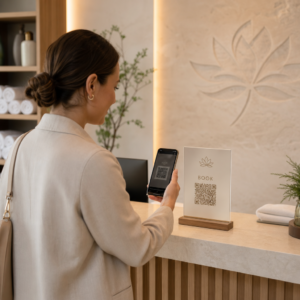
Chcete, aby váš QR kód vyzeral ako súčasť vašej značky namiesto generického čiernobieleho štvorca? Obyčajný QR kód funguje, ale značkový s vaším logom a farbami buduje rozpoznateľnosť a je viac skenovaný. Táto príručka vám ukáže, ako vytvoriť vlastný QR kód, ktorý vyzerá profesionálne bez obetovania skenovateľnosti.
Prečo značkové QR kódy fungujú lepšie
Štandardný QR kód nehovorí skeneru nič o vašej firme. Značkový kód urobí viac práce ešte predtým, ako ho niekto naskenuje. Keď je vaše logo umiestnené vo vnútri kódu a farby vašej značky rámujú dizajn, zákazníci okamžite rozpoznajú zdroj. Toto rozpoznanie buduje dôveru – a dôvera poháňa skenovanie.
Výskum zahrnutý v 7 príkladov značkových QR kódov ukazuje, že značkové QR kódy s logami môžu zvýšiť mieru skenovania o 30–70 % v porovnaní s generickými. Okrem čísel, značkový kód posilňuje vašu vizuálnu identitu zakaždým, keď sa objaví na obaloch, nápisoch alebo tlačových materiáloch.
Firmy, ktoré stále formujú svoju vizuálnu identitu, môžu preskúmať nápady pre jedinečné logo pre podnikanie predtým, ako ho aplikujú na QR kódy, obaly a iné značkové materiály. Kľúčom je vedieť, ktoré dizajnové voľby pomáhajú a ktoré narúšajú skenovateľnosť.
Ako korekcia chýb QR kódu umožňuje integráciu loga
Pred prispôsobením kódu je užitočné pochopiť, prečo je možné logá vôbec pridávať bez toho, aby sa kód poškodil. QR kódy obsahujú vstavanú korekciu chýb založenú na Reed-Solomonových kódoch, ktorá pridáva redundantné dáta, takže skenery môžu rekonštruovať vzor, aj keď je jeho časť zakrytá.
Existujú štyri úrovne korekcie chýb:
- Úroveň L – obnoví až 7 % poškodených kódových slov; najmenšia veľkosť kódu; najlepšie pre čisté vnútorné použitie
- Úroveň M – obnoví až 15 %; štandardná voľba pre väčšinu marketingových aplikácií
- Úroveň Q – obnoví až 25 %; vhodné pre vonkajšie použitie alebo textúrované povrchy
- Úroveň H – obnoví až 30 %; odporúča sa vždy, keď pridávate logo
Keď vložíte logo do stredu QR kódu, úmyselne zakrývate časť vzoru. Korekcia chýb úrovne H to kompenzuje, čo umožňuje skeneru rekonštruovať chýbajúce dáta. Bez nej môže aj malé logo spôsobiť zlyhanie skenovania.
Pre hlbší pohľad na to, ako to funguje v praxi, pozrite si ako funguje korekcia chýb v editovateľných QR kódoch.
Vytvorte značkový QR kód s logom Ste pripravení vytvoriť QR kód, ktorý odráža vašu značku? Použite Logo QR kód: generátor QR kódov s logom na nahranie vášho loga, výber farieb a vygenerovanie skenovateľného kódu v súlade s vašou značkou za pár minút.
Umiestnenie loga: Pravidlá, ktoré chránia skenovateľnosť
Nesprávne pridanie loga je jedným z najčastejších dôvodov zlyhania značkových QR kódov. Dodržujte tieto pokyny, aby bol váš kód spoľahlivý:
- Udržujte logo vycentrované. Stred QR kódu obsahuje dátové moduly, ktoré najviac profitujú z pokrytia korekciou chýb. Vycentrovanie loga sa vyhýba trom rohovým pozičným značkám, ktoré sú kritické pre orientáciu skenera a nikdy nesmú byť zakryté.
- Obmedzte pokrytie logom na približne 20–25 % plochy kódu. Pokrytie viac ako 30 % presahuje to, čo dokáže obnoviť aj korekcia chýb úrovne H. Bližšie k 20 % vám poskytuje pohodlnú bezpečnostnú rezervu.
- Použite súbor loga vo vysokom rozlíšení. Rozmazané alebo pixelované logo v strede kódu pridáva vizuálny šum, ktorý môže rušiť skenovanie, najmä na starších zariadeniach. Pre najlepší výsledok použite PNG alebo vektorový formát ako SVG.
- Uprednostňujte jednoduché, štvorcové alebo kruhové logá. Vertikálne obdĺžnikové logá riskujú prekrývanie časovacích vzorov, ktoré prebiehajú pozdĺž okrajov kódu. Horizontálne alebo kompaktné tvary sú bezpečnejšie.
- Testujte na viacerých zariadeniach pred tlačou. Kód, ktorý sa dokonale naskenuje na novom iPhone, môže zlyhať na staršom Androide s fotoaparátom s nižším rozlíšením. Testujte naprieč platformami a svetelnými podmienkami.
Viac o bezpečnej integrácii loga sa dozviete v príručke o ako pridať logá do QR kódov.
Farba a kontrast: Ako udržať farby vašej značky skenovateľné
Vo QR kóde môžete použiť farby vašej značky, ale výber farieb priamo ovplyvňuje, či sa kód spoľahlivo naskenuje. Skenery čítajú rozdiel medzi tmavými modulmi a svetlým pozadím – nie konkrétne odtiene. Keď tento kontrast zmizne, zmizne aj skenovateľnosť.
Pravidlá kontrastu, ktoré treba dodržiavať
- Používajte tmavé moduly popredia na svetlom pozadí. Toto je základná požiadavka. Klasická čierna na bielej ponúka kontrastný pomer 21:1 a je najuniverzálnejšie spoľahlivou kombináciou.
- Udržujte minimálny kontrastný pomer 4,5:1 pre menšie kódy. Pre kódy veľkého formátu, ktoré sa pozerajú z diaľky, je prijateľný pomer 4:1. Môžete to overiť pomocou akéhokoľvek nástroja na kontrolu kontrastu webovej prístupnosti.
- Nikdy neinvertujte farby. Svetlá na tmavom (biela na čiernej) schéma môže vyzerať nápadne, ale mnoho QR skenerov zlyhá pri obrátených farebných schémach.
- Vyhnite sa prechodom v rámci vzoru modulu. Prechody vytvárajú stredné tóny, ktoré znižujú lokálny kontrast a mätú skenery. Ak chcete efekt prechodu, aplikujte ho iba na dekoratívne prvky mimo vzoru kódu, ako je rám alebo pozadie.
- Udržujte tichú zónu čistú. Tichá zóna je prázdny okraj obklopujúci QR kód. Norma ISO vyžaduje minimálne štyri moduly prázdneho priestoru na všetkých stranách. Ak je každý modul široký 2 mm, tichá zóna musí byť na každej strane minimálne 8 mm. Umiestnenie textu, dekoratívnych prvkov alebo dokonca vášho loga príliš blízko k tomuto okraju môže spôsobiť zlyhanie skenovania.
Pre úplný rozpis toho, ktoré farebné kombinácie fungujú a ktorým sa vyhnúť, pozrite si sprievodcu na osvedčené postupy pre farebný kontrast QR kódov.
Veľkosť a rozlíšenie: Ako to správne nastaviť pre tlač
Krásne značkový QR kód, ktorý je príliš malý na skenovanie, stráca svoj účel. Veľkosť ovplyvňuje čitateľnosť aj vzdialenosť skenovania.
- Minimálna veľkosť pre použitie zblízka je 0.8 × 0.8 palca (približne 2 × 2 cm). Pod touto veľkosťou má väčšina skenerov problémy.
- Použite pravidlo 10:1 pre vzdialenosť skenovania. Na každých 10 cm očakávanej vzdialenosti skenovania by mal byť kód široký aspoň 1 cm. Kód určený na skenovanie zo vzdialenosti 50 cm by mal byť široký aspoň 5 cm.
- Exportujte vo vektorových formátoch pre tlač. Formáty SVG, EPS a PDF sa škálujú bez straty kvality. Rasterizovaný PNG s nízkym rozlíšením sa pri tlači javí rozmazaný a rozmazaný kód sa nemusí dať naskenovať. Vždy exportujte s rozlíšením 300 DPI alebo vyšším pre tlačové aplikácie.
Pre pokyny k veľkosti špecifické pre kontext, pozrite si osvedčených postupov pre čitateľnosť QR kódov.
Krok za krokom: Vytvorenie značkového QR kódu s logom
Tu je praktický pracovný postup pre vytvorenie značkového QR kódu, ktorý sa spoľahlivo skenuje.
- Vyberte si generátor, ktorý podporuje vkladanie loga a prispôsobenie farieb. Nie všetky nástroje to robia. Hľadajte taký, ktorý vám umožní nastaviť úrovne korekcie chýb, nahrať logo a nezávisle upravovať farby. Pageloot generátor QR kódov pokrýva všetky tieto možnosti.
- Nastavte úroveň korekcie chýb na H pred pridaním loga. Niektoré generátory predvolene používajú úroveň M, ktorá nie je dostatočná, ak je prítomné logo.
- Zadajte cieľovú URL adresu alebo obsah. Ak vytvárate kód pre kampaň alebo tlačený materiál, zvážte použitie dynamický QR kód aby ste mohli cieľ aktualizovať neskôr bez opätovnej tlače.
- Nahrajte svoje logo. Použite súbor PNG alebo SVG. Udržujte logo jednoduché – vyhnite sa jemnému textu alebo zložitým ilustráciám, ktoré strácajú jasnosť pri malých veľkostiach.
- Použite farby vašej značky. Vyberte tmavú farbu popredia, ktorá zodpovedá palete vašej značky, a spárujte ju so svetlým alebo bielym pozadím. Pred dokončením otestujte kontrastný pomer.
- Pridajte rám s výzvou na akciu. Krátka fráza ako “Naskenujte pre zobrazenie nášho menu” alebo “Naskenujte pre exkluzívne ponuky” odstraňuje nejednoznačnosť a zvyšuje mieru skenovania. Môžete prispôsobiť Rámčeky pre QR kódy farbám a logu vašej značky.
- Náhľad a test. Naskenujte kód na minimálne dvoch rôznych zariadeniach pred stiahnutím. Skontrolujte ho v rôznych svetelných podmienkach a z vzdialeností, z ktorých očakávate, že ho používatelia budú skenovať.
- Stiahnite si v správnom formáte. Pre tlač použite SVG alebo EPS, pre digitálne použitie PNG vo vysokom rozlíšení.

Pre hotové značkové návrhy, ktoré môžete rýchlo prispôsobiť, preskúmajte Šablóny QR kódov.
Používanie dynamických QR kódov pre značkové kampane
Ak sa váš značkový QR kód objaví na tlačených materiáloch, dynamický kód vám poskytuje významnú výhodu. Pri statickom kóde je cieľ trvalo uzamknutý. Pri dynamickom kóde URL zakódovaná vo vzore odkazuje na krátke presmerovanie, ktoré ovládate. Môžete kedykoľvek zmeniť, kam vedie, bez pretlačenia alebo prepracovania kódu.
To je dôležité najmä pre značkové kódy, pretože:
- Možno budete chcieť striedať sezónne ponuky alebo vstupné stránky kampaní
- Môžete opraviť nefunkčné odkazy bez toho, aby ste sa dotkli fyzického materiálu
- Získate analytiku skenovania – dáta v reálnom čase o tom, kedy, kde a ako často bol kód naskenovaný
Dynamické kódy sa tiež dobre hodia k značkovým dizajnom, pretože investujete viac úsilia do kódu, ktorý vyzerá profesionálne. Ochrana tejto investície s aktualizovateľným obsahom má praktický zmysel. Zistite viac o kompletnej sade funkcií dostupných pre vlastné QR kódy.
Aplikácie v reálnom svete podľa odvetvia
Pochopenie toho, ako iné podniky používajú značkové QR kódy, vám môže pomôcť identifikovať správny prístup pre vaše vlastné materiály.
- Maloobchod: Odevné značky vkladajú QR kódy so svojím logom na visačky, ktoré odkazujú na štýlové príručky, tabuľky veľkostí alebo online obchod. Logo v strede robí kód rozpoznateľným a v súlade so značkou v mieste predaja.
- Reštaurácie: QR kód na stolovom stojane alebo obale menu môže odkazovať na digitálne menu, rezervačný systém alebo vernostný program. Zladenie farieb kódu s paletou reštaurácie udržuje dizajn súdržný.
- Podujatia: Organizátori podujatí používajú značkové QR kódy na odznakoch, nápisoch a tlačených programoch na podporu sťahovania aplikácií, registrácie alebo rozvrhov relácií. Vysoká korekcia chýb je tu obzvlášť dôležitá, pretože kódy môžu byť skenované pri premenlivom osvetlení.
- Balenie produktu: Značkový QR kód na obale môže odkazovať na montážne pokyny, registráciu záruky alebo recenzie produktov. Použitie dynamického kódu tu znamená, že môžete aktualizovať cieľ, ako sa produkt vyvíja.

Pre podrobnejšie príklady pozri 7 príkladov značkových QR kódov.
Často kladené otázky
Nie, ak dodržiavate správne pokyny. Nastavte korekciu chýb na úroveň H pred pridaním loga, udržujte logo vycentrované a obmedzte jeho pokrytie na približne 20–25% celkovej plochy kódu. Vyhnite sa zakrývaniu troch rohových pozičných značiek. Otestujte finálny kód na viacerých zariadeniach pred tlačou.
Áno, pokiaľ zachováte dostatočný kontrast medzi tmavými modulmi a svetlým pozadím. Snažte sa o kontrastný pomer minimálne 4,5:1. Vyhnite sa prechodom farieb (gradientom) v rámci vzoru modulu, nikdy neinvertujte farby na svetlé na tmavom a vždy udržujte tichú zónu (prázdny okraj okolo kódu) úplne čistú.
Minimálna odporúčaná veľkosť pre skenovanie zblízka je 0,8 × 0,8 palca (približne 2 × 2 cm). Pre kódy určené na skenovanie z väčších vzdialeností použite pravidlo 10:1: na každých 10 cm očakávanej vzdialenosti skenovania by mal byť kód široký aspoň 1 cm. Súbory pre tlač vždy exportujte vo vektorovom formáte, ako je SVG alebo EPS, aby ste predišli pixelizácii.