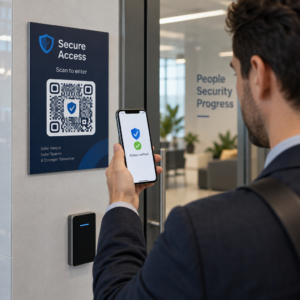
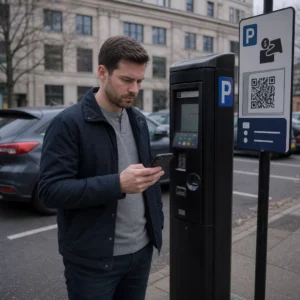
Norite, kad jūsų QR kodas atrodytų kaip jūsų prekės ženklo dalis, o ne kaip generinis juodai baltas kvadratas? Paprastas QR kodas veikia, tačiau firminis su jūsų logotipu ir spalvomis didina atpažįstamumą ir yra dažniau nuskaitomas. Šis vadovas parodo, kaip sukurti individualų QR kodą, kuris atrodo profesionaliai, neprarandant nuskaitymo galimybės.
Kodėl firminiai QR kodai veikia geriau
Standartinis QR kodas skaitytuvui nieko nepasako apie jūsų verslą. Firminis atlieka daugiau darbo dar prieš tai, kai kas nors jį nuskenuoja. Kai jūsų logotipas yra kodo viduje, o jūsų prekės ženklo spalvos įrėmina dizainą, klientai iš karto atpažįsta šaltinį. Tas atpažinimas kuria pasitikėjimą – o pasitikėjimas skatina nuskaitymus.
Tyrimai, aprašyti 7 firminių QR kodų pavyzdžiai rodo, kad firminiai QR kodai su logotipais gali padidinti nuskaitymo dažnį 30–70% lyginant su generiniais. Be skaičių, firminis kodas sustiprina jūsų vizualinį identitetą kiekvieną kartą, kai jis pasirodo ant pakuotės, iškabų ar spausdintos medžiagos.
Įmonės, kurios vis dar formuoja savo vizualinį identitetą, gali tyrinėti idėjas unikalus logotipas verslui prieš jį pritaikant QR kodams, pakuotėms ir kitoms firminėms medžiagoms. Svarbiausia žinoti, kurie dizaino pasirinkimai padeda, o kurie pakenkia nuskaitymui.
Kaip QR kodo klaidų taisymas leidžia integruoti logotipą
Prieš pritaikant kodą, naudinga suprasti, kodėl logotipus apskritai galima pridėti jo nesugadinant. QR kodai turi įmontuotą klaidų taisymą, pagrįstą Reed–Solomon kodais, kuris prideda perteklinę informaciją, kad skaitytuvai galėtų atkurti raštą net tada, kai dalis jo yra uždengta.
Yra keturi klaidų taisymo lygiai:
- L lygis – atkuria iki 7% pažeistų kodinių žodžių; mažiausias kodo dydis; geriausiai tinka švariam naudojimui patalpose
- M lygis – atkuria iki 15%; standartinis pasirinkimas daugumai rinkodaros programų
- Q lygis – atkuria iki 25%; tinka naudoti lauke arba ant tekstūruotų paviršių
- H lygis – atkuria iki 30%; rekomenduojama, kai pridedate logotipą
Kai įterpiate logotipą į QR kodo centrą, jūs sąmoningai uždengiate dalį rašto. H lygio klaidų taisymas tai kompensuoja, leidžiantis skaitytuvui atkurti trūkstamus duomenis. Be jo net mažas logotipas gali sukelti nuskaitymo gedimus.
Norėdami išsamiau sužinoti, kaip tai veikia praktikoje, žr. kaip veikia klaidų taisymas redaguojamuose QR koduose.
Sukurkite firminį QR kodą su logotipu Pasiruošę sukurti QR kodą, atspindintį jūsų prekės ženklą? Naudokite QR kodo generatorius su logotipu norėdami įkelti savo logotipą, pasirinkti spalvas ir per kelias minutes sugeneruoti nuskaitomą, prekės ženklą atitinkantį kodą.
Logotipo išdėstymas: Taisyklės, apsaugančios nuskaitymo galimybes
Neteisingas logotipo pridėjimas yra viena dažniausių priežasčių, kodėl firminiai QR kodai neveikia. Laikykitės šių gairių, kad jūsų kodas būtų patikimas:
- Laikykite logotipą centre. QR kodo centre yra duomenų moduliai, kuriems labiausiai naudingas klaidų taisymo padengimas. Logotipo centravimas leidžia išvengti trijų kampinių padėties žymeklių, kurie yra labai svarbūs skaitytuvo orientacijai ir niekada neturi būti uždengti.
- Apribokite logotipo padengimą iki maždaug 20–25% kodo ploto. Uždengus daugiau nei 30% viršijama tai, ką gali atkurti net H lygio klaidų taisymas. Arčiau 20% suteikia patogią saugumo ribą.
- Naudokite didelės raiškos logotipo failą. Neryškus arba pikseliuotas logotipas kodo centre sukuria vizualinį triukšmą, kuris gali trukdyti nuskaitymui, ypač senesniuose įrenginiuose. Geriausiam rezultatui naudokite PNG arba vektorinį formatą, pvz., SVG.
- Pirmenybę teikite paprastiems, kvadratiniams arba apskritiems logotipams. Vertikalūs stačiakampiai logotipai rizikuoja persidengti su laiko nustatymo modeliais, kurie eina palei kodo kraštus. Horizontalios arba kompaktiškos formos yra saugesnės.
- Išbandykite keliuose įrenginiuose prieš spausdindami. Kodas, kuris puikiai nuskaitomas nauju „iPhone“, gali neveikti senesniame „Android“ telefone su žemesnės raiškos kamera. Išbandykite įvairiose platformose ir apšvietimo sąlygomis.
Daugiau apie saugų logotipo integravimą rasite vadove pridėti logotipus prie QR kodų.
Spalva ir kontrastas: kaip išlaikyti savo prekės ženklo spalvas nuskaitomas
QR kode galite naudoti savo prekės ženklo spalvas, tačiau spalvų pasirinkimas tiesiogiai veikia, ar kodas bus patikimai nuskaitomas. Skaitytuvai nuskaito skirtumą tarp tamsių modulių ir šviesaus fono, o ne konkrečius atspalvius. Kai šis kontrastas išnyksta, išnyksta ir nuskaitomumas.
Kontrasto taisyklės, kurių reikia laikytis
- Naudokite tamsius priekinio plano modulius ant šviesaus fono. Tai yra pagrindinis reikalavimas. Klasikinė juoda ant balto fono suteikia 21:1 kontrasto santykį ir yra universaliausiai patikimas derinys.
- Palaikykite minimalų 4,5:1 kontrasto santykį mažesniems kodams. Didelio formato kodams, žiūrimiems iš toli, priimtinas 4:1 santykis. Tai galite patikrinti naudodami bet kurį žiniatinklio prieinamumo kontrasto tikrintuvą.
- Niekada neapverskite spalvų. Šviesus ant tamsaus (baltas ant juodo) spalvų derinys gali atrodyti įspūdingai, tačiau daugelis QR skaitytuvų neveikia su apverstomis spalvų schemomis.
- Venkite gradientų modulio rašte. Gradientai sukuria pustonius, kurie sumažina vietinį kontrastą ir klaidina skaitytuvus. Jei norite gradiento efekto, taikykite jį tik dekoratyviniams elementams už kodo rašto, pavyzdžiui, rėmeliui ar fonui.
- Laikykite ramiąją zoną švarią. Rami zona yra tuščia paraštė, supanti QR kodą. ISO standartas reikalauja bent keturių modulių tuščios vietos iš visų pusių. Jei kiekvienas modulis yra 2 mm pločio, rami zona turi būti bent 8 mm iš kiekvienos pusės. Teksto, dekoratyvinių elementų ar net jūsų logotipo per arti šios ribos padėjimas gali sukelti nuskaitymo gedimus.
Išsamiai analizei, kurios spalvų kombinacijos veikia ir kurių reikėtų vengti, žr. vadovą apie QR kodo spalvų kontrasto geriausios praktikos.
Dydis ir raiška: kaip tinkamai paruošti spaudai
Gražiai prekės ženklu pažymėtas QR kodas, kuris yra per mažas nuskaityti, praranda prasmę. Dydis turi įtakos tiek skaitomumui, tiek nuskaitymo atstumui.
- Minimalus dydis naudojimui iš arti yra 0,8 × 0,8 colio (apie 2 × 2 cm). Mažesnių kodų dauguma skaitytuvų sunkiai nuskaito.
- Taikykite 10:1 taisyklę nuskaitymo atstumui. Kiekvieniems 10 cm numatomo nuskaitymo atstumo, kodas turėtų būti bent 1 cm pločio. Kodas, skirtas nuskaityti iš 50 cm atstumo, turėtų būti bent 5 cm pločio.
- Eksportuokite vektoriniais formatais spaudai. SVG, EPS ir PDF formatai keičia mastelį neprarandant kokybės. Mažos raiškos rastrinis PNG atrodys neryškus spausdinant, o neryškus kodas gali būti nenuskaitomas. Visada eksportuokite 300 DPI ar didesne raiška spaudos reikmėms.
Dėl konkretaus konteksto dydžio rekomendacijų žr. geriausia praktika QR kodo skaitomumui.
Žingsnis po žingsnio: Kaip sukurti prekės ženklu pažymėtą QR kodą su logotipu
Štai praktinis darbo eiga, kaip sukurti prekės ženklu pažymėtą QR kodą, kuris patikimai nuskaitomas.
- Pasirinkite generatorių, kuris palaiko logotipo įterpimą ir spalvų pritaikymą. Ne visi įrankiai tai daro. Ieškokite tokio, kuris leidžia nustatyti klaidų taisymo lygius, įkelti logotipą ir nepriklausomai reguliuoti spalvas. Pageloot QR kodo generatorių apima visa tai.
- Nustatykite klaidų taisymo lygį į H prieš pridedant logotipą. Kai kurie generatoriai pagal numatytuosius nustatymus naudoja M lygį, kurio nepakanka, kai yra logotipas.
- Įveskite paskirties URL arba turinį. Jei kuriate kodą kampanijai ar spausdintai medžiagai, apsvarstykite galimybę naudoti dinaminis QR kodas kad vėliau galėtumėte atnaujinti paskirties vietą be pakartotinio spausdinimo.
- Įkelkite savo logotipą. Naudokite PNG arba SVG failą. Logotipas turi būti paprastas – venkite smulkaus teksto ar sudėtingų iliustracijų, kurios praranda aiškumą esant mažiems dydžiams.
- Pritaikykite savo prekės ženklo spalvas. Pasirinkite tamsią priekinio plano spalvą, atitinkančią jūsų prekės ženklo paletę, ir derinkite ją su šviesiu arba baltu fonu. Prieš baigdami patikrinkite kontrasto santykį.
- Pridėkite rėmelį su raginimu veikti. Trumpa frazė, pvz., “Nuskaitykite, kad peržiūrėtumėte mūsų meniu” arba “Nuskaitykite, kad gautumėte išskirtinių pasiūlymų”, pašalina dviprasmybes ir padidina nuskaitymo dažnumą. Galite priderinti QR kodų rėmeliai prie savo prekės ženklo spalvų ir logotipo.
- Peržiūrėkite ir išbandykite. Prieš atsisiųsdami nuskaitykite kodą bent dviem skirtingais įrenginiais. Patikrinkite jį skirtingomis apšvietimo sąlygomis ir iš atstumų, iš kurių tikitės, kad vartotojai nuskaitys.
- Atsisiųskite tinkamu formatu. Spausdinimui naudokite SVG arba EPS, skaitmeniniam naudojimui – didelės raiškos PNG.

Norėdami gauti paruoštų prekės ženklo dizainų, kuriuos galite greitai pritaikyti, tyrinėkite QR kodų šablonai.
Dinaminių QR kodų naudojimas prekės ženklo kampanijoms
Jei jūsų firminis QR kodas atsiras ant spausdintų medžiagų, dinaminis kodas suteikia jums didelį pranašumą. Su statiniu kodu paskirties vieta yra užfiksuota visam laikui. Su dinaminiu kodu, rašte užkoduotas URL nukreipia į trumpą nukreipimą, kurį valdote jūs. Galite bet kada pakeisti, kur jis veda, neperspausdinant ar neperkuriant kodo.
Tai ypač svarbu firminiams kodams, nes:
- Galbūt norėsite keisti sezoninius pasiūlymus ar kampanijų nukreipimo puslapius
- Galite taisyti neveikiančias nuorodas neliesdami fizinės medžiagos
- Gaunate nuskaitymo analizę – realaus laiko duomenis apie tai, kada, kur ir kaip dažnai kodas nuskaitomas
Dinaminiai kodai taip pat puikiai dera su firminiais dizainais, nes į profesionaliai atrodantį kodą įdedate daugiau pastangų. Apsaugoti šią investiciją atnaujinamu turiniu yra praktiška. Sužinokite daugiau apie visas funkcijas, prieinamas pasirinktiniams QR kodams.
Realaus pasaulio pritaikymai pagal pramonės šakas
Supratimas, kaip kitos įmonės naudoja firminius QR kodus, gali padėti jums nustatyti tinkamą požiūrį į savo medžiagas.
- Mažmeninė prekyba: Drabužių prekių ženklai įterpia QR kodus su savo logotipu ant etikečių, susiedami su stiliaus vadovais, dydžių lentelėmis ar internetine parduotuve. Logotipas centre daro kodą atpažįstamą ir atitinkantį prekės ženklą pardavimo vietoje.
- Restoranai: QR kodas ant stalo palapinės ar meniu viršelio gali nukreipti į skaitmeninį meniu, rezervavimo sistemą ar lojalumo programą. Kodo spalvų derinimas su restorano palete išlaiko dizaino vientisumą.
- Renginiai: Renginių organizatoriai naudoja firminius QR kodus ant ženklelių, iškabų ir spausdintų programų, kad paskatintų programėlių atsisiuntimus, registracijas ar sesijų tvarkaraščius. Didelis klaidų taisymas čia ypač svarbus, nes kodai gali būti nuskaitomi esant kintamam apšvietimui.
- Produktų pakuotės: Firminis QR kodas ant pakuotės gali nukreipti į surinkimo instrukcijas, garantijos registraciją ar produktų apžvalgas. Naudojant dinaminį kodą čia reiškia, kad galite atnaujinti paskirties vietą, kai produktas vystosi.

Išsamesnių pavyzdžių ieškokite 7 firminių QR kodų pavyzdžiai.
Dažniausiai užduodami klausimai
Ne, jei laikysitės tinkamų gairių. Nustatykite klaidų taisymą į H lygį prieš pridėdami logotipą, laikykite logotipą centre ir apribokite jo aprėptį iki maždaug 20–25% viso kodo ploto. Venkite uždengti tris kampinius padėties žymeklius. Prieš spausdindami patikrinkite galutinį kodą keliuose įrenginiuose.
Taip, kol išlaikote pakankamą kontrastą tarp tamsių modulių ir šviesaus fono. Siekti bent 4,5:1 kontrasto santykio. Venkite gradientų modulio rašte, niekada neapverskite spalvų į šviesias ant tamsaus fono ir visada laikykite ramiąją zoną (tuščią paraštę aplink kodą) visiškai švarią.
Minimalus rekomenduojamas dydis skenavimui iš arti yra 0,8 × 0,8 colio (apie 2 × 2 cm). Kodams, skirtiems skenuoti iš didesnių atstumų, naudokite taisyklę 10:1: kiekvieniems 10 cm numatomo skenavimo atstumo, kodas turėtų būti bent 1 cm pločio. Visada eksportuokite spausdinimo failus vektoriniu formatu, pvz., SVG arba EPS, kad išvengtumėte pikselizacijos.