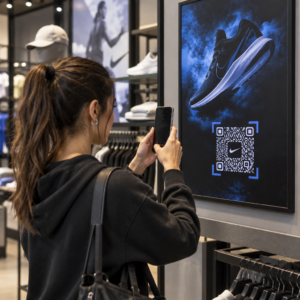
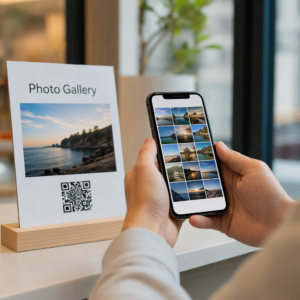
Želite da vaš QR kod izgleda kao deo vašeg brenda umesto generičkog crno-belog kvadrata? Običan QR kod funkcioniše, ali brendirani sa vašim logotipom i bojama gradi prepoznatljivost i više se skenira. Ovaj vodič vam pokazuje kako da kreirate prilagođeni QR kod koji izgleda profesionalno bez žrtvovanja mogućnosti skeniranja.
Zašto brendirani QR kodovi bolje funkcionišu
Standardni QR kod ne govori skeneru ništa o vašem poslovanju. Brendirani radi više posla pre nego što ga iko i skenira. Kada se vaš logotip nalazi unutar koda i boje vašeg brenda uokviruju dizajn, kupci odmah prepoznaju izvor. To prepoznavanje gradi poverenje – a poverenje podstiče skeniranje.
Istraživanje obuhvaćeno u 7 primera brendiranih QR kodova pokazuje da brendirani QR kodovi sa logotipima mogu povećati stope skeniranja za 30–70% u poređenju sa generičkim. Pored brojeva, brendirani kod pojačava vaš vizuelni identitet svaki put kada se pojavi na ambalaži, signalizaciji ili štampanim materijalima.
Preduzeća koja još uvek oblikuju svoj vizuelni identitet mogu istražiti ideje za jedinstveni logo za posao pre nego što ga primene na QR kodove, pakovanja i druge brendirane materijale. Ključ je znati koji dizajnerski izbori pomažu, a koji narušavaju skenabilnost.
Kako korekcija grešaka QR koda omogućava integraciju logotipa
Pre nego što prilagodite svoj kod, korisno je razumeti zašto se logotipi uopšte mogu dodati bez narušavanja koda. QR kodovi uključuju ugrađenu korekciju grešaka zasnovanu na Reed–Solomon kodovima, koja dodaje redundantne podatke tako da skeneri mogu rekonstruisati obrazac čak i kada je deo njega zaklonjen.
Postoje četiri nivoa korekcije grešaka:
- Nivo L – oporavlja do 7% oštećenih kodnih reči; najmanja veličina koda; najbolje za čistu unutrašnju upotrebu
- Nivo M – oporavlja do 15%; standardni izbor za većinu marketinških aplikacija
- Nivo Q – oporavlja do 25%; pogodno za spoljašnju upotrebu ili teksturirane površine
- Nivo H – oporavlja do 30%; preporučuje se kad god dodate logotip
Kada ugradite logotip u centar QR koda, namerno zaklanjate deo obrasca. Korekcija grešaka nivoa H to kompenzuje, omogućavajući skeneru da rekonstruiše nedostajuće podatke. Bez nje, čak i mali logo može izazvati neuspeh skeniranja.
Za detaljniji uvid u to kako ovo funkcioniše u praksi, pogledajte kako korekcija grešaka funkcioniše u QR kodovima koji se mogu uređivati.
Kreirajte brendirani QR kod sa logotipom Spremni da napravite QR kod koji odražava vaš brend? Koristite QR kod generator sa logom da otpremite svoj logo, odaberete boje i generišete skenirajući, brendirani kod za nekoliko minuta.
Postavljanje logotipa: Pravila koja štite mogućnost skeniranja
Nepravilno dodavanje logotipa je jedan od najčešćih razloga zašto brendirani QR kodovi ne uspevaju. Sledite ove smernice da bi vaš kod bio pouzdan:
- Držite logo centriranim. Centar QR koda sadrži module podataka koji najviše profitiraju od pokrivenosti korekcijom grešaka. Centriranje logotipa izbegava tri markera pozicije u uglu, koji su ključni za orijentaciju skenera i nikada ne smeju biti pokriveni.
- Ograničite pokrivenost logotipa na oko 20–25% površine koda. Pokrivanje više od 30% prelazi ono što čak i korekcija grešaka nivoa H može da oporavi. Bliže 20% vam daje udobnu sigurnosnu marginu.
- Koristite datoteku logotipa visoke rezolucije. Zamagljen ili pikselizovan logo u centru koda dodaje vizuelni šum koji može ometati skeniranje, posebno na starijim uređajima. Koristite PNG ili vektorski format kao što je SVG za najbolji rezultat.
- Preferirajte jednostavne, kvadratne ili kružne logotipe. Vertikalni pravougaoni logotipi rizikuju preklapanje vremenskih obrazaca koji se protežu duž ivica koda. Horizontalni ili kompaktni oblici su sigurniji.
- Testirajte na više uređaja pre štampanja. Kod koji se savršeno skenira na novom iPhone-u može zakazati na starijem Androidu sa kamerom niže rezolucije. Testirajte na različitim platformama i u različitim svetlosnim uslovima.
Saznajte više o bezbednoj integraciji logotipa u vodiču o kako dodati logotipe QR kodovima.
Boja i kontrast: Održavanje skenabilnosti boja vašeg brenda
Možete koristiti boje vašeg brenda u QR kodu, ali izbor boja direktno utiče na to da li se kod pouzdano skenira. Skeneri čitaju razliku između tamnih modula i svetle pozadine – ne specifične nijanse. Kada taj kontrast nestane, nestaje i mogućnost skeniranja.
Pravila kontrasta kojih se treba pridržavati
- Koristite tamne module prednjeg plana na svetloj pozadini. Ovo je osnovni zahtev. Klasična crna na beloj nudi odnos kontrasta od 21:1 i najuniverzalnije je pouzdana kombinacija.
- Održavajte minimalni odnos kontrasta od 4.5:1 za manje kodove. Za kodove velikog formata koji se gledaju sa udaljenosti, odnos 4:1 je prihvatljiv. Ovo možete proveriti bilo kojim alatom za proveru kontrasta veb pristupačnosti.
- Nikada ne invertujte boje. Svetla na tamnoj (bela na crnoj) šema može izgledati upečatljivo, ali mnogi QR skeneri ne uspevaju da pročitaju obrnute šeme boja.
- Izbegavajte gradijente unutar obrasca modula. Gradijenti stvaraju srednje tonove koji smanjuju lokalni kontrast i zbunjuju skenere. Ako želite efekat gradijenta, primenite ga samo na dekorativne elemente izvan obrasca koda, kao što su okvir ili pozadina.
- Održavajte tihu zonu čistom. Tiha zona je prazna margina koja okružuje QR kod. ISO standard zahteva najmanje četiri modula praznog prostora sa svih strana. Ako je svaki modul širok 2 mm, tiha zona mora biti najmanje 8 mm sa svake strane. Postavljanje teksta, dekorativnih elemenata ili čak vašeg logotipa preblizu ovoj granici može uzrokovati neuspeh skeniranja.
Za potpunu analizu koje kombinacije boja funkcionišu, a koje treba izbegavati, pogledajte vodič o najbolje prakse za kontrast boja QR koda.
Veličina i rezolucija: Kako ih pravilno podesiti za štampu
Prelepo brendiran QR kod koji je premali za skeniranje gubi svrhu. Veličina utiče i na čitljivost i na udaljenost skeniranja.
- Minimalna veličina za upotrebu izbliza je 0.8 × 0.8 inča (oko 2 × 2 cm). Ispod ove veličine, većina skenera ima poteškoća.
- Primenite pravilo 10:1 za udaljenost skeniranja. Za svakih 10 cm očekivane udaljenosti skeniranja, kod bi trebalo da bude širok najmanje 1 cm. Kod namenjen za skeniranje sa udaljenosti od 50 cm trebalo bi da bude širok najmanje 5 cm.
- Izvezite u vektorskim formatima za štampu. SVG, EPS i PDF formati se skaliraju bez gubitka kvaliteta. Rasterizovani PNG niske rezolucije će izgledati mutno kada se odštampa, a mutan kod možda neće moći da se skenira. Uvek izvozite sa 300 DPI ili više za aplikacije za štampu.
Za smernice o veličini specifične za kontekst, pogledajte najbolje prakse za čitljivost QR kodova.
Korak po korak: Kreiranje brendiranog QR koda sa logotipom
Evo praktičnog toka rada za izradu brendiranog QR koda koji se pouzdano skenira.
- Izaberite generator koji podržava ugrađivanje logotipa i prilagođavanje boja. Ne podržavaju svi alati. Potražite onaj koji vam omogućava da podesite nivoe korekcije grešaka, otpremite logotip i nezavisno prilagodite boje. Pagelootov generator QR kodova pokriva sve ovo.
- Podesite nivo korekcije grešaka na H pre dodavanja logotipa. Neki generatori podrazumevano koriste nivo M, što nije dovoljno kada je prisutan logo.
- Unesite vašu odredišnu URL adresu ili sadržaj. Ako kreirate kod za kampanju ili štampani materijal, razmislite o korišćenju динамички КР код kako biste kasnije mogli da ažurirate odredište bez ponovnog štampanja.
- Otpremite svoj logo. Koristite PNG ili SVG datoteku. Neka logo bude jednostavan – izbegavajte sitan tekst ili složene ilustracije koje gube jasnoću pri malim veličinama.
- Primenite boje vašeg brenda. Izaberite tamnu boju prednjeg plana koja se slaže sa paletom vašeg brenda i uparite je sa svetlom ili belom pozadinom. Testirajte odnos kontrasta pre finalizacije.
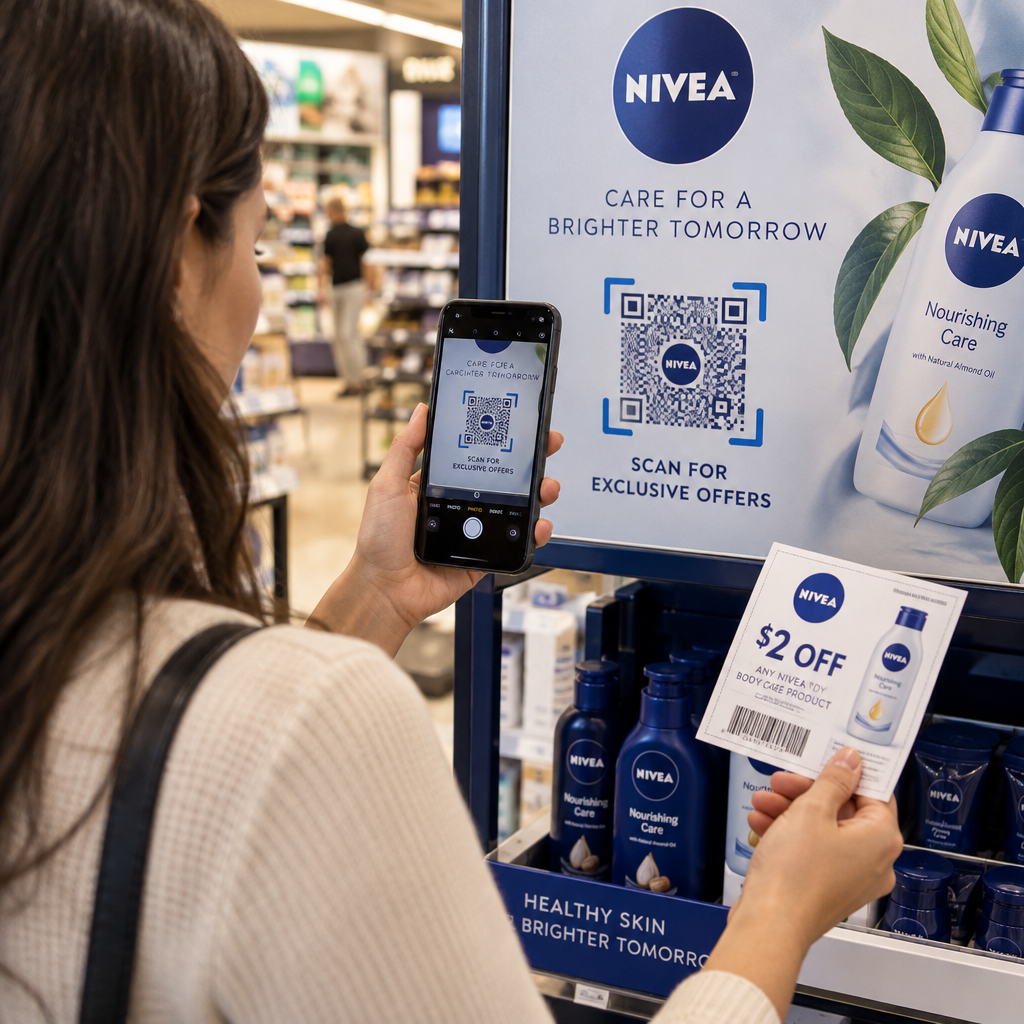
- Dodajte okvir sa pozivom na akciju. Kratka fraza poput “Skenirajte da biste videli naš meni” ili “Skenirajte za ekskluzivne ponude” uklanja dvosmislenost i povećava stopu skeniranja. Možete uskladiti Okviri za QR kod sa bojama vašeg brenda i logom.
- Pregledajte i testirajte. Skenirajte kod na najmanje dva različita uređaja pre preuzimanja. Proverite ga u različitim svetlosnim uslovima i sa udaljenosti sa koje očekujete da će korisnici skenirati.
- Preuzmite u pravom formatu. Koristite SVG ili EPS za štampu, PNG visoke rezolucije za digitalnu upotrebu.

Za gotove brendirane dizajne koje možete brzo prilagoditi, istražite Šabloni za QR kod.
Korišćenje dinamičkih QR kodova za brendirane kampanje
Ako će se vaš brendirani QR kod pojaviti na štampanom materijalu, dinamički kod vam daje značajnu prednost. Sa statičkim kodom, odredište je trajno zaključano. Sa dinamičkim kodom, URL adresa kodirana u obrascu ukazuje na kratko preusmeravanje koje vi kontrolišete. Možete promeniti gde vodi u bilo kom trenutku bez ponovnog štampanja ili redizajniranja koda.
Ovo je posebno važno za brendirane kodove jer:
- Možda želite da rotirate sezonske ponude ili odredišne stranice kampanja
- Možete popraviti pokvarene linkove bez dodirivanja fizičkog materijala
- Dobijate analitiku skeniranja – podatke u realnom vremenu o tome kada, gde i koliko često je kod skeniran
Dinamički kodovi se takođe dobro slažu sa brendiranim dizajnom jer ulažete više truda u kod koji izgleda profesionalno. Zaštita te investicije sadržajem koji se može ažurirati ima praktičnog smisla. Saznajte više o kompletnom skupu funkcija dostupnih za prilagođene QR kodove.
Primene u stvarnom svetu po industriji
Razumevanje kako druge kompanije koriste brendirane QR kodove može vam pomoći da identifikujete pravi pristup za sopstvene materijale.
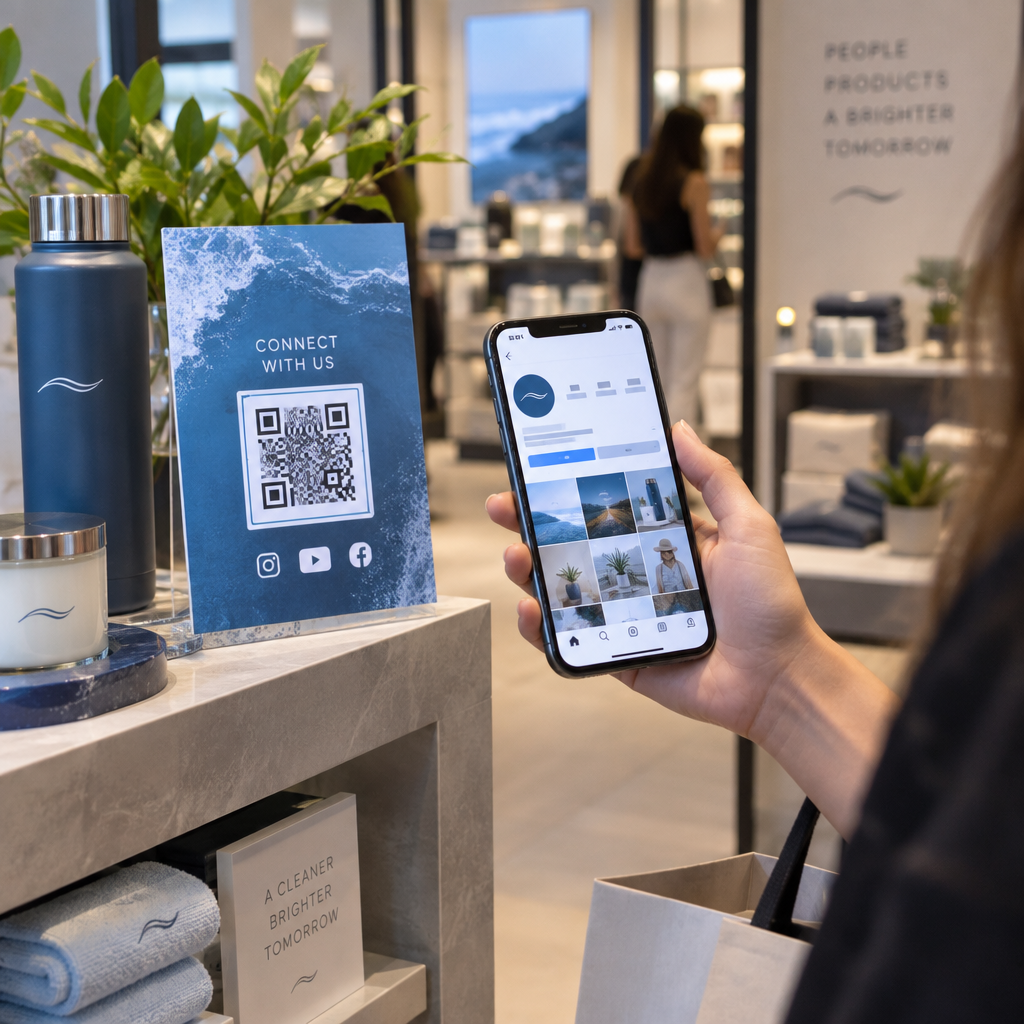
- Maloprodaja: Brendovi odeće ugrađuju QR kodove sa svojim logotipom na etikete, povezujući ih sa vodičima za stil, tabelama veličina ili onlajn prodavnicom. Logotip u centru čini kod prepoznatljivim i u skladu sa brendom na prodajnom mestu.
- Restorani: QR kod na stonom šatoru ili koricama menija može da vodi do digitalnog menija, sistema za rezervacije ili programa lojalnosti. Usklađivanje boja koda sa paletom restorana održava dizajn kohezivnim.
- Događaji: Organizatori događaja koriste brendirane QR kodove na bedževima, signalizaciji i štampanim programima za podsticanje preuzimanja aplikacija, prijava ili rasporeda sesija. Visoka korekcija grešaka je ovde posebno važna jer se kodovi mogu skenirati pri promenljivom osvetljenju.
- Pakovanje proizvoda: Brendirani QR kod na pakovanju može da vodi do uputstava za montažu, registracije garancije ili recenzija proizvoda. Korišćenje dinamičkog koda ovde znači da možete ažurirati odredište kako se proizvod razvija.

Za detaljnije primere, pogledajte 7 primera brendiranih QR kodova.
Često postavljana pitanja
Ne ako pratite prave smernice. Podesite korekciju greške na Nivo H pre dodavanja logotipa, držite logotip centriranim i ograničite njegovo pokrivanje na oko 20–25% ukupne površine koda. Izbegavajte pokrivanje tri ugaona markera pozicije. Testirajte konačni kod na više uređaja pre štampanja.
Da, pod uslovom da održavate dovoljan kontrast između tamnih modula i svetle pozadine. Ciljajte na odnos kontrasta od najmanje 4,5:1. Izbegavajte gradijente unutar šablona modula, nikada ne invertujte boje u svetlo na tamnom, i uvek držite tihu zonu (praznu marginu oko koda) potpuno čistom.
Minimalna preporučena veličina za skeniranje izbliza je 0,8 × 0,8 inča (približno 2 × 2 cm). Za kodove namenjene skeniranju sa većih udaljenosti, koristite pravilo 10:1: za svakih 10 cm očekivane udaljenosti skeniranja, kod bi trebalo da bude širok najmanje 1 cm. Uvek izvozite datoteke za štampu u vektorskom formatu kao što su SVG ili EPS kako biste izbegli pikselizaciju.