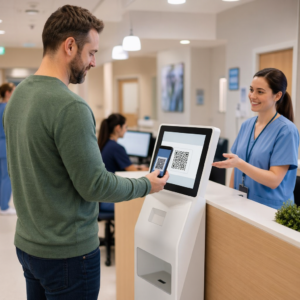
Chcesz, aby Twój kod QR wyglądał jak część Twojej marki, zamiast być generycznym czarno-białym kwadratem? Zwykły kod QR działa, ale markowy z Twoim logo i kolorami buduje rozpoznawalność i jest częściej skanowany. Ten przewodnik pokazuje, jak stworzyć niestandardowy kod QR, który wygląda profesjonalnie, nie tracąc przy tym możliwości skanowania.
Dlaczego markowe kody QR działają lepiej
Standardowy kod QR nic nie mówi skanerowi o Twojej firmie. Markowy kod wykonuje więcej pracy, zanim ktokolwiek go zeskanuje. Kiedy Twoje logo znajduje się w kodzie, a kolory Twojej marki otaczają projekt, klienci natychmiast rozpoznają źródło. To rozpoznanie buduje zaufanie – a zaufanie napędza skanowanie.
Badania objęte w 7 przykładów markowych kodów QR pokazują, że markowe kody QR z logo mogą zwiększyć wskaźniki skanowania o 30–70% w porównaniu do generycznych. Poza liczbami, markowy kod wzmacnia Twoją tożsamość wizualną za każdym razem, gdy pojawia się na opakowaniach, oznakowaniach czy materiałach drukowanych.
Firmy, które wciąż kształtują swoją tożsamość wizualną, mogą odkrywać pomysły na unikalne logo dla firmy przed zastosowaniem go na kodach QR, opakowaniach i innych materiałach markowych. Kluczem jest wiedza, które wybory projektowe pomagają, a które zakłócają skanowalność.
Jak korekcja błędów w kodach QR umożliwia integrację logo
Zanim dostosujesz swój kod, warto zrozumieć, dlaczego w ogóle można dodawać logo, nie psując go. Kody QR zawierają wbudowaną korekcję błędów opartą na kodach Reed–Solomona, która dodaje nadmiarowe dane, dzięki czemu skanery mogą odtworzyć wzór, nawet gdy jego część jest zasłonięta.
Istnieją cztery poziomy korekcji błędów:
- Poziom L – odzyskuje do 7% uszkodzonych słów kodowych; najmniejszy rozmiar kodu; najlepszy do czystego użytku wewnętrznego
- Poziom M – odzyskuje do 15%; standardowy wybór dla większości zastosowań marketingowych
- Poziom Q – odzyskuje do 25%; odpowiedni do użytku zewnętrznego lub na teksturowanych powierzchniach
- Poziom H – odzyskuje do 30%; zalecany zawsze, gdy dodajesz logo
Kiedy osadzasz logo w centrum kodu QR, celowo zasłaniasz część wzoru. Korekcja błędów poziomu H to kompensuje, umożliwiając skanerowi rekonstrukcję brakujących danych. Bez niej nawet małe logo może powodować błędy skanowania.
Aby dowiedzieć się więcej, jak to działa w praktyce, zobacz Jak działa korekcja błędów w edytowalnych kodach QR.
Utwórz markowy kod QR z logo Chcesz stworzyć kod QR, który odzwierciedla Twoją markę? Użyj Generator kodów QR z logo aby przesłać swoje logo, wybrać kolory i wygenerować skanowalny, zgodny z marką kod w kilka minut.
Umiejscowienie logo: Zasady chroniące skanowalność
Nieprawidłowe dodanie logo jest jedną z najczęstszych przyczyn niepowodzeń markowych kodów QR. Postępuj zgodnie z tymi wytycznymi, aby Twój kod był niezawodny:
- Umieść logo na środku. Środek kodu QR zawiera moduły danych, które najbardziej korzystają z korekcji błędów. Wyśrodkowanie logo pozwala uniknąć trzech znaczników pozycji w rogach, które są kluczowe dla orientacji skanera i nigdy nie mogą być zakryte.
- Ogranicz pokrycie logo do około 20–25% obszaru kodu. Pokrycie ponad 30% wykracza poza to, co może odzyskać nawet korekcja błędów poziomu H. Bliżej 20% daje komfortowy margines bezpieczeństwa.
- Użyj pliku logo w wysokiej rozdzielczości. Rozmyte lub rozpikselowane logo na środku kodu dodaje szumu wizualnego, który może zakłócać skanowanie, zwłaszcza na starszych urządzeniach. Użyj formatu PNG lub wektorowego, takiego jak SVG, aby uzyskać najlepszy rezultat.
- Preferuj proste, kwadratowe lub okrągłe logo. Pionowe prostokątne logo ryzykują nakładanie się na wzorce synchronizacji, które biegną wzdłuż krawędzi kodu. Kształty poziome lub kompaktowe są bezpieczniejsze.
- Testuj na wielu urządzeniach przed drukowaniem. Kod, który doskonale skanuje się na nowym iPhonie, może nie działać na starszym Androidzie z aparatem o niższej rozdzielczości. Testuj na różnych platformach i w różnych warunkach oświetleniowych.
Dowiedz się więcej o bezpiecznej integracji logo w przewodniku na temat jak dodawać logo do kodów QR.
Kolor i kontrast: Jak zachować skanowalność kolorów Twojej marki
Możesz używać kolorów swojej marki w kodzie QR, ale wybór kolorów bezpośrednio wpływa na to, czy kod skanuje się niezawodnie. Skanery odczytują różnicę między ciemnymi modułami a jasnym tłem – a nie konkretne odcienie. Kiedy ten kontrast znika, znika również skanowalność.
Zasady kontrastu, których należy przestrzegać
- Używaj ciemnych modułów pierwszego planu na jasnym tle. To jest podstawowy wymóg. Klasyczna czerń na białym tle oferuje współczynnik kontrastu 21:1 i jest najbardziej uniwersalnie niezawodnym połączeniem.
- Zachowaj minimalny współczynnik kontrastu 4.5:1 dla mniejszych kodów. W przypadku kodów wielkoformatowych oglądanych z odległości, współczynnik 4:1 jest akceptowalny. Możesz to zweryfikować za pomocą dowolnego narzędzia do sprawdzania kontrastu dostępności stron internetowych.
- Nigdy nie odwracaj kolorów. Schemat jasny na ciemnym (biały na czarnym) może wyglądać efektownie, ale wiele skanerów QR nie radzi sobie z odwróconymi schematami kolorów.
- Unikaj gradientów w obrębie wzoru modułów. Gradienty tworzą półtony, które zmniejszają lokalny kontrast i dezorientują skanery. Jeśli chcesz uzyskać efekt gradientu, zastosuj go tylko do elementów dekoracyjnych poza wzorem kodu, takich jak ramka lub tło.
- Zachowaj czystą strefę ciszy. Strefa ciszy to pusta margines otaczający kod QR. Norma ISO wymaga co najmniej czterech modułów pustej przestrzeni z każdej strony. Jeśli każdy moduł ma 2 mm szerokości, strefa ciszy musi mieć co najmniej 8 mm z każdej strony. Umieszczenie tekstu, elementów dekoracyjnych, a nawet Twojego logo zbyt blisko tej granicy może spowodować błędy skanowania.
Aby uzyskać pełne zestawienie, które kombinacje kolorów działają, a których należy unikać, zobacz przewodnik na temat najlepszymi praktykami kontrastu kolorów kodów QR.
Rozmiar i rozdzielczość: Jak dobrać je prawidłowo do druku
Pięknie oznakowany kod QR, który jest zbyt mały, aby go zeskanować, mija się z celem. Rozmiar wpływa zarówno na czytelność, jak i odległość skanowania.
- Minimalny rozmiar do użytku z bliskiej odległości to 0,8 × 0,8 cala (około 2 × 2 cm). Poniżej tej wartości większość skanerów ma problemy.
- Zastosuj zasadę 10:1 dla odległości skanowania. Na każde 10 cm oczekiwanej odległości skanowania, kod powinien mieć co najmniej 1 cm szerokości. Kod przeznaczony do skanowania z odległości 50 cm powinien mieć co najmniej 5 cm szerokości.
- Eksportuj w formatach wektorowych do druku. Formaty SVG, EPS i PDF skalują się bez utraty jakości. Rasteryzowany plik PNG w niskiej rozdzielczości będzie wyglądał niewyraźnie po wydrukowaniu, a niewyraźny kod może się nie zeskanować. Zawsze eksportuj w rozdzielczości 300 DPI lub wyższej do zastosowań drukarskich.
Aby uzyskać wskazówki dotyczące rozmiaru w zależności od kontekstu, zobacz najlepszymi praktykami w zakresie czytelności kodów QR.
Krok po kroku: Tworzenie markowego kodu QR z logo
Oto praktyczny schemat pracy do tworzenia markowego kodu QR, który skanuje się niezawodnie.
- Wybierz generator, który obsługuje osadzanie logo i dostosowywanie kolorów. Nie wszystkie narzędzia to potrafią. Poszukaj takiego, który pozwala ustawić poziomy korekcji błędów, przesłać logo i niezależnie dostosować kolory. Pageloot generator kodów QR obejmuje wszystkie te funkcje.
- Ustaw poziom korekcji błędów na H przed dodaniem logo. Niektóre generatory domyślnie ustawiają poziom M, co jest niewystarczające, gdy obecne jest logo.
- Wprowadź docelowy adres URL lub treść. Jeśli tworzysz kod do kampanii lub materiałów drukowanych, rozważ użycie dynamiczny kod QR aby móc później zaktualizować miejsce docelowe bez ponownego drukowania.
- Prześlij swoje logo. Użyj pliku PNG lub SVG. Zachowaj prostotę logo – unikaj drobnego tekstu lub złożonych ilustracji, które tracą czytelność w małych rozmiarach.
- Zastosuj kolory swojej marki. Wybierz ciemny kolor pierwszego planu, który pasuje do palety Twojej marki i połącz go z jasnym lub białym tłem. Przed finalizacją przetestuj współczynnik kontrastu.
- Dodaj ramkę z wezwaniem do działania. Krótka fraza, taka jak “Zeskanuj, aby zobaczyć nasze menu” lub “Zeskanuj, aby uzyskać ekskluzywne oferty”, eliminuje dwuznaczność i zwiększa wskaźniki skanowania. Możesz dopasować Ramki do kodów QR do kolorów i logo Twojej marki.
- Podgląd i testowanie. Zeskanuj kod na co najmniej dwóch różnych urządzeniach przed pobraniem. Sprawdź go w różnych warunkach oświetleniowych i z odległości, z jakich spodziewasz się, że użytkownicy będą skanować.
- Pobierz w odpowiednim formacie. Użyj SVG lub EPS do druku, PNG w wysokiej rozdzielczości do użytku cyfrowego.

Aby uzyskać gotowe projekty marki, które możesz szybko dostosować, zapoznaj się z Szablony kodów QR.
Używanie dynamicznych kodów QR w kampaniach marki
Jeśli Twój markowy kod QR pojawi się na materiałach drukowanych, kod dynamiczny daje Ci znaczącą przewagę. W przypadku kodu statycznego, miejsce docelowe jest zablokowane na stałe. W przypadku kodu dynamicznego, adres URL zakodowany we wzorze wskazuje na krótkie przekierowanie, które kontrolujesz. Możesz zmienić, dokąd prowadzi, w dowolnym momencie, bez ponownego drukowania lub przeprojektowywania kodu.
Ma to szczególne znaczenie dla kodów markowych, ponieważ:
- Możesz chcieć zmieniać sezonowe oferty lub strony docelowe kampanii
- Możesz naprawić uszkodzone linki bez dotykania fizycznego materiału
- Otrzymujesz analitykę skanowania – dane w czasie rzeczywistym o tym, kiedy, gdzie i jak często kod jest skanowany
Kody dynamiczne dobrze współgrają również z markowymi projektami, ponieważ wkładasz więcej wysiłku w kod, który wygląda profesjonalnie. Ochrona tej inwestycji za pomocą aktualizowalnej treści ma praktyczny sens. Dowiedz się więcej o pełnym zestawie funkcji dostępnych dla niestandardowych kodów QR.
Zastosowania w świecie rzeczywistym według branż
Zrozumienie, w jaki sposób inne firmy używają markowych kodów QR, może pomóc Ci określić właściwe podejście dla Twoich własnych materiałów.
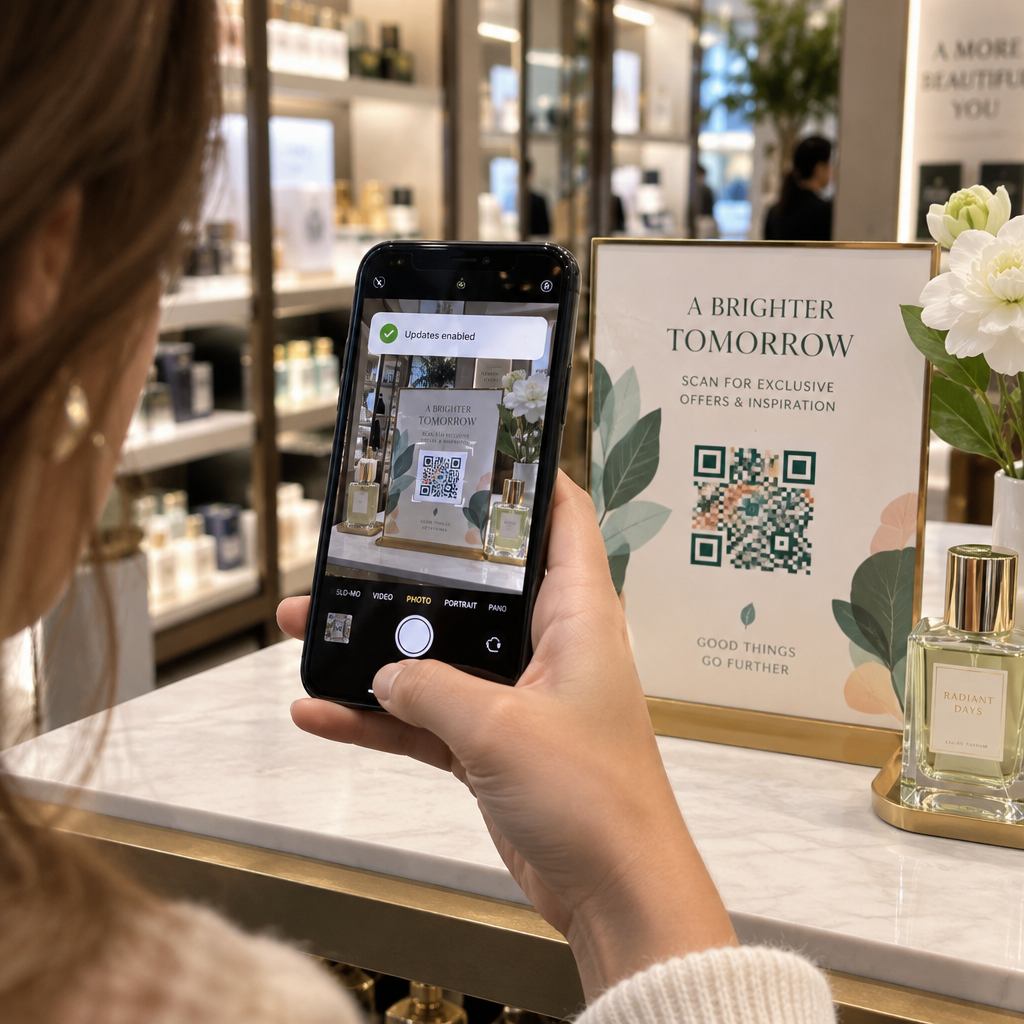
- Handel detaliczny: Marki odzieżowe umieszczają kody QR ze swoim logo na metkach, linkując do przewodników po stylach, tabel rozmiarów lub sklepu internetowego. Logo w centrum sprawia, że kod jest rozpoznawalny i zgodny z marką w punkcie sprzedaży.
- Restauracje: Kod QR na namiocie stołowym lub okładce menu może prowadzić do cyfrowego menu, systemu rezerwacji lub programu lojalnościowego. Dopasowanie kolorów kodu do palety restauracji utrzymuje spójność projektu.
- Wydarzenia: Organizatorzy wydarzeń używają markowych kodów QR na identyfikatorach, oznakowaniach i drukowanych programach, aby zachęcać do pobierania aplikacji, odpraw lub harmonogramów sesji. Wysoka korekcja błędów jest tutaj szczególnie ważna, ponieważ kody mogą być skanowane w zmiennym oświetleniu.
- Opakowania produktów: Markowy kod QR na opakowaniu może prowadzić do instrukcji montażu, rejestracji gwarancji lub recenzji produktów. Użycie kodu dynamicznego oznacza, że możesz aktualizować miejsce docelowe w miarę ewolucji produktu.

Aby uzyskać bardziej szczegółowe przykłady, zobacz 7 przykładów markowych kodów QR.
Najczęściej zadawane pytania
Nie, jeśli przestrzegasz właściwych wytycznych. Ustaw korekcję błędów na Poziom H przed dodaniem logo, utrzymuj logo wyśrodkowane i ogranicz jego pokrycie do około 20–25% całkowitej powierzchni kodu. Unikaj zakrywania trzech znaczników pozycji w rogach. Przetestuj ostateczny kod na wielu urządzeniach przed drukowaniem.
Tak, pod warunkiem zachowania wystarczającego kontrastu między ciemnymi modułami a jasnym tłem. Dąż do współczynnika kontrastu wynoszącego co najmniej 4,5:1. Unikaj gradientów w obrębie wzoru modułu, nigdy nie odwracaj kolorów na jasne na ciemnym i zawsze utrzymuj strefę ciszy (pusty margines wokół kodu) całkowicie czystą.
Minimalny zalecany rozmiar do skanowania z bliskiej odległości wynosi 0,8 × 0,8 cala (około 2 × 2 cm). W przypadku kodów przeznaczonych do skanowania z większych odległości, zastosuj zasadę 10:1: na każde 10 cm oczekiwanej odległości skanowania, kod powinien mieć co najmniej 1 cm szerokości. Zawsze eksportuj pliki do druku w formacie wektorowym, takim jak SVG lub EPS, aby uniknąć pikselizacji.