ホーム > ブログ > How to Create Branded QR Codes with Logos
Branded QR codes

How to Create Branded QR Codes with Logos

Learn how to create professional branded QR codes with logos and colors. Boost scan rates by up to 70% using Level H error correction for reliable scanning.
Updated on 6月 10, 2026
目次

Want your QR code to look like part of your brand instead of a generic black-and-white square? A plain QR code works, but a branded one with your logo and colors builds recognition and gets scanned more. This guide shows you how to create a custom QR code that looks professional without sacrificing scannability.

Why Branded QR Codes Perform Better

A standard QR code tells a scanner nothing about your business. A branded one does more work before anyone even scans it. When your logo sits inside the code and your brand colors frame the design, customers recognize the source immediately. That recognition builds trust – and trust drives scans.

Research covered in 7 examples of branded QR codes shows that branded QR codes with logos can boost scan rates by 30–70% compared to generic ones. Beyond the numbers, a branded code reinforces your visual identity every time it appears on packaging, signage, or print materials.

The key is knowing which design choices help and which ones break scannability.

How QR Code Error Correction Makes Logo Integration Possible

Before customizing your code, it helps to understand why logos can be added at all without breaking it. QR codes include built-in error correction based on Reed–Solomon codes, which adds redundant data so scanners can reconstruct the pattern even when part of it is obscured.

There are four error correction levels:

  • Level L – recovers up to 7% of damaged codewords; smallest code size; best for clean indoor use
  • レベルM – recovers up to 15%; the standard choice for most marketing applications
  • Level Q – recovers up to 25%; suitable for outdoor use or textured surfaces
  • レベルH – recovers up to 30%; recommended whenever you add a logo

When you embed a logo in the center of a QR code, you’re intentionally obscuring part of the pattern. Level H error correction compensates for that, allowing the scanner to reconstruct the missing data. Without it, even a small logo can cause scan failures.

For a deeper look at how this works in practice, see 編集可能なQRコードにおける誤り訂正の仕組み.

Create a Branded QR Code with a Logo Ready to build a QR code that reflects your brand? Use the ロゴ付きQRコードジェネレーター to upload your logo, choose your colors, and generate a scannable, on-brand code in minutes.

Logo Placement: Rules That Protect Scannability

Adding a logo incorrectly is one of the most common reasons branded QR codes fail. Follow these guidelines to keep your code reliable:

  • Keep the logo centered. The center of a QR code contains data modules that benefit most from error correction coverage. Centering the logo avoids the three corner position markers, which are critical for scanner orientation and must never be covered.
  • Limit logo coverage to around 20–25% of the code area. Covering more than 30% pushes beyond what even Level H error correction can recover. Closer to 20% gives you a comfortable safety margin.
  • Use a high-resolution logo file. A blurry or pixelated logo at the center of a code adds visual noise that can interfere with scanning, especially on older devices. Use PNG or a vector format like SVG for the best result.
  • Prefer simple, square or circular logos. Vertical rectangular logos risk overlapping the timing patterns that run along the edges of the code. Horizontal or compact shapes are safer.
  • Test on multiple devices before printing. A code that scans perfectly on a new iPhone may fail on an older Android with a lower-resolution camera. Test across platforms and lighting conditions.

Learn more about safe logo integration in the guide on QRコードにロゴを追加する方法.

Color and Contrast: Keeping Your Brand Colors Scannable

You can use your brand colors in a QR code, but color choices directly affect whether the code scans reliably. Scanners read the difference between dark modules and a light background – not specific hues. When that contrast disappears, so does scannability.

The Contrast Rules to Follow

  • Use dark foreground modules on a light background. This is the baseline requirement. Classic black on white offers a contrast ratio of 21:1 and is the most universally reliable combination.
  • Maintain a minimum contrast ratio of 4.5:1 for smaller codes. For large-format codes viewed at a distance, a 4:1 ratio is acceptable. You can verify this with any web accessibility contrast checker.
  • Never invert colors. A light-on-dark (white on black) scheme may look striking, but many QR scanners fail on reversed color schemes.
  • Avoid gradients within the module pattern. Gradients create mid-tones that reduce local contrast and confuse scanners. If you want a gradient effect, apply it only to decorative elements outside the code pattern, such as a frame or background.
  • Keep the quiet zone clear. The quiet zone is the blank margin surrounding the QR code. The ISO standard requires at least four modules of empty space on all sides. If each module is 2 mm wide, the quiet zone must be at least 8 mm on every side. Placing text, decorative elements, or even your logo too close to this border can cause scan failures.

For a full breakdown of which color combinations work and which to avoid, see the guide on QRコードの色のコントラストに関するベストプラクティス.

Size and Resolution: Getting It Right for Print

A beautifully branded QR code that’s too small to scan defeats the purpose. Size affects both readability and scan distance.

  • Minimum size for close-range use is 0.8 × 0.8 inches (about 2 × 2 cm). Below this, most scanners struggle.
  • Apply the 10:1 rule for scanning distance. For every 10 cm of expected scanning distance, the code should be at least 1 cm wide. A code meant to be scanned from 50 cm away should be at least 5 cm wide.
  • Export in vector formats for print. SVG, EPS, and PDF formats scale without losing quality. A rasterized PNG at low resolution will appear blurry when printed, and a blurry code may not scan. Always export at 300 DPI or higher for print applications.

For context-specific sizing guidance, see QRコードの読みやすさに関するベストプラクティス.

Step-by-Step: Creating a Branded QR Code with a Logo

Here is a practical workflow for building a branded QR code that scans reliably.

  • Choose a generator that supports logo embedding and color customization. Not all tools do. Look for one that lets you set error correction levels, upload a logo, and adjust colors independently. Pageloot’s QRコードジェネレーター covers all of these.
  • Set your error correction level to H before adding a logo. Some generators default to Level M, which is not sufficient when a logo is present.
  • Enter your destination URL or content. If you’re creating a code for a campaign or printed material, consider using a ダイナミックQRコード so you can update the destination later without reprinting.
  • Upload your logo. Use a PNG or SVG file. Keep the logo simple – avoid fine text or complex illustrations that lose clarity at small sizes.
  • Apply your brand colors. Choose a dark foreground color that aligns with your brand palette and pair it with a light or white background. Test the contrast ratio before finalizing.
  • Add a frame with a call-to-action. A short phrase like “Scan to view our menu” or “Scan for exclusive offers” removes ambiguity and increases scan rates. You can match QRコードフレーム to your brand colors and logo.
  • Preview and test. Scan the code on at least two different devices before downloading. Check it in different lighting conditions and from the distances you expect users to scan from.
  • 適切な形式でダウンロードします。. Use SVG or EPS for print, high-resolution PNG for digital use.
Branded QR workflow

For ready-made branded designs you can adapt quickly, explore QRコードテンプレート.

Using Dynamic QR Codes for Branded Campaigns

If your branded QR code will appear on printed materials, a dynamic code gives you a significant advantage. With a static code, the destination is locked in permanently. With a dynamic code, the URL encoded in the pattern points to a short redirect that you control. You can change where it leads at any time without reprinting or redesigning the code.

This matters for branded codes in particular because:

  • You may want to rotate seasonal offers or campaign landing pages
  • You can fix broken links without touching the physical material
  • You get scan analytics – real-time data on when, where, and how often the code is scanned

Dynamic codes also pair well with branded designs because you invest more effort in a code that looks professional. Protecting that investment with updateable content makes practical sense. Learn more about the full feature set available for custom QR codes.

Real-World Applications by Industry

Understanding how other businesses use branded QR codes can help you identify the right approach for your own materials.

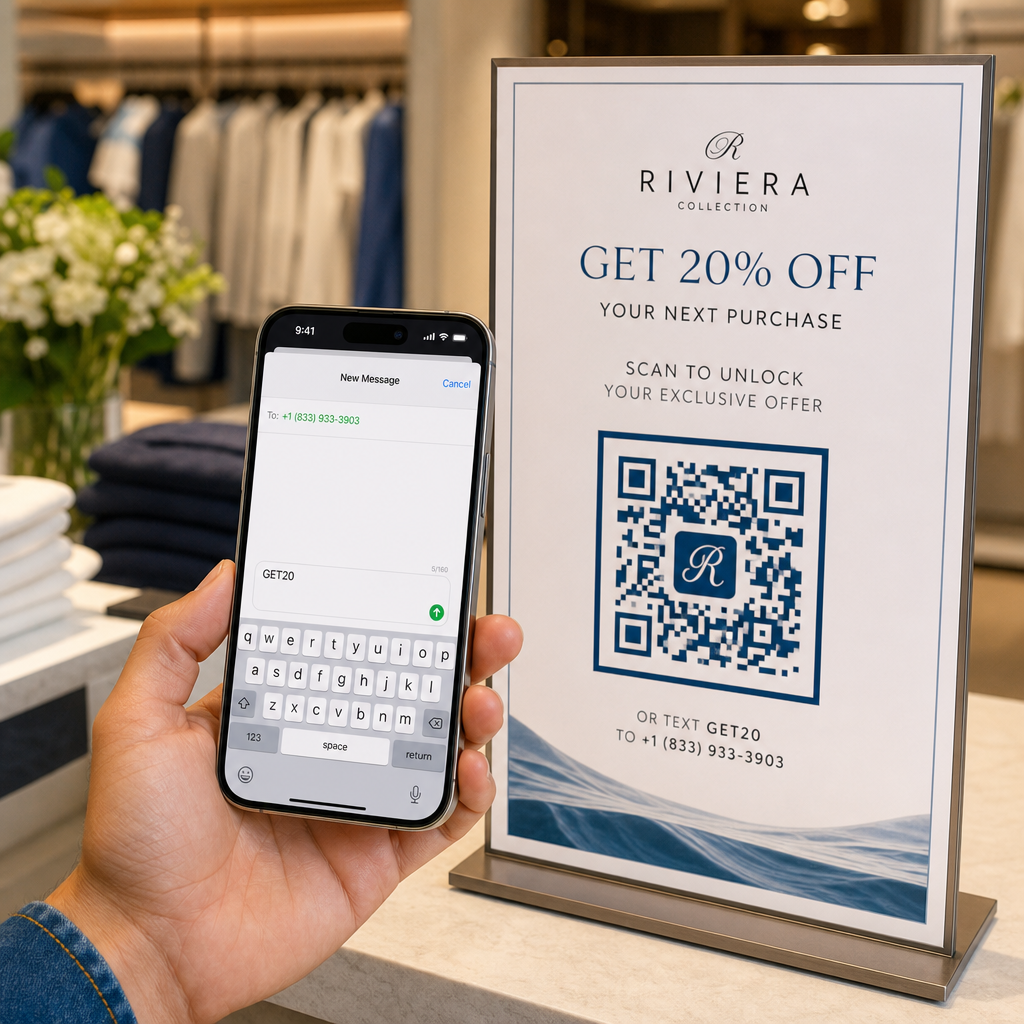
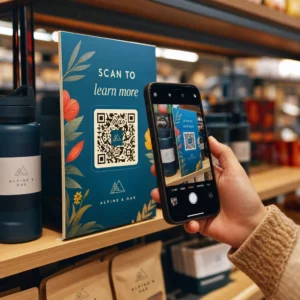
  • 小売業: Clothing brands embed QR codes with their logo on hangtags, linking to style guides, size charts, or the online store. The logo in the center makes the code recognizable and on-brand at the point of sale.
  • Restaurants: A QR code on a table tent or menu cover can link to the digital menu, reservation system, or loyalty program. Matching the code colors to the restaurant’s palette keeps the design cohesive.
  • イベント: Event organizers use branded QR codes on badges, signage, and printed programs to drive app downloads, check-ins, or session schedules. High error correction is especially important here since codes may be scanned in variable lighting.
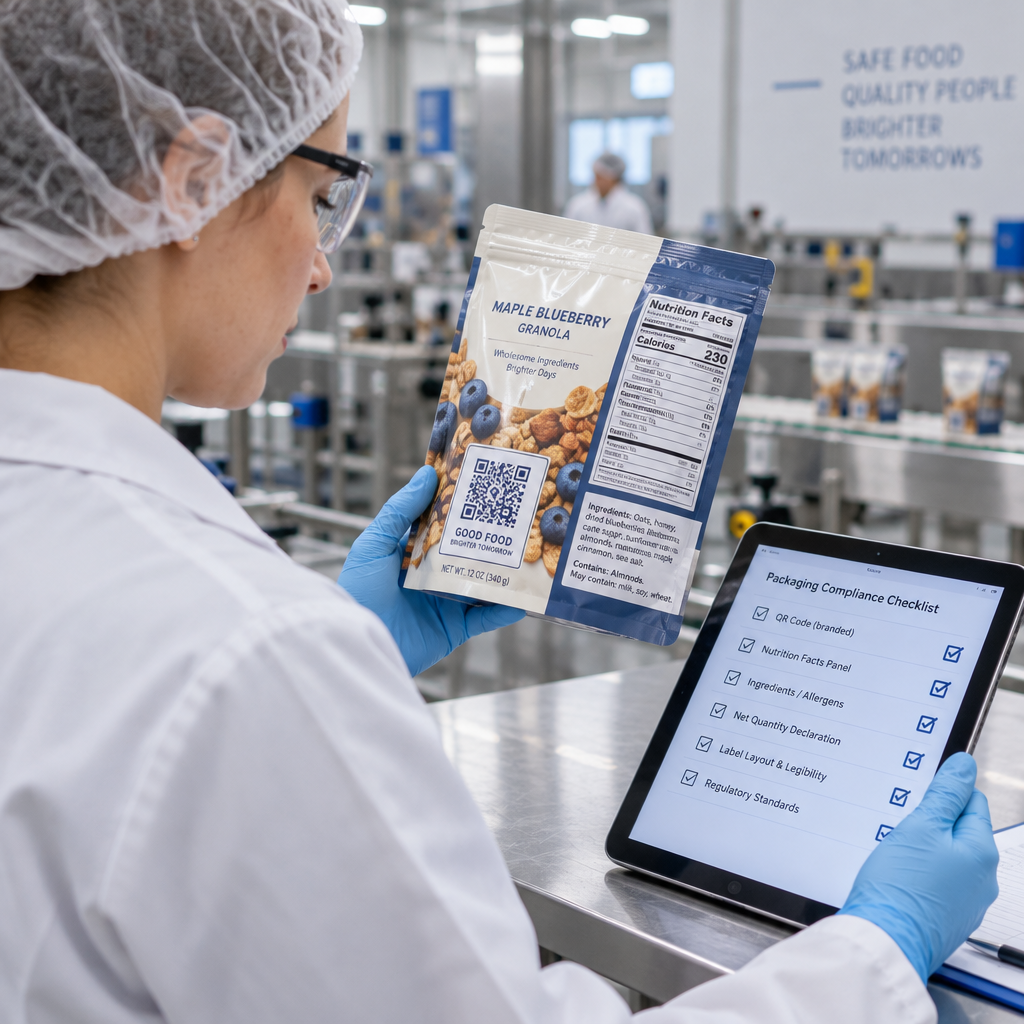
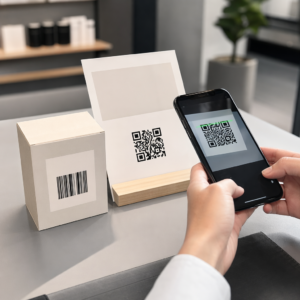
  • Product packaging: A branded QR code on packaging can link to assembly instructions, warranty registration, or product reviews. Using a dynamic code here means you can update the destination as the product evolves.
Branded QR examples

For more detailed examples, see 7 examples of branded QR codes.

よくある質問

ロゴを追加するとQRコードはスキャンしにくくなりますか?

Not if you follow the right guidelines. Set error correction to Level H before adding a logo, keep the logo centered, and limit its coverage to around 20–25% of the total code area. Avoid covering the three corner position markers. Test the final code on multiple devices before printing.

Can I use my brand colors in a QR code without breaking it?

Yes, as long as you maintain sufficient contrast between the dark modules and the light background. Aim for a contrast ratio of at least 4.5:1. Avoid gradients within the module pattern, never invert the colors to light-on-dark, and always keep the quiet zone (the blank margin around the code) completely clear.

What is the minimum size for a printed branded QR code?

The minimum recommended size for close-range scanning is 0.8 × 0.8 inches (approximately 2 × 2 cm). For codes meant to be scanned from greater distances, use the 10:1 rule: for every 10 cm of expected scan distance, the code should be at least 1 cm wide. Always export print files in a vector format such as SVG or EPS to avoid pixelation.

著者について

Siim KostabiはPagelootのコンテンツリードです。Pagelootの革新的なQRコード生成サービスについて執筆しています。5年以上にわたるQRコードに関する深い専門知識を持つSiimは、この分野の専門家です。QRテクノロジーを活用してデジタルインタラクションを簡素化・拡張する上で、大きな進歩を遂げています。.

カテゴリー
について詳しくはこちら
✅ QRコードの#1ソリューション

オンラインでQRコードを作成する必要がある場合は QRコードを作る ここで無料で
ページルートは #1のGo-Toソリューション でQRコードを作成してスキャンすることができます。

BL-0185

売上、レビュー、フォロワーを増やすために 20,000 を超えるブランドから信頼されています。

クライアントのロゴ
トップブランドから信頼される
5 のうち 4.8 と評価しました

4.86 / 5つ星評価

ユーゴ・ローラン
ユーゴ・ローラン
レストランオーナー
最も簡単で信頼性の高いQRコードジェネレータです。PDFファイルを即座にアップロードできます。レストランのメニューがデジタル化されました。
ルーカス・ジャンセン
ルーカス・ジャンセン
不動産開発業者
これは優れたツールで、QRコードでちょうど欲しいところに連れて行ってくれます。私たちは位置情報のQRコードしか使っていませんが、とても便利な機能がたくさんあります。
エマ・モレッティ
エマ・モレッティ
小売製品
使いやすいし、早い。素晴らしい機能で、完璧な画像を作成してくれるので、社員は私のvCardをダウンロードすることができます。
ユーゴ・ローラン
ユーゴ・ローラン
レストランオーナー
最も簡単で信頼性の高いQRコードジェネレータです。PDFファイルを即座にアップロードできます。レストランのメニューがデジタル化されました。
ルーカス・ジャンセン
ルーカス・ジャンセン
不動産開発業者
これは優れたツールで、QRコードでちょうど欲しいところに連れて行ってくれます。私たちは位置情報のQRコードしか使っていませんが、とても便利な機能がたくさんあります。
エマ・モレッティ
エマ・モレッティ
小売製品
使いやすいし、早い。素晴らしい機能で、完璧な画像を作成してくれるので、社員は私のvCardをダウンロードすることができます。
QRコードをもっと見る
寄付者がチャリティQRをスキャン
のQRコード 寄付と募金活動
あらゆるものをデジタル体験に変えよう 3分以内に。

14日間の無料トライアル。

クレジットカードは必要ありません。

初回購入で30%オフ

次のコードを使用してください:

MP3ファイルを共有

PDF QRコードを作成するにはサインアップしてください

必要なものをすべてアップロードして表示する。

  • オーディオファイル
  • ポッドキャスト
  • 音楽

サインアップで14日間無料トライアル。.
トライアル終了後、QRコードは期限切れになります。.

オーディオmp3 QRコードを作成するにはサインアップしてください

フレームでより多くのスキャンを獲得

QRコードにフレームを追加するにはサインアップしてください

コールトゥアクションフレームは、お客様が簡単にQRコードと対話できるようにします。ぜひお試しください。

サインアップで14日間無料トライアル。.
トライアル終了後、QRコードは期限切れになります。.

QRコードにフレームを追加するにはサインアップしてください

シェイプでスタイルを追加

より多くの図形を作成するにはサインアップしてください

QRコードは四角いものである必要はありません。あなたのブランドのイメージに合わせて変えてみてください。

サインアップで14日間無料トライアル。.
トライアル終了後、QRコードは期限切れになります。.

より多くの図形を作成するにはサインアップしてください

QRコードにロゴを追加

QRコードにロゴを追加するにはサインアップしてください

QRコードにロゴやブランドを入れることで、目立たせることができます。

サインアップで14日間無料トライアル。.
トライアル終了後、QRコードは期限切れになります。.

QRコードにロゴを追加するにはサインアップしてください

スマートなApp Storeリダイレクト

アプリストアのQRコードを作成するにはサインアップしてください

スマートなApp StoreのQRコードに、あなたのアプリのリンクを追加します。ユーザーは、デバイスに応じてリダイレクトされます。

サインアップで14日間無料トライアル。.
トライアル終了後、QRコードは期限切れになります。.

アプリストアのQRコードを作成するにはサインアップしてください

QRコードに画像をアップロード

画像QRコードを作成するにはサインアップしてください

画像を簡単に共有できます。どんな画像も、数秒でダイナミックに変化します。

サインアップで14日間無料トライアル。.
トライアル終了後、QRコードは期限切れになります。.

画像QRコードを作成するにはサインアップしてください

PDFファイルを共有

PDF QRコードを作成するにはサインアップしてください

必要なものをすべてアップロードして表示する。

  • メニュー&プライスリスト
  • 指示
  • 任意の書類

サインアップで14日間無料トライアル。.
トライアル終了後、QRコードは期限切れになります。.

PDF QRコードを作成するにはサインアップしてください

印刷せずに後で編集

再度印刷せずにQRコードを編集するにはサインアップしてください

ダイナミックQRコードは、新たにQRコードを印刷することなく、QRコードの内容を変更することができます。

サインアップで14日間無料トライアル。.
トライアル終了後、QRコードは期限切れになります。.

再度印刷せずにQRコードを編集するにはサインアップしてください

いつ?どこで?QRコードのスキャンを追跡

QRコードを追跡するにはサインアップしてください

どのQRコードが最も多くスキャンされ、何が最も顧客を喜ばせているのかを知ることができます。

サインアップで14日間無料トライアル。.
トライアル終了後、QRコードは期限切れになります。.

QRコードを追跡するにはサインアップしてください

印刷可能なファイルが利用可能

PDFやSVGのようなベクターQRコードを作成するにはサインアップしてください

.eps、.pdf、.svg

QRコードをHD解像度でダウンロードしたいですか?すぐに印刷できるベクターまたはピクセル形式を入手しましょう。

サインアップで14日間無料トライアル。.
トライアル終了後、QRコードは期限切れになります。.

PDFやSVGのようなベクターQRコードを作成するにはサインアップしてください

しばらくお待ちください。あなたのQRコードは ロード... ロード...

あなただけのものに

サインアップしてQRコードを後で保存してください

異なる色、ロゴ、コールトゥアクションフレームで素晴らしいQRコードを作成することで、より多くのスキャンを得ることができます。

サインアップで14日間無料トライアル。.
トライアル終了後、QRコードは期限切れになります。.

サインアップしてQRコードを後で保存してください