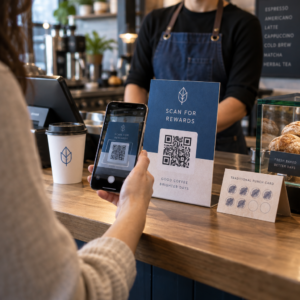
Vill du att din QR-kod ska se ut som en del av ditt varumärke istället för en generisk svartvit ruta? En enkel QR-kod fungerar, men en varumärkesanpassad med din logotyp och färger bygger igenkänning och skannas mer. Denna guide visar dig hur du skapar en anpassad QR-kod som ser professionell ut utan att offra skanningsbarheten.
Varför varumärkesanpassade QR-koder presterar bättre
En standard QR-kod berättar inget för en skanner om ditt företag. En varumärkesanpassad gör mer arbete innan någon ens skannar den. När din logotyp sitter inuti koden och dina varumärkesfärger ramar in designen, känner kunderna igen källan omedelbart. Den igenkänningen bygger förtroende – och förtroende driver skanningar.
Forskning som behandlas i 7 exempel på varumärkesanpassade QR-koder visar att varumärkesanpassade QR-koder med logotyper kan öka skanningsfrekvensen med 30–70% jämfört med generiska. Utöver siffrorna förstärker en varumärkesanpassad kod din visuella identitet varje gång den visas på förpackningar, skyltar eller tryckt material.
Företag som fortfarande formar sin visuella identitet kan utforska idéer för en unik logotyp för företag innan de tillämpar den på QR-koder, förpackningar och andra varumärkesmaterial. Nyckeln är att veta vilka designval som hjälper och vilka som försämrar skanningsbarheten.
Hur QR-kodens felkorrigering gör logotypintegration möjlig
Innan du anpassar din kod är det bra att förstå varför logotyper överhuvudtaget kan läggas till utan att koden går sönder. QR-koder inkluderar inbyggd felkorrigering baserad på Reed–Solomon-koder, vilket lägger till redundant data så att skannrar kan rekonstruera mönstret även när en del av det är skymt.
Det finns fyra felkorrigeringsnivåer:
- Nivå L – återställer upp till 7% av skadade kodord; minsta kodstorlek; bäst för ren inomhusanvändning
- Nivå M – återställer upp till 15%; standardvalet för de flesta marknadsföringsapplikationer
- Nivå Q – återställer upp till 25%; lämplig för utomhusbruk eller texturerade ytor
- Nivå H – återställer upp till 30%; rekommenderas när du lägger till en logotyp
När du bäddar in en logotyp i mitten av en QR-kod, skymmer du avsiktligt en del av mönstret. Nivå H felkorrigering kompenserar för det, vilket gör att skannern kan rekonstruera den saknade datan. Utan den kan även en liten logotyp orsaka skanningsfel.
För en djupare titt på hur detta fungerar i praktiken, se Så fungerar felkorrigering i redigerbara QR-koder.
Skapa en varumärkes-QR-kod med en logotyp Redo att bygga en QR-kod som speglar ditt varumärke? Använd QR-kodgenerator med logotyp för att ladda upp din logotyp, välja dina färger och generera en skanningsbar, varumärkesanpassad kod på några minuter.
Logotypens placering: Regler som skyddar skanningsbarheten
Att lägga till en logotyp felaktigt är en av de vanligaste anledningarna till att varumärkes-QR-koder misslyckas. Följ dessa riktlinjer för att hålla din kod pålitlig:
- Håll logotypen centrerad. Mitten av en QR-kod innehåller datamoduler som drar mest nytta av felkorrigeringsskydd. Att centrera logotypen undviker de tre hörnpositionsmarkörerna, som är avgörande för skannerns orientering och aldrig får täckas över.
- Begränsa logotypens täckning till cirka 20–25% av kodområdet. Att täcka mer än 30% går utöver vad även Nivå H felkorrigering kan återställa. Närmare 20% ger dig en bekväm säkerhetsmarginal.
- Använd en högupplöst logotypfil. En suddig eller pixlig logotyp i mitten av en kod lägger till visuellt brus som kan störa skanningen, särskilt på äldre enheter. Använd PNG eller ett vektorformat som SVG för bästa resultat.
- Föredra enkla, kvadratiska eller cirkulära logotyper. Vertikala rektangulära logotyper riskerar att överlappa timingmönstren som löper längs kodens kanter. Horisontella eller kompakta former är säkrare.
- Testa på flera enheter innan utskrift. En kod som skannar perfekt på en ny iPhone kan misslyckas på en äldre Android med en kamera med lägre upplösning. Testa över plattformar och ljusförhållanden.
Läs mer om säker logointegration i guiden om hur man lägger till logotyper i QR-koder.
Färg och kontrast: Håll dina varumärkesfärger skanningsbara
Du kan använda dina varumärkesfärger i en QR-kod, men färgval påverkar direkt om koden skannar tillförlitligt. Skannrar läser skillnaden mellan mörka moduler och en ljus bakgrund – inte specifika nyanser. När den kontrasten försvinner, försvinner även skanningsbarheten.
Kontrastreglerna att följa
- Använd mörka förgrundsmoduler på en ljus bakgrund. Detta är grundkravet. Klassiskt svart på vitt erbjuder ett kontrastförhållande på 21:1 och är den mest universellt tillförlitliga kombinationen.
- Bibehåll ett minsta kontrastförhållande på 4.5:1 för mindre koder. För storformatskoder som ses på avstånd är ett förhållande på 4:1 acceptabelt. Du kan verifiera detta med vilken webbtillgänglighetskontrastkontroll som helst.
- Invertera aldrig färger. Ett ljust-på-mörkt (vitt på svart) schema kan se slående ut, men många QR-skannrar misslyckas med omvända färgscheman.
- Undvik gradienter inom modulmönstret. Gradienter skapar mellantoner som minskar lokal kontrast och förvirrar skannrar. Om du vill ha en gradienteffekt, applicera den endast på dekorativa element utanför kodmönstret, såsom en ram eller bakgrund.
- Håll den tysta zonen fri. Den tysta zonen är den tomma marginalen som omger QR-koden. ISO-standarden kräver minst fyra moduler av tomt utrymme på alla sidor. Om varje modul är 2 mm bred måste den tysta zonen vara minst 8 mm på varje sida. Att placera text, dekorativa element eller till och med din logotyp för nära denna kant kan orsaka skanningsfel.
För en fullständig genomgång av vilka färgkombinationer som fungerar och vilka som ska undvikas, se guiden om bästa praxis för färgkontrast i QR-koder.
Storlek och upplösning: Att få det rätt för tryck
En vackert varumärkesanpassad QR-kod som är för liten för att skannas motverkar syftet. Storleken påverkar både läsbarheten och skanningsavståndet.
- Minsta storlek för användning på nära håll är 0,8 × 0,8 tum (cirka 2 × 2 cm). Under detta har de flesta skannrar svårt.
- Tillämpa 10:1-regeln för skanningsavstånd. För varje 10 cm förväntat skanningsavstånd bör koden vara minst 1 cm bred. En kod som är avsedd att skannas från 50 cm avstånd bör vara minst 5 cm bred.
- Exportera i vektorformat för tryck. SVG-, EPS- och PDF-format skalas utan kvalitetsförlust. En rasteriserad PNG med låg upplösning kommer att se suddig ut när den skrivs ut, och en suddig kod kanske inte går att skanna. Exportera alltid med 300 DPI eller högre för tryckapplikationer.
För kontextspecifik storleksvägledning, se bästa praxis för läsbarhet av QR-koder.
Steg för steg: Skapa en varumärkesanpassad QR-kod med en logotyp
Här är ett praktiskt arbetsflöde för att bygga en varumärkesanpassad QR-kod som skannas tillförlitligt.
- Välj en generator som stöder inbäddning av logotyp och färganpassning. Alla verktyg gör inte det. Leta efter en som låter dig ställa in felkorrigeringsnivåer, ladda upp en logotyp och justera färger oberoende av varandra. Pageloots QR-kodgenerator täcker alla dessa.
- Ställ in din felkorrigeringsnivå till H innan du lägger till en logotyp. Vissa generatorer har standardinställningen Nivå M, vilket inte är tillräckligt när en logotyp finns.
- Ange din destinations-URL eller ditt innehåll. Om du skapar en kod för en kampanj eller tryckt material, överväg att använda en dynamisk QR-kod så att du kan uppdatera destinationen senare utan att trycka om.
- Ladda upp din logotyp. Använd en PNG- eller SVG-fil. Håll logotypen enkel – undvik finstilt text eller komplexa illustrationer som förlorar tydlighet i små storlekar.
- Använd dina varumärkesfärger. Välj en mörk förgrundsfärg som stämmer överens med din varumärkespalett och kombinera den med en ljus eller vit bakgrund. Testa kontrastförhållandet innan du slutför.
- Lägg till en ram med en uppmaning till handling. En kort fras som “Skanna för att se vår meny” eller “Skanna för exklusiva erbjudanden” tar bort tvetydighet och ökar skanningsfrekvensen. Du kan matcha QR-kodramar med dina varumärkesfärger och logotyp.
- Förhandsgranska och testa. Skanna koden på minst två olika enheter innan du laddar ner. Kontrollera den under olika ljusförhållanden och från de avstånd du förväntar dig att användare ska skanna från.
- Ladda ner i rätt format. Använd SVG eller EPS för tryck, högupplöst PNG för digital användning.

För färdiga varumärkesdesigner som du snabbt kan anpassa, utforska QR-kodmallar.
Använda dynamiska QR-koder för varumärkeskampanjer
Om din varumärkes-QR-kod kommer att visas på tryckt material, ger en dynamisk kod dig en betydande fördel. Med en statisk kod är destinationen permanent låst. Med en dynamisk kod pekar URL:en som är kodad i mönstret till en kort omdirigering som du kontrollerar. Du kan ändra vart den leder när som helst utan att trycka om eller designa om koden.
Detta är särskilt viktigt för varumärkeskoder eftersom:
- Du kanske vill rotera säsongserbjudanden eller kampanjlandningssidor
- Du kan åtgärda trasiga länkar utan att röra det fysiska materialet
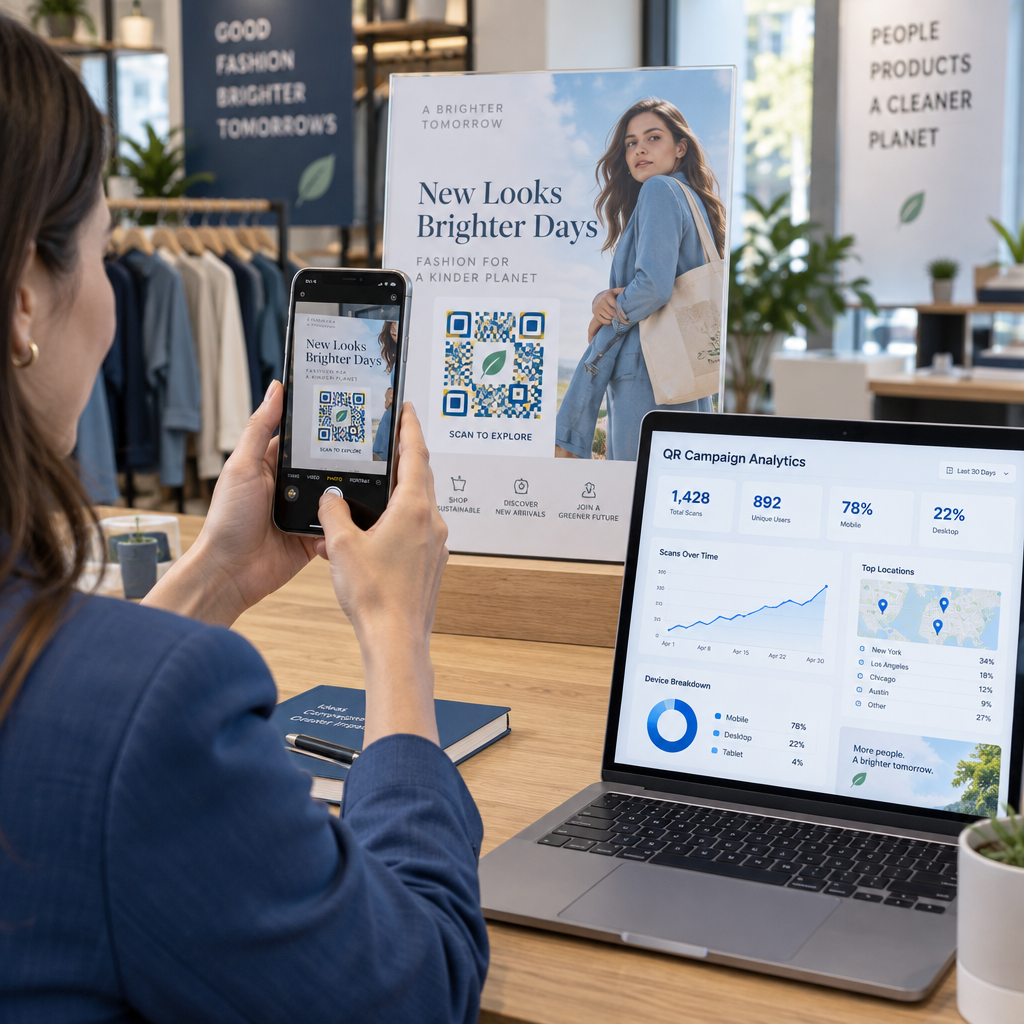
- Du får skanningsanalys – realtidsdata om när, var och hur ofta koden skannas
Dynamiska koder passar också bra med varumärkesdesign eftersom du investerar mer ansträngning i en kod som ser professionell ut. Att skydda den investeringen med uppdaterbart innehåll är praktiskt. Läs mer om den fullständiga funktionsuppsättningen tillgänglig för anpassade QR-koder.
Verkliga tillämpningar per bransch
Att förstå hur andra företag använder varumärkes-QR-koder kan hjälpa dig att identifiera rätt tillvägagångssätt för ditt eget material.
- Detaljhandel: Klädmärken bäddar in QR-koder med sin logotyp på hängetiketter, som länkar till stilguider, storlekstabeller eller onlinebutiken. Logotypen i mitten gör koden igenkännbar och varumärkesenlig vid försäljningsstället.
- Restauranger: En QR-kod på en bordsdisplay eller menyomslag kan länka till den digitala menyn, bokningssystemet eller lojalitetsprogrammet. Att matcha kodens färger med restaurangens palett håller designen sammanhängande.
- Evenemang: Evenemangsarrangörer använder varumärkes-QR-koder på märken, skyltar och tryckta program för att driva appnedladdningar, incheckningar eller sessionsscheman. Hög felkorrigering är särskilt viktig här eftersom koder kan skannas i varierande belysning.
- Produktförpackningar: En varumärkes-QR-kod på förpackningen kan länka till monteringsanvisningar, garantiregistrering eller produktrecensioner. Att använda en dynamisk kod här innebär att du kan uppdatera destinationen när produkten utvecklas.

För mer detaljerade exempel, se 7 exempel på varumärkesanpassade QR-koder.
Vanliga frågor
Inte om du följer rätt riktlinjer. Ställ in felkorrigering till nivå H innan du lägger till en logotyp, håll logotypen centrerad och begränsa dess täckning till cirka 20–25% av den totala kodytan. Undvik att täcka de tre hörnpositionsmarkörerna. Testa den slutliga koden på flera enheter innan utskrift.
Ja, så länge du bibehåller tillräcklig kontrast mellan de mörka modulerna och den ljusa bakgrunden. Sikta på ett kontrastförhållande på minst 4,5:1. Undvik övergångar (gradienter) inom modulmönstret, vänd aldrig färgerna till ljust-på-mörkt, och håll alltid den tysta zonen (den tomma marginalen runt koden) helt fri.
Den minsta rekommenderade storleken för närskanning är 0,8 × 0,8 tum (ungefär 2 × 2 cm). För koder som är avsedda att skannas från längre avstånd, använd 10:1-regeln: för varje 10 cm förväntat skanningsavstånd bör koden vara minst 1 cm bred. Exportera alltid utskriftsfiler i ett vektorformat som SVG eller EPS för att undvika pixelering.