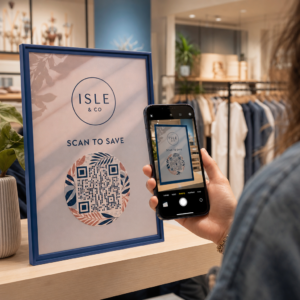
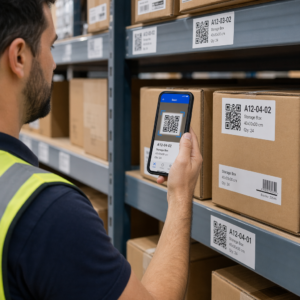
Vai vēlaties, lai jūsu QR kods izskatītos kā daļa no jūsu zīmola, nevis kā vispārējs melnbalts kvadrāts? Vienkāršs QR kods darbojas, taču zīmola kods ar jūsu logotipu un krāsām veido atpazīstamību un tiek skenēts biežāk. Šis ceļvedis parāda, kā izveidot pielāgotu QR kodu, kas izskatās profesionāli, nezaudējot skenējamību.
Kāpēc zīmola QR kodi darbojas labāk
Standarta QR kods skenerim neko nestāsta par jūsu uzņēmumu. Zīmola kods veic vairāk darba, pirms kāds to pat skenē. Kad jūsu logotips atrodas koda iekšpusē un jūsu zīmola krāsas ierāmē dizainu, klienti nekavējoties atpazīst avotu. Šī atpazīstamība veido uzticību – un uzticība veicina skenēšanu.
Pētījumi, kas aplūkoti 7 zīmolu QR kodu piemēri liecina, ka zīmolu QR kodi ar logotipiem var palielināt skenēšanas ātrumu par 30–70% salīdzinājumā ar vispārīgiem. Papildus skaitļiem, zīmola kods stiprina jūsu vizuālo identitāti katru reizi, kad tas parādās uz iepakojuma, izkārtnēm vai drukātiem materiāliem.
Uzņēmumi, kas vēl veido savu vizuālo identitāti, var izpētīt idejas unikālam logotipam uzņēmumam pirms to piemērošanas QR kodiem, iepakojumam un citiem zīmola materiāliem. Galvenais ir zināt, kuras dizaina izvēles palīdz un kuras sabojā skenējamību.
Kā QR koda kļūdu labošana padara logotipa integrāciju iespējamu
Pirms koda pielāgošanas ir noderīgi saprast, kāpēc logotipus vispār var pievienot, to nesabojājot. QR kodi ietver iebūvētu kļūdu labošanu, kas balstīta uz Rīda-Solomona kodiem, kas pievieno liekus datus, lai skeneri varētu rekonstruēt modeli pat tad, ja daļa no tā ir aizsegta.
Ir četri kļūdu labošanas līmeņi:
- L līmenis – atjauno līdz 7% bojātu kodvārdu; mazākais koda izmērs; vislabāk piemērots tīrai lietošanai iekštelpās
- M līmenis – atjauno līdz 15%; standarta izvēle lielākajai daļai mārketinga lietojumu
- Q līmenis – atjauno līdz 25%; piemērots lietošanai ārpus telpām vai uz teksturētām virsmām
- H līmenis – atjauno līdz 30%; ieteicams ikreiz, kad pievienojat logotipu
Kad jūs iegulstat logotipu QR koda centrā, jūs apzināti aizsedzat daļu no modeļa. H līmeņa kļūdu labošana to kompensē, ļaujot skenerim rekonstruēt trūkstošos datus. Bez tās pat neliels logotips var izraisīt skenēšanas kļūmes.
Lai dziļāk aplūkotu, kā tas darbojas praksē, skatiet kā kļūdu labošana darbojas rediģējamos QR kodos.
Izveidojiet zīmola QR kodu ar logotipu Gatavs izveidot QR kodu, kas atspoguļo jūsu zīmolu? Izmantojiet QR koda ģenerators ar logotipu lai augšupielādētu savu logotipu, izvēlētos krāsas un dažu minūšu laikā ģenerētu skenējamu, zīmolam atbilstošu kodu.
Logotipa izvietojums: noteikumi, kas aizsargā skenējamību
Nepareiza logotipa pievienošana ir viens no visbiežāk sastopamajiem iemesliem, kāpēc zīmola QR kodi nedarbojas. Ievērojiet šīs vadlīnijas, lai jūsu kods būtu uzticams:
- Logotipu turiet centrā. QR koda centrā ir datu moduļi, kas visvairāk gūst labumu no kļūdu labošanas pārklājuma. Logotipa centrēšana ļauj izvairīties no trim stūra pozīcijas marķieriem, kas ir kritiski skenera orientācijai un nekad nedrīkst tikt pārklāti.
- Ierobežojiet logotipa pārklājumu līdz aptuveni 20–25% no koda laukuma. Pārklājot vairāk nekā 30%, tiek pārsniegts tas, ko var atjaunot pat H līmeņa kļūdu labošana. Tuvāk 20% dod jums ērtu drošības rezervi.
- Izmantojiet augstas izšķirtspējas logotipa failu. Izplūdis vai pikseļots logotips koda centrā rada vizuālu troksni, kas var traucēt skenēšanu, īpaši vecākās ierīcēs. Labākam rezultātam izmantojiet PNG vai vektorgrafikas formātu, piemēram, SVG.
- Dodiet priekšroku vienkāršiem, kvadrātveida vai apļveida logotipiem. Vertikāli taisnstūrveida logotipi riskē pārklāties ar laika noteikšanas modeļiem, kas atrodas gar koda malām. Horizontālas vai kompaktas formas ir drošākas.
- Pārbaudiet vairākās ierīcēs pirms drukāšanas. Kods, kas lieliski skenējas jaunā iPhone, var nedarboties vecākā Android tālrunī ar zemākas izšķirtspējas kameru. Pārbaudiet dažādās platformās un apgaismojuma apstākļos.
Uzziniet vairāk par drošu logotipa integrāciju ceļvedī par kā pievienot logotipus QR kodiem.
Krāsa un kontrasts: Kā saglabāt jūsu zīmola krāsas skenējamas
Jūs varat izmantot savas zīmola krāsas QR kodā, taču krāsu izvēle tieši ietekmē to, vai kods skenējas uzticami. Skeneri nolasa atšķirību starp tumšiem moduļiem un gaišu fonu – nevis konkrētus toņus. Kad šis kontrasts pazūd, pazūd arī skenējamība.
Kontrasta noteikumi, kas jāievēro
- Izmantojiet tumšus priekšplāna moduļus uz gaiša fona. Šī ir pamatprasība. Klasisks melns uz balta nodrošina kontrasta attiecību 21:1 un ir visuniversālāk uzticamā kombinācija.
- Saglabājiet minimālo kontrasta attiecību 4.5:1 mazākiem kodiem. Lielformāta kodiem, kas tiek skatīti no attāluma, pieņemama ir attiecība 4:1. To var pārbaudīt ar jebkuru tīmekļa pieejamības kontrasta pārbaudītāju.
- Nekad neapgrieziet krāsas. Gaišs uz tumša (balts uz melna) shēma var izskatīties iespaidīgi, taču daudzi QR skeneri nedarbojas ar apgrieztām krāsu shēmām.
- Izvairieties no gradientiem moduļu rakstā. Gradianti rada pustoņus, kas samazina lokālo kontrastu un mulsina skenerus. Ja vēlaties gradienta efektu, lietojiet to tikai dekoratīviem elementiem ārpus koda raksta, piemēram, rāmim vai fonam.
- Saglabājiet kluso zonu tīru. Klusā zona ir tukšā mala ap QR kodu. ISO standarts prasa vismaz četrus tukšas vietas moduļus visās pusēs. Ja katrs modulis ir 2 mm plats, klusajai zonai jābūt vismaz 8 mm katrā pusē. Teksta, dekoratīvu elementu vai pat jūsu logotipa novietošana pārāk tuvu šai robežai var izraisīt skenēšanas kļūmes.
Lai iegūtu pilnīgu sadalījumu par to, kuras krāsu kombinācijas darbojas un kuras jāizvairās, skatiet ceļvedi par QR kodu krāsu kontrasta labāko praksi.
Izmērs un izšķirtspēja: Pareiza iestatīšana drukāšanai
Skaisti zīmolots QR kods, kas ir pārāk mazs, lai to skenētu, zaudē savu jēgu. Izmērs ietekmē gan lasāmību, gan skenēšanas attālumu.
- Minimālais izmērs tuvplāna lietošanai ir 0,8 × 0,8 collas (apmēram 2 × 2 cm). Zem šī izmēra lielākajai daļai skeneru ir grūtības.
- Piemērojiet 10:1 likumu skenēšanas attālumam. Uz katriem 10 cm paredzētā skenēšanas attāluma kodam jābūt vismaz 1 cm platam. Kods, kas paredzēts skenēšanai no 50 cm attāluma, jābūt vismaz 5 cm platam.
- Eksportējiet vektoru formātos drukāšanai. SVG, EPS un PDF formāti mērogojas, nezaudējot kvalitāti. Rasterizēts PNG ar zemu izšķirtspēju drukājot izskatīsies izplūdis, un izplūdis kods var netikt skenēts. Vienmēr eksportējiet ar 300 DPI vai augstāku izšķirtspēju drukāšanas lietojumprogrammām.
Lai iegūtu kontekstam specifiskus izmēru norādījumus, skatiet labāko praksi QR kodu lasāmībā.
Soli pa solim: Zīmolota QR koda izveide ar logotipu
Šeit ir praktiska darba plūsma zīmolota QR koda izveidei, kas skenējas uzticami.
- Izvēlieties ģeneratoru, kas atbalsta logotipa iegulšanu un krāsu pielāgošanu. Ne visi rīki to dara. Meklējiet tādu, kas ļauj iestatīt kļūdu labošanas līmeņus, augšupielādēt logotipu un neatkarīgi pielāgot krāsas. Pageloot QR kodu ģenerators aptver visus šos.
- Iestatiet kļūdu labošanas līmeni uz H pirms logotipa pievienošanas. Daži ģeneratori pēc noklusējuma iestata M līmeni, kas nav pietiekams, ja ir logotips.
- Ievadiet galamērķa URL vai saturu. Ja veidojat kodu kampaņai vai drukātiem materiāliem, apsveriet iespēju izmantot dinamiskais QR kods lai vēlāk varētu atjaunināt galamērķi bez atkārtotas drukāšanas.
- Augšupielādējiet savu logotipu. Izmantojiet PNG vai SVG failu. Saglabājiet logotipu vienkāršu – izvairieties no smalka teksta vai sarežģītām ilustrācijām, kas zaudē skaidrību mazos izmēros.
- Lietojiet savas zīmola krāsas. Izvēlieties tumšu priekšplāna krāsu, kas atbilst jūsu zīmola paletei, un savienojiet to ar gaišu vai baltu fonu. Pirms pabeigšanas pārbaudiet kontrasta attiecību.
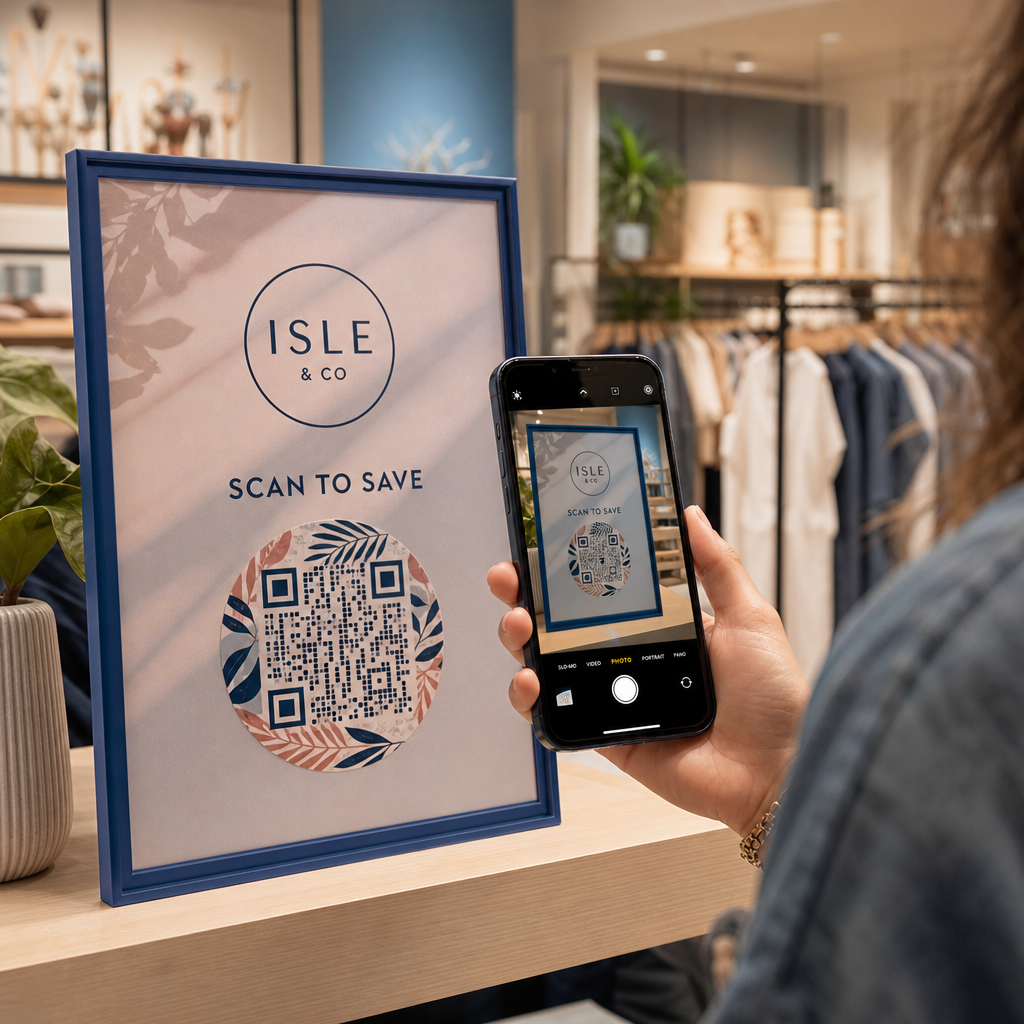
- Pievienojiet rāmi ar aicinājumu uz darbību. Īsa frāze, piemēram, “Skenējiet, lai apskatītu mūsu ēdienkarti” vai “Skenējiet, lai saņemtu ekskluzīvus piedāvājumus”, novērš neskaidrības un palielina skenēšanas biežumu. Varat saskaņot QR koda rāmji ar jūsu zīmola krāsām un logotipu.
- Priekšskatiet un pārbaudiet. Pirms lejupielādes skenējiet kodu vismaz divās dažādās ierīcēs. Pārbaudiet to dažādos apgaismojuma apstākļos un no attālumiem, no kuriem, jūsuprāt, lietotāji skenēs.
- Lejupielādējiet pareizajā formātā. Drukāšanai izmantojiet SVG vai EPS, digitālai lietošanai – augstas izšķirtspējas PNG.

Lai iegūtu gatavus zīmola dizainus, ko varat ātri pielāgot, izpētiet QR kodu sagataves.
Dinamisku QR kodu izmantošana zīmola kampaņām
Ja jūsu zīmola QR kods parādīsies uz drukātiem materiāliem, dinamiskais kods sniedz jums ievērojamu priekšrocību. Ar statisku kodu galamērķis ir bloķēts neatgriezeniski. Ar dinamisku kodu, rakstā iekodētais URL norāda uz īsu pāradresāciju, ko jūs kontrolējat. Jūs varat mainīt, uz kurieni tas ved, jebkurā laikā, nepārprintējot vai nepārveidojot kodu.
Tas ir īpaši svarīgi zīmola kodiem, jo:
- Jūs varat vēlēties mainīt sezonas piedāvājumus vai kampaņu galvenās lapas
- Jūs varat labot bojātas saites, nepieskaroties fiziskajam materiālam
- Jūs saņemat skenēšanas analītiku – reāllaika datus par to, kad, kur un cik bieži kods tiek skenēts
Dinamiskie kodi labi sader arī ar zīmola dizainiem, jo jūs ieguldāt vairāk pūļu kodā, kas izskatās profesionāli. Šī ieguldījuma aizsardzība ar atjaunināmu saturu ir praktiski pamatota. Uzziniet vairāk par pilnu funkciju kopumu, kas pieejams pielāgotiem QR kodiem.
Reālās pasaules pielietojumi pa nozarēm
Izpratne par to, kā citi uzņēmumi izmanto zīmola QR kodus, var palīdzēt jums noteikt pareizo pieeju jūsu materiāliem.
- Mazumtirdzniecība: Apģērbu zīmoli iegulda QR kodus ar savu logotipu uz etiķetēm, saistot tos ar stila ceļvežiem, izmēru tabulām vai tiešsaistes veikalu. Logotips centrā padara kodu atpazīstamu un atbilstošu zīmolam pārdošanas vietā.
- Restorāni: QR kods uz galda telts vai ēdienkartes vāka var saistīt ar digitālo ēdienkarti, rezervēšanas sistēmu vai lojalitātes programmu. Koda krāsu saskaņošana ar restorāna paleti saglabā dizaina saskaņotību.
- Pasākumi: Pasākumu organizatori izmanto zīmola QR kodus uz nozīmītēm, izkārtnēm un drukātām programmām, lai veicinātu lietotņu lejupielādes, reģistrācijas vai sesiju grafikus. Augsta kļūdu korekcija ir īpaši svarīga šeit, jo kodus var skenēt mainīgā apgaismojumā.
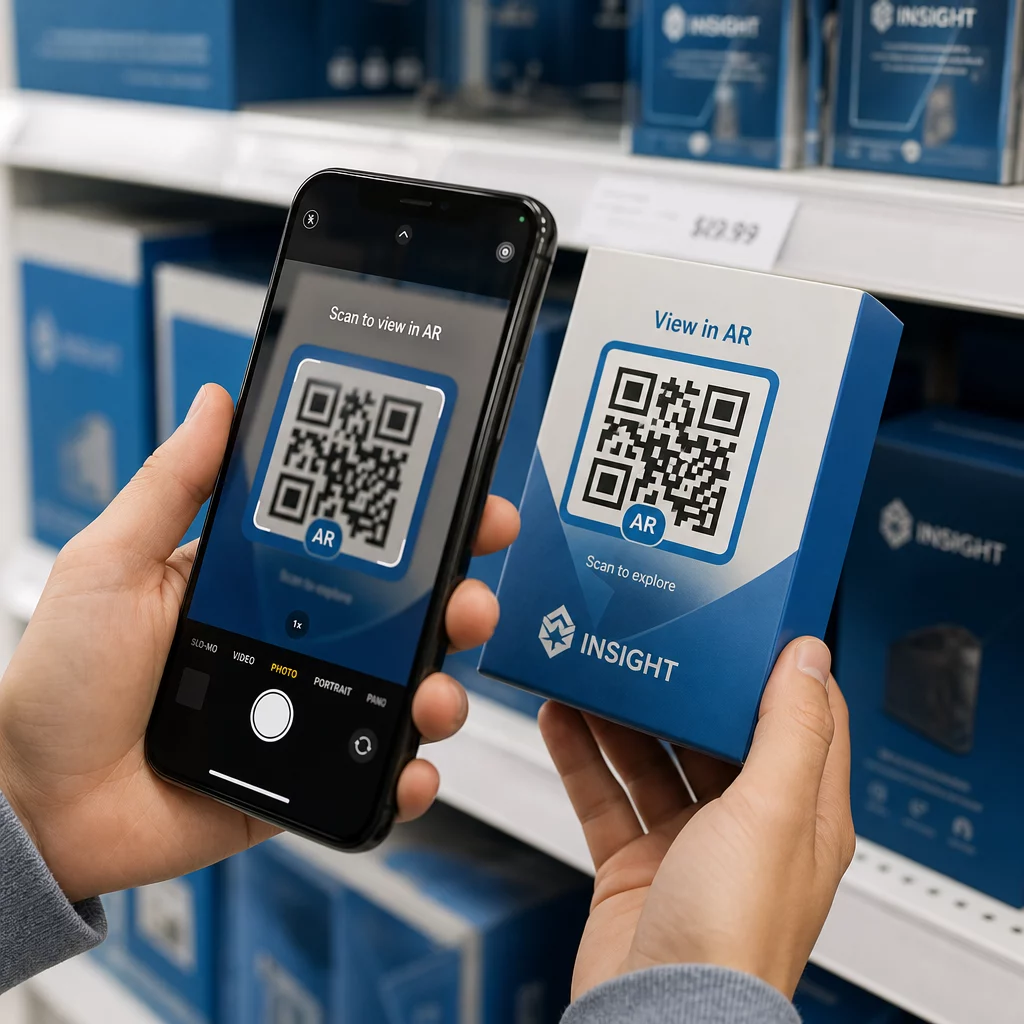
- Produkta iepakojums: Zīmola QR kods uz iepakojuma var saistīt ar montāžas instrukcijām, garantijas reģistrāciju vai produktu atsauksmēm. Dinamiska koda izmantošana šeit nozīmē, ka jūs varat atjaunināt galamērķi, produktam attīstoties.

Lai iegūtu sīkākus piemērus, skatiet 7 zīmolu QR kodu piemēri.
Biežāk uzdotie jautājumi
Ne, ja ievērojat pareizās vadlīnijas. Iestatiet kļūdu labošanu uz H līmeni pirms logotipa pievienošanas, turiet logotipu centrā un ierobežojiet tā pārklājumu līdz aptuveni 20–25% no kopējās koda zonas. Izvairieties pārklāt trīs stūra pozīcijas marķierus. Pārbaudiet galīgo kodu vairākās ierīcēs pirms drukāšanas.
Jā, ja vien jūs saglabājat pietiekamu kontrastu starp tumšajiem moduļiem un gaišo fonu. Mērķējiet uz kontrasta attiecību vismaz 4.5:1. Izvairieties no gradientiem moduļu rakstā, nekad neapgrieziet krāsas uz gaišs uz tumša, un vienmēr saglabājiet kluso zonu (tukšo malu ap kodu) pilnīgi tīru.
Minimālais ieteicamais izmērs skenēšanai no tuva attāluma ir 0,8 × 0,8 collas (aptuveni 2 × 2 cm). Kodiem, kas paredzēti skenēšanai no lielāka attāluma, ievērojiet likumu 10:1: uz katriem 10 cm paredzētā skenēšanas attāluma kodam jābūt vismaz 1 cm platam. Vienmēr eksportējiet drukas failus vektora formātā, piemēram, SVG vai EPS, lai izvairītos no pikseļošanās.