Ali želite, da je vaša QR koda del vaše blagovne znamke namesto generičnega črno-belega kvadrata? Navadna QR koda deluje, vendar blagovna znamka z vašim logotipom in barvami gradi prepoznavnost in se pogosteje skenira. Ta vodnik vam pokaže, kako ustvariti prilagojeno QR kodo, ki izgleda profesionalno, ne da bi pri tem žrtvovali možnost skeniranja.
Zakaj QR kode z blagovno znamko delujejo bolje
Standardna QR koda skenerju ne pove ničesar o vašem podjetju. Blagovna znamka opravi več dela, še preden jo kdo skenira. Ko je vaš logotip znotraj kode in barve vaše blagovne znamke uokvirjajo dizajn, stranke takoj prepoznajo vir. To prepoznavanje gradi zaupanje – in zaupanje spodbuja skeniranje.
Raziskava, zajeta v 7 primerov QR kod z blagovno znamko kaže, da lahko QR kode z blagovno znamko in logotipi povečajo stopnjo skeniranja za 30–70 % v primerjavi z generičnimi. Poleg številk, blagovna koda krepi vašo vizualno identiteto vsakič, ko se pojavi na embalaži, signalizaciji ali tiskovinah.
Podjetja, ki še vedno oblikujejo svojo vizualno identiteto, lahko raziskujejo ideje za edinstven logotip za podjetje preden ga uporabijo na QR kodah, embalaži in drugih blagovnih materialih. Ključno je vedeti, katere oblikovalske izbire pomagajo in katere zmanjšujejo berljivost.
Kako popravljanje napak QR kode omogoča integracijo logotipa
Preden prilagodite svojo kodo, je koristno razumeti, zakaj je logotipe sploh mogoče dodati, ne da bi jo pokvarili. QR kode vključujejo vgrajeno popravljanje napak, ki temelji na Reed–Solomonovih kodah, kar dodaja odvečne podatke, tako da lahko skenerji rekonstruirajo vzorec, tudi če je del le-tega zakrit.
Obstajajo štiri ravni popravljanja napak:
- Raven L – obnovi do 7 % poškodovanih kodnih besed; najmanjša velikost kode; najboljše za čisto notranjo uporabo
- Raven M – obnovi do 15 %; standardna izbira za večino marketinških aplikacij
- Raven Q – obnovi do 25 %; primerno za zunanjo uporabo ali teksturirane površine
- Raven H – obnovi do 30 %; priporočljivo, kadar koli dodate logotip
Ko vdelate logotip v sredino QR kode, namerno zakrijete del vzorca. Popravljanje napak ravni H to kompenzira, kar skenerju omogoča rekonstrukcijo manjkajočih podatkov. Brez tega lahko celo majhen logotip povzroči neuspešno skeniranje.
Za podrobnejši vpogled v delovanje v praksi glejte kako deluje popravljanje napak v QR kodah, ki jih je mogoče urejati.
Ustvarite QR kodo blagovne znamke z logotipom Ste pripravljeni ustvariti QR kodo, ki odraža vašo blagovno znamko? Uporabite Generator QR kod z logotipom za nalaganje vašega logotipa, izbiro barv in v nekaj minutah ustvarite skenabilno kodo, ki ustreza vaši blagovni znamki.
Postavitev logotipa: Pravila, ki ščitijo skenabilnost
Nepravilno dodajanje logotipa je eden najpogostejših razlogov za neuspeh QR kod blagovnih znamk. Upoštevajte te smernice, da bo vaša koda zanesljiva:
- Logotip naj bo na sredini. Sredina QR kode vsebuje podatkovne module, ki imajo največjo korist od pokritosti s popravljanjem napak. Sredinska postavitev logotipa preprečuje prekrivanje treh vogalnih označevalcev položaja, ki so ključni za orientacijo skenerja in jih nikoli ne smemo prekriti.
- Omejite pokritost logotipa na približno 20–25% površine kode. Pokrivanje več kot 30% presega tisto, kar lahko obnovi celo popravljanje napak ravni H. Bližje 20% vam zagotavlja udobno varnostno rezervo.
- Uporabite datoteko logotipa visoke ločljivosti. Zamegljen ali pikseliziran logotip v sredini kode dodaja vizualni šum, ki lahko moti skeniranje, zlasti na starejših napravah. Za najboljši rezultat uporabite PNG ali vektorski format, kot je SVG.
- Prednost dajte preprostim, kvadratnim ali okroglim logotipom. Navpični pravokotni logotipi tvegajo prekrivanje časovnih vzorcev, ki potekajo vzdolž robov kode. Vodoravne ali kompaktne oblike so varnejše.
- Preizkusite na več napravah pred tiskanjem. Koda, ki se popolnoma skenira na novem iPhonu, morda ne bo delovala na starejšem Androidu s kamero nižje ločljivosti. Preizkusite na različnih platformah in svetlobnih pogojih.
Več o varni integraciji logotipa preberite v vodniku o kako dodati logotipe QR kodam.
Barva in kontrast: Ohranjanje skenabilnosti barv vaše blagovne znamke
Barve svoje blagovne znamke lahko uporabite v QR kodi, vendar izbira barv neposredno vpliva na to, ali se koda zanesljivo skenira. Skenerji berejo razliko med temnimi moduli in svetlim ozadjem – ne specifičnih odtenkov. Ko ta kontrast izgine, izgine tudi skenabilnost.
Pravila kontrasta, ki jih je treba upoštevati
- Uporabite temne module ospredja na svetlem ozadju. To je osnovna zahteva. Klasična črna na beli ponuja kontrastno razmerje 21:1 in je najbolj univerzalno zanesljiva kombinacija.
- Vzdržujte minimalno kontrastno razmerje 4,5:1 za manjše kode. Za kode velikega formata, gledane na daljavo, je sprejemljivo razmerje 4:1. To lahko preverite s katerim koli spletnim preverjevalnikom kontrasta za dostopnost.
- Nikoli ne obračajte barv. Svetla na temni (bela na črni) shema je morda videti privlačna, vendar mnogi QR skenerji ne delujejo pri obrnjenih barvnih shemah.
- Izogibajte se prelivom znotraj vzorca modulov. Prelivi ustvarjajo srednje tone, ki zmanjšujejo lokalni kontrast in zmedejo skenerje. Če želite učinek preliva, ga uporabite samo za dekorativne elemente zunaj vzorca kode, kot so okvir ali ozadje.
- Ohranite mirno cono čisto. Mirna cona je prazen rob, ki obdaja QR kodo. Standard ISO zahteva vsaj štiri module praznega prostora na vseh straneh. Če je vsak modul širok 2 mm, mora biti mirna cona na vsaki strani široka vsaj 8 mm. Postavitev besedila, dekorativnih elementov ali celo vašega logotipa preblizu te meje lahko povzroči napake pri skeniranju.
Za popolno razčlenitev, katere barvne kombinacije delujejo in katerim se izogniti, glejte vodnik o najboljšim praksam barvnega kontrasta QR kod.
Velikost in ločljivost: Kako ju pravilno nastaviti za tisk
Lepo oblikovana QR koda, ki je premajhna za skeniranje, izgubi svoj namen. Velikost vpliva tako na berljivost kot na razdaljo skeniranja.
- Minimalna velikost za uporabo na kratke razdalje je 0,8 × 0,8 palca (približno 2 × 2 cm). Pod to velikostjo ima večina skenerjev težave.
- Uporabite pravilo 10:1 za razdaljo skeniranja. Za vsakih 10 cm pričakovane razdalje skeniranja mora biti koda široka vsaj 1 cm. Koda, namenjena skeniranju z razdalje 50 cm, mora biti široka vsaj 5 cm.
- Izvozite v vektorskih formatih za tisk. Formati SVG, EPS in PDF se skalirajo brez izgube kakovosti. Rasteriziran PNG z nizko ločljivostjo bo pri tiskanju videti zamegljen, zamegljena koda pa se morda ne bo skenirala. Vedno izvozite pri 300 DPI ali več za tiskane aplikacije.
Za smernice glede velikosti, specifične za kontekst, glejte najboljšim praksam za berljivost QR kod.
Korak za korakom: Ustvarjanje blagovne znamke QR kode z logotipom
Tukaj je praktičen potek dela za izdelavo blagovne znamke QR kode, ki se zanesljivo skenira.
- Izberite generator, ki podpira vdelavo logotipa in prilagoditev barv. Ne vsa orodja. Poiščite takšnega, ki vam omogoča nastavitev ravni popravljanja napak, nalaganje logotipa in neodvisno prilagajanje barv. Pagelootov generator QR kod pokriva vse to.
- Nastavite raven popravljanja napak na H, preden dodate logotip. Nekateri generatorji privzeto uporabljajo raven M, kar ni dovolj, če je prisoten logotip.
- Vnesite ciljni URL ali vsebino. Če ustvarjate kodo za kampanjo ali tiskano gradivo, razmislite o uporabi dinamična QR koda da lahko pozneje posodobite destinacijo, ne da bi morali ponovno tiskati.
- Naložite svoj logotip. Uporabite datoteko PNG ali SVG. Logotip naj bo preprost – izogibajte se drobnemu besedilu ali kompleksnim ilustracijam, ki izgubijo jasnost pri majhnih velikostih.
- Uporabite barve svoje blagovne znamke. Izberite temno barvo ospredja, ki se ujema z vašo barvno paleto blagovne znamke, in jo kombinirajte s svetlim ali belim ozadjem. Pred dokončanjem preizkusite kontrastno razmerje.
- Dodajte okvir s pozivom k dejanju. Kratka fraza, kot je “Skenirajte za ogled našega menija” ali “Skenirajte za ekskluzivne ponudbe”, odpravlja dvoumnost in poveča stopnjo skeniranja. Lahko se ujema Okvirji za QR kode z barvami in logotipom vaše blagovne znamke.
- Predogled in testiranje. Skenirajte kodo na vsaj dveh različnih napravah, preden jo prenesete. Preverite jo v različnih svetlobnih pogojih in z razdalj, s katerih pričakujete, da jo bodo uporabniki skenirali.
- Prenesite v pravem formatu. Za tisk uporabite SVG ali EPS, za digitalno uporabo pa PNG visoke ločljivosti.

Za že pripravljene dizajne blagovnih znamk, ki jih lahko hitro prilagodite, raziščite Predloge QR kod.
Uporaba dinamičnih QR kod za kampanje blagovnih znamk
Če se bo vaša blagovna znamka QR kode pojavila na tiskanih materialih, vam dinamična koda daje pomembno prednost. Pri statični kodi je destinacija trajno zaklenjena. Pri dinamični kodi URL, kodiran v vzorcu, kaže na kratko preusmeritev, ki jo nadzirate. Kamor vodi, lahko kadar koli spremenite, ne da bi ponovno tiskali ali preoblikovali kodo.
To je še posebej pomembno za kode blagovnih znamk, ker:
- Morda boste želeli menjati sezonske ponudbe ali ciljne strani kampanj
- Lahko popravite pokvarjene povezave, ne da bi se dotaknili fizičnega materiala
- Dobite analitiko skeniranja – podatke v realnem času o tem, kdaj, kje in kako pogosto je koda skenirana
Dinamične kode se dobro ujemajo tudi z dizajni blagovnih znamk, saj vlagate več truda v kodo, ki izgleda profesionalno. Zaščita te naložbe z vsebino, ki jo je mogoče posodabljati, je praktična. Izvedite več o celotnem naboru funkcij, ki so na voljo za QR kode po meri.
Aplikacije v resničnem svetu po panogah
Razumevanje, kako druga podjetja uporabljajo QR kode blagovnih znamk, vam lahko pomaga prepoznati pravi pristop za vaše lastne materiale.
- Maloprodaja: Blagovne znamke oblačil vdelajo QR kode s svojim logotipom na etikete, ki povezujejo s stilskimi vodniki, tabelami velikosti ali spletno trgovino. Logotip v sredini omogoča prepoznavnost kode in skladnost z blagovno znamko na prodajnem mestu.
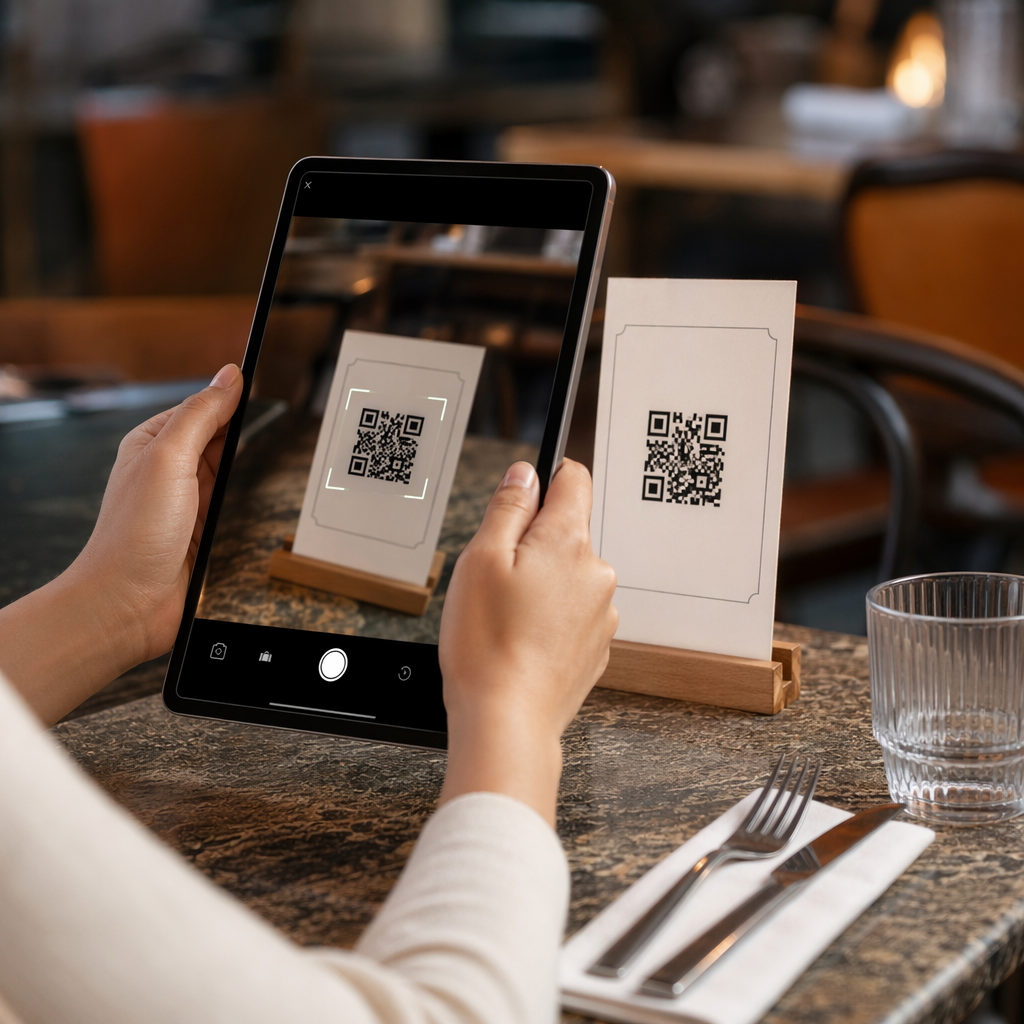
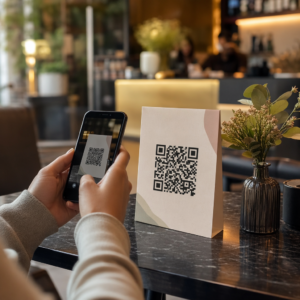
- Restavracije: QR koda na namiznem stojalu ali ovitku menija se lahko poveže z digitalnim menijem, sistemom rezervacij ali programom zvestobe. Ujemanje barv kode z barvno paleto restavracije ohranja kohezivnost dizajna.
- Dogodki: Organizatorji dogodkov uporabljajo QR kode blagovnih znamk na značkah, signalizaciji in tiskanih programih za spodbujanje prenosov aplikacij, prijav ali urnikov sej. Visoka korekcija napak je tukaj še posebej pomembna, saj se kode lahko skenirajo pri spremenljivi osvetlitvi.
- Embalaža izdelkov: QR koda blagovne znamke na embalaži se lahko poveže z navodili za montažo, registracijo garancije ali ocenami izdelkov. Uporaba dinamične kode tukaj pomeni, da lahko posodobite destinacijo, ko se izdelek razvija.

Za podrobnejše primere glejte 7 primerov QR kod z blagovno znamko.
Pogosta vprašanja
Ne, če sledite pravim smernicam. Nastavite popravljanje napak na raven H, preden dodate logotip, naj bo logotip centriran, in omejite njegovo pokritost na približno 20–25 % celotne površine kode. Izogibajte se prekrivanju treh kotnih označevalcev položaja. Končno kodo preizkusite na več napravah pred tiskanjem.
Da, dokler ohranjate zadosten kontrast med temnimi moduli in svetlim ozadjem. Prizadevajte si za kontrastno razmerje vsaj 4,5:1. Izogibajte se prelivom znotraj vzorca modula, nikoli ne obrnite barv v svetlo na temno in vedno ohranjajte mirno cono (prazen rob okoli kode) popolnoma čisto.
Najmanjša priporočena velikost za skeniranje od blizu je 0,8 × 0,8 palca (približno 2 × 2 cm). Za kode, namenjene skeniranju z večjih razdalj, uporabite pravilo 10:1: za vsakih 10 cm pričakovane razdalje skeniranja mora biti koda široka vsaj 1 cm. Datoteke za tisk vedno izvozite v vektorski obliki, kot sta SVG ali EPS, da preprečite pikselizacijo.