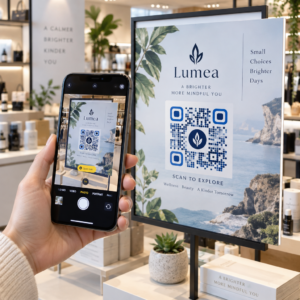
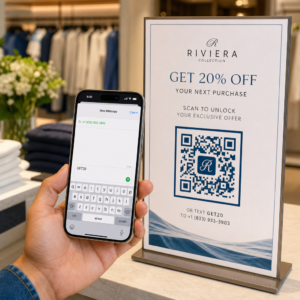
هل تريد أن يبدو رمز الاستجابة السريعة (QR code) الخاص بك جزءًا من علامتك التجارية بدلاً من مربع أبيض وأسود عام؟ يعمل رمز الاستجابة السريعة العادي، ولكن الرمز ذو العلامة التجارية الذي يحمل شعارك وألوانك يبني التعرف عليه ويتم مسحه ضوئيًا بشكل أكبر. يوضح لك هذا الدليل كيفية إنشاء رمز استجابة سريعة مخصص يبدو احترافيًا دون التضحية بإمكانية المسح الضوئي.
لماذا تحقق رموز QR ذات العلامة التجارية أداءً أفضل
لا يخبر رمز الاستجابة السريعة القياسي الماسح الضوئي شيئًا عن عملك. أما الرمز ذو العلامة التجارية فيقوم بعمل أكبر قبل أن يقوم أي شخص بمسحه ضوئيًا. عندما يكون شعارك داخل الرمز وتؤطر ألوان علامتك التجارية التصميم، يتعرف العملاء على المصدر على الفور. هذا التعرف يبني الثقة – والثقة تدفع عمليات المسح الضوئي.
بحث تم تناوله في 7 أمثلة لرموز الاستجابة السريعة ذات العلامات التجارية يوضح أن رموز الاستجابة السريعة ذات العلامات التجارية التي تحمل شعارات يمكن أن تزيد معدلات المسح الضوئي بنسبة 30-70% مقارنة بالرموز العامة. وبعيدًا عن الأرقام، يعزز الرمز ذو العلامة التجارية هويتك البصرية في كل مرة يظهر فيها على العبوات أو اللافتات أو المواد المطبوعة.
الشركات التي لا تزال تشكل هويتها البصرية يمكنها استكشاف أفكار لـ شعار فريد للأعمال قبل تطبيقه عبر رموز QR والتعبئة والتغليف والمواد الأخرى ذات العلامات التجارية. المفتاح هو معرفة أي خيارات التصميم تساعد وأي منها يفسد قابلية المسح الضوئي.
كيف تجعل ميزة تصحيح الأخطاء في رمز الاستجابة السريعة دمج الشعار ممكنًا
قبل تخصيص رمزك، من المفيد فهم سبب إمكانية إضافة الشعارات على الإطلاق دون إفساده. تتضمن رموز الاستجابة السريعة تصحيحًا مدمجًا للأخطاء يعتمد على رموز ريد-سولومون، والذي يضيف بيانات زائدة بحيث يمكن للماسحات الضوئية إعادة بناء النمط حتى عندما يكون جزء منه محجوبًا.
هناك أربعة مستويات لتصحيح الأخطاء:
- المستوى L – يستعيد ما يصل إلى 7% من الكلمات الرمزية التالفة؛ أصغر حجم للرمز؛ الأفضل للاستخدام الداخلي النظيف
- 14. المستوى M – يستعيد ما يصل إلى 15%؛ الخيار القياسي لمعظم تطبيقات التسويق
- المستوى Q – يستعيد ما يصل إلى 25%؛ مناسب للاستخدام الخارجي أو الأسطح ذات الملمس
- المستوى H – يستعيد ما يصل إلى 30%؛ يوصى به كلما أضفت شعارًا
عندما تقوم بتضمين شعار في منتصف رمز الاستجابة السريعة (QR code)، فإنك تحجب جزءًا من النمط عمدًا. تعويض الأخطاء من المستوى H يعوض عن ذلك, ، مما يسمح للماسح الضوئي بإعادة بناء البيانات المفقودة. بدونه، حتى الشعار الصغير يمكن أن يسبب فشل المسح.
لإلقاء نظرة أعمق على كيفية عمل ذلك عمليًا، انظر كيف يعمل تصحيح الأخطاء في رموز QR القابلة للتعديل.
أنشئ رمز QR ذا علامة تجارية مع شعار هل أنت مستعد لإنشاء رمز QR يعكس علامتك التجارية؟ استخدم الـ مولد باركود QR مع شعار لتحميل شعارك، واختيار ألوانك، وإنشاء رمز قابل للمسح ومتوافق مع علامتك التجارية في دقائق.
موضع الشعار: قواعد تحمي قابلية المسح
إضافة شعار بشكل غير صحيح هو أحد الأسباب الأكثر شيوعًا لفشل رموز QR ذات العلامات التجارية. اتبع هذه الإرشادات للحفاظ على موثوقية رمزك:
- حافظ على الشعار في المنتصف. يحتوي مركز رمز QR على وحدات بيانات تستفيد بشكل أكبر من تغطية تصحيح الأخطاء. يؤدي وضع الشعار في المنتصف إلى تجنب علامات تحديد المواقع الثلاثة في الزوايا، والتي تعتبر حاسمة لتوجيه الماسح الضوئي ويجب عدم تغطيتها أبدًا.
- حدد تغطية الشعار بحوالي 20-25% من مساحة الرمز. تغطية أكثر من 30% يتجاوز ما يمكن أن يستعيده حتى تصحيح الأخطاء من المستوى H. الاقتراب من 20% يمنحك هامش أمان مريحًا.
- استخدم ملف شعار عالي الدقة. يضيف الشعار الضبابي أو المنقط في منتصف الرمز تشويشًا بصريًا يمكن أن يتداخل مع المسح الضوئي، خاصة على الأجهزة القديمة. استخدم PNG أو تنسيق متجه مثل SVG للحصول على أفضل نتيجة.
- فضل الشعارات البسيطة، المربعة أو الدائرية. تخاطر الشعارات المستطيلة الرأسية بالتداخل مع أنماط التوقيت التي تمتد على طول حواف الكود. الأشكال الأفقية أو المدمجة أكثر أمانًا.
- اختبر على أجهزة متعددة قبل الطباعة. قد يفشل الكود الذي يتم مسحه ضوئيًا بشكل مثالي على جهاز iPhone جديد على جهاز Android أقدم بكاميرا ذات دقة أقل. اختبر عبر الأنظمة الأساسية وظروف الإضاءة.
تعرف على المزيد حول دمج الشعار الآمن في الدليل الخاص بـ كيفية إضافة الشعارات إلى رموز QR.
اللون والتباين: الحفاظ على ألوان علامتك التجارية قابلة للمسح الضوئي
يمكنك استخدام ألوان علامتك التجارية في رمز QR، ولكن خيارات الألوان تؤثر بشكل مباشر على ما إذا كان الرمز يتم مسحه ضوئيًا بشكل موثوق. تقرأ الماسحات الضوئية الفرق بين الوحدات الداكنة والخلفية الفاتحة – وليس درجات ألوان محددة. عندما يختفي هذا التباين، تختفي معه قابلية المسح الضوئي.
قواعد التباين التي يجب اتباعها
- استخدم وحدات أمامية داكنة على خلفية فاتحة. هذا هو المتطلب الأساسي. يوفر الأسود الكلاسيكي على الأبيض نسبة تباين 21:1 وهو المزيج الأكثر موثوقية عالميًا.
- حافظ على نسبة تباين لا تقل عن 4.5:1 للأكواد الأصغر. بالنسبة للأكواد ذات التنسيق الكبير التي تُعرض من مسافة بعيدة، تكون نسبة 4:1 مقبولة. يمكنك التحقق من ذلك باستخدام أي مدقق تباين لسهولة الوصول إلى الويب.
- لا تقم أبدًا بعكس الألوان. قد يبدو نظام الألوان الفاتح على الداكن (الأبيض على الأسود) لافتًا للنظر، ولكن العديد من ماسحات QR الضوئية تفشل في أنظمة الألوان المعكوسة.
- تجنب التدرجات اللونية داخل نمط الوحدة. تخلق التدرجات اللونية درجات متوسطة تقلل من التباين المحلي وتُربك الماسحات الضوئية. إذا كنت تريد تأثير التدرج اللوني، فطبقه فقط على العناصر الزخرفية خارج نمط الكود، مثل إطار أو خلفية.
- حافظ على المنطقة الهادئة واضحة. المنطقة الهادئة هي الهامش الفارغ المحيط برمز الاستجابة السريعة (QR code). يتطلب معيار ISO أربعة وحدات على الأقل من المساحة الفارغة من جميع الجوانب. إذا كانت كل وحدة بعرض 2 مم، فيجب أن تكون المنطقة الهادئة 8 مم على الأقل من كل جانب. قد يؤدي وضع النصوص أو العناصر الزخرفية أو حتى شعارك بالقرب من هذا الحد إلى فشل المسح الضوئي.
للحصول على تفصيل كامل لمجموعات الألوان التي تعمل والتي يجب تجنبها، راجع الدليل حول أفضل ممارسات تباين ألوان رمز QR.
الحجم والدقة: الحصول عليها بشكل صحيح للطباعة
رمز الاستجابة السريعة (QR code) ذو العلامة التجارية الجميلة الذي يكون صغيراً جداً بحيث لا يمكن مسحه يضيع الغرض منه. يؤثر الحجم على كل من سهولة القراءة ومسافة المسح.
- الحد الأدنى للحجم للاستخدام عن قرب هو 0.8 × 0.8 بوصة (حوالي 2 × 2 سم). أقل من هذا، تواجه معظم الماسحات الضوئية صعوبة.
- طبق قاعدة 10:1 لمسافة المسح. لكل 10 سم من مسافة المسح المتوقعة، يجب أن يكون الرمز بعرض 1 سم على الأقل. يجب أن يكون الرمز المخصص للمسح من مسافة 50 سم بعرض 5 سم على الأقل.
- التصدير بتنسيقات المتجهات للطباعة. تتوسع تنسيقات SVG و EPS و PDF دون فقدان الجودة. ستظهر صورة PNG النقطية بدقة منخفضة ضبابية عند الطباعة، وقد لا يتم مسح الرمز الضبابي. قم دائمًا بالتصدير بدقة 300 نقطة في البوصة أو أعلى لتطبيقات الطباعة.
للحصول على إرشادات تحديد الحجم الخاصة بالسياق، راجع أفضل الممارسات لقابلية قراءة رمز الاستجابة السريعة.
خطوة بخطوة: إنشاء رمز QR ذي علامة تجارية مع شعار
إليك سير عمل عملي لإنشاء رمز QR ذي علامة تجارية يمكن مسحه بشكل موثوق.
- اختر مولدًا يدعم تضمين الشعار وتخصيص الألوان. لا تفعل جميع الأدوات ذلك. ابحث عن واحد يتيح لك تعيين مستويات تصحيح الأخطاء، وتحميل شعار، وتعديل الألوان بشكل مستقل. Pageloot’s مولد رمز الاستجابة السريعة (QR code) يغطي كل هذه.
- اضبط مستوى تصحيح الأخطاء على H قبل إضافة شعار. بعض المولدات تضبط المستوى الافتراضي على M، وهو غير كافٍ عند وجود شعار.
- أدخل عنوان URL الوجهة أو المحتوى الخاص بك. إذا كنت تنشئ رمزًا لحملة أو مادة مطبوعة، ففكر في استخدام رمز الاستجابة السريعة الديناميكي حتى تتمكن من تحديث الوجهة لاحقًا دون إعادة الطباعة.
- حمّل شعارك. استخدم ملف PNG أو SVG. اجعل الشعار بسيطًا – تجنب النصوص الدقيقة أو الرسوم التوضيحية المعقدة التي تفقد وضوحها عند الأحجام الصغيرة.
- طبّق ألوان علامتك التجارية. اختر لونًا داكنًا للمقدمة يتوافق مع لوحة ألوان علامتك التجارية وقم بإقرانه بخلفية فاتحة أو بيضاء. اختبر نسبة التباين قبل الانتهاء.
- أضف إطارًا مع دعوة لاتخاذ إجراء. عبارة قصيرة مثل “امسح لعرض قائمتنا” أو “امسح للحصول على عروض حصرية” تزيل الغموض وتزيد من معدلات المسح. يمكنك مطابقة اطار باركود: إطارات رمز QR مع ألوان علامتك التجارية وشعارها.
- معاينة واختبار. امسح الرمز على جهازين مختلفين على الأقل قبل التنزيل. تحقّق منه في ظروف إضاءة مختلفة ومن المسافات التي تتوقع أن يمسح المستخدمون منها.
- قم بالتنزيل بالتنسيق الصحيح. استخدم SVG أو EPS للطباعة، و PNG عالي الدقة للاستخدام الرقمي.

لتصاميم جاهزة ذات علامة تجارية يمكنك تكييفها بسرعة، استكشف قوالب رموز QR.
استخدام رموز QR الديناميكية للحملات ذات العلامات التجارية
إذا كان رمز QR الخاص بعلامتك التجارية سيظهر على المواد المطبوعة، فإن الرمز الديناميكي يمنحك ميزة كبيرة. مع الرمز الثابت، يكون الوجهة مقفلة بشكل دائم. أما مع الرمز الديناميكي، فإن عنوان URL المشفر في النمط يشير إلى إعادة توجيه قصيرة تتحكم فيها. يمكنك تغيير الوجهة في أي وقت دون إعادة طباعة الرمز أو إعادة تصميمه.
هذا مهم بشكل خاص للرموز ذات العلامات التجارية للأسباب التالية:
- قد ترغب في تدوير العروض الموسمية أو صفحات الهبوط للحملات
- يمكنك إصلاح الروابط المعطلة دون لمس المادة المادية
- تحصل على تحليلات المسح – بيانات في الوقت الفعلي حول متى وأين وكم مرة يتم مسح الرمز
تتوافق الرموز الديناميكية أيضًا بشكل جيد مع التصميمات ذات العلامات التجارية لأنك تستثمر المزيد من الجهد في رمز يبدو احترافيًا. حماية هذا الاستثمار بمحتوى قابل للتحديث أمر منطقي وعملي. تعرف على المزيد حول مجموعة الميزات الكاملة المتاحة لرموز QR المخصصة.
تطبيقات واقعية حسب الصناعة
يمكن أن يساعدك فهم كيفية استخدام الشركات الأخرى لرموز QR ذات العلامات التجارية في تحديد النهج الصحيح لموادك الخاصة.
- البيع بالتجزئة: تقوم ماركات الملابس بتضمين رموز QR مع شعارها على بطاقات التعليق، لربطها بأدلة الأنماط، أو جداول المقاسات، أو المتجر الإلكتروني. الشعار في المنتصف يجعل الرمز معروفًا ومتوافقًا مع العلامة التجارية في نقطة البيع.
- المطاعم: يمكن لرمز QR على خيمة الطاولة أو غلاف القائمة أن يربط بالقائمة الرقمية، أو نظام الحجز، أو برنامج الولاء. مطابقة ألوان الرمز مع لوحة ألوان المطعم يحافظ على تماسك التصميم.
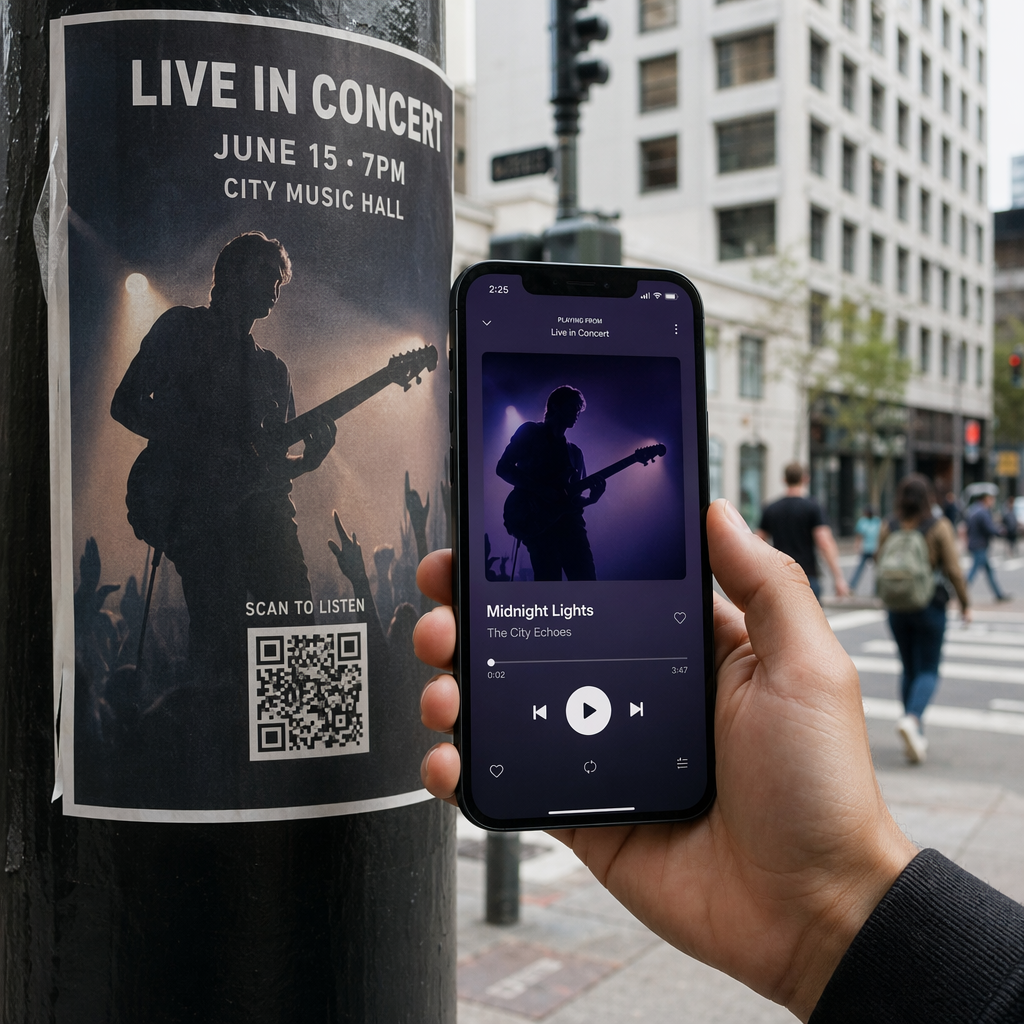
- الفعاليات: يستخدم منظمو الفعاليات رموز QR ذات العلامات التجارية على الشارات، واللافتات، والبرامج المطبوعة لدفع تنزيلات التطبيقات، أو تسجيلات الدخول، أو جداول الجلسات. تصحيح الأخطاء العالي مهم بشكل خاص هنا حيث قد يتم مسح الرموز في إضاءة متغيرة.
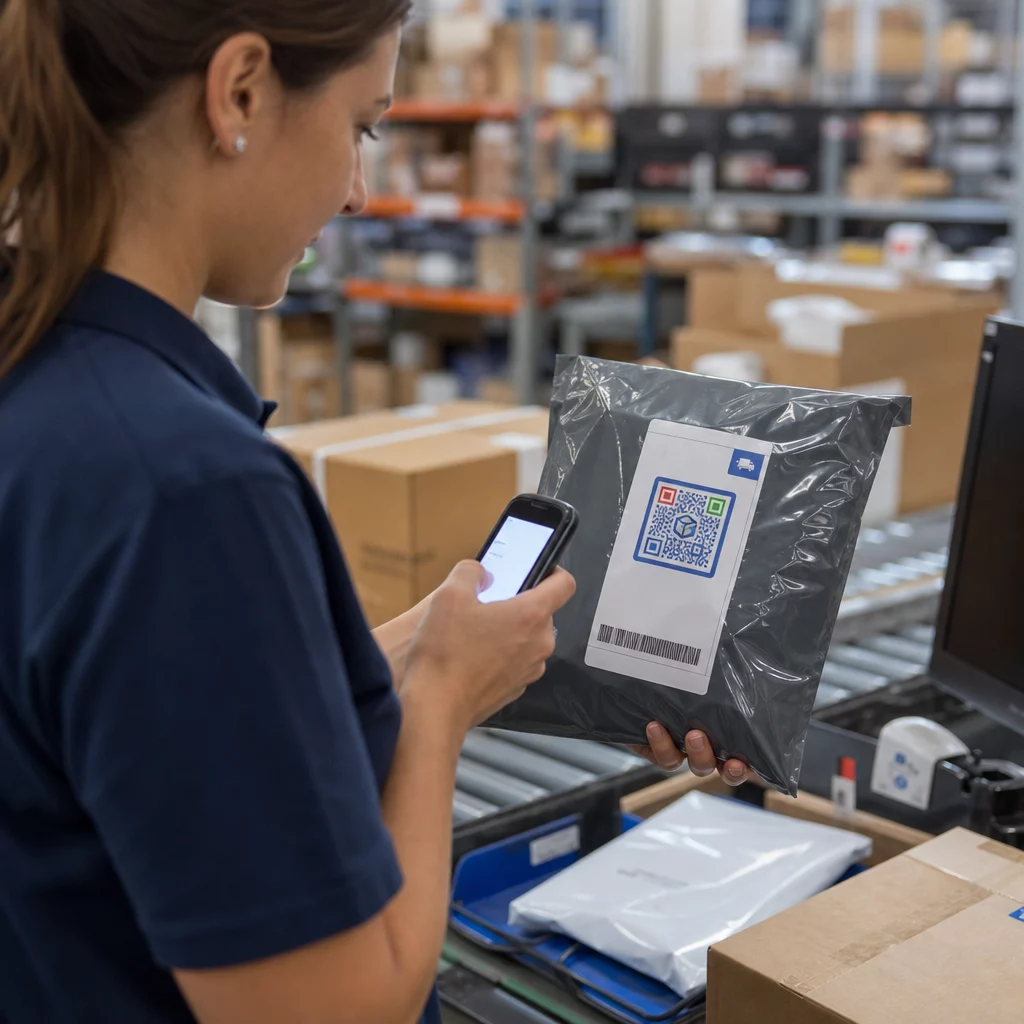
- تغليف المنتج: يمكن لرمز QR ذي العلامة التجارية على التغليف أن يربط بتعليمات التجميع، أو تسجيل الضمان، أو مراجعات المنتج. استخدام رمز ديناميكي هنا يعني أنه يمكنك تحديث الوجهة مع تطور المنتج.

للاطلاع على أمثلة أكثر تفصيلاً، انظر 7 أمثلة لرموز الاستجابة السريعة ذات العلامات التجارية.
الأسئلة الشائعة
ليس إذا اتبعت الإرشادات الصحيحة. اضبط تصحيح الخطأ على المستوى H قبل إضافة شعار، وحافظ على الشعار متمركزًا، وحدد تغطيته بحوالي 20-25% من إجمالي مساحة الكود. تجنب تغطية علامات الموضع الثلاثة في الزوايا. اختبر الكود النهائي على أجهزة متعددة قبل الطباعة.
نعم، طالما أنك تحافظ على تباين كافٍ بين الوحدات الداكنة والخلفية الفاتحة. استهدف نسبة تباين لا تقل عن 4.5:1. تجنب التدرجات اللونية داخل نمط الوحدة، ولا تقم أبدًا بعكس الألوان لتصبح فاتحة على خلفية داكنة، واحرص دائمًا على إبقاء المنطقة الهادئة (الهامش الفارغ حول الرمز) واضحة تمامًا.
الحد الأدنى للحجم الموصى به للمسح من مسافة قريبة هو 0.8 × 0.8 بوصة (حوالي 2 × 2 سم). بالنسبة للرموز المخصصة للمسح من مسافات أكبر، استخدم قاعدة 10:1: لكل 10 سم من مسافة المسح المتوقعة، يجب أن يكون الرمز بعرض 1 سم على الأقل. قم دائمًا بتصدير ملفات الطباعة بتنسيق متجه مثل SVG أو EPS لتجنب التكسير (البيكسلة).