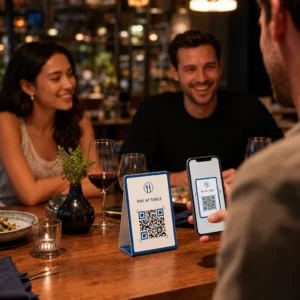
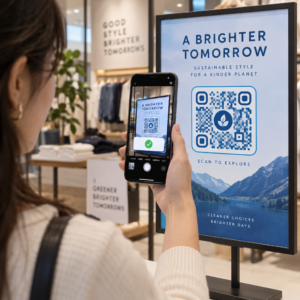
Die besten QR-Code-Farben sind dunkle Module (die Quadrate) auf hellem Hintergrund, und ja, QR-Codes können farbig sein. Die Regel ist einfach: Die Module müssen deutlich dunkler sein als der Hintergrund. Schwarz auf Weiß ergibt ein Kontrastverhältnis von 21:1 und ist die sicherste Wahl. Für einen gebrandeten Code streben Sie mindestens 4:1 an, und verwenden Sie 7:1 oder mehr für Außenwerbung, wo Sonnenlicht und Entfernung den effektiven Kontrast verringern. Dieser Leitfaden enthält die Zahlen, eine Farbtabelle und eine Testroutine.
Welche QR-Code-Farben funktionieren, und können QR-Codes farbig sein?
Ein QR-Code kann fast jede Farbe haben, und er kann verschiedene Farben für die Module und den Hintergrund verwenden. Eine Handykamera nimmt keinen Farbton wahr. Sie wandelt das Bild in Graustufen um und entscheidet Quadrat für Quadrat, was dunkel und was hell ist. Die Frage ist also nicht, welche Farbe Sie wählen, sondern wie unterschiedlich die beiden Graustufenwerte sind.
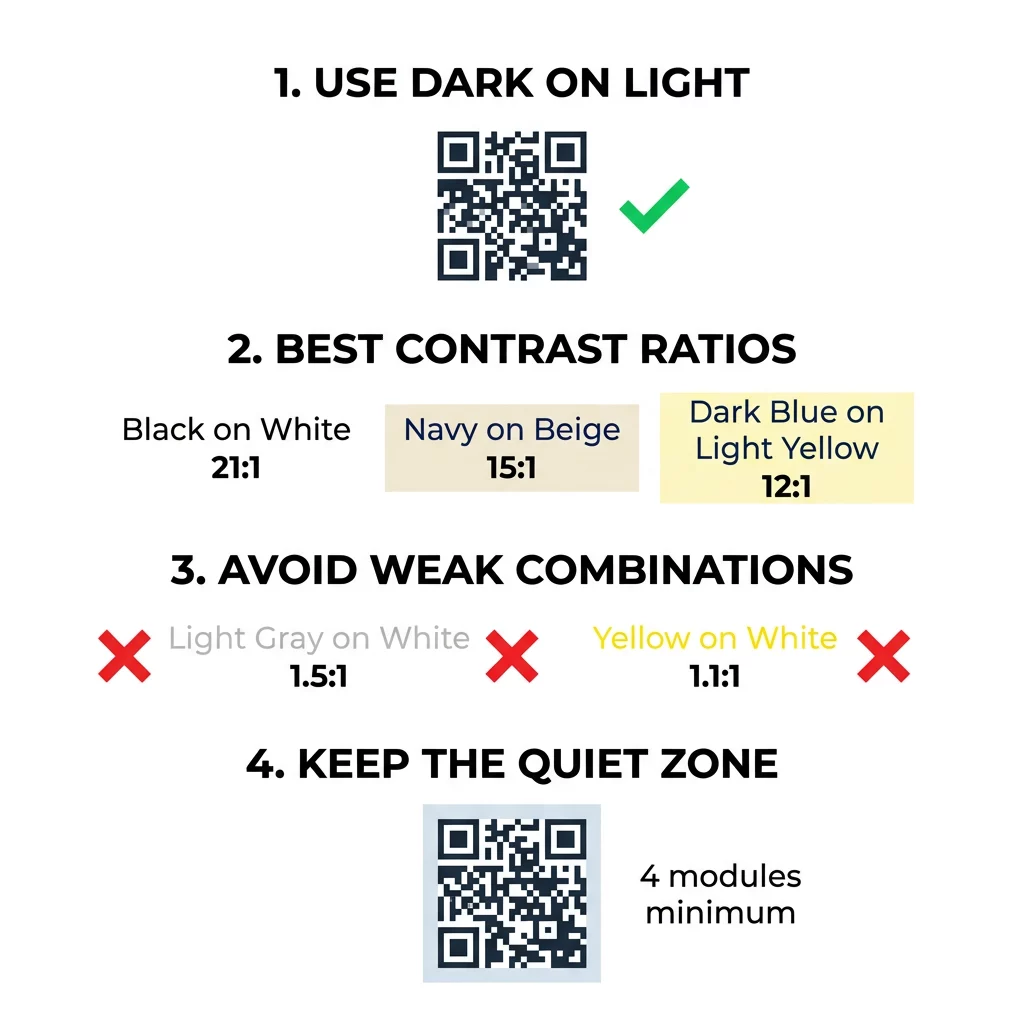
- Funktioniert: Marineblau, Dunkelgrün, Anthrazit, Dunkellila, Dunkelbraun oder schwarze Module auf weißem, cremefarbenem oder einem anderen sehr hellen Hintergrund.
- Funktioniert mit Test: Dunkelrot, dunkles Petrol und Dunkelorange auf Weiß. Überprüfen Sie zuerst das Verhältnis und scannen Sie einen gedruckten Probedruck.
- Funktioniert nicht: Gelbe, hellgraue, pastellfarbene oder Neon-Module und jedes Farbenpaar mit gleicher Helligkeit, wie z.B. Mittelgrün auf Mittelrot.
- Riskant: Helle Module auf dunklem Hintergrund (invertierte Codes). Viele Scanner-Apps lesen sie, aber einige nicht, also vermeiden Sie sie bei allem, was wichtig ist.
Warum Kontrast die Scannbarkeit von QR-Codes beeinflusst
Optische Sensoren lesen QR-Codes, indem sie den Unterschied in der Reflexion zwischen dunklen und hellen Modulen messen. Der QR-Code-Standard, ISO/IEC 18004, geht von dunklen Modulen auf hellem Hintergrund aus. Dunkle Module absorbieren Licht und der helle Hintergrund reflektiert es. Wenn der Unterschied zu gering ist, kann der Decoder das Datenmuster nicht vom Hintergrund trennen.
Beim Barcode-Test (ISO/IEC 15415) ist der Symbolkontrast der Unterschied zwischen der hellsten und dunkelsten Reflektanz im Code. Ein Symbolkontrast von 70 % oder mehr erreicht die Bestnote, unter 20 % fällt durch. Prüfer überprüfen auch die Modulation, die zeigt, wie gleichmäßig die hellen und dunklen Module über das gesamte Symbol reflektieren. Ungleichmäßige Farben oder eine schwache Trennung führen dazu, dass der Scanner Modulkanten übersieht.
Normale Polarität mit dunklen Modulen auf hellem Hintergrund funktioniert auf jedem Gerät. Einige integrierte Kamera-Apps von Telefonen können helle Codes auf dunklem Hintergrund nicht lesen, und die Unterstützung variiert je nach Telefonmodell und Softwareversion. Verwenden Sie die normale Polarität, es sei denn, Sie haben die invertierte Version auf den Geräten getestet, die Ihr Publikum verwendet.
Bewertung von Farbkontrastverhältnissen und Schwellenwerten
Das Kontrastverhältnis ist eine Zahl von 1:1 (kein Unterschied) bis 21:1 (Schwarz auf Weiß). Das Verhältnis stammt aus den Barrierefreiheitsregeln der Web Content Accessibility Guidelines (WCAG), die für Text verfasst wurden, aber eine praktische Möglichkeit sind, QR-Farben zu überprüfen. Ein Kontrast-Checker (suchen Sie nach "WCAG contrast checker") akzeptiert zwei Hex-Codes und gibt das Verhältnis zurück. Weitere Informationen zu inklusivem Design finden Sie in unserem Leitfaden zu QR-Codes barrierefrei gestalten: ADA-konform.
Verwenden Sie diese Ziele. Mindestens 4:1 ist das Minimum für Innenraumdrucke und Bildschirme. 7:1 oder mehr ist sicherer für Verpackungen, Flyer und alles, was bei unterschiedlichem Licht fotografiert wird. 10:1 oder mehr ist das Ziel für Außenbeschilderung. Die untenstehenden Verhältnisse sind ungefähre Angaben und hängen vom genauen Farbton ab.
| Farbkombination | Ungefähres Kontrastverhältnis | Bewertung der Scanbarkeit |
|---|---|---|
| Schwarz auf Weiß | 21:1 | Optimal (Industriestandard) |
| Marineblau auf Beige | ~15:1 | Ausgezeichnet |
| Dunkelblau auf Hellgelb | ~12:1 | Sehr Gut |
| Dunkelbraun auf Cremeweiß | ~8:1 | Gut |
| Reines Rot (#FF0000) auf Weiß | ~4:1 | Grenzbereich, vor dem Drucken testen |
| Dunkelrot (#8B0000) auf Weiß | ~11:1 | Sehr Gut |
| Hellgrau auf Weiß | ~1.5:1 | Schlecht (häufige Scanfehler) |
| Gelb auf Weiß | ~1.1:1 | Nicht scannbar |
Codes anpassen, ohne die Scanbarkeit zu beeinträchtigen Testen Sie Farben und sehen Sie sich Ihr Design in Echtzeit mit unserem an QR-Code Generator mit Logo um Markenästhetik mit zuverlässigem Scannen in Einklang zu bringen.
Bestes QR-Code-Kontrastverhältnis für Außenbeschilderung
Es gibt keinen Standard, der ein erforderliches Verhältnis für QR-Codes im Außenbereich festlegt, aber Außenbedingungen reduzieren den Kontrast auf drei Arten: direkte Sonneneinstrahlung bleicht helle Bereiche aus, Blendung verdeckt Teile des Codes, und Entfernung verwischt kleine Module. Planen Sie eine größere Sicherheitsmarge ein, als Sie es in Innenräumen tun würden.
- Verwenden Sie Schwarz oder eine sehr dunkle Farbe auf Weiß. Streben Sie ein Verhältnis von 10:1 oder höher an.
- Drucken Sie auf mattem Material oder fügen Sie ein mattes Laminat hinzu. Glänzendes Vinyl und Glas reflektieren die Sonne und unterbrechen das Muster.
- Passen Sie die Größe des Codes an die Scan-Entfernung an. Eine gängige Regel ist 1 Einheit Codebreite pro 10 Einheiten Entfernung, daher sollte ein aus 2 Metern (etwa 6,5 Fuß) gescannter Code etwa 20 cm (8 Zoll) breit sein.
- Behalten Sie die volle Ruhezone bei und platzieren Sie den Code auf einer einfarbigen hellen Fläche anstelle eines Fotos.
- Vermeiden Sie es, den Code dort zu platzieren, wo er tiefstehender Sonne ausgesetzt ist oder hinter Glas liegt, und scannen Sie das gedruckte Schild am tatsächlichen Standort, bevor Sie eine volle Auflage bestellen.
Barcode-Kontrast: QR-Codes vs. Lineare Barcodes
Dieselben Kontrastregeln gelten für andere kontrastreiche Barcodes, wie Code 128 oder EAN. Einzelhandelsscanner verwenden oft einen roten Laser, und rotes Licht nimmt rote Balken oder rote Tinte nicht als dunkel wahr. Für lineare Barcodes drucken Sie die Balken in Schwarz, Dunkelblau oder Dunkelgrün auf Weiß und niemals in Rot oder Orange. QR-Codes, die mit einer Handykamera gelesen werden, sind weniger farbempfindlich, aber der gleiche Ratschlag liefert für beide das zuverlässigste Ergebnis.
Sicherung der Ruhezone und Code-Abmessungen
Hoher Kontrast muss bis zum Rand des Codes reichen. Der leere Rand um das Muster ist die Ruhezone. Sie teilt der Kamera mit, wo der Code beginnt und wo andere Grafiken enden.
- Halten Sie eine Ruhezone von mindestens vier Modulbreiten auf allen vier Seiten ein.
- Halten Sie diesen Rand frei von Text, Illustrationen und Rändern.
- Passen Sie die Ruhezone an Ihre helle Hintergrundfarbe an, damit die Grenze sauber ist.
- Drucken Sie Codes von mindestens 2 x 2 cm (0,8 x 0,8 Zoll) für das Scannen aus nächster Nähe (Handheld). Wählen Sie größere Codes für längere Links, da mehr Daten kleinere Module bedeuten.
- Bevorzugen Sie einen kurzen Link. Eine kurze URL erzeugt ein einfacheres Muster mit größeren Modulen, die bei schlechten Lichtverhältnissen besser scanbar sind.
Text oder Grafiken innerhalb der Ruhezone sind eine häufige Ursache für Scanfehler bei Markenmaterialien. Unser Leitfaden zu Best Practices für die Lesbarkeit von QR-Codes zeigt, wie Sie die Ränder beibehalten und dabei Ihr Layout anpassen.
Häufige Farb- und Styling-Fehler vermeiden
Das Anpassen eines Codes kann die Lesbarkeit beeinträchtigen. Kameras wandeln das Bild in Graustufen um, sodass zwei unterschiedliche Farbtöne die gleiche Helligkeit aufweisen und zu einem Grau verschmelzen können.
- Vermeiden Sie Pastellmodule wie Babyblau, Minze oder Hellgelb.
- Vermeiden Sie hellrote oder orangefarbene Module. Laserscanner lesen Rot als hell, und das Kontrastverhältnis liegt oft unter 5:1. Ein dunkles Rot wie Bordeaux ist wesentlich sicherer.
- Vermeiden Sie Farbverläufe, bei denen der hellste Teil der Modulfarbe dem Hintergrund nahe ist.
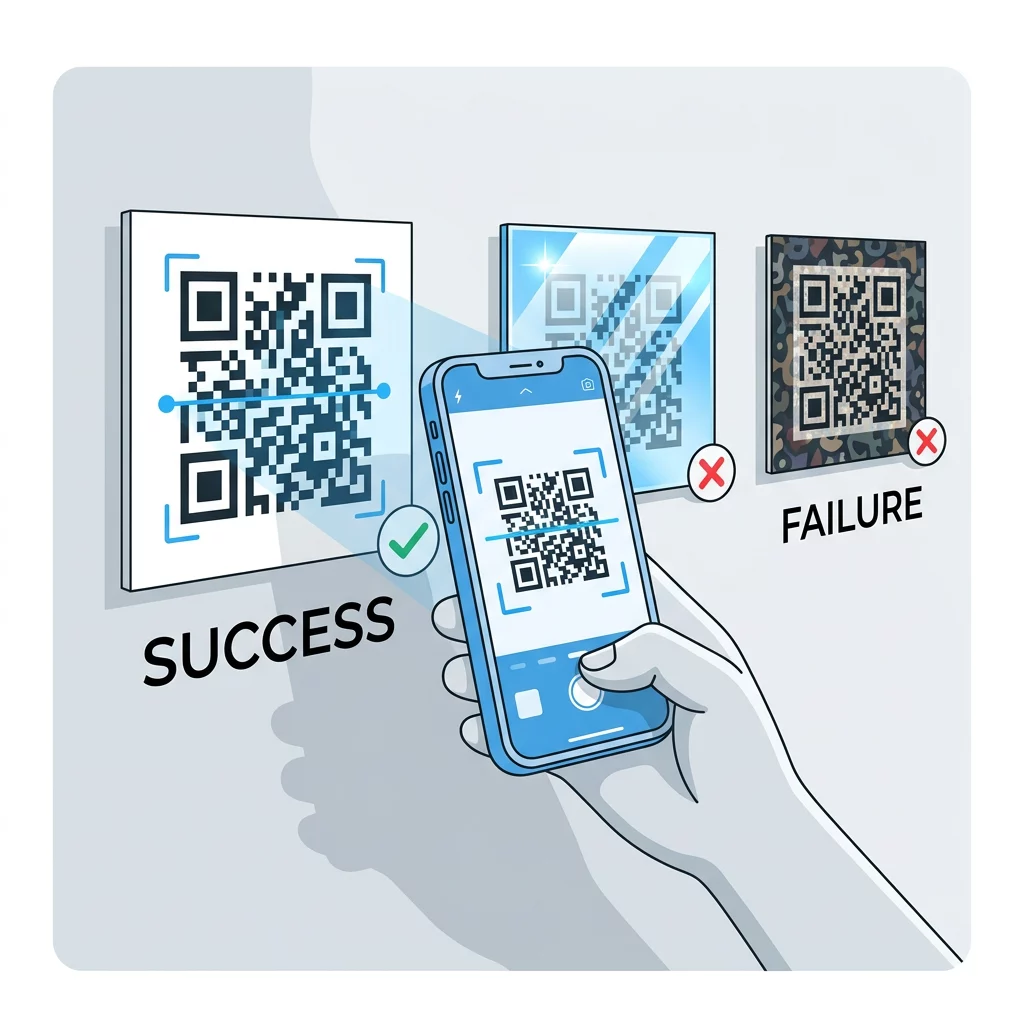
- Vermeiden Sie transparente Hintergründe über Fotos, strukturiertem Papier oder gemusterten Verpackungen. Platzieren Sie den Code auf einem einfarbigen, hellen Feld.
- Vermeiden Sie invertierte Designs mit hellen Modulen auf dunklem Hintergrund, es sei denn, Sie haben sie auf den Telefonen getestet, die Ihr Publikum verwendet.
- Vermeiden Sie große Logos. Ein Logo, das zu viele Module bedeckt, kann die Fehlerkorrektur des Codes überschreiten.
Die Kenntnis dieser Grenzen ermöglicht es Ihnen zu lernen, wie man einen benutzerdefinierten QR-Code erstellt das Ihre Marke zeigt, ohne die Dekodierung zu beeinträchtigen.
Testen und Validieren in realen Umgebungen
Ein Code, der von einem hellen Monitor scannt, kann auf Papier fehlschlagen. Raumlicht, Betrachtungswinkel und Materialstruktur verändern alle den Kontrast, der das Objektiv erreicht. Direkte Sonneneinstrahlung verwischt kleine Farbunterschiede, schwach beleuchtete Räume reduzieren die Fähigkeit des Sensors, Module zu trennen, und glänzende Oberflächen verursachen Blendeffekte.
Führen Sie diese Prüfung vor jedem Druckauftrag durch:
- Überprüfen Sie das Farbpärchen mit einem Kontrastprüfer. Das Verhältnis sollte mindestens 4:1 betragen, und 7:1 oder mehr für Verpackungen und den Außeneinsatz.
- Drucken Sie einen Probedruck auf dem echten Material, in der echten Größe, mit der echten Oberfläche.
- Scannen Sie ihn mit der integrierten Kamera auf mindestens einem iPhone und einem Android-Telefon, wenn möglich auch einem älteren Telefon, und einem browserbasierten QR-Code Scanner.
- Scannen Sie den Code bei schlechtestem Licht, dem er ausgesetzt sein wird: bei schwachem Licht, direkter Sonneneinstrahlung und in einem Winkel.
- Wenn der Code zögert, erhöhen Sie den Kontrast, vergrößern Sie den Code, kürzen Sie den Link oder stellen Sie die Ruhezone wieder her.
Unser Leitfaden zu QR-Code vor dem Drucken testen: So geht es behandelt dies ausführlicher, und wie man die Lesbarkeit von QR-Codes verbessert behandelt Korrekturen für Codes, die fehlschlagen.
Maximierung der Zuverlässigkeit und des Engagements von QR-Codes
Behandeln Sie den Kontrast als technische Anforderung, nicht als letzten Schliff. Wählen Sie eine dunkle Farbe auf hellem Hintergrund, bewahren Sie die Ruhezone und testen Sie einen gedruckten Probedruck unter den Lichtverhältnissen, denen er ausgesetzt sein wird. Das schützt Ihr Druckbudget vor Codes, die nicht scannen.
Erstellen Sie Ihren kontrastreichen Code mit unserem QR-Code-Generator. Legen Sie die Modul- und Hintergrundfarben fest und laden Sie eine PNG-, SVG- oder PDF-Datei herunter. Wenn Sie einen Code drucken und den Link später ändern müssen, verwenden Sie einen dynamischen Code: Sie können das Ziel nach dem Druck bearbeiten und Scanstatistiken einsehen. Dynamische Codes werden mit einer 14-tägigen kostenlosen Testphase angeboten, und die Pläne sind aufgeführt unter https://pageloot.com/pricing/.
Häufig gestellte Fragen
Streben Sie ein Verhältnis von mindestens 4:1 zwischen den Modulen und dem Hintergrund an. Verwenden Sie 7:1 oder mehr für Verpackungen und Flyer und 10:1 oder mehr für Außenbeschilderung. Schwarz auf Weiß beträgt 21:1.
Ja. Jede Farbe funktioniert, solange die Module deutlich dunkler als der Hintergrund sind. Tiefes Marineblau, Waldgrün, Anthrazit und Dunkelrot auf Weiß oder Creme funktionieren gut. Gelb, Hellgrau und Pastelltöne funktionieren nicht.
Die Module und der Hintergrund können unterschiedliche Farben haben, und Sie können jeden Farbton verwenden, aber nur der Helligkeitsunterschied zählt. Ein Telefon liest den Code in Graustufen, daher werden zwei Farben gleicher Helligkeit fehlschlagen. Überprüfen Sie das Verhältnis und scannen Sie einen gedruckten Nachweis.
Es gibt keinen offiziellen Standard. Ein Verhältnis von 10:1 oder höher ist ein sicheres Ziel, wie zum Beispiel Schwarz auf Weiß. Verwenden Sie ein mattes Finish, um Blendung zu reduzieren, dimensionieren Sie den Code auf etwa 1/10 der Scan-Distanz und testen Sie ihn vor Ort.
Ja, wenn Ihre Markenfarbe dunkel genug ist, wie zum Beispiel tiefes Marineblau, Waldgrün oder Anthrazit, und auf einem einheitlich hellen Hintergrund liegt. Wenn Ihre Markenfarbe hell ist, verwenden Sie einen dunklen Farbton davon für die Module.
Der QR-Standard definiert dunkle Module auf hellem Hintergrund. Viele Kamera-Apps suchen zuerst nach diesem Muster, und einige können helle Module auf dunklem Hintergrund nicht lesen. Die Unterstützung variiert je nach Telefon, daher sollten Sie dies vor dem Drucken testen.
Ja. Lineare Barcodes wie Code 128 oder EAN benötigen ebenfalls dunkle Balken auf hellem Hintergrund. Handels-Laserscanner verwenden rotes Licht, drucken Sie die Balken daher niemals in Rot oder Orange.