Czy nadal zarządzasz wejściem na wydarzenia za pomocą drukowanych list gości i ręcznych rejestracji? Takie podejście spowalnia kolejki wejściowe, frustruje uczestników i pozostawia organizatorów z niewielką widocznością tego, co faktycznie dzieje się na miejscu. Ta strona omawia każdy praktyczny sposób wykorzystania kodów QR na wydarzeniach – od biletowania i odpraw po potwierdzenia obecności (RSVP) i działania po wydarzeniu – dzięki czemu możesz prowadzić płynniejsze operacje i uzyskiwać mierzalne wyniki.
Dlaczego Organizatorzy Wydarzeń Przyjmują Kody QR
Przyjęcie kodów QR wśród profesjonalistów branży eventowej nie jest już niszą. 43% marketerów używa kodów QR specjalnie do wydarzeń, co czyni wydarzenia najczęstszym przypadkiem użycia kodów QR wśród specjalistów ds. marketingu. Te same dane pokazują, że ponad 90% marketerów zgłosiło używanie kodów QR w 2025 roku, przy czym 94% zwiększało ich użycie rok do roku.
Powód tej zmiany jest praktyczny: uczestnicy są już zaznajomieni ze skanowaniem. Ponad dwie trzecie konsumentów użyło kodu QR co najmniej raz w ciągu ostatniego roku, a mniej więcej połowa pokolenia Z i Milenialsów skanuje kody QR co najmniej raz w tygodniu. Ponieważ 98% Amerykanów posiada telefon komórkowy, nie ma znaczącej bariery, aby skłonić uczestników do skanowania.
Dla organizatorów korzyścią jest kontrola w czasie rzeczywistym. Możesz śledzić wejścia, monitorować frekwencję według sesji, aktualizować informacje o wydarzeniu bez ponownego drukowania materiałów i mierzyć zaangażowanie długo po zakończeniu wydarzenia.
Przypadki Użycia Kodów QR dla Wydarzeń
Kody QR są wystarczająco elastyczne, aby sprostać niemal każdej potrzebie operacyjnej i zaangażowania na wydarzeniu. Oto najskuteczniejsze zastosowania.
Biletowanie i Zarządzanie Wejściem
Najczęstszym punktem wyjścia jest zastąpienie papierowych biletów skanowalnymi kodami QR. Każdy uczestnik otrzymuje unikalny kod QR – dostarczony e-mailem, w formacie PDF lub na urządzeniu mobilnym – który personel skanuje przy wejściu, aby zweryfikować wejście i oznaczyć obecność w czasie rzeczywistym.
Takie podejście eliminuje potrzebę ręcznego sprawdzania list, przyspiesza kolejki wejściowe i zapobiega oszustwom związanym z wielokrotnym użyciem, ponieważ każdy kod można ustawić na walidację jednorazowego skanowania. Aby uzyskać szczegółowy opis architektury bezpieczeństwa stojącej za tym rozwiązaniem, zobacz przewodnik na temat Jak stworzyć bezpieczne bilety na wydarzenia z kodem QR.
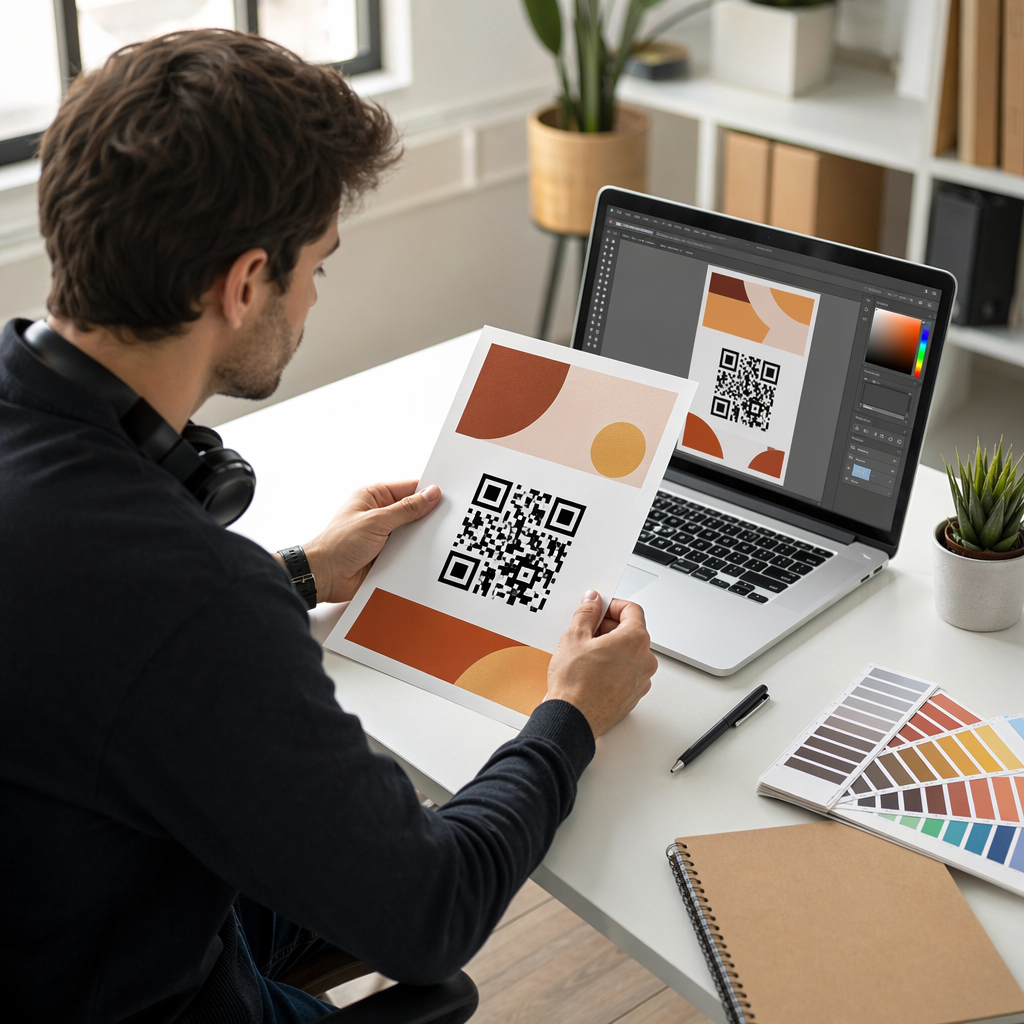
Możesz generować bilety bezpośrednio za pomocą Generator kodów QR na wydarzenia wprowadzając adres URL wydarzenia, tytuł, opis i dane kontaktowe, a następnie dostosowując projekt kodu przed pobraniem go do dystrybucji.
Usprawnij Wejście na Wydarzenie Twórz markowe, śledzalne kody QR dla biletów, stron docelowych i odpraw. Wypróbuj Generator kodów QR na wydarzenia za darmo przez 14 dni – karta kredytowa nie jest wymagana.
Odprawa Uczestników i Śledzenie Frekwencji
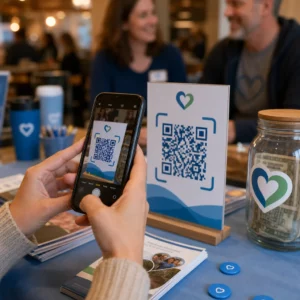
Odprawa oparta na kodach QR działa poprzez skanowanie kodu każdego uczestnika przez personel za pomocą telefonu, tabletu lub dedykowanej aplikacji do skanowania. Ważne skanowanie automatycznie oznacza osobę jako odprawioną i natychmiast aktualizuje Twoje rejestry obecności.
Jest to znacznie szybsze niż metody ręczne. Według przewodnika po kodach QR do odpraw na wydarzenia, odprawy z kodami QR skracają średni czas przetwarzania do mniej niż 2 sekund na osobę i mogą skrócić całkowity czas wejścia nawet o 50% w porównaniu do procesów ręcznych.
W przypadku trwających wydarzeń, zajęć lub konferencji wielosesyjnych, narzędzie Pageloot Kod QR Frekwencji umożliwia uczestnikom samodzielną odprawę poprzez zeskanowanie kodu połączonego z Formularzem Google lub podobnym narzędziem, z odpowiedziami automatycznie wprowadzonymi do arkusza kalkulacyjnego w celu śledzenia w czasie rzeczywistym. Dowiedz się więcej o budowaniu tego rodzaju systemu na stronie stronie śledzenia frekwencji.
Zbieranie Potwierdzeń Obecności (RSVP)
Zamiast kierować gości do wpisywania adresu URL, kod QR na Twoim zaproszeniu, ulotce lub stronie wydarzenia przenosi ich bezpośrednio do formularza RSVP za pomocą jednego skanowania. Eliminuje to tarcia i zazwyczaj zwiększa wskaźniki odpowiedzi.
Użyj narzędzia Pageloot Generator kodów QR do Google Forms aby połączyć dowolny Formularz Google ze skanowalnym kodem, a następnie umieścić go na drukowanych zaproszeniach, grafikach cyfrowych lub oznakowaniu wydarzenia. Aby uzyskać instrukcje krok po kroku, przewodnik po kodach QR RSVP dla wydarzeń przedstawia wybór platformy, generowanie kodów i zgodność z przepisami o ochronie prywatności.
Harmonogramy i Informacje o Wydarzeniach
Kod QR umieszczony na identyfikatorze, karcie stołowej lub znaku miejsca może połączyć uczestników z harmonogramem wydarzenia na żywo, biografiami prelegentów, mapami pięter lub szczegółami sesji. Ponieważ dynamiczne kody QR pozwalają na aktualizację docelowego adresu URL po wydrukowaniu, możesz poprawiać zmiany w harmonogramie lub dodawać informacje bez ponownego drukowania materiałów.
Jest to jeden z najsilniejszych praktycznych argumentów za używaniem kodów dynamicznych zamiast statycznych. Jeśli prelegent odwoła udział lub zmieni się sala, aktualizujesz link – a nie drukowane materiały.
Integracja z Kalendarzem Google
W przypadku konferencji, warsztatów lub dowolnego wydarzenia biletowanego z sesjami, połączenie kodu QR z wpisem w Kalendarzu Google pozwala uczestnikom dodać wydarzenie bezpośrednio do swojego kalendarza za pomocą jednego skanowania. Użyj Generator kodów QR do Kalendarza Google aby utworzyć ten kod, a następnie umieść go w e-mailach potwierdzających, biletach lub zaproszeniach.
Nawigacja po obiekcie
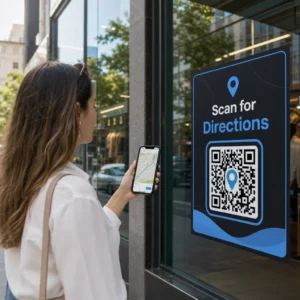
Duże obiekty – centra kongresowe, festiwale plenerowe, wielopiętrowe przestrzenie konferencyjne – często powodują problemy po prostu dlatego, że uczestnicy nie mogą znaleźć miejsca, do którego muszą się udać. Kod QR na oznakowaniu, biletach lub zaproszeniach, który otwiera się bezpośrednio w Google Maps, całkowicie eliminuje ten problem. Utwórz go za pomocą Generator kodów QR do Google Maps i umieść go wszędzie tam, gdzie uczestnicy zobaczą go przed wydarzeniem lub w jego trakcie.
Udostępnianie zdjęć i zaangażowanie społeczne
Kody QR mogą łączyć uczestników ze wspólną galerią zdjęć, stroną z markowym hashtagiem lub portalem do przesyłania, dzięki czemu goście mogą dodawać i przeglądać zdjęcia z wydarzenia w czasie rzeczywistym. Tworzy to pętlę uczestnictwa, która rozszerza doświadczenie wydarzenia poza fizyczne miejsce. Praktyczny przewodnik konfiguracji znajdziesz w jak używać kodu QR do udostępniania zdjęć.
Ankiety po wydarzeniu i działania następcze
Badania pokazują, że 41% organizatorów wykorzystuje ankiety po wydarzeniu do mierzenia ROI, a 40% opiera się na zaangażowaniu w mediach społecznościowych. Kod QR na identyfikatorze, ulotce lub znaku wyjścia, wskazujący na formularz opinii, ułatwia uczestnikom udzielenie odpowiedzi, gdy wydarzenie jest jeszcze świeże. Połączenie tego formularza z Formularzem Google za pośrednictwem generatora Pageloot oznacza, że odpowiedzi trafiają bezpośrednio do arkusza kalkulacyjnego, który można natychmiast przeanalizować.
Jak stworzyć kod QR wydarzenia za pomocą Pageloot
Proces zajmuje kilka minut i nie wymaga umiejętności technicznych.
- Otwórz generator – Przejdź do Generator kodów QR na wydarzenia i wybierz “Utwórz kod QR dla wydarzenia”.”
- Dodaj szczegóły wydarzenia – Wprowadź adres URL strony wydarzenia, tytuł, opis i dane kontaktowe. Pageloot tworzy stronę docelową wokół tej treści.
- Zaprojektuj kod QR – Dostosuj kolory, kształty i dodaj swoje logo, aby dopasować je do brandingu wydarzenia.
- Wybierz dynamiczny, jeśli potrzebujesz elastyczności – Kody dynamiczne pozwalają na aktualizację linku docelowego po wydrukowaniu. Jest to właściwy wybór dla wszystkiego, co może się zmienić przed wydarzeniem lub w jego trakcie.
- Przetestuj kod – Zeskanuj go na urządzeniach z systemem iOS i Android w różnych warunkach oświetleniowych przed dystrybucją.
- Pobierz i rozpowszechnij – Eksportuj w formacie PNG, PDF lub SVG i umieść na biletach, oznakowaniu, zaproszeniach lub materiałach cyfrowych.
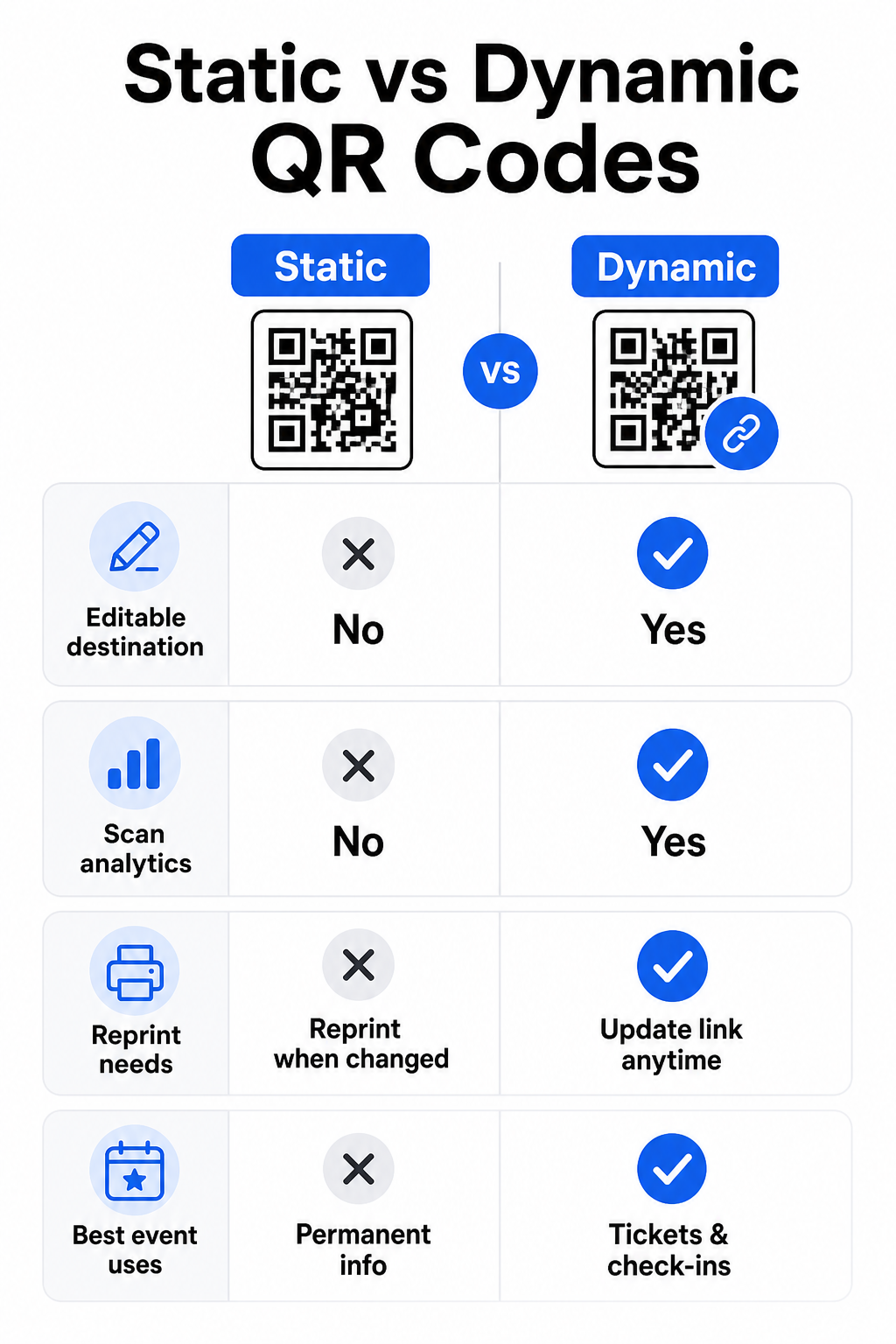
Statyczne vs. Dynamiczne kody QR dla wydarzeń
Zrozumienie różnicy między statycznymi a dynamicznymi kodami QR pomaga dokonać właściwego wyboru dla każdego przypadku użycia.
| FUNKCJA | Statyczny kod QR | Dynamiczny kod QR |
|---|---|---|
| Miejsce docelowe edytowalne po wydrukowaniu | Nie | Tak |
| Analityka skanów | Nie | Tak |
| Kod zmienia się, jeśli zmienia się cel | Tak (wymagany ponowny wydruk) | Nie |
| Najlepsze dla | Proste, stałe linki | Bilety, harmonogramy, kampanie |
| Koszt | Bezpłatnie | Płatna subskrypcja |
W przypadku większości operacji związanych z wydarzeniami – zwłaszcza biletowania, odprawy i wszystkiego, co może wymagać aktualizacji – dynamiczne kody QR są lepszym wyborem. Zapewniają również analitykę skanowania, która informuje, ile osób zeskanowało, kiedy, na jakim urządzeniu i z jakiej lokalizacji. przewodnik po tworzeniu dynamicznych kodów QR do odpraw CRM wyjaśnia, jak połączyć te dane z szerszym przepływem pracy zarządzania uczestnikami.
Umiejscowienie i rozmiar kodów QR dla wydarzeń
Kod QR, którego nie można niezawodnie zeskanować, traci swój cel. Poniższe wytyczne odzwierciedlają badania użyteczności i praktyczne scenariusze wydarzeń.
Minimalne rozmiary według typu materiału:
- Zaproszenia drukowane: co najmniej 1,5 × 1,5 cala
- Identyfikatory lub opaski: co najmniej 1,5 cala kwadratowego
- Wizytówki stołowe lub winietki: co najmniej 1 × 1 cal (preferowane 1,5 cala)
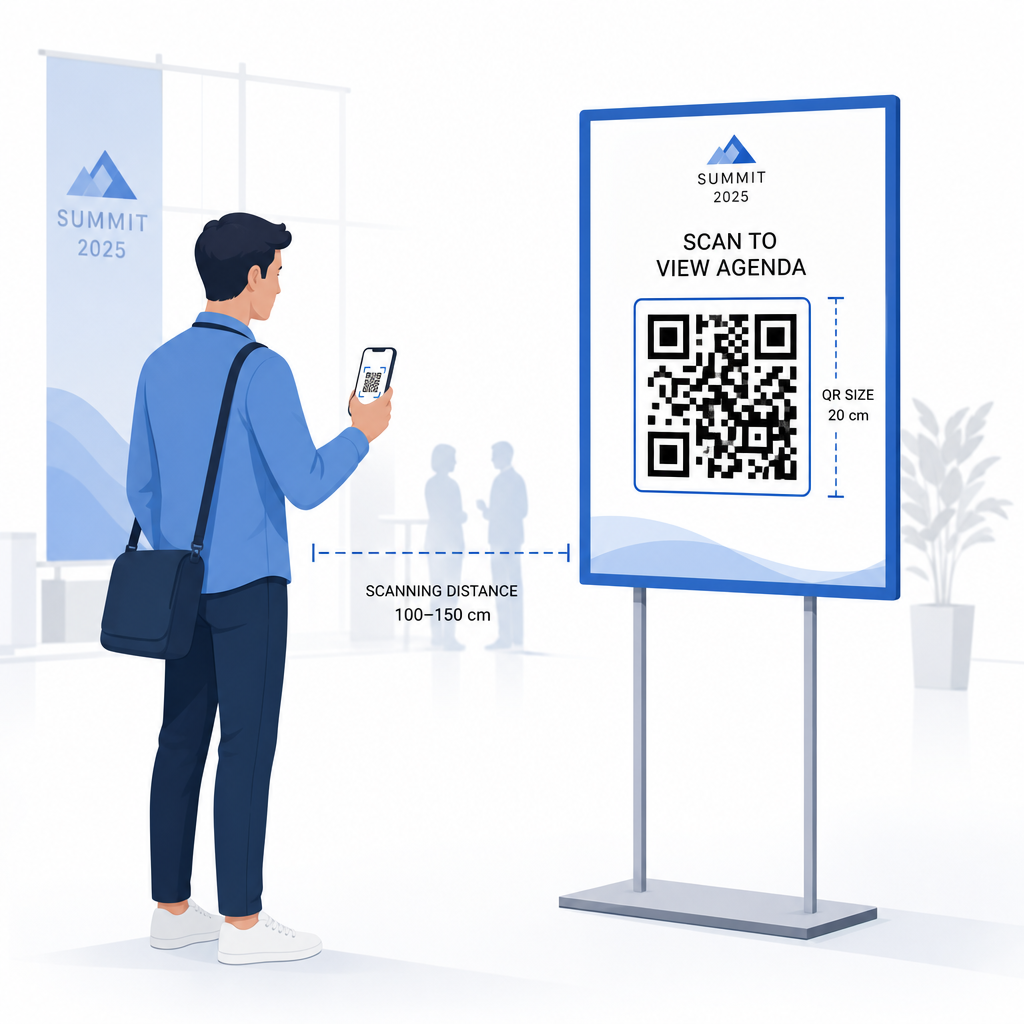
- Oznakowanie wydarzenia: co najmniej 5 × 5 cali, zwiększając do 7 × 7 cali dla obiektów szerszych niż 30 stóp
Przydatna zasada: najmniejszy wymiar kodu QR powinien wynosić w przybliżeniu jedną dziesiątą odległości skanowania. Kod zeskanowany z odległości 3 stóp powinien mieć co najmniej 3,6 cala szerokości.
Wytyczne dotyczące umiejscowienia:
- Umieść kody na na wysokości oczu lub klatki piersiowej – około 3 do 5 stóp od podłogi – aby uczestnicy mogli skanować bez schylania się lub wyciągania ręki
- Umieść kody tam, gdzie ludzie naturalnie się zatrzymują lub czekają: wejścia, punkty rejestracyjne, stoły, w pobliżu wystaw i w kolejkach
- Zachowaj wysoki kontrast: ciemne moduły na jasnym tle skanują się najbardziej niezawodnie; unikaj odwróconych lub niskokontrastowych schematów kolorów
- Zachowaj strefy ciszy co najmniej 4 moduły pustej przestrzeni po wszystkich czterech stronach kodu; tekst lub grafika wewnątrz tego marginesu powodują błędy skanowania
- Przetestuj każdy kod w jego ostatecznym rozmiarze wydruku, z oczekiwanej odległości skanowania, zarówno na iOS, jak i Androidzie, przed wydarzeniem
Aby uzyskać więcej wskazówek, ostatecznym przewodnikiem po kodach QR do odprawy na wydarzeniach zawiera szczegółowe techniczne wymagania dotyczące skanowania i najlepsze praktyki obsługi drzwi.
Śledzenie wydajności wydarzenia za pomocą analityki QR
Jedną z niedocenianych zalet dynamicznych kodów QR są dane, które generują. Panel analityczny Pageloot rejestruje liczbę skanów, znaczniki czasu, typy urządzeń i lokalizacje geograficzne w czasie rzeczywistym.
Dla organizatorów wydarzeń dane te odpowiadają na praktyczne pytania:
- Który punkt wejścia miał największą liczbę skanów i o której godzinie?
- Czy uczestnicy angażowali się w harmonogram lub treści sponsorów podczas wydarzenia?
- Ile osób zeskanowało kod ankiety po wydarzeniu?
- Który kanał promocyjny – ulotka drukowana, post w mediach społecznościowych, e-mail – wygenerował najwięcej skanów biletów?
Te informacje pomagają w podejmowaniu decyzji kadrowych, identyfikowaniu wąskich gardeł i dostarczają sponsorom mierzalnych dowodów zaangażowania publiczności. Aby uzyskać głębszy wgląd w dostępne narzędzia, zobacz zestawienie najlepszych narzędzi do śledzenia wydarzeń za pomocą kodów QR.
Zobacz, kto skanuje i kiedy Wbudowane narzędzia analityczne Pageloot dostarczają danych o skanowaniu w czasie rzeczywistym dla wszystkich Twoich kodów QR wydarzeń w jednym panelu. Zacznij od Generator kodów QR na wydarzenia i prowadź swoje następne wydarzenie z pełną widocznością.
Skanowanie kodów QR na Twoim wydarzeniu
Jeśli potrzebujesz rozwiązania do skanowania dla personelu w celu walidacji biletów lub odprawy uczestników, Pageloot Skaner kodów QR online działa bezpośrednio w przeglądarce – nie wymaga pobierania aplikacji. Personel może skanować z dowolnego smartfona lub tabletu, kierując aparat na kod lub przesyłając obraz.
W przypadku większych wydarzeń z dedykowanymi stacjami skanującymi, natywne aparaty urządzeń na iOS (iOS 11 i nowsze) oraz Android skanują kody QR bez żadnej dodatkowej aplikacji. Przetestuj swoje ustawienia skanowania w rzeczywistych warunkach oświetleniowych miejsca wydarzenia przed wydarzeniem i przeszkol personel, aby trzymał urządzenie w odległości około 30 cm (około 12 cali) od kodu, aby uzyskać spójne odczyty.
Typowe problemy z kodami QR na wydarzeniach (i jak ich unikać)
Nawet dobrze zaprojektowane kody QR zawodzą, gdy nie są spełnione pewne warunki. Oto najczęstsze problemy i ich rozwiązania:
- Kod zbyt mały: Przestrzegaj powyższych minimalnych rozmiarów; w razie wątpliwości drukuj większe
- Słaby kontrast: Używaj ciemnych modułów na białym lub jasnym tle; unikaj umieszczania kodów na ciemnych lub wzorzystych powierzchniach
- Błyszczący materiał: Matowe wykończenia skanują się bardziej niezawodnie, ponieważ eliminują odblaski; unikaj błyszczących materiałów na identyfikatory lub opaski
- Uszkodzony kod: Fizyczne zadrapania lub rozdarcia blokują skanowanie; użyj ustawień korekcji błędów podczas generowania kodów dla materiałów fizycznych
- Brak strefy ciszy: Sprawdź, czy nic – tekst, obramowania, obrazy – nie narusza pustego marginesu wokół kodu
- Nieprzetestowany kod: Zawsze skanuj ostateczną wydrukowaną wersję na wielu urządzeniach przed masową dystrybucją
Aby uzyskać dodatkowe wskazówki dotyczące rozwiązywania problemów z kodami QR wydrukowanymi bezpośrednio na biletach, zobacz przewodnik po kodach QR na biletach.
Kody QR zapewniają organizatorom wydarzeń bezpośrednie połączenie między fizycznymi punktami styku a systemami cyfrowymi – czy to walidacja biletu, rejestracja obecności, zbieranie opinii, czy nawigacja po miejscu wydarzenia. Kluczem jest wybór dynamicznych kodów tam, gdzie elastyczność ma znaczenie, odpowiednie ich rozmiarowanie i umieszczanie dla niezawodnego skanowania oraz wykorzystanie analityki do zrozumienia, jak uczestnicy faktycznie się angażują.
Rozpocznij z Generator kodów QR na wydarzenia aby utworzyć swój pierwszy kod QR wydarzenia, lub zapoznaj się z Kod QR Frekwencji narzędziem do zbudowania systemu odprawy, który automatycznie rejestruje każde przybycie.
Najczęściej zadawane pytania
Statyczny kod QR ma stałe miejsce docelowe, którego nie można zmienić po jego utworzeniu. Jeśli szczegóły Twojego wydarzenia się zmienią, musisz ponownie wydrukować kod. Dynamiczny kod QR pozwala aktualizować docelowy adres URL w dowolnym momencie bez zmiany samego wydrukowanego kodu. Kody dynamiczne zapewniają również analitykę skanowania – dane o tym, kiedy, gdzie i jak często kod jest skanowany – czego kody statyczne nie oferują. W przypadku większości zastosowań eventowych, zwłaszcza biletowania i harmonogramów, kody dynamiczne są praktycznym wyborem.
Otwórz Generator Kodów QR Wydarzeń Pageloot i wybierz opcję utworzenia kodu QR wydarzenia. Wprowadź adres URL wydarzenia lub link do rejestracji, dodaj szczegóły wydarzenia, takie jak tytuł i opis, a następnie dostosuj projekt kodu do swojej marki. Pobierz kod i rozpowszechnij go wśród uczestników za pośrednictwem poczty e-mail, pliku PDF lub wydrukowanego biletu. Na wydarzeniu personel skanuje kod każdego uczestnika za pomocą aparatu smartfona lub Skanera Kodów QR Pageloot, aby oznaczyć ich jako odprawionych.
Dla standardowego oznakowania wydarzeń zaleca się minimum 5 × 5 cali. W przypadku większych obiektów o szerokości ponad 30 stóp, zwiększ rozmiar do co najmniej 7 × 7 cali. Niezawodna zasada mówi, że najmniejszy wymiar kodu powinien wynosić mniej więcej jedną dziesiątą oczekiwanej odległości skanowania – więc kod oglądany z odległości 5 stóp powinien mieć około 6 cali szerokości. Zawsze testuj wydrukowany kod w rzeczywistej odległości skanowania przed wydarzeniem.