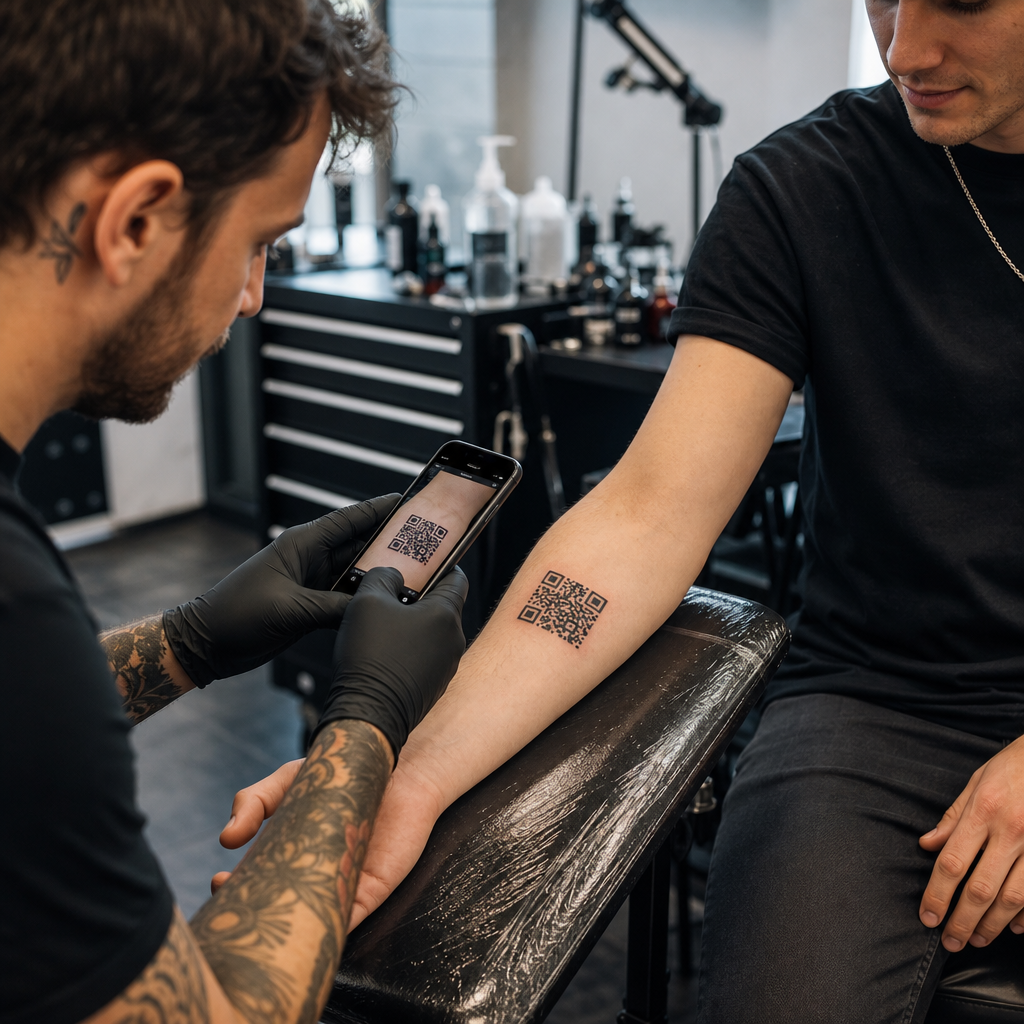
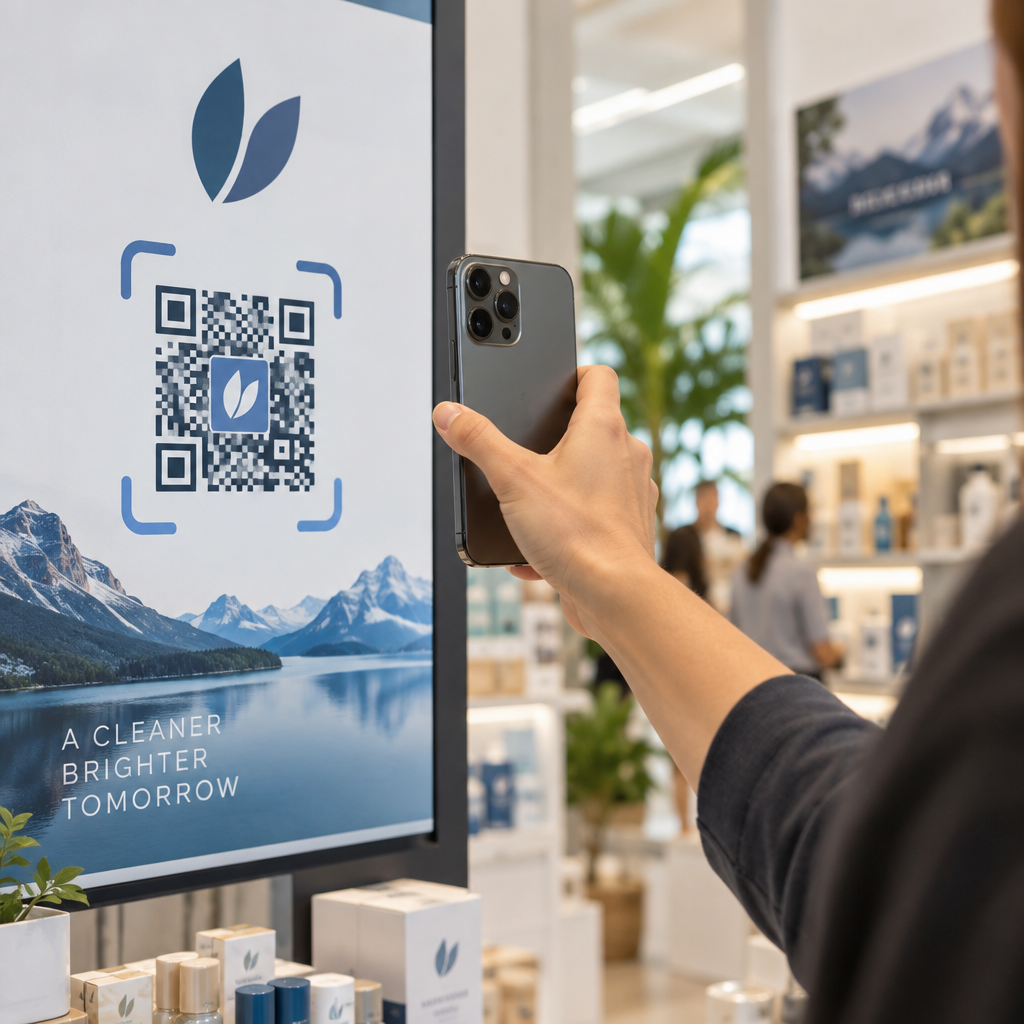
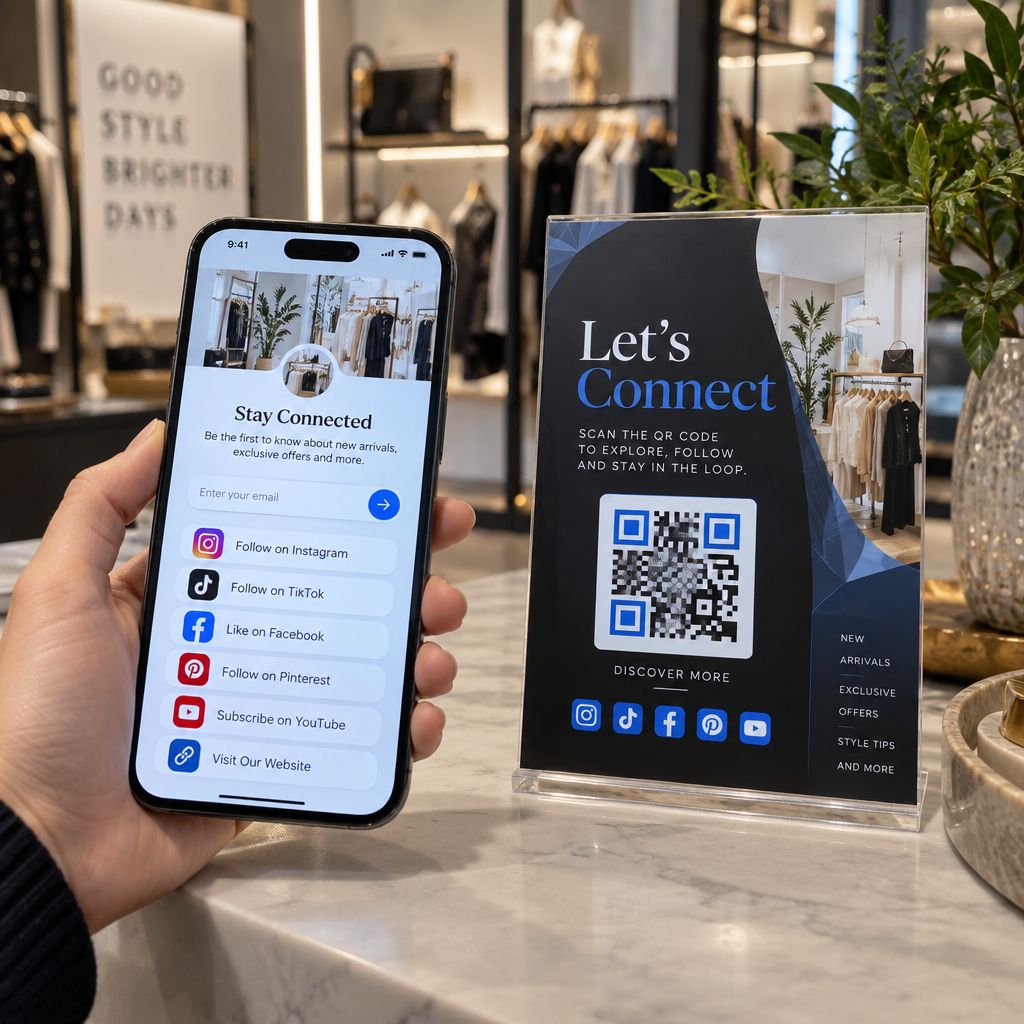
Hallinnoitko edelleen tapahtuman sisäänpääsyä tulostetuilla vieraslistoilla ja manuaalisilla sisäänkirjautumisilla? Tämä lähestymistapa hidastaa sisäänpääsyjonoja, turhauttaa osallistujia ja jättää järjestäjille vähän näkyvyyttä siihen, mitä paikan päällä todella tapahtuu. Tämä sivu kattaa kaikki käytännölliset tavat käyttää QR-koodeja tapahtumissa – lipunmyynnistä ja sisäänkirjautumisista RSVP-vastauksiin ja tapahtuman jälkeiseen seurantaan – jotta voit pyörittää sujuvampia toimintoja ja saada mitattavia tuloksia.
Miksi tapahtumajärjestäjät ottavat käyttöön QR-koodeja
QR-koodien käyttöönotto tapahtuma-ammattilaisten keskuudessa ei ole enää kapea-alaista. 43% markkinoijista käyttää QR-koodeja erityisesti tapahtumiin, tehden tapahtumista yleisimmän QR-koodin käyttötapauksen markkinointiammattilaisten keskuudessa. Samat tiedot osoittavat, että yli 90% markkinoijista ilmoitti käyttävänsä QR-koodeja vuonna 2025, ja 94% lisäsi käyttöään vuosi vuodelta.
Syy tähän muutokseen on käytännöllinen: osallistujat ovat jo tottuneet skannaamiseen. Yli kaksi kolmasosaa kuluttajista käytti QR-koodia vähintään kerran viime vuoden aikana, ja noin puolet Z-sukupolvesta ja milleniaaleista skannaa QR-koodeja vähintään kerran viikossa. Koska 98% amerikkalaisista omistaa matkapuhelimen, ei ole merkittävää estettä saada osallistujia skannaamaan.
Järjestäjille hyöty on reaaliaikainen hallinta. Voit seurata sisäänpääsyä, valvoa osallistumista istunnoittain, päivittää tapahtumatietoja tulostamatta materiaaleja uudelleen ja mitata sitoutumista kauan tapahtuman päättymisen jälkeen.
QR-koodien käyttötapaukset tapahtumissa
QR-koodit ovat riittävän joustavia käsittelemään lähes kaikki tapahtuman operatiiviset ja sitoutumistarpeet. Tässä ovat tehokkaimmat sovellukset.
Lipunmyynti ja sisäänpääsyn hallinta
Yleisin lähtökohta on paperilippujen korvaaminen skannattavilla QR-koodeilla. Jokainen osallistuja saa yksilöllisen QR-koodin – toimitettuna sähköpostitse, PDF-tiedostona tai mobiilisti – jonka henkilökunta skannaa ovella vahvistaakseen sisäänpääsyn ja merkitäkseen läsnäolon reaaliaikaisesti.
Tämä lähestymistapa poistaa manuaalisen listantarkistuksen tarpeen, nopeuttaa sisäänpääsyjonoja ja estää kaksoiskäyttöpetokset, koska jokainen koodi voidaan asettaa yhden skannauksen vahvistukseen. Yksityiskohtaisen kuvauksen tämän takana olevasta tietoturva-arkkitehtuurista löydät oppaasta aiheesta Turvalliset QR-koodiliput tapahtumaan: näin teet ne.
Voit luoda lippuja suoraan käyttämällä Tapahtuman QR-koodi generaattori syöttämällä tapahtumasi URL-osoitteen, otsikon, kuvauksen ja yhteystiedot, ja mukauttamalla sitten koodin ulkoasua ennen sen lataamista jakelua varten.
Virtaviivaista tapahtumasi sisäänpääsy Luo brändättyjä, seurattavia QR-koodeja lipuille, laskeutumissivuille ja sisäänkirjautumisiin. Kokeile Tapahtuman QR-koodi generaattori ilmaiseksi 14 päivän ajan – luottokorttia ei tarvita.
Osallistujien sisäänkirjautuminen ja läsnäolon seuranta
QR-pohjainen sisäänkirjautuminen toimii siten, että henkilökunta skannaa jokaisen osallistujan koodin puhelimella, tabletilla tai erillisellä skannaussovelluksella. Kelvollinen skannaus merkitsee henkilön automaattisesti sisäänkirjautuneeksi ja päivittää läsnäolotietosi välittömästi.
Tämä on huomattavasti nopeampaa kuin manuaaliset menetelmät. Mukaan opas QR-koodeihin tapahtumien sisäänkirjautumista varten, QR-koodin sisäänkirjautumiset vähentävät keskimääräistä käsittelyaikaa alle 2 sekuntiin per henkilö ja voivat lyhentää kokonaiskestoa jopa 50% verrattuna manuaalisiin prosesseihin.
Jatkuvissa tapahtumissa, luokissa tai monen istunnon konferensseissa Pagelootin Läsnäolo QR-koodi työkalu antaa osallistujien itse kirjautua sisään skannaamalla Google Forms -lomakkeeseen tai vastaavaan työkaluun linkitetyn koodin, ja vastaukset syötetään automaattisesti laskentataulukkoon reaaliaikaista seurantaa varten. Lue lisää tällaisen järjestelmän rakentamisesta läsnäolon seurantasiivulla.
RSVP-vastausten kerääminen
Sen sijaan, että ohjaisit vieraat kirjoittamaan URL-osoitteen, kutsussa, esitteessä tai tapahtumasivulla oleva QR-koodi vie heidät suoraan RSVP-lomakkeeseesi yhdellä skannauksella. Tämä poistaa kitkaa ja tyypillisesti lisää vastausprosentteja.
Käytä Pagelootin Google Forms QR-koodi generaattori linkittääksesi minkä tahansa Google Forms -lomakkeen skannattavaan koodiin ja sijoittaaksesi sen sitten painettuihin kutsuihin, digitaalisiin grafiikoihin tai tapahtumakyltteihin. Vaiheittaiset ohjeet löydät oppaasta RSVP QR-koodeista tapahtumiin käy läpi alustan valinnan, koodin luomisen ja tietosuojamääräysten noudattamisen.
Aikataulut ja tapahtumatiedot
Merkkikorttiin, pöytäkorttiin tai tapahtumapaikan kylttiin sijoitettu QR-koodi voi linkittää osallistujat reaaliaikaiseen tapahtuma-aikatauluun, puhujien esittelyihin, pohjakarttoihin tai istunnon yksityiskohtiin. Koska dynaamiset QR-koodit antavat sinun päivittää kohde-URL-osoitteen tulostuksen jälkeen, voit korjata aikataulumuutoksia tai lisätä tietoja tulostamatta materiaaleja uudelleen.
Tämä on yksi vahvimmista käytännön argumenteista dynaamisten koodien käytölle staattisten sijaan. Jos puhuja peruuttaa tai huone vaihtuu, päivität linkin – et painettua materiaalia.
Google Kalenteri -integraatio
Konferensseissa, työpajoissa tai missä tahansa lipullisessa tapahtumassa, jossa on istuntoja, QR-koodin linkittäminen Google Kalenteri -merkintään antaa osallistujien lisätä tapahtuman suoraan kalenteriinsa yhdellä skannauksella. Käytä Google Calendar QR-koodi generaattori luodaksesi tämän koodin ja sijoita se sitten vahvistussähköposteihin, lippuihin tai kutsuihin.
Tapahtumapaikan navigointi
Suuret tapahtumapaikat – kongressikeskukset, ulkoilmafestivaalit, monikerroksiset konferenssitilat – aiheuttavat usein kitkaa yksinkertaisesti siksi, että osallistujat eivät löydä perille. Kylteissä, lipuissa tai kutsuissa oleva QR-koodi, joka avautuu suoraan Google Mapsissa, poistaa tämän kitkan kokonaan. Luo sellainen käyttämällä Google Maps QR-koodi generaattori ja sisällytä se kaikkialle, missä osallistujat näkevät sen ennen tapahtumaa tai sen aikana.
Valokuvien jakaminen ja sosiaalinen sitoutuminen
QR-koodit voivat linkittää osallistujat jaettuun kuvagalleriaan, brändätylle hashtag-sivulle tai latausportaaliin, jotta vieraat voivat jakaa ja katsella tapahtumakuvia reaaliaikaisesti. Tämä luo osallistumissilmukan, joka laajentaa tapahtumakokemuksen fyysisen paikan ulkopuolelle. Käytännön asennusoppaan löydät kohdasta miten QR-koodia käytetään valokuvien jakamiseen.
Tapahtuman jälkeiset kyselyt ja seuranta
Tutkimukset osoittavat, että 41 % järjestäjistä käyttää tapahtuman jälkeisiä kyselyitä ROI:n mittaamiseen, ja 40 % luottaa sosiaalisen median sitoutumiseen. QR-koodi nimikyltissä, jaettavassa materiaalissa tai poistumiskyltissä, joka ohjaa palautelomakkeeseen, helpottaa osallistujien vastaamista tapahtuman ollessa vielä tuoreessa muistissa. Lomakkeen linkittäminen Google Forms -lomakkeeseen Pagelootin generaattorin kautta tarkoittaa, että vastaukset virtaavat suoraan taulukkolaskentaohjelmaan, jota voit analysoida välittömästi.
Miten luoda tapahtuman QR-koodi Pagelootilla
Prosessi kestää muutaman minuutin eikä vaadi teknisiä taitoja.
- Avaa generaattori – Mene osoitteeseen Tapahtuman QR-koodi generaattori ja valitse “Luo QR-koodi tapahtumalle”.”
- Lisää tapahtumasi tiedot – Syötä tapahtumasivun URL-osoite, otsikko, kuvaus ja yhteystiedot. Pageloot rakentaa aloitussivun tämän sisällön ympärille.
- Suunnittele QR-koodi – Säädä värejä, muotoja ja lisää logosi vastaamaan tapahtumasi brändäystä.
- Valitse dynaaminen, jos tarvitset joustavuutta – Dynaamiset koodit mahdollistavat kohdelinkin päivittämisen tulostuksen jälkeen. Tämä on oikea valinta kaikelle, mikä saattaa muuttua ennen tapahtumaa tai sen aikana.
- Testaa koodi – Skannaa se sekä iOS- että Android-laitteilla erilaisissa valaistusolosuhteissa ennen jakelua.
- Lataa ja jaa – Vie PNG-, PDF- tai SVG-muodossa ja sijoita se lippuihin, opasteisiin, kutsuihin tai digitaalisiin materiaaleihin.
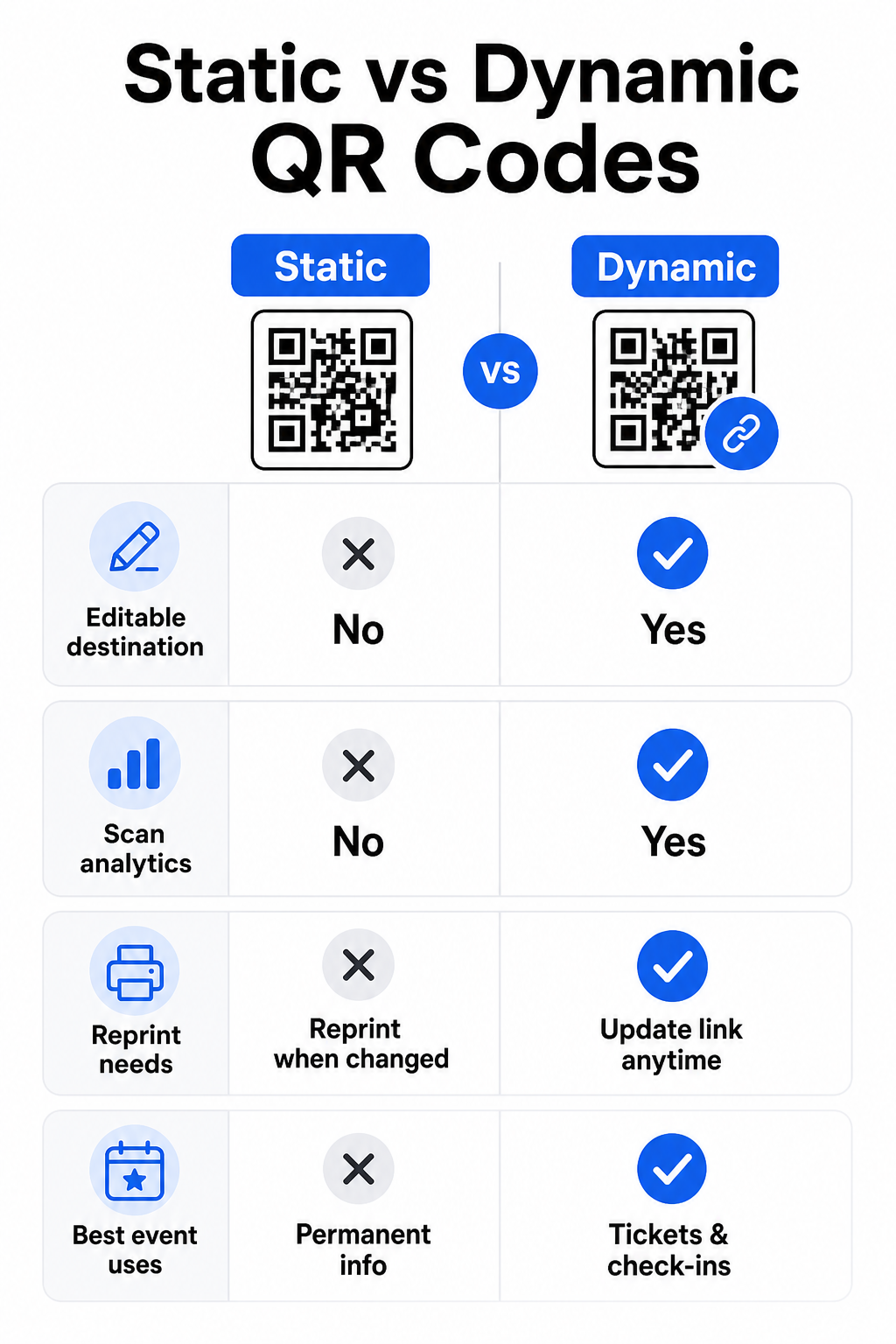
Staattiset vs. dynaamiset QR-koodit tapahtumiin
Staattisten ja dynaamisten QR-koodien eron ymmärtäminen auttaa sinua tekemään oikean valinnan kuhunkin käyttötarkoitukseen.
| OMINAISUUS | Staattinen QR-koodi | Dynaaminen QR-koodi |
|---|---|---|
| Kohde muokattavissa tulostuksen jälkeen | Ei | Kyllä |
| Skannausanalytiikka | Ei | Kyllä |
| Koodi muuttuu, jos kohde muuttuu | Kyllä (uudelleenpainatus tarvitaan) | Ei |
| Paras | Yksinkertaiset, pysyvät linkit | Liput, aikataulut, kampanjat |
| Kustannukset | Vapaa | Maksullinen tilaus |
Useimmissa tapahtumatoiminnoissa – erityisesti lipunmyynnissä, sisäänkirjautumisessa ja kaikessa, mikä saattaa vaatia päivitystä – dynaamiset QR-koodit ovat parempi valinta. Ne tarjoavat myös skannausanalytiikkaa, joka kertoo, kuinka monta ihmistä skannasi, milloin, millä laitteella ja mistä sijainnista. opas dynaamisten QR-koodien luomiseen CRM-sisäänkirjautumisia varten selittää, miten nämä tiedot yhdistetään laajempaan osallistujien hallintatyönkulkuun.
QR-koodin sijoittelu ja koko tapahtumiin
QR-koodi, jota ei voi skannata luotettavasti, menettää tarkoituksensa. Seuraavat ohjeet perustuvat käytettävyystutkimukseen ja käytännön tapahtumaskenaarioihin.
Vähimmäiskoot materiaalityypin mukaan:
- Painetut kutsut: vähintään 1,5 × 1,5 tuumaa
- Merkit tai rannekkeet: vähintään 1,5 tuumaa neliö
- Pöytäkortit tai paikkakortit: vähintään 1 × 1 tuumaa (1,5 tuumaa suositeltava)
- Tapahtumaopasteet: vähintään 5 × 5 tuumaa, kasvaen 7 × 7 tuumaa yli 30 jalan levyisille paikoille
Hyödyllinen nyrkkisääntö: pienimmän QR-koodin mitan tulisi olla noin kymmenesosa skannausetäisyydestä. Koodin, joka skannataan 3 jalan etäisyydeltä, tulisi olla vähintään 3,6 tuumaa leveä.
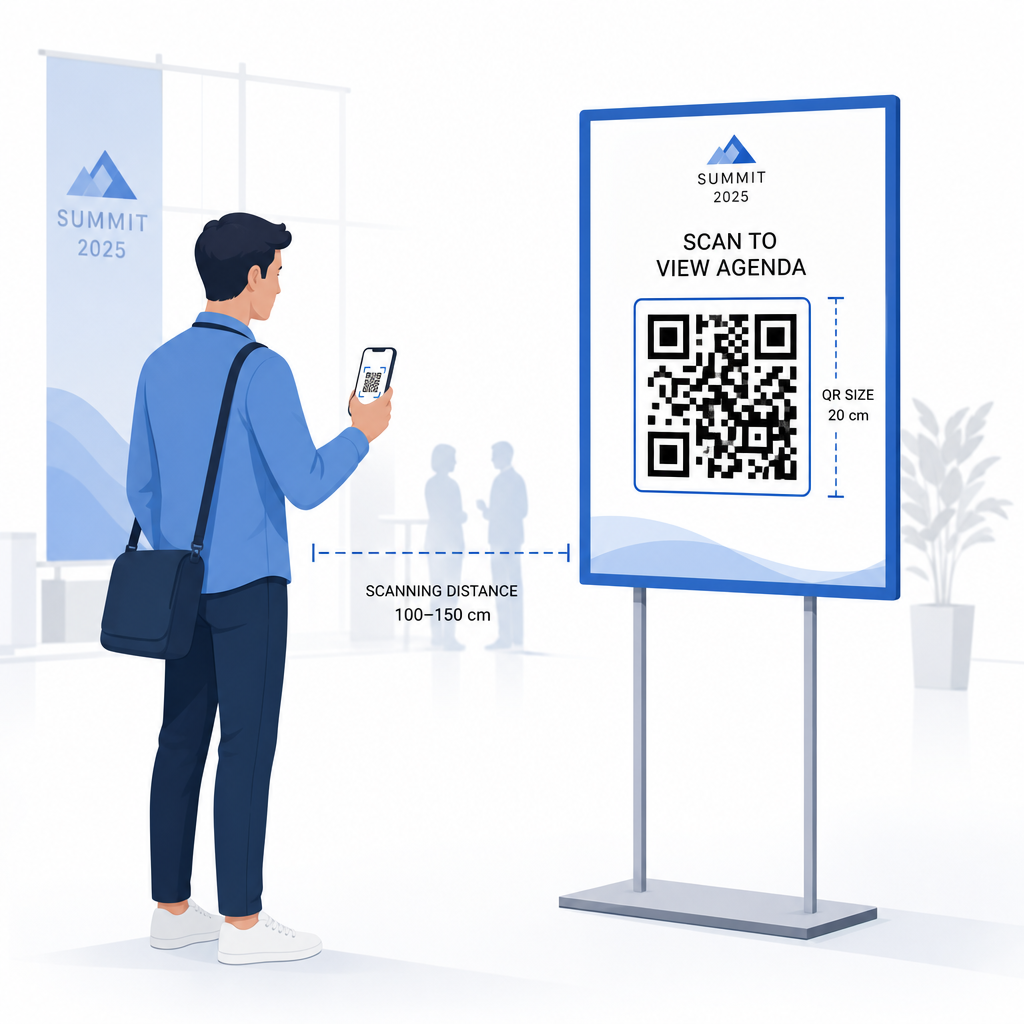
Sijoitteluohjeet:
- Sijoita koodit silmien tai rinnan korkeudella – noin 3–5 jalan korkeudella lattiasta – jotta osallistujat voivat skannata kumartumatta tai kurottelematta
- Sijoita koodit paikkoihin, joissa ihmiset luonnollisesti pysähtyvät tai odottavat: sisäänkäynnit, ilmoittautumispisteet, pöydät, näyttöjen lähellä ja jonoissa
- Säilytä korkea kontrasti: tummat moduulit vaalealla taustalla skannaavat luotettavimmin; vältä käänteisiä tai matalakontrastisia värimaailmoja
- Pidä hiljaisen alueen vähintään 4 moduulin tyhjä tila koodin
- Test every code lopullisessa painetussa koossaan, odotetulta skannausetäisyydeltä, sekä iOS:llä että Androidilla, ennen tapahtumaa
Lisäohjeita varten, tämä perimmäinen opas QR-koodeihin tapahtumien sisäänkirjautumiseen sisältää yksityiskohtaiset tekniset skannausvaatimukset ja ovitoimintojen parhaat käytännöt.
Tapahtuman suorituskyvyn seuranta QR-analytiikan avulla
Yksi dynaamisten QR-koodien alikäytetyistä eduista on niiden tuottama data. Pagelootin analytiikan hallintapaneeli tallentaa skannausmäärät, aikaleimat, laitetyypit ja maantieteelliset sijainnit reaaliaikaisesti.
Tapahtuman järjestäjille tämä data vastaa käytännön kysymyksiin:
- Millä sisääntulopisteellä oli korkein skannausmäärä ja mihin aikaan?
- Olivatko osallistujat vuorovaikutuksessa aikataulun tai sponsorisisällön kanssa tapahtuman aikana?
- Kuinka monta ihmistä skannasi tapahtuman jälkeisen kyselykoodin?
- Mikä markkinointikanava – painettu esite, sosiaalisen median julkaisu, sähköposti – tuotti eniten lippuskannauksia?
Tämä tieto auttaa henkilöstöpäätöksissä, auttaa tunnistamaan pullonkauloja ja antaa sponsoreille mitattavan todisteen yleisön sitoutumisesta. Syvemmän katsauksen saatavilla oleviin työkaluihin löydät koosteesta parhaita työkaluja QR-koodi-tapahtumaseurantaan.
Katso Kuka skannaa ja Milloin Pagelootin sisäänrakennettu analytiikka antaa sinulle reaaliaikaista skannaustietoa kaikista tapahtumasi QR-koodeista yhdessä hallintapaneelissa. Aloita Tapahtuman QR-koodi generaattori ja järjestä seuraava tapahtumasi täydellä näkyvyydellä.
QR-koodien skannaus tapahtumassasi
Jos tarvitset skannausratkaisun henkilökunnalle lippujen vahvistamiseen tai osallistujien sisäänkirjaukseen, Pagelootin QR-koodin lukija toimii suoraan selaimessa – sovelluksen latausta ei tarvita. Henkilökunta voi skannata millä tahansa älypuhelimella tai tabletilla osoittamalla kameran koodiin tai lataamalla kuvan.
Suuremmissa tapahtumissa, joissa on erillisiä skannauspisteitä, iOS- (iOS 11 ja uudemmat) ja Android-laitteiden natiivikamerat skannaavat QR-koodeja ilman lisäsovellusta. Testaa skannausasetuksesi tapahtumapaikkasi todellisissa valaistusolosuhteissa ennen tapahtumaa, ja kouluta henkilökuntaa pitämään laitetta noin 30 cm (noin 12 tuumaa) etäisyydellä koodista johdonmukaisten lukemien saamiseksi.
Yleisiä QR-koodiongelmia tapahtumissa (ja miten ne vältetään)
Jopa hyvin suunnitellut QR-koodit epäonnistuvat, kun tietyt ehdot eivät täyty. Tässä ovat yleisimmät ongelmat ja niiden ratkaisut:
- Koodi liian pieni: Noudata yllä olevia kokominimejä; epävarmoissa tapauksissa tulosta suurempana
- Huono kontrasti: Käytä tummia moduuleja valkoisella tai vaalealla taustalla; vältä koodien sijoittamista tummille tai kuvioiduille pinnoille
- Kiiltävä materiaali: Mattapintaiset materiaalit skannaavat luotettavammin, koska ne poistavat heijastuksia; vältä kiiltäviä rintanappi- tai rannekemateriaaleja
- Vaurioitunut koodi: Fyysiset naarmut tai repeämät estävät skannauksen; käytä virheenkorjausasetuksia lu
- Ei hiljaista aluetta: Varmista, ettei mikään – teksti, reunat, kuvat – tunkeudu koodin ympärillä olevalle tyhjälle marginaalille
- Testaamaton koodi: Skannaa aina lopullinen painettu versio useilla laitteilla ennen laajamittaista jakelua
Lisäongelmanratkaisua varten suoraan lippuihin painettujen QR-koodien osalta, katso opas QR-koodeista lipuissa.
QR-koodit tarjoavat tapahtumajärjestäjille suoran yhteyden fyysisten kosketuspisteiden ja digitaalisten järjestelmien välille – olipa kyse sitten lipun vahvistamisesta, osallistumisen kirjaamisesta, palautteen keräämisestä tai tapahtumapaikalla navigoinnista. Avainasemassa on dynaamisten koodien valitseminen silloin, kun joustavuus on tärkeää, niiden koon ja sijoittelun optimointi luotettavaa skannausta varten, sekä analytiikan hyödyntäminen ymmärtääkseen, miten osallistujat todella sitoutuvat.
Aloita Tapahtuman QR-koodi generaattori luodaksesi ensimmäisen tapahtuman QR-koodisi, tai tutustu Läsnäolo QR-koodi työkaluun rakentaaksesi sisäänkirjautumisjärjestelmän, joka kirjaa jokaisen saapumisen automaattisesti.
Usein kysytyt kysymykset
Staattisella QR-koodilla on kiinteä kohde, jota ei voi muuttaa sen luomisen jälkeen. Jos tapahtumasi tiedot muuttuvat, sinun on tulostettava koodi uudelleen. Dynaamisen QR-koodin avulla voit päivittää kohde-URL-osoitteen milloin tahansa muuttamatta itse tulostettua koodia. Dynaamiset koodit tarjoavat myös skannausanalytiikkaa – tietoja siitä, milloin, missä ja kuinka usein koodi skannataan – mitä staattiset koodit eivät tarjoa. Useimmissa tapahtumasovelluksissa, erityisesti lipunmyynnissä ja aikatauluissa, dynaamiset koodit ovat käytännöllinen valinta.
Avaa Pagelootin tapahtuman QR-koodigeneraattori ja valitse vaihtoehto luoda tapahtuman QR-koodi. Syötä tapahtumasi URL-osoite tai rekisteröintilinkki, lisää tapahtuman tiedot, kuten otsikko ja kuvaus, ja mukauta sitten koodin ulkoasu brändisi mukaiseksi. Lataa koodi ja jaa se osallistujille sähköpostitse, PDF-tiedostona tai painettuna lippuna. Tapahtumassa henkilökunta skannaa jokaisen osallistujan koodin älypuhelimen kameralla tai Pageloot QR Code Scannerilla merkitäkseen heidät sisäänkirjautuneiksi.
Tavallisiin tapahtumakyltteihin suositellaan vähintään 5 × 5 tuuman kokoa. Yli 30 jalkaa leveisiin suurempiin tiloihin kokoa tulee kasvattaa vähintään 7 × 7 tuumaan. Luotettava nyrkkisääntö on, että koodin pienimmän mitan tulisi olla noin kymmenesosa odotetusta skannausetäisyydestä – eli 5 jalan etäisyydeltä katsottuna koodin tulisi olla noin 6 tuumaa leveä. Testaa aina painettu koodi todellisella skannausetäisyydellä ennen tapahtumaa.