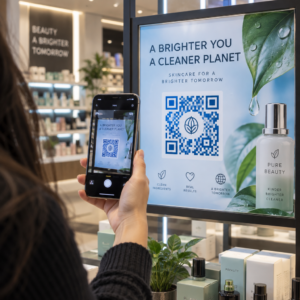
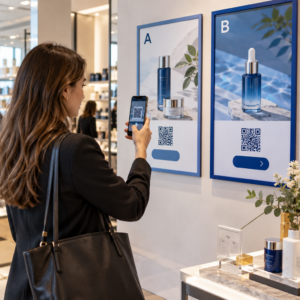
Hala etkinlik girişini basılı misafir listeleri ve manuel kayıtlarla mı yönetiyorsunuz? Bu yaklaşım giriş kuyruklarını yavaşlatır, katılımcıları hayal kırıklığına uğratır ve organizatörleri sahada gerçekte neler olup bittiği konusunda çok az görünürlükle bırakır. Bu sayfa, etkinliklerde QR kodlarını kullanmanın her pratik yolunu kapsar – biletlemeden ve check-in'lerden RSVP'lere ve etkinlik sonrası takibe kadar – böylece daha sorunsuz operasyonlar yürütebilir ve ölçülebilir sonuçlar elde edebilirsiniz.
Etkinlik Organizatörleri Neden QR Kodlarını Benimsiyor?
Etkinlik profesyonelleri arasında QR kodu benimsenmesi artık niş değil. Pazarlamacıların 'ü özellikle etkinlikler için QR kodları kullanıyor, etkinlikleri pazarlama profesyonelleri arasında en yaygın QR kullanım durumu haline getiriyor. Aynı veriler, pazarlamacıların 'ından fazlasının 2025'te QR kodlarını kullandığını bildirdiğini gösteriyor ve 'ünün kullanımını yıldan yıla artırdığını gösteriyor.
Bu değişimin nedeni pratik: katılımcılar zaten taramaya alışkın. Tüketicilerin üçte ikisinden fazlası geçen yıl en az bir kez QR kodu kullandı ve Z Kuşağı ile Y Kuşağı'nın yaklaşık yarısı haftada en az bir kez QR kodlarını tarıyor. Amerikalıların 'inin cep telefonu sahibi olmasıyla, katılımcıların tarama yapması için anlamlı bir engel bulunmuyor.
Organizatörler için getirisi gerçek zamanlı kontroldür. Girişi takip edebilir, oturum bazında katılımı izleyebilir, materyalleri yeniden basmadan etkinlik bilgilerini güncelleyebilir ve etkinlik sona erdikten çok sonra bile etkileşimi ölçebilirsiniz.
Etkinlikler İçin QR Kodu Kullanım Durumları
QR kodları, bir etkinlikteki hemen hemen her operasyonel ve etkileşim ihtiyacını karşılayacak kadar esnektir. İşte en etkili uygulamalar.
Biletleme ve Giriş Yönetimi
En yaygın başlangıç noktası, kağıt biletleri taranabilir QR kodlarıyla değiştirmektir. Her katılımcı benzersiz bir QR kodu alır – e-posta, PDF veya mobil aracılığıyla teslim edilir – personelin girişi doğrulamak ve katılımı gerçek zamanlı olarak işaretlemek için kapıda taradığı.
Bu yaklaşım, manuel liste kontrolü ihtiyacını ortadan kaldırır, giriş kuyruklarını hızlandırır ve her kod tek taramalı doğrulama için ayarlanabildiğinden, çift kullanımlı dolandırıcılığı önler. Bunun arkasındaki güvenlik mimarisinin ayrıntılı bir incelemesi için, şu kılavuza bakın: Güvenli QR Kodlu Etkinlik Bileti Nasıl Oluşturulur.
Biletleri doğrudan şunları kullanarak oluşturabilirsiniz: Etkinlik QR Kod Oluşturucu etkinlik URL'nizi, başlığını, açıklamasını ve iletişim bilgilerini girerek, ardından dağıtım için indirmeden önce kod tasarımını özelleştirerek.
Etkinlik Girişinizi Kolaylaştırın Biletler, açılış sayfaları ve check-in'ler için markalı, izlenebilir QR kodları oluşturun. Şunu deneyin: Etkinlik QR Kod Oluşturucu 14 gün boyunca ücretsiz – kredi kartı gerekmez.
Katılımcı Check-In ve Katılım Takibi
QR tabanlı check-in, personelin her katılımcının kodunu bir telefon, tablet veya özel bir tarama uygulamasıyla taramasıyla çalışır. Geçerli bir tarama, kişiyi otomatik olarak check-in yapılmış olarak işaretler ve katılım kayıtlarınızı anında günceller.
Bu, manuel yöntemlerden önemli ölçüde daha hızlıdır. Şuna göre: etkinlik check-in'leri için QR kodları kılavuzu, QR kodu check-in'leri kişi başına ortalama işlem süresini 2 saniyenin altına düşürür ve manuel süreçlere kıyasla toplam giriş süresini 'ye kadar azaltabilir.
Devam eden etkinlikler, dersler veya çok oturumlu konferanslar için Pageloot'un Katılım QR Kodu aracı, katılımcıların bir Google Form'a veya benzer bir araca bağlı bir kodu tarayarak kendi kendilerine check-in yapmalarını sağlar, yanıtlar gerçek zamanlı takip için otomatik olarak bir e-tabloya aktarılır. Bu tür bir sistem oluşturma hakkında daha fazla bilgiyi şurada bulabilirsiniz: katılım takibi sayfası.
RSVP Toplama
Misafirleri bir URL yazmaya yönlendirmek yerine, davetiyenizdeki, el ilanınızdaki veya etkinlik sayfanızdaki bir QR kodu tek bir taramayla onları doğrudan RSVP formunuza götürür. Bu, sürtünmeyi ortadan kaldırır ve genellikle yanıt oranlarını artırır.
Pageloot'un Google Form QR Kod Oluşturucu herhangi bir Google Form'u taranabilir bir koda bağlamak için, ardından basılı davetiyelere, dijital grafiklere veya etkinlik tabelalarına yerleştirin. Adım adım talimatlar için, etkinlikler için RSVP QR kodları kılavuzu platform seçimi, kod oluşturma ve gizlilik uyumluluğunu ayrıntılı olarak açıklar.
Programlar ve Etkinlik Bilgileri
Bir yaka kartına, masa kartına veya mekan tabelasına yerleştirilen bir QR kodu katılımcıları canlı bir etkinlik programına, konuşmacı biyografilerine, kat planlarına veya oturum detaylarına bağlayabilir. Çünkü dinamik QR kodları hedef URL'yi yazdırdıktan sonra güncellemenize olanak tanır, materyalleri yeniden basmadan program değişikliklerini düzeltebilir veya bilgi ekleyebilirsiniz.
Bu, dinamik kodları statik kodlar yerine kullanmak için en güçlü pratik argümanlardan biridir. Bir konuşmacı iptal ederse veya bir oda değişirse, bağlantıyı güncellersiniz – basılı materyali değil.
Google Takvim Entegrasyonu
Konferanslar, atölye çalışmaları veya oturumlu herhangi bir biletli etkinlik için, bir QR kodunu bir Google Takvim girişine bağlamak katılımcıların etkinliği tek bir taramayla doğrudan takvimlerine eklemesini sağlar. Şunu kullanın: Google Takvim QR Kod Oluşturucu bu kodu oluşturmak için, ardından onay e-postalarına, biletlere veya davetiyelere yerleştirin.
Mekan Navigasyonu
Büyük mekanlar – kongre merkezleri, açık hava festivalleri, çok katlı konferans alanları – genellikle katılımcıların gitmeleri gereken yeri bulamamaları nedeniyle sorunlara yol açar. Tabela, bilet veya davetiyelerdeki doğrudan Google Haritalar'da açılan bir QR kodu, bu sorunu tamamen ortadan kaldırır. Bir tane oluşturmak için Google Maps QR Kod Oluşturucu kullanın ve katılımcıların etkinlikten önce veya etkinlik sırasında göreceği herhangi bir yere ekleyin.
Fotoğraf Paylaşımı ve Sosyal Etkileşim
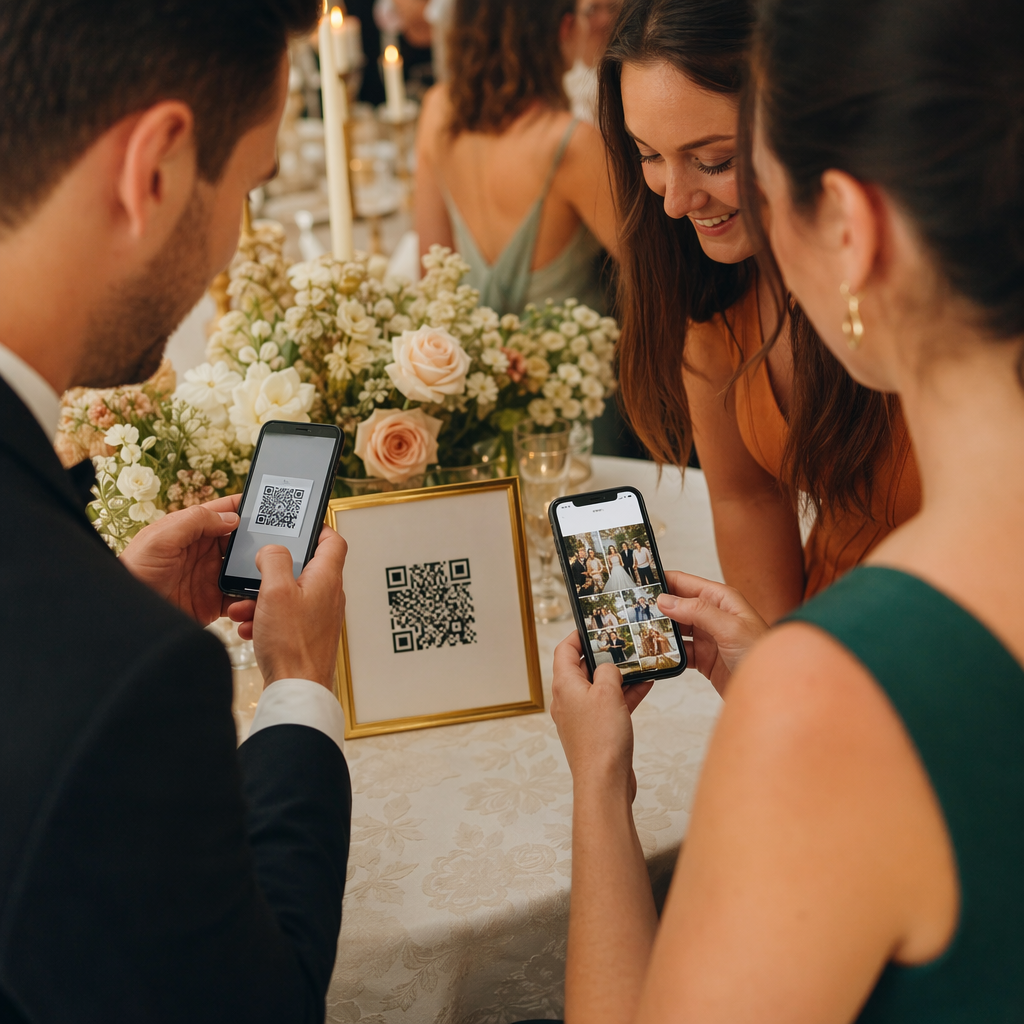
QR kodları, katılımcıları paylaşılan bir fotoğraf galerisine, markalı bir hashtag sayfasına veya bir yükleme portalına bağlayarak misafirlerin etkinlik fotoğraflarını gerçek zamanlı olarak katkıda bulunmasını ve görüntülemesini sağlayabilir. Bu, etkinlik deneyimini fiziksel mekanın ötesine taşıyan bir katılım döngüsü oluşturur. Pratik bir kurulum rehberi için, fotoğraf paylaşmak için QR kodu nasıl kullanılır.
Etkinlik Sonrası Anketler ve Takip
Araştırmalar, organizatörlerin 'inin yatırım getirisini ölçmek için etkinlik sonrası anketleri kullandığını ve 'ının sosyal medya etkileşimine güvendiğini göstermektedir. Bir rozet, el ilanı veya çıkış tabelasındaki geri bildirim formuna yönlendiren bir QR kodu, etkinlik hala tazeyken katılımcıların yanıt vermesini kolaylaştırır. Bu formu Pageloot'un jeneratörü aracılığıyla bir Google Form'a bağlamak, yanıtların doğrudan analiz edebileceğiniz bir e-tabloya akması anlamına gelir.
Pageloot ile Etkinlik QR Kodu Nasıl Oluşturulur
Süreç birkaç dakika sürer ve teknik beceri gerektirmez.
- Jeneratörü açın – Şuraya gidin: Etkinlik QR Kod Oluşturucu ve “Etkinlik için QR Kodu Oluştur”u seçin.”
- Etkinlik detaylarınızı ekleyin – Etkinlik sayfası URL'sini, başlığını, açıklamasını ve iletişim bilgilerini girin. Pageloot, bu içeriğin etrafında bir açılış sayfası oluşturur.
- QR kodunu tasarlayın – Renkleri, şekilleri ayarlayın ve etkinlik markanıza uygun logonuzu ekleyin.
- Esnekliğe ihtiyacınız varsa dinamik seçin – Dinamik kodlar, baskıdan sonra hedef bağlantıyı güncellemenize olanak tanır. Bu, etkinlikten önce veya etkinlik sırasında değişebilecek her şey için doğru seçimdir.
- Kodu test edin – Dağıtmadan önce hem iOS hem de Android cihazlarda farklı aydınlatma koşullarında tarayın.
- İndirin ve dağıtın – PNG, PDF veya SVG olarak dışa aktarın ve biletlere, tabelalara, davetiyelere veya dijital materyallere yerleştirin.
Etkinlikler için Statik ve Dinamik QR Kodları
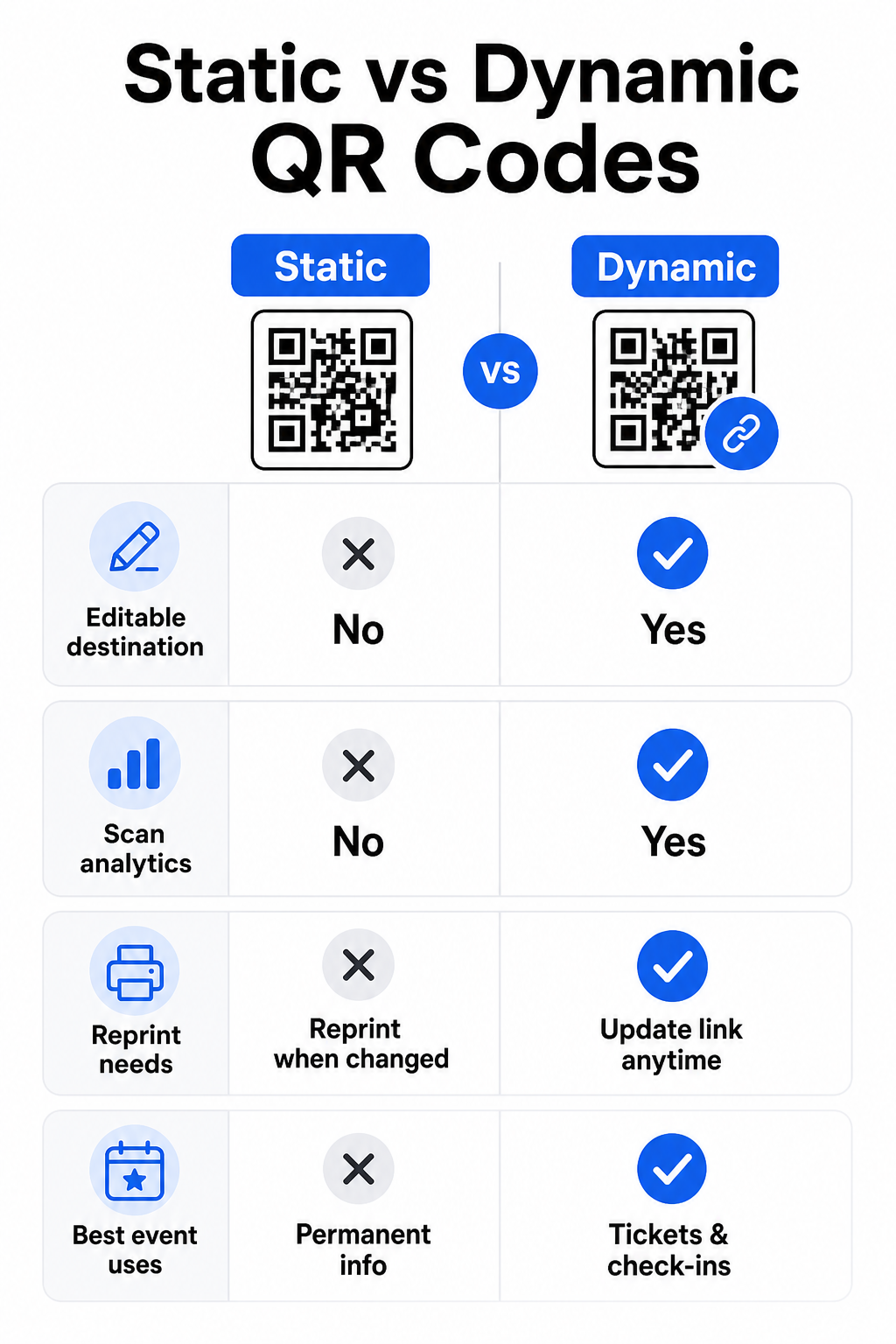
Statik ve dinamik QR kodları arasındaki farkı anlamak, her kullanım durumu için doğru seçimi yapmanıza yardımcı olur.
| ÖZELLİK | Statik QR Kodu | Dinamik QR Kodu |
|---|---|---|
| Baskıdan sonra düzenlenebilir hedef | Hayır | Evet |
| Tarama analizi | Hayır | Evet |
| Hedef değişirse kod değişir | Evet (yeniden baskı gerekli) | Hayır |
| En iyisi | Basit, kalıcı bağlantılar | Biletler, programlar, kampanyalar |
| Maliyet | Bedava | Ücretli abonelik |
Çoğu etkinlik operasyonu için – özellikle biletleme, check-in ve güncellenmesi gerekebilecek her şey için – dinamik QR kodları daha iyi bir seçimdir. Ayrıca, kaç kişinin ne zaman, hangi cihazda ve hangi konumdan taradığını gösteren tarama analizi de sağlarlar. CRM check-in'leri için dinamik QR kodları oluşturma rehberi bu verileri daha geniş katılımcı yönetimi iş akışınıza nasıl bağlayacağınızı açıklar.
Etkinlikler için QR Kodu Yerleşimi ve Boyutlandırması
Güvenilir bir şekilde taranamayan bir QR kodu amacını yitirir. Aşağıdaki yönergeler, kullanılabilirlik araştırmalarını ve pratik etkinlik senaryolarını yansıtmaktadır.
Malzeme türüne göre minimum boyutlar:
- Basılı davetiyeler: en az 1,5 × 1,5 inç
- Rozetler veya bileklikler: en az 1,5 inç kare
- Masa kartları veya yer kartları: en az 1 × 1 inç (1,5 inç tercih edilir)
- Etkinlik tabelaları: en az 5 × 5 inç, artarak 7 × 7 inç 30 fitten geniş mekanlar için
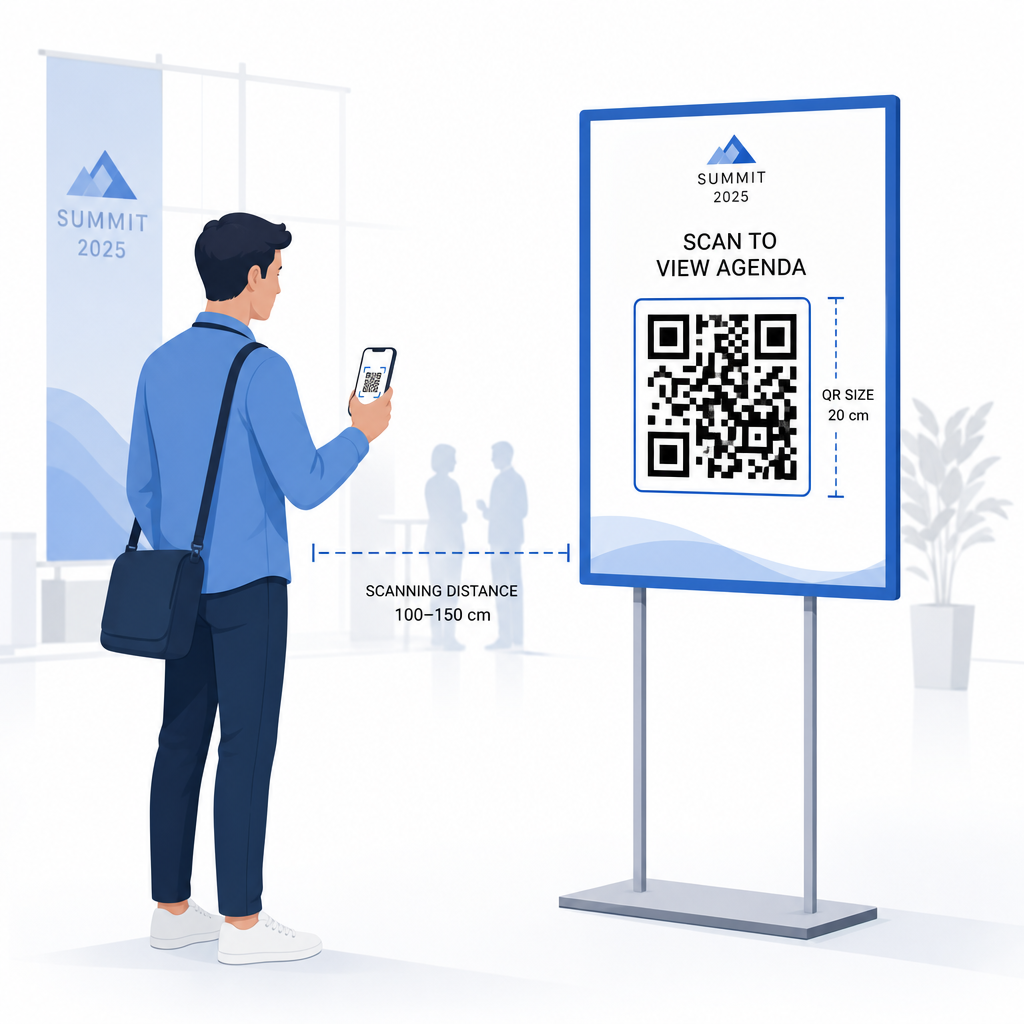
Faydalı bir kural: en küçük QR kodu boyutu yaklaşık olarak tarama mesafesinin onda biri. olmalıdır. 3 fitten taranan bir kod en az 3,6 inç genişliğinde olmalıdır.
Yerleştirme yönergeleri:
- Kodları şuraya yerleştirin: göz veya göğüs hizası – zeminden yaklaşık 3 ila 5 fit – böylece katılımcılar eğilmeden veya uzanmadan tarayabilir
- Kodları yerleştirin insanların doğal olarak durduğu veya beklediği yerlere: girişler, kayıt masaları, masalar, ekranların yakınında ve kuyruklarda
- Sürdürün yüksek kontrast: açık bir arka plan üzerindeki koyu modüller en güvenilir şekilde taranır; ters çevrilmiş veya düşük kontrastlı renk şemalarından kaçının
- En az bir sessiz alan kodun dört tarafında en az 4 modül boşluk bırakın; bu kenar boşluğunun içindeki metin veya grafikler tarama hatalarına neden olur
- Her kodu test edin son basılı boyutunda, beklenen tarama mesafesinden, hem iOS hem de Android'de, etkinlikten önce
Daha fazla rehberlik için, etkinlik girişleri için QR kodlarına nihai rehber ayrıntılı teknik tarama gereksinimlerini ve kapı operasyonları en iyi uygulamalarını içerir.
QR Analizi ile Etkinlik Performansını Takip Etme
Dinamik QR kodlarının az kullanılan avantajlarından biri, ürettikleri verilerdir. Pageloot'un analiz paneli, tarama sayılarını, zaman damgalarını, cihaz türlerini ve coğrafi konumları gerçek zamanlı olarak yakalar.
Etkinlik organizatörleri için bu veriler pratik soruları yanıtlar:
- Hangi giriş noktasında en yüksek tarama hacmi vardı ve saat kaçtaydı?
- Katılımcılar etkinlik sırasında program veya sponsor içeriğiyle etkileşime girdi mi?
- Etkinlik sonrası anket kodunu kaç kişi taradı?
- Hangi tanıtım kanalı – basılı broşür, sosyal medya gönderisi, e-posta – en çok bilet taramasını sağladı?
Bu bilgi personel kararlarını bilgilendirir, darboğazları belirlemenize yardımcı olur ve sponsorlara ölçülebilir kitle etkileşimi kanıtı sunar. Mevcut araçlara daha derinlemesine bir bakış için, şunların özetine bakın QR kodlu etkinlik takibi için en iyi araçlar.
Kimler Tarıyor ve Ne Zaman Görün Pageloot'un yerleşik analitikleri, tüm etkinlik QR kodlarınızda gerçek zamanlı tarama verilerini tek bir panoda sunar. ile başlayın Etkinlik QR Kod Oluşturucu ve bir sonraki etkinliğinizi tam görünürlükle yönetin.
Etkinliğinizde QR Kodlarını Tarama
Personelin biletleri doğrulaması veya katılımcıları kaydetmesi için bir tarama çözümüne ihtiyacınız varsa, Pageloot'un QR Kod Okuyucu doğrudan tarayıcıda çalışır – uygulama indirmeye gerek yok. Personel, kamerayı koda doğrultarak veya bir görüntü yükleyerek herhangi bir akıllı telefon veya tabletten tarayabilir.
Özel tarama istasyonlarına sahip daha büyük etkinlikler için, iOS (iOS 11 ve sonrası) ve Android'deki yerel cihaz kameraları herhangi bir ek uygulama olmadan QR kodlarını tarar. Etkinlikten önce tarama kurulumunuzu mekanınızın gerçek aydınlatma koşullarında test edin ve personeli tutarlı okumalar için cihazı koddan yaklaşık 30 cm (yaklaşık 12 inç) uzakta tutmaları konusunda eğitin.
Etkinliklerde Yaygın QR Kodu Sorunları (ve Bunlardan Nasıl Kaçınılır)
İyi tasarlanmış QR kodları bile belirli koşullar karşılanmadığında başarısız olur. İşte en sık karşılaşılan sorunlar ve çözümleri:
- Kod çok küçük: Yukarıdaki boyut minimumlarına uyun; şüpheniz varsa, daha büyük yazdırın
- Zayıf kontrast: Beyaz veya açık bir arka plan üzerinde koyu modüller kullanın; kodları koyu veya desenli yüzeylere yerleştirmekten kaçının
- Parlak malzeme: Mat yüzeyler parlamayı ortadan kaldırdığı için daha güvenilir bir şekilde taranır; parlak rozet veya bileklik malzemelerinden kaçının
- Hasarlı kod: Fiziksel çizikler veya yırtıklar taramayı engeller; fiziksel materyaller için kod oluştururken hata düzeltme ayarlarını kullanın
- Sessiz bölge yok: Hiçbir şeyin – metin, kenarlıklar, görüntüler – kodun etrafındaki boş kenar boşluğuna tecavüz etmediğini doğrulayın
- Test edilmemiş kod: Büyük ölçekte dağıtmadan önce her zaman son basılı sürümü birden fazla cihazda tarayın
Doğrudan biletlere basılan QR kodlarında ek sorun giderme için, şuna bakın biletlerdeki QR kodları rehberi.
QR kodları, etkinlik organizatörlerine fiziksel temas noktaları ile dijital sistemler arasında doğrudan bir hat sağlar – ister bir bileti doğrulamak, ister katılımı kaydetmek, geri bildirim toplamak veya bir mekanda gezinmek olsun. Anahtar, esnekliğin önemli olduğu yerlerde dinamik kodları seçmek, güvenilir tarama için boyutlandırmak ve yerleştirmek ve katılımcıların gerçekte nasıl etkileşim kurduğunu anlamak için analitik kullanmaktır.
ile başlayın Etkinlik QR Kod Oluşturucu ilk etkinlik QR kodunuzu oluşturmak için, veya şunları keşfedin Katılım QR Kodu her varışı otomatik olarak kaydeden bir check-in sistemi oluşturma aracı.
Sıkça sorulan sorular
Statik bir QR kod, oluşturulduktan sonra değiştirilemeyen sabit bir hedefe sahiptir. Etkinlik ayrıntılarınız değişirse, kodu yeniden yazdırmanız gerekir. Dinamik bir QR kod, basılı kodun kendisini değiştirmeden hedef URL'yi istediğiniz zaman güncellemenizi sağlar. Dinamik kodlar ayrıca tarama analizi – kodun ne zaman, nerede ve ne sıklıkta tarandığına dair veriler – sağlar; statik kodlar bunu sağlamaz. Çoğu etkinlik uygulaması için, özellikle biletleme ve programlar için, dinamik kodlar pratik bir seçimdir.
Pageloot'un Etkinlik QR Kodu Oluşturucusunu açın ve bir etkinlik QR kodu oluşturma seçeneğini seçin. Etkinlik URL'nizi veya kayıt bağlantınızı girin, başlık ve açıklama gibi etkinlik ayrıntılarını ekleyin, ardından kod tasarımını markanızla özelleştirin. Kodu indirin ve e-posta, PDF veya basılı bilet aracılığıyla katılımcılara dağıtın. Etkinlikte, personel her katılımcının kodunu bir akıllı telefon kamerası veya Pageloot QR Kodu Tarayıcısı kullanarak onları kaydolmuş olarak işaretlemek için tarar.
Standart etkinlik tabelaları için, minimum 5 × 5 inç önerilir. 30 fitten daha geniş büyük mekanlar için, boyutu en az 7 × 7 inç'e çıkarın. Güvenilir bir genel kural, kodun en küçük boyutunun beklenen tarama mesafesinin yaklaşık onda biri olması gerektiğidir – yani 5 fitten görülen bir kod yaklaşık 6 inç genişliğinde olmalıdır. Etkinlikten önce her zaman basılı kodu gerçek tarama mesafesinde test edin.