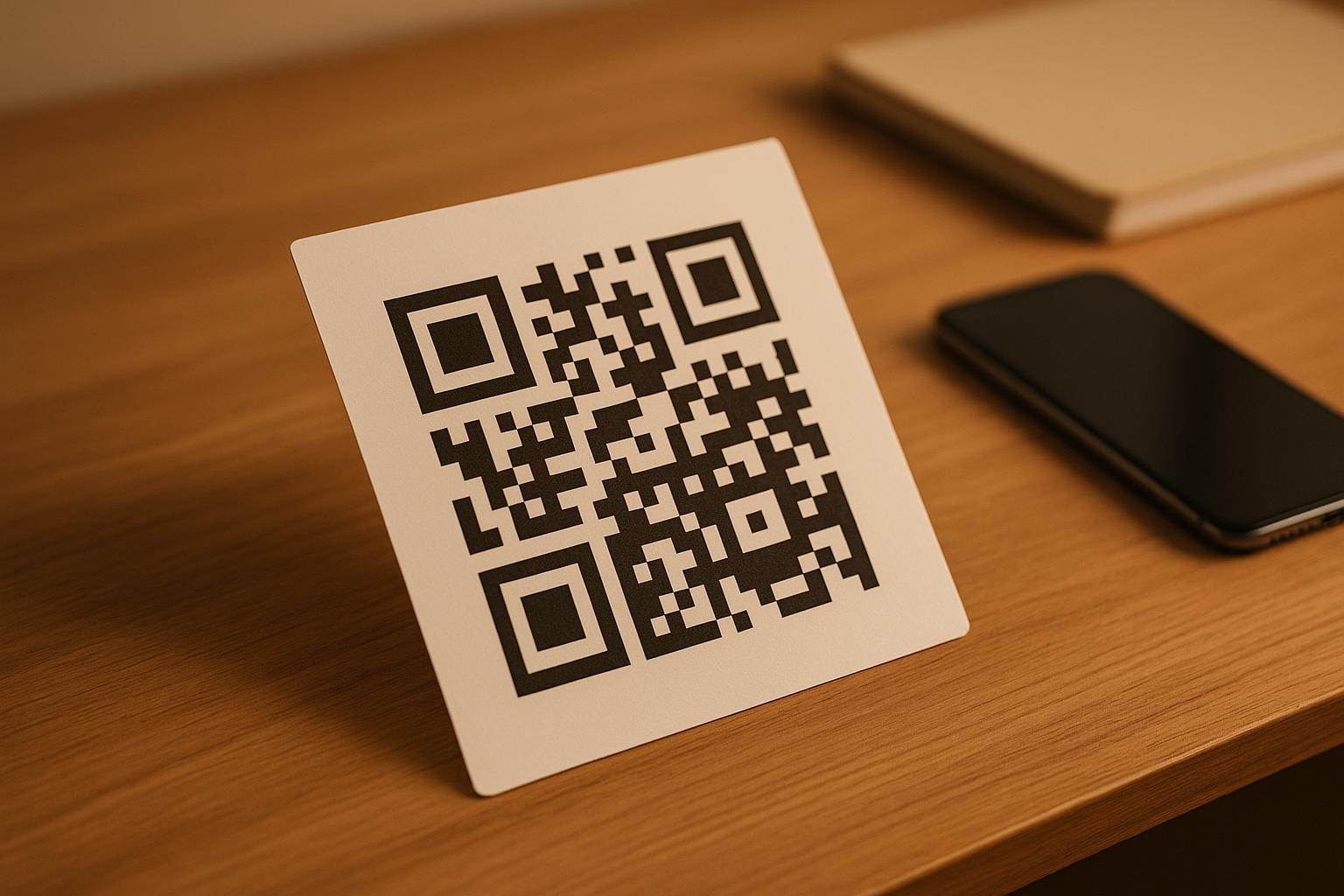
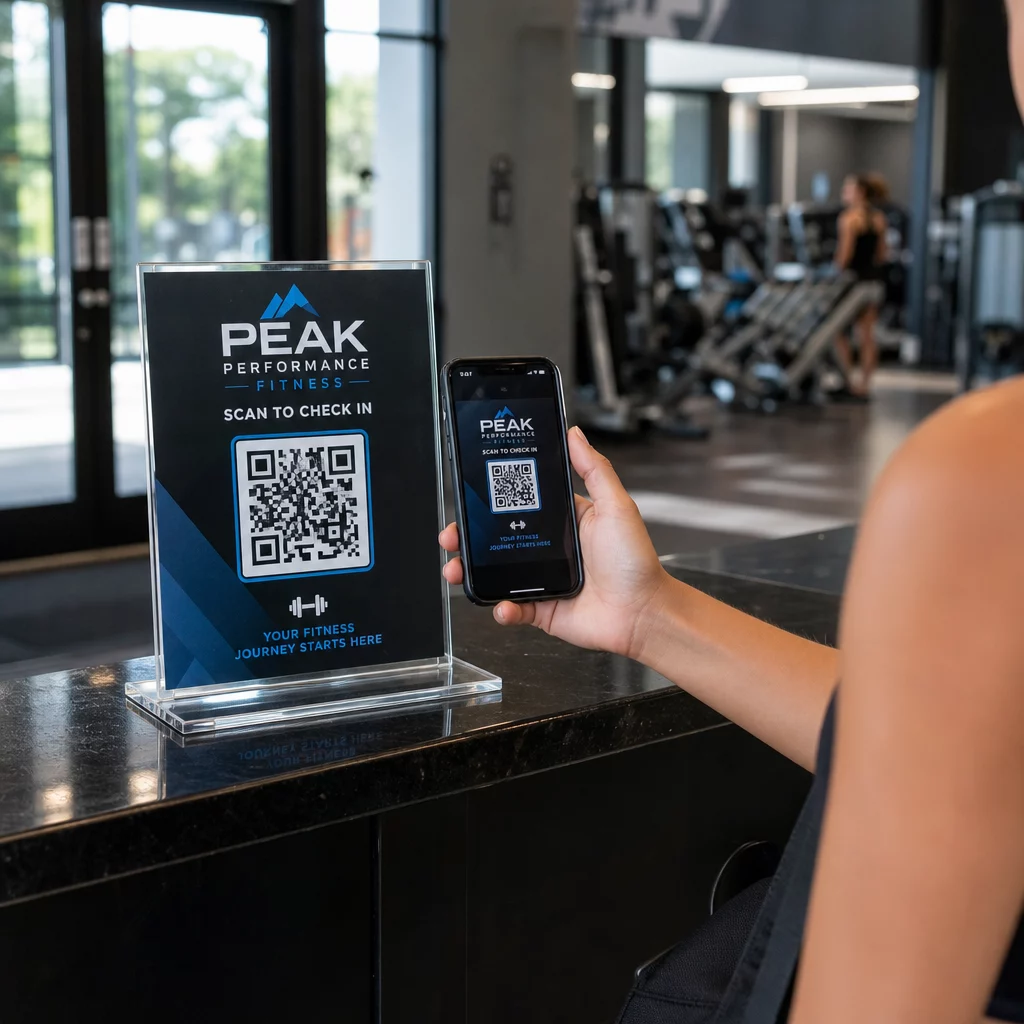
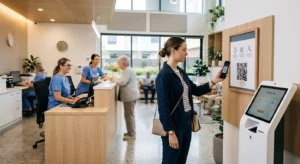
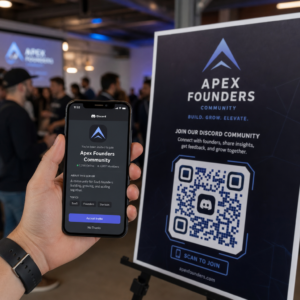
האם אתם עדיין מנהלים כניסה לאירועים עם רשימות אורחים מודפסות והרשמה ידנית? גישה זו מאטה את תורי הכניסה, מתסכלת את המשתתפים, ומשאירה את המארגנים עם מעט נראות לגבי מה שקורה בפועל בשטח. עמוד זה מכסה כל דרך מעשית להשתמש בקודי QR באירועים – מתיעוד וצ'ק-אין ועד אישורי הגעה ומעקב לאחר האירוע – כך שתוכלו להפעיל פעולות חלקות יותר ולקבל תוצאות מדידות.
מדוע מארגני אירועים מאמצים קודי QR
אימוץ קודי QR בקרב אנשי מקצוע בתחום האירועים אינו עוד נישה. 43% מהמשווקים משתמשים בקודי QR במיוחד עבור אירועים, מה שהופך אירועים למקרה השימוש הנפוץ ביותר ב-QR בקרב אנשי מקצוע בתחום השיווק. אותם נתונים מראים שיותר מ-90% מהמשווקים דיווחו על שימוש בקודי QR בשנת 2025, כאשר 94% הגדילו את השימוש שלהם משנה לשנה.
הסיבה לשינוי זה היא פרקטית: המשתתפים כבר מרגישים בנוח עם סריקה. יותר משני שלישים מהצרכנים השתמשו בקוד QR לפחות פעם אחת בשנה האחרונה, וכמחצית מבני דור ה-Z והמילניאלס סורקים קודי QR לפחות פעם בשבוע. עם 98% מהאמריקאים שבבעלותם טלפון נייד, אין מחסום משמעותי לגרום למשתתפים לסרוק.
עבור המארגנים, התמורה היא שליטה בזמן אמת. ניתן לעקוב אחר כניסות, לנטר נוכחות לפי סשן, לעדכן מידע על האירוע ללא הדפסה מחדש של חומרים, ולמדוד מעורבות זמן רב לאחר סיום האירוע.
מקרי שימוש בקודי QR לאירועים
קודי QR גמישים מספיק כדי לטפל כמעט בכל צורך תפעולי ומעורבותי באירוע. להלן היישומים היעילים ביותר.
כרטוס וניהול כניסות
נקודת ההתחלה הנפוצה ביותר היא החלפת כרטיסי נייר בקודי QR הניתנים לסריקה. כל משתתף מקבל קוד QR ייחודי – הנמסר באמצעות דוא"ל, PDF או נייד – שהצוות סורק בדלת כדי לאמת כניסה ולסמן נוכחות בזמן אמת.
גישה זו מבטלת את הצורך בבדיקת רשימות ידנית, מזרזת את תורי הכניסה, ומונעת הונאת שימוש כפול מכיוון שכל קוד יכול להיות מוגדר לאימות בסריקה יחידה. להדרכה מפורטת על ארכיטקטורת האבטחה שמאחורי זה, עיין במדריך בנושא כיצד ליצור כרטיסי אירוע מאובטחים עם קוד QR.
ניתן ליצור כרטיסים ישירות באמצעות ה שילוב QR באירוע על ידי הזנת כתובת ה-URL של האירוע, הכותרת, התיאור ופרטי הקשר, ולאחר מכן התאמה אישית של עיצוב הקוד לפני הורדתו להפצה.
ייעלו את כניסתכם לאירוע צרו קודי QR ממותגים וניתנים למעקב עבור כרטיסים, דפי נחיתה וצ'ק-אין. נסו את ה שילוב QR באירוע בחינם למשך 14 יום – ללא צורך בכרטיס אשראי.
צ'ק-אין למשתתפים ומעקב נוכחות
צ'ק-אין מבוסס QR פועל על ידי כך שהצוות סורק את קוד המשתתף באמצעות טלפון, טאבלט או אפליקציית סריקה ייעודית. סריקה תקפה מסמנת אוטומטית את האדם כמי שעשה צ'ק-אין ומעדכנת את רישומי הנוכחות שלכם באופן מיידי.
זה מהיר באופן משמעותי משיטות ידניות. על פי ה מדריך לקודי QR לצ'ק-אין באירועים, צ'ק-אין באמצעות קוד QR מפחית את זמן העיבוד הממוצע לפחות מ-2 שניות לאדם ויכול לקצר את משך הכניסה הכולל בעד 50% בהשוואה לתהליכים ידניים.
עבור אירועים מתמשכים, שיעורים או כנסים מרובי סשנים, ה-Pageloot’s קוד QR לנוכחות כלי מאפשר למשתתפים לבצע צ'ק-אין עצמי על ידי סריקת קוד המקושר לטופס Google או כלי דומה, כאשר התגובות מוזנות אוטומטית לגיליון אלקטרוני למעקב בזמן אמת. למדו עוד על בניית מערכת מסוג זה ב- דף מעקב נוכחות.
איסוף אישורי הגעה
במקום להפנות אורחים להקליד כתובת URL, קוד QR על ההזמנה, הפלייר או דף האירוע שלכם לוקח אותם ישירות לטופס אישור ההגעה שלכם בסריקה אחת. זה מסיר חיכוך ובדרך כלל מגדיל את שיעורי התגובה.
השתמשו ב-Pageloot’s יצירת ברקוד גוגל לטופס כדי לקשר כל טופס Google לקוד הניתן לסריקה, ולאחר מכן למקם אותו על הזמנות מודפסות, גרפיקה דיגיטלית או שילוט אירועים. להוראות שלב אחר שלב, ה- מדריך על קודי QR לאישורי הגעה לאירועים מפרט את בחירת הפלטפורמה, יצירת קוד ועמידה בתקני פרטיות.
לוחות זמנים ומידע על אירועים
קוד QR הממוקם על תג, כרטיס שולחן או שלט במקום האירוע יכול לקשר משתתפים ללוח זמנים חי של האירוע, ביוגרפיות של דוברים, מפות קומה או פרטי סשנים. מכיוון ש- קודי QR דינמיים מאפשרים לכם לעדכן את כתובת ה-URL של היעד לאחר ההדפסה, תוכלו לתקן שינויים בלוח הזמנים או להוסיף מידע מבלי להדפיס מחדש חומרים.
זהו אחד הטיעונים המעשיים החזקים ביותר לשימוש בקודי דינמיים על פני קודים סטטיים. אם דובר מבטל או חדר משתנה, אתם מעדכנים את הקישור – לא את החומר המודפס.
שילוב יומן Google
עבור כנסים, סדנאות או כל אירוע עם כרטיסים וסשנים, קישור קוד QR לערך ביומן Google מאפשר למשתתפים להוסיף את האירוע ישירות ליומן שלהם בסריקה אחת. השתמשו ב- יומן גוגל בקוד QR כדי ליצור קוד זה, ולאחר מכן מקמו אותו על הודעות אישור בדוא"ל, כרטיסים או הזמנות.
ניווט במקום האירוע
מקומות אירועים גדולים – מרכזי כנסים, פסטיבלים בחוץ, חללי כנסים מרובי קומות – גורמים לעיתים קרובות לחיכוך פשוט מכיוון שהמשתתפים אינם מוצאים לאן הם צריכים ללכת. קוד QR על שילוט, כרטיסים או הזמנות שנפתח ישירות במפות Google מסיר את החיכוך הזה לחלוטין. צור אחד באמצעות ה- מפות גוגל: מחולל קוד QR למיקום וכלול אותו בכל מקום שהמשתתפים יראו אותו לפני האירוע או במהלכו.
שיתוף תמונות ומעורבות חברתית
קודי QR יכולים לקשר משתתפים לגלריית תמונות משותפת, לדף האשטאג ממותג, או לפורטל העלאה כך שאורחים יוכלו לתרום ולצפות בתמונות מהאירוע בזמן אמת. זה יוצר לולאת השתתפות המרחיבה את חווית האירוע מעבר למקום הפיזי. למדריך הגדרה מעשי, ראה כיצד להשתמש בקוד QR לשיתוף תמונות.
סקרי משוב לאחר אירוע ומעקב
מחקרים מראים ש-41% מהמארגנים משתמשים בסקרי משוב לאחר אירוע כדי למדוד ROI, ו-40% מסתמכים על מעורבות במדיה חברתית. קוד QR על תג, עלון או שלט יציאה המפנה לטופס משוב מקל על המשתתפים להגיב כשהאירוע עדיין טרי בזיכרונם. קישור טופס זה לטופס Google באמצעות הגנרטור של Pageloot פירושו שהתגובות זורמות ישירות לגיליון אלקטרוני שתוכל לנתח באופן מיידי.
כיצד ליצור קוד QR לאירוע עם Pageloot
התהליך אורך מספר דקות ואינו דורש כישורים טכניים.
- פתח את הגנרטור – עבור אל ה- שילוב QR באירוע ובחר “צור קוד QR לאירוע”.”
- הוסף את פרטי האירוע שלך – הזן את כתובת האתר של דף האירוע, כותרת, תיאור ופרטי יצירת קשר. Pageloot בונה דף נחיתה סביב תוכן זה.
- עצב את קוד ה-QR – התאם צבעים, צורות והוסף את הלוגו שלך כדי להתאים למיתוג האירוע שלך.
- בחר דינמי אם אתה זקוק לגמישות – קודים דינמיים מאפשרים לך לעדכן את קישור היעד לאחר ההדפסה. זוהי הבחירה הנכונה לכל דבר שעשוי להשתנות לפני האירוע או במהלכו.
- בדוק את הקוד – סרוק אותו במכשירי iOS ואנדרואיד בתנאי תאורה שונים לפני ההפצה.
- הורד והפץ – ייצא בפורמט PNG, PDF או SVG והצב אותו על כרטיסים, שילוט, הזמנות או חומרים דיגיטליים.
קודי QR סטטיים לעומת דינמיים לאירועים
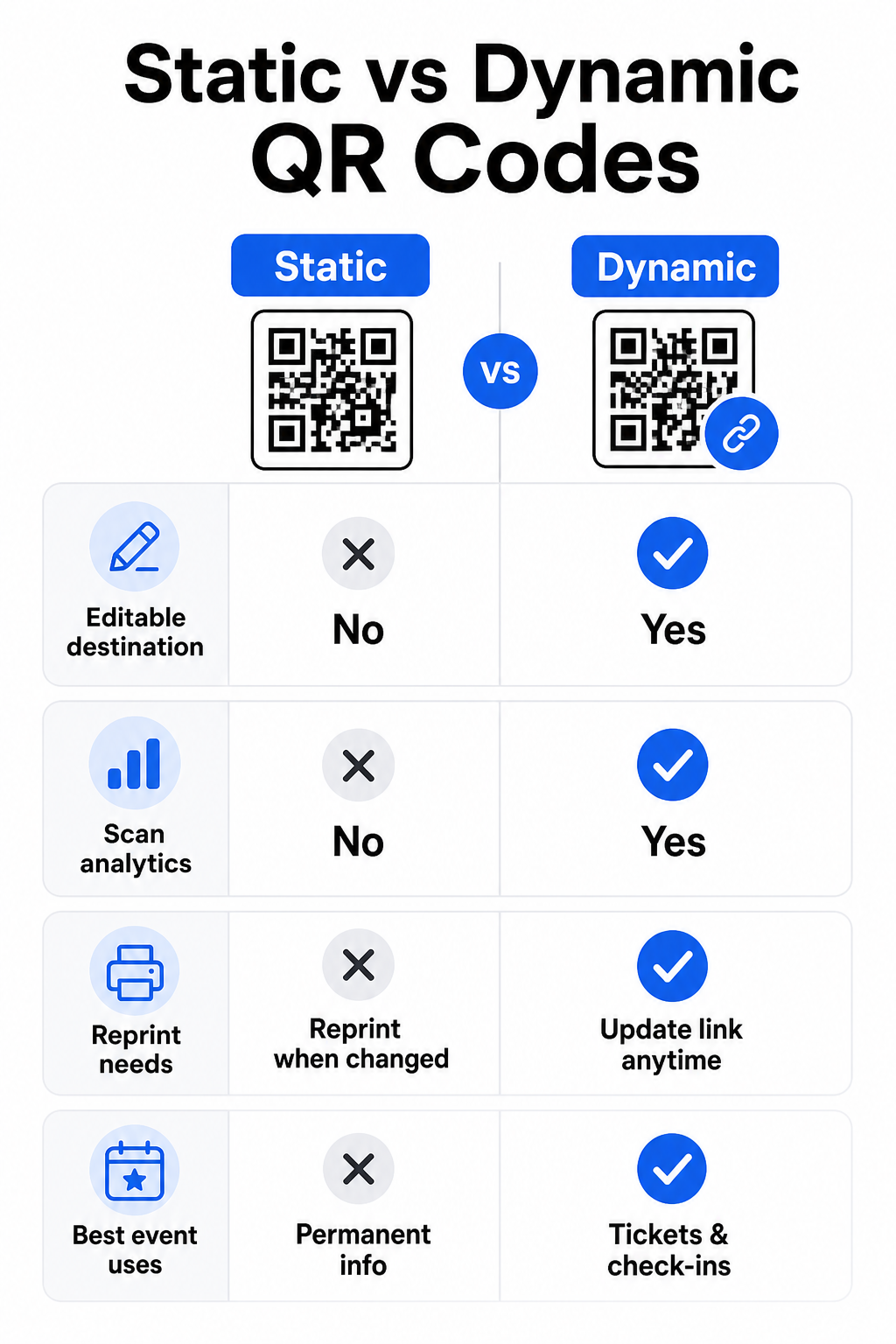
הבנת ההבדל בין קודי QR סטטיים לדינמיים עוזרת לך לבצע את הבחירה הנכונה עבור כל מקרה שימוש.
| תכונה | קוד QR סטטי | קוד QR דינמי |
|---|---|---|
| יעד ניתן לעריכה לאחר ההדפסה | לא | כן |
| ניתוח סריקות | לא | כן |
| הקוד משתנה אם היעד משתנה | כן (נדרשת הדפסה חוזרת) | לא |
| הטוב ביותר עבור | קישורים פשוטים, קבועים | כרטיסים, לוחות זמנים, קמפיינים |
| עֲלוּת | חינם | מנוי בתשלום |
עבור רוב פעולות האירוע – במיוחד כרטוס, צ'ק-אין, וכל דבר שעשוי לדרוש עדכון – קודי QR דינמיים הם הבחירה הטובה יותר. הם גם מספקים ניתוח סריקות, שאומר לך כמה אנשים סרקו, מתי, באיזה מכשיר, ומאיזה מיקום. ה- מדריך לבניית קודי QR דינמיים לצ'ק-אין CRM מסביר כיצד לחבר נתונים אלה לזרימת העבודה הרחבה יותר של ניהול המשתתפים שלך.
מיקום וגודל קוד QR לאירועים
קוד QR שלא ניתן לסרוק באופן מהימן מפספס את מטרתו. ההנחיות הבאות משקפות מחקרי שימושיות ותרחישי אירועים מעשיים.
גדלים מינימליים לפי סוג חומר:
- הזמנות מודפסות: לפחות 5 × 1.5 אינץ'
- תגים או צמידים: לפחות 5 אינץ' מרובע
- כרטיסי שולחן או כרטיסי מקום: לפחות 1 × 1 אינץ' (1.5 אינץ' מועדף)
- שילוט אירוע: לפחות 5 × 5 אינץ', עולה ל- 7 × 7 אינץ' למקומות רחבים מ-30 רגל
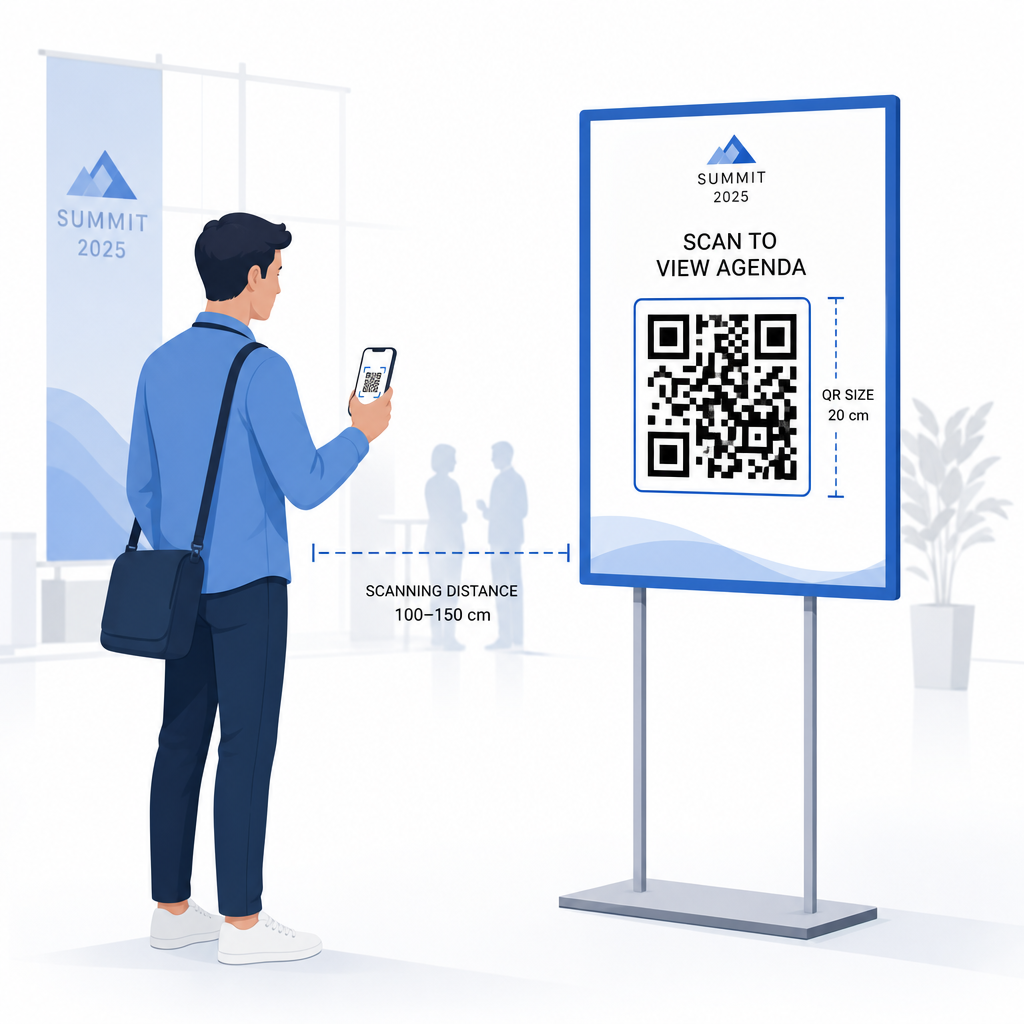
כלל אצבע שימושי: הממד הקטן ביותר של קוד ה-QR צריך להיות בערך עשירית ממרחק הסריקה. קוד שנסרק ממרחק של 3 רגל צריך להיות ברוחב של לפחות 3.6 אינץ'.
הנחיות מיקום:
- מקמו קודים ב- גובה העיניים או החזה – בערך 3 עד 5 רגל מהרצפה – כך שהמשתתפים יוכלו לסרוק מבלי להתכופף או להתאמץ
- מקם קודים היכן שאנשים עוצרים או ממתינים באופן טבעי: כניסות, דלפקי הרשמה, שולחנות, ליד תצוגות, ובתורים
- שמור על ניגודיות גבוהה: מודולים כהים על רקע בהיר נסרקים בצורה המהימנה ביותר; הימנע מסכימות צבע הפוכות או בעלות ניגודיות נמוכה
- שמור על אזור שקט של לפחות 4 מודולים של שטח ריק מכל ארבעת צידי הקוד; טקסט או גרפיקה בתוך שוליים אלה גורמים לכשלי סריקה
- בדוק כל קוד בגודלו המודפס הסופי, ממרחק הסריקה הצפוי, הן במכשירי iOS והן באנדרואיד, לפני האירוע
להנחיות נוספות, ה- המדריך האולטימטיבי לקודי QR לצ'ק-אין באירועים כולל דרישות סריקה טכניות מפורטות ושיטות עבודה מומלצות לתפעול דלתות.
מעקב אחר ביצועי אירועים באמצעות ניתוח QR
אחד היתרונות הלא מנוצלים של קודי QR דינמיים הוא הנתונים שהם מייצרים. לוח המחוונים של Pageloot לניתוח נתונים לוכד ספירות סריקה, חותמות זמן, סוגי מכשירים ומיקומים גיאוגרפיים בזמן אמת.
עבור מארגני אירועים, נתונים אלה עונים על שאלות מעשיות:
- איזו נקודת כניסה הייתה בעלת נפח הסריקה הגבוה ביותר ובאיזו שעה?
- האם המשתתפים התקשרו עם לוח הזמנים או עם תוכן הספונסרים במהלך האירוע?
- כמה אנשים סרקו את קוד סקר לאחר האירוע?
- איזה ערוץ קידום – פלייר מודפס, פוסט ברשתות חברתיות, אימייל – הניב את מירב סריקות הכרטיסים?
מידע זה מסייע בקבלת החלטות לגבי כוח אדם, עוזר לך לזהות צווארי בקבוק, ומספק לספונסרים הוכחה מדידה למעורבות הקהל. למבט מעמיק יותר על הכלים הזמינים, ראה את הסיכום של הכלים המובילים למעקב אחר אירועים באמצעות קוד QR.
ראה מי סורק ומתי האנליטיקה המובנית של Pageloot מספקת לך נתוני סריקה בזמן אמת בכל קודי ה-QR של האירוע שלך בלוח מחוונים אחד. התחל עם ה- שילוב QR באירוע והפעל את האירוע הבא שלך עם נראות מלאה.
סריקת קודי QR באירוע שלך
אם אתה זקוק לפתרון סריקה עבור צוות לאימות כרטיסים או צ'ק-אין של משתתפים, ה-Pageloot's סורק QR אונליין פועל ישירות בדפדפן – אין צורך בהורדת אפליקציה. הצוות יכול לסרוק מכל סמארטפון או טאבלט על ידי כיוון המצלמה לקוד או העלאת תמונה.
לאירועים גדולים יותר עם עמדות סריקה ייעודיות, מצלמות מכשיר מובנות ב-iOS (iOS 11 ואילך) ובאנדרואיד סורקות קודי QR ללא כל אפליקציה נוספת. בדוק את הגדרת הסריקה שלך בתנאי התאורה האמיתיים של המקום שלך לפני האירוע, והדרך את הצוות להחזיק את המכשיר במרחק של כ-30 ס"מ (כ-12 אינץ') מהקוד לקריאות עקביות.
בעיות נפוצות בקודי QR באירועים (וכיצד להימנע מהן)
אפילו קודי QR מעוצבים היטב נכשלים כאשר תנאים מסוימים אינם מתקיימים. הנה הבעיות הנפוצות ביותר והפתרונות שלהן:
- קוד קטן מדי: פעל לפי גודל המינימום לעיל; כשאתה בספק, הדפס גדול יותר
- ניגודיות ירודה: השתמש במודולים כהים על רקע לבן או בהיר; הימנע מהצבת קודים על משטחים כהים או עם דוגמאות
- חומר מבריק: גימורים מט סורקים בצורה אמינה יותר מכיוון שהם מבטלים סנוור; הימנע מחומרי תג או צמיד מבריקים
- קוד פגום: שריטות פיזיות או קרעים חוסמים סריקה; השתמש בהגדרות תיקון שגיאות בעת יצירת קודים לחומרים פיזיים
- אין אזור שקט: ודא ששום דבר – טקסט, גבולות, תמונות – אינו פולש לשוליים הריקים סביב הקוד
- קוד שלא נבדק: סרוק תמיד את הגרסה המודפסת הסופית במספר מכשירים לפני הפצה בקנה מידה גדול
לפתרון בעיות נוסף בקודי QR המודפסים ישירות על כרטיסים, ראה את ה- מדריך לקודי QR על כרטיסים.
קודי QR מספקים למארגני אירועים קו ישיר בין נקודות מגע פיזיות למערכות דיגיטליות – בין אם מדובר באימות כרטיס, רישום נוכחות, איסוף משוב או ניווט במקום. המפתח הוא בחירת קודים דינמיים היכן שגמישות חשובה, קביעת גודלם ומיקומם לסריקה אמינה, ושימוש באנליטיקה כדי להבין כיצד המשתתפים באמת מעורבים.
התחילו עם ה- שילוב QR באירוע כדי ליצור את קוד ה-QR הראשון שלך לאירוע, או לחקור את ה- קוד QR לנוכחות כלי לבניית מערכת צ'ק-אין שרושמת כל הגעה באופן אוטומטי.
שאלות נפוצות
קוד QR סטטי בעל יעד קבוע שלא ניתן לשנותו לאחר שנוצר. אם פרטי האירוע שלך משתנים, עליך להדפיס מחדש את הקוד. קוד QR דינמי מאפשר לך לעדכן את כתובת ה-URL של היעד בכל עת מבלי לשנות את הקוד המודפס עצמו. קודים דינמיים מספקים גם אנליטיקות סריקה – נתונים על מתי, היכן ובאיזו תדירות הקוד נסרק – מה שקודים סטטיים אינם מספקים. עבור רוב יישומי האירועים, במיוחד כרטוס ולוחות זמנים, קודים דינמיים הם הבחירה הפרקטית.
פתח את מחולל קודי ה-QR לאירועים של Pageloot ובחר באפשרות ליצור קוד QR לאירוע. הזן את כתובת ה-URL של האירוע או קישור ההרשמה שלך, הוסף פרטי אירוע כמו הכותרת והתיאור, ולאחר מכן התאם אישית את עיצוב הקוד עם המיתוג שלך. הורד את הקוד והפץ אותו למשתתפים באמצעות אימייל, PDF או כרטיס מודפס. באירוע, הצוות סורק את קוד המשתתף באמצעות מצלמת סמארטפון או סורק קודי ה-QR של Pageloot כדי לסמן אותם כ"נכנסו".
לשילוט אירועים סטנדרטי, מומלץ מינימום של 5 × 5 אינץ'. למקומות גדולים יותר ברוחב העולה על 30 רגל, הגדל את הגודל ל-7 × 7 אינץ' לפחות. כלל אצבע אמין הוא שהממד הקטן ביותר של הקוד צריך להיות בערך עשירית ממרחק הסריקה הצפוי – כך שקוד הנצפה ממרחק של 5 רגל צריך להיות ברוחב של כ-6 אינץ'. בדוק תמיד את הקוד המודפס במרחק הסריקה בפועל לפני האירוע.