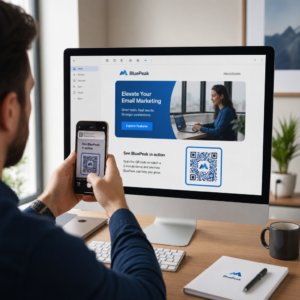
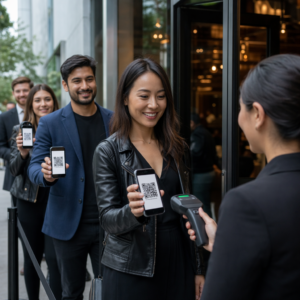
هل ما زلت تدير دخول الفعاليات بقوائم الضيوف المطبوعة وتسجيل الدخول اليدوي؟ هذا النهج يبطئ طوابير الدخول، ويحبط الحضور، ويترك المنظمين برؤية قليلة لما يحدث بالفعل على أرض الواقع. تغطي هذه الصفحة كل طريقة عملية لاستخدام رموز QR في الفعاليات – من إصدار التذاكر وتسجيل الدخول إلى تأكيدات الحضور (RSVPs) والمتابعة بعد الفعالية – حتى تتمكن من إدارة عمليات أكثر سلاسة والحصول على نتائج قابلة للقياس.
لماذا يعتمد منظمو الفعاليات رموز QR
لم يعد اعتماد رموز QR بين محترفي الفعاليات مقتصرًا على فئة معينة. 43% من المسوقين يستخدمون رموز QR خصيصًا للفعاليات, ، مما يجعل الفعاليات حالة الاستخدام الأكثر شيوعًا لرموز QR بين محترفي التسويق. تظهر نفس البيانات أن أكثر من 90% من المسوقين أبلغوا عن استخدام رموز QR في عام 2025، مع زيادة 94% لاستخدامهم عامًا بعد عام.
السبب وراء هذا التحول عملي: الحضور مرتاحون بالفعل للمسح الضوئي. استخدم أكثر من ثلثي المستهلكين رمز QR مرة واحدة على الأقل في العام الماضي، ويقوم ما يقرب من نصف جيل Z وجيل الألفية بمسح رموز QR مرة واحدة على الأقل في الأسبوع. مع امتلاك 98% من الأمريكيين لهاتف محمول، لا يوجد حاجز ذو معنى يمنع الحضور من المسح الضوئي.
بالنسبة للمنظمين، العائد هو التحكم في الوقت الفعلي. يمكنك تتبع الدخول، ومراقبة الحضور حسب الجلسة، وتحديث معلومات الفعالية دون إعادة طباعة المواد، وقياس التفاعل بعد انتهاء الفعالية بوقت طويل.
حالات استخدام رموز QR للفعاليات
رموز QR مرنة بما يكفي للتعامل مع كل احتياجات التشغيل والتفاعل تقريبًا في الفعالية. فيما يلي التطبيقات الأكثر فعالية.
إدارة التذاكر والدخول
نقطة البداية الأكثر شيوعًا هي استبدال التذاكر الورقية برموز QR قابلة للمسح. يتلقى كل حاضر رمز QR فريدًا – يتم تسليمه عبر البريد الإلكتروني أو PDF أو الهاتف المحمول – يقوم الموظفون بمسحه عند الباب للتحقق من الدخول وتسجيل الحضور في الوقت الفعلي.
يزيل هذا النهج الحاجة إلى التحقق اليدوي من القوائم، ويسرع طوابير الدخول، ويمنع الاحتيال بالاستخدام المزدوج حيث يمكن تعيين كل رمز للتحقق بمسح واحد. للحصول على شرح مفصل للهندسة الأمنية وراء ذلك، راجع الدليل حول كيفية إنشاء تذاكر فعاليات آمنة برمز QR.
يمكنك إنشاء التذاكر مباشرة باستخدام الـ مولد باركود QR للفعاليات عن طريق إدخال عنوان URL لفعاليتك، والعنوان، والوصف، وتفاصيل الاتصال، ثم تخصيص تصميم الرمز قبل تنزيله للتوزيع.
تبسيط دخول فعاليتك أنشئ رموز QR ذات علامة تجارية وقابلة للتتبع للتذاكر، والصفحات المقصودة، وتسجيلات الدخول. جرب الـ مولد باركود QR للفعاليات مجانًا لمدة 14 يومًا – لا يلزم وجود بطاقة ائتمان.
تسجيل دخول الحضور وتتبع الحضور
يعمل تسجيل الدخول القائم على QR عن طريق قيام الموظفين بمسح رمز كل حاضر باستخدام هاتف أو جهاز لوحي أو تطبيق مسح مخصص. يقوم المسح الضوئي الصالح تلقائيًا بتحديد الشخص على أنه تم تسجيل دخوله ويحدث سجلات حضورك على الفور.
هذا أسرع بكثير من الطرق اليدوية. وفقًا لـ دليل رموز QR لتسجيل دخول الفعاليات, ، تقلل عمليات تسجيل الدخول برموز QR متوسط وقت المعالجة إلى أقل من ثانيتين لكل شخص ويمكن أن تقلل إجمالي مدة الدخول بنسبة تصل إلى 50% مقارنة بالعمليات اليدوية.
للفعاليات المستمرة، أو الفصول الدراسية، أو المؤتمرات متعددة الجلسات، تتيح أداة Pageloot لـ رمز QR للحضور للحضور تسجيل الدخول الذاتي عن طريق مسح رمز مرتبط بنموذج Google أو أداة مماثلة، مع تغذية الردود تلقائيًا إلى جدول بيانات للتتبع في الوقت الفعلي. تعرف على المزيد حول بناء هذا النوع من الأنظمة على صفحة تتبع الحضور.
جمع تأكيدات الحضور (RSVP)
بدلاً من توجيه الضيوف لكتابة عنوان URL، يأخذهم رمز QR على دعوتك أو نشرتك أو صفحة الفعالية مباشرة إلى نموذج تأكيد الحضور (RSVP) الخاص بك بمسح واحد. هذا يزيل الاحتكاك ويزيد عادة من معدلات الاستجابة.
استخدم Pageloot’s مولد باركود QR لنموذج Google Forms لربط أي نموذج Google برمز قابل للمسح، ثم ضعه على الدعوات المطبوعة، أو الرسومات الرقمية، أو لافتات الفعالية. للحصول على تعليمات خطوة بخطوة، دليل رموز QR لتأكيد الحضور (RSVP) للفعاليات يشرح اختيار المنصة، وإنشاء الرمز، والامتثال للخصوصية.
الجداول الزمنية ومعلومات الفعالية
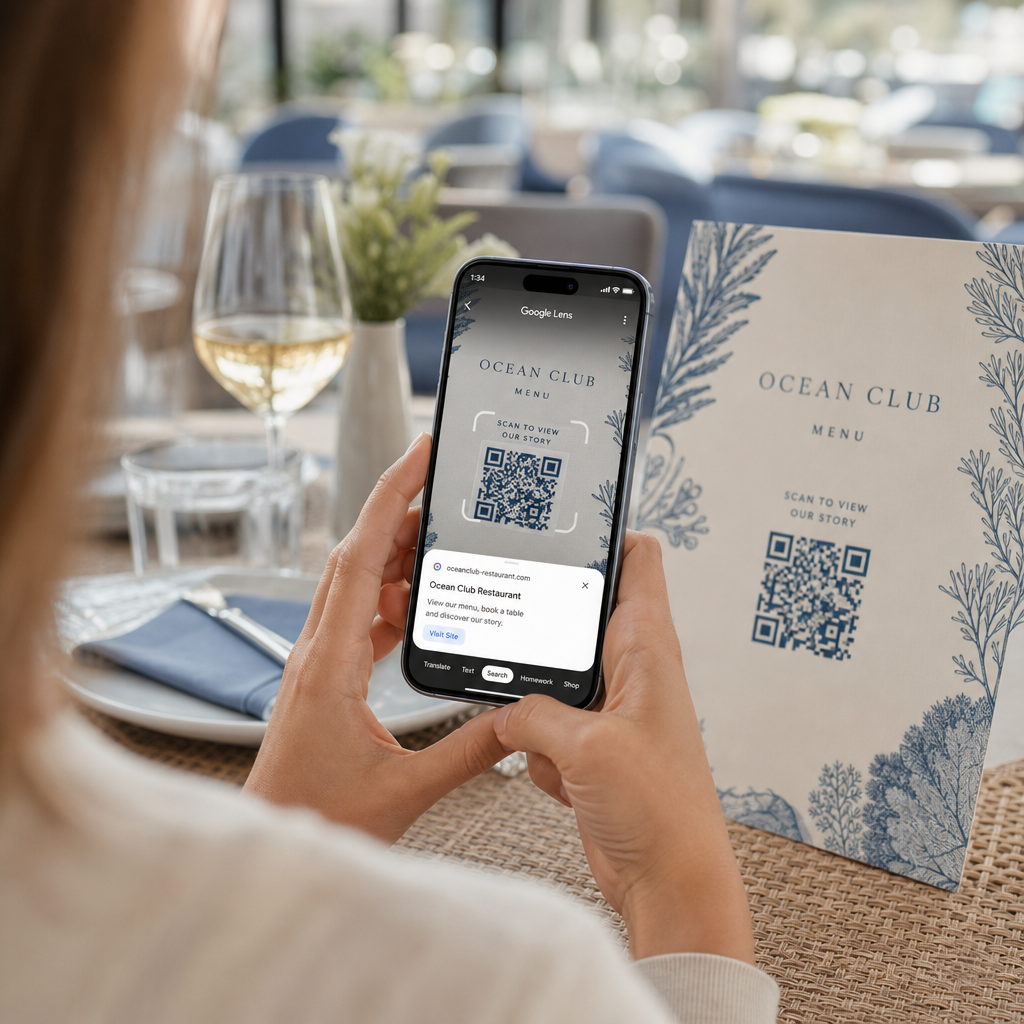
يمكن لرمز QR الموضوع على شارة، أو بطاقة طاولة، أو لافتة مكان الفعالية أن يربط الحضور بجدول فعاليات مباشر، أو سير ذاتية للمتحدثين، أو خرائط أرضية، أو تفاصيل الجلسات. لأن رموز QR الديناميكية تسمح لك بتحديث عنوان URL الوجهة بعد الطباعة، يمكنك تصحيح تغييرات الجدول الزمني أو إضافة معلومات دون إعادة طباعة المواد.
هذه إحدى أقوى الحجج العملية لاستخدام الرموز الديناميكية بدلاً من الثابتة. إذا ألغى متحدث أو تغيرت غرفة، تقوم بتحديث الرابط – وليس المواد المطبوعة.
تكامل تقويم Google
للمؤتمرات، أو ورش العمل، أو أي فعالية تتطلب تذاكر مع جلسات، يتيح ربط رمز QR بإدخال في تقويم Google للحضور إضافة الفعالية مباشرة إلى تقويمهم بمسح واحد. استخدم الـ مولد باركود QR لـ Google Calendar لإنشاء هذا الرمز، ثم ضعه على رسائل البريد الإلكتروني للتأكيد، أو التذاكر، أو الدعوات.
التنقل في المكان
غالبًا ما تتسبب الأماكن الكبيرة – مراكز المؤتمرات، المهرجانات الخارجية، مساحات المؤتمرات متعددة الطوابق – في احتكاك بسيط لأن الحضور لا يمكنهم العثور على المكان الذي يحتاجون للذهاب إليه. يزيل رمز QR الموجود على اللافتات أو التذاكر أو الدعوات والذي يفتح مباشرة في خرائط Google هذا الاحتكاك تمامًا. أنشئ واحدًا باستخدام مولد باركود QR لموقع Google Maps وقم بتضمينه في أي مكان سيراه الحضور قبل أو أثناء الحدث.
مشاركة الصور والمشاركة الاجتماعية
يمكن لرموز QR ربط الحضور بمعرض صور مشترك، أو صفحة هاشتاج ذات علامة تجارية، أو بوابة تحميل حتى يتمكن الضيوف من المساهمة وعرض صور الحدث في الوقت الفعلي. هذا يخلق حلقة مشاركة تمتد تجربة الحدث إلى ما وراء المكان الفعلي. للحصول على دليل إعداد عملي، انظر كيفية استخدام رمز QR لمشاركة الصور.
استبيانات ما بعد الحدث والمتابعة
تُظهر الأبحاث أن 41% من المنظمين يستخدمون استبيانات ما بعد الحدث لقياس عائد الاستثمار، ويعتمد 40% على المشاركة في وسائل التواصل الاجتماعي. رمز QR على شارة أو نشرة أو لافتة خروج تشير إلى نموذج ملاحظات يسهل على الحضور الاستجابة بينما لا يزال الحدث حديثًا. ربط هذا النموذج بنموذج Google عبر مولد Pageloot يعني أن الردود تتدفق مباشرة إلى جدول بيانات يمكنك تحليله على الفور.
كيفية إنشاء رمز QR لحدث باستخدام Pageloot
تستغرق العملية بضع دقائق ولا تتطلب مهارات تقنية.
- افتح المولد – اذهب إلى مولد باركود QR للفعاليات واختر “إنشاء رمز QR للحدث”.”
- أضف تفاصيل الحدث الخاص بك – أدخل عنوان URL لصفحة الحدث، والعنوان، والوصف، ومعلومات الاتصال. يقوم Pageloot بإنشاء صفحة هبوط حول هذا المحتوى.
- صمم رمز QR – اضبط الألوان والأشكال وأضف شعارك ليتناسب مع هوية علامتك التجارية للحدث.
- اختر ديناميكيًا إذا كنت بحاجة إلى المرونة – تتيح لك الرموز الديناميكية تحديث رابط الوجهة بعد الطباعة. هذا هو الخيار الصحيح لأي شيء قد يتغير قبل أو أثناء الحدث.
- اختبر الرمز – امسحه ضوئيًا على أجهزة iOS و Android تحت ظروف إضاءة مختلفة قبل التوزيع.
- قم بالتنزيل والتوزيع – قم بالتصدير بتنسيق PNG أو PDF أو SVG وضعه على التذاكر أو اللافتات أو الدعوات أو المواد الرقمية.
رموز QR الثابتة مقابل الديناميكية للأحداث
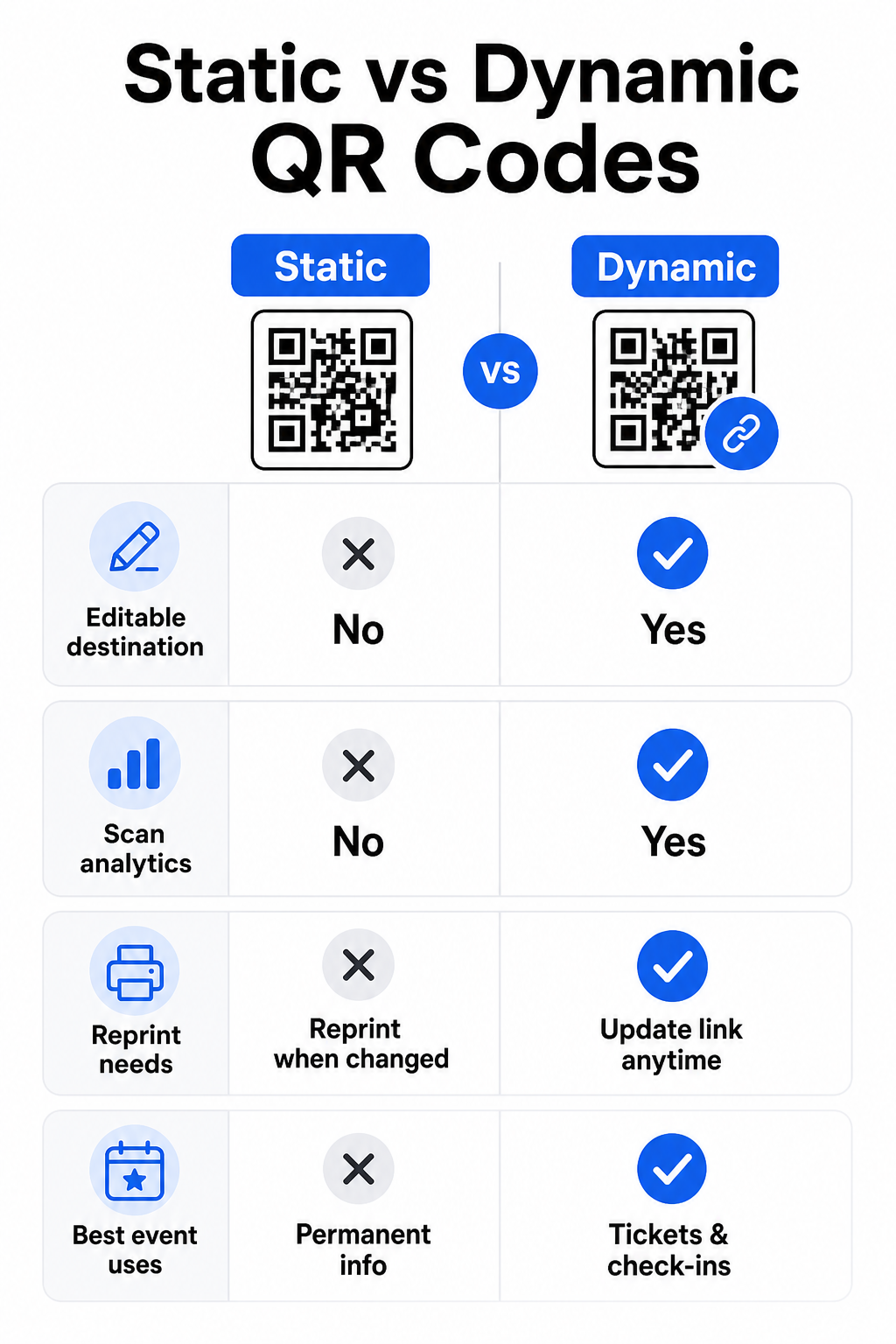
يساعدك فهم الفرق بين رموز QR الثابتة والديناميكية على اتخاذ الخيار الصحيح لكل حالة استخدام.
| ميزة | رمز الاستجابة السريعة الثابت | رمز الاستجابة السريعة الديناميكي |
|---|---|---|
| الوجهة قابلة للتعديل بعد الطباعة | لا | نعم |
| تحليلات المسح | لا | نعم |
| يتغير الرمز إذا تغيرت الوجهة | نعم (يتطلب إعادة الطباعة) | لا |
| الأفضل لـ | روابط بسيطة ودائمة | التذاكر، الجداول الزمنية، الحملات |
| يكلف | مجانا | اشتراك مدفوع |
لمعظم عمليات الأحداث – خاصة إصدار التذاكر، وتسجيل الدخول، وأي شيء قد يحتاج إلى تحديث – رموز QR الديناميكية هي الخيار الأفضل. كما أنها توفر تحليلات المسح الضوئي، والتي تخبرك بعدد الأشخاص الذين قاموا بالمسح، ومتى، وعلى أي جهاز، ومن أي موقع. الـ دليل بناء رموز QR ديناميكية لتسجيلات الدخول في CRM يشرح كيفية ربط هذه البيانات بسير عمل إدارة الحضور الأوسع لديك.
وضع وحجم رمز QR للأحداث
رمز QR الذي لا يمكن مسحه ضوئيًا بشكل موثوق به يفقد غرضه. تعكس الإرشادات التالية أبحاث قابلية الاستخدام وسيناريوهات الأحداث العملية.
الحد الأدنى للأحجام حسب نوع المادة:
- الدعوات المطبوعة: على الأقل 5 × 1.5 بوصة
- الشارات أو الأساور: على الأقل 5 بوصة مربعة
- بطاقات الطاولة أو بطاقات الأماكن: على الأقل 1 × 1 بوصة (1.5 بوصة مفضلة)
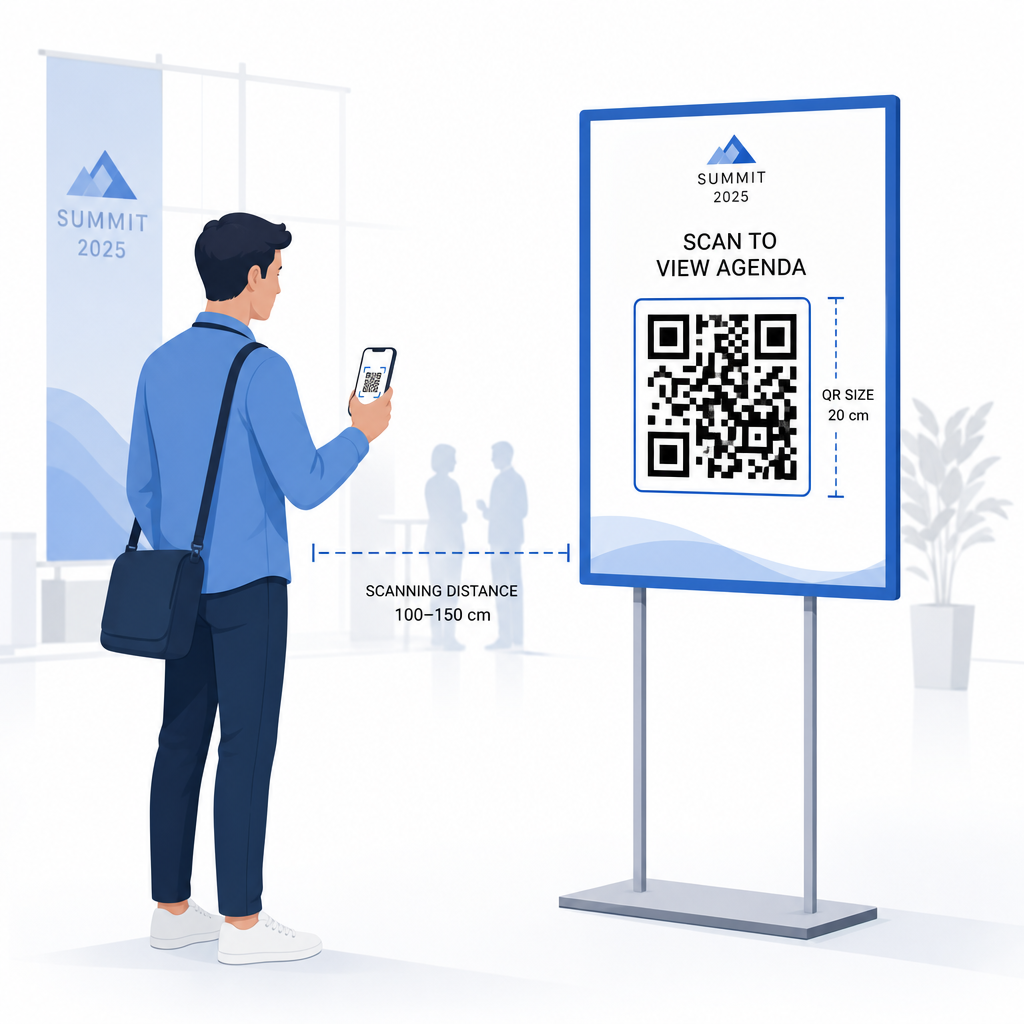
- لافتات الحدث: على الأقل 5 × 5 بوصات, ، تزداد إلى 7 × 7 بوصات للأماكن التي يزيد عرضها عن 30 قدمًا
قاعدة إرشادية مفيدة: يجب أن يكون أصغر بعد لرمز QR تقريبًا عُشر مسافة المسح الضوئي. يجب أن يكون الرمز الذي يتم مسحه من مسافة 3 أقدام على الأقل 3.6 بوصة عرضًا.
إرشادات التنسيب:
- ضع الرموز في ارتفاع العين أو الصدر – حوالي 3 إلى 5 أقدام من الأرض – حتى يتمكن الحضور من المسح دون الانحناء أو الوصول
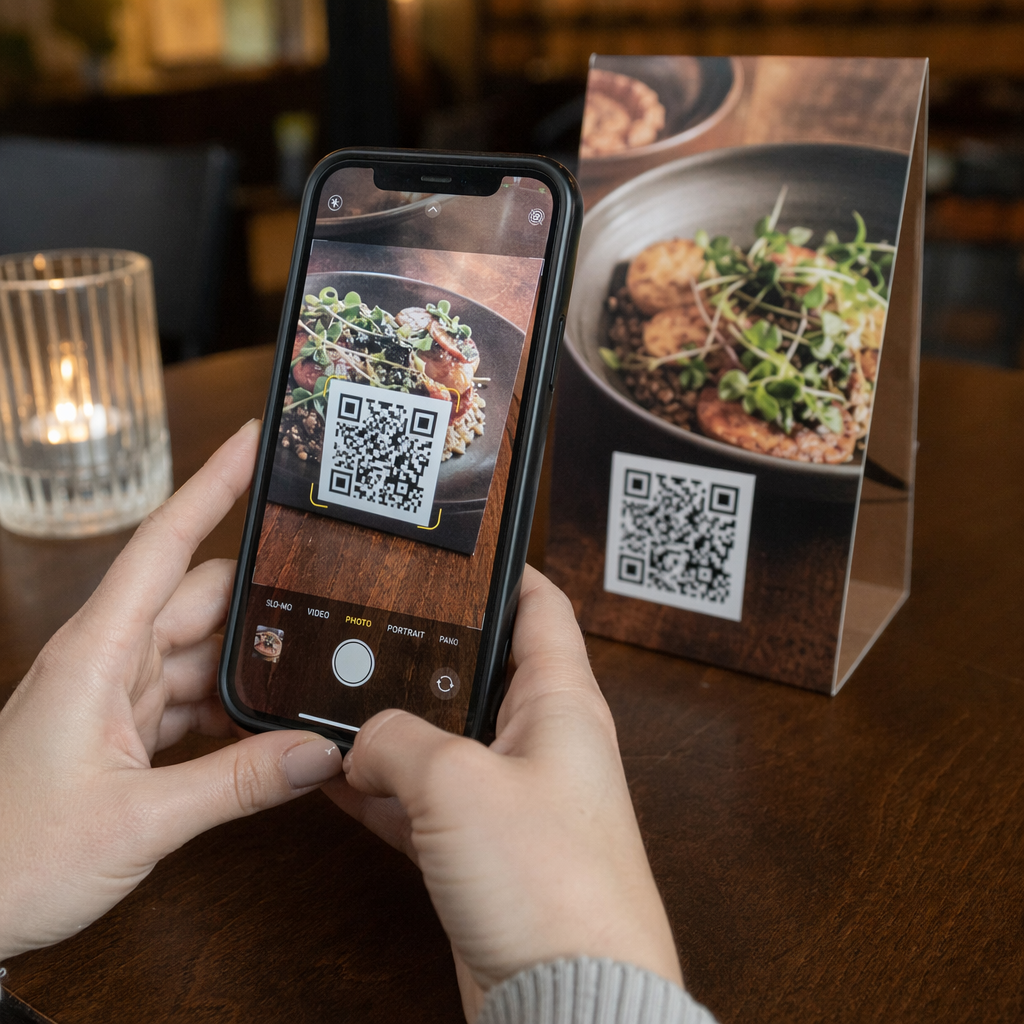
- ضع الرموز حيث يتوقف الناس أو ينتظرون بشكل طبيعي: المداخل، مكاتب التسجيل، الطاولات، بالقرب من الشاشات، وفي الطوابير
- حافظ على تباين عالٍ: الوحدات الداكنة على خلفية فاتحة يتم مسحها بشكل أكثر موثوقية؛ تجنب أنظمة الألوان المعكوسة أو ذات التباين المنخفض
- حافظ على منطقة هادئة ما لا يقل عن 4 وحدات من المساحة الفارغة على جميع الجوانب الأربعة للرمز؛ يتسبب النص أو الرسومات داخل هذا الهامش في فشل المسح الضوئي
- اختبر كل رمز بحجمه المطبوع النهائي، من مسافة المسح المتوقعة، على كل من iOS و Android، قبل الحدث
لمزيد من الإرشادات، يتضمن الدليل الشامل لرموز QR لتسجيل الدخول في الفعاليات متطلبات المسح الفنية التفصيلية وأفضل ممارسات عمليات الأبواب.
تتبع أداء الحدث باستخدام تحليلات QR
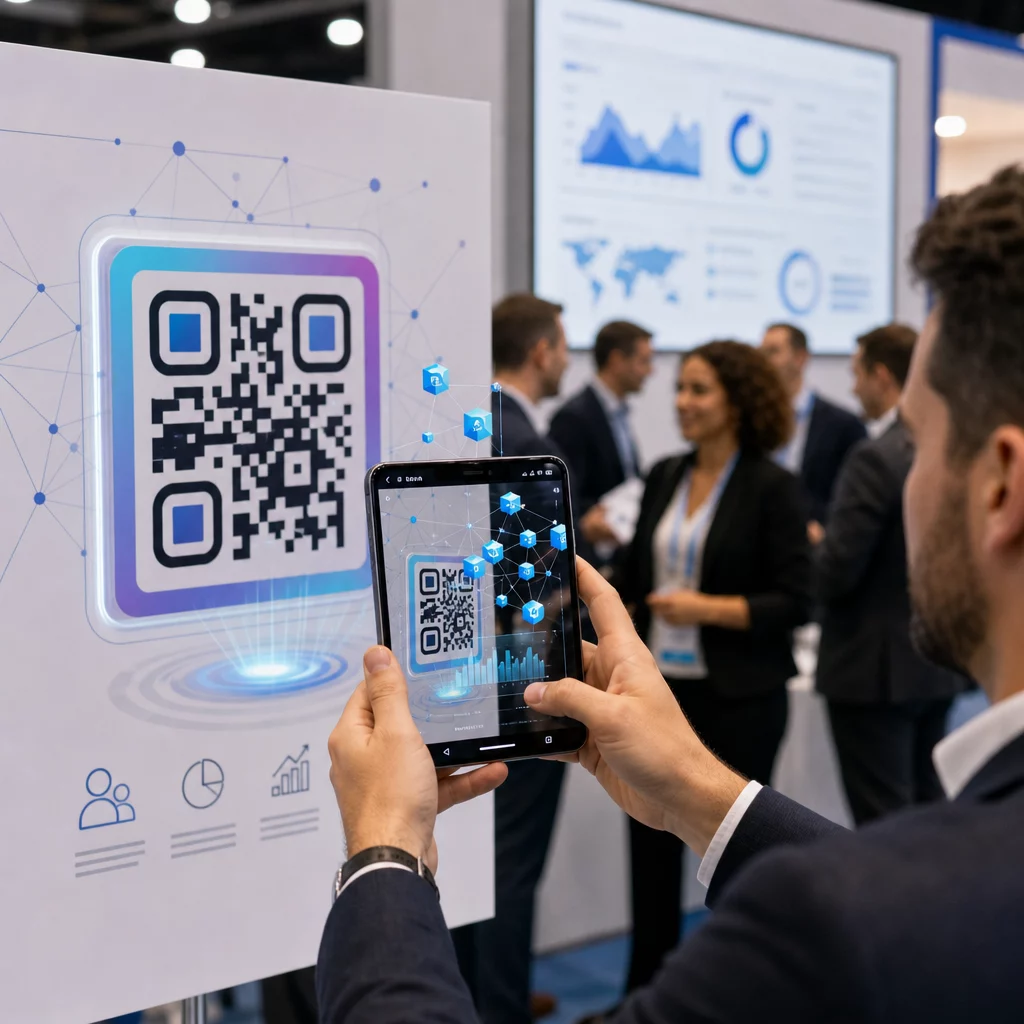
إحدى المزايا غير المستغلة لرموز QR الديناميكية هي البيانات التي تولدها. تلتقط لوحة تحليلات Pageloot عدد عمليات المسح، والطوابع الزمنية، وأنواع الأجهزة، والمواقع الجغرافية في الوقت الفعلي.
لمنظمي الأحداث، تجيب هذه البيانات على أسئلة عملية:
- أي نقطة دخول سجلت أعلى حجم مسح وفي أي وقت؟
- هل تفاعل الحضور مع الجدول الزمني أو محتوى الرعاة أثناء الحدث؟
- كم عدد الأشخاص الذين قاموا بمسح رمز استبيان ما بعد الحدث؟
- أي قناة ترويجية – منشور مطبوع، منشور على وسائل التواصل الاجتماعي، بريد إلكتروني – حققت أكبر عدد من عمليات مسح التذاكر؟
هذه المعلومات تفيد قرارات التوظيف، وتساعدك على تحديد الاختناقات، وتمنح الرعاة دليلاً قابلاً للقياس على تفاعل الجمهور. لإلقاء نظرة أعمق على الأدوات المتاحة، راجع ملخص أفضل أدوات تتبع فعاليات رمز الاستجابة السريعة (QR).
تعرف على من يقوم بالمسح ومتى تحليلات Pageloot المدمجة تمنحك بيانات مسح في الوقت الفعلي عبر جميع رموز QR لحدثك في لوحة تحكم واحدة. ابدأ بـ مولد باركود QR للفعاليات وقم بإدارة حدثك التالي برؤية كاملة.
مسح رموز QR في حدثك
إذا كنت بحاجة إلى حل مسح للموظفين للتحقق من صحة التذاكر أو تسجيل دخول الحضور، فإن Pageloot ماسح الباركود QR يعمل مباشرة في المتصفح – لا يتطلب تنزيل تطبيق. يمكن للموظفين المسح من أي هاتف ذكي أو جهاز لوحي عن طريق توجيه الكاميرا نحو الرمز أو تحميل صورة.
للفعاليات الكبيرة التي تحتوي على محطات مسح مخصصة، تقوم كاميرات الأجهزة الأصلية على نظامي iOS (iOS 11 والإصدارات الأحدث) و Android بمسح رموز QR دون الحاجة إلى أي تطبيق إضافي. اختبر إعداد المسح الخاص بك تحت ظروف الإضاءة الفعلية لمكان إقامتك قبل الحدث، ودرب الموظفين على إمساك الجهاز على بعد حوالي 30 سم (حوالي 12 بوصة) من الرمز لقراءات متسقة.
مشاكل رموز QR الشائعة في الفعاليات (وكيفية تجنبها)
حتى رموز QR المصممة جيدًا تفشل عندما لا يتم استيفاء شروط معينة. فيما يلي المشاكل الأكثر شيوعًا وحلولها:
- الكود صغير جدًا: اتبع الحد الأدنى للأحجام المذكورة أعلاه؛ عند الشك، اطبع بحجم أكبر
- تباين ضعيف: استخدم وحدات داكنة على خلفية بيضاء أو فاتحة؛ تجنب وضع الرموز على أسطح داكنة أو منقوشة
- مادة لامعة: الأسطح غير اللامعة تُمسح بشكل أكثر موثوقية لأنها تزيل الوهج؛ تجنب مواد الشارات أو الأساور اللامعة
- رمز تالف: الخدوش أو التمزقات المادية تمنع المسح؛ استخدم إعدادات تصحيح الأخطاء عند إنشاء رموز للمواد المادية
- لا توجد منطقة هادئة: تحقق من أن لا شيء – نص، حدود، صور – يتعدى على الهامش الفارغ حول الرمز
- رمز غير مختبر: قم دائمًا بمسح النسخة المطبوعة النهائية على أجهزة متعددة قبل التوزيع على نطاق واسع
لاستكشاف الأخطاء وإصلاحها بشكل إضافي بخصوص رموز QR المطبوعة مباشرة على التذاكر، راجع دليل رموز QR على التذاكر.
تمنح رموز QR منظمي الفعاليات خطًا مباشرًا بين نقاط الاتصال المادية والأنظمة الرقمية – سواء كان ذلك للتحقق من صحة تذكرة، أو تسجيل الحضور، أو جمع الملاحظات، أو التنقل في مكان. المفتاح هو اختيار الرموز الديناميكية حيث تهم المرونة، وتحديد حجمها ووضعها للمسح الموثوق، واستخدام التحليلات لفهم كيفية تفاعل الحضور فعليًا.
ابدأ مع مولد باركود QR للفعاليات لإنشاء أول رمز QR لحدثك، أو استكشف رمز QR للحضور أداة لإنشاء نظام تسجيل دخول يسجل كل وصول تلقائيًا.
الأسئلة الشائعة
رمز QR ثابت له وجهة ثابتة لا يمكن تغييرها بعد أن يتم إنشاؤه. إذا تغيرت تفاصيل حدثك، فأنت تحتاج إلى إعادة طباعة الرمز. يتيح لك رمز QR ديناميكي تحديث عنوان URL الوجهة في أي وقت دون تغيير الرمز المطبوع نفسه. توفر الرموز الديناميكية أيضًا تحليلات المسح – بيانات حول متى وأين وكم مرة يتم مسح الرمز – وهو ما لا توفره الرموز الثابتة. لمعظم تطبيقات الأحداث، خاصة التذاكر والجداول الزمنية، تعد الرموز الديناميكية هي الخيار العملي.
افتح مولد رموز QR للفعاليات من Pageloot وحدد خيار إنشاء رمز QR لحدث. أدخل عنوان URL لحدثك أو رابط التسجيل، أضف تفاصيل الحدث مثل العنوان والوصف، ثم خصص تصميم الرمز بعلامتك التجارية. قم بتنزيل الرمز ووزعه على الحضور عبر البريد الإلكتروني، أو ملف PDF، أو تذكرة مطبوعة. في الحدث، يقوم الموظفون بمسح رمز كل حاضر باستخدام كاميرا هاتف ذكي أو ماسح رموز QR من Pageloot لتمييزهم كمسجلين دخول.
للافتات الفعاليات القياسية، يوصى بحد أدنى 5 × 5 بوصات. للأماكن الأكبر التي يزيد عرضها عن 30 قدمًا، قم بزيادة الحجم إلى 7 × 7 بوصات على الأقل. قاعدة عامة موثوقة هي أن أصغر بعد للرمز يجب أن يكون تقريبًا عُشر مسافة المسح المتوقعة – لذا فإن الرمز الذي يُرى من مسافة 5 أقدام يجب أن يكون عرضه حوالي 6 بوصات. اختبر دائمًا الرمز المطبوع عند مسافة المسح الفعلية قبل الحدث.