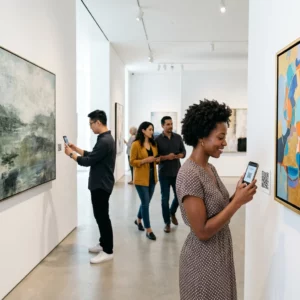
Administrerer du stadig adgang til arrangementer med printede gæstelister og manuel indtjekning? Den tilgang forsinker indgangskøer, frustrerer deltagere og giver arrangørerne ringe indsigt i, hvad der faktisk sker på stedet. Denne side dækker alle praktiske måder at bruge QR-koder på til arrangementer – fra billetudstedelse og indtjekning til RSVP'er og opfølgning efter arrangementet – så du kan køre mere gnidningsfri operationer og opnå målbare resultater.
Hvorfor arrangører af arrangementer tager QR-koder i brug
QR-kode-adoption blandt eventprofessionelle er ikke længere en niche. 43% af marketingfolk bruger QR-koder specifikt til arrangementer, hvilket gør arrangementer til det mest almindelige QR-brugsscenarie blandt marketingprofessionelle. De samme data viser, at over 90% af marketingfolk rapporterede at bruge QR-koder i 2025, hvor 94% øgede deres brug år efter år.
Årsagen til dette skift er praktisk: deltagere er allerede fortrolige med at scanne. Mere end to tredjedele af forbrugerne brugte en QR-kode mindst én gang i det seneste år, og omkring halvdelen af Gen Z og Millennials scanner QR-koder mindst én gang om ugen. Med 98% af amerikanere, der ejer en mobiltelefon, er der ingen meningsfuld barriere for at få deltagere til at scanne.
For arrangører er udbyttet realtidskontrol. Du kan spore adgang, overvåge fremmøde pr. session, opdatere arrangementsinformation uden at genprinte materialer og måle engagement længe efter arrangementet er slut.
QR-kode brugsscenarier til arrangementer
QR-koder er fleksible nok til at håndtere næsten ethvert operationelt og engagementbehov ved et arrangement. Her er de mest effektive applikationer.
Billetudstedelse og adgangsstyring
Det mest almindelige udgangspunkt er at erstatte papirbilletter med scannable QR-koder. Hver deltager modtager en unik QR-kode – leveret via e-mail, PDF eller mobil – som personalet scanner ved døren for at validere adgang og markere fremmøde i realtid.
Denne tilgang fjerner behovet for manuel listetjek, fremskynder indgangskøer og forhindrer svindel med dobbeltbrug, da hver kode kan indstilles til enkelt-scan-validering. For en detaljeret gennemgang af sikkerhedsarkitekturen bag dette, se guiden om Sådan laver du sikre billetter med QR-kode til events.
Du kan generere billetter direkte ved hjælp af Event QR-kode generator ved at indtaste din arrangements-URL, titel, beskrivelse og kontaktoplysninger, og derefter tilpasse kodens design, før du downloader den til distribution.
Strømlin din arrangementsadgang Opret brandede, sporbare QR-koder til billetter, landingssider og indtjekninger. Prøv Event QR-kode generator gratis i 14 dage – intet kreditkort påkrævet.
Deltagerindtjekning og fremmødesporing
QR-baseret indtjekning fungerer ved, at personalet scanner hver deltagers kode med en telefon, tablet eller dedikeret scanningsapp. En gyldig scanning markerer automatisk personen som tjekket ind og opdaterer dine fremmødeoptegnelser øjeblikkeligt.
Dette er betydeligt hurtigere end manuelle metoder. Ifølge guide til QR-koder for arrangementindtjekninger, reducerer QR-kode-indtjekninger den gennemsnitlige behandlingstid til under 2 sekunder pr. person og kan reducere den samlede indgangsvarighed med op til 50% sammenlignet med manuelle processer.
For igangværende arrangementer, klasser eller flersessionkonferencer, lader Pageloots Deltager QR-kode værktøj deltagere selv tjekke ind ved at scanne en kode, der er linket til en Google Form eller lignende værktøj, hvor svar automatisk føres ind i et regneark for realtidssporing. Lær mere om at bygge denne type system på side for fremmødesporing.
RSVP-indsamling
I stedet for at bede gæster om at indtaste en URL, fører en QR-kode på din invitation, flyer eller arrangementsside dem direkte til din RSVP-formular med en enkelt scanning. Dette fjerner friktion og øger typisk svarprocenterne.
Brug Pageloots Google Form QR-kode generator til at linke enhver Google Form til en scannable kode, og derefter placere den på printede invitationer, digitale grafikker eller arrangementsskilte. For trin-for-trin instruktioner, gennemgår guide om RSVP QR-koder til arrangementer platformvalg, kodegenerering og privatlivsoverholdelse.
Tidsplaner og arrangementsinformation
En QR-kode placeret på et badge, bordkort eller venueskilt kan linke deltagere til en live arrangementsplan, talerbiografier, plantegninger eller sessionsdetaljer. Fordi dynamiske QR-koder giver dig mulighed for at opdatere destinations-URL'en efter udskrivning, kan du rette tidsplanændringer eller tilføje information uden at genprinte materialer.
Dette er et af de stærkeste praktiske argumenter for at bruge dynamiske frem for statiske koder. Hvis en taler aflyser, eller et lokale ændres, opdaterer du linket – ikke det printede materiale.
Google Kalender-integration
For konferencer, workshops eller ethvert arrangement med billetter og sessioner, lader en QR-kode linket til en Google Kalender-post deltagere tilføje arrangementet direkte til deres kalender med én scanning. Brug Google Kalender QR-kode generator til at oprette denne kode, og derefter placere den på bekræftelsesmails, billetter eller invitationer.
Stednavigation
Store spillesteder – kongrescentre, udendørs festivaler, konferenceområder med flere etager – skaber ofte friktion simpelthen fordi deltagerne ikke kan finde vej. En QR-kode på skiltning, billetter eller invitationer, der åbner direkte i Google Maps, fjerner den friktion fuldstændigt. Opret en ved hjælp af Google Maps QR-kode generator og inkluder den hvor som helst deltagerne vil se den før eller under arrangementet.
Fotodeling og socialt engagement
QR-koder kan linke deltagere til et delt fotogalleri, en mærkevare hashtag-side eller en uploadportal, så gæster kan bidrage med og se eventfotos i realtid. Dette skaber en deltagelsesløkke, der udvider eventoplevelsen ud over det fysiske sted. For en praktisk opsætningsguide, se hvordan man bruger en QR-kode til at dele fotos.
Efter-event-undersøgelser og opfølgning
Forskning viser, at 41% af arrangører bruger efter-event-undersøgelser til at måle ROI, og 40% er afhængige af socialt medieengagement. En QR-kode på et badge, et uddelingsmateriale eller et udgangsskilt, der peger på en feedbackformular, gør det lettere for deltagerne at svare, mens eventet stadig er friskt i erindringen. At linke den formular til en Google Form via Pageloots generator betyder, at svar flyder direkte ind i et regneark, du kan analysere med det samme.
Sådan opretter du en event-QR-kode med Pageloot
Processen tager et par minutter og kræver ikke tekniske færdigheder.
- Åbn generatoren – Gå til Event QR-kode generator og vælg “Opret QR-kode til event.”
- Tilføj dine eventdetaljer – Indtast event-sidens URL, titel, beskrivelse og kontaktoplysninger. Pageloot bygger en landingsside omkring dette indhold.
- Design QR-koden – Juster farver, former, og tilføj dit logo for at matche dit event-branding.
- Vælg dynamisk, hvis du har brug for fleksibilitet – Dynamiske koder lader dig opdatere destinationslinket efter udskrivning. Dette er det rigtige valg for alt, der måtte ændre sig før eller under eventet.
- Test koden – Scan den på både iOS- og Android-enheder under forskellige lysforhold før distribution.
- Download og distribuer – Eksporter i PNG, PDF eller SVG og placer den på billetter, skiltning, invitationer eller digitale materialer.
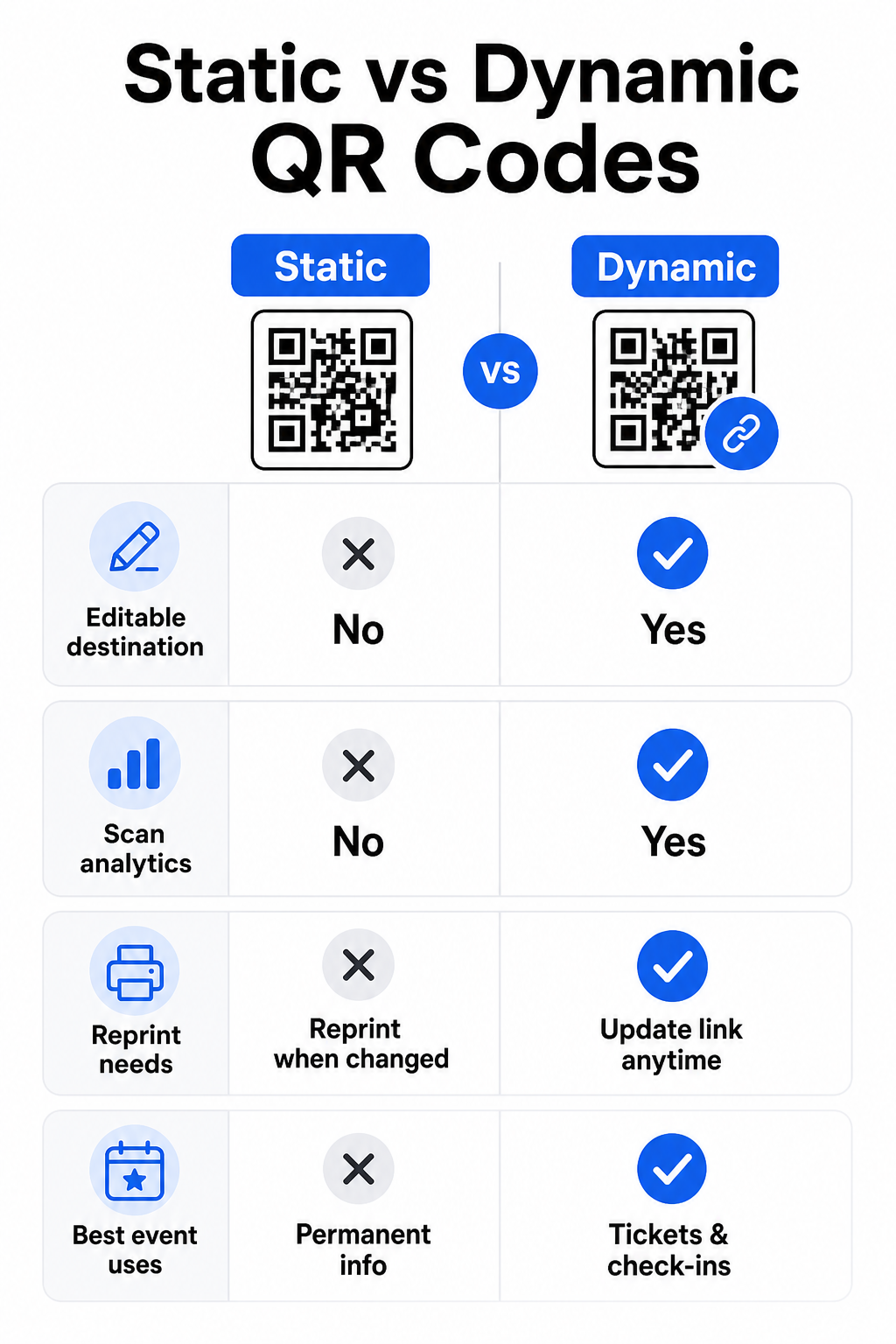
Statiske vs. dynamiske QR-koder til events
At forstå forskellen mellem statiske og dynamiske QR-koder hjælper dig med at træffe det rigtige valg for hvert brugsscenarie.
| FUNKTION | Statisk QR-kode | Dynamisk QR-kode |
|---|---|---|
| Destination kan redigeres efter udskrivning | Nej, det er det ikke | Ja |
| Scanningsanalyser | Nej, det er det ikke | Ja |
| Koden ændres, hvis destinationen ændres | Ja (genoptryk påkrævet) | Nej, det er det ikke |
| Bedst til | Enkle, permanente links | Billetter, tidsplaner, kampagner |
| Omkostninger | Ledig | Betalt abonnement |
For de fleste eventoperationer – især billetsalg, check-in og alt, der måtte kræve opdatering – er dynamiske QR-koder det bedre valg. De giver også scanningsanalyse, som fortæller dig, hvor mange mennesker der scannede, hvornår, på hvilken enhed og fra hvilken placering. Den guide til at bygge dynamiske QR-koder til CRM-check-ins forklarer, hvordan du forbinder disse data til din bredere deltagerstyrings-workflow.
QR-kodeplacering og -størrelse til events
En QR-kode, der ikke kan scannes pålideligt, modarbejder sit formål. Følgende retningslinjer afspejler brugervenlighedsforskning og praktiske event-scenarier.
Minimumstørrelser efter materialetype:
- Trykte invitationer: mindst 1,5 × 1,5 tommer
- Badges eller armbånd: mindst 1,5 tommer i kvadrat
- Bordkort eller pladskort: mindst 1 × 1 tomme (1,5 tommer foretrækkes)
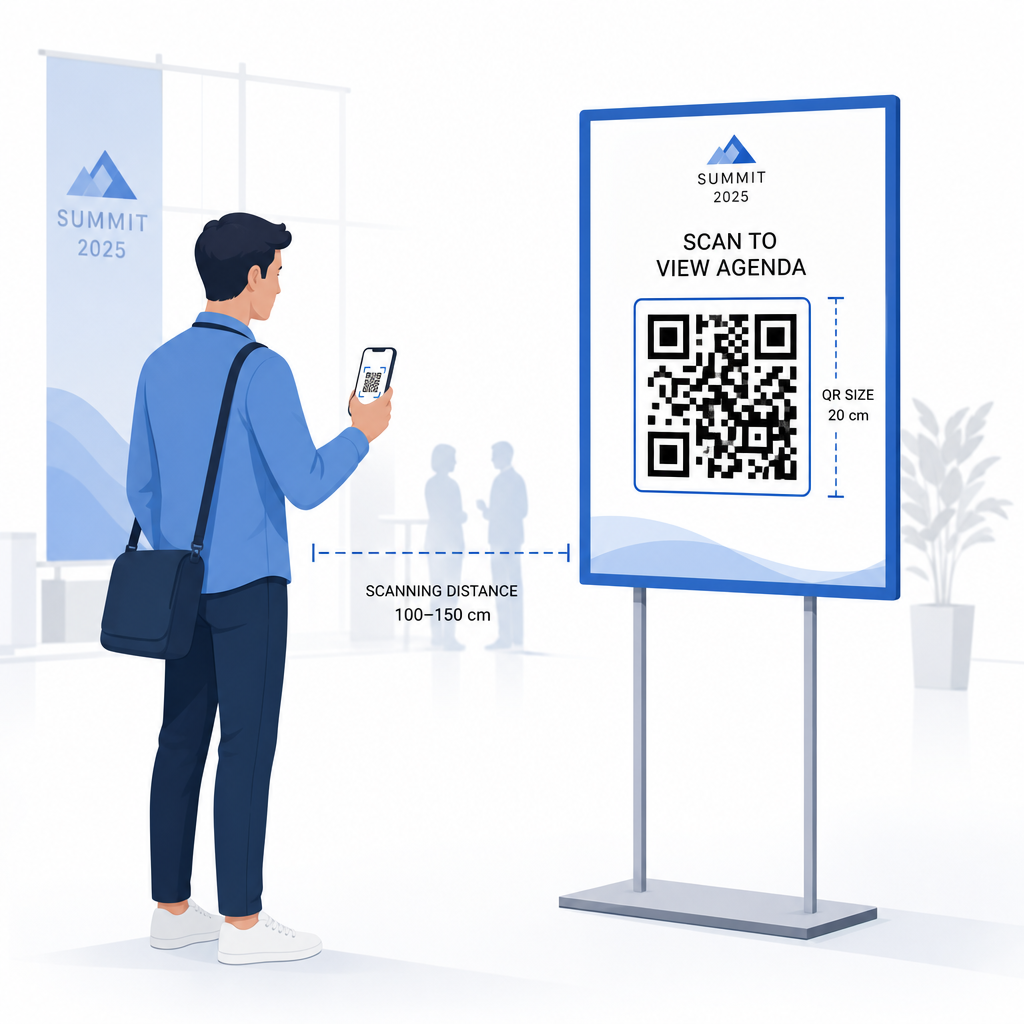
- Event-skiltning: mindst 5 × 5 tommer, stigende til 7 × 7 tommer for spillesteder bredere end 30 fod
En nyttig tommelfingerregel: den mindste QR-kode dimension bør være cirka en tiendedel af scanningsafstanden. En kode scannet fra 3 fods afstand bør være mindst 3,6 tommer bred.
Retningslinjer for placering:
- Placer koder på øjen- eller brysthøjde – cirka 3 til 5 fod fra gulvet – så deltagere kan scanne uden at bøje sig eller strække sig
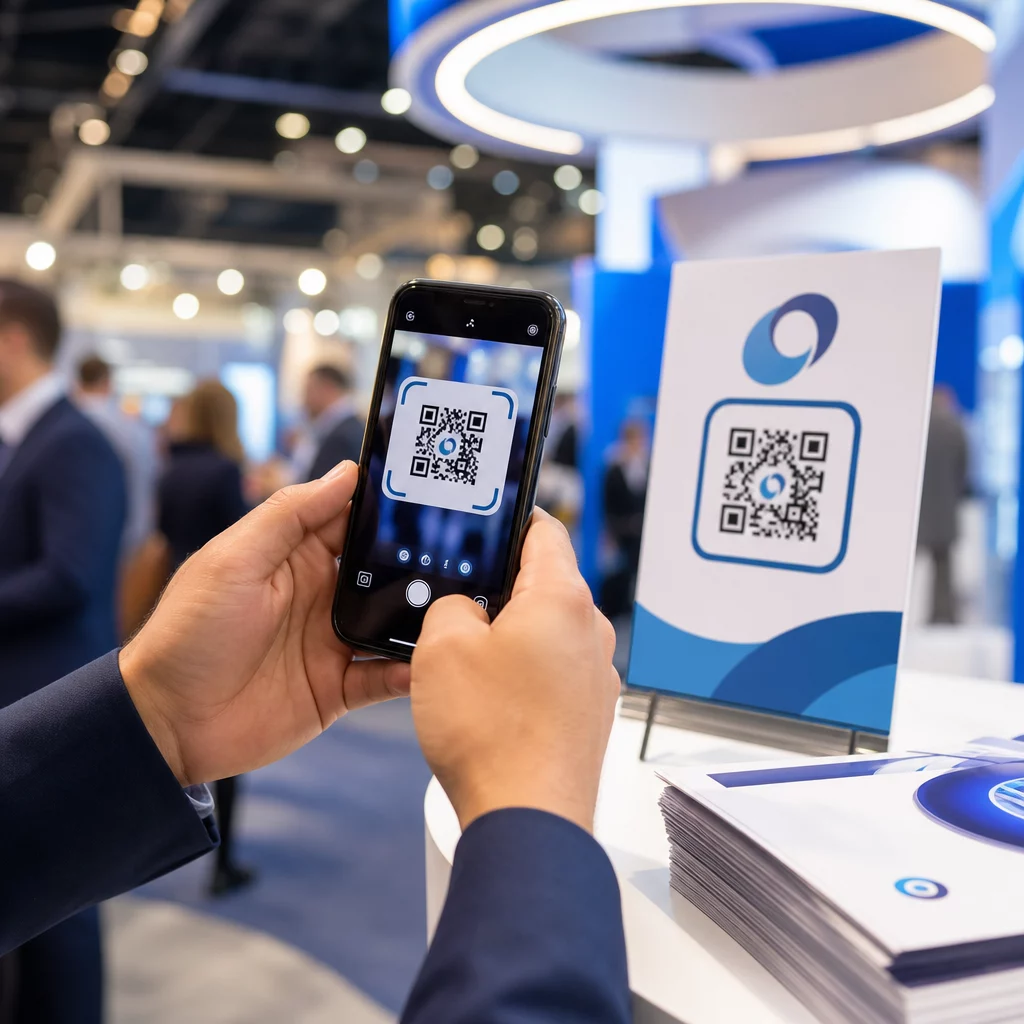
- Placer koder hvor folk naturligt stopper op eller venter: indgange, registreringsskranker, borde, nær udstillinger og i køer
- Oprethold høj kontrast: mørke moduler på en lys baggrund scanner mest pålideligt; undgå inverterede eller lavkontrast farveskemaer
- Hold en stille zone på mindst 4 moduler af blank plads på alle fire sider af koden; tekst eller grafik inden for denne margen forårsager scanningsfejl
- Test hver kode i dens endelige udskrevne størrelse, fra den forventede scanningsafstand, på både iOS og Android, før eventet
For yderligere vejledning, se ultimative guide til QR-koder for event-check-ins inkluderer detaljerede tekniske scanningskrav og bedste praksis for dørdrift.
Sporing af eventpræstation med QR-analyse
En af de underudnyttede fordele ved dynamiske QR-koder er de data, de genererer. Pageloots analysedashboard fanger scanningsantal, tidsstempler, enhedstyper og geografiske placeringer i realtid.
For eventarrangører besvarer disse data praktiske spørgsmål:
- Hvilket indgangspunkt havde den højeste scanningsvolumen og på hvilket tidspunkt?
- Engagerede deltagerne sig med tidsplanen eller sponsorindholdet under eventet?
- Hvor mange mennesker scannede den efter-event-undersøgelseskode?
- Hvilken salgsfremmende kanal – trykt flyer, opslag på sociale medier, e-mail – drev de fleste billetscanninger?
Denne information informerer personalets beslutninger, hjælper dig med at identificere flaskehalse og giver sponsorer målbart bevis på publikumsengagement. For et dybere kig på de tilgængelige værktøjer, se oversigten over bedste værktøjer til QR-kode eventtracking.
Se Hvem der scanner og Hvornår Pageloots indbyggede analyser giver dig realtids scanningsdata på tværs af alle dine event QR-koder i ét dashboard. Start med den Event QR-kode generator og afhold dit næste event med fuld synlighed.
Scanning af QR-koder ved dit Event
Hvis du har brug for en scanningsløsning til personale til at validere billetter eller tjekke deltagere ind, er Pageloots QR-kode scanner virker direkte i browseren – ingen app-download påkrævet. Personale kan scanne fra enhver smartphone eller tablet ved at pege kameraet på koden eller uploade et billede.
For større events med dedikerede scanningsstationer scanner indbyggede enhedskameraer på iOS (iOS 11 og senere) og Android QR-koder uden nogen yderligere app. Test din scanningsopsætning under de faktiske lysforhold på dit spillested før eventet, og træn personale til at holde enheden cirka 30 cm (ca. 12 tommer) fra koden for ensartede aflæsninger.
Almindelige QR-kode problemer ved Events (og Hvordan man undgår dem)
Selv veldesignede QR-koder fejler, når visse betingelser ikke er opfyldt. Her er de mest hyppige problemer og deres løsninger:
- Koden er for lille: Følg størrelsesminimummerne ovenfor; når du er i tvivl, print større
- Dårlig kontrast: Brug mørke moduler på en hvid eller lys baggrund; undgå at placere koder på mørke eller mønstrede overflader
- Blankt materiale: Matte overflader scanner mere pålideligt, fordi de eliminerer genskin; undgå blanke badge- eller armbåndsmaterialer
- Beskadiget kode: Fysiske ridser eller revner blokerer scanning; brug fejlkorrektionsindstillinger, når du genererer koder til fysiske materialer
- Ingen stillezone: Bekræft, at intet – tekst, rammer, billeder – trænger ind på den tomme margen omkring koden
- Utestet kode: Scan altid den endelige trykte version på flere enheder, før distribution i stor skala
For yderligere fejlfinding på QR-koder trykt direkte på billetter, se den guide til QR-koder på billetter.
QR-koder giver eventarrangører en direkte linje mellem fysiske berøringspunkter og digitale systemer – hvad enten det er validering af en billet, registrering af fremmøde, indsamling af feedback eller navigation på et spillested. Nøglen er at vælge dynamiske koder, hvor fleksibilitet er vigtig, at dimensionere og placere dem for pålidelig scanning, og at bruge analyser til at forstå, hvordan deltagerne faktisk engagerer sig.
Kom i gang med Event QR-kode generator for at oprette din første event QR-kode, eller udforsk den Deltager QR-kode værktøj til at bygge et check-in system, der logger hver ankomst automatisk.
Ofte stillede spørgsmål
En statisk QR-kode har en fast destination, der ikke kan ændres, efter den er oprettet. Hvis dine begivenhedsdetaljer ændres, skal du genudskrive koden. En dynamisk QR-kode lader dig opdatere destinations-URL'en når som helst uden at ændre den udskrevne kode selv. Dynamiske koder giver også scanningsanalyse – data om hvornår, hvor og hvor ofte koden scannes – hvilket statiske koder ikke gør. For de fleste begivenhedsapplikationer, især billetbestilling og tidsplaner, er dynamiske koder det praktiske valg.
Åbn Pageloots Event QR-kode Generator og vælg muligheden for at oprette en event QR-kode. Indtast din event URL eller registreringslink, tilføj eventdetaljer som titel og beskrivelse, tilpas derefter kodedesignet med dit branding. Download koden og distribuer den til deltagere via e-mail, PDF eller trykt billet. Ved eventet scanner personale hver deltagers kode ved hjælp af et smartphonekamera eller Pageloot QR-kode Scanneren for at markere dem som tjekket ind.
For standard event skiltning, anbefales et minimum på 5 × 5 tommer. For større spillesteder bredere end 30 fod, øg størrelsen til mindst 7 × 7 tommer. En pålidelig tommelfingerregel er, at kodens mindste dimension bør være cirka en tiendedel af den forventede scanningsafstand – så en kode set fra 5 fods afstand bør være omkring 6 tommer bred. Test altid den trykte kode ved den faktiske scanningsafstand før eventet.