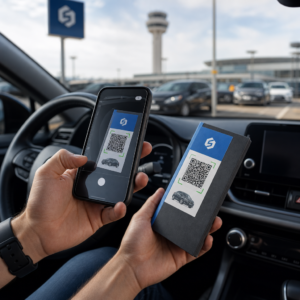
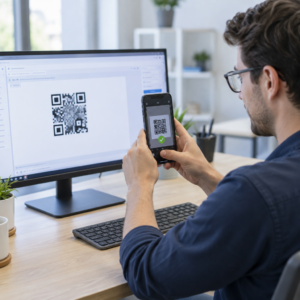
Kas haldate endiselt üritusele sisenemist prinditud külaliste nimekirjade ja käsitsi registreerimisega? See lähenemine aeglustab sisenemisjärjekordi, frustreerib osalejaid ja jätab korraldajatele vähe nähtavust selle kohta, mis tegelikult kohapeal toimub. See leht hõlmab kõiki praktilisi viise QR-koodide kasutamiseks üritustel – alates piletite müügist ja registreerimisest kuni RSVP-de ja üritusejärgse järeltegevuseni – et saaksite korraldada sujuvamaid toiminguid ja saada mõõdetavaid tulemusi.
Miks ürituste korraldajad võtavad kasutusele QR-koode
QR-koodide kasutuselevõtt ürituste korraldajate seas ei ole enam nišš. 43% turundajatest kasutab QR-koode spetsiaalselt ürituste jaoks, muutes üritused turundusspetsialistide seas kõige levinumaks QR-koodi kasutusjuhuks. Samad andmed näitavad, et üle 90% turundajatest teatas QR-koodide kasutamisest 2025. aastal, kusjuures 94% suurendas nende kasutust aasta-aastalt.
Selle nihke põhjus on praktiline: osalejad on skaneerimisega juba harjunud. Rohkem kui kaks kolmandikku tarbijatest kasutas QR-koodi vähemalt korra viimase aasta jooksul ning umbes pooled Z-põlvkonna ja millenniumlaste esindajatest skaneerivad QR-koode vähemalt korra nädalas. Kuna 98% ameeriklastest omab mobiiltelefoni, ei ole osalejate skaneerimisele suunamisel sisulist takistust.
Korraldajate jaoks on tasu reaalajas kontroll. Saate jälgida sisenemist, jälgida osalemist sessioonide kaupa, uuendada ürituse teavet materjale uuesti printimata ja mõõta kaasatust veel kaua pärast ürituse lõppu.
QR-koodi kasutusjuhud ürituste jaoks
QR-koodid on piisavalt paindlikud, et käsitleda peaaegu kõiki ürituse operatiivseid ja kaasamise vajadusi. Siin on kõige tõhusamad rakendused.
Piletite müük ja sisenemise haldamine
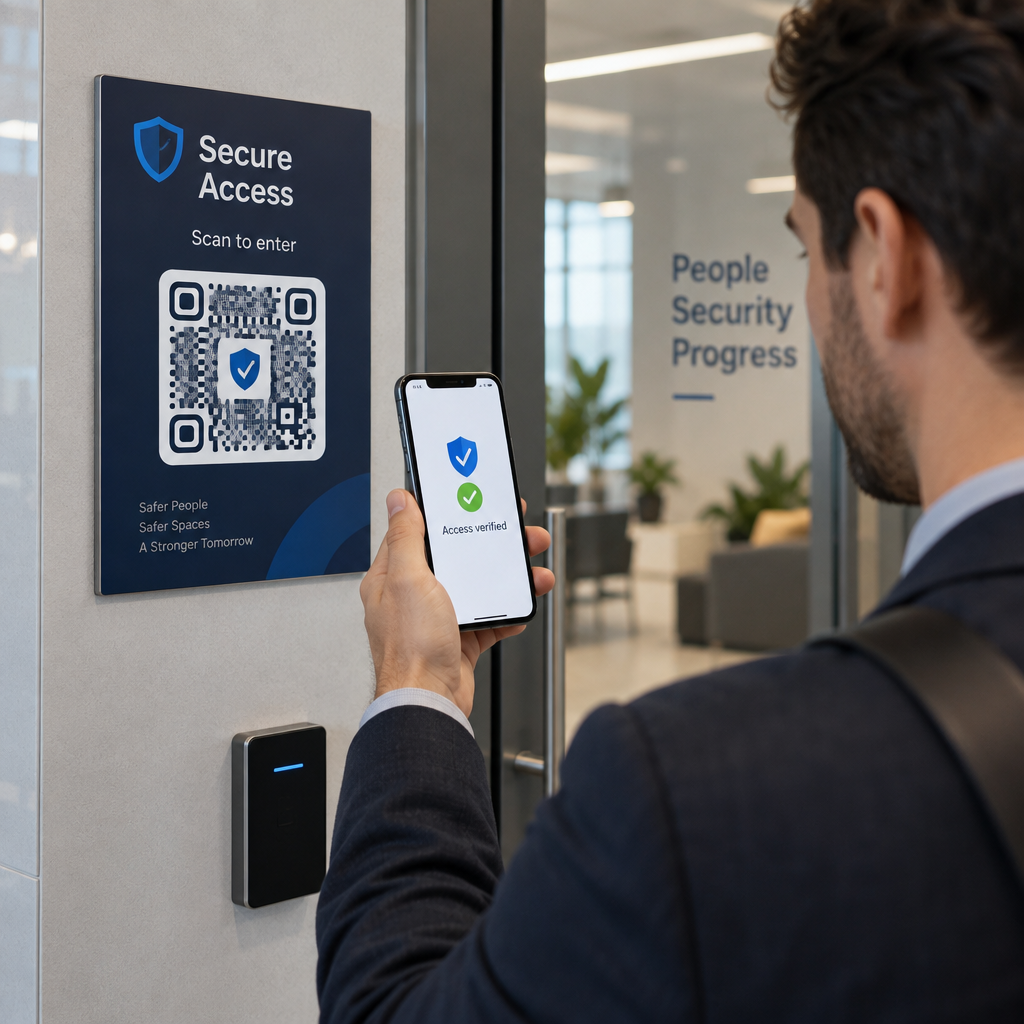
Kõige tavalisem alguspunkt on paberkupongide asendamine skaneeritavate QR-koodidega. Iga osaleja saab unikaalse QR-koodi – mis edastatakse e-posti, PDF-i või mobiili kaudu – mida personal skaneerib uksel, et valideerida sisenemine ja märkida osalemine reaalajas.
See lähenemine kaotab vajaduse käsitsi nimekirjade kontrollimiseks, kiirendab sisenemisjärjekordi ja hoiab ära topeltkasutuse pettuse, kuna iga koodi saab seadistada ühekordseks skaneerimise valideerimiseks. Selle taga oleva turvaarhitektuuri üksikasjaliku ülevaate saamiseks vaadake juhendit teemal kuidas luua turvalisi QR-koodiga üritusepileteid.
Saate pileteid genereerida otse, kasutades Ürituse QR koodi loomine sisestades oma ürituse URL-i, pealkirja, kirjelduse ja kontaktandmed, seejärel kohandades koodi kujundust enne selle allalaadimist levitamiseks.
Lihtsustage oma üritusele sisenemist Looge bränditud, jälgitavaid QR-koode piletite, sihtlehtede ja registreerimiste jaoks. Proovige Ürituse QR koodi loomine tasuta 14 päeva – krediitkaarti pole vaja.
Osalejate registreerimine ja osalemise jälgimine
QR-põhine registreerimine toimib nii, et personal skaneerib iga osaleja koodi telefoni, tahvelarvuti või spetsiaalse skaneerimisrakendusega. Kehtiv skaneerimine märgib isiku automaatselt registreerituks ja uuendab teie osalemise andmeid koheselt.
See on oluliselt kiirem kui käsitsi meetodid. Vastavalt juhendile QR-koodide kohta ürituste registreerimiseks, vähendavad QR-koodi registreerimised keskmist töötlemisaega alla 2 sekundi inimese kohta ja võivad vähendada kogu sisenemise kestust kuni 50% võrreldes käsitsi protsessidega.
Käimasolevate ürituste, tundide või mitme sessiooniga konverentside jaoks Pageloot'i Osalemise QR-kood tööriist võimaldab osalejatel end ise registreerida, skaneerides Google Formi või sarnase tööriistaga seotud koodi, kus vastused sisestatakse automaatselt tabelisse reaalajas jälgimiseks. Lisateavet sellise süsteemi loomise kohta leiate osalemise jälgimise lehelt.
RSVP kogumine
Selle asemel, et suunata külalisi URL-i sisestama, viib QR-kood teie kutsel, flaieril või ürituse lehel nad ühe skaneerimisega otse teie RSVP-vormile. See eemaldab hõõrdumise ja suurendab tavaliselt vastamismäärasid.
Kasutage Pagelooti Google vorm: QR-koodi generaator et linkida mis tahes Google Form skaneeritava koodiga, seejärel asetada see prinditud kutsetele, digitaalsele graafikale või ürituse sildistusele. Samm-sammult juhiste saamiseks juhend RSVP QR-koodide kohta ürituste jaoks käsitleb platvormi valikut, koodi genereerimist ja privaatsuse vastavust.
Ajakavad ja ürituse teave
Märgile, lauakaardile või toimumiskoha sildile paigutatud QR-kood võib linkida osalejad reaalajas ürituse ajakava, esinejate elulugude, korruseplaanide või sessioonide üksikasjadega. Kuna dünaamilised QR-koodid võimaldavad teil siht-URL-i pärast printimist uuendada, saate parandada ajakava muudatusi või lisada teavet materjale uuesti printimata.
See on üks tugevamaid praktilisi argumente dünaamiliste koodide kasutamise kohta staatiliste koodide asemel. Kui esineja tühistab või ruum muutub, uuendate linki – mitte prinditud materjali.
Google'i kalendri integreerimine
Konverentside, töötubade või mis tahes piletiga ürituste puhul, kus on sessioonid, võimaldab QR-koodi linkimine Google'i kalendri kirjele osalejatel lisada ürituse otse oma kalendrisse ühe skaneerimisega. Kasutage Google Calendar QR-koodi generaator selle koodi loomiseks, seejärel asetage see kinnitusmeilidele, piletitele või kutsetele.
Toimumiskoha navigeerimine
Suured toimumiskohad – konverentsikeskused, vabaõhufestivalid, mitmekorruselised konverentsiruumid – tekitavad sageli hõõrdumist lihtsalt seetõttu, et osalejad ei leia üles, kuhu nad minema peavad. QR-kood sildil, piletitel või kutsetel, mis avaneb otse Google Mapsis, eemaldab selle hõõrdumise täielikult. Loo see kasutades Google Maps QR-koodi loomine ja lisa see kõikjale, kus osalejad seda enne või sündmuse ajal näevad.
Fotode jagamine ja sotsiaalne kaasamine
QR-koodid saavad linkida osalejad jagatud fotogaleriiga, bränditud hashtag-lehega või üleslaadimisportaaliga, et külalised saaksid reaalajas sündmuse fotosid panustada ja vaadata. See loob osalusringi, mis laiendab sündmuse kogemust füüsilisest toimumiskohast kaugemale. Praktilise seadistusjuhendi jaoks vaata kuidas kasutada QR-koodi fotode jagamiseks.
Sündmusejärgsed küsitlused ja järeltegevused
Uuringud näitavad, et 41% korraldajatest kasutab sündmusejärgseid küsitlusi ROI mõõtmiseks ja 40% tugineb sotsiaalmeedia kaasamisele. QR-kood märgil, jaotusmaterjalil või väljapääsusildil, mis viitab tagasisidevormile, muudab osalejate jaoks vastamise lihtsamaks, kui sündmus on veel värske. Selle vormi linkimine Google Formiga Pagelooti generaatori kaudu tähendab, et vastused voolavad otse tabelisse, mida saate koheselt analüüsida.
Kuidas luua sündmuse QR-kood Pagelootiga
Protsess võtab vaid mõne minuti ja ei nõua tehnilisi oskusi.
- Ava generaator – Mine Ürituse QR koodi loomine ja vali “Loo sündmusele QR-kood”.”
- Lisa oma sündmuse üksikasjad – Sisesta sündmuse lehe URL, pealkiri, kirjeldus ja kontaktandmed. Pageloot loob selle sisu ümber sihtlehe.
- Kujunda QR-kood – Kohanda värve, kujundeid ja lisa oma logo, et see vastaks sinu sündmuse brändingule.
- Vali dünaamiline, kui vajad paindlikkust – Dünaamilised koodid võimaldavad sul sihtlinki pärast printimist uuendada. See on õige valik kõige jaoks, mis võib enne või sündmuse ajal muutuda.
- Testi koodi – Skaneeri seda nii iOS-i kui ka Androidi seadmetega erinevates valgustingimustes enne levitamist.
- Laadi alla ja levita – Ekspordi PNG, PDF või SVG formaadis ja aseta see piletitele, siltidele, kutsetele või digitaalsetele materjalidele.
Staatilised vs. dünaamilised QR-koodid sündmuste jaoks
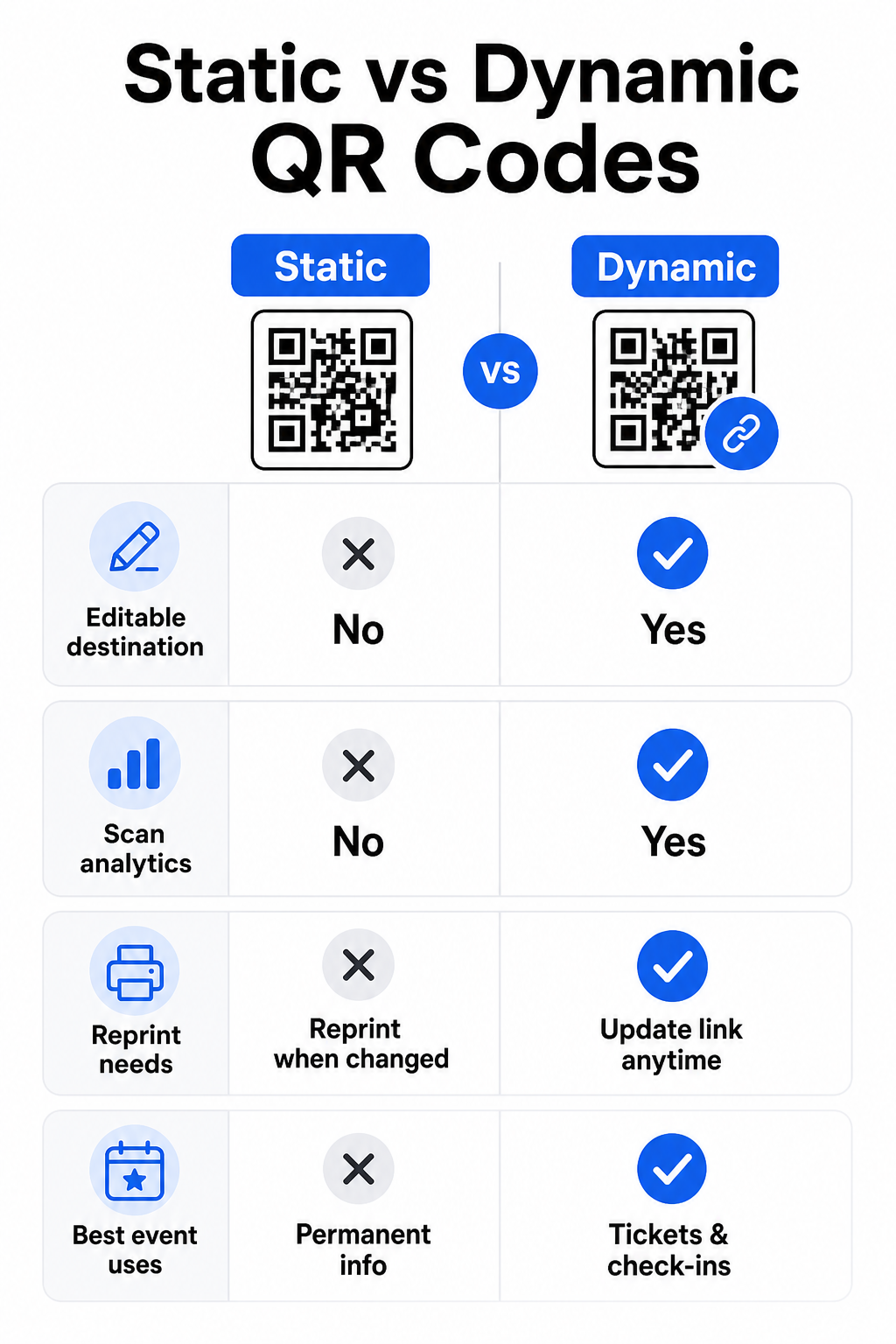
Staatiliste ja dünaamiliste QR-koodide erinevuse mõistmine aitab sul teha õige valiku iga kasutusjuhtumi jaoks.
| FUNKTSIOON | Staatiline QR-kood | Dünaamiline QR-kood |
|---|---|---|
| Sihtkoht muudetav pärast printimist | Ei | Jah |
| Skaneerimise analüütika | Ei | Jah |
| Kood muutub, kui sihtkoht muutub | Jah (vajalik uuesti printimine) | Ei |
| Parim | Lihtsad, püsivad lingid | Piletid, ajakavad, kampaaniad |
| Kulud | Tasuta | Tasuline tellimus |
Enamiku sündmuste toimingute puhul – eriti piletite müük, sisseregistreerimine ja kõik, mis võib vajada uuendamist – on dünaamilised QR-koodid parem valik. Need pakuvad ka skaneerimisanalüütikat, mis ütleb sulle, kui palju inimesi skaneeris, millal, millisel seadmel ja millisest asukohast. juhend dünaamiliste QR-koodide loomiseks CRM-i sisseregistreerimiste jaoks selgitab, kuidas seda andmeid oma laiemasse osalejate haldamise töövoogu ühendada.
QR-koodi paigutus ja suurus sündmuste jaoks
QR-kood, mida ei saa usaldusväärselt skaneerida, kaotab oma eesmärgi. Järgmised juhised peegeldavad kasutatavuse uuringuid ja praktilisi sündmuste stsenaariume.
Minimaalsed suurused materjali tüübi järgi:
- Trükitud kutsed: vähemalt 1,5 × 1,5 tolli
- Märgid või käepaelad: vähemalt 1,5 tolli ruut
- Lauakaardid või kohakaardid: vähemalt 1 × 1 toll (eelistatavalt 1,5 tolli)
- Sündmuse sildid: vähemalt 5 × 5 tolli, suurendades kuni 7 × 7 tolli kohtadele, mis on laiemad kui 30 jalga
Kasulik rusikareegel: väikseim QR-koodi mõõde peaks olema ligikaudu üks kümnendik skaneerimiskaugusest. 3 jala kauguselt skaneeritud kood peaks olema vähemalt 3,6 tolli lai.
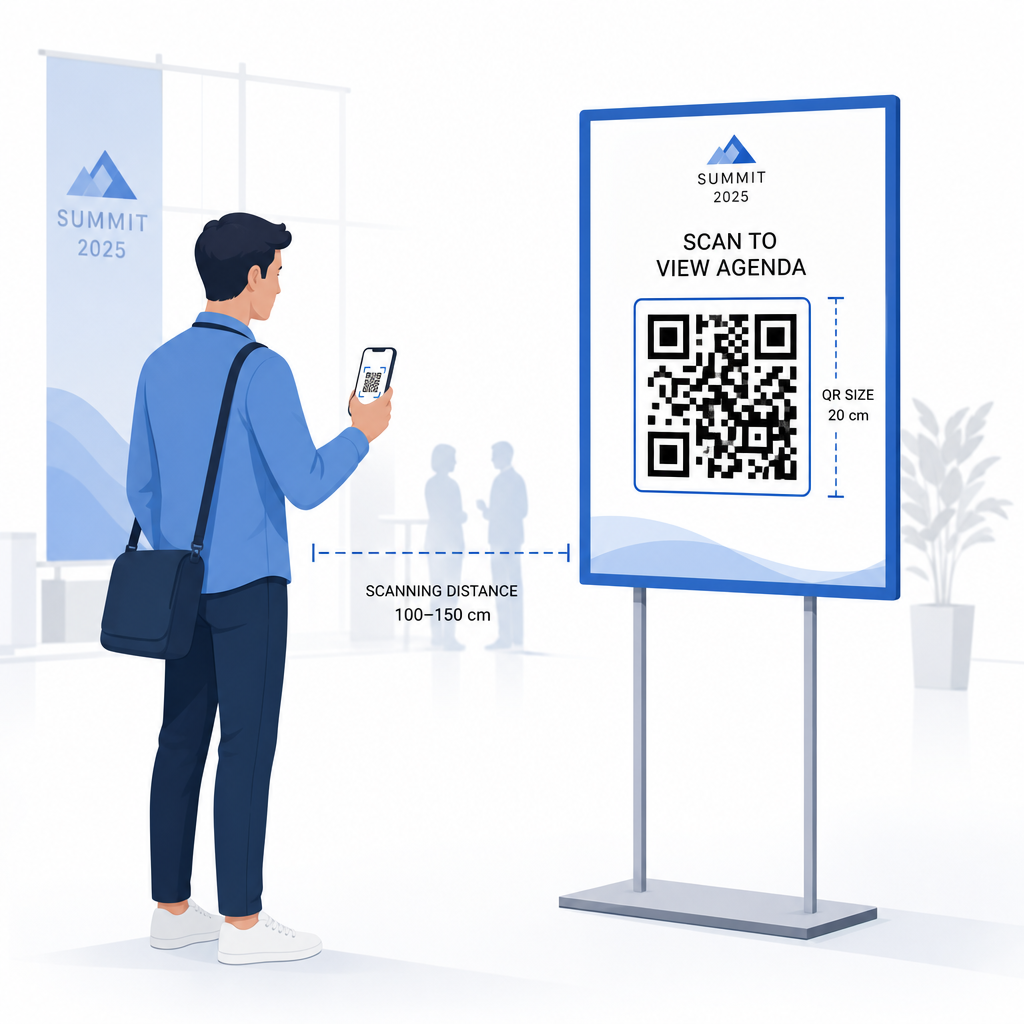
Paigutusjuhised:
- Paigutage koodid silma- või rinna kõrgus – umbes 3 kuni 5 jalga põrandast – et osalejad saaksid skaneerida ilma kummardamata või küünitamata
- Aseta koodid kus inimesed loomulikult peatuvad või ootavad: sissepääsud, registreerimislauad, lauad, väljapanekute läheduses ja järjekordades
- Säilitage kõrge kontrastsus: tumedad moodulid heledal taustal skaneerivad kõige usaldusväärsemalt; väldi pööratud või madala kontrastsusega värviskeeme
- Hoia vaikne tsoon vähemalt 4 mooduli jagu tühja ruumi koodi kõigil neljal küljel; tekst või graafika selle marginaali sees põhjustab skaneerimisvigu
- Testi iga koodi selle lõplikul prinditud suurusel, oodatud skaneerimiskauguselt, nii iOS-i kui ka Androidi seadmetel, enne sündmust
Täiendavate juhiste saamiseks ülima juhendiga QR-koodide kohta ürituste registreerimiseks sisaldab üksikasjalikke tehnilisi skaneerimisnõudeid ja ukseoperatsioonide parimaid tavasid.
Sündmuse toimivuse jälgimine QR-analüütikaga
Üks dünaamiliste QR-koodide alakasutatud eeliseid on nende genereeritavad andmed. Pagelooti analüütika armatuurlaud jäädvustab skaneerimiste arvu, ajatempleid, seadmetüüpe ja geograafilisi asukohti reaalajas.
Sündmuste korraldajatele vastab see andmestik praktilistele küsimustele:
- Millisel sissepääsupunktil oli suurim skaneerimismaht ja mis kell?
- Kas osalejad tegelesid sündmuse ajal ajakava või sponsori sisuga?
- Mitu inimest skaneeris üritusejärgse küsitluse koodi?
- Milline reklaamikanal – trükitud flaier, sotsiaalmeedia postitus, e-kiri – tõi kaasa kõige rohkem piletiskaneeringuid?
See teave aitab teha personalivaliku otsuseid, aitab teil tuvastada kitsaskohti ja annab sponsoritele mõõdetava tõendi publiku kaasamisest. Sügavama ülevaate saamiseks saadaolevatest tööriistadest vaadake kokkuvõtet parimaid tööriistu QR-koodi ürituste jälgimiseks.
Vaadake, kes skaneerib ja millal Pagelooti sisseehitatud analüütika annab teile reaalajas skaneerimisandmed kõigi teie ürituse QR-koodide kohta ühes armatuurlauas. Alustage Ürituse QR koodi loomine ja korraldage oma järgmine üritus täieliku nähtavusega.
QR-koodide skaneerimine teie üritusel
Kui vajate skaneerimislahendust personalile piletite valideerimiseks või osalejate sisseregistreerimiseks, siis Pagelooti QR-koodi lugeja töötab otse brauseris – rakenduse allalaadimine pole vajalik. Personal saab skaneerida mis tahes nutitelefonist või tahvelarvutist, suunates kaamera koodile või laadides üles pildi.
Suuremate ürituste puhul, kus on spetsiaalsed skaneerimisjaamad, skaneerivad iOS-i (iOS 11 ja uuemad) ja Androidi natiivsed seadmekamerad QR-koode ilma lisarakenduseta. Testige oma skaneerimisseadistust oma toimumiskoha tegelikes valgustingimustes enne üritust ja koolitage personali hoidma seadet koodist umbes 30 cm (umbes 12 tolli) kaugusel, et tagada järjepidev lugemine.
Levinud QR-koodi probleemid üritustel (ja kuidas neid vältida)
Isegi hästi disainitud QR-koodid ebaõnnestuvad, kui teatud tingimused pole täidetud. Siin on kõige sagedasemad probleemid ja nende lahendused:
- Kood liiga väike: Järgige ülaltoodud minimaalseid suurusi; kahtluse korral printige suurem
- Kehv kontrast: Kasutage tumedaid mooduleid valgel või heledal taustal; vältige koodide paigutamist tumedatele või mustrilistele pindadele
- Läikiv materjal: Mattviimistlused skaneerivad usaldusväärsemalt, sest need kõrvaldavad peegelduse; vältige läikivaid märgi- või käepaela materjale
- Kahjustatud kood: Füüsilised kriimustused või rebendid takistavad skaneerimist; kasutage veaparanduse seadeid, kui genereerite koode füüsiliste materjalide jaoks
- Puudub vaikne tsoon: Veenduge, et miski – tekst, ääred, pildid – ei tungiks koodi ümbritsevale tühjale marginaalile
- Testimata kood: Skaneerige alati lõplik trükitud versioon mitme seadmega enne laialdast levitamist
Täiendava tõrkeotsingu saamiseks otse piletitele trükitud QR-koodide kohta vaadake juhendit QR-koodide kohta piletitel.
QR-koodid annavad ürituste korraldajatele otsese ühenduse füüsiliste puutepunktide ja digitaalsete süsteemide vahel – olgu selleks siis pileti valideerimine, osalemise logimine, tagasiside kogumine või toimumiskohas navigeerimine. Peamine on valida dünaamilised koodid, kus paindlikkus on oluline, suuruse ja paigutuse määramine usaldusväärseks skaneerimiseks ning analüütika kasutamine, et mõista, kuidas osalejad tegelikult kaasatud on.
Alustage Ürituse QR koodi loomine oma esimese ürituse QR-koodi loomiseks või uurige Osalemise QR-kood tööriista sisseregistreerimissüsteemi loomiseks, mis logib iga saabumise automaatselt.
Korduma kippuvad küsimused
Staatilisel QR-koodil on fikseeritud sihtkoht, mida ei saa pärast selle loomist muuta. Kui teie ürituse üksikasjad muutuvad, peate koodi uuesti printima. Dünaamiline QR-kood võimaldab teil sihtkoha URL-i igal ajal värskendada, ilma et peaksite prinditud koodi ennast muutma. Dünaamilised koodid pakuvad ka skannimisanalüütikat – andmeid selle kohta, millal, kus ja kui tihti koodi skannitakse – mida staatilised koodid ei paku. Enamiku ürituste rakenduste puhul, eriti piletite müügi ja ajakavade puhul, on dünaamilised koodid praktiline valik.
Avage Pagelooti ürituse QR-koodi generaator ja valige võimalus luua ürituse QR-kood. Sisestage oma ürituse URL või registreerimislink, lisage ürituse üksikasjad, nagu pealkiri ja kirjeldus, seejärel kohandage koodi disaini oma brändinguga. Laadige kood alla ja levitage seda osalejatele e-posti, PDF-i või trükitud pileti kaudu. Üritusel skaneerib personal iga osaleja koodi nutitelefoni kaamera või Pagelooti QR-koodi skanneriga, et märkida nad sisseregistreerituks.
Standardse ürituse sildistuse jaoks on soovitatav minimaalselt 5 × 5 tolli. Suuremate, üle 30 jala laiuste toimumiskohtade puhul suurendage suurust vähemalt 7 × 7 tollini. Usaldusväärne rusikareegel on, et koodi väikseim mõõde peaks olema umbes üks kümnendik eeldatavast skaneerimiskaugusest – seega peaks 5 jala kauguselt vaadeldav kood olema umbes 6 tolli lai. Testige alati trükitud koodi tegelikul skaneerimiskaugusel enne üritust.