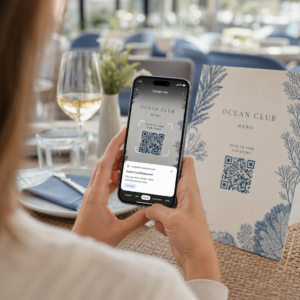
Stále spravujete vstup na události pomocí tištěných seznamů hostů a ručních registrací? Tento přístup zpomaluje fronty u vstupu, frustruje účastníky a organizátorům poskytuje malý přehled o tom, co se skutečně děje na místě. Tato stránka pokrývá všechny praktické způsoby použití QR kódů na událostech – od prodeje vstupenek a odbavení po RSVP a následnou komunikaci po události – abyste mohli provozovat plynulejší operace a získat měřitelné výsledky.
Proč organizátoři událostí přijímají QR kódy
Přijetí QR kódů mezi profesionály v oblasti událostí již není okrajovou záležitostí. 43% marketérů používá QR kódy speciálně pro události, což činí události jediným nejčastějším případem použití QR kódů mezi marketingovými profesionály. Stejná data ukazují, že přes 90% marketérů uvedlo, že v roce 2025 používá QR kódy, přičemž 94% z nich zvyšuje své využití rok od roku.
Důvodem tohoto posunu je praktičnost: účastníci jsou již zvyklí na skenování. Více než dvě třetiny spotřebitelů použily QR kód alespoň jednou za poslední rok a zhruba polovina generace Z a mileniálů skenuje QR kódy alespoň jednou týdně. Vzhledem k tomu, že 98% Američanů vlastní mobilní telefon, neexistuje žádná významná překážka, která by bránila účastníkům ve skenování.
Pro organizátory je odměnou kontrola v reálném čase. Můžete sledovat vstup, monitorovat účast podle sekcí, aktualizovat informace o události bez opětovného tisku materiálů a měřit zapojení dlouho po skončení události.
Případy použití QR kódů pro události
QR kódy jsou dostatečně flexibilní, aby zvládly téměř každou provozní a angažující potřebu na události. Zde jsou nejúčinnější aplikace.
Prodej vstupenek a správa vstupu
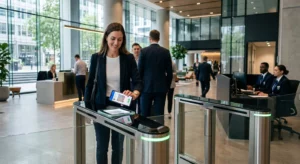
Nejběžnějším výchozím bodem je nahrazení papírových vstupenek skenovatelnými QR kódy. Každý účastník obdrží unikátní QR kód – doručený e-mailem, PDF nebo na mobil – který personál naskenuje u dveří k ověření vstupu a zaznamenání účasti v reálném čase.
Tento přístup eliminuje potřebu ruční kontroly seznamů, zrychluje fronty u vstupu a zabraňuje podvodům s duplicitním použitím, protože každý kód lze nastavit na ověření jedním skenováním. Pro podrobný průchod bezpečnostní architekturou za tímto účelem viz průvodce na jak vytvořit bezpečné QR kódové vstupenky na události.
Vstupenky můžete generovat přímo pomocí QR pozvánka na akci zadáním URL vaší události, názvu, popisu a kontaktních údajů, poté přizpůsobením designu kódu před jeho stažením pro distribuci.
Zefektivněte vstup na vaši událost Vytvořte značkové, sledovatelné QR kódy pro vstupenky, vstupní stránky a odbavení. Vyzkoušejte QR pozvánka na akci zdarma po dobu 14 dnů – není vyžadována kreditní karta.
Odbavení účastníků a sledování docházky
Odbavení na bázi QR funguje tak, že personál skenuje kód každého účastníka telefonem, tabletem nebo speciální skenovací aplikací. Platné skenování automaticky označí osobu jako odbavenou a okamžitě aktualizuje vaše záznamy o docházce.
To je výrazně rychlejší než manuální metody. Podle průvodce QR kódy pro odbavení na událostech, odbavení pomocí QR kódů snižuje průměrnou dobu zpracování na méně než 2 sekundy na osobu a může zkrátit celkovou dobu vstupu až o 50% ve srovnání s manuálními procesy.
Pro probíhající události, kurzy nebo vícesekční konference, nástroj Pageloot QR kód docházky umožňuje účastníkům samoobslužné odbavení skenováním kódu propojeného s Google Formem nebo podobným nástrojem, přičemž odpovědi se automaticky ukládají do tabulky pro sledování v reálném čase. Více o budování tohoto typu systému se dozvíte na stránce pro sledování docházky.
Sbírání RSVP
Namísto směrování hostů k zadávání URL adresy, QR kód na vaší pozvánce, letáku nebo stránce události je jedním skenováním zavede přímo k vašemu formuláři RSVP. To odstraňuje tření a obvykle zvyšuje míru odezvy.
Použijte Pageloot's Google formulář QR kód generátor pro propojení jakéhokoli Google Formu se skenovatelným kódem, a poté jej umístit na tištěné pozvánky, digitální grafiku nebo značení události. Pro podrobné pokyny, průvodce QR kódy RSVP pro události provede výběrem platformy, generováním kódu a dodržováním soukromí.
Rozvrhy a informace o událostech
QR kód umístěný na odznaku, stolní kartě nebo značení místa konání může propojit účastníky s aktuálním rozvrhem události, životopisy řečníků, mapami pater nebo detaily sekcí. Protože dynamické QR kódy vám umožňují aktualizovat cílovou URL po tisku, můžete opravit změny v rozvrhu nebo přidat informace bez opětovného tisku materiálů.
Toto je jeden z nejsilnějších praktických argumentů pro použití dynamických kódů namísto statických. Pokud řečník zruší účast nebo se změní místnost, aktualizujete odkaz – nikoli tištěné materiály.
Integrace s Kalendářem Google
Pro konference, workshopy nebo jakoukoli událost s prodejem vstupenek a sekcemi, propojení QR kódu se záznamem v Kalendáři Google umožňuje účastníkům přidat událost přímo do svého kalendáře jedním skenováním. Použijte Google Kalendář QR kód generátor k vytvoření tohoto kódu a poté jej umístěte na potvrzovací e-maily, vstupenky nebo pozvánky.
Navigace v místě konání
Velká místa – kongresová centra, venkovní festivaly, vícepodlažní konferenční prostory – často způsobují potíže jednoduše proto, že účastníci nemohou najít, kam potřebují jít. QR kód na značení, vstupenkách nebo pozvánkách, který se otevře přímo v Google Maps, tyto potíže zcela odstraňuje. Vytvořte si jeden pomocí Google Maps QR kód generátor a umístěte jej kdekoli, kde jej účastníci uvidí před nebo během akce.
Sdílení fotografií a zapojení na sociálních sítích
QR kódy mohou propojit účastníky se sdílenou fotogalerií, stránkou s brandovaným hashtagem nebo nahrávacím portálem, aby hosté mohli přispívat a prohlížet fotografie z akce v reálném čase. To vytváří smyčku zapojení, která rozšiřuje zážitek z akce za hranice fyzického místa. Pro praktického průvodce nastavením viz jak použít QR kód pro sdílení fotografií.
Průzkumy po akci a následná komunikace
Výzkum ukazuje, že 41 % organizátorů používá průzkumy po akci k měření ROI a 40 % spoléhá na zapojení na sociálních sítích. QR kód na odznaku, letáku nebo výstupní ceduli směřující na formulář zpětné vazby usnadňuje účastníkům reagovat, dokud je akce ještě čerstvá. Propojení tohoto formuláře s Google Formem přes generátor Pageloot znamená, že odpovědi proudí přímo do tabulky, kterou můžete okamžitě analyzovat.
Jak vytvořit QR kód pro akci s Pagelootem
Proces trvá několik minut a nevyžaduje technické dovednosti.
- Otevřete generátor – Přejděte na QR pozvánka na akci a vyberte “Vytvořit QR kód pro akci.”
- Přidejte podrobnosti o vaší akci – Zadejte URL stránky akce, název, popis a kontaktní informace. Pageloot vytvoří vstupní stránku kolem tohoto obsahu.
- Navrhněte QR kód – Upravte barvy, tvary a přidejte své logo, aby odpovídalo brandingu vaší akce.
- Zvolte dynamický, pokud potřebujete flexibilitu – Dynamické kódy vám umožňují aktualizovat cílový odkaz i po vytištění. To je správná volba pro cokoli, co by se mohlo změnit před nebo během akce.
- Otestujte kód – Naskenujte jej na zařízeních iOS i Android za různých světelných podmínek před distribucí.
- Stáhněte a distribuujte – Exportujte ve formátu PNG, PDF nebo SVG a umístěte jej na vstupenky, značení, pozvánky nebo digitální materiály.
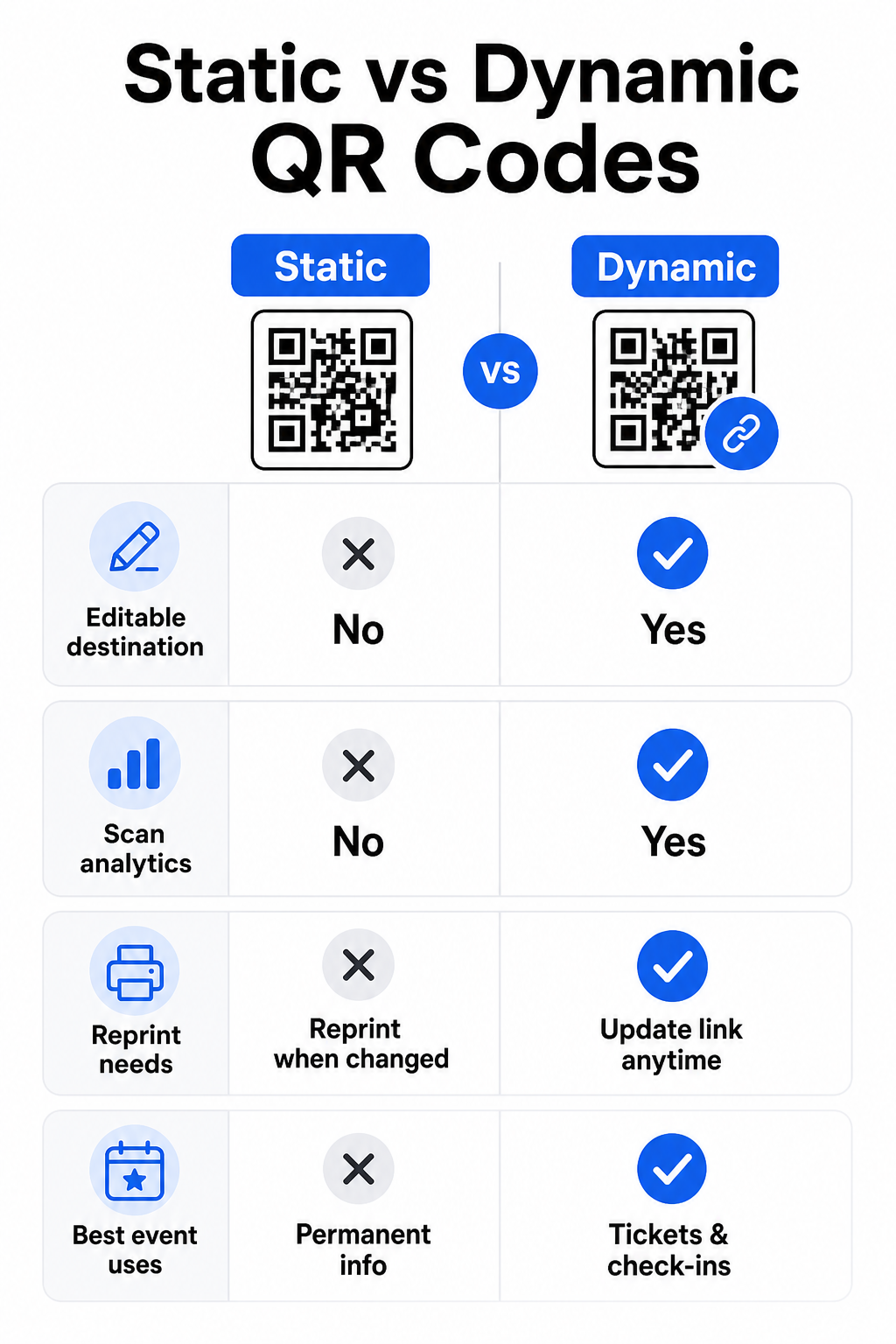
Statické vs. Dynamické QR kódy pro události
Pochopení rozdílu mezi statickými a dynamickými QR kódy vám pomůže učinit správnou volbu pro každý případ použití.
| FUNKCE | Statický QR kód | Dynamický QR kód |
|---|---|---|
| Cíl editovatelný po tisku | Ne | Ano |
| Analytika skenování | Ne | Ano |
| Kód se změní, pokud se změní cíl | Ano (vyžaduje přetisk) | Ne |
| 9. Nejlepší pro | Jednoduché, trvalé odkazy | Vstupenky, rozvrhy, kampaně |
| Náklady | Volný, uvolnit | Placené předplatné |
Pro většinu operací s událostmi – zejména pro dynamic QR codes are the better choice. They also provide scan analytics, which tells you how many people scanned, when, on what device, and from what location. The guide to building dynamic QR codes for CRM check-ins explains how to connect this data to your broader attendee management workflow.
QR Code Placement and Sizing for Events
A QR code that cannot be scanned reliably defeats its purpose. The following guidelines reflect usability research and practical event scenarios.
Minimum sizes by material type:
- Printed invitations: at least 1.5 × 1.5 inches
- Badges or wristbands: at least 1.5 inches square
- Table cards or place cards: at least 1 × 1 inch (1.5 inches preferred)
- Event signage: at least 5 × 5 inches, increasing to 7 × 7 inches for venues wider than 30 feet
A useful rule of thumb: the smallest QR code dimension should be roughly one-tenth of the scanning distance. A code scanned from 3 feet away should be at least 3.6 inches wide.
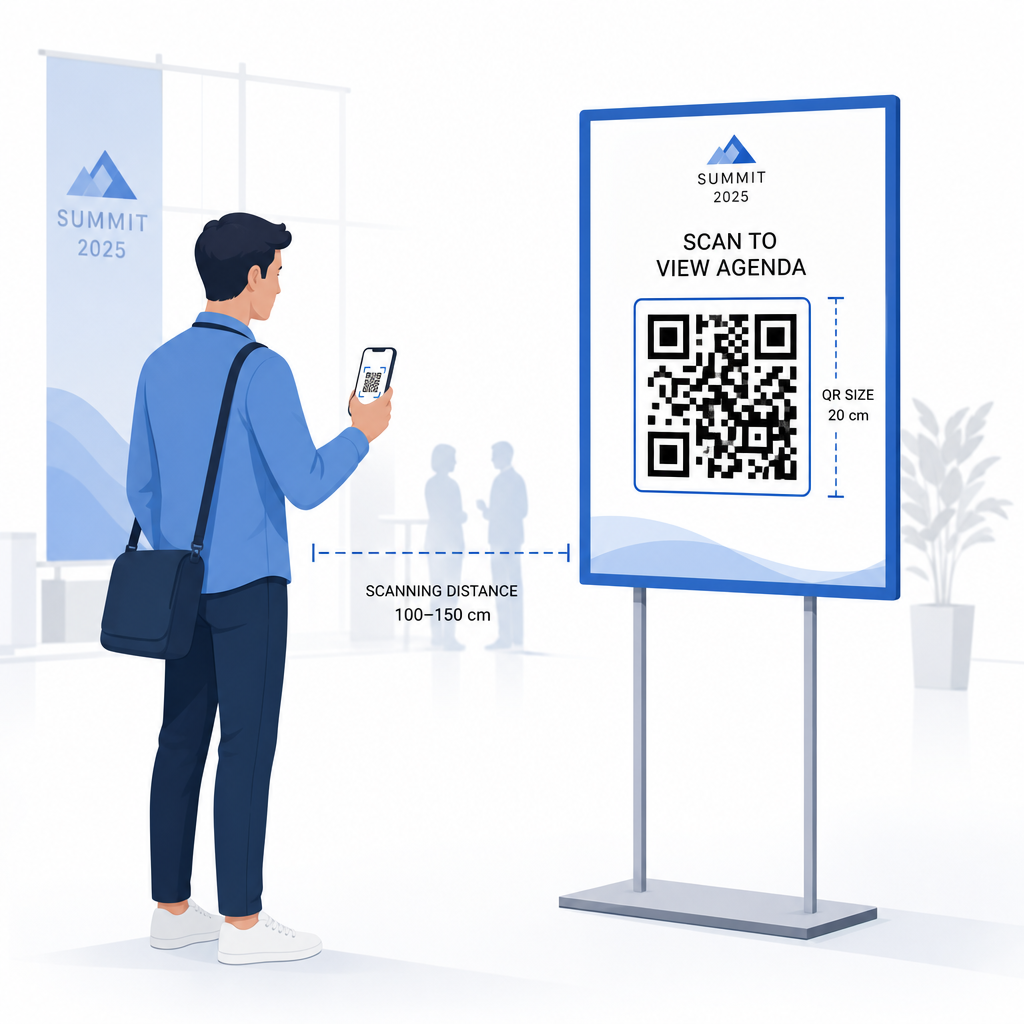
Placement guidelines:
- Umístěte kódy do eye or chest height – roughly 3 to 5 feet from the floor – so attendees can scan without bending or reaching
- Place codes where people naturally pause or wait: entrances, registration desks, tables, near displays, and in queues
- Udržujte vysoký kontrast: dark modules on a light background scan most reliably; avoid inverted or low-contrast color schemes
- Keep a tichou zónu of at least 4 modules of blank space on all four sides of the code; text or graphics inside this margin cause scan failures
- Test every code v konečné tištěné velikosti, z očekávané skenovací vzdálenosti, na iOS i Androidu, před událostí
Pro další pokyny, kompletního průvodce QR kódy pro odbavení na akcích obsahuje podrobné technické požadavky na skenování a osvědčené postupy pro provoz u vstupu.
Sledování výkonu události pomocí QR analýzy
Jednou z málo využívaných výhod dynamických QR kódů jsou data, která generují. Analytický panel Pagelootu zaznamenává počet skenování, časové značky, typy zařízení a geografické polohy v reálném čase.
Pro organizátory akcí tato data odpovídají na praktické otázky:
- Který vstupní bod měl nejvyšší objem skenování a v jakou dobu?
- Zapojili se účastníci do programu nebo obsahu sponzorů během akce?
- Kolik lidí naskenovalo kód průzkumu po akci?
- Který propagační kanál – tištěný leták, příspěvek na sociálních sítích, e-mail – přinesl nejvíce skenů vstupenek?
Tyto informace informují o rozhodnutích ohledně personálu, pomáhají identifikovat úzká místa a dávají sponzorům měřitelný důkaz zapojení publika. Pro hlubší pohled na dostupné nástroje viz přehled nejlepších nástrojů pro sledování událostí pomocí QR kódů.
Podívejte se, kdo skenuje a kdy Vestavěná analytika Pageloot vám poskytuje data o skenování v reálném čase napříč všemi vašimi QR kódy událostí na jednom panelu. Začněte s QR pozvánka na akci a spusťte svou další akci s plnou viditelností.
Skenování QR kódů na vaší akci
Pokud potřebujete řešení pro skenování pro personál k ověřování vstupenek nebo odbavování účastníků, Pageloot Čtečka QR kódů funguje přímo v prohlížeči – není nutné stahovat aplikaci. Personál může skenovat z jakéhokoli chytrého telefonu nebo tabletu namířením fotoaparátu na kód nebo nahráním obrázku.
Pro větší akce s vyhrazenými skenovacími stanicemi nativní kamery zařízení na iOS (iOS 11 a novější) a Androidu skenují QR kódy bez jakékoli další aplikace. Otestujte své nastavení skenování za skutečných světelných podmínek vašeho místa konání před akcí a vyškolte personál, aby držel zařízení přibližně 30 cm (asi 12 palců) od kódu pro konzistentní čtení.
Běžné problémy s QR kódy na akcích (a jak se jim vyhnout)
I dobře navržené QR kódy selžou, když nejsou splněny určité podmínky. Zde jsou nejčastější problémy a jejich řešení:
- Kód je příliš malý: Dodržujte výše uvedené minimální velikosti; v případě pochybností tiskněte větší
- Špatný kontrast: Použijte tmavé moduly na bílém nebo světlém pozadí; vyhněte se umisťování kódů na tmavé nebo vzorované povrchy
- Lesklý materiál: Matné povrchy se skenují spolehlivěji, protože eliminují odlesky; vyhněte se lesklým materiálům na odznaky nebo náramky
- Poškozený kód: Fyzické škrábance nebo trhliny blokují skenování; použijte nastavení korekce chyb při generování kódů pro fyzické materiály
- Žádná klidová zóna: Ověřte, že nic – text, okraje, obrázky – nezasahuje do prázdného okraje kolem kódu
- Netestovaný kód: Vždy naskenujte finální tištěnou verzi na více zařízeních před distribucí ve velkém měřítku
Pro další řešení problémů s QR kódy vytištěnými přímo na vstupenkách viz průvodce QR kódy na vstupenkách.
QR kódy dávají organizátorům akcí přímou linku mezi fyzickými kontaktními body a digitálními systémy – ať už jde o ověření vstupenky, zaznamenání účasti, sběr zpětné vazby nebo navigaci v místě konání. Klíčem je výběr dynamických kódů, kde záleží na flexibilitě, jejich dimenzování a umístění pro spolehlivé skenování a používání analytiky k pochopení, jak se účastníci skutečně zapojují.
Začněte s QR pozvánka na akci k vytvoření vašeho prvního QR kódu události, nebo prozkoumejte QR kód docházky nástroj k vytvoření odbavovacího systému, který automaticky zaznamenává každý příchod.
Často kladené otázky
Statický QR kód má pevné určení, které nelze změnit poté, co je vytvořen. Pokud se podrobnosti vaší události změní, musíte kód znovu vytisknout. Dynamický QR kód vám umožňuje aktualizovat cílovou URL adresu kdykoli, aniž byste změnili samotný vytištěný kód. Dynamické kódy také poskytují analytiku skenování – data o tom, kdy, kde a jak často je kód skenován – což statické kódy neposkytují. Pro většinu událostních aplikací, zejména pro prodej vstupenek a rozvrhy, jsou dynamické kódy praktickou volbou.
Otevřete generátor QR kódů událostí Pageloot a vyberte možnost vytvořit QR kód události. Zadejte URL vaší události nebo registrační odkaz, přidejte podrobnosti o události, jako je název a popis, poté přizpůsobte design kódu svému brandingu. Stáhněte kód a distribuujte jej účastníkům prostřednictvím e-mailu, PDF nebo tištěné vstupenky. Na akci personál skenuje kód každého účastníka pomocí fotoaparátu chytrého telefonu nebo skeneru QR kódů Pageloot k jejich označení jako odbavených.
Pro standardní značení událostí se doporučuje minimálně 5 × 5 palců. Pro větší místa konání širší než 30 stop zvyšte velikost na minimálně 7 × 7 palců. Spolehlivým pravidlem je, že nejmenší rozměr kódu by měl být zhruba jedna desetina očekávané skenovací vzdálenosti – takže kód viděný z 5 stop by měl být široký asi 6 palců. Vždy otestujte tištěný kód ve skutečné skenovací vzdálenosti před akcí.