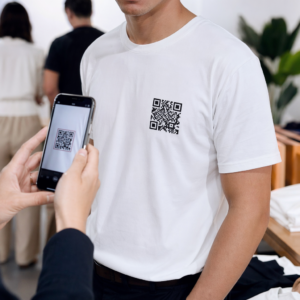
Ar vis dar tvarkote renginių įėjimą su spausdintais svečių sąrašais ir rankiniu registravimu? Toks metodas lėtina įėjimo eiles, erzina dalyvius ir palieka organizatorius be aiškaus supratimo, kas iš tikrųjų vyksta vietoje. Šiame puslapyje aptariami visi praktiniai QR kodų naudojimo būdai renginiuose – nuo bilietų pardavimo ir registracijos iki atsakymų į kvietimus (RSVP) ir tolesnių veiksmų po renginio – kad galėtumėte vykdyti sklandesnes operacijas ir gauti išmatuojamus rezultatus.
Kodėl renginių organizatoriai diegia QR kodus
QR kodų diegimas tarp renginių profesionalų nebėra nišinis. 43 % rinkodaros specialistų naudoja QR kodus specialiai renginiams, todėl renginiai yra pats dažniausias QR kodų naudojimo atvejis tarp rinkodaros profesionalų. Tie patys duomenys rodo, kad daugiau nei 90 % rinkodaros specialistų pranešė naudoję QR kodus 2025 m., o 94 % kasmet didino jų naudojimą.
Šio pokyčio priežastis yra praktinė: dalyviai jau yra įpratę skenuoti. Daugiau nei du trečdaliai vartotojų bent kartą per pastaruosius metus naudojo QR kodą, o maždaug pusė Z kartos ir tūkstantmečio kartos atstovų skenuoja QR kodus bent kartą per savaitę. Kadangi 98 % amerikiečių turi mobilųjį telefoną, nėra jokios reikšmingos kliūties, kad dalyviai skenuotų.
Organizatoriams nauda yra kontrolė realiuoju laiku. Galite stebėti įėjimą, sekti dalyvių skaičių pagal sesijas, atnaujinti renginio informaciją neperspausdinant medžiagos ir matuoti įsitraukimą dar ilgai po renginio pabaigos.
QR kodų naudojimo atvejai renginiuose
QR kodai yra pakankamai lankstūs, kad atitiktų beveik visus operacinius ir įsitraukimo poreikius renginyje. Štai efektyviausi pritaikymai.
Bilietų pardavimas ir įėjimo valdymas
Dažniausias atspirties taškas yra popierinių bilietų pakeitimas skenuojamais QR kodais. Kiekvienas dalyvis gauna unikalų QR kodą – pristatomą el. paštu, PDF formatu arba mobiliuoju telefonu – kurį personalas nuskaito prie durų, kad patvirtintų įėjimą ir pažymėtų dalyvavimą realiuoju laiku.
Šis metodas pašalina rankinio sąrašų tikrinimo poreikį, pagreitina įėjimo eiles ir apsaugo nuo pakartotinio naudojimo sukčiavimo, nes kiekvienas kodas gali būti nustatytas vienkartiniam nuskaitymo patvirtinimui. Išsamų šios saugumo architektūros aprašymą rasite vadove apie kaip sukurti saugius QR kodo renginių bilietus.
Bilietus galite generuoti tiesiogiai naudodami Renginių QR kodų generatorius įvesdami renginio URL, pavadinimą, aprašymą ir kontaktinius duomenis, tada pritaikydami kodo dizainą prieš atsisiųsdami jį platinimui.
Supaprastinkite savo renginio įėjimą Kurkite firminius, sekamus QR kodus bilietams, nukreipiamiesiems puslapiams ir registracijai. Išbandykite Renginių QR kodų generatorius nemokamai 14 dienų – nereikia kredito kortelės.
Dalyvių registracija ir lankomumo stebėjimas
QR pagrindu veikianti registracija veikia taip, kad darbuotojai nuskaito kiekvieno dalyvio kodą telefonu, planšete ar specialia nuskaitymo programėle. Galiojantis nuskaitymas automatiškai pažymi asmenį kaip užsiregistravusį ir akimirksniu atnaujina jūsų lankomumo įrašus.
Tai žymiai greičiau nei rankiniai metodai. Pagal vadovą apie QR kodus renginių registracijai, QR kodų registracija sumažina vidutinį apdorojimo laiką iki mažiau nei 2 sekundžių vienam asmeniui ir gali sutrumpinti bendrą įėjimo trukmę iki 50% lyginant su rankiniais procesais.
Nuolatiniams renginiams, pamokoms ar daugiasesijinėms konferencijoms Pageloot'o Lankomumo QR kodas įrankis leidžia dalyviams patiems užsiregistruoti nuskaitant kodą, susietą su „Google“ forma ar panašiu įrankiu, o atsakymai automatiškai patenka į skaičiuoklę, skirtą stebėjimui realiuoju laiku. Daugiau apie tokios sistemos kūrimą sužinosite lankomumo stebėjimo puslapyje.
RSVP rinkimas
Užuot nukreipus svečius įvesti URL, QR kodas jūsų kvietime, skrajutėje ar renginio puslapyje nukreipia juos tiesiai į jūsų RSVP formą vienu nuskaitymu. Tai pašalina trintį ir paprastai padidina atsakymų rodiklius.
Naudokite Pageloot Google formos QR kodo generatorius norėdami susieti bet kurią „Google“ formą su nuskaitomu kodu, tada patalpinkite jį ant spausdintų kvietimų, skaitmeninės grafikos ar renginio iškabų. Išsamių instrukcijų ieškokite vadove apie RSVP QR kodus renginiams aprašo platformos pasirinkimą, kodo generavimą ir privatumo atitiktį.
Tvarkaraščiai ir renginio informacija
QR kodas, patalpintas ant ženkliuko, stalo kortelės ar renginio ženklo, gali nukreipti dalyvius į tiesioginį renginio tvarkaraštį, pranešėjų biografijas, aukštų planus ar sesijų detales. Kadangi dinaminiai QR kodai leidžia atnaujinti paskirties URL po spausdinimo, galite koreguoti tvarkaraščio pakeitimus ar pridėti informacijos neperspausdinant medžiagos.
Tai yra vienas stipriausių praktinių argumentų už dinamiškų kodų naudojimą vietoj statinių. Jei pranešėjas atšaukia dalyvavimą arba pasikeičia kambarys, atnaujinate nuorodą – ne atspausdintą medžiagą.
Google Kalendoriaus Integracija
Konferencijoms, seminarams ar bet kokiam bilietiniam renginiui su sesijomis, QR kodo susiejimas su Google Kalendoriaus įrašu leidžia dalyviams pridėti renginį tiesiai į savo kalendorių vienu nuskaitymu. Naudokite Google kalendoriaus QR kodo generatorius norėdami sukurti šį kodą, tada patalpinkite jį ant patvirtinimo el. laiškų, bilietų ar kvietimų.
Navigacija vietoje
Didelės renginių vietos – konferencijų centrai, lauko festivaliai, kelių aukštų konferencijų erdvės – dažnai sukelia nepatogumų tiesiog todėl, kad dalyviai negali rasti, kur jiems reikia eiti. QR kodas ant iškabų, bilietų ar kvietimų, kuris atsidaro tiesiai „Google Maps“, visiškai pašalina šiuos nepatogumus. Sukurkite jį naudodami Google Maps QR kodo generatorius ir įtraukite jį visur, kur dalyviai jį matys prieš renginį arba jo metu.
Nuotraukų dalijimasis ir socialinis įsitraukimas
QR kodai gali nukreipti dalyvius į bendrą nuotraukų galeriją, prekės ženklo žymos puslapį arba įkėlimo portalą, kad svečiai galėtų prisidėti ir peržiūrėti renginio nuotraukas realiuoju laiku. Tai sukuria dalyvavimo ciklą, kuris išplečia renginio patirtį už fizinės vietos ribų. Praktinį nustatymo vadovą rasite Kaip naudoti QR kodą nuotraukoms bendrinti.
Po renginio apklausos ir tolesni veiksmai
Tyrimai rodo, kad 41% organizatorių naudoja po renginio atliekamas apklausas, kad įvertintų investicijų grąžą, o 40% remiasi socialinės žiniasklaidos įsitraukimu. QR kodas ant ženkliuko, dalijamosios medžiagos ar išėjimo ženklo, nukreipiantis į atsiliepimų formą, palengvina dalyviams atsakymą, kol renginys dar šviežias. Susiejus tą formą su „Google“ forma per „Pageloot“ generatorių, atsakymai tiesiogiai patenka į skaičiuoklę, kurią galite iš karto analizuoti.
Kaip sukurti renginio QR kodą naudojant „Pageloot“
Procesas užtrunka kelias minutes ir nereikalauja techninių įgūdžių.
- Atidarykite generatorių – Eikite į Renginių QR kodų generatorius ir pasirinkite “Sukurti QR kodą renginiui”.”
- Pridėkite savo renginio detales – Įveskite renginio puslapio URL, pavadinimą, aprašymą ir kontaktinę informaciją. „Pageloot“ sukuria nukreipimo puslapį aplink šį turinį.
- Sukurkite QR kodą – Koreguokite spalvas, formas ir pridėkite savo logotipą, kad atitiktų jūsų renginio prekės ženklą.
- Pasirinkite dinaminį, jei reikia lankstumo – Dinaminiai kodai leidžia atnaujinti paskirties nuorodą po spausdinimo. Tai yra tinkamas pasirinkimas viskam, kas gali pasikeisti prieš renginį arba jo metu.
- Išbandykite kodą – Nuskaitykite jį tiek „iOS“, tiek „Android“ įrenginiais skirtingomis apšvietimo sąlygomis prieš platindami.
- Atsisiųskite ir platinkite – Eksportuokite PNG, PDF arba SVG formatu ir patalpinkite ant bilietų, iškabų, kvietimų ar skaitmeninės medžiagos.
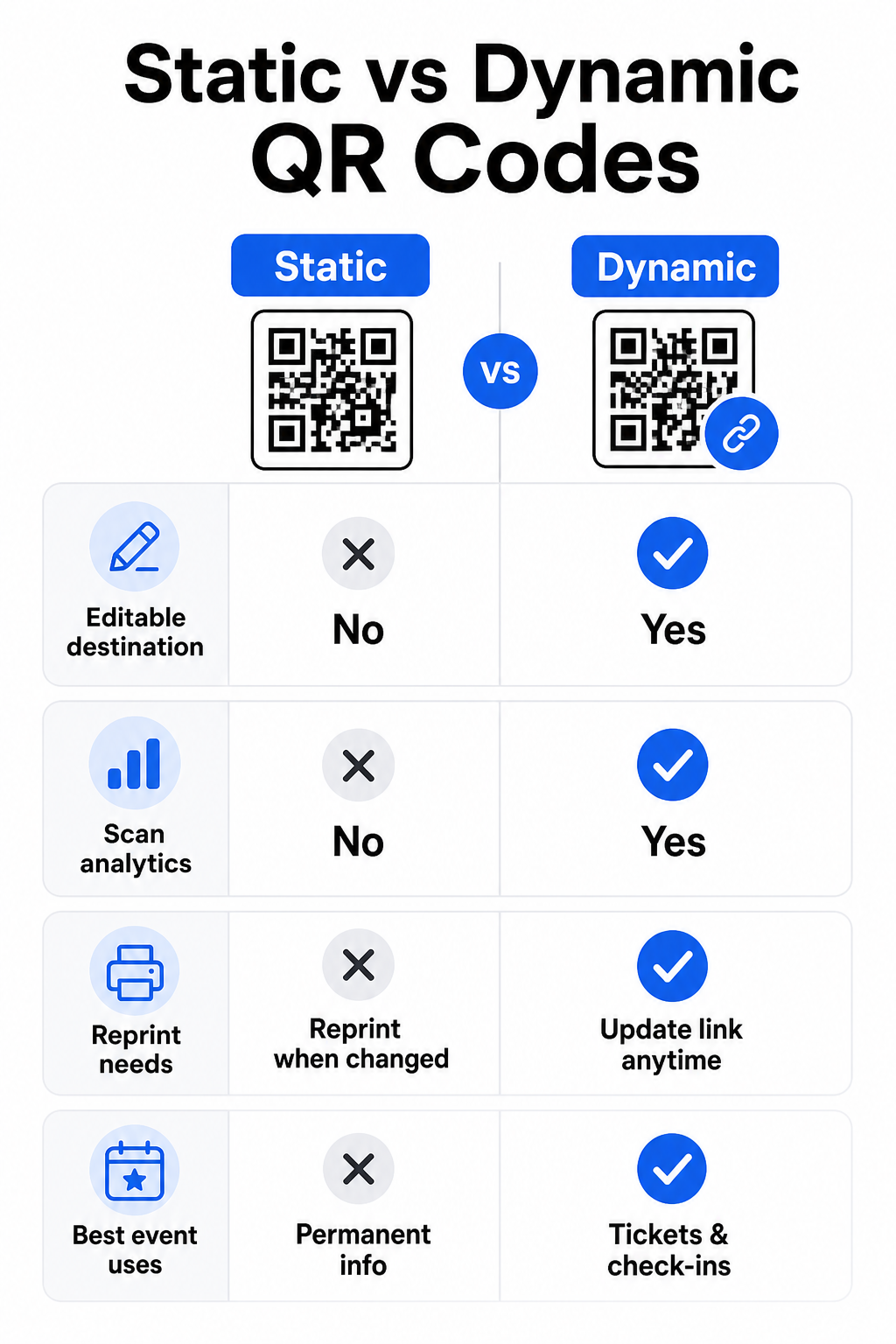
Statiniai ir dinaminiai QR kodai renginiams
Supratimas apie skirtumą tarp statinių ir dinaminių QR kodų padeda jums pasirinkti tinkamiausią kiekvienam naudojimo atvejui.
| FUNKCIJA | Statinis QR kodas | Dinaminis QR kodas |
|---|---|---|
| Paskirtis redaguojama po spausdinimo | Ne | Taip |
| Nuskaitymų analizė | Ne | Taip |
| Kodas keičiasi, jei keičiasi paskirtis | Taip (reikalingas perspausdinimas) | Ne |
| Geriausiai tinka | Paprastos, nuolatinės nuorodos | Bilietai, tvarkaraščiai, kampanijos |
| Išlaidos | Laisvas | Mokama prenumerata |
Daugumai renginių operacijų – ypač bilietų pardavimui, registracijai ir viskam, ką gali prireikti atnaujinti – dinaminiai QR kodai yra geresnis pasirinkimas. Jie taip pat teikia nuskaitymo analizę, kuri parodo, kiek žmonių nuskaityta, kada, kokiu įrenginiu ir iš kokios vietos. Vadovas, kaip kurti dinaminius QR kodus CRM registracijoms paaiškina, kaip susieti šiuos duomenis su platesniu dalyvių valdymo darbo eiga.
QR kodo išdėstymas ir dydis renginiams
QR kodas, kurio negalima patikimai nuskaityti, praranda savo prasmę. Šios gairės atspindi naudojimo tyrimus ir praktinius renginių scenarijus.
Minimalūs dydžiai pagal medžiagos tipą:
- Spausdinti kvietimai: bent 5 × 1.5 inches
- Ženkliukai ar apyrankės: bent 5 inches square
- Stalo kortelės ar vietos kortelės: bent 1 × 1 colis (pageidautina 1,5 colio)
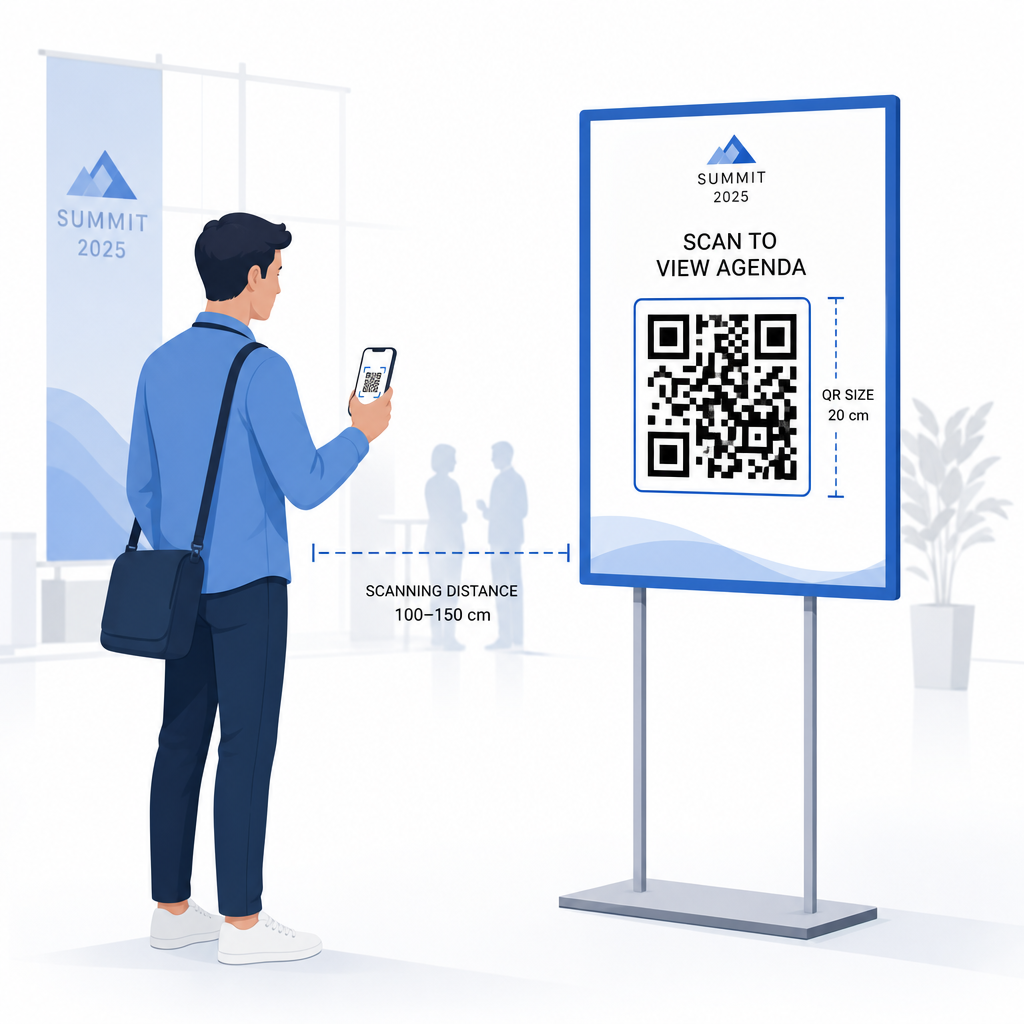
- Renginio iškabos: bent 5 × 5 colių, padidinant iki 7 × 7 colių vietoms, platesnėms nei 30 pėdų
Naudinga taisyklė: mažiausias QR kodo matmuo turėtų būti maždaug viena dešimtoji nuskaitymo atstumo. Kodas, nuskaitytas iš 3 pėdų atstumo, turėtų būti bent 3,6 colio pločio.
Išdėstymo gairės:
- Position codes at akių ar krūtinės aukštyje – maždaug 3–5 pėdų nuo grindų – kad dalyviai galėtų nuskaityti nesilenkdami ar nesistiebdami
- Patalpinkite kodus ten, kur žmonės natūraliai sustoja ar laukia: prie įėjimų, registracijos stalų, ant stalų, prie ekranų ir eilėse
- Išlaikykite aukštą kontrastą: tamsūs moduliai šviesiame fone nuskaitomi patikimiausiai; venkite apverstų ar mažo kontrasto spalvų schemų
- Palikite ramioji zona bent 4 modulių tuščios vietos iš visų keturių kodo pusių; tekstas ar grafika šioje paraštėje sukelia nuskaitymo klaidas
- Išbandykite kiekvieną kodą galutiniu spausdintu dydžiu, iš numatyto nuskaitymo atstumo, tiek „iOS“, tiek „Android“ įrenginiuose, prieš renginį
Daugiau patarimų rasite išsamiame QR kodų vadove renginių registracijai Apima išsamius techninius nuskaitymo reikalavimus ir durų eksploatavimo geriausią praktiką.
Renginio našumo stebėjimas naudojant QR analizę
Vienas iš nepakankamai išnaudojamų dinaminių QR kodų privalumų yra jų generuojami duomenys. „Pageloot“ analizės prietaisų skydelis realiuoju laiku fiksuoja nuskaitymų skaičių, laiko žymas, įrenginių tipus ir geografines vietas.
Renginių organizatoriams šie duomenys atsako į praktinius klausimus:
- Kuris įėjimo taškas turėjo didžiausią nuskaitymų skaičių ir kokiu metu?
- Ar dalyviai renginio metu naudojosi tvarkaraščiu ar rėmėjų turiniu?
- Kiek žmonių nuskenavo apklausos po renginio kodą?
- Kuris reklamos kanalas – spausdintas skrajutė, socialinės žiniasklaidos įrašas, el. paštas – pritraukė daugiausiai bilietų nuskaitymų?
Ši informacija padeda priimti sprendimus dėl personalo, padeda nustatyti kliūtis ir suteikia rėmėjams išmatuojamą auditorijos įsitraukimo įrodymą. Norėdami giliau pažvelgti į turimus įrankius, žr. apžvalgą geriausius QR kodo renginių stebėjimo įrankius.
Žr. Kas skenuoja ir kada „Pageloot“ integruota analizė suteikia jums realaus laiko nuskaitymo duomenis visuose jūsų renginio QR koduose vienoje prietaisų skydelyje. Pradėkite nuo Renginių QR kodų generatorius ir valdykite kitą renginį su visišku matomumu.
QR kodų nuskaitymas jūsų renginyje
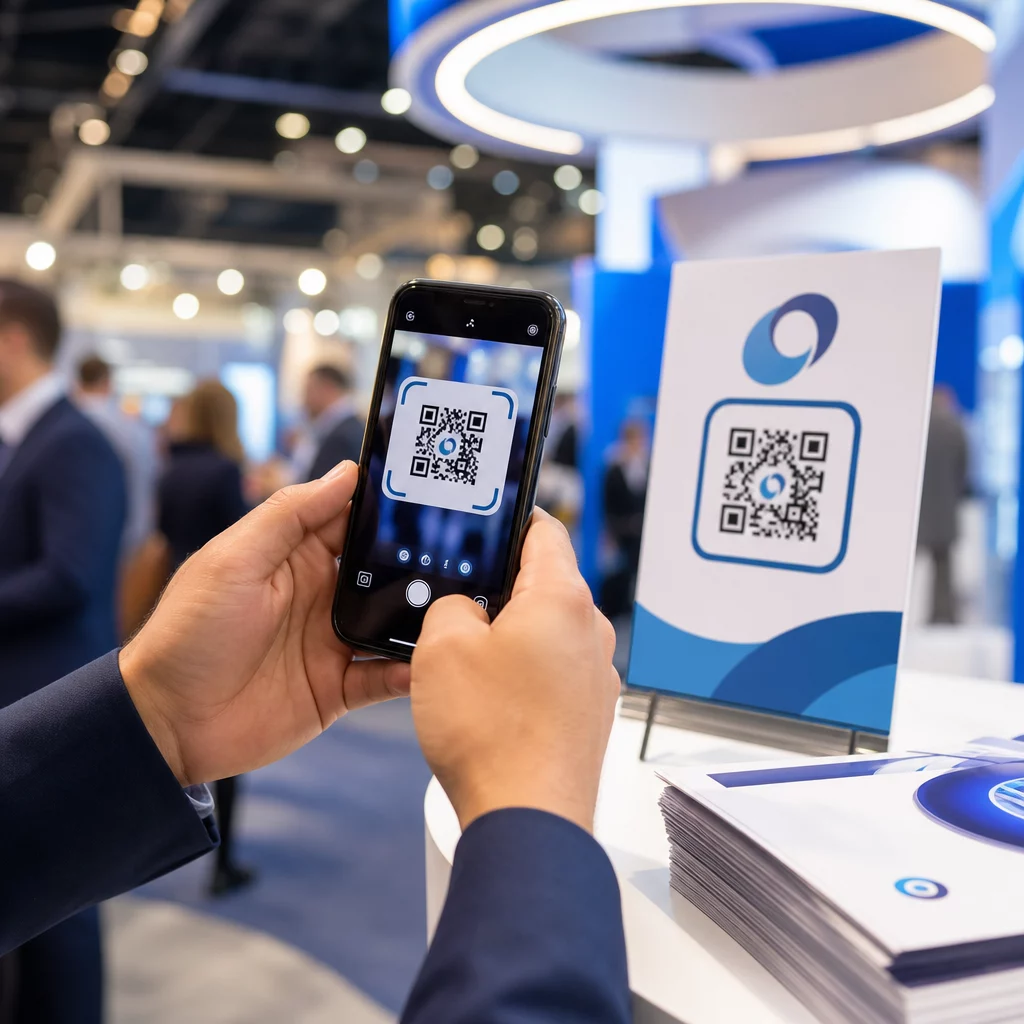
Jei jums reikia nuskaitymo sprendimo personalui, kad patvirtintų bilietus ar registruotų dalyvius, „ QR kodo skaitytuvas veikia tiesiogiai naršyklėje – nereikia atsisiųsti programėlės. Darbuotojai gali nuskaityti iš bet kurio išmaniojo telefono ar planšetinio kompiuterio, nukreipdami kamerą į kodą arba įkeldami vaizdą.
Didesniuose renginiuose su specialiomis nuskaitymo stotimis, vietinės „iOS“ (nuo „iOS 11“ ir naujesnės versijos) ir „Android“ įrenginių kameros nuskaito QR kodus be jokios papildomos programėlės. Prieš renginį išbandykite nuskaitymo sąranką faktinėmis jūsų vietos apšvietimo sąlygomis ir apmokykite darbuotojus laikyti įrenginį maždaug 30 cm (apie 12 colių) atstumu nuo kodo, kad nuskaitymai būtų nuoseklūs.
Dažnos QR kodų problemos renginiuose (ir kaip jų išvengti)
Net ir gerai sukurti QR kodai neveikia, kai nesilaikoma tam tikrų sąlygų. Štai dažniausios problemos ir jų sprendimai:
- Kodas per mažas: Laikykitės aukščiau nurodytų minimalių dydžių; jei abejojate, spausdinkite didesnį
- Prastas kontrastas: Naudokite tamsius modulius baltame arba šviesiame fone; venkite dėti kodų ant tamsių ar raštuotų paviršių
- Blizgi medžiaga: Matiniai paviršiai nuskaitomi patikimiau, nes pašalina atspindžius; venkite blizgių ženklelių ar apyrankių medžiagų
- Pažeistas kodas: Fiziniai įbrėžimai ar įplėšimai blokuoja nuskaitymą; generuodami kodus fizinėms medžiagoms, naudokite klaidų taisymo nustatymus
- Nėra ramios zonos: Patikrinkite, ar niekas – tekstas, kraštinės, vaizdai – nepažeidžia tuščios paraštės aplink kodą
- Neišbandytas kodas: Visada nuskaitykite galutinę atspausdintą versiją keliais įrenginiais prieš platindami dideliu mastu
Dėl papildomų trikčių šalinimo, susijusių su QR kodais, atspausdintais tiesiai ant bilietų, žr. QR kodų ant bilietų vadovas.
QR kodai suteikia renginių organizatoriams tiesioginį ryšį tarp fizinių sąlyčio taškų ir skaitmeninių sistemų – ar tai būtų bilieto patvirtinimas, lankomumo registravimas, atsiliepimų rinkimas ar navigacija renginio vietoje. Svarbiausia yra pasirinkti dinaminius kodus, kur lankstumas yra svarbus, nustatyti jų dydį ir vietą patikimam nuskaitymui bei naudoti analizę, kad suprastumėte, kaip lankytojai iš tikrųjų įsitraukia.
Pradėkite nuo Renginių QR kodų generatorius sukurti pirmąjį renginio QR kodą arba išbandyti Lankomumo QR kodas įrankį, skirtą sukurti registracijos sistemą, kuri automatiškai registruoja kiekvieną atvykimą.
Dažniausiai užduodami klausimai
Statinis QR kodas turi fiksuotą paskirties vietą, kurios negalima pakeisti po to, kai jis sukurtas. Jei jūsų renginio detalės pasikeičia, jums reikia perspausdinti kodą. Dinaminis QR kodas leidžia jums atnaujinti paskirties URL bet kuriuo metu, nekeičiant paties atspausdinto kodo. Dinaminiai kodai taip pat teikia nuskaitymo analizę – duomenis apie tai, kada, kur ir kaip dažnai kodas nuskaitomas – ko statiniai kodai neteikia. Daugumai renginių programų, ypač bilietų pardavimui ir tvarkaraščiams, dinaminiai kodai yra praktiškas pasirinkimas.
Atidarykite „Pageloot“ renginių QR kodų generatorių ir pasirinkite parinktį sukurti renginio QR kodą. Įveskite renginio URL arba registracijos nuorodą, pridėkite renginio detales, pvz., pavadinimą ir aprašymą, tada pritaikykite kodo dizainą pagal savo prekės ženklą. Atsisiųskite kodą ir platinkite jį dalyviams el. paštu, PDF formatu arba atspausdintu bilietu. Renginio metu darbuotojai nuskaito kiekvieno dalyvio kodą naudodami išmaniojo telefono kamerą arba „Pageloot“ QR kodų skaitytuvą, kad pažymėtų juos kaip užsiregistravusius.
Standartiniams renginių ženklams rekomenduojamas mažiausias dydis yra 5 × 5 coliai. Didesnėms nei 30 pėdų pločio vietoms padidinkite dydį iki mažiausiai 7 × 7 colių. Patikima taisyklė yra ta, kad mažiausias kodo matmuo turėtų būti maždaug viena dešimtoji numatomo nuskaitymo atstumo – taigi, kodas, matomas iš 5 pėdų atstumo, turėtų būti apie 6 colių pločio. Visada išbandykite atspausdintą kodą faktiniu nuskaitymo atstumu prieš renginį.