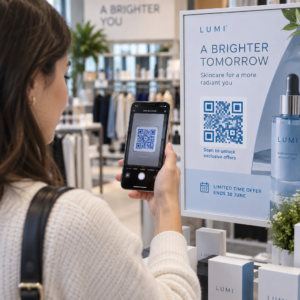
Vai joprojām pārvaldāt pasākumu ieejas ar drukātiem viesu sarakstiem un manuālu reģistrāciju? Šī pieeja palēnina ieejas rindas, nomāc apmeklētājus un atstāj organizatorus ar mazu redzamību par to, kas patiesībā notiek uz vietas. Šī lapa aptver visus praktiskos veidus, kā izmantot QR kodus pasākumos – no biļešu tirdzniecības un reģistrācijas līdz RSVP un pēcpasākuma saziņai – lai jūs varētu nodrošināt raitākas darbības un iegūt izmērāmus rezultātus.
Kāpēc pasākumu organizatori ievieš QR kodus
QR kodu ieviešana pasākumu profesionāļu vidū vairs nav niša. 43% mārketinga speciālistu izmanto QR kodus tieši pasākumiem, padarot pasākumus par visbiežāk izmantoto QR kodu lietošanas gadījumu mārketinga profesionāļu vidū. Tie paši dati liecina, ka vairāk nekā 90% mārketinga speciālistu ziņoja par QR kodu izmantošanu 2025. gadā, un 94% palielināja to lietošanu gadu no gada.
Šīs pārmaiņas iemesls ir praktisks: apmeklētāji jau ir pieraduši skenēt. Vairāk nekā divas trešdaļas patērētāju pēdējā gada laikā vismaz vienu reizi izmantoja QR kodu, un aptuveni puse no Z paaudzes un mileniāļiem skenē QR kodus vismaz reizi nedēļā. Tā kā 98% amerikāņu pieder mobilais tālrunis, nav nozīmīgu šķēršļu, lai apmeklētāji skenētu.
Organizatoriem ieguvums ir reāllaika kontrole. Jūs varat izsekot ieejai, uzraudzīt apmeklētību pa sesijām, atjaunināt pasākuma informāciju bez materiālu pārprintēšanas un mērīt iesaisti ilgi pēc pasākuma beigām.
QR kodu lietošanas gadījumi pasākumiem
QR kodi ir pietiekami elastīgi, lai apmierinātu gandrīz visas operatīvās un iesaistes vajadzības pasākumā. Šeit ir visefektīvākās lietojumprogrammas.
Biļešu tirdzniecība un ieejas pārvaldība
Visbiežākais sākumpunkts ir papīra biļešu aizstāšana ar skenējamiem QR kodiem. Katrs apmeklētājs saņem unikālu QR kodu – piegādātu pa e-pastu, PDF formātā vai mobilajā ierīcē – ko personāls skenē pie durvīm, lai apstiprinātu ieeju un atzīmētu apmeklētību reāllaikā.
Šī pieeja novērš nepieciešamību manuāli pārbaudīt sarakstus, paātrina ieejas rindas un novērš krāpšanu ar dubultu izmantošanu, jo katru kodu var iestatīt vienreizējai skenēšanas validācijai. Lai iegūtu detalizētu pārskatu par drošības arhitektūru, skatiet ceļvedi par kā izveidot drošas QR kodu pasākumu biļetes.
Jūs varat ģenerēt biļetes tieši, izmantojot Pasākuma QR koda ģenerators ievadot pasākuma URL, nosaukumu, aprakstu un kontaktinformāciju, pēc tam pielāgojot koda dizainu pirms lejupielādes izplatīšanai.
Racionalizējiet savu pasākuma ieeju Izveidojiet zīmolotus, izsekojamus QR kodus biļetēm, galvenajām lapām un reģistrācijai. Izmēģiniet Pasākuma QR koda ģenerators bez maksas 14 dienas – nav nepieciešama kredītkarte.
Apmeklētāju reģistrācija un apmeklētības uzskaite
QR kodu reģistrācija darbojas, personālam skenējot katra apmeklētāja kodu ar tālruni, planšetdatoru vai īpašu skenēšanas lietotni. Derīga skenēšana automātiski atzīmē personu kā reģistrētu un nekavējoties atjaunina jūsu apmeklētības ierakstus.
Tas ir ievērojami ātrāk nekā manuālās metodes. Saskaņā ar ceļvedis par QR kodiem pasākumu reģistrācijai, QR kodu reģistrācija samazina vidējo apstrādes laiku līdz mazāk nekā 2 sekundēm uz personu un var samazināt kopējo ieejas ilgumu līdz pat 50%, salīdzinot ar manuālajiem procesiem.
Notiekošiem pasākumiem, nodarbībām vai daudzsesiju konferencēm Pageloot Apmeklētības QR kods rīks ļauj apmeklētājiem pašiem reģistrēties, skenējot kodu, kas saistīts ar Google veidlapu vai līdzīgu rīku, ar atbildēm, kas automātiski tiek ievadītas izklājlapā reāllaika uzskaitei. Uzziniet vairāk par šāda veida sistēmas izveidi apmeklētības uzskaites lapā.
RSVP vākšana
Tā vietā, lai viesiem liktu ievadīt URL, QR kods uz jūsu ielūguma, skrejlapas vai pasākuma lapas novirza viņus tieši uz jūsu RSVP veidlapu ar vienu skenēšanu. Tas novērš berzi un parasti palielina atbildes rādītājus.
Izmantojiet Pageloot Google Form QR koda ģenerators lai saistītu jebkuru Google veidlapu ar skenējamu kodu, pēc tam novietojiet to uz drukātiem ielūgumiem, digitālās grafikas vai pasākuma norādēm. Lai iegūtu soli pa solim instrukcijas, ceļvedis par RSVP QR kodiem pasākumiem izskaidro platformas izvēli, kodu ģenerēšanu un privātuma atbilstību.
Grafiki un pasākuma informācija
QR kods, kas novietots uz nozīmītes, galda kartes vai norādes, var saistīt apmeklētājus ar tiešraides pasākuma grafiku, runātāju biogrāfijām, stāvu kartēm vai sesiju detaļām. Tā kā dinamiskie QR kodi ļauj atjaunināt galamērķa URL pēc drukāšanas, jūs varat labot grafika izmaiņas vai pievienot informāciju bez materiālu pārprintēšanas.
Tas ir viens no spēcīgākajiem praktiskajiem argumentiem par labu dinamisko, nevis statisko kodu izmantošanai. Ja runātājs atceļ vai mainās telpa, jūs atjaunojat saiti – nevis drukātos materiālus.
Google kalendāra integrācija
Konferencēm, semināriem vai jebkuram pasākumam ar biļetēm un sesijām, saistot QR kodu ar Google kalendāra ierakstu, apmeklētāji var pievienot pasākumu tieši savam kalendāram ar vienu skenēšanu. Izmantojiet Google Calendar QR koda ģenerators lai izveidotu šo kodu, pēc tam novietojiet to uz apstiprinājuma e-pastiem, biļetēm vai ielūgumiem.
Norises vietas navigācija
Lielas norises vietas – konferenču centri, brīvdabas festivāli, daudzstāvu konferenču telpas – bieži rada grūtības vienkārši tāpēc, ka apmeklētāji nevar atrast, kurp viņiem jādodas. QR kods uz izkārtnēm, biļetēm vai ielūgumiem, kas atveras tieši Google Maps, pilnībā novērš šīs grūtības. Izveidojiet to, izmantojot Google Maps QR kodu ģenerators un iekļaujiet to jebkur, kur apmeklētāji to redzēs pirms vai pasākuma laikā.
Fotoattēlu koplietošana un sociālā iesaiste
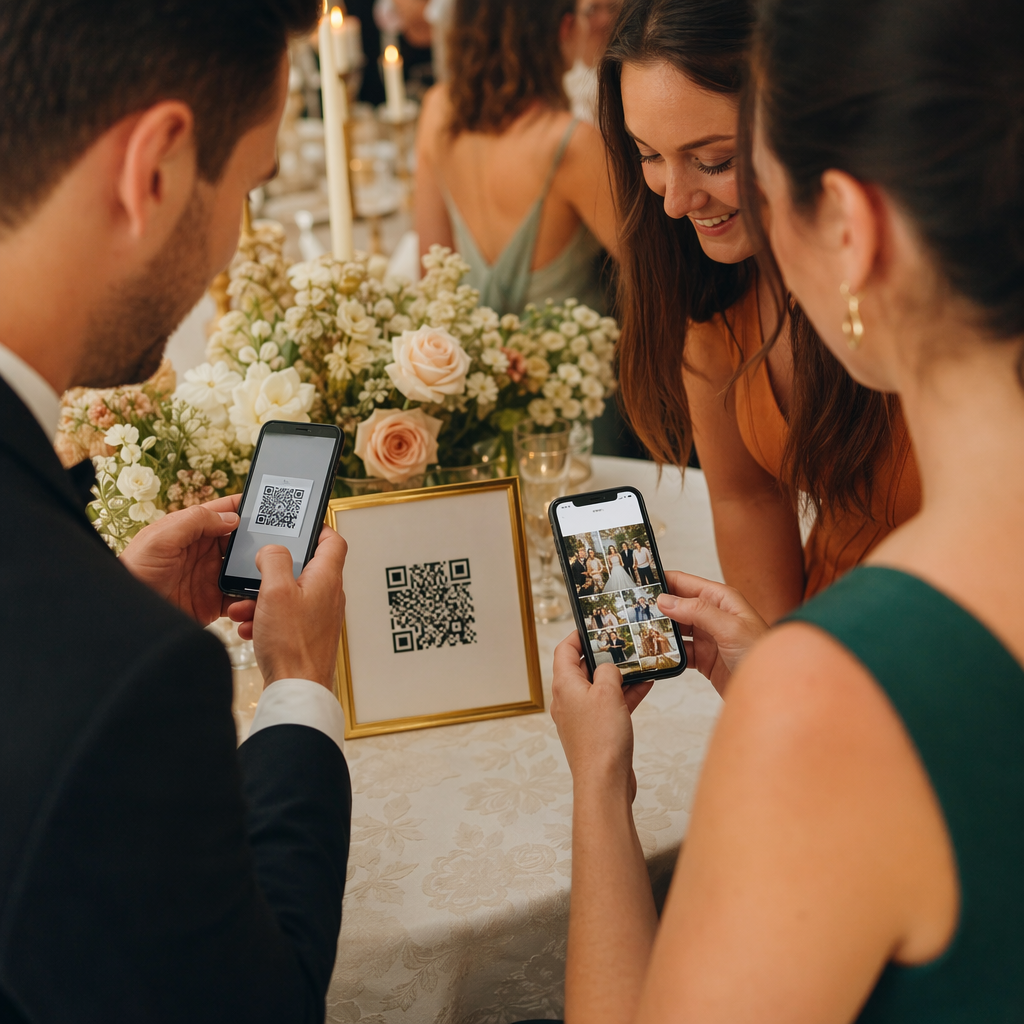
QR kodi var savienot apmeklētājus ar kopīgu fotoattēlu galeriju, zīmola tēmtura lapu vai augšupielādes portālu, lai viesi varētu ieguldīt un skatīt pasākuma fotoattēlus reāllaikā. Tas rada dalības cilpu, kas paplašina pasākuma pieredzi ārpus fiziskās norises vietas. Praktisku iestatīšanas rokasgrāmatu skatiet kā izmantot QR kodu fotoattēlu koplietošanai.
Pēcpasākuma aptaujas un turpmākie pasākumi
Pētījumi liecina, ka 41% organizatoru izmanto pēcpasākuma aptaujas, lai novērtētu IA, un 40% paļaujas uz sociālo mediju iesaisti. QR kods uz nozīmītes, izdales materiāla vai izejas zīmes, kas norāda uz atsauksmju veidlapu, atvieglo apmeklētājiem atbildēšanu, kamēr pasākums vēl ir svaigā atmiņā. Šīs veidlapas saistīšana ar Google veidlapu, izmantojot Pageloot ģeneratoru, nozīmē, ka atbildes plūst tieši izklājlapā, ko varat nekavējoties analizēt.
Kā izveidot pasākuma QR kodu ar Pageloot
Process aizņem dažas minūtes un neprasa tehniskās prasmes.
- Atveriet ģeneratoru – Dodieties uz Pasākuma QR koda ģenerators un atlasiet “Izveidot QR kodu pasākumam.”
- Pievienojiet pasākuma informāciju – Ievadiet pasākuma lapas URL, virsrakstu, aprakstu un kontaktinformāciju. Pageloot izveido galveno lapu ap šo saturu.
- Noformējiet QR kodu – Pielāgojiet krāsas, formas un pievienojiet savu logotipu, lai tas atbilstu jūsu pasākuma zīmolam.
- Izvēlieties dinamisku, ja jums nepieciešama elastība – Dinamiskie kodi ļauj atjaunināt galamērķa saiti pēc drukāšanas. Tā ir pareizā izvēle jebkam, kas var mainīties pirms vai pasākuma laikā.
- Pārbaudiet kodu – Skenējiet to gan iOS, gan Android ierīcēs dažādos apgaismojuma apstākļos pirms izplatīšanas.
- Lejupielādējiet un izplatīt – Eksportējiet PNG, PDF vai SVG formātā un novietojiet to uz biļetēm, izkārtnēm, ielūgumiem vai digitālajiem materiāliem.
Statiskie pret dinamiskajiem QR kodiem pasākumiem
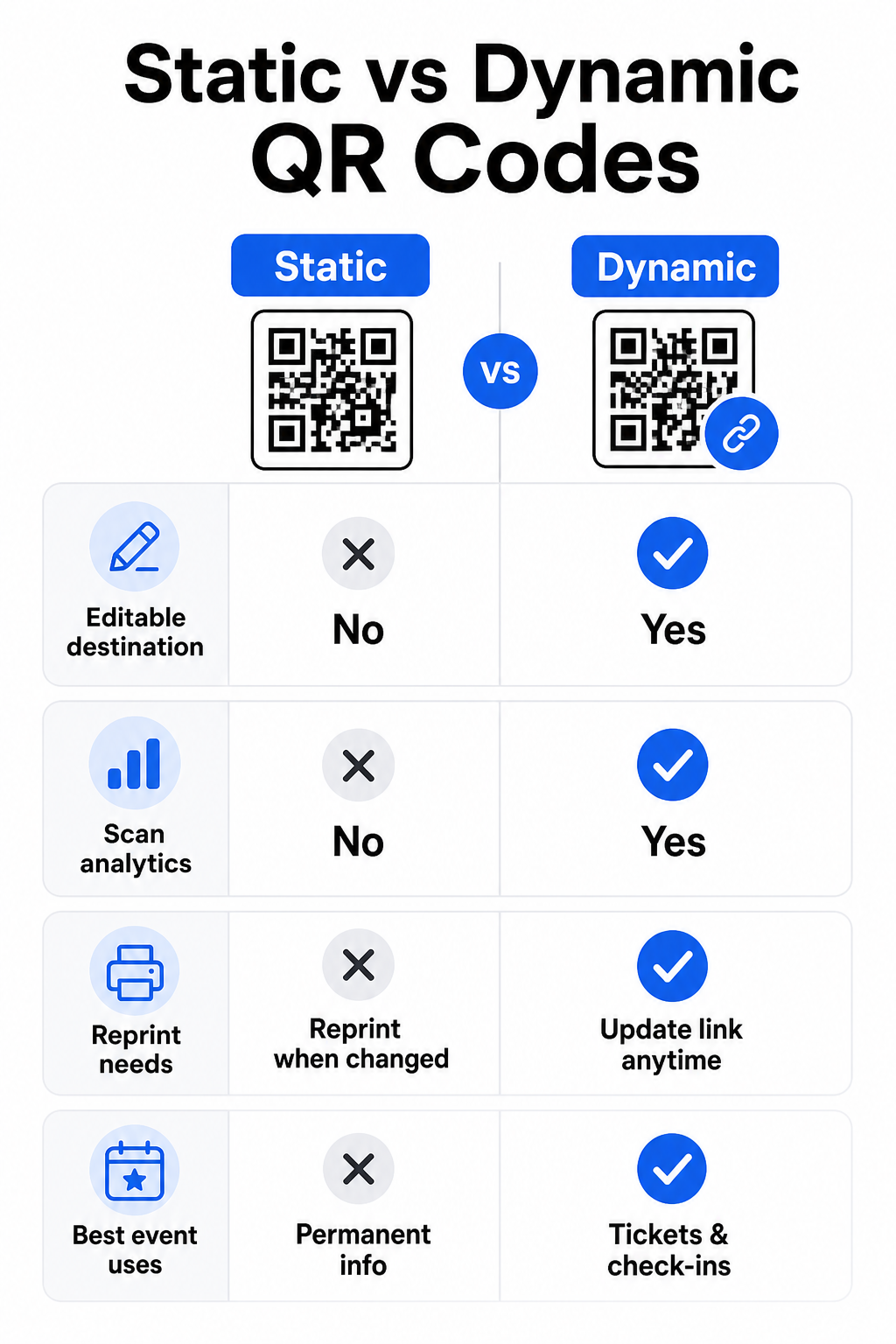
Izpratne par atšķirību starp statiskajiem un dinamiskajiem QR kodiem palīdz jums izdarīt pareizo izvēli katram lietošanas gadījumam.
| FUNKCIJA | Statiskais QR kods | Dinamiskais QR kods |
|---|---|---|
| Galamērķis rediģējams pēc drukāšanas | Nē | Jā |
| Skenēšanas analītika | Nē | Jā |
| Kods mainās, ja mainās galamērķis | Jā (nepieciešama atkārtota drukāšana) | Nē |
| Labākais priekš | Vienkāršas, pastāvīgas saites | Biļetes, grafiki, kampaņas |
| Izmaksas | Bezmaksas | Maksas abonements |
Lielākajai daļai pasākumu operāciju – īpaši biļešu tirdzniecībai, reģistrācijai un visam, kam varētu būt nepieciešama atjaunināšana – dinamiskie QR kodi ir labāka izvēle. Tie nodrošina arī skenēšanas analīzi, kas parāda, cik cilvēku skenēja, kad, ar kādu ierīci un no kuras vietas. Šis ceļvedis dinamisko QR kodu izveidei CRM reģistrācijai skaidro, kā savienot šos datus ar jūsu plašāko apmeklētāju pārvaldības darbplūsmu.
QR kodu izvietojums un izmēri pasākumiem
QR kods, ko nevar droši skenēt, zaudē savu jēgu. Šīs vadlīnijas atspoguļo lietojamības pētījumus un praktiskus pasākumu scenārijus.
Minimālie izmēri pēc materiāla veida:
- Drukāti ielūgumi: vismaz 1,5 × 1,5 collas
- Nozīmītes vai aproces: vismaz 1,5 collas kvadrātā
- Galda kartes vai vietu kartes: vismaz 1 × 1 collu (vēlams 1,5 collas)
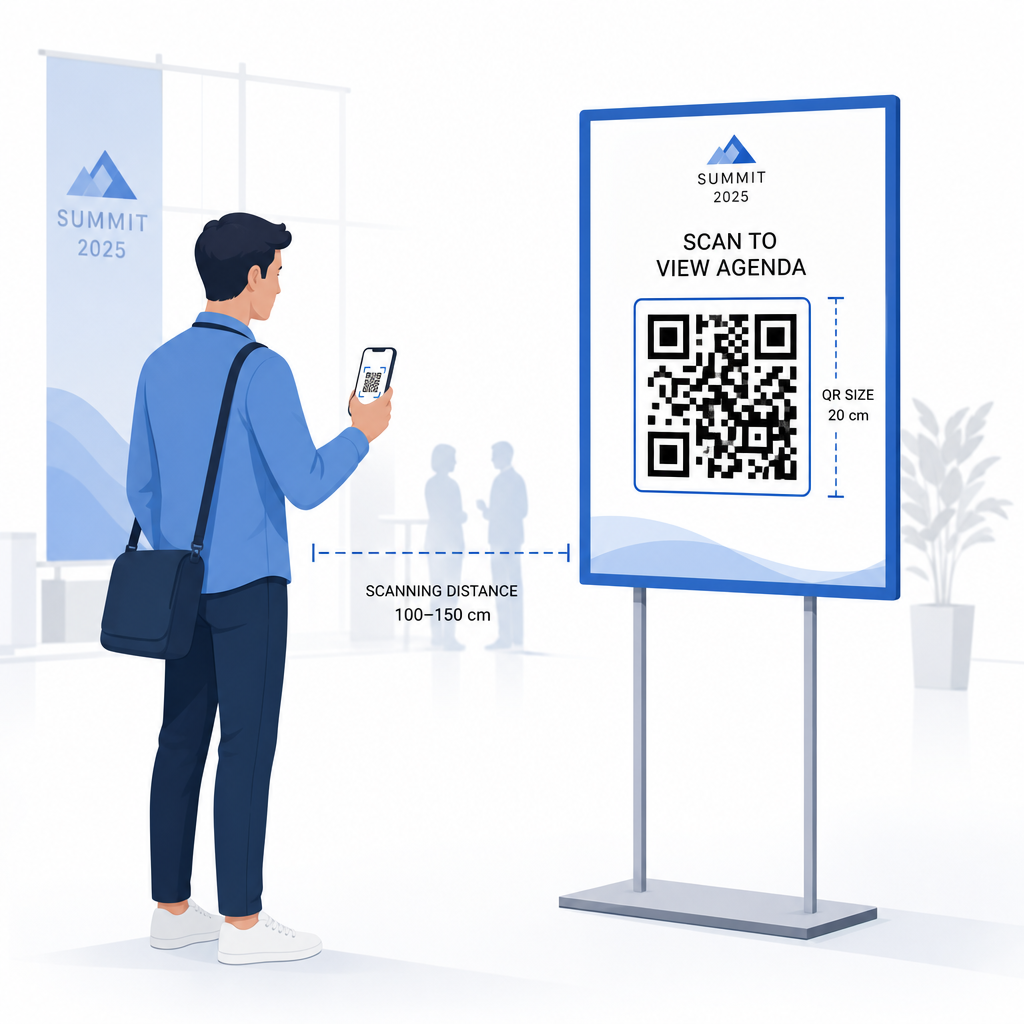
- Pasākumu izkārtnes: vismaz 5 × 5 collas, palielinot līdz 7 × 7 collām vietām, kas platākas par 30 pēdām
Noderīgs īkšķa likums: mazākajai QR koda dimensijai jābūt aptuveni vienai desmitdaļai no skenēšanas attāluma. Kods, kas skenēts no 3 pēdu attāluma, jābūt vismaz 3,6 collas platam.
Izvietojuma vadlīnijas:
- Novietojiet kodus acu vai krūšu augstumā – aptuveni 3 līdz 5 pēdas no grīdas – lai apmeklētāji varētu skenēt, neliecoties vai nesniedzoties
- Novietojiet kodus vietās, kur cilvēki dabiski apstājas vai gaida: ieejas, reģistrācijas galdi, galdi, pie displejiem un rindās
- Uzturiet augstu kontrastu: tumši moduļi uz gaiša fona skenē visdrošāk; izvairieties no apgrieztām vai zema kontrasta krāsu shēmām
- Saglabājiet klusā zona vismaz 4 moduļu tukšu vietu visās četrās koda pusēs; teksts vai grafika šajā malā izraisa skenēšanas kļūmes
- Pārbaudiet katru kodu tā galīgajā drukātajā izmērā, no paredzētā skenēšanas attāluma, gan iOS, gan Android ierīcēs, pirms pasākuma
Lai iegūtu papildu norādījumus, tā galīgo ceļvedi par QR kodiem pasākumu reģistrācijai ietver detalizētas tehniskās skenēšanas prasības un durvju darbības labāko praksi.
Pasākuma veiktspējas izsekošana ar QR analītiku
Viena no nepietiekami izmantotajām dinamisko QR kodu priekšrocībām ir to ģenerētie dati. Pageloot analītikas panelis reāllaikā fiksē skenēšanas skaitu, laika zīmogus, ierīču veidus un ģeogrāfiskās atrašanās vietas.
Pasākumu organizatoriem šie dati sniedz atbildes uz praktiskiem jautājumiem:
- Kuram ieejas punktam bija vislielākais skenēšanas apjoms un cikos?
- Vai apmeklētāji iesaistījās ar pasākuma programmu vai sponsoru saturu pasākuma laikā?
- Cik daudz cilvēku skenēja pēcpasākuma aptaujas kodu?
- Kurš reklāmas kanāls – drukāta skrejlapas, sociālo mediju ieraksts, e-pasts – nodrošināja visvairāk biļešu skenēšanas?
Šī informācija palīdz pieņemt lēmumus par personālu, palīdz identificēt vājās vietas un sniedz sponsoriem izmērāmu pierādījumu par auditorijas iesaisti. Lai iegūtu dziļāku ieskatu par pieejamajiem rīkiem, skatiet apkopojumu par labākos rīkus QR kodu pasākumu izsekošanai.
Skatiet, kurš skenē un kad Pageloot iebūvētā analītika sniedz jums reāllaika skenēšanas datus par visiem jūsu pasākuma QR kodiem vienā informācijas panelī. Sāciet ar Pasākuma QR koda ģenerators un rīkojiet savu nākamo pasākumu ar pilnu redzamību.
QR kodu skenēšana jūsu pasākumā
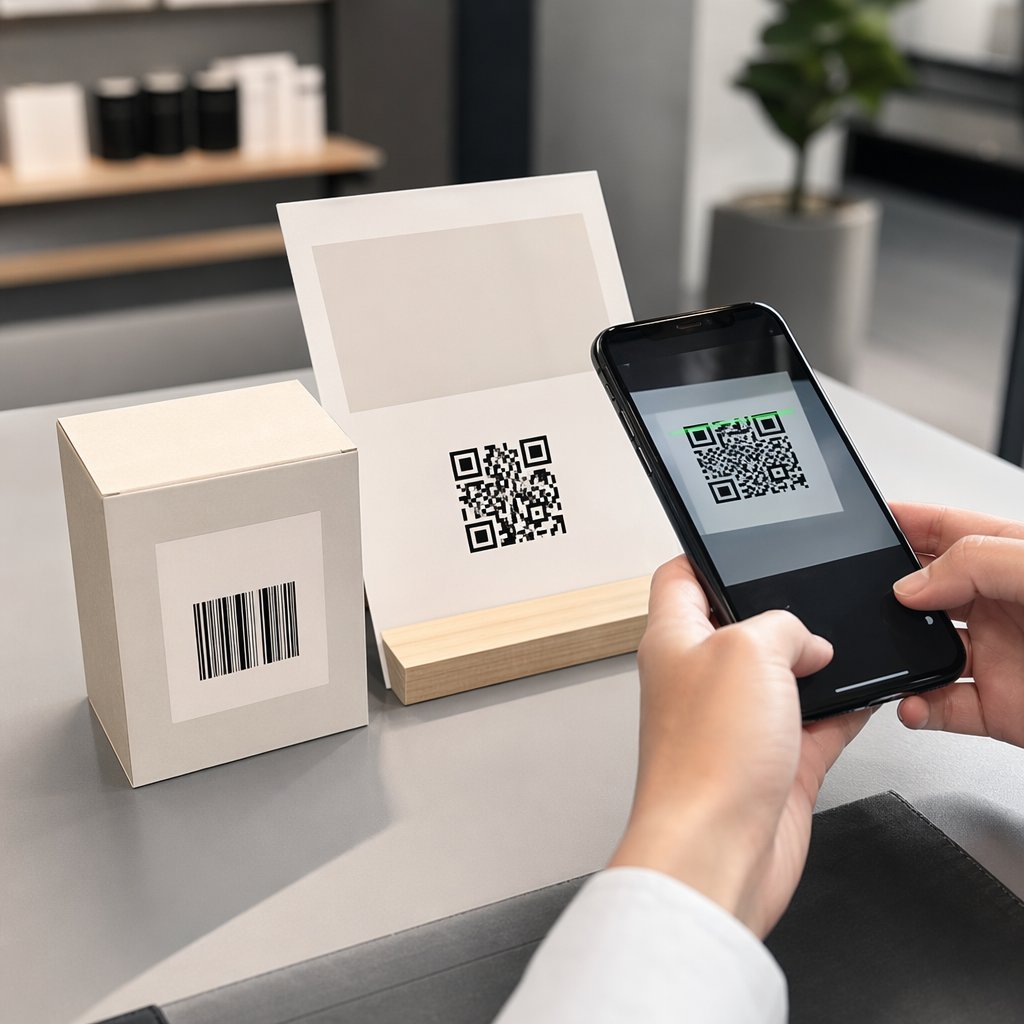
Ja jums nepieciešams skenēšanas risinājums personālam, lai apstiprinātu biļetes vai reģistrētu apmeklētājus, Pageloot Skenēt QR kodu tiešsaistē darbojas tieši pārlūkprogrammā – nav nepieciešama lietotnes lejupielāde. Personāls var skenēt no jebkura viedtālruņa vai planšetdatora, pavēršot kameru pret kodu vai augšupielādējot attēlu.
Lielākiem pasākumiem ar īpašām skenēšanas stacijām, iOS (iOS 11 un jaunākas versijas) un Android ierīču iebūvētās kameras skenē QR kodus bez jebkādas papildu lietotnes. Pārbaudiet savu skenēšanas iestatījumu faktiskajos apgaismojuma apstākļos jūsu norises vietā pirms pasākuma un apmāciet personālu turēt ierīci aptuveni 30 cm (apmēram 12 collas) attālumā no koda, lai nodrošinātu konsekventus nolasījumus.
Biežākās QR kodu problēmas pasākumos (un kā tās novērst)
Pat labi izstrādāti QR kodi nedarbojas, ja netiek ievēroti noteikti nosacījumi. Šeit ir visbiežāk sastopamās problēmas un to risinājumi:
- Kods ir pārāk mazs: Ievērojiet iepriekš minētos minimālos izmērus; šaubu gadījumā drukājiet lielākus
- Slikts kontrasts: Izmantojiet tumšus moduļus uz balta vai gaiša fona; izvairieties no kodu novietošanas uz tumšām vai rakstainām virsmām
- Spīdīgs materiāls: Matētas virsmas skenē uzticamāk, jo tās novērš atspīdumu; izvairieties no spīdīgiem nozīmīšu vai aproču materiāliem
- Bojāts kods: Fiziski skrāpējumi vai plīsumi bloķē skenēšanu; izmantojiet kļūdu labošanas iestatījumus, ģenerējot kodus fiziskiem materiāliem
- Nav klusās zonas: Pārbaudiet, vai nekas – teksts, apmales, attēli – neaizskar tukšo malu ap kodu
- Nepārbaudīts kods: Vienmēr skenējiet galīgo drukāto versiju vairākās ierīcēs pirms izplatīšanas lielā apjomā
Lai iegūtu papildu problēmu novēršanas informāciju par QR kodiem, kas drukāti tieši uz biļetēm, skatiet ceļvedi par QR kodiem uz biļetēm.
QR kodi nodrošina pasākumu organizatoriem tiešu saikni starp fiziskajiem saskares punktiem un digitālajām sistēmām – vai tā būtu biļetes apstiprināšana, apmeklējuma reģistrēšana, atsauksmju vākšana vai orientēšanās norises vietā. Galvenais ir izvēlēties dinamiskus kodus, kur elastība ir svarīga, noteikt to izmēru un novietojumu uzticamai skenēšanai, un izmantot analītiku, lai saprastu, kā apmeklētāji patiešām iesaistās.
Sāciet ar Pasākuma QR koda ģenerators lai izveidotu savu pirmo pasākuma QR kodu, vai izpētiet Apmeklētības QR kods rīku, lai izveidotu reģistrācijas sistēmu, kas automātiski reģistrē katru ierašanos.
Biežāk uzdotie jautājumi
Statisks QR kods ir ar fiksētu galamērķi, ko nevar mainīt pēc tā izveidošanas. Ja jūsu pasākuma detaļas mainās, jums ir jāpārprintē kods. Dinamisks QR kods ļauj jums atjaunināt galamērķa URL jebkurā laikā, nemainot pašu izdrukāto kodu. Dinamiskie kodi nodrošina arī skenēšanas analītiku – datus par to, kad, kur un cik bieži kods tiek skenēts – ko statiskie kodi nenodrošina. Lielākajai daļai pasākumu lietojumprogrammu, īpaši biļešu tirdzniecībai un grafikiem, dinamiskie kodi ir praktiskākā izvēle.
Atveriet Pageloot pasākumu QR kodu ģeneratoru un atlasiet opciju, lai izveidotu pasākuma QR kodu. Ievadiet savu pasākuma URL vai reģistrācijas saiti, pievienojiet pasākuma detaļas, piemēram, nosaukumu un aprakstu, pēc tam pielāgojiet koda dizainu ar savu zīmolu. Lejupielādējiet kodu un izplatīt to apmeklētājiem, izmantojot e-pastu, PDF vai drukātu biļeti. Pasākumā personāls skenē katra apmeklētāja kodu, izmantojot viedtālruņa kameru vai Pageloot QR kodu skeneri, lai atzīmētu viņus kā reģistrētus.
Standarta pasākumu izkārtnēm ieteicams minimālais izmērs ir 5 × 5 collas. Lielākām norises vietām, kas platākas par 30 pēdām, palieliniet izmēru līdz vismaz 7 × 7 collām. Uzticams īkšķa likums ir, ka koda mazākajai dimensijai jābūt aptuveni vienai desmitdaļai no paredzētā skenēšanas attāluma – tātad kodam, kas skatīts no 5 pēdu attāluma, jābūt apmēram 6 collas platam. Vienmēr pārbaudiet drukāto kodu faktiskajā skenēšanas attālumā pirms pasākuma.