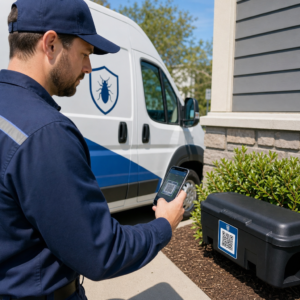
Adakah anda tidak pasti sama ada perniagaan anda diwajibkan secara sah untuk menjadikan kod QR boleh diakses di bawah ADA? Kesilapan ini boleh mendedahkan organisasi anda kepada risiko pematuhan dan mengecualikan pelanggan kurang upaya daripada kandungan yang mereka berhak akses. Panduan ini menghuraikan sektor mana yang mempunyai kewajipan undang-undang yang paling jelas dan piawaian kebolehcapaian apa yang terpakai apabila kod QR adalah sebahagian daripada komunikasi berhadapan pelanggan anda.
Realiti Undang-undang Teras: Tiada Undang-undang Mewajibkan Kod QR, Tetapi Undang-undang Kebolehcapaian Masih Terpakai
Sebelum menyelami industri tertentu, satu penjelasan penting: tiada peruntukan Akta Orang Kurang Upaya Amerika secara khusus mewajibkan mana-mana perniagaan atau agensi menggunakan kod QR. ADA memberi tumpuan kepada memastikan komunikasi yang berkesan dan sama rata dengan orang kurang upaya – tanpa mengira teknologi mana yang anda pilih untuk menyampaikan komunikasi tersebut.
Implikasi kritikalnya ialah: sebaik sahaja anda memilih untuk menggunakan kod QR sebagai sebahagian daripada komunikasi berhadapan pelanggan anda, kewajipan kebolehcapaian akan menyusul. Jika kod QR anda adalah kaedah utama atau satu-satunya untuk mengakses maklumat penting, ia mesti boleh digunakan oleh semua orang – termasuk orang yang mengalami masalah penglihatan, mobiliti terhad, atau kecacatan lain.
Fikirkannya begini: anda tidak diwajibkan untuk memasang tanjakan, tetapi jika bangunan anda mempunyai tangga yang mesti digunakan oleh pelanggan untuk mengakses perkhidmatan anda, piawaian ADA mengawal cara tanjakan itu mesti dibina. Begitu juga, jika kod QR adalah cara anda menyampaikan menu, borang, atau maklumat awam yang kritikal, maka kod QR itu dan kandungan yang dipautkannya mesti boleh diakses.
Tajuk II: Organisasi Kerajaan dan Sektor Awam
Kerajaan negeri dan tempatan memikul beberapa kewajipan kebolehcapaian digital yang paling jelas dan didokumenkan dengan baik di bawah ADA. Tajuk II ADA menghendaki semua entiti kerajaan negeri dan tempatan berkomunikasi dengan orang kurang upaya dengan berkesan seperti mereka berkomunikasi dengan orang lain. Ini meliputi setiap peringkat operasi kerajaan – jabatan polis, mahkamah, perkhidmatan pengundian, sekolah awam, kolej komuniti, perpustakaan awam, daerah air, dan daerah tujuan khas lain.
Pada tahun 2024, Jabatan Kehakiman A.S. memuktamadkan peraturan di bawah Tajuk II yang menetapkan WCAG 2.1 Tahap AA sebagai piawaian teknikal untuk kandungan web dan aplikasi mudah alih kerajaan negeri dan tempatan. Ini bermakna apabila agensi kerajaan meletakkan kod QR pada dokumen awam, papan tanda, atau lokasi fizikal, kandungan digital yang dipautkan oleh kod QR itu mesti mematuhi kriteria kejayaan WCAG 2.1 Tahap A dan Tahap AA.
Garis panduan persekutuan juga menjelaskan bahawa kod QR yang digunakan dalam penerbitan persekutuan dijangka memenuhi Seksyen 508 Akta Pemulihan, yang menganggap kod QR sebagai satu bentuk Teknologi Maklumat dan Komunikasi (ICT). Di bawah Seksyen 508, kod QR dalam dokumen digital mesti dianggap sebagai imej yang memerlukan teks alt deskriptif dan sebagai pautan yang memerlukan alternatif teks yang boleh diakses – supaya pengguna yang tidak dapat mengimbas kod tersebut masih boleh mencapai maklumat yang sama.
Keperluan praktikal untuk penggunaan kod QR kerajaan termasuk:
- Teks boleh diakses bersebelahan: Sediakan URL destinasi atau alternatif taipan ringkas di sebelah setiap kod QR supaya pengguna yang tidak dapat mengimbasnya masih boleh mengakses kandungan tersebut
- Teks alt deskriptif: Dalam dokumen digital, teks alt mesti menerangkan fungsi kod QR (cth., “Kod QR yang memaut ke aplikasi permit letak kereta boleh diakses bandar”), bukan hanya penampilannya
- Penempatan fizikal: Kod QR bercetak hendaklah diletakkan di mana orang yang menggunakan kerusi roda boleh mengimbasnya dengan selesa – garis panduan mengesyorkan ketinggian antara 3.5 hingga 4.5 kaki
- Kandungan destinasi boleh diakses: Halaman web atau dokumen yang dicapai melalui kod QR itu sendiri mesti memenuhi WCAG 2.1 Tahap AA
Untuk panduan penempatan terperinci khusus untuk kegunaan kerajaan, lihat panduan kami mengenai penempatan kod QR terbaik untuk agensi kerajaan.
Pastikan Kod QR Kerajaan Dikemas Kini Tanpa Mencetak Semula Perlu mengemas kini URL destinasi pada papan tanda kerajaan yang dipaparkan tanpa menggantikan bahan fizikal? Gunakan Penjana dynamic QR code untuk menukar kandungan yang dipautkan pada bila-bila masa – tiada pencetakan semula diperlukan.
Tajuk III: Perniagaan dan Organisasi Terbuka kepada Awam
Perniagaan swasta dan organisasi bukan untung yang berkhidmat kepada awam dilindungi oleh Tajuk III ADA, yang mentakrifkan ini sebagai “kemudahan awam.” Senarai entiti yang dilindungi adalah luas dan merangkumi hampir setiap jenis perniagaan yang berhadapan dengan pelanggan. Di bawah Tajuk III, organisasi-organisasi ini mesti menyediakan komunikasi berkesan untuk pelanggan dengan ketidakupayaan penglihatan, pendengaran, dan pertuturan, termasuk melalui alat bantu dan perkhidmatan apabila perlu.
Kategori-kategori berikut dikenal pasti secara eksplisit sebagai kemudahan awam di bawah ADA:
| kategori | Contoh |
|---|---|
| Tempat penginapan | Hotel, motel, rumah tumpangan |
| Premis makanan dan minuman | Restoran, bar |
| Tempat hiburan | Panggung wayang, stadium, dewan konsert |
| Tempat perhimpunan awam | Pusat konvensyen, auditorium |
| Premis jualan dan sewaan | Kedai runcit, pusat beli-belah, kedai perkakasan |
| Premis perkhidmatan | Bank, farmasi, penyedia penjagaan kesihatan, pejabat undang-undang, hospital |
| Terminal pengangkutan | Stesen bas dan kereta api |
| Pameran atau koleksi awam | Muzium, perpustakaan, galeri |
| Rekreasi | Taman, zoo, taman hiburan |
| Institusi pendidikan | Tadika swasta hingga program siswazah |
| Perkhidmatan sosial | Pusat jagaan harian, pusat warga emas, tempat perlindungan gelandangan, bank makanan |
| Senaman dan rekreasi | Gim, spa kesihatan, lorong boling, padang golf |
Jika organisasi anda muncul dalam senarai ini dan anda menggunakan kod QR dalam mana-mana konteks berhadapan pelanggan – papan tanda, menu, paparan produk, terminal pembayaran, atau bahan maklumat – kewajipan komunikasi yang berkesan terpakai kepada pengalaman kod QR tersebut.
Penjagaan Kesihatan: Kewajipan yang Dipertingkatkan dan Pertaruhan Praktikal
Hospital, klinik, farmasi, dan penyedia penjagaan kesihatan swasta muncul di bawah Tajuk III sebagai pertubuhan perkhidmatan. Tetapi organisasi penjagaan kesihatan sering beroperasi di bawah piawaian privasi dan maklumat tambahan yang menjadikan komunikasi yang boleh diakses amat penting.
Apabila kod QR memautkan kepada arahan discaj, maklumat ubat, penjadualan temu janji, atau borang pesakit, akibat ketidakaksesan bukan sahaja undang-undang – ia adalah klinikal. Pesakit dengan penglihatan rendah yang tidak dapat mengakses arahan dos kerana kod QR tidak mempunyai pilihan sandaran menghadapi risiko kesihatan yang bermakna.
Kod QR dalam tetapan penjagaan kesihatan harus sentiasa disertakan dengan alternatif yang boleh diakses seperti edaran cetakan besar, penjelasan audio, atau bantuan kakitangan. Bagi kemudahan kesihatan awam yang juga entiti kerajaan, kewajipan Tajuk II terpakai di samping keperluan komunikasi penjagaan kesihatan standard.
Terokai bagaimana kod QR digunakan di hospital dan tetapan penjagaan kesihatan untuk contoh pelaksanaan praktikal.
Hospitaliti: Menu, Daftar Masuk, dan Perkhidmatan Tetamu
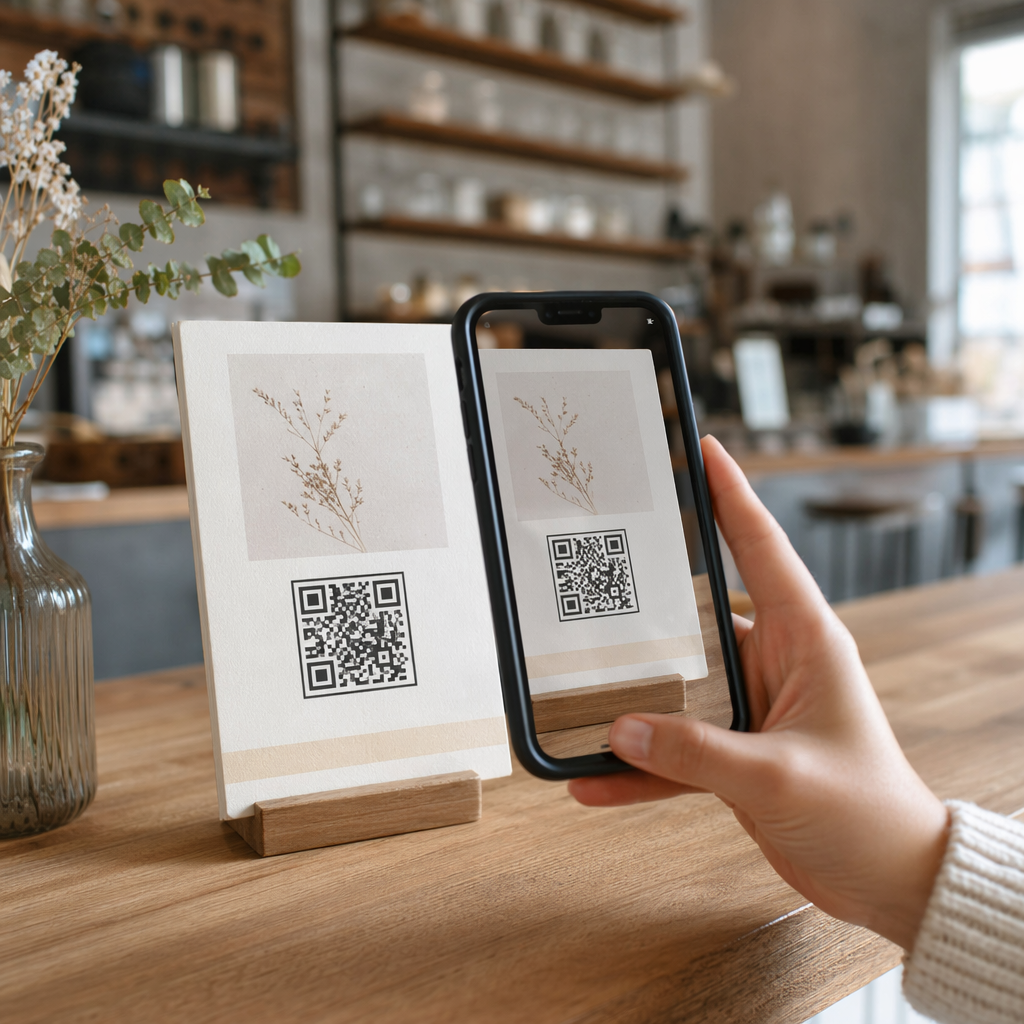
Industri hospitaliti – hotel, restoran, dan bar – telah mengguna pakai kod QR pada kadar yang luar biasa, terutamanya untuk menu digital. Oleh kerana restoran dan hotel secara jelas disenaraikan sebagai penginapan awam di bawah Tajuk III, setiap pengalaman tetamu yang disampaikan melalui QR membawa kewajipan komunikasi yang berkesan.
Restoran yang hanya bergantung pada menu kod QR mesti memastikan menu tersebut boleh diakses oleh tetamu dengan masalah penglihatan. Ini bermakna halaman pendaratan yang dipautkan oleh kod QR harus serasi dengan pembaca skrin, menggunakan kontras warna yang mencukupi, dan mempunyai struktur tajuk yang logik. Tetamu yang tidak dapat menggunakan kod QR – sama ada disebabkan masalah penglihatan, ketidakbiasaan dengan telefon pintar, atau batasan motor – mesti mempunyai cara alternatif untuk mengakses maklumat yang sama.
Untuk pelaksanaan menu yang boleh diakses, yang Penjana menu QR untuk kedai makan membolehkan anda memautkan ke menu digital yang boleh anda kemas kini serta-merta tanpa mencetak semula bahan fizikal – berguna apabila ketersediaan item berubah atau apabila anda perlu mengemas kini halaman yang dipautkan untuk meningkatkan kebolehcapaian.
Untuk panduan tentang menjadikan pembayaran kod QR boleh diakses dalam tetapan hospitaliti dan runcit, lihat artikel kami mengenai amalan terbaik kebolehcapaian pembayaran kod QR.
Pendidikan: Sekolah Awam dan Swasta
Institusi pendidikan merangkumi kedua-dua Tajuk II dan Tajuk III bergantung kepada sama ada ia dikendalikan secara awam atau swasta. Sekolah K–12 awam, kolej komuniti, dan universiti negeri termasuk di bawah Tajuk II, termasuk peraturan DOJ yang memerlukan pematuhan WCAG 2.1 Tahap AA untuk kandungan web dan aplikasi mudah alih. Sekolah swasta di semua peringkat dilindungi oleh Tajuk III sebagai penginapan awam.
Dalam kedua-dua kes, apabila sekolah menggunakan kod QR untuk mengedarkan bahan kursus, maklumat acara, borang, atau sumber pembelajaran, bahan-bahan tersebut mestilah boleh diakses. Pelajar yang mempunyai masalah penglihatan mestilah dapat mengakses kandungan yang sama seperti rakan sebaya mereka. Dalam praktiknya, ini bermakna:
- PDF yang dipautkan mestilah ditag dan serasi dengan pembaca skrin
- Kandungan web yang dicapai melalui kod QR mestilah memenuhi piawaian WCAG
- Penempatan kod QR fizikal di bilik darjah atau koridor mestilah pada ketinggian yang boleh diakses oleh pelajar yang menggunakan kerusi roda
Lihat bagaimana kod QR digunakan di sekolah dan pendidikan untuk idea kes penggunaan tertentu, dan terokai Cara buat QR code untuk dokumen PDF untuk mengedarkan dokumen kursus yang boleh diakses.
Runcit: Kedai, Pembungkusan, dan Paparan Dalam Kedai
Kedai runcit, pusat membeli-belah, dan kedai runcit disenaraikan sebagai kemudahan awam di bawah Tajuk III. Apabila kod QR menjadi lebih biasa pada pembungkusan produk, paparan rak, dan kawasan pembayaran, organisasi runcit menghadapi pendedahan yang semakin meningkat kepada kewajipan komunikasi yang berkesan.
Kod QR pada label produk yang memautkan kepada arahan penggunaan, senarai ramuan, atau maklumat waranti mestilah boleh digunakan oleh pelanggan yang mempunyai masalah penglihatan. Jika kod tersebut adalah cara utama untuk mengakses maklumat itu – dan tiada alternatif yang setara disediakan – peruncit mungkin tidak memenuhi kewajipan komunikasi yang berkesan.
Pertimbangan kebolehcapaian utama untuk penggunaan QR runcit termasuk:
- Menyediakan URL yang ditaip atau setara bercetak bersama kod QR pada pembungkusan
- Memastikan halaman maklumat produk yang dipautkan dari kod QR memenuhi piawaian kontras dan navigasi WCAG
- Meletakkan kod QR dalam kedai pada ketinggian dan kedudukan yang boleh diakses oleh pengguna kerusi roda
Untuk strategi penempatan, lihat panduan kami mengenai penempatan kod QR terbaik untuk kedai runcit.
Piawaian Teknikal Yang Berkenaan Merentasi Industri
Tidak kira sektor mana anda beroperasi, piawaian kebolehcapaian teras yang sama terpakai apabila anda menggunakan kod QR. Ini berasal daripada panduan WCAG 2.1 dan Seksyen 508, dan ia meliputi kedua-dua kod QR fizikal itu sendiri dan kandungan digital yang dipautkannya.
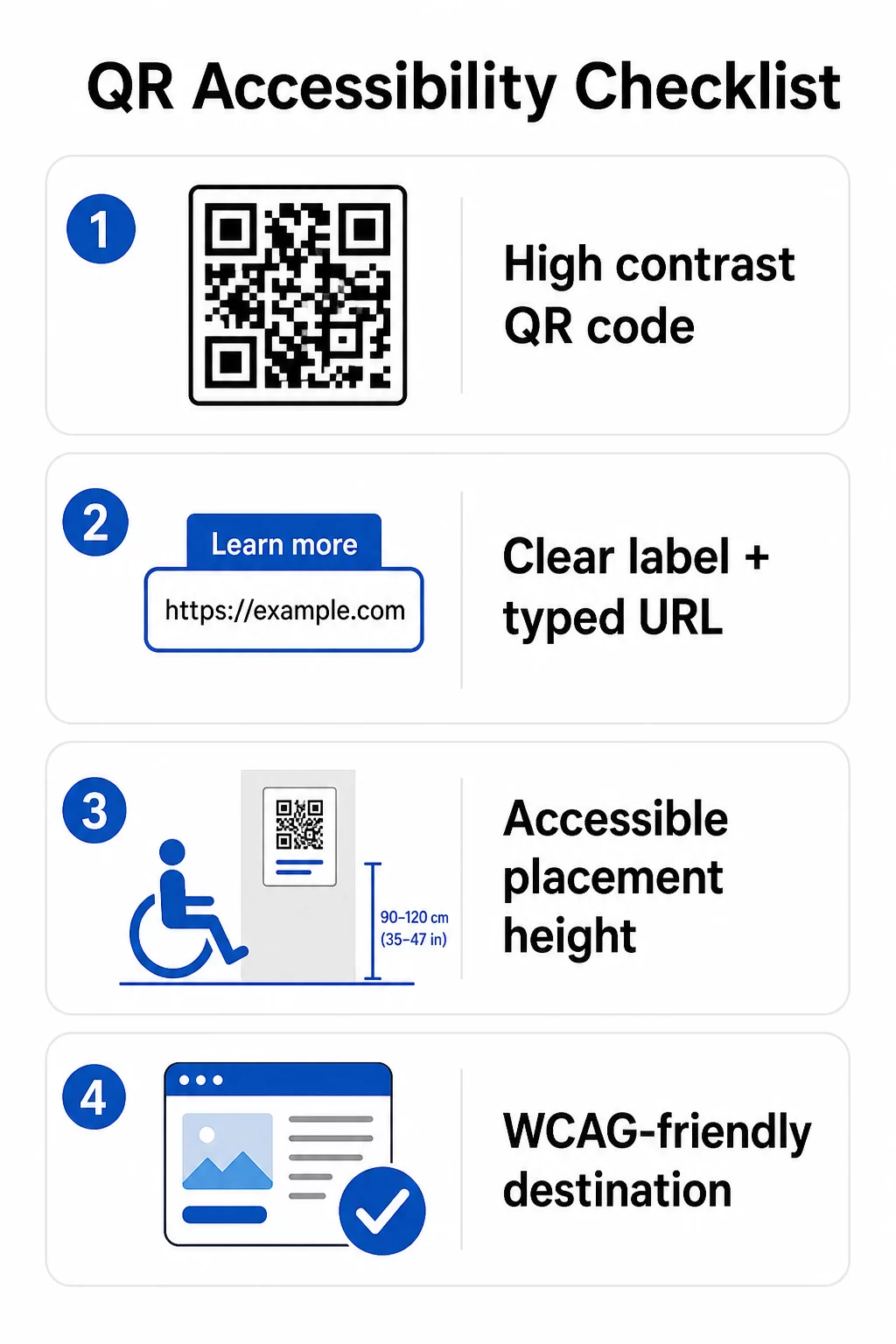
Untuk kod QR fizikal:
- Gunakan latar depan gelap pada latar belakang cerah, menyasarkan nisbah kontras sekurang-kurangnya 4.5:1 untuk kebolehcapaian penuh
- Cetak kod pada saiz minimum 1 inci × 1 inci, dan ikuti peraturan 10:1 untuk jarak imbasan (lebar kod 1 inci bagi setiap 10 inci jarak tontonan yang dijangkakan)
- Letakkan kod bercetak antara 3.5 dan 4.5 kaki dari lantai supaya pengguna kerusi roda boleh mencapainya dengan selesa
- Tambah label yang jelas atau seruan tindakan berdekatan supaya pengguna memahami fungsi kod sebelum mengimbas
- Sediakan URL teks bersebelahan atau alternatif yang setara supaya pengguna yang tidak dapat mengimbas kod QR masih boleh mengakses kandungan
Untuk kandungan digital yang dipautkan:
- Halaman web destinasi mesti memenuhi kriteria kejayaan WCAG 2.1 Tahap A dan AA
- Dalam dokumen digital, kod QR memerlukan teks alt deskriptif yang menerangkan tujuan kod – bukan penampilan visualnya (Kriteria Kejayaan WCAG 1.1.1)
- Kontras bukan teks modul kod QR terhadap latar belakangnya mesti memenuhi nisbah sekurang-kurangnya 3:1 (Kriteria Kejayaan WCAG 1.4.11)
- Jika kod QR berfungsi sebagai pautan, teks alt mesti menerangkan ke mana ia menuju (Kriteria Kejayaan WCAG 2.4.4)
Untuk senarai semak pelaksanaan yang lengkap, lihat panduan kami tentang cara menjadikan kod QR patuh ADA dan lebih luas kami amalan terbaik kebolehgunaan kod QR.
Anda juga boleh meneroka kod QR diaktifkan suara dan isyarat sentuhan sebagai strategi lanjutan untuk melayani pengguna cacat penglihatan – terutamanya relevan untuk penggunaan dalam penjagaan kesihatan, pendidikan, dan kerajaan.
Cipta Kod QR Boleh Diakses Sejak Awal Menggunakan Penjana Kod QR untuk membina kod QR berkontras tinggi, bersaiz sesuai dengan label dan penjenamaan yang jelas – kemudian pautkannya ke kandungan boleh diakses yang memenuhi piawaian WCAG.
Mengapa Kod QR Boleh Diakses Adalah Amalan Baik Melangkaui Pematuhan Undang-undang
Selain daripada kewajipan undang-undang, menjadikan kod QR boleh diakses meluaskan khalayak yang boleh berinteraksi dengan kandungan anda. Kod QR yang tidak boleh diakses bukan sahaja menimbulkan pendedahan undang-undang – ia mewujudkan jurang dalam pengalaman pelanggan anda. Seorang tetamu di restoran yang tidak dapat membaca menu QR, seorang pesakit yang tidak dapat mengakses arahan ubat, atau seorang pelajar yang tidak dapat memuat turun bahan kursus kerana PDF yang tidak boleh diakses, semuanya mewakili saat-saat di mana organisasi anda gagal berkomunikasi dengan berkesan.
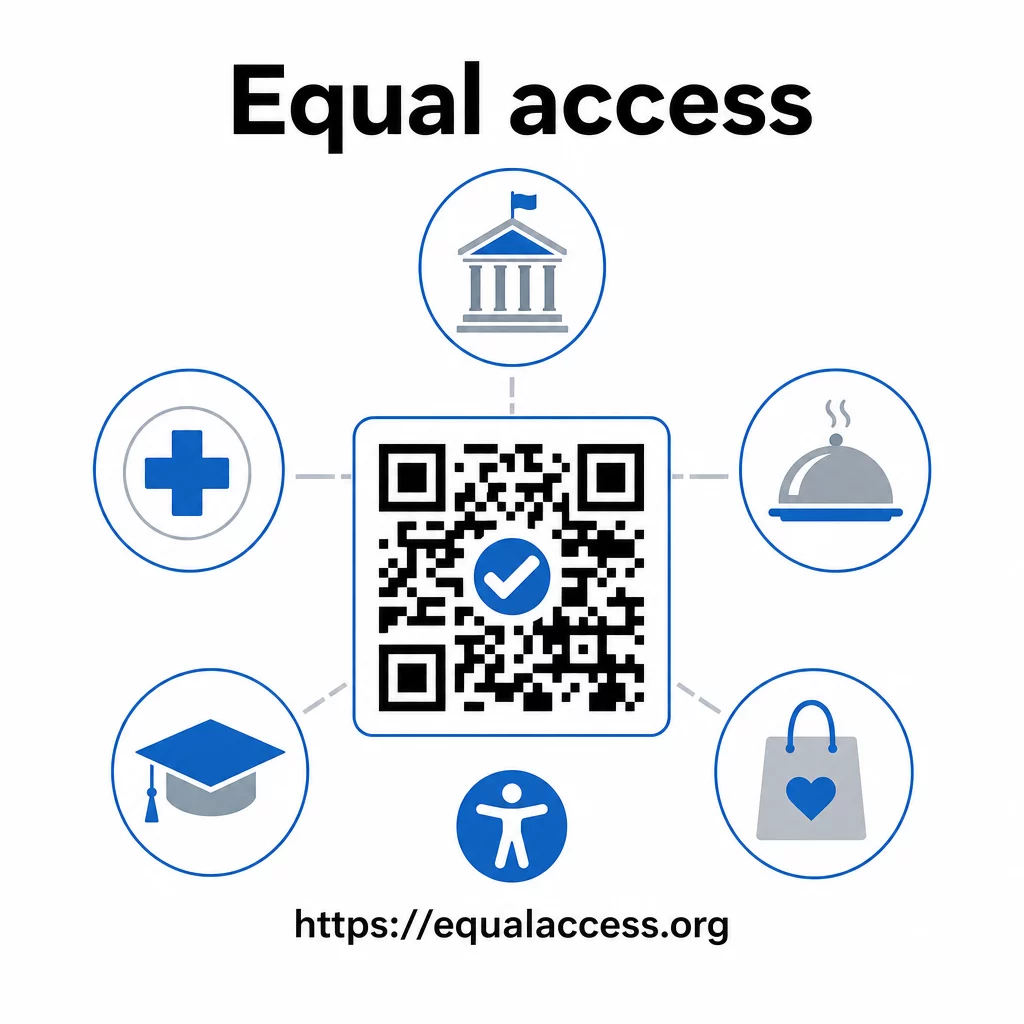
Amalan kod QR yang boleh diakses juga cenderung meningkatkan pengalaman untuk semua orang. Kontras yang mencukupi membantu kod mengimbas lebih cepat dalam pencahayaan yang kurang baik. Saiz yang sesuai membantu pengguna dari semua peringkat umur mengimbas dari jarak yang selesa. Label yang jelas mengurangkan kekeliruan bagi pengguna kod QR kali pertama. Penambahbaikan ini memberi manfaat kepada seluruh khalayak anda, bukan hanya pengguna kurang upaya.
Untuk melihat dengan lebih mendalam tentang kontras, saiz, kebolehbacaan, dan penempatan, terokai panduan kami mengenai amalan terbaik kebolehbacaan kod QR dan amalan terbaik kontras warna kod QR.
Kewajipan kebolehcapaian terpakai secara meluas merentasi kerajaan, penjagaan kesihatan, pendidikan, hospitaliti, dan runcit – dan piawaian teknikal yang sama mengawal kesemuanya. Titik permulaan praktikal adalah mudah: jika kod QR adalah cara anda menyampaikan maklumat penting, komunikasi itu mestilah boleh diakses. Gunakan kod QR dinamik supaya anda boleh mengemas kini kandungan yang dipautkan untuk mengekalkan pematuhan tanpa mencetak semula, dan meneroka pelbagai jenis penyelesaian kod QR khusus industri untuk mencari pelaksanaan yang sesuai untuk sektor anda.
Soalan lazim
Tiada undang-undang secara khusus mewajibkan perniagaan menggunakan kod QR. Walau bagaimanapun, jika anda memilih untuk menggunakan kod QR sebagai sebahagian daripada komunikasi berhadapan pelanggan anda, keperluan komunikasi berkesan ADA terpakai. Jika kod QR adalah cara utama atau satu-satunya cara pelanggan boleh mengakses maklumat, pengalaman itu mestilah boleh diakses oleh orang kurang upaya – termasuk mereka yang cacat penglihatan atau mobiliti terhad.
Agensi kerajaan negeri dan tempatan menghadapi kewajipan paling jelas di bawah Tajuk II ADA dan peraturan akhir DOJ 2024, yang memerlukan pematuhan WCAG 2.1 Tahap AA untuk kandungan web dan aplikasi mudah alih. Perniagaan swasta yang dibuka kepada umum – termasuk restoran, hotel, hospital, kedai runcit, sekolah swasta, bank, dan gim – dilindungi di bawah Tajuk III dan mesti menyediakan komunikasi berkesan melalui bantuan dan perkhidmatan tambahan. Agensi persekutuan juga dikawal oleh Seksyen 508 Akta Pemulihan.
Tiada senarai semak tunggal yang diwajibkan oleh ADA khusus untuk kod QR, tetapi amalan terbaik yang diambil daripada panduan WCAG 2.1 dan Seksyen 508 termasuk: menggunakan latar depan gelap pada latar belakang cerah dengan nisbah kontras sekurang-kurangnya 4.5:1; mencetak kod pada saiz minimum 1 inci × 1 inci; meletakkan kod fizikal pada ketinggian yang boleh diakses (3.5–4.5 kaki dari lantai); menyediakan URL teks berdekatan sebagai alternatif untuk pengguna yang tidak dapat mengimbas; menambah teks alt deskriptif dalam dokumen digital; dan memastikan kandungan destinasi memenuhi piawaian WCAG 2.1 Tahap AA.