Kas te pole kindel, kas teie ettevõttel on ADA alusel juriidiline kohustus muuta QR-koodid ligipääsetavaks? Selle vea tegemine võib teie organisatsiooni kokku puutuda vastavusriskiga ja välistada puuetega kliendid sisust, millele neil on õigus ligi pääseda. See juhend selgitab, millistel sektoritel on kõige selgemad juriidilised kohustused ja millised ligipääsetavuse standardid kehtivad, kui QR-koodid on osa teie kliendisuhtlusest.
Peamine juriidiline reaalsus: ükski seadus ei nõua QR-koode, kuid ligipääsetavuse seadused kehtivad siiski
Enne konkreetsetesse tööstusharudesse süvenemist üks oluline selgitus: ükski Ameeriklaste Puuetega Inimeste Seaduse (ADA) säte ei nõua konkreetselt, et ükski ettevõte või asutus kasutaks QR-koode. ADA keskendub tõhusa ja võrdse suhtluse tagamisele puuetega inimestega – olenemata sellest, millise tehnoloogia te selle suhtluse edastamiseks valite.
Kriitiline järeldus on järgmine: kui otsustate kasutada QR-koodi oma kliendisuhtluse osana, kaasnevad sellega ligipääsetavuse kohustused. Kui teie QR-kood on peamine või ainus viis olulisele teabele juurdepääsuks, peab see olema kasutatav kõigile – sealhulgas nägemispuudega, piiratud liikumisvõimega või muude puuetega inimestele.
Mõelge sellele nii: teilt ei nõuta kaldtee paigaldamist, kuid kui teie hoones on trepid, mida kliendid peavad teie teenustele juurdepääsuks kasutama, reguleerivad ADA standardid, kuidas see kaldtee peab olema ehitatud. Samamoodi, kui QR-kood on viis, kuidas te edastate menüüd, vormi või kriitilist avalikku teavet, siis peavad see QR-kood ja sisu, millele see viitab, olema ligipääsetavad.
II jaotis: Valitsus- ja avaliku sektori organisatsioonid
Osariigi ja kohalikel omavalitsustel on ADA alusel mõned kõige selgemad ja hästi dokumenteeritud digitaalse ligipääsetavuse kohustused. ADA II jaotis nõuab kõigilt osariigi ja kohalike omavalitsuste üksustelt suhelda puuetega inimestega sama tõhusalt kui nad suhtlevad teistega. See hõlmab kõiki valitsuse tegevuse tasandeid – politseiosakondi, kohtuid, valimisteenuseid, avalikke koole, kogukonna kolledžeid, avalikke raamatukogusid, veemajanduspiirkondi ja muid eriotstarbelisi piirkondi.
2024. aastal viis USA justiitsministeerium II jaotise alusel lõpule reegli, mis määrab WCAG 2.1 AA taseme tehniliseks standardiks osariigi ja kohalike omavalitsuste veebisisu ja mobiilirakenduste jaoks. See tähendab, et kui valitsusasutus paigutab QR-koodi avalikule dokumendile, sildile või füüsilisse asukohta, peab digitaalne sisu, millele see QR-kood viitab, vastama WCAG 2.1 A ja AA taseme edukriteeriumidele.
Föderaaljuhised teevad samuti selgeks, et föderaalväljaannetes kasutatavad QR-koodid peavad vastama Rehabilitatsiooniseaduse jaotis 508, mis käsitleb QR-koode info- ja kommunikatsioonitehnoloogia (IKT) vormina. Jaotise 508 kohaselt tuleb digitaaldokumendis olevat QR-koodi käsitleda nii pildina, mis nõuab kirjeldavat alternatiivteksti, kui ka lingina, mis nõuab ligipääsetavat tekstilist alternatiivi – nii et kasutajad, kes koodi skannida ei saa, pääsevad siiski samale teabele ligi.
Praktilised nõuded valitsuse QR-koodide kasutamisele hõlmavad:
- Kõrvalolev ligipääsetav tekst: Esitage iga QR-koodi kõrval siht-URL või lühike trükitud alternatiiv, et kasutajad, kes seda skannida ei saa, pääseksid sisule siiski ligi
- Kirjeldav alternatiivtekst: Digitaaldokumentides peab alternatiivtekst kirjeldama, mida QR-kood teeb (nt “QR-kood, mis lingib linna ligipääsetava parkimisloa taotlusele”), mitte ainult selle välimust
- Füüsiline paigutus: Trükitud QR-koodid tuleks paigutada nii, et ratastoolis inimesed saaksid neid mugavalt skannida – juhised soovitavad kõrgust 3,5 ja 4,5 jala vahel
- Ligipääsetav sihtsisu: QR-koodi kaudu avanev veebileht või dokument peab ise vastama WCAG 2.1 tasemele AA
Üksikasjaliku paigutusjuhise saamiseks, mis on spetsiifiline valitsuse kasutusele, vaadake meie juhendit teemal parimad QR-koodide paigutused valitsusasutustele.
Hoidke valitsuse QR-koodid ajakohasena ilma uuesti trükkimata Kas on vaja uuendada siht-URL-i postitatud valitsuse sildil ilma füüsilist materjali asendamata? Kasutage Dünaamilise QR koodi generaator muuta lingitud sisu igal ajal – uuesti printimine pole vajalik.
III jaotis: Avalikkusele avatud ettevõtted ja organisatsioonid
Eraettevõtted ja mittetulundusühingud, mis teenindavad avalikkust, on kaetud ADA III jaotisega, mis määratleb need kui “avalikud majutuskohad”. Kaetud üksuste loetelu on lai ja hõlmab peaaegu igat tüüpi klienditeenindusega ettevõtteid. III jaotise kohaselt peavad need organisatsioonid pakkuma tõhusat suhtlust nägemis-, kuulmis- ja kõnepuudega klientidele, sealhulgas vajaduse korral abivahendite ja teenuste kaudu.
Järgmised kategooriad on ADA kohaselt selgesõnaliselt määratletud avalike majutuskohtadena:
| Kategooria | Näited |
|---|---|
| Majutuskohad | Hotellid, motellid, võõrastemajad |
| Toidu- ja joogiasutused | Restoranid, baarid |
| Meelelahutuskohad | Teatrid, staadionid, kontserdisaalid |
| Avalikud kogunemiskohad | Konverentsikeskused, auditooriumid |
| Müügi- ja rendiasutused | Toidupoed, kaubanduskeskused, ehituspoed |
| Teenindusasutused | Pangad, apteegid, tervishoiuteenuse osutajad, advokaadibürood, haiglad |
| Transporditerminalid | Bussi- ja rongijaamad |
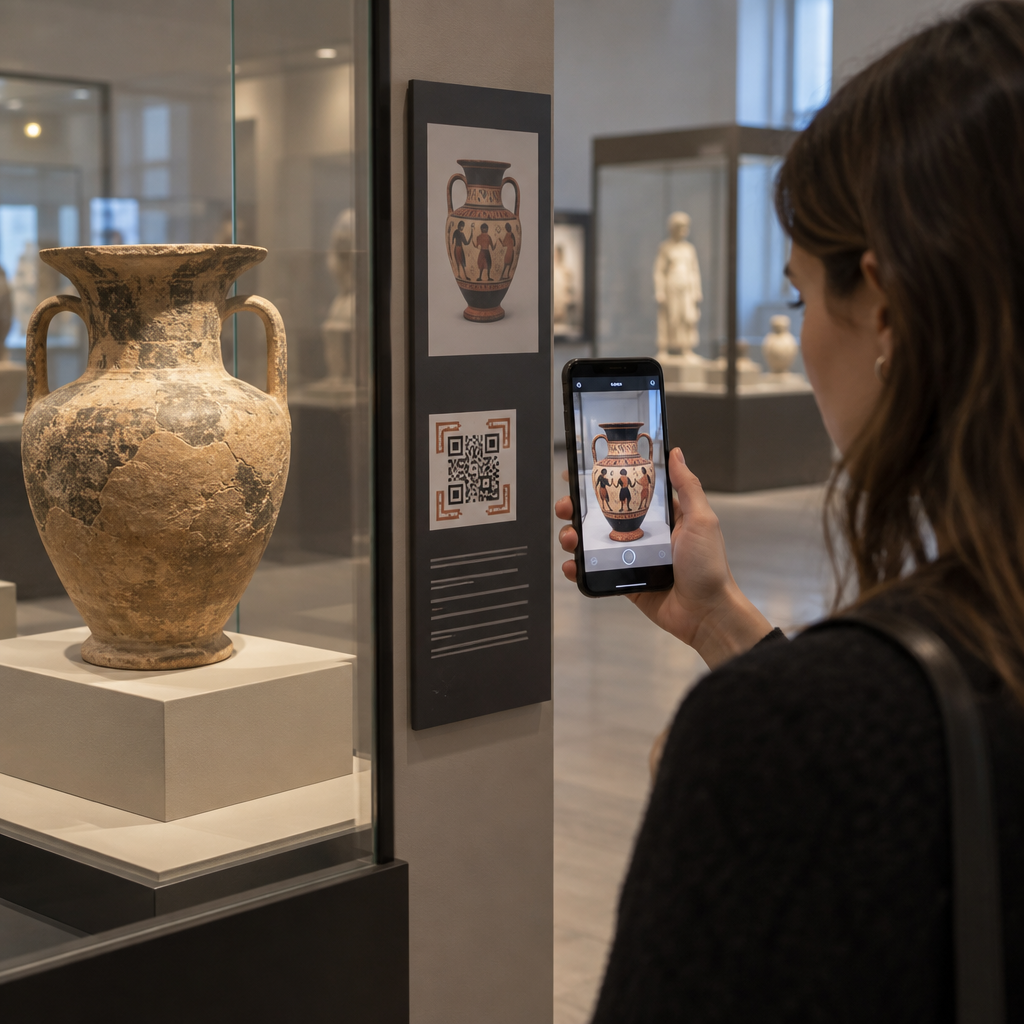
| Avalik väljapanek või kollektsioon | Muuseumid, raamatukogud, galeriid |
| Vaba aeg | Pargid, loomaaiad, lõbustuspargid |
| Haridusasutused | Eralasteaedadest kuni magistriõppeprogrammideni |
| Sotsiaalteenused | Lasteaiad, eakate keskused, kodutute varjupaigad, toidupangad |
| Treening ja vaba aeg | Spordisaalid, tervisespaad, keeglisaalid, golfiväljakud |
Kui teie organisatsioon on selles loendis ja te kasutate QR-koode mis tahes kliendisuhtluses – sildid, menüüd, tooteesitlused, makseterminalid või infomaterjalid – kehtivad sellele QR-koodi kogemusele tõhusa suhtluse kohustused.
Tervishoid: Suurenenud kohustused ja praktilised panused
Haiglad, kliinikud, apteegid ja erameditsiiniteenuste osutajad kuuluvad III jaotise alla teenindusasutustena. Kuid tervishoiuorganisatsioonid tegutsevad sageli täiendavate privaatsus- ja infostandardite alusel, mis muudavad ligipääsetava suhtluse eriti oluliseks.
Kui QR-kood lingib väljakirjutamise juhistele, ravimiteabele, aja broneerimisele või patsiendivormidele, ei ole ligipääsmatuse tagajärjed mitte ainult juriidilised – need on kliinilised. Nõrga nägemisega patsient, kes ei pääse annustamisjuhistele ligi, kuna QR-koodil puudub varuvariant, seisab silmitsi olulise terviseriskiga.
QR-koodidega tervishoiuasutustes peaksid alati kaasnema ligipääsetavad alternatiivid, nagu suure trükiga jaotusmaterjalid, heliselgitused või personali abi. Avaliku sektori tervishoiuasutuste puhul, mis on ühtlasi valitsusasutused, kehtivad II jaotise kohustused lisaks tavalistele tervishoiualastele suhtlusnõuetele.
Uurige, kuidas QR-koode kasutatakse haiglates ja tervishoiuasutustes praktiliste rakendusnäidete jaoks.
Hotellindus: Menüüd, sisseregistreerimine ja külalisteenused
Hotellindussektor – hotellid, restoranid ja baarid – on QR-koodid märkimisväärse kiirusega omaks võtnud, eriti digitaalsete menüüde puhul. Kuna restoranid ja hotellid on III jaotise alusel selgesõnaliselt loetletud avalike majutusasutustena, kaasneb iga QR-koodi kaudu pakutava külaliskogemusega tõhusa suhtluse kohustus.
Restoran, mis tugineb ainult QR-koodi menüüle, peab tagama, et see menüü on ligipääsetav nägemispuudega külalistele. See tähendab, et sihtleht, millele QR-kood lingib, peaks olema ekraanilugejatega ühilduv, kasutama piisavat värvikontrasti ja omama loogilist pealkirjastruktuuri. Külalistel, kes ei saa QR-koodi kasutada – olgu põhjuseks nägemispuue, nutitelefonide tundmatus või motoorsed piirangud – peab olema alternatiivne viis sama teabe saamiseks.
Ligipääsetava menüü rakendamiseks on QR menu: menüü QR-koodi generaator võimaldab teil linkida digitaalsele menüüle, mida saate koheselt uuendada ilma füüsilisi materjale uuesti trükkimata – kasulik, kui toodete saadavus muutub või kui teil on vaja lingitud lehte ligipääsetavuse parandamiseks uuendada.
Juhiste saamiseks QR-koodi maksete ligipääsetavaks muutmise kohta hotellinduses ja jaekaubanduses vaadake meie artiklit teemal QR-koodiga maksete juurdepääsetavuse parimaid tavasid.
Haridus: Avalikud ja erakoolid
Haridusasutused kuuluvad nii II kui ka III jaotise alla, sõltuvalt sellest, kas need on avalikult või eraviisiliselt hallatavad. Avalikud K–12 koolid, kogukonnakolledžid ja riiklikud ülikoolid kuuluvad II jaotise alla, sealhulgas DOJ reegel, mis nõuab veebisisu ja mobiilirakenduste puhul WCAG 2.1 taseme AA vastavust. Erakoolid kõigil tasanditel on kaetud III jaotisega kui avalikud majutusasutused.
Mõlemal juhul, kui koolid kasutavad QR-koode kursusematerjalide, sündmuste info, vormide või õppematerjalide levitamiseks, peavad need materjalid olema ligipääsetavad. Nägemispuudega õpilane peab saama ligi samale sisule kui tema kaaslased. Praktikas tähendab see järgmist:
- Lingitud PDF-id peavad olema märgistatud ja ekraanilugejaga ühilduvad
- QR-koodide kaudu ligipääsetav veebisisu peab vastama WCAG standarditele
- Füüsilised QR-koodide paigutused klassiruumides või koridorides peaksid olema ratastoolis õpilastele ligipääsetavatel kõrgustel
Vaadake, kuidas QR-koode kasutatakse koolides ja hariduses konkreetsete kasutusjuhtude ideede jaoks, ja uurige PDF QR-koodi generaator ligipääsetavate kursusedokumentide levitamiseks.
Jaekaubandus: Poed, pakendid ja kauplusesisesed väljapanekud
Jaekauplused, kaubanduskeskused ja toidupoed on loetletud avalike majutuskohtadena III jaotise alusel. Kuna QR-koodid muutuvad üha tavalisemaks toodete pakenditel, riiuliväljapanekutel ja kassapiirkondades, seisavad jaekaubandusorganisatsioonid silmitsi kasvava kokkupuutega tõhusa suhtluse kohustustega.
Tootesildil olev QR-kood, mis lingib kasutusjuhenditele, koostisosade loeteludele või garantiiteabele, peab olema kasutatav nägemispuudega klientidele. Kui kood on peamine viis sellele teabele ligi pääsemiseks – ja samaväärset alternatiivi ei pakuta – ei pruugi jaemüüja täita oma tõhusa suhtluse kohustusi.
Peamised ligipääsetavuse kaalutlused jaekaubanduse QR-lahenduste puhul hõlmavad:
- Trükitud URL-i või prinditud ekvivalendi pakkumine koos QR-koodidega pakenditel
- Tagades, et QR-koodidest lingitud tooteinfolehed vastavad WCAG kontrasti- ja navigeerimisstandarditele
- Kauplusesiseste QR-koodide paigutamine ratastoolikasutajatele ligipääsetavatele kõrgustele ja positsioonidele
Paigutusstrateegia kohta vaadake meie juhendit parimate QR-koodi paigutuste juurde jaekauplustes.
Tehnilised standardid, mis kehtivad kõigis tööstusharudes
Olenemata sellest, millises sektoris te tegutsete, kehtivad QR-koodide kasutamisel samad põhilised ligipääsetavuse standardid. Need pärinevad WCAG 2.1 ja Section 508 juhistest ning hõlmavad nii füüsilist QR-koodi ennast kui ka digitaalset sisu, millele see viitab.
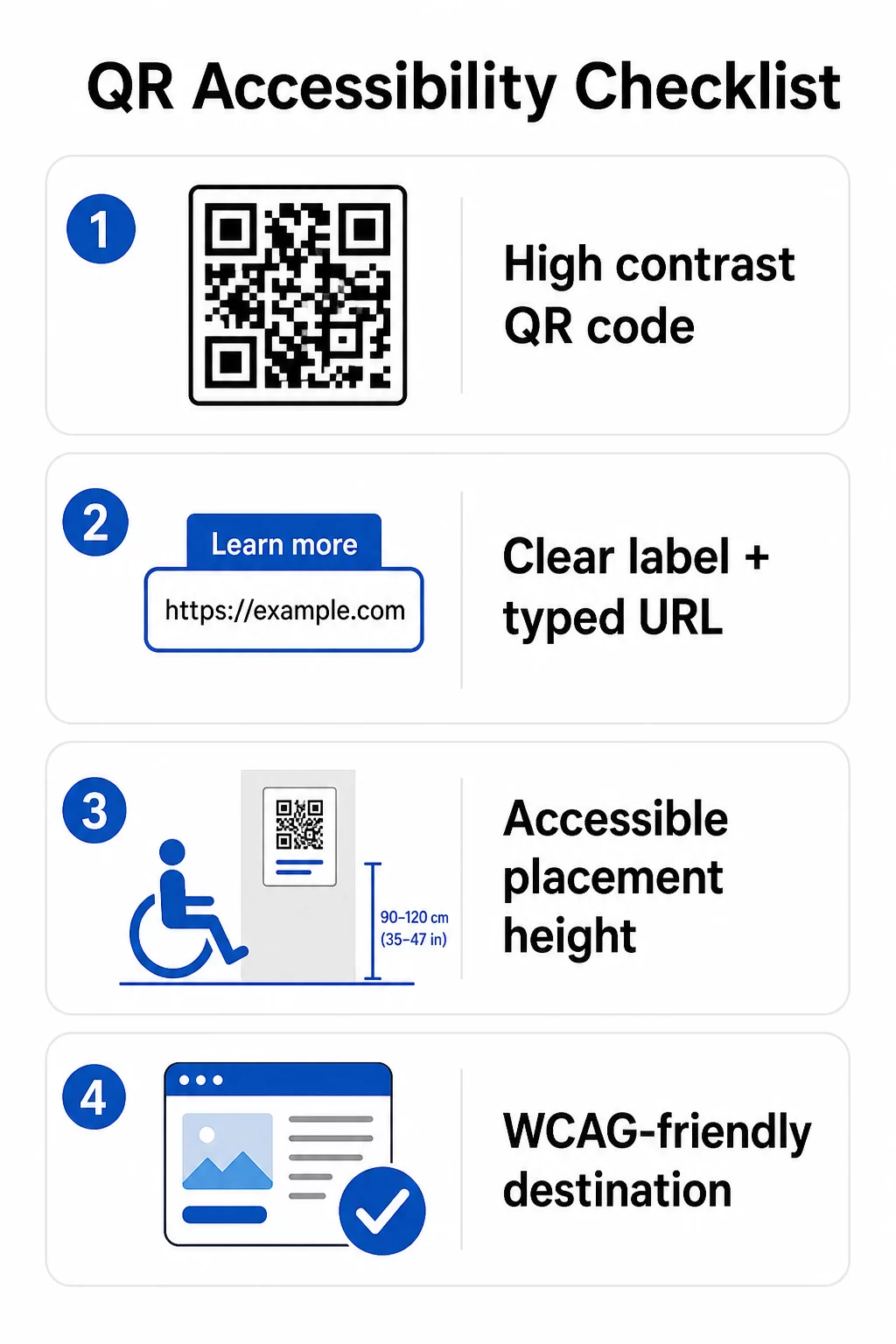
Füüsilise QR-koodi puhul:
- Kasutage heledal taustal tumedat esiplaan, sihtides kontrastsussuhet vähemalt 4.5:1 täieliku ligipääsetavuse tagamiseks
- Printige koodid minimaalse suurusega 1 toll × 1 toll ja järgige skaneerimiskauguse 10:1 reeglit (1 toll koodi laiust iga 10 tolli oodatava vaatamiskauguse kohta)
- Asetage prinditud koodid põrandast 3,5 kuni 4,5 jala kõrgusele, et ratastoolikasutajad saaksid neile mugavalt ligi
- Lisage lähedusse selge silt või üleskutse, et kasutajad mõistaksid enne skaneerimist, mida kood teeb
- Esitage külgnev tekst-URL või samaväärne alternatiiv, et kasutajad, kes ei saa QR-koodi skaneerida, saaksid sisule siiski ligi
Lingitud digitaalse sisu puhul:
- Sihtveebilehed peavad vastama WCAG 2.1 taseme A ja AA edukriteeriumidele
- Digitaalsetes dokumentides vajavad QR-koodid kirjeldavat alternatiivteksti, mis selgitab koodi eesmärki – mitte selle visuaalset välimust (WCAG edukriteerium 1.1.1)
- QR-koodi moodulite mittetekstiline kontrast nende taustaga peab vastama vähemalt 3:1 suhtele (WCAG edukriteerium 1.4.11)
- Kui QR-kood toimib lingina, peab alternatiivtekst kirjeldama, kuhu see viib (WCAG edukriteerium 2.4.4)
Täieliku rakendamise kontrollnimekirja leiate meie juhendist teemal kuidas muuta QR-koodid ADA-ühilduvaks ja meie laiem QR-koodi kasutatavuse parimaid tavasid.
Saate uurida ka häälega aktiveeritavad QR-koodid ja puutetundlikke vihjeid kui täiustatud strateegiaid nägemispuudega kasutajate teenindamiseks – eriti oluline tervishoiu-, haridus- ja valitsusasutuste rakenduste puhul.
Looge ligipääsetavad QR-koodid algusest peale Kasuta QR-koodi generaator et luua suure kontrastsusega, õige suurusega QR-koode selgete siltide ja brändinguga – ning seejärel linkida need ligipääsetava sisuga, mis vastab WCAG standarditele.
Miks ligipääsetavad QR-koodid on hea tava lisaks õiguslikule vastavusele
Õiguslikud kohustused kõrvale jättes laiendab QR-koodide ligipääsetavaks muutmine publikut, kes saab teie sisuga suhelda. Ligipääsmatu QR-kood ei tekita mitte ainult õiguslikku riski – see loob lünga teie kliendikogemuses. Restorani külaline, kes ei saa lugeda QR-menüüd, patsient, kes ei pääse ligi ravimijuhistele, või üliõpilane, kes ei saa ligipääsmatu PDF-i tõttu kursusematerjale alla laadida, esindavad kõik hetki, mil teie organisatsioon on ebaõnnestunud tõhusalt suhelda.
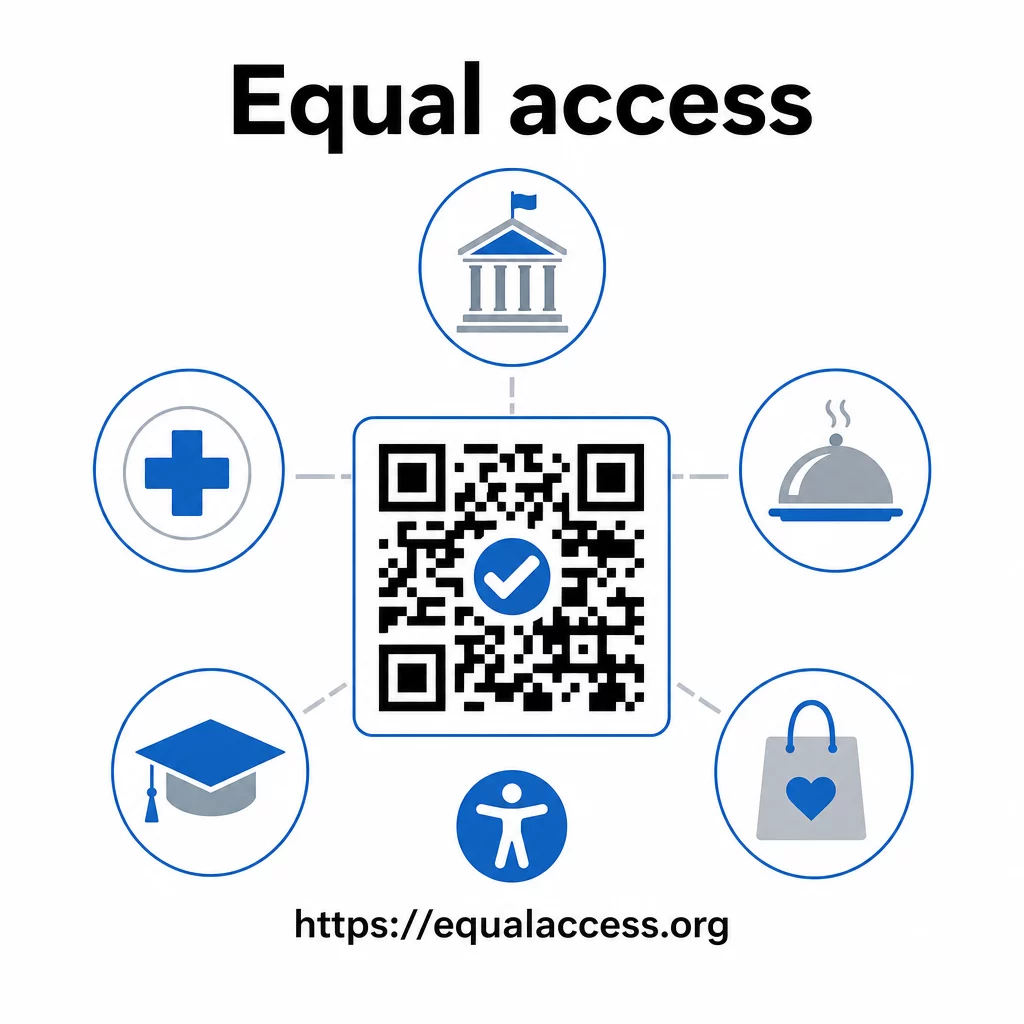
Ligipääsetavate QR-koodide praktikad kipuvad parandama ka kõigi kasutajate kogemust. Piisav kontrast aitab koode kehvas valguses kiiremini skannida. Õige suurus aitab igas vanuses kasutajatel skannida mugavalt kauguselt. Selged sildid vähendavad segadust esmakordsete QR-koodi kasutajate jaoks. Need parendused on kasulikud kogu teie publikule, mitte ainult puuetega kasutajatele.
Kontrasti, suuruse, loetavuse ja paigutuse sügavama ülevaate saamiseks uurige meie juhendeid teemal QR-koodi loetavuse parimate tavadega ja QR-koodi värvikontrasti parimaid tavasid.
Ligipääsetavuse kohustused kehtivad laialdaselt valitsuses, tervishoius, hariduses, hotellinduses ja jaekaubanduses – ning kõiki neid reguleerivad samad tehnilised standardid. Praktiline lähtepunkt on lihtne: kui QR-kood on viis, kuidas edastate olulist teavet, peab see teave olema ligipääsetav. Kasutage dünaamilised QR-koodid et saaksite värskendada lingitud sisu vastavuse säilitamiseks ilma uuesti printimata, ja uurige kogu valikut valdkonnaspetsiifilisi QR-koodi lahendusi et leida oma sektorile sobiv lahendus.
Korduma kippuvad küsimused
Ükski seadus ei nõua ettevõtetelt spetsiaalselt QR-koodide kasutamist. Kuid kui otsustate kasutada QR-koode oma kliendisuhtluse osana, kehtivad ADA tõhusa suhtluse nõuded. Kui QR-kood on peamine või ainus viis, kuidas kliendid teabele ligi pääsevad, peab see kogemus olema ligipääsetav puuetega inimestele – sealhulgas nägemispuudega või piiratud liikumisvõimega inimestele.
Osariigi ja kohalikud valitsusasutused seisavad silmitsi kõige selgemate kohustustega ADA II jaotise ja DOJ 2024. aasta lõpliku reegli alusel, mis nõuab WCAG 2.1 taseme AA vastavust veebisisu ja mobiilirakenduste puhul. Avalikkusele avatud eraettevõtted – sealhulgas restoranid, hotellid, haiglad, jaekauplused, erakoolid, pangad ja spordisaalid – on kaetud III jaotisega ja peavad pakkuma tõhusat suhtlust abivahendite ja teenuste kaudu. Föderaalasutusi reguleerib lisaks rehabilitatsiooniseaduse jaotis 508.
ADA ei ole spetsiaalselt QR-koodide jaoks ette näinud ühtegi kontrollnimekirja, kuid WCAG 2.1 ja jaotise 508 juhistest tuletatud parimad tavad hõlmavad järgmist: tumedat esiplaanil heledal taustal, mille kontrastsussuhe on vähemalt 4,5:1; koodide printimist minimaalsuuruses 1 inch × 1 inch; füüsiliste koodide paigutamist ligipääsetavatele kõrgustele (3.5–4.5 feet põrandast); lähedalasuva tekstipõhise URL-i pakkumist alternatiivina kasutajatele, kes ei saa skannida; kirjeldava alternatiivteksti lisamist digitaalsetesse dokumentidesse; ja tagamist, et sihtsisu vastab WCAG 2.1 Level AA standarditele.