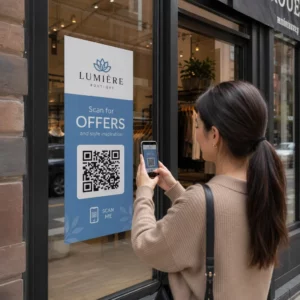
Är du osäker på om ditt företag är juridiskt skyldigt att göra QR-koder tillgängliga enligt ADA? Att göra fel kan utsätta din organisation för efterlevnadsrisk och exkludera kunder med funktionsnedsättningar från innehåll de har rätt att få tillgång till. Denna guide beskriver vilka sektorer som har de tydligaste juridiska skyldigheterna och vilka tillgänglighetsstandarder som gäller när QR-koder är en del av din kundkommunikation.
Den grundläggande juridiska verkligheten: Ingen lag kräver QR-koder, men tillgänglighetslagar gäller fortfarande
Innan vi dyker in i specifika branscher, en viktig förtydligande: ingen bestämmelse i Americans with Disabilities Act föreskriver specifikt att något företag eller någon myndighet ska använda QR-koder. ADA fokuserar på att säkerställa effektiv, jämlik kommunikation med personer som har funktionsnedsättningar – oavsett vilken teknik du väljer för att leverera den kommunikationen.
Den kritiska implikationen är denna: när du väljer att använda en QR-kod som en del av din kundkommunikation, följer tillgänglighetsskyldigheter. Om din QR-kod är den primära eller enda metoden för att få tillgång till viktig information, måste den vara användbar för alla – inklusive personer med synnedsättningar, begränsad rörlighet eller andra funktionsnedsättningar.
Tänk så här: du är inte skyldig att installera en ramp, men om din byggnad har trappor som kunder måste använda för att få tillgång till dina tjänster, reglerar ADA-standarder hur den rampen måste byggas. På samma sätt, om en QR-kod är hur du levererar en meny, ett formulär eller kritisk offentlig information, då måste den QR-koden och innehållet den länkar till vara tillgängligt.
Avdelning II: Statliga och offentliga organisationer
Statliga och lokala myndigheter har några av de mest explicita och väldokumenterade skyldigheterna för digital tillgänglighet enligt ADA. Avdelning II i ADA kräver att alla statliga och lokala myndigheter kommunicerar med personer med funktionsnedsättningar lika effektivt som de kommunicerar med andra. Detta omfattar varje nivå av statlig verksamhet – polismyndigheter, domstolar, röstningstjänster, offentliga skolor, community colleges, folkbibliotek, vattendistrikt och andra specialdistrikt.
År 2024 slutförde det amerikanska justitiedepartementet en regel under Avdelning II som utsåg WCAG 2.1 Nivå AA som den tekniska standarden för statliga och lokala myndigheters webbinnehåll och mobilapplikationer. Detta innebär att när en statlig myndighet placerar en QR-kod på ett offentligt dokument, en skylt eller en fysisk plats, måste det digitala innehåll som QR-koden länkar till överensstämma med WCAG 2.1 Nivå A och Nivå AA framgångskriterier.
Federal vägledning klargör också att QR-koder som används i federala publikationer förväntas uppfylla Avsnitt 508 i rehabiliteringslagen, som behandlar QR-koder som en form av informations- och kommunikationsteknik (IKT). Enligt Avsnitt 508 måste en QR-kod i ett digitalt dokument behandlas både som en bild som kräver beskrivande alt-text och som en länk som kräver ett tillgängligt textalternativ – så att användare som inte kan skanna koden fortfarande kan nå samma information.
Praktiska krav för användning av QR-koder inom statlig verksamhet inkluderar:
- Intilliggande tillgänglig text: Ange destinations-URL:en eller ett kort textalternativ bredvid varje QR-kod så att användare som inte kan skanna den fortfarande kan komma åt innehållet
- Beskrivande alt-text: I digitala dokument måste alt-texten beskriva vad QR-koden gör (t.ex. “QR-kod som länkar till stadens ansökan om tillstånd för tillgänglig parkering”), inte bara dess utseende
- Fysisk placering: Tryckta QR-koder bör placeras där personer i rullstol bekvämt kan skanna dem – vägledning rekommenderar en höjd mellan 3,5 och 4,5 fot
- Tillgängligt destinationsinnehåll: Webbplatsen eller dokumentet som nås via QR-koden måste i sig uppfylla WCAG 2.1 Nivå AA
För detaljerad placeringsvägledning specifik för statlig användning, se vår guide om bästa placeringar för QR-koder för statliga myndigheter.
Håll statliga QR-koder uppdaterade utan att trycka om Behöver du uppdatera en destinations-URL på en uppsatt statlig skylt utan att byta ut det fysiska materialet? Använd Dynamisk QR-kodgenerator att ändra det länkade innehållet när som helst – ingen omtryckning krävs.
Avdelning III: Företag och organisationer öppna för allmänheten
Privata företag och ideella organisationer som betjänar allmänheten omfattas av Avdelning III i ADA, som definierar dessa som “offentliga anläggningar”. Listan över omfattade enheter är bred och inkluderar nästan alla typer av kundinriktade företag. Enligt Avdelning III måste dessa organisationer tillhandahålla effektiv kommunikation för kunder med syn-, hörsel- och talfunktionsnedsättningar, inklusive genom hjälpmedel och tjänster vid behov.
Följande kategorier är uttryckligen identifierade som offentliga anläggningar enligt ADA:
| Kategori | Exempel |
|---|---|
| Boendeanläggningar | Hotell, motell, värdshus |
| Mat- och dryckesställen | Restauranger, barer |
| Nöjesställen | Teatrar, arenor, konserthallar |
| Offentliga samlingsplatser | Kongresscenter, hörsalar |
| Försäljnings- och uthyrningsställen | Livsmedelsbutiker, köpcentrum, järnaffärer |
| Serviceinrättningar | Banker, apotek, vårdgivare, advokatbyråer, sjukhus |
| Transportterminaler | Buss- och tågstationer |
| Offentlig visning eller samling | Museer, bibliotek, gallerier |
| Rekreation | Parker, djurparker, nöjesparker |
| Utbildningsinstitutioner | Privata förskolor till forskarutbildningar |
| Sociala tjänster | Daghem, äldreboenden, härbärgen för hemlösa, matbanker |
| Motion och rekreation | Gym, hälsospa, bowlinghallar, golfbanor |
Om din organisation finns med på denna lista och ni använder QR-koder i något kundinriktat sammanhang – skyltning, menyer, produktvisningar, betalterminaler eller informationsmaterial – gäller skyldigheter för effektiv kommunikation för den QR-kodupplevelsen.
Hälso- och sjukvård: Skärpta skyldigheter och praktiska insatser
Sjukhus, kliniker, apotek och privata vårdgivare listas under Avdelning III som serviceinrättningar. Men vårdorganisationer verkar ofta under ytterligare integritets- och informationsstandarder som gör tillgänglig kommunikation särskilt viktig.
När en QR-kod länkar till utskrivningsinstruktioner, medicininformation, tidsbokning eller patientformulär är konsekvenserna av otillgänglighet inte bara juridiska – de är kliniska. En patient med nedsatt syn som inte kan komma åt doseringsinstruktioner eftersom en QR-kod saknar ett reservalternativ står inför en betydande hälsorisk.
QR-koder inom hälso- och sjukvården bör alltid åtföljas av tillgängliga alternativ som storstilta utdelningsmaterial, ljudförklaringar eller personalassistans. För folkhälsoinrättningar som också är statliga enheter gäller Avdelning II-skyldigheter utöver standardkraven för kommunikation inom hälso- och sjukvården.
Utforska hur QR-koder används på sjukhus och inom hälso- och sjukvården för praktiska implementeringsexempel.
Besöksnäring: Menyer, incheckning och gästtjänster
Besöksnäringen – hotell, restauranger och barer – har antagit QR-koder i en anmärkningsvärd takt, särskilt för digitala menyer. Eftersom restauranger och hotell uttryckligen listas som offentliga boenden under Avdelning III, medför varje QR-levererad gästupplevelse en skyldighet för effektiv kommunikation.
En restaurang som enbart förlitar sig på en QR-kodmeny måste säkerställa att menyn är tillgänglig för gäster med synnedsättning. Detta innebär att landningssidan som QR-koden länkar till bör vara kompatibel med skärmläsare, använda tillräcklig färgkontrast och ha en logisk rubrikstruktur. Gäster som inte kan använda en QR-kod – vare sig på grund av synnedsättning, ovana vid smartphones eller motoriska begränsningar – måste ha ett alternativt sätt att få tillgång till samma information.
För tillgänglig menyimplementering, den QR-kodgenerator för meny låter dig länka till en digital meny som du kan uppdatera omedelbart utan att trycka om fysiskt material – användbart när tillgängligheten för varor ändras eller när du behöver uppdatera den länkade sidan för att förbättra tillgängligheten.
För vägledning om hur man gör QR-kodbetalningar tillgängliga inom besöksnäringen och detaljhandeln, se vår artikel om bästa praxis för tillgänglighet för QR-kodsbetalningar.
Utbildning: Offentliga och privata skolor
Utbildningsinstitutioner omfattas av både Avdelning II och Avdelning III beroende på om de drivs offentligt eller privat. Offentliga K–12-skolor, folkhögskolor och statliga universitet faller under Avdelning II, inklusive DOJ-regeln som kräver WCAG 2.1 Nivå AA-efterlevnad för webbinnehåll och mobilappar. Privata skolor på alla nivåer omfattas av Avdelning III som offentliga boenden.
I båda fallen, när skolor använder QR-koder för att distribuera kursmaterial, evenemangsinformation, formulär eller lärresurser, måste detta material vara tillgängligt. En elev med synnedsättning måste kunna komma åt samma innehåll som sina kamrater. I praktiken innebär detta:
- Länkade PDF-filer måste vara taggade och skärmläsarkompatibla
- Webbinnehåll som nås via QR-koder måste uppfylla WCAG-standarder
- Fysiska placeringar av QR-koder i klassrum eller korridorer bör vara på höjder som är tillgängliga för elever som använder rullstol
Se hur QR-koder används i skolor och utbildning för specifika användningsfallidéer, och utforska QR-kodgenerator för PDF för att distribuera tillgängliga kursdokument.
Detaljhandel: Butiker, förpackningar och butiksdisplayer
Detaljhandelsbutiker, köpcentrum och livsmedelsbutiker listas som offentliga anläggningar enligt Title III. När QR-koder blir vanligare på produktförpackningar, hyllvisningar och kassor, står detaljhandelsorganisationer inför en växande exponering för skyldigheter gällande effektiv kommunikation.
En QR-kod på en produktetikett som länkar till bruksanvisningar, ingredienslistor eller garantiinformation måste kunna användas av kunder med synnedsättning. Om koden är det primära sättet att komma åt informationen – och inget likvärdigt alternativ tillhandahålls – uppfyller återförsäljaren kanske inte sina skyldigheter gällande effektiv kommunikation.
Viktiga tillgänglighetsöverväganden för QR-implementeringar inom detaljhandeln inkluderar:
- Att tillhandahålla en skriven URL eller tryckt motsvarighet bredvid QR-koder på förpackningar
- Säkerställa att produktinformationssidor som länkas från QR-koder uppfyller WCAG:s standarder för kontrast och navigering
- Placera QR-koder i butik på höjder och i positioner som är tillgängliga för rullstolsanvändare
För placeringsstrategi, se vår guide om bästa placeringar för QR-koder i butiker.
De tekniska standarder som gäller inom alla branscher
Oavsett vilken sektor du verkar inom gäller samma grundläggande tillgänglighetsstandarder när du använder QR-koder. Dessa kommer från WCAG 2.1 och Section 508-vägledningen, och de täcker både själva den fysiska QR-koden och det digitala innehåll den länkar till.
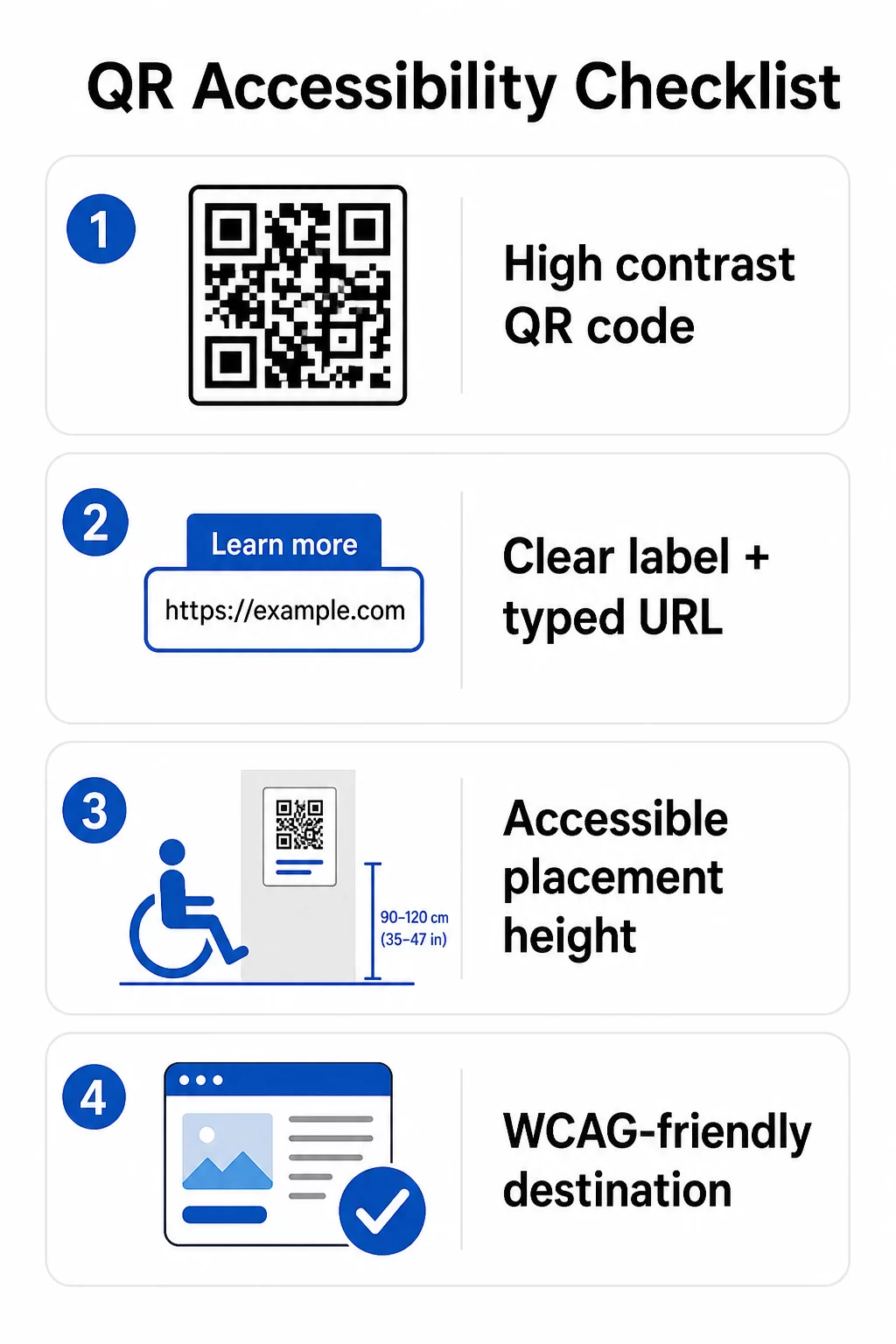
För den fysiska QR-koden:
- Använd en mörk förgrund på en ljus bakgrund, med ett kontrastförhållande på minst 4.5:1 för full tillgänglighet
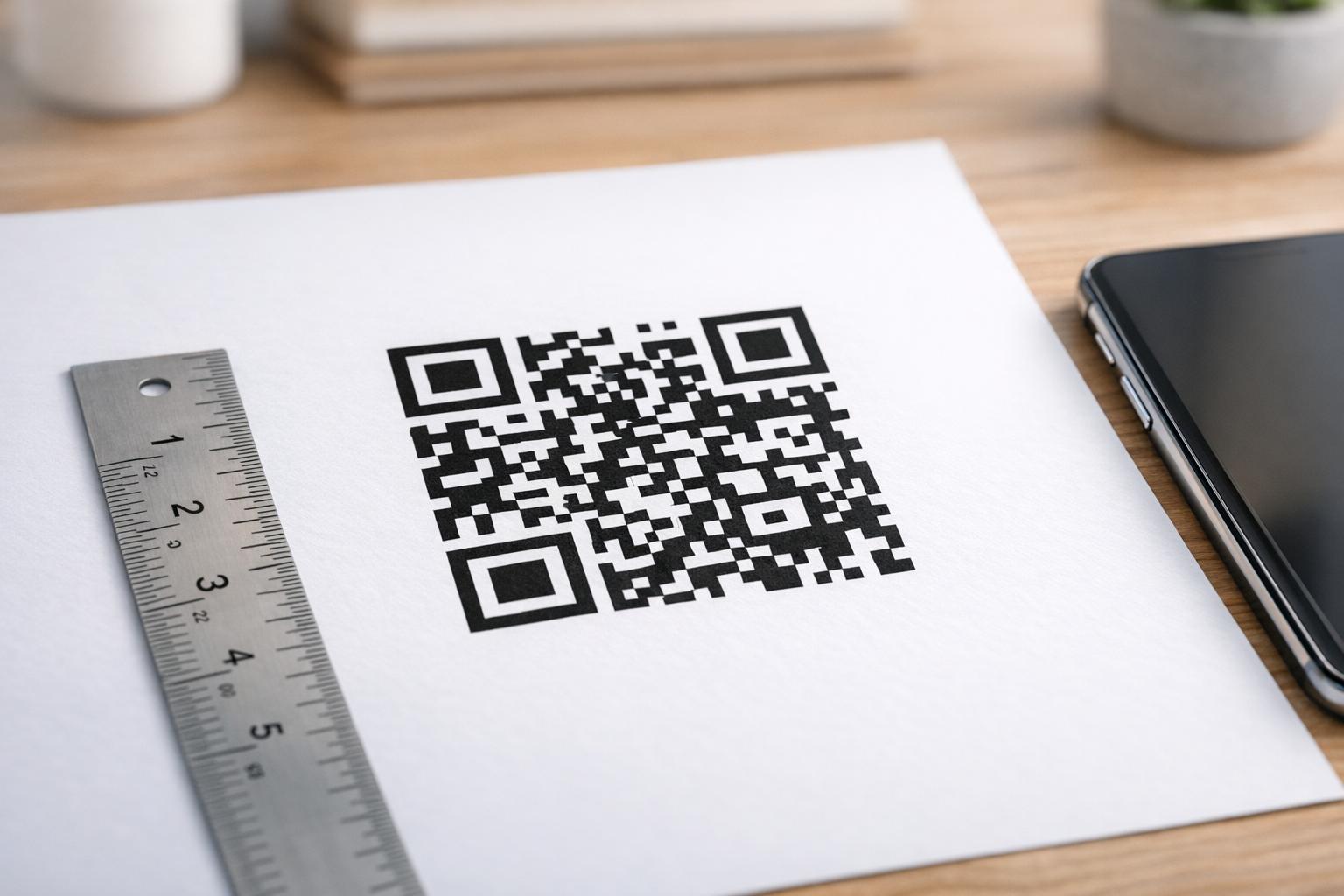
- Skriv ut koder med en minimistorlek på 1 tum × 1 tum, och följ 10:1-regeln för skanningsavstånd (1 tum kodbredd per 10 tum förväntat visningsavstånd)
- Placera utskrivna koder mellan 3,5 och 4,5 fot från golvet så att rullstolsanvändare bekvämt kan nå dem
- Lägg till en tydlig etikett eller uppmaning i närheten så att användare förstår vad koden gör innan de skannar
- Tillhandahåll en intilliggande text-URL eller motsvarande alternativ så att användare som inte kan skanna QR-koden ändå kan komma åt innehållet
För det länkade digitala innehållet:
- Målwebbsidor måste uppfylla WCAG 2.1 nivå A och AA framgångskriterier
- I digitala dokument behöver QR-koder beskrivande alt-text som förklarar kodens syfte – inte dess visuella utseende (WCAG framgångskriterium 1.1.1)
- Den icke-textuella kontrasten mellan QR-kodmoduler och deras bakgrund måste uppfylla minst ett 3:1-förhållande (WCAG framgångskriterium 1.4.11)
- Om QR-koden fungerar som en länk måste alt-texten beskriva vart den leder (WCAG framgångskriterium 2.4.4)
För en komplett implementeringschecklista, se vår guide om hur man gör QR-koder ADA-kompatibla och vår bredare bästa praxis för användbarhet av QR-koder.
Du kan också utforska röstaktiverade QR-koder och taktila signaler som avancerade strategier för att betjäna användare med synnedsättningar – särskilt relevant för implementeringar inom hälsovård, utbildning och offentlig sektor.
Skapa tillgängliga QR-koder från början Använd QR-kodgenerator för att bygga QR-koder med hög kontrast och rätt storlek, med tydliga etiketter och varumärkesprofilering – och sedan länka dem till tillgängligt innehåll som uppfyller WCAG-standarder.
Varför tillgängliga QR-koder är god praxis bortom laglig efterlevnad
Bortsett från lagliga skyldigheter, utökar tillgängliggörande av QR-koder publiken som kan interagera med ditt innehåll. En otillgänglig QR-kod skapar inte bara juridisk exponering – den skapar en lucka i din kundupplevelse. En gäst på en restaurang som inte kan läsa QR-menyn, en patient som inte kan komma åt medicininstruktioner, eller en student som inte kan ladda ner kursmaterial på grund av en otillgänglig PDF, representerar alla tillfällen då din organisation har misslyckats med att kommunicera effektivt.
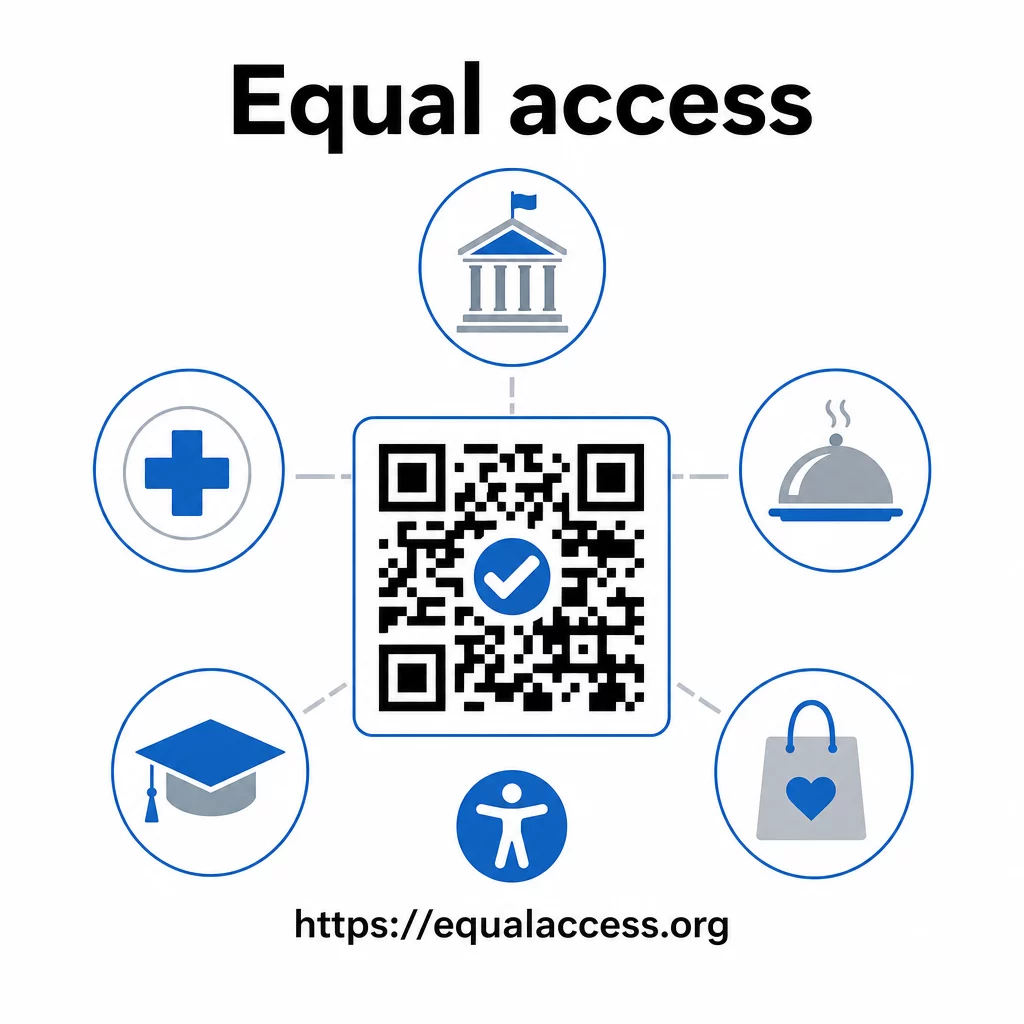
Praxis för tillgängliga QR-koder tenderar också att förbättra upplevelsen för alla. Tillräcklig kontrast hjälper koder att skanna snabbare i dålig belysning. Rätt storlek hjälper användare i alla åldrar att skanna från ett bekvämt avstånd. Tydliga etiketter minskar förvirringen för förstagångsanvändare av QR-koder. Dessa förbättringar gynnar hela din publik, inte bara användare med funktionsnedsättningar.
För en djupare titt på kontrast, storlek, läsbarhet och placering, utforska våra guider om bästa praxis för läsbarhet av QR-koder och bästa praxis för färgkontrast i QR-koder.
Tillgänglighetskrav gäller brett inom offentlig sektor, hälsovård, utbildning, besöksnäring och detaljhandel – och samma tekniska standarder styr alla. Den praktiska utgångspunkten är enkel: om en QR-kod är hur du kommunicerar viktig information, måste den kommunikationen vara tillgänglig. Använd dynamiska QR-koder så att du kan uppdatera länkat innehåll för att upprätthålla efterlevnad utan att trycka om, och utforska hela utbudet av branschspecifika QR-kodlösningar för att hitta rätt implementering för din sektor.
Vanliga frågor
Ingen lag kräver specifikt att företag använder QR-koder. Men om du väljer att använda QR-koder som en del av din kundkommunikation, gäller ADA:s krav på effektiv kommunikation. Om en QR-kod är det primära eller enda sättet för kunder att få tillgång till information, måste den upplevelsen vara tillgänglig för personer med funktionsnedsättningar – inklusive de med synnedsättningar eller begränsad rörlighet.
Statliga och lokala myndigheter står inför de mest explicita skyldigheterna enligt Title II i ADA och DOJ:s slutliga regel från 2024, som kräver WCAG 2.1 Nivå AA-efterlevnad för webbinnehåll och mobilappar. Privata företag som är öppna för allmänheten – inklusive restauranger, hotell, sjukhus, butiker, privata skolor, banker och gym – omfattas av Title III och måste tillhandahålla effektiv kommunikation genom hjälpmedel och tjänster. Federala myndigheter styrs dessutom av Section 508 i Rehabilitation Act.
Det finns ingen enskild checklista som är obligatorisk enligt ADA specifikt för QR-koder, men bästa praxis hämtade från WCAG 2.1 och Section 508-vägledning inkluderar: att använda en mörk förgrund på en ljus bakgrund med minst ett kontrastförhållande på 4.5:1; att skriva ut koder i en minsta storlek på 1 tum × 1 tum; att placera fysiska koder på tillgängliga höjder (3.5–4.5 fot från golvet); att tillhandahålla en närliggande text-URL som ett alternativ för användare som inte kan skanna; att lägga till beskrivande alt-text i digitala dokument; och att säkerställa att destinationsinnehållet uppfyller WCAG 2.1 Nivå AA-standarder.