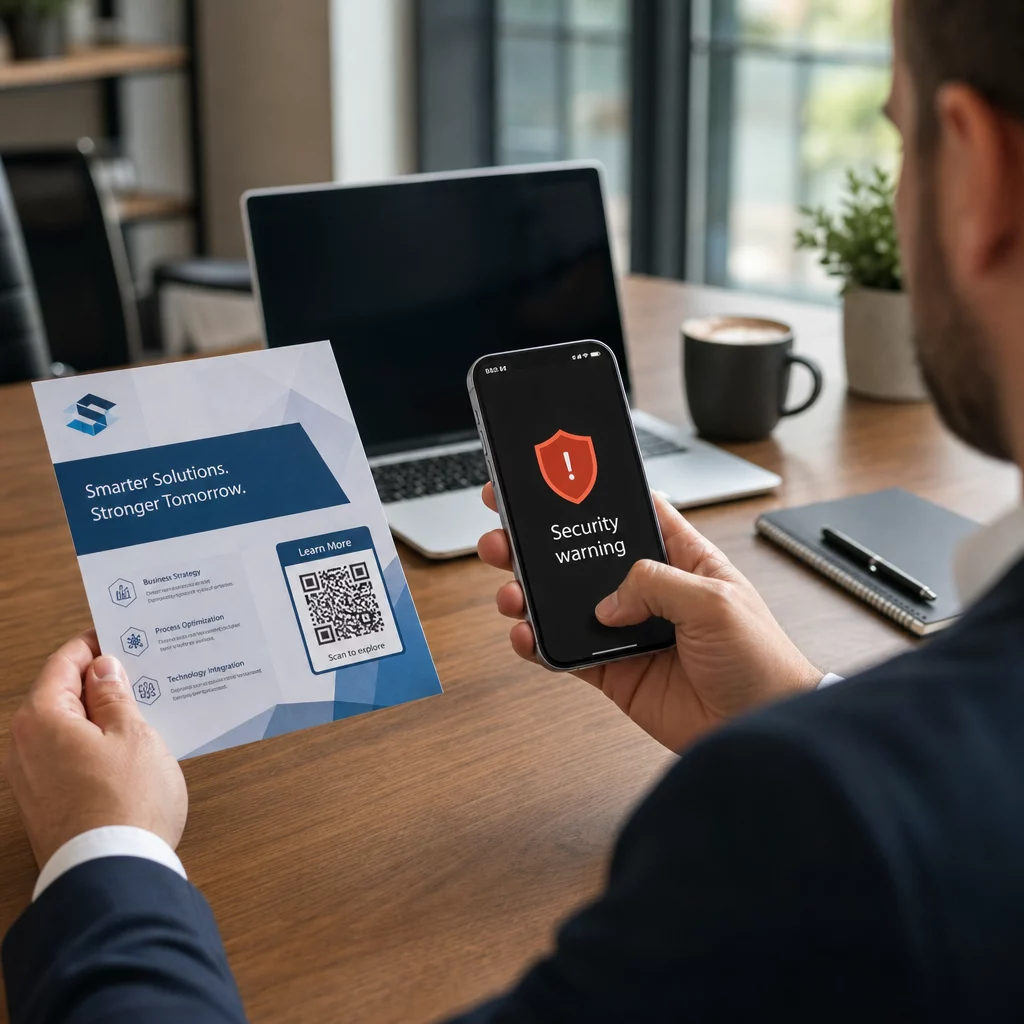
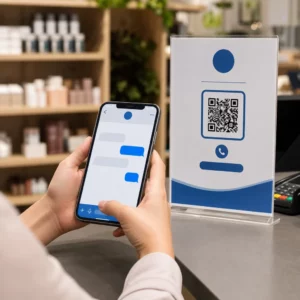
Non sei sicuro se la tua attività sia legalmente tenuta a rendere i codici QR accessibili ai sensi dell'ADA? Sbagliare può esporre la tua organizzazione a rischi di conformità ed escludere i clienti con disabilità da contenuti a cui hanno diritto di accedere. Questa guida analizza quali settori comportano gli obblighi legali più chiari e quali standard di accessibilità si applicano quando i codici QR fanno parte delle tue comunicazioni rivolte ai clienti.
La Realtà Legale Fondamentale: Nessuna Legge Richiede i Codici QR, Ma le Leggi sull'Accessibilità si Applicano Comunque
Prima di addentrarci in settori specifici, un'importante precisazione: nessuna disposizione dell'Americans with Disabilities Act impone specificamente che qualsiasi azienda o agenzia utilizzi codici QR. L'ADA si concentra sull'assicurare una comunicazione efficace e paritaria con le persone con disabilità – indipendentemente dalla tecnologia che scegli per veicolare tale comunicazione.
L'implicazione critica è questa: una volta che scegli di utilizzare un codice QR come parte delle tue comunicazioni rivolte ai clienti, ne conseguono obblighi di accessibilità. Se il tuo codice QR è il metodo principale o unico per accedere a informazioni importanti, deve essere utilizzabile da tutti – comprese le persone con disabilità visive, mobilità limitata o altre disabilità.
Pensala in questo modo: non sei obbligato a installare una rampa, ma se il tuo edificio ha gradini che i clienti devono usare per accedere ai tuoi servizi, gli standard ADA regolano come quella rampa deve essere costruita. Allo stesso modo, se un codice QR è il modo in cui fornisci un menu, un modulo o informazioni pubbliche critiche, allora quel codice QR e il contenuto a cui si collega devono essere accessibili.
Titolo II: Organizzazioni Governative e del Settore Pubblico
I governi statali e locali hanno alcuni degli obblighi di accessibilità digitale più espliciti e ben documentati ai sensi dell'ADA. Il Titolo II dell'ADA richiede a tutte le entità governative statali e locali di comunicare con le persone con disabilità in modo altrettanto efficace quanto comunicano con gli altri. Questo copre ogni livello di operazione governativa – dipartimenti di polizia, tribunali, servizi di voto, scuole pubbliche, college comunitari, biblioteche pubbliche, distretti idrici e altri distretti con scopi speciali.
Nel 2024, il Dipartimento di Giustizia degli Stati Uniti ha finalizzato una norma ai sensi del Titolo II che designa WCAG 2.1 Livello AA come standard tecnico per i contenuti web e le applicazioni mobili dei governi statali e locali. Ciò significa che quando un'agenzia governativa posiziona un codice QR su un documento pubblico, un cartello o una posizione fisica, il contenuto digitale a cui quel codice QR si collega deve essere conforme ai criteri di successo WCAG 2.1 Livello A e Livello AA.
Le linee guida federali chiariscono inoltre che i codici QR utilizzati nelle pubblicazioni federali devono soddisfare la Sezione 508 del Rehabilitation Act, che considera i codici QR una forma di Tecnologia dell'Informazione e della Comunicazione (TIC). Ai sensi della Sezione 508, un codice QR in un documento digitale deve essere trattato sia come un'immagine che richiede un testo alternativo descrittivo sia come un link che richiede un'alternativa testuale accessibile – in modo che gli utenti che non possono scansionare il codice possano comunque raggiungere le stesse informazioni.
I requisiti pratici per l'uso dei codici QR governativi includono:
- Testo accessibile adiacente: Fornire l'URL di destinazione o una breve alternativa digitata accanto a ogni codice QR in modo che gli utenti che non possono scansionarlo possano comunque accedere al contenuto
- Testo alternativo descrittivo: Nei documenti digitali, il testo alternativo deve descrivere cosa fa il codice QR (ad esempio, “Codice QR che rimanda alla domanda di permesso di parcheggio accessibile della città”), non solo il suo aspetto
- Posizionamento fisico: I codici QR stampati dovrebbero essere posizionati dove le persone in sedia a rotelle possono scansionarli comodamente – le linee guida raccomandano un'altezza tra 3,5 e 4,5 piedi
- Contenuto di destinazione accessibile: La pagina web o il documento raggiunto tramite il codice QR deve a sua volta soddisfare i requisiti WCAG 2.1 Livello AA
Per linee guida dettagliate sul posizionamento specifiche per l'uso governativo, consulta la nostra guida su i migliori posizionamenti di codici QR per le agenzie governative.
Mantenere i codici QR governativi aggiornati senza ristampare Hai bisogno di aggiornare un URL di destinazione su un cartello governativo affisso senza sostituire il materiale fisico? Usa il Generatore di QR code dinamici per modificare il contenuto collegato in qualsiasi momento – nessuna ristampa richiesta.
Titolo III: Attività commerciali e organizzazioni aperte al pubblico
Le attività commerciali private e le organizzazioni senza scopo di lucro che servono il pubblico sono coperte dal Titolo III dell'ADA, che le definisce come “strutture ricettive pubbliche”. L'elenco delle entità coperte è ampio e include quasi ogni tipo di attività commerciale a contatto con il cliente. Ai sensi del Titolo III, queste organizzazioni devono fornire comunicazione efficace per i clienti con disabilità visive, uditive e del linguaggio, anche attraverso ausili e servizi ausiliari quando necessario.
Le seguenti categorie sono esplicitamente identificate come strutture ricettive pubbliche ai sensi dell'ADA:
| Categoria | Esempi |
|---|---|
| Luoghi di alloggio | Hotel, motel, locande |
| Locali di ristorazione | Ristoranti, bar |
| Luoghi di intrattenimento | Teatri, stadi, sale da concerto |
| Luoghi di ritrovo pubblici | Centri congressi, auditorium |
| Punti vendita e noleggio | Negozi di alimentari, centri commerciali, ferramenta |
| Punti di servizio | Banche, farmacie, fornitori di servizi sanitari, studi legali, ospedali |
| Terminal di trasporto | Stazioni degli autobus e dei treni |
| Esposizione o collezione pubblica | Musei, biblioteche, gallerie |
| Ricreazione | Parchi, zoo, parchi divertimento |
| Istituzioni educative | Asili nido privati fino ai programmi di laurea |
| Servizi sociali | Asili nido, centri per anziani, rifugi per senzatetto, banche alimentari |
| Esercizio fisico e ricreazione | Palestre, centri benessere, sale da bowling, campi da golf |
Se la tua organizzazione appare in questo elenco e utilizzi codici QR in qualsiasi contesto rivolto al cliente – segnaletica, menu, espositori di prodotti, terminali di pagamento o materiali informativi – si applicano obblighi di comunicazione efficace a tale esperienza con il codice QR.
Sanità: Obblighi Accresciuti e Posta in Gioco Pratica
Ospedali, cliniche, farmacie e fornitori di servizi sanitari privati rientrano nel Titolo III come strutture di servizio. Ma le organizzazioni sanitarie spesso operano secondo ulteriori standard di privacy e informazione che rendono la comunicazione accessibile particolarmente importante.
Quando un codice QR si collega a istruzioni di dimissione, informazioni sui farmaci, pianificazione degli appuntamenti o moduli per i pazienti, le conseguenze dell'inaccessibilità non sono solo legali – sono cliniche. Un paziente ipovedente che non può accedere alle istruzioni di dosaggio perché un codice QR manca di un'opzione di fallback affronta un significativo rischio per la salute.
I codici QR negli ambienti sanitari dovrebbero sempre essere accompagnati da alternative accessibili come dispense a caratteri grandi, spiegazioni audio o assistenza del personale. Per le strutture sanitarie pubbliche che sono anche enti governativi, gli obblighi del Titolo II si applicano in aggiunta ai requisiti standard di comunicazione sanitaria.
Scopri come i codici QR sono utilizzati negli ospedali e nelle strutture sanitarie per esempi pratici di implementazione.
Ospitalità: Menu, Check-In e Servizi per gli Ospiti
L'industria dell'ospitalità – hotel, ristoranti e bar – ha adottato i codici QR a un ritmo notevole, specialmente per i menu digitali. Poiché ristoranti e hotel sono esplicitamente elencati come strutture ricettive pubbliche ai sensi del Titolo III, ogni esperienza per gli ospiti fornita tramite QR comporta un obbligo di comunicazione efficace.
Un ristorante che si affida esclusivamente a un menu con codice QR deve assicurarsi che tale menu sia accessibile agli ospiti con disabilità visive. Ciò significa che la pagina di destinazione a cui il codice QR si collega dovrebbe essere compatibile con i lettori di schermo, utilizzare un contrasto cromatico sufficiente e avere una struttura di intestazione logica. Gli ospiti che non possono utilizzare un codice QR – sia a causa di disabilità visive, scarsa familiarità con gli smartphone o limitazioni motorie – devono avere un modo alternativo per accedere alle stesse informazioni.
Per un'implementazione accessibile del menu, il Generatore di QR code per menu ti consente di collegarti a un menu digitale che puoi aggiornare istantaneamente senza ristampare materiali fisici – utile quando la disponibilità degli articoli cambia o quando è necessario aggiornare la pagina collegata per migliorare l'accessibilità.
Per indicazioni su come rendere accessibili i pagamenti con codice QR negli ambienti dell'ospitalità e della vendita al dettaglio, consulta il nostro articolo su migliori pratiche di accessibilità per i pagamenti con codice QR.
Istruzione: Scuole Pubbliche e Private
Le istituzioni educative rientrano sia nel Titolo II che nel Titolo III a seconda che siano gestite pubblicamente o privatamente. Le scuole pubbliche K–12, i community college e le università statali rientrano nel Titolo II, inclusa la regola del DOJ che richiede la conformità WCAG 2.1 Livello AA per i contenuti web e le app mobili. Le scuole private a tutti i livelli sono coperte dal Titolo III come strutture ricettive pubbliche.
In entrambi i casi, quando le scuole utilizzano i codici QR per distribuire materiali didattici, informazioni su eventi, moduli o risorse di apprendimento, tali materiali devono essere accessibili. Uno studente con disabilità visiva deve essere in grado di accedere agli stessi contenuti dei suoi coetanei. In pratica, ciò significa:
- I PDF collegati devono essere taggati e compatibili con i lettori di schermo
- I contenuti web raggiunti tramite codici QR devono soddisfare gli standard WCAG
- Il posizionamento fisico dei codici QR nelle aule o nei corridoi dovrebbe essere ad altezze accessibili agli studenti che utilizzano sedie a rotelle
Scopri come i codici QR sono utilizzati nelle scuole e nell'istruzione per idee di casi d'uso specifici, ed esplora il Generatore di QR code per PDF per la distribuzione di documenti di corso accessibili.
Vendita al dettaglio: Negozi, Imballaggi e Espositori in negozio
Negozi al dettaglio, centri commerciali e supermercati sono elencati come strutture ricettive pubbliche ai sensi del Titolo III. Poiché i codici QR stanno diventando più comuni sugli imballaggi dei prodotti, sugli espositori e nelle aree di cassa, le organizzazioni di vendita al dettaglio affrontano una crescente esposizione agli obblighi di comunicazione efficace.
Un codice QR su un'etichetta di prodotto che rimanda a istruzioni per l'uso, elenchi di ingredienti o informazioni sulla garanzia deve essere utilizzabile dai clienti con disabilità visive. Se il codice è il modo principale per accedere a tali informazioni – e non viene fornita alcuna alternativa equivalente – il rivenditore potrebbe non soddisfare i suoi obblighi di comunicazione efficace.
Le principali considerazioni sull'accessibilità per le implementazioni di QR nel commercio al dettaglio includono:
- Fornire un URL digitato o un equivalente stampato accanto ai codici QR sugli imballaggi
- Garantire che le pagine di informazioni sul prodotto collegate dai codici QR soddisfino gli standard WCAG di contrasto e navigazione
- Posizionare i codici QR in negozio ad altezze e in posizioni accessibili agli utenti di sedie a rotelle
Per la strategia di posizionamento, consulta la nostra guida su efficaci per i codici QR nei negozi al dettaglio.
Gli standard tecnici che si applicano a tutti i settori
Indipendentemente dal settore in cui operi, gli stessi standard di accessibilità fondamentali si applicano quando si implementano i codici QR. Questi derivano dalle linee guida WCAG 2.1 e della Sezione 508 e coprono sia il codice QR fisico stesso sia il contenuto digitale a cui si collega.
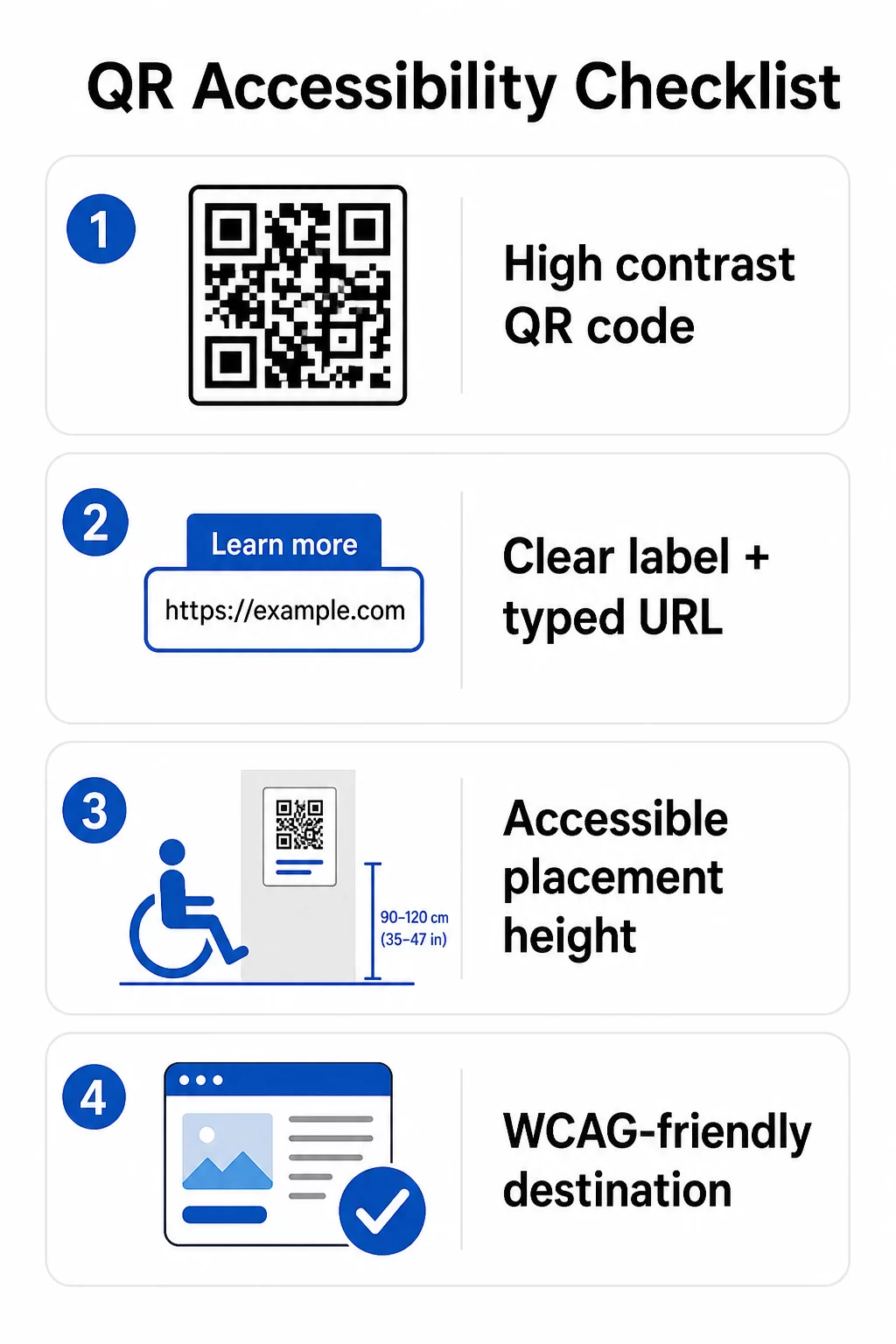
Per il codice QR fisico:
- Utilizzare un primo piano scuro su uno sfondo chiaro, puntando a un rapporto di contrasto di almeno 4.5:1 per la piena accessibilità
- Stampare i codici con una dimensione minima di 1 pollice × 1 pollice e seguire la regola 10:1 per la distanza di scansione (1 pollice di larghezza del codice per ogni 10 pollici di distanza di visualizzazione prevista)
- Posizionare i codici stampati tra 3,5 e 4,5 piedi dal pavimento in modo che gli utenti in sedia a rotelle possano raggiungerli comodamente
- Aggiungere un'etichetta chiara o una call-to-action nelle vicinanze in modo che gli utenti comprendano cosa fa il codice prima di scansionarlo
- Fornire un URL testuale adiacente o un'alternativa equivalente in modo che gli utenti che non possono scansionare il codice QR possano comunque accedere al contenuto
Per il contenuto digitale collegato:
- Le pagine web di destinazione devono soddisfare i criteri di successo WCAG 2.1 Livello A e AA
- Nei documenti digitali, i codici QR necessitano di un testo alternativo descrittivo che spieghi lo scopo del codice – non il suo aspetto visivo (Criterio di successo WCAG 1.1.1)
- Il contrasto non testuale dei moduli del codice QR rispetto al loro sfondo deve soddisfare almeno un rapporto di 3:1 (Criterio di successo WCAG 1.4.11)
- Se il codice QR funziona come un link, il testo alternativo deve descrivere dove conduce (Criterio di successo WCAG 2.4.4)
Per una checklist di implementazione completa, consulta la nostra guida su come rendere i codici QR conformi all'ADA e la nostra più ampia le migliori pratiche di usabilità dei codici QR.
Puoi anche esplorare codici QR ad attivazione vocale e segnali tattili come strategie avanzate per servire gli utenti con disabilità visive – particolarmente rilevante per implementazioni in sanità, istruzione e governo.
Crea codici QR accessibili fin dall'inizio Utilizzare il Generatore di codici QR per creare codici QR ad alto contrasto e di dimensioni adeguate con etichette e branding chiari – quindi collegali a contenuti accessibili che soddisfano gli standard WCAG.
Perché i codici QR accessibili sono una buona pratica oltre la conformità legale
A parte gli obblighi legali, rendere i codici QR accessibili espande il pubblico che può interagire con i tuoi contenuti. Un codice QR inaccessibile non crea solo esposizione legale – crea una lacuna nella tua esperienza cliente. Un ospite in un ristorante che non può leggere il menu QR, un paziente che non può accedere alle istruzioni sui farmaci, o uno studente che non può scaricare materiali del corso a causa di un PDF inaccessibile rappresentano tutti momenti in cui la tua organizzazione ha fallito nel comunicare efficacemente.
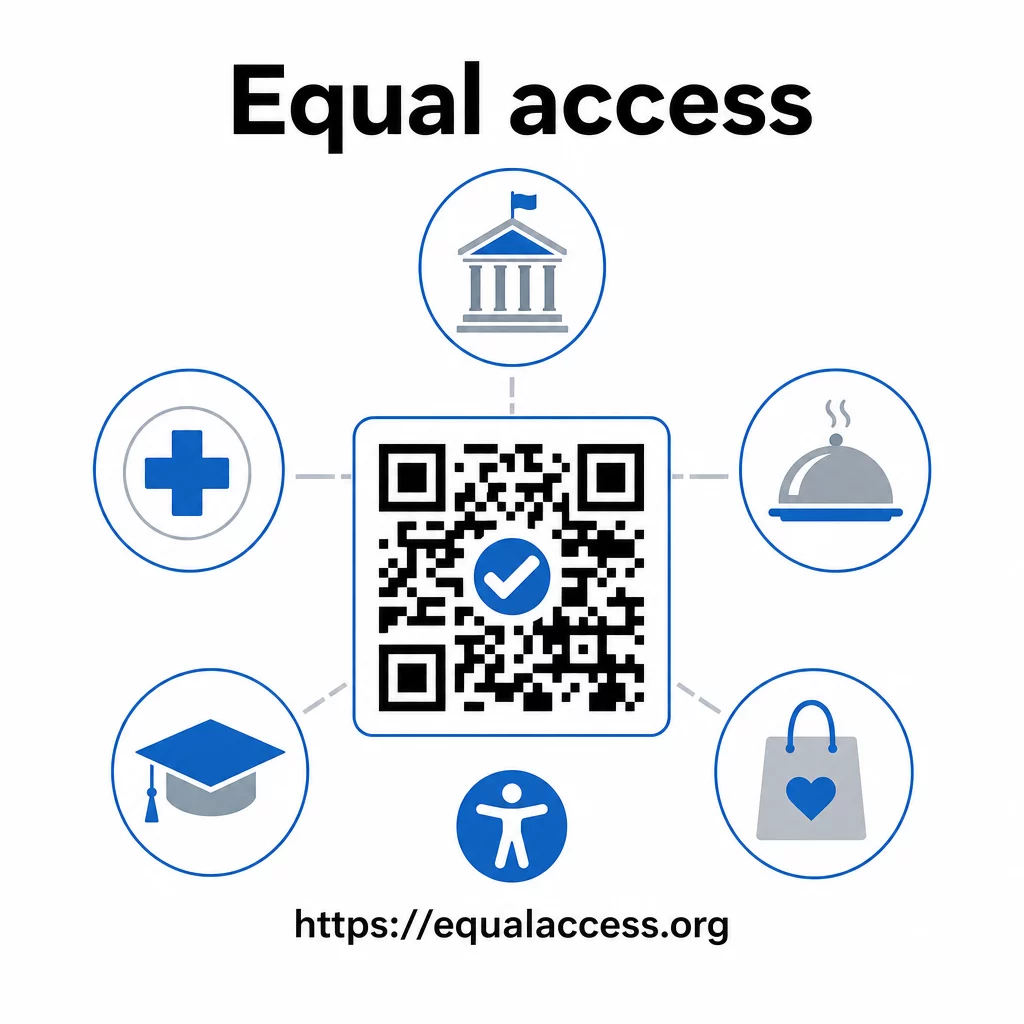
Le pratiche di codici QR accessibili tendono anche a migliorare l'esperienza per tutti. Un contrasto sufficiente aiuta i codici a essere scansionati più velocemente in condizioni di scarsa illuminazione. Dimensioni adeguate aiutano gli utenti di tutte le età a scansionare da una distanza confortevole. Etichette chiare riducono la confusione per gli utenti di codici QR alle prime armi. Questi miglioramenti vanno a beneficio di tutto il tuo pubblico, non solo degli utenti con disabilità.
Per uno sguardo più approfondito su contrasto, dimensioni, leggibilità e posizionamento, esplora le nostre guide su le migliori pratiche di leggibilità dei codici QR e migliori pratiche di contrasto cromatico dei codici QR.
Gli obblighi di accessibilità si applicano ampiamente a governo, sanità, istruzione, ospitalità e vendita al dettaglio – e gli stessi standard tecnici li regolano tutti. Il punto di partenza pratico è semplice: se un codice QR è il modo in cui comunichi informazioni importanti, quella comunicazione deve essere accessibile. Usa i codici QR dinamici in modo da poter aggiornare i contenuti collegati per mantenere la conformità senza ristampare, ed esplorare l'intera gamma di soluzioni di codici QR specifiche per settore per trovare l'implementazione giusta per il tuo settore.
Domande frequenti
Nessuna legge richiede specificamente alle aziende di utilizzare i codici QR. Tuttavia, se scegli di utilizzare i codici QR come parte delle tue comunicazioni rivolte ai clienti, si applicano i requisiti di comunicazione efficace dell'ADA. Se un codice QR è il modo principale o unico in cui i clienti possono accedere alle informazioni, tale esperienza deve essere accessibile alle persone con disabilità – comprese quelle con disabilità visive o mobilità limitata.
Le agenzie governative statali e locali affrontano gli obblighi più espliciti ai sensi del Titolo II dell'ADA e della norma finale del DOJ del 2024, che richiede la conformità WCAG 2.1 Livello AA per i contenuti web e le app mobili. Le aziende private aperte al pubblico – inclusi ristoranti, hotel, ospedali, negozi al dettaglio, scuole private, banche e palestre – sono coperte dal Titolo III e devono fornire una comunicazione efficace attraverso ausili e servizi ausiliari. Le agenzie federali sono inoltre regolate dalla Sezione 508 del Rehabilitation Act.
Non esiste una singola checklist imposta dall'ADA specificamente per i codici QR, ma le migliori pratiche derivate dalle linee guida WCAG 2.1 e della Sezione 508 includono: l'utilizzo di un primo piano scuro su uno sfondo chiaro con un rapporto di contrasto di almeno 4.5:1; la stampa dei codici con una dimensione minima di 1 pollice × 1 pollice; il posizionamento dei codici fisici ad altezze accessibili (3.5–4.5 piedi dal pavimento); la fornitura di un URL testuale nelle vicinanze come alternativa per gli utenti che non possono scansionare; l'aggiunta di testo alternativo descrittivo nei documenti digitali; e la garanzia che il contenuto di destinazione soddisfi gli standard WCAG 2.1 Livello AA.