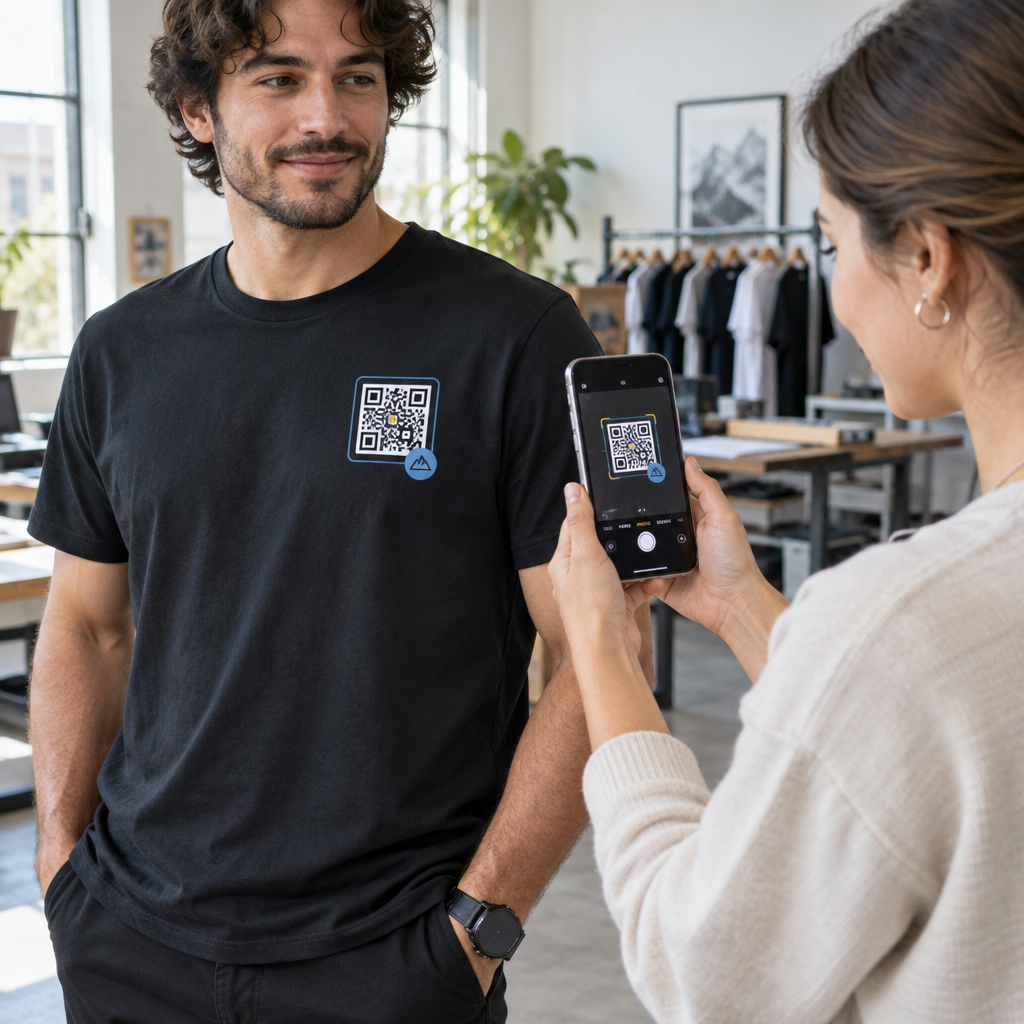
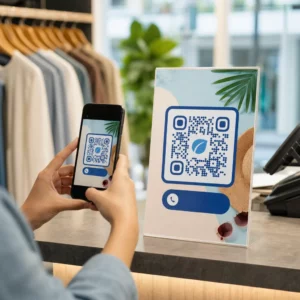
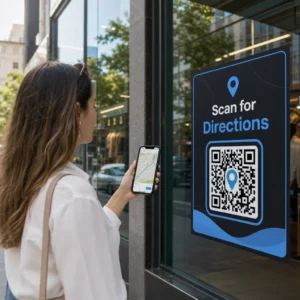
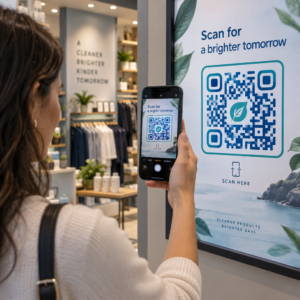
Nem biztos abban, hogy vállalkozása jogilag köteles-e a QR-kódokat hozzáférhetővé tenni az ADA értelmében? Ha ezt rosszul teszi, szervezete megfelelőségi kockázatnak teheti ki magát, és kizárhatja a fogyatékkal élő ügyfeleket az általuk hozzáférni jogosult tartalmakból. Ez az útmutató részletezi, mely ágazatokra vonatkoznak a legvilágosabb jogi kötelezettségek, és milyen hozzáférhetőségi szabványok érvényesek, ha a QR-kódok az ügyfélkapcsolati kommunikáció részét képezik.
A jogi valóság lényege: Egyetlen törvény sem írja elő a QR-kódokat, de a hozzáférhetőségi törvények továbbra is érvényesek
Mielőtt belemerülnénk a konkrét iparágakba, egy fontos pontosítás: az amerikai fogyatékossággal élő személyekről szóló törvény (Americans with Disabilities Act) egyetlen rendelkezése sem írja elő kifejezetten, hogy bármely vállalkozás vagy ügynökség használjon QR-kódokat. Az ADA arra összpontosít, hogy hatékony, egyenlő kommunikációt biztosítson a fogyatékkal élőkkel – függetlenül attól, hogy milyen technológiát választ a kommunikációhoz.
A kritikus következmény a következő: amint úgy dönt, hogy QR-kódot használ az ügyfélkapcsolati kommunikáció részeként, hozzáférhetőségi kötelezettségek lépnek életbe. Ha a QR-kódja az elsődleges vagy egyetlen módja a fontos információk elérésének, akkor mindenki számára használhatónak kell lennie – beleértve a látássérülteket, a korlátozott mozgásképességűeket vagy más fogyatékkal élőket.
Gondoljon rá így: nem köteles rámpát telepíteni, de ha az épületében lépcsők vannak, amelyeket az ügyfeleknek használniuk kell a szolgáltatások eléréséhez, az ADA szabványok szabályozzák, hogyan kell megépíteni azt a rámpát. Hasonlóképpen, ha egy QR-kód segítségével juttat el egy menüt, egy űrlapot vagy kritikus nyilvános információt, akkor annak a QR-kódnak és az általa hivatkozott tartalomnak hozzáférhetőnek kell lennie.
II. cím: Kormányzati és közszektorbeli szervezetek
Az állami és helyi önkormányzatok viselik az ADA szerinti legexplicitabb és legjobban dokumentált digitális hozzáférhetőségi kötelezettségek némelyikét. Az ADA II. címe előírja, hogy minden állami és helyi önkormányzati szervnek ugyanolyan hatékonyan kell kommunikálnia a fogyatékkal élőkkel, mint másokkal. Ez a kormányzati működés minden szintjére kiterjed – rendőrségi osztályok, bíróságok, választási szolgáltatások, állami iskolák, közösségi főiskolák, közkönyvtárak, vízügyi körzetek és egyéb speciális célú körzetek.
2024-ben az Egyesült Államok Igazságügyi Minisztériuma véglegesített egy szabályt a II. cím alatt, amely kijelöli a WCAG 2.1 AA szintjét műszaki szabványként az állami és helyi önkormányzatok webes tartalmai és mobilalkalmazásai számára. Ez azt jelenti, hogy amikor egy kormányzati szerv QR-kódot helyez el egy nyilvános dokumentumon, táblán vagy fizikai helyszínen, az a digitális tartalom, amelyre a QR-kód hivatkozik, meg kell feleljen a WCAG 2.1 A és AA szintű sikerkritériumainak.
A szövetségi iránymutatás azt is egyértelművé teszi, hogy a szövetségi kiadványokban használt QR-kódoknak meg kell felelniük a Rehabilitációs Törvény 508. szakaszának, amely a QR-kódokat az információs és kommunikációs technológia (IKT) egy formájaként kezeli. Az 508. szakasz értelmében a digitális dokumentumban lévő QR-kódot egyaránt képként kell kezelni, amely leíró alt szöveget igényel, és linkként, amely akadálymentes szöveges alternatívát igényel – így azok a felhasználók, akik nem tudják beolvasni a kódot, továbbra is hozzáférhetnek ugyanahhoz az információhoz.
A kormányzati QR-kódok használatának gyakorlati követelményei a következők:
- Szomszédos akadálymentes szöveg: Adja meg a cél URL-t vagy egy rövid, begépelt alternatívát minden QR-kód mellett, hogy azok a felhasználók, akik nem tudják beolvasni, továbbra is hozzáférhessenek a tartalomhoz
- Leíró alt szöveg: Digitális dokumentumokban az alt szövegnek le kell írnia, hogy mit csinál a QR-kód (pl. “QR-kód, amely a város akadálymentes parkolási engedélyének igényléséhez vezet”), nem csupán a megjelenését
- Fizikai elhelyezés: A nyomtatott QR-kódokat úgy kell elhelyezni, hogy a kerekesszékesek kényelmesen be tudják olvasni őket – az iránymutatás 3,5 és 4,5 láb közötti magasságot javasol
- Akadálymentes cél tartalom: A QR-kódon keresztül elérhető weboldalnak vagy dokumentumnak magának is meg kell felelnie a WCAG 2.1 AA szintjének
A kormányzati használatra vonatkozó részletes elhelyezési útmutatóért lásd útmutatónkat a legjobb QR-kód elhelyezések kormányzati szervek számára.
Tartsa naprakészen a kormányzati QR-kódokat újranyomtatás nélkül Frissítenie kell egy cél URL-t egy kihelyezett kormányzati táblán anélkül, hogy kicserélné a fizikai anyagot? Használja a Dinamikus QR-kód generátor a hivatkozott tartalom bármikori megváltoztatásához – újranyomtatás nem szükséges.
III. cím: Nyilvánosság számára nyitott vállalkozások és szervezetek
A nyilvánosságot kiszolgáló magánvállalkozásokra és nonprofit szervezetekre vonatkozik a az ADA III. címe, amely ezeket “nyilvános szolgáltatóhelyekként” határozza meg. A lefedett entitások listája széleskörű, és szinte minden típusú ügyfélkapcsolati vállalkozást magában foglal. A III. cím értelmében ezeknek a szervezeteknek biztosítaniuk kell a hatékony kommunikációt a látás-, hallás- és beszédzavarokkal élő ügyfelek számára, beleértve szükség esetén a segédeszközöket és szolgáltatásokat is.
Az ADA értelmében a következő kategóriák kifejezetten nyilvános szolgáltatóhelyekként vannak azonosítva:
| Kategória | Példák |
|---|---|
| Szálláshelyek | Szállodák, motelek, fogadók |
| Élelmiszer- és italipari létesítmények | Éttermek, bárok |
| Szórakozóhelyek | Színházak, stadionok, koncerttermek |
| Nyilvános gyülekezőhelyek | Kongresszusi központok, előadótermek |
| Értékesítési és kölcsönző létesítmények | Élelmiszerboltok, bevásárlóközpontok, barkácsboltok |
| Szolgáltató létesítmények | Bankok, gyógyszertárak, egészségügyi szolgáltatók, ügyvédi irodák, kórházak |
| Közlekedési terminálok | Busz- és vasútállomások |
| Nyilvános kiállítás vagy gyűjtemény | Múzeumok, könyvtárak, galériák |
| Szabadidő | Parkok, állatkertek, vidámparkok |
| Oktatási intézmények | Magánóvodáktól a posztgraduális programokig |
| Szociális szolgáltatások | Bölcsődék, idősek otthonai, hajléktalanszállók, élelmiszerbankok |
| Testmozgás és szabadidő | Edzőtermek, wellnessközpontok, bowlingpályák, golfpályák |
Ha az Ön szervezete szerepel ezen a listán, és QR-kódokat használ bármilyen ügyfélkapcsolati környezetben – táblákon, menükön, termékmegjelenítéseken, fizetési terminálokon vagy információs anyagokon – akkor az adott QR-kód élményre hatékony kommunikációs kötelezettségek vonatkoznak.
Egészségügy: Fokozott kötelezettségek és gyakorlati tét
Kórházak, klinikák, gyógyszertárak és magán egészségügyi szolgáltatók a III. cím alatt szolgáltató intézményként szerepelnek. Az egészségügyi szervezetek azonban gyakran további adatvédelmi és információs szabványok szerint működnek, amelyek különösen fontossá teszik az akadálymentes kommunikációt.
Amikor egy QR-kód elbocsátási utasításokra, gyógyszerinformációkra, időpontfoglalásra vagy betegnyomtatványokra mutat, az akadálymentesség hiányának következményei nem csupán jogiak – klinikaiak is. Egy gyengénlátó beteg, aki nem fér hozzá az adagolási utasításokhoz, mert egy QR-kód nem rendelkezik tartalék opcióval, jelentős egészségügyi kockázattal néz szembe.
Az egészségügyi intézményekben használt QR-kódokat mindig kísérjék akadálymentes alternatívák, például nagybetűs tájékoztatók, hangos magyarázatok vagy személyzeti segítség. Azoknál a közegészségügyi létesítményeknél, amelyek kormányzati szervek is, a II. cím szerinti kötelezettségek a szokásos egészségügyi kommunikációs követelményeken felül is érvényesek.
Fedezze fel, hogyan használják a QR-kódokat kórházakban és egészségügyi intézményekben gyakorlati megvalósítási példákért.
Vendéglátás: Menük, bejelentkezés és vendéglátás
A vendéglátóipar – szállodák, éttermek és bárok – figyelemre méltó ütemben vezette be a QR-kódokat, különösen a digitális menük esetében. Mivel az éttermek és szállodák kifejezetten nyilvános szálláshelyként szerepelnek a III. cím alatt, minden QR-kóddal nyújtott vendégélmény hatékony kommunikációs kötelezettséget von maga után.
Egy étteremnek, amely kizárólag QR-kódos menüre támaszkodik, biztosítania kell, hogy a menü akadálymentes legyen a látássérült vendégek számára. Ez azt jelenti, hogy a QR-kód által hivatkozott céloldalnak kompatibilisnek kell lennie a képernyőolvasókkal, elegendő színkontrasztot kell használnia, és logikus címszerkezettel kell rendelkeznie. Azoknak a vendégeknek, akik nem tudnak QR-kódot használni – akár látássérülés, okostelefonokkal való ismeretlenség vagy motoros korlátok miatt –, alternatív módon kell hozzáférniük ugyanazokhoz az információkhoz.
Az akadálymentes menü megvalósításához a QR kódos digitális menü generátor lehetővé teszi, hogy egy digitális menüre mutasson, amelyet azonnal frissíthet anélkül, hogy fizikai anyagokat kellene újranyomtatnia – ez hasznos, ha az elemek elérhetősége változik, vagy ha frissítenie kell a hivatkozott oldalt az akadálymentesség javítása érdekében.
A QR-kódos fizetések akadálymentesítésével kapcsolatos útmutatásért a vendéglátó- és kiskereskedelmi szektorban lásd cikkünket a QR-kódos fizetési akadálymentességi legjobb gyakorlatok.
Oktatás: Állami és magániskolák
Az oktatási intézmények a II. és a III. cím alá is tartoznak, attól függően, hogy állami vagy magánkézben működnek. Az állami K–12 iskolák, közösségi főiskolák és állami egyetemek a II. cím alá tartoznak, beleértve az Igazságügyi Minisztérium azon szabályát is, amely a WCAG 2.1 AA szintű megfelelőséget írja elő a webes tartalmak és mobilalkalmazások esetében. A magániskolák minden szinten a III. cím hatálya alá tartoznak, mint nyilvános szálláshelyek.
Akárhogy is, amikor az iskolák QR-kódokat használnak tananyagok, eseményinformációk, űrlapok vagy tanulási források terjesztésére, ezeknek az anyagoknak hozzáférhetőnek kell lenniük. Egy látássérült diáknak képesnek kell lennie ugyanazt a tartalmat elérni, mint társainak. A gyakorlatban ez azt jelenti:
- A hivatkozott PDF-eknek címkézetteknek és képernyőolvasóval kompatibiliseknek kell lenniük
- A QR-kódokon keresztül elérhető webes tartalmaknak meg kell felelniük a WCAG szabványoknak
- Az osztálytermekben vagy folyosókon elhelyezett fizikai QR-kódoknak olyan magasságban kell lenniük, amely kerekesszéket használó diákok számára is hozzáférhető
Lásd, hogyan használják a QR-kódokat az iskolákban és az oktatásban konkrét felhasználási ötletekért, és fedezze fel a PDF QR kód generátor hozzáférhető tananyagok terjesztésére.
Kiskereskedelem: Üzletek, csomagolás és bolti kihelyezések
A kiskereskedelmi üzletek, bevásárlóközpontok és élelmiszerboltok a III. cím értelmében nyilvános létesítményeknek minősülnek. Mivel a QR-kódok egyre gyakoribbak a termékcsomagolásokon, polci kihelyezéseken és pénztárterületeken, a kiskereskedelmi szervezetek egyre nagyobb mértékben szembesülnek a hatékony kommunikációs kötelezettségekkel.
Egy termékcímkén lévő QR-kódnak, amely használati utasításokra, összetevőlistákra vagy garanciális információkra mutat, használhatónak kell lennie a látássérült vásárlók számára. Ha a kód az elsődleges módja az információk elérésének – és nincs biztosítva egyenértékű alternatíva – előfordulhat, hogy a kiskereskedő nem tesz eleget hatékony kommunikációs kötelezettségeinek.
A kiskereskedelmi QR-telepítések kulcsfontosságú hozzáférhetőségi szempontjai a következők:
- Gépelt URL vagy nyomtatott megfelelő biztosítása a csomagoláson lévő QR-kódok mellett
- Annak biztosítása, hogy a QR-kódokról hivatkozott termékinformációs oldalak megfeleljenek a WCAG kontraszt- és navigációs szabványoknak
- Bolti QR-kódok elhelyezése olyan magasságban és pozícióban, amely kerekesszéket használók számára is hozzáférhető
Az elhelyezési stratégiához lásd útmutatónkat a témában: legjobb QR-kód elhelyezések felé a kiskereskedelmi üzletekben.
Az iparágakban alkalmazandó műszaki szabványok
Függetlenül attól, hogy melyik szektorban tevékenykedik, ugyanazok az alapvető akadálymentesítési szabványok érvényesek a QR-kódok telepítésekor. Ezek a WCAG 2.1 és az 508. szakasz útmutatásából származnak, és lefedik mind magát a fizikai QR-kódot, mind az általa hivatkozott digitális tartalmat.
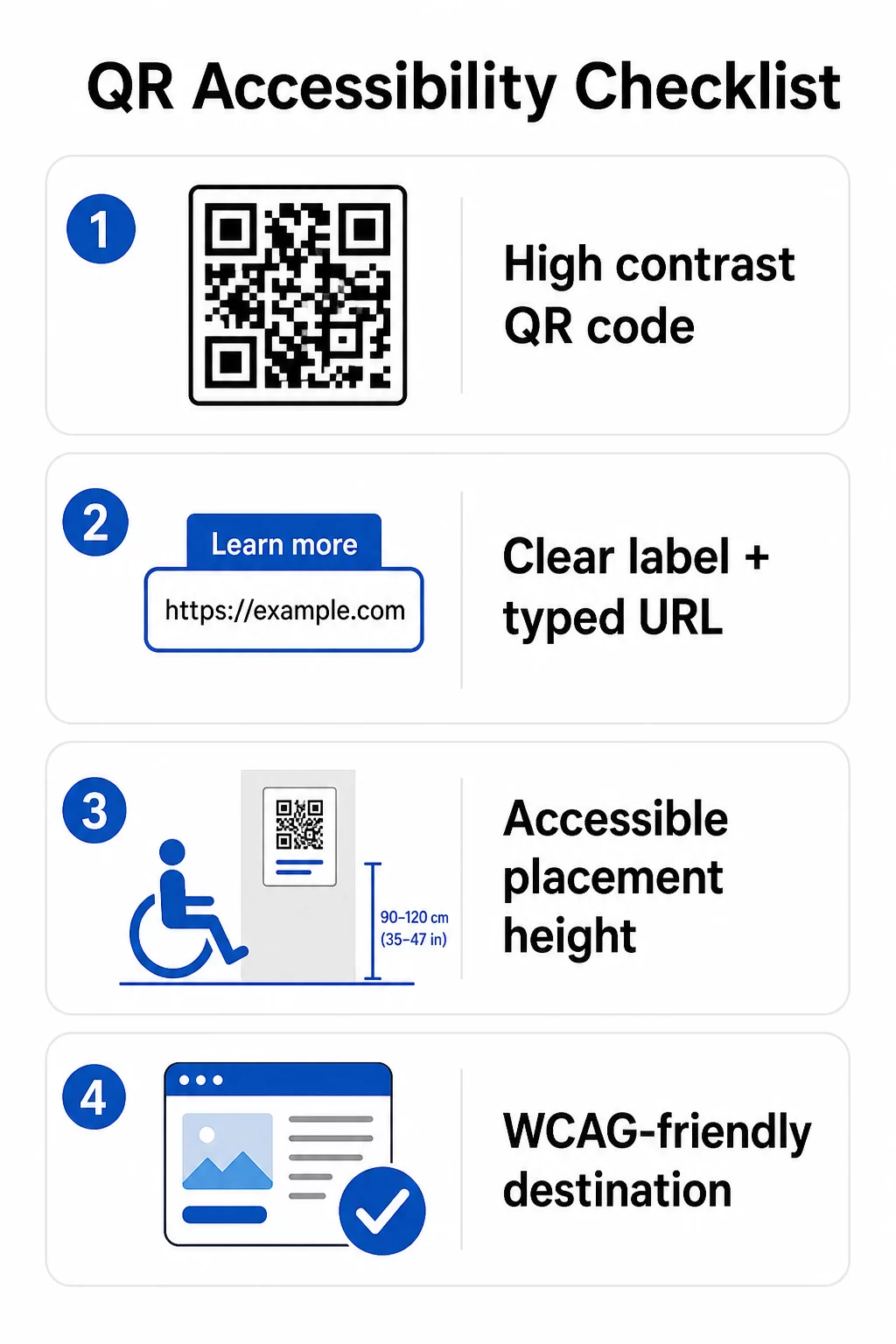
A fizikai QR-kódra vonatkozóan:
- Használjon sötét előteret világos háttéren, legalább 4,5:1 kontrasztarányt célozva a teljes akadálymentesítés érdekében
- Nyomtassa ki a kódokat legalább 1 hüvelyk × 1 hüvelyk méretben, és tartsa be a 10:1 szabályt a szkennelési távolságra vonatkozóan (1 hüvelyk kód szélesség 10 hüvelyk várható megtekintési távolságonként)
- Helyezze el a nyomtatott kódokat 3,5 és 4,5 láb magasságban a padlótól, hogy a kerekesszékes felhasználók kényelmesen elérhessék azokat
- Helyezzen el egyértelmű címkét vagy cselekvésre ösztönző felhívást a közelben, hogy a felhasználók megértsék, mire szolgál a kód a szkennelés előtt
- Biztosítson mellette egy szöveges URL-t vagy azzal egyenértékű alternatívát, hogy azok a felhasználók is hozzáférhessenek a tartalomhoz, akik nem tudják beolvasni a QR-kódot
A hivatkozott digitális tartalomra vonatkozóan:
- A cél weboldalaknak meg kell felelniük a WCAG 2.1 A és AA szintű sikerkritériumainak
- Digitális dokumentumokban a QR-kódoknak leíró alt szövegre van szükségük, amely elmagyarázza a kód célját – nem a vizuális megjelenését (WCAG Sikerkritérium 1.1.1)
- A QR-kód modulok nem szöveges kontrasztjának a háttérrel szemben legalább 3:1 arányúnak kell lennie (WCAG Sikerkritérium 1.4.11)
- Ha a QR-kód linkként funkcionál, az alt szövegnek le kell írnia, hová vezet (WCAG Sikerkritérium 2.4.4)
A teljes megvalósítási ellenőrzőlistáért tekintse meg útmutatónkat a következő témában: hogyan tehetők a QR-kódok ADA-kompatibilissé és szélesebb körű QR kód használhatósági legjobb gyakorlatok.
Felfedezheti továbbá hangvezérelt QR-kódok és tapintható jelzéseket, mint fejlett stratégiákat a látássérült felhasználók kiszolgálására – különösen releváns az egészségügyi, oktatási és kormányzati alkalmazásokban.
Hozzunk létre akadálymentes QR-kódokat a kezdetektől Használja a QR Kód Generátor magas kontrasztú, megfelelő méretű QR-kódok létrehozásához, világos címkékkel és márkajelzéssel – majd kapcsolja össze őket akadálymentes tartalommal, amely megfelel a WCAG szabványoknak.
Miért jó gyakorlat az akadálymentes QR-kódok használata a jogi megfelelésen túl
A jogi kötelezettségeken túl az akadálymentes QR-kódok létrehozása bővíti a tartalmával kapcsolatba lépő közönséget. Egy nem akadálymentes QR-kód nemcsak jogi kockázatot teremt – hanem hiányosságot is okoz az ügyfélélményben. Egy éttermi vendég, aki nem tudja elolvasni a QR-menüt, egy beteg, aki nem fér hozzá a gyógyszerelési utasításokhoz, vagy egy diák, aki nem tudja letölteni a tananyagokat egy nem akadálymentes PDF miatt, mind olyan pillanatokat jelentenek, amikor szervezete nem tudott hatékonyan kommunikálni.
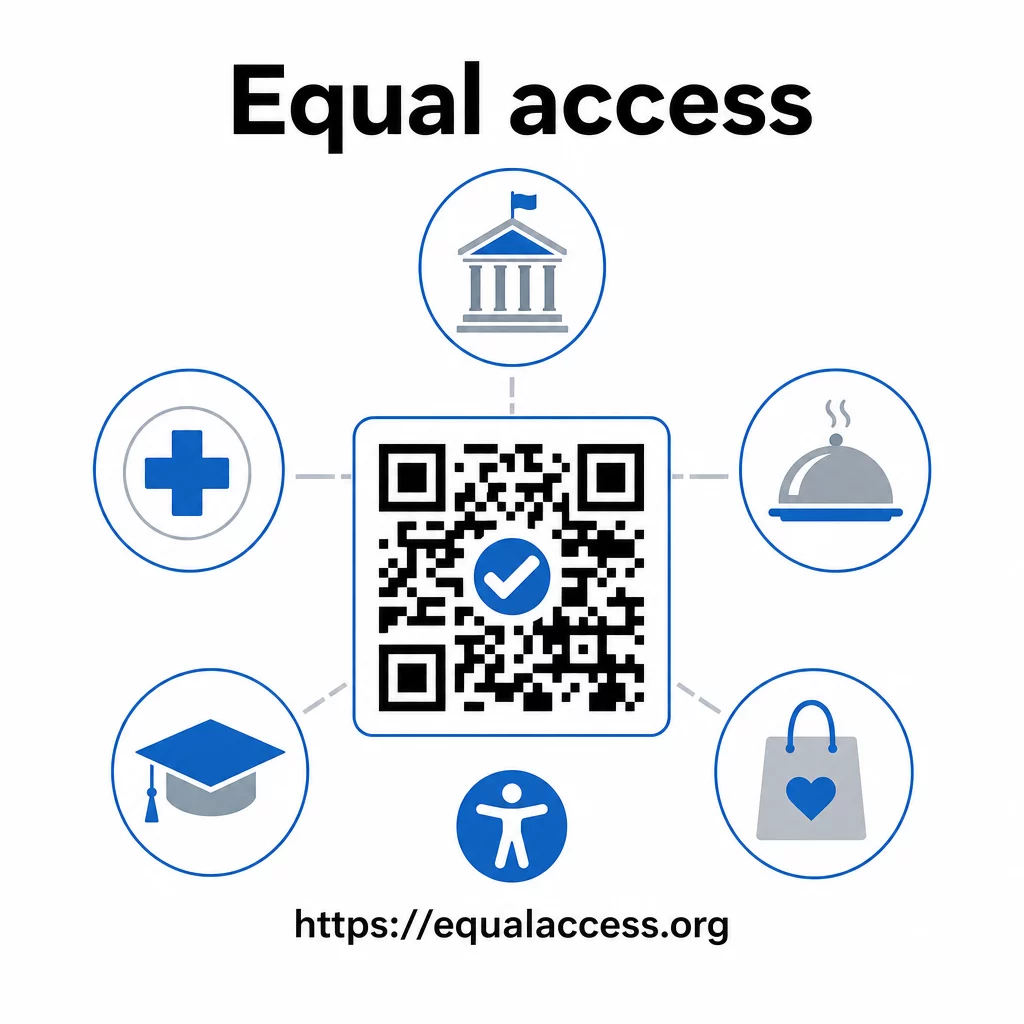
Az akadálymentes QR-kód gyakorlatok általában mindenki számára javítják az élményt. A megfelelő kontraszt segít a kódok gyorsabb beolvasásában rossz fényviszonyok között. A megfelelő méretezés segít minden korosztály felhasználóinak kényelmes távolságból történő beolvasásban. A világos címkék csökkentik a zavart az első alkalommal QR-kódot használók számára. Ezek a fejlesztések az egész közönség számára előnyösek, nem csak a fogyatékkal élők számára.
A kontraszt, méretezés, olvashatóság és elhelyezés mélyebb megismeréséhez tekintse meg útmutatóinkat a következőkről: QR-kód olvashatósági legjobb gyakorlatokkal és QR-kód színkontrasztra vonatkozó legjobb gyakorlatokat.
Az akadálymentesítési kötelezettségek széles körben érvényesek a kormányzati, egészségügyi, oktatási, vendéglátóipari és kiskereskedelmi szektorban – és ugyanazok a műszaki szabványok vonatkoznak mindegyikre. A gyakorlati kiindulópont egyszerű: ha egy QR-kód az, ahogyan fontos információkat kommunikál, akkor ennek a kommunikációnak akadálymentesnek kell lennie. Használja a dinamikus QR kódok így frissítheti a hivatkozott tartalmat a megfelelőség fenntartása érdekében újranyomtatás nélkül, és fedezze fel a teljes skáláját a ágazatspecifikus QR-kód megoldásoknak hogy megtalálja a megfelelő megvalósítást az Ön szektorához.
Gyakori kérdések
Egyetlen törvény sem írja elő kifejezetten a vállalkozások számára a QR-kódok használatát. Azonban, ha úgy dönt, hogy QR-kódokat használ az ügyfélkapcsolati kommunikáció részeként, akkor az ADA hatékony kommunikációs követelményei érvényesek. Ha egy QR-kód az elsődleges vagy egyetlen módja annak, hogy az ügyfelek hozzáférjenek az információkhoz, akkor ennek az élménynek akadálymentesnek kell lennie a fogyatékkal élők számára – beleértve a látássérülteket vagy a korlátozott mozgásképességűeket is.
Az állami és helyi önkormányzati szervek a legvilágosabb kötelezettségekkel szembesülnek az ADA II. címe és a DOJ 2024-es végleges szabálya értelmében, amely WCAG 2.1 AA szintű megfelelőséget ír elő a webes tartalmak és mobilalkalmazások számára. A nyilvánosság számára nyitott magánvállalkozások – beleértve az éttermeket, szállodákat, kórházakat, kiskereskedelmi üzleteket, magániskolákat, bankokat és edzőtermeket – a III. cím hatálya alá tartoznak, és hatékony kommunikációt kell biztosítaniuk segédeszközök és szolgáltatások révén. A szövetségi ügynökségekre emellett a Rehabilitációs Törvény 508. szakasza is vonatkozik.
Nincs egyetlen, az ADA által előírt ellenőrzőlista kifejezetten a QR-kódokhoz, de a WCAG 2.1 és az 508. szakasz útmutatásából merített legjobb gyakorlatok a következők: sötét előtér használata világos háttéren, legalább 4,5:1 kontrasztaránnyal; a kódok nyomtatása legalább 1 hüvelyk × 1 hüvelyk méretben; fizikai kódok elhelyezése hozzáférhető magasságban (a padlótól 3,5–4,5 láb); egy közeli szöveges URL biztosítása alternatívaként azoknak a felhasználóknak, akik nem tudnak szkennelni; leíró alt szöveg hozzáadása digitális dokumentumokban; és annak biztosítása, hogy a cél tartalom megfeleljen a WCAG 2.1 AA szintű szabványainak.