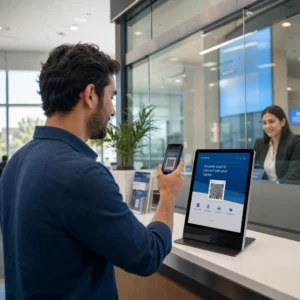
Você não tem certeza se sua empresa é legalmente obrigada a tornar os códigos QR acessíveis sob a ADA? Errar isso pode expor sua organização a riscos de conformidade e excluir clientes com deficiência de conteúdo ao qual eles têm direito de acesso. Este guia detalha quais setores carregam as obrigações legais mais claras e quais padrões de acessibilidade se aplicam quando os códigos QR fazem parte de suas comunicações voltadas para o cliente.
A Realidade Legal Central: Nenhuma Lei Exige Códigos QR, Mas as Leis de Acessibilidade Ainda se Aplicam
Antes de mergulhar em setores específicos, uma importante clarificação: nenhuma disposição da Lei dos Americanos com Deficiência (ADA) exige especificamente que qualquer empresa ou agência use códigos QR. A ADA foca em garantir uma comunicação eficaz e igualitária com pessoas com deficiência – independentemente da tecnologia que você escolher para entregar essa comunicação.
A implicação crítica é esta: uma vez que você escolhe usar um código QR como parte de suas comunicações voltadas para o cliente, as obrigações de acessibilidade se seguem. Se o seu código QR é o método principal ou único de acesso a informações importantes, ele deve ser utilizável por todos – incluindo pessoas com deficiência visual, mobilidade limitada ou outras deficiências.
Pense desta forma: você não é obrigado a instalar uma rampa, mas se seu prédio tem degraus que os clientes devem usar para acessar seus serviços, os padrões da ADA governam como essa rampa deve ser construída. Da mesma forma, se um código QR é como você entrega um menu, um formulário ou informações públicas críticas, então esse código QR e o conteúdo ao qual ele se vincula devem ser acessíveis.
Título II: Organizações Governamentais e do Setor Público
Governos estaduais e locais carregam algumas das obrigações de acessibilidade digital mais explícitas e bem documentadas sob a ADA. O Título II da ADA exige que todas as entidades governamentais estaduais e locais se comuniquem com pessoas com deficiência tão eficazmente quanto se comunicam com outras. Isso abrange todos os níveis de operação governamental – departamentos de polícia, tribunais, serviços de votação, escolas públicas, faculdades comunitárias, bibliotecas públicas, distritos de água e outros distritos de propósito especial.
Em 2024, o Departamento de Justiça dos EUA finalizou uma regra sob o Título II designando WCAG 2.1 Nível AA como o padrão técnico para o conteúdo da web e aplicativos móveis de governos estaduais e locais. Isso significa que, quando uma agência governamental coloca um código QR em um documento público, sinal ou local físico, o conteúdo digital ao qual esse código QR se vincula deve estar em conformidade com os critérios de sucesso WCAG 2.1 Nível A e Nível AA.
A orientação federal também deixa claro que os códigos QR usados em publicações federais devem atender Seção 508 da Lei de Reabilitação, que trata os códigos QR como uma forma de Tecnologia da Informação e Comunicação (TIC). De acordo com a Seção 508, um código QR em um documento digital deve ser tratado tanto como uma imagem que requer texto alternativo descritivo quanto como um link que requer uma alternativa de texto acessível – para que os usuários que não conseguem escanear o código ainda possam acessar as mesmas informações.
Os requisitos práticos para o uso de códigos QR pelo governo incluem:
- Texto acessível adjacente: Forneça o URL de destino ou uma alternativa digitada curta ao lado de cada código QR para que os usuários que não conseguem escaneá-lo ainda possam acessar o conteúdo
- Texto alternativo descritivo: Em documentos digitais, o texto alternativo deve descrever o que o código QR faz (por exemplo, “Código QR que leva ao aplicativo de licença de estacionamento acessível da cidade”), não apenas sua aparência
- Posicionamento físico: Os códigos QR impressos devem ser posicionados onde pessoas em cadeiras de rodas possam escaneá-los confortavelmente – a orientação recomenda uma altura entre 3,5 e 4,5 pés
- Conteúdo de destino acessível: A página da web ou documento acessado através do código QR deve, por si só, atender ao WCAG 2.1 Nível AA
Para orientações detalhadas de posicionamento específicas para uso governamental, consulte nosso guia sobre melhores posicionamentos de códigos QR para agências governamentais.
Mantenha os Códigos QR Governamentais Atualizados Sem Reimprimir Precisa atualizar um URL de destino em uma placa governamental afixada sem substituir o material físico? Use o Gerador de QR Code Dinâmico para alterar o conteúdo vinculado a qualquer momento – sem necessidade de reimpressão.
Título III: Empresas e Organizações Abertas ao Público
Empresas privadas e organizações sem fins lucrativos que servem o público são abrangidas pelo Título III da ADA, que as define como “acomodações públicas”. A lista de entidades abrangidas é ampla e inclui quase todos os tipos de negócios com atendimento ao cliente. De acordo com o Título III, essas organizações devem fornecer comunicação eficaz para clientes com deficiências visuais, auditivas e de fala, inclusive por meio de ajudas e serviços auxiliares quando necessário.
As seguintes categorias são explicitamente identificadas como acomodações públicas sob a ADA:
| Categoria | Exemplos |
|---|---|
| Locais de hospedagem | Hotéis, motéis, pousadas |
| Estabelecimentos de alimentos e bebidas | Restaurantes, bares |
| Locais de entretenimento | Teatros, estádios, salas de concerto |
| Locais de reunião pública | Centros de convenções, auditórios |
| Estabelecimentos de vendas e aluguel | Mercearias, centros comerciais, lojas de ferragens |
| Estabelecimentos de serviços | Bancos, farmácias, prestadores de serviços de saúde, escritórios de advocacia, hospitais |
| Terminais de transporte | Estações de ônibus e trem |
| Exposição ou coleção pública | Museus, bibliotecas, galerias |
| Recreação | Parques, jardins zoológicos, parques de diversões |
| Instituições de ensino | Escolas maternais privadas até programas de pós-graduação |
| Serviços sociais | Creches, centros para idosos, abrigos para sem-teto, bancos de alimentos |
| Exercício e recreação | Academias, spas de saúde, boliches, campos de golfe |
Se a sua organização aparece nesta lista e utiliza códigos QR em qualquer contexto de interação com o cliente – sinalização, menus, expositores de produtos, terminais de pagamento ou materiais informativos – as obrigações de comunicação eficaz aplicam-se a essa experiência de código QR.
Saúde: Obrigações Aumentadas e Implicações Práticas
Hospitais, clínicas, farmácias e prestadores de cuidados de saúde privados aparecem sob o Título III como estabelecimentos de serviços. Mas as organizações de saúde frequentemente operam sob padrões adicionais de privacidade e informação que tornam a comunicação acessível especialmente importante.
Quando um código QR liga a instruções de alta, informações sobre medicação, agendamento de consultas ou formulários de pacientes, as consequências da inacessibilidade não são apenas legais – são clínicas. Um paciente com baixa visão que não consegue aceder às instruções de dosagem porque um código QR não tem uma opção alternativa enfrenta um risco significativo para a saúde.
Os códigos QR em ambientes de saúde devem ser sempre acompanhados por alternativas acessíveis, como folhetos em letra grande, explicações em áudio ou assistência de pessoal. Para instalações de saúde pública que também são entidades governamentais, as obrigações do Título II aplicam-se além dos requisitos padrão de comunicação em saúde.
Explore como os códigos QR são usados em hospitais e ambientes de saúde para exemplos práticos de implementação.
Hotelaria: Menus, Check-In e Serviços ao Hóspede
A indústria hoteleira – hotéis, restaurantes e bares – adotou códigos QR a um ritmo notável, especialmente para menus digitais. Como restaurantes e hotéis estão explicitamente listados como acomodações públicas sob o Título III, cada experiência de hóspede entregue por QR acarreta uma obrigação de comunicação eficaz.
Um restaurante que depende exclusivamente de um menu de código QR deve garantir que esse menu seja acessível a hóspedes com deficiência visual. Isso significa que a página de destino para a qual o código QR direciona deve ser compatível com leitores de tela, usar contraste de cores suficiente e ter uma estrutura de títulos lógica. Hóspedes que não conseguem usar um código QR – seja devido a deficiência visual, falta de familiaridade com smartphones ou limitações motoras – devem ter uma forma alternativa de aceder à mesma informação.
Para a implementação de menus acessíveis, o Gerador de QR code para cardápio permite-lhe ligar a um menu digital que pode atualizar instantaneamente sem reimprimir materiais físicos – útil quando a disponibilidade de itens muda ou quando precisa de atualizar a página ligada para melhorar a acessibilidade.
Para orientação sobre como tornar os pagamentos por código QR acessíveis em ambientes de hotelaria e retalho, consulte o nosso artigo sobre as melhores práticas de acessibilidade para pagamentos com código QR.
Educação: Escolas Públicas e Privadas
As instituições de ensino abrangem tanto o Título II quanto o Título III, dependendo se são operadas publicamente ou privadamente. Escolas públicas K–12, faculdades comunitárias e universidades estaduais enquadram-se no Título II, incluindo a regra do DOJ que exige conformidade com WCAG 2.1 Nível AA para conteúdo web e aplicações móveis. Escolas privadas de todos os níveis são abrangidas pelo Título III como acomodações públicas.
Em ambos os casos, quando as escolas usam códigos QR para distribuir materiais de curso, informações de eventos, formulários ou recursos de aprendizagem, esses materiais devem ser acessíveis. Um aluno com deficiência visual deve ser capaz de acessar o mesmo conteúdo que seus colegas. Na prática, isso significa:
- PDFs vinculados devem ser marcados e compatíveis com leitores de tela
- O conteúdo da web acessado por meio de códigos QR deve atender aos padrões WCAG
- A colocação física de códigos QR em salas de aula ou corredores deve estar em alturas acessíveis a alunos que usam cadeiras de rodas
Veja como códigos QR são usados em escolas e educação para ideias de casos de uso específicos, e explore o Gerador de QR Code de PDF para distribuir documentos de curso acessíveis.
Varejo: Lojas, Embalagens e Displays na Loja
Lojas de varejo, centros comerciais e supermercados são listados como acomodações públicas sob o Título III. À medida que os códigos QR se tornam mais comuns em embalagens de produtos, displays de prateleira e áreas de checkout, as organizações de varejo enfrentam uma crescente exposição às obrigações de comunicação eficaz.
Um código QR em um rótulo de produto que se vincula a instruções de uso, listas de ingredientes ou informações de garantia deve ser utilizável por clientes com deficiência visual. Se o código for a principal forma de acessar essas informações – e nenhuma alternativa equivalente for fornecida – o varejista pode não estar cumprindo suas obrigações de comunicação eficaz.
As principais considerações de acessibilidade para implantações de QR no varejo incluem:
- Fornecer um URL digitado ou equivalente impresso junto com os códigos QR nas embalagens
- Garantir que as páginas de informações do produto vinculadas a partir de códigos QR atendam aos padrões de contraste e navegação do WCAG
- Colocar códigos QR na loja em alturas e posições acessíveis a usuários de cadeira de rodas
Para estratégia de colocação, consulte nosso guia sobre melhores posicionamentos de códigos QR para lojas de retalho.
Os Padrões Técnicos Que Se Aplicam Em Todas as Indústrias
Independentemente do setor em que você atua, os mesmos padrões essenciais de acessibilidade se aplicam ao implantar códigos QR. Estes vêm das diretrizes WCAG 2.1 e da Seção 508, e cobrem tanto o próprio código QR físico quanto o conteúdo digital ao qual ele se vincula.
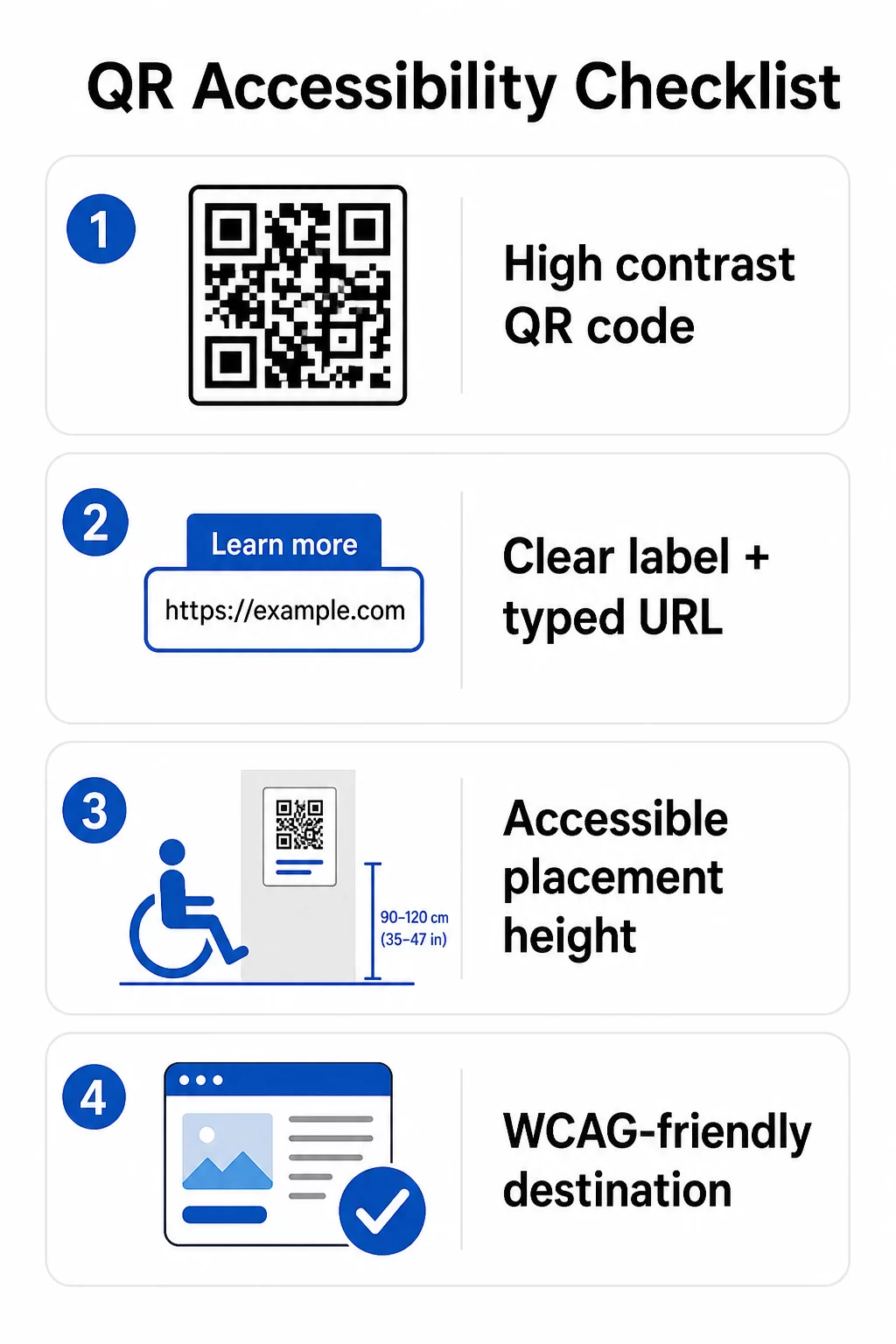
Para o código QR físico:
- Use um primeiro plano escuro em um fundo claro, visando uma taxa de contraste de pelo menos 4.5:1 para acessibilidade total
- Imprima códigos com um tamanho mínimo de 1 polegada × 1 polegada e siga a regra 10:1 para distância de digitalização (1 polegada de largura do código por 10 polegadas de distância de visualização esperada)
- Coloque os códigos impressos entre 3,5 e 4,5 pés do chão para que usuários de cadeira de rodas possam alcançá-los confortavelmente
- Adicione um rótulo claro ou chamada para ação por perto para que os usuários entendam o que o código faz antes de digitalizar
- Forneça uma URL de texto adjacente ou alternativa equivalente para que usuários que não podem digitalizar o código QR ainda possam acessar o conteúdo
Para o conteúdo digital vinculado:
- As páginas da web de destino devem atender aos critérios de sucesso WCAG 2.1 Nível A e AA
- Em documentos digitais, os códigos QR precisam de texto alternativo descritivo explicando o propósito do código – não sua aparência visual (Critério de Sucesso WCAG 1.1.1)
- O contraste não textual dos módulos de código QR contra seu fundo deve atender a uma proporção mínima de 3:1 (Critério de Sucesso WCAG 1.4.11)
- Se o código QR funcionar como um link, o texto alternativo deve descrever para onde ele leva (Critério de Sucesso WCAG 2.4.4)
Para uma lista de verificação de implementação completa, consulte nosso guia sobre como tornar os códigos QR compatíveis com a ADA e a nossa mais ampla melhores práticas de usabilidade de códigos QR.
Você também pode explorar códigos QR ativados por voz e dicas táteis como estratégias avançadas para atender usuários com deficiência visual – particularmente relevante para implementações em saúde, educação e governo.
Crie Códigos QR Acessíveis Desde o Início Use o Gerador de Código QR para construir códigos QR de alto contraste e tamanho adequado, com rótulos claros e branding – e depois vinculá-los a conteúdo acessível que atenda aos padrões WCAG.
Por Que Códigos QR Acessíveis São Uma Boa Prática Além da Conformidade Legal
Deixando de lado as obrigações legais, tornar os códigos QR acessíveis expande o público que pode interagir com seu conteúdo. Um código QR inacessível não apenas cria exposição legal – ele cria uma lacuna na experiência do seu cliente. Um cliente em um restaurante que não consegue ler o menu QR, um paciente que não consegue acessar as instruções de medicação, ou um estudante que não consegue baixar materiais do curso devido a um PDF inacessível, todos representam momentos em que sua organização falhou em se comunicar de forma eficaz.
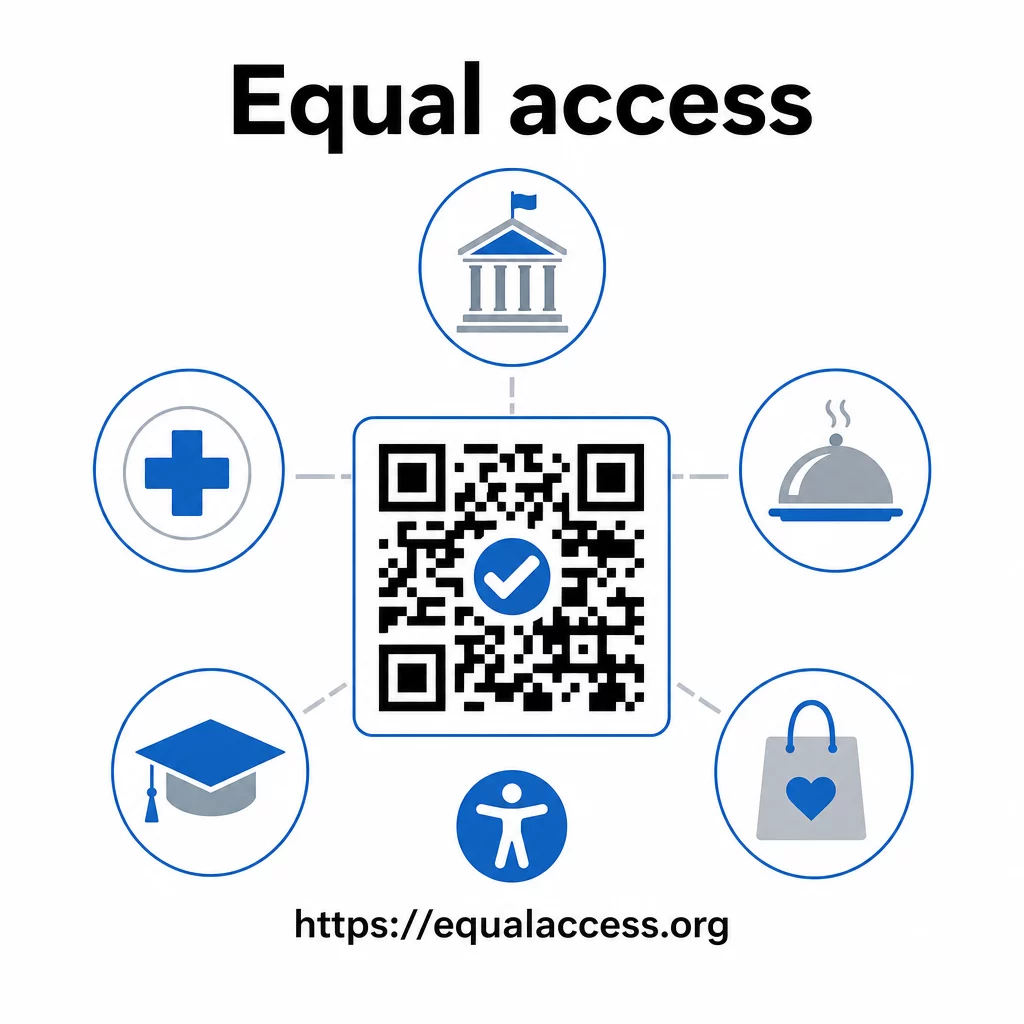
As práticas de código QR acessível também tendem a melhorar a experiência para todos. Contraste suficiente ajuda os códigos a serem escaneados mais rapidamente em condições de pouca luz. O dimensionamento adequado ajuda usuários de todas as idades a escanear de uma distância confortável. Rótulos claros reduzem a confusão para usuários de código QR pela primeira vez. Essas melhorias beneficiam todo o seu público, não apenas usuários com deficiência.
Para uma análise mais aprofundada sobre contraste, dimensionamento, legibilidade e posicionamento, explore nossos guias sobre as melhores práticas de legibilidade de códigos QR e melhores práticas de contraste de cores para códigos QR.
As obrigações de acessibilidade se aplicam amplamente em governo, saúde, educação, hotelaria e varejo – e os mesmos padrões técnicos regem todos eles. O ponto de partida prático é simples: se um código QR é como você comunica informações importantes, essa comunicação deve ser acessível. Use códigos QR dinâmicos para que você possa atualizar o conteúdo vinculado para manter a conformidade sem reimprimir, e explore toda a gama de soluções de código QR específicas da indústria para encontrar a implementação certa para o seu setor.
Perguntas frequentes
Nenhuma lei exige especificamente que as empresas usem códigos QR. No entanto, se você optar por usar códigos QR como parte de suas comunicações voltadas para o cliente, os requisitos de comunicação eficaz da ADA se aplicam. Se um código QR é a forma principal ou única de os clientes acessarem informações, essa experiência deve ser acessível a pessoas com deficiência – incluindo aquelas com deficiência visual ou mobilidade limitada.
Agências governamentais estaduais e locais enfrentam as obrigações mais explícitas sob o Título II da ADA e a regra final de 2024 do DOJ, que exige conformidade com WCAG 2.1 Nível AA para conteúdo web e aplicativos móveis. Empresas privadas abertas ao público – incluindo restaurantes, hotéis, hospitais, lojas de varejo, escolas particulares, bancos e academias – são cobertas pelo Título III e devem fornecer comunicação eficaz por meio de ajudas e serviços auxiliares. Agências federais são adicionalmente regidas pela Seção 508 da Lei de Reabilitação.
Não há uma única lista de verificação mandatada pela ADA especificamente para códigos QR, mas as melhores práticas extraídas das diretrizes da WCAG 2.1 e da Seção 508 incluem: usar um primeiro plano escuro em um fundo claro com uma taxa de contraste de pelo menos 4.5:1; imprimir códigos com um tamanho mínimo de 1 polegada × 1 polegada; colocar códigos físicos em alturas acessíveis (3.5–4.5 pés do chão); fornecer um URL de texto próximo como alternativa para usuários que não conseguem escanear; adicionar texto alternativo descritivo em documentos digitais; e garantir que o conteúdo de destino atenda aos padrões WCAG 2.1 Nível AA.