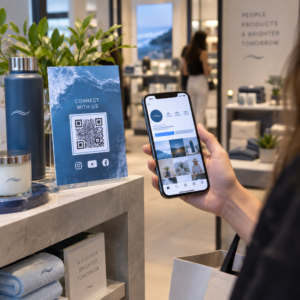
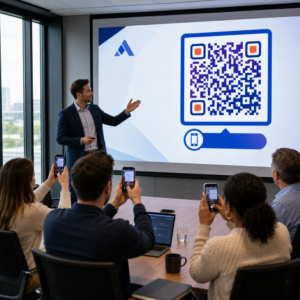
Er du i tvivl, om din virksomhed er juridisk forpligtet til at gøre QR-koder tilgængelige i henhold til ADA? At gøre dette forkert kan udsætte din organisation for overholdelsesrisiko og udelukke kunder med handicap fra indhold, de har ret til at få adgang til. Denne guide gennemgår, hvilke sektorer der har de tydeligste juridiske forpligtelser, og hvilke tilgængelighedsstandarder der gælder, når QR-koder er en del af din kundevendte kommunikation.
Den grundlæggende juridiske virkelighed: Ingen lov kræver QR-koder, men tilgængelighedslove gælder stadig
Før vi dykker ned i specifikke brancher, en vigtig afklaring: ingen bestemmelse i Americans with Disabilities Act pålægger specifikt, at nogen virksomhed eller myndighed skal bruge QR-koder. ADA fokuserer på at sikre effektiv, ligeværdig kommunikation med mennesker med handicap – uanset hvilken teknologi du vælger at levere den kommunikation med.
Den kritiske implikation er denne: når du vælger at bruge en QR-kode som en del af din kundevendte kommunikation, følger tilgængelighedsforpligtelserne. Hvis din QR-kode er den primære eller eneste metode til at få adgang til vigtig information, skal den kunne bruges af alle – herunder personer med synshandicap, begrænset mobilitet eller andre handicap.
Tænk på det på denne måde: du er ikke forpligtet til at installere en rampe, men hvis din bygning har trin, som kunderne skal bruge for at få adgang til dine tjenester, regulerer ADA-standarder, hvordan den rampe skal bygges. Tilsvarende, hvis en QR-kode er den måde, du leverer en menu, en formular eller kritisk offentlig information på, så skal den QR-kode og det indhold, den linker til, være tilgængeligt.
Titel II: Regering og offentlige organisationer
Statslige og lokale myndigheder har nogle af de mest eksplicitte og veldokumenterede digitale tilgængelighedsforpligtelser i henhold til ADA. Titel II i ADA kræver, at alle statslige og lokale myndigheder kommunikerer med mennesker med handicap lige så effektivt, som de kommunikerer med andre. Dette dækker alle niveauer af offentlig drift – politiafdelinger, domstole, stemmetjenester, offentlige skoler, community colleges, offentlige biblioteker, vanddistrikter og andre specialdistrikter.
I 2024 færdiggjorde det amerikanske justitsministerium en regel under Titel II, der udpeger WCAG 2.1 Niveau AA som den tekniske standard for statslige og lokale myndigheders webindhold og mobilapplikationer. Dette betyder, at når en offentlig myndighed placerer en QR-kode på et offentligt dokument, skilt eller fysisk placering, skal det digitale indhold, som QR-koden linker til, overholde WCAG 2.1 Niveau A og Niveau AA succeskriterier.
Føderal vejledning gør det også klart, at QR-koder, der anvendes i føderale publikationer, forventes at opfylde Afsnit 508 i rehabiliteringsloven, som behandler QR-koder som en form for informations- og kommunikationsteknologi (IKT). I henhold til afsnit 508 skal en QR-kode i et digitalt dokument behandles både som et billede, der kræver beskrivende alt-tekst, og som et link, der kræver et tilgængeligt tekstalternativ – så brugere, der ikke kan scanne koden, stadig kan få adgang til den samme information.
Praktiske krav til brug af QR-koder i det offentlige omfatter:
- Tilgængelig tekst ved siden af: Angiv destinations-URL'en eller et kort, indtastet alternativ ved siden af hver QR-kode, så brugere, der ikke kan scanne den, stadig kan få adgang til indholdet
- Beskrivende alt-tekst: I digitale dokumenter skal alt-teksten beskrive, hvad QR-koden gør (f.eks. “QR-kode, der linker til byens ansøgning om handicapparkeringstilladelse”), ikke kun dens udseende
- Fysisk placering: Trykte QR-koder bør placeres, hvor personer i kørestol komfortabelt kan scanne dem – vejledningen anbefaler en højde mellem 3,5 og 4,5 fod
- Tilgængeligt destinationsindhold: Websiden eller dokumentet, der nås via QR-koden, skal selv opfylde WCAG 2.1 Niveau AA
For detaljeret placeringsvejledning specifik for offentlig brug, se vores guide om bedste QR-kodeplaceringer for offentlige myndigheder.
Hold offentlige QR-koder opdaterede uden genoptryk Skal du opdatere en destinations-URL på et opsat offentligt skilt uden at udskifte det fysiske materiale? Brug Dynamisk QR-kode generator at ændre det linkede indhold når som helst – ingen genoptrykning påkrævet.
Titel III: Virksomheder og organisationer åbne for offentligheden
Private virksomheder og nonprofitorganisationer, der betjener offentligheden, er omfattet af Titel III i ADA, som definerer disse som “offentlige faciliteter”. Listen over omfattede enheder er bred og inkluderer næsten enhver type kundevendt virksomhed. Under Titel III skal disse organisationer levere effektiv kommunikation for kunder med syns-, høre- og talefunktionsnedsættelser, herunder gennem hjælpeforanstaltninger og -tjenester, når det er nødvendigt.
Følgende kategorier er udtrykkeligt identificeret som offentlige faciliteter under ADA:
| Kategori | Eksempler |
|---|---|
| Overnatningssteder | Hoteller, moteller, kroer |
| Mad- og drikkesteder | Restauranter, barer |
| Underholdningssteder | Teatre, stadioner, koncertsale |
| Offentlige forsamlingssteder | Kongrescentre, auditorier |
| Salgs- og udlejningsvirksomheder | Dagligvarebutikker, indkøbscentre, byggemarkeder |
| Servicevirksomheder | Banker, apoteker, sundhedsudbydere, advokatkontorer, hospitaler |
| Transportterminaler | Bus- og togstationer |
| Offentlig udstilling eller samling | Museer, biblioteker, gallerier |
| Rekreation | Parker, zoologiske haver, forlystelsesparker |
| Uddannelsesinstitutioner | Private vuggestuer til kandidatuddannelser |
| Sociale tjenester | Dagplejecentre, ældrecentre, herberger for hjemløse, fødevarebanker |
| Motion og rekreation | Fitnesscentre, sundhedsspaer, bowlinghaller, golfbaner |
Hvis din organisation optræder på denne liste, og du bruger QR-koder i enhver kundevendt sammenhæng – skiltning, menuer, produktudstillinger, betalingsterminaler eller informationsmaterialer – gælder forpligtelser til effektiv kommunikation for den QR-kodeoplevelse.
Sundhedsvæsen: Skærpede forpligtelser og praktiske konsekvenser
Hospitaler, klinikker, apoteker og private sundhedsudbydere optræder under Titel III som servicevirksomheder. Men sundhedsorganisationer opererer ofte under yderligere standarder for privatliv og information, der gør tilgængelig kommunikation særligt vigtig.
Når en QR-kode linker til udskrivningsinstruktioner, medicininformation, aftalebestilling eller patientformularer, er konsekvenserne af utilgængelighed ikke kun juridiske – de er kliniske. En patient med nedsat syn, der ikke kan få adgang til doseringsinstruktioner, fordi en QR-kode mangler en fallback-mulighed, står over for en betydelig sundhedsrisiko.
QR-koder i sundhedsvæsenet bør altid ledsages af tilgængelige alternativer såsom storprintede uddelingsmaterialer, lydforklaringer eller personaleassistance. For offentlige sundhedsfaciliteter, der også er statslige enheder, gælder Titel II-forpligtelser ud over standardkravene til sundhedskommunikation.
Udforsk hvordan QR-koder bruges på hospitaler og i sundhedsvæsenet for praktiske implementeringseksempler.
Gæstfrihed: Menukort, Check-In og Gæsteservice
Gæstfrihedsbranchen – hoteller, restauranter og barer – har taget QR-koder til sig i et bemærkelsesværdigt tempo, især til digitale menukort. Da restauranter og hoteller udtrykkeligt er opført som offentlige faciliteter under Titel III, medfører enhver QR-leveret gæsteoplevelse en forpligtelse til effektiv kommunikation.
En restaurant, der udelukkende baserer sig på en QR-kodemenu, skal sikre, at menuen er tilgængelig for gæster med synshandicap. Dette betyder, at landingssiden, som QR-koden linker til, skal være kompatibel med skærmlæsere, bruge tilstrækkelig farvekontrast og have en logisk overskriftsstruktur. Gæster, der ikke kan bruge en QR-kode – hvad enten det skyldes synshandicap, uvanthed med smartphones eller motoriske begrænsninger – skal have en alternativ måde at få adgang til den samme information på.
For tilgængelig menuimplementering, den QR-kode menu generator giver dig mulighed for at linke til en digital menu, som du kan opdatere øjeblikkeligt uden at genoptrykke fysiske materialer – nyttigt når varens tilgængelighed ændres, eller når du skal opdatere den linkede side for at forbedre tilgængeligheden.
For vejledning om at gøre QR-kodebetalinger tilgængelige i gæstfriheds- og detailhandelsmiljøer, se vores artikel om bedste praksis for tilgængelighed af QR-kodebetalinger.
Uddannelse: Offentlige og Private Skoler
Uddannelsesinstitutioner falder under både Titel II og Titel III, afhængigt af om de drives offentligt eller privat. Offentlige K–12 skoler, community colleges og statsuniversiteter falder under Titel II, herunder DOJ-reglen, der kræver WCAG 2.1 Level AA-overholdelse for webindhold og mobilapps. Private skoler på alle niveauer er dækket af Titel III som offentlige faciliteter.
I begge tilfælde, når skoler bruger QR-koder til at distribuere kursusmaterialer, begivenhedsinformation, formularer eller læringsressourcer, skal disse materialer være tilgængelige. En elev med en synsnedsættelse skal kunne få adgang til det samme indhold som deres jævnaldrende. I praksis betyder dette:
- Sammenkædede PDF'er skal være tagget og skærmlæserkompatible
- Webinhold, der nås via QR-koder, skal opfylde WCAG-standarderne
- Fysiske QR-kodeplaceringer i klasseværelser eller gange bør være i højder, der er tilgængelige for studerende, der bruger kørestol
Se hvordan QR-koder bruges i skoler og uddannelse for specifikke brugsscenarier, og udforsk PDF QR-kode generator for distribution af tilgængelige kursusdokumenter.
Detailhandel: Butikker, emballage og udstillinger i butikken
Detailbutikker, indkøbscentre og dagligvarebutikker er opført som offentlige faciliteter under Titel III. Efterhånden som QR-koder bliver mere almindelige på produktemballage, hyldeudstillinger og kasseområder, står detailorganisationer over for en stigende eksponering for forpligtelser vedrørende effektiv kommunikation.
En QR-kode på en produktetiket, der linker til brugsanvisninger, ingredienslister eller garantiinformation, skal kunne bruges af kunder med synsnedsættelser. Hvis koden er den primære måde at få adgang til denne information på – og der ikke gives et tilsvarende alternativ – opfylder detailhandleren muligvis ikke sine forpligtelser vedrørende effektiv kommunikation.
Vigtige tilgængelighedsovervejelser for QR-implementeringer i detailhandlen omfatter:
- At give en indtastet URL eller et trykt ækvivalent sammen med QR-koder på emballage
- At sikre, at produktsinformationssider, der linkes fra QR-koder, opfylder WCAG's kontrast- og navigationsstandarder
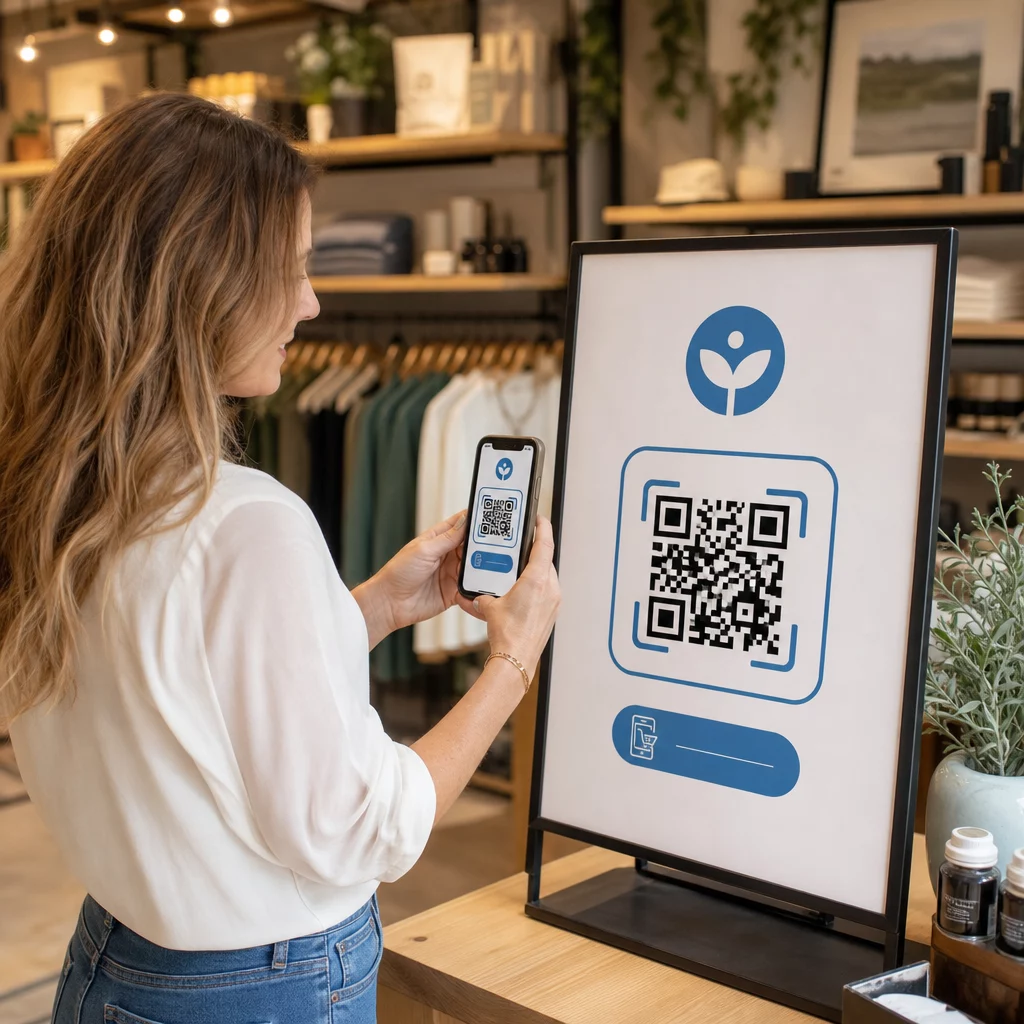
- At placere QR-koder i butikken i højder og positioner, der er tilgængelige for kørestolsbrugere
For placeringsstrategi, se vores guide om bedste placeringer af QR-koder til detailbutikker.
De tekniske standarder, der gælder på tværs af brancher
Uanset hvilken sektor du opererer i, gælder de samme grundlæggende tilgængelighedsstandarder, når du implementerer QR-koder. Disse stammer fra WCAG 2.1 og Section 508-vejledningen, og de dækker både selve den fysiske QR-kode og det digitale indhold, den linker til.
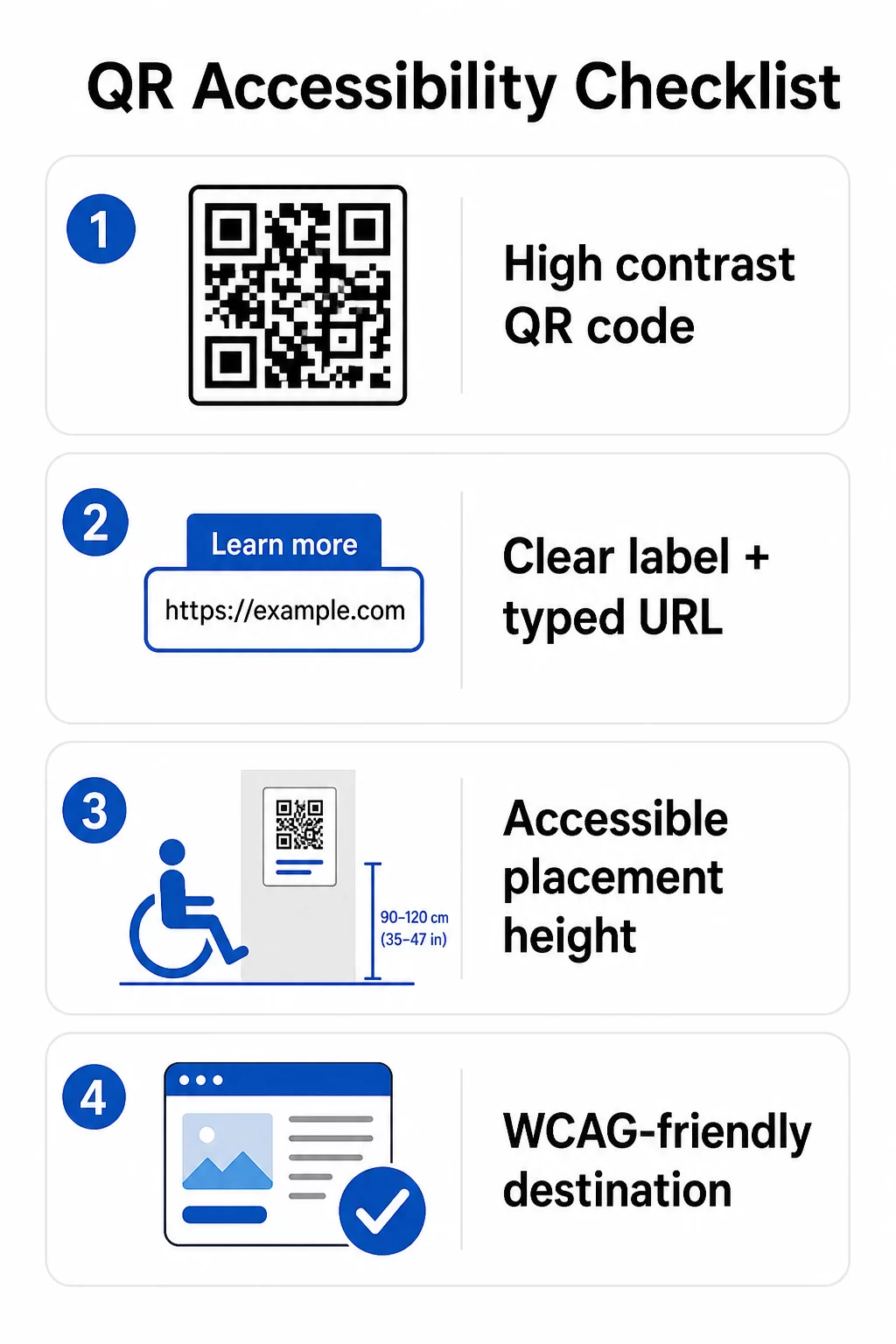
For den fysiske QR-kode:
- Brug en mørk forgrund på en lys baggrund, med et kontrastforhold på mindst 4.5:1 for fuld tilgængelighed
- Print koder i en minimumsstørrelse på 1 tomme × 1 tomme, og følg 10:1-reglen for scanningsafstand (1 tomme kodebredde pr. 10 tommer forventet visningsafstand)
- Placer printede koder mellem 3,5 og 4,5 fod fra gulvet, så kørestolsbrugere nemt kan nå dem
- Tilføj en tydelig etiket eller opfordring til handling i nærheden, så brugere forstår, hvad koden gør, før de scanner
- Angiv en tilstødende tekst-URL eller et tilsvarende alternativ, så brugere, der ikke kan scanne QR-koden, stadig kan få adgang til indholdet
For det linkede digitale indhold:
- Destinationswebsider skal opfylde WCAG 2.1 Niveau A og AA succeskriterier
- I digitale dokumenter skal QR-koder have beskrivende alt-tekst, der forklarer kodens formål – ikke dens visuelle udseende (WCAG Succeskriterium 1.1.1)
- Den ikke-tekstuelle kontrast af QR-kodemoduler mod deres baggrund skal opfylde mindst et 3:1-forhold (WCAG Succeskriterium 1.4.11)
- Hvis QR-koden fungerer som et link, skal alt-teksten beskrive, hvor den fører hen (WCAG Succeskriterium 2.4.4)
For en komplet implementeringscheckliste, se vores guide om hvordan man gør QR-koder ADA-kompatible og vores bredere bedste praksis for QR-kodebrugervenlighed.
Du kan også udforske stemmeaktiverede QR-koder og taktile signaler som avancerede strategier til at betjene brugere med synshandicap – særligt relevant for implementeringer inden for sundhedspleje, uddannelse og offentlig forvaltning.
Opret tilgængelige QR-koder fra starten Brug QR-kodegenerator til at bygge QR-koder med høj kontrast og korrekt størrelse med tydelige etiketter og branding – og derefter linke dem til tilgængeligt indhold, der opfylder WCAG-standarderne.
Hvorfor tilgængelige QR-koder er god praksis ud over lovmæssig overholdelse
Bortset fra juridiske forpligtelser udvider tilgængeliggørelse af QR-koder publikum, der kan interagere med dit indhold. En utilgængelig QR-kode skaber ikke kun juridisk eksponering – den skaber et hul i din kundeoplevelse. En gæst på en restaurant, der ikke kan læse QR-menuen, en patient, der ikke kan få adgang til medicininstruktioner, eller en studerende, der ikke kan downloade kursusmaterialer på grund af en utilgængelig PDF, repræsenterer alle øjeblikke, hvor din organisation har undladt at kommunikere effektivt.
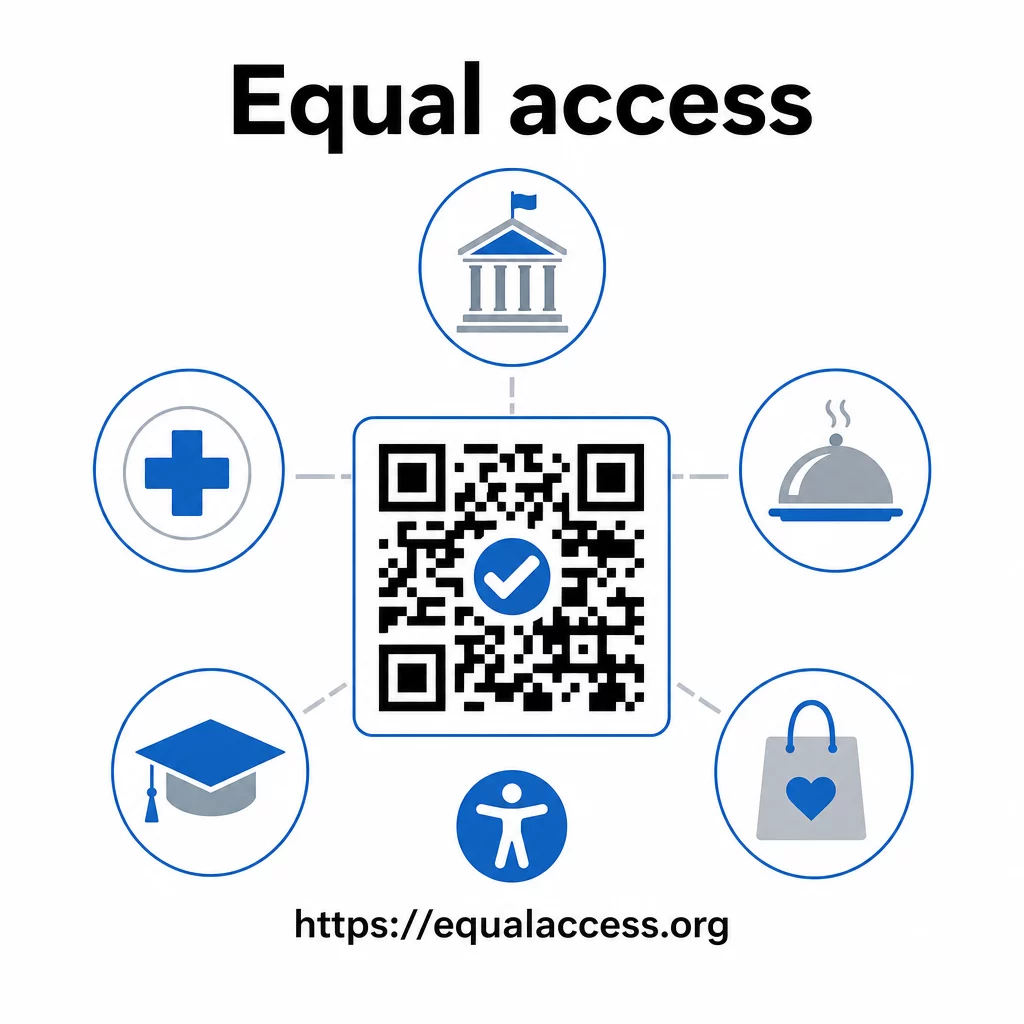
Praksis med tilgængelige QR-koder har også en tendens til at forbedre oplevelsen for alle. Tilstrækkelig kontrast hjælper koder med at scanne hurtigere i dårlig belysning. Korrekt størrelse hjælper brugere i alle aldre med at scanne fra en behagelig afstand. Tydelige etiketter reducerer forvirring for førstegangsbrugere af QR-koder. Disse forbedringer gavner hele dit publikum, ikke kun brugere med handicap.
For et dybere kig på kontrast, størrelse, læsbarhed og placering, udforsk vores vejledninger om bedste praksis for læsbarhed af QR-koder og bedste praksis for farvekontrast i QR-koder.
Tilgængelighedsforpligtelser gælder bredt inden for offentlig forvaltning, sundhedspleje, uddannelse, hotel- og restaurationsbranchen samt detailhandel – og de samme tekniske standarder gælder for dem alle. Det praktiske udgangspunkt er ligetil: hvis en QR-kode er den måde, du kommunikerer vigtig information på, skal denne kommunikation være tilgængelig. Brug dynamiske QR-koder så du kan opdatere linket indhold for at opretholde overholdelse uden at genudskrive, og udforsk hele udvalget af branchespecifikke QR-kodeløsninger for at finde den rette implementering til din sektor.
Ofte stillede spørgsmål
Ingen lov kræver specifikt, at virksomheder bruger QR-koder. Men hvis du vælger at bruge QR-koder som en del af din kundevendte kommunikation, gælder ADA's krav om effektiv kommunikation. Hvis en QR-kode er den primære eller eneste måde, kunder kan få adgang til information på, skal denne oplevelse være tilgængelig for personer med handicap – herunder dem med synshandicap eller begrænset mobilitet.
Statslige og lokale myndigheder står over for de mest eksplicitte forpligtelser under Titel II i ADA og DOJ's endelige regel fra 2024, som kræver WCAG 2.1 Niveau AA-overholdelse for webindhold og mobilapps. Private virksomheder, der er åbne for offentligheden – herunder restauranter, hoteller, hospitaler, detailbutikker, privatskoler, banker og fitnesscentre – er dækket under Titel III og skal levere effektiv kommunikation gennem hjælpeforanstaltninger og tjenester. Føderale myndigheder er desuden omfattet af Sektion 508 i Rehabilitation Act.
Der er ingen enkelt tjekliste påbudt af ADA specifikt for QR-koder, men bedste praksis hentet fra WCAG 2.1 og Section 508-vejledning omfatter: brug af en mørk forgrund på en lys baggrund med mindst et 4.5:1 kontrastforhold; udskrivning af koder i en minimumsstørrelse på 1 inch × 1 inch; placering af fysiske koder i tilgængelige højder (3.5–4.5 feet fra gulvet); tilvejebringelse af en nærliggende tekst-URL som et alternativ for brugere, der ikke kan scanne; tilføjelse af beskrivende alt text i digitale dokumenter; og sikring af, at destinationsindholdet opfylder WCAG 2.1 Level AA standards.