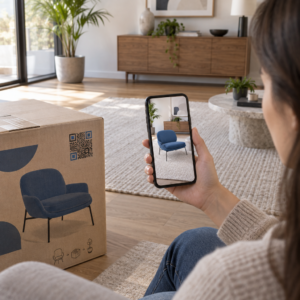
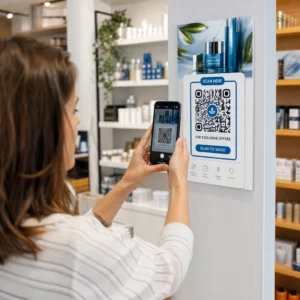
Adakah anda meninggalkan pameran perdagangan dengan timbunan kad perniagaan dan tiada rancangan susulan yang jelas? Pengumpulan data manual melambatkan anda, dan petunjuk menjadi sejuk dengan cepat. Panduan ini menunjukkan kepada anda cara menggunakan kod QR untuk menangkap, menyusun, dan membuat susulan dengan petunjuk acara secara automatik – supaya setiap jabat tangan bertukar menjadi kenalan yang boleh dijejaki.
Mengapa Penangkapan Petunjuk Acara Tradisional Gagal
Di kebanyakan persidangan dan pameran perdagangan, profesional mengumpul butiran hubungan dengan bertukar kad perniagaan atau mencatat nota. Masalahnya: kebanyakan kad tersebut berakhir di atas meja, tidak pernah dimasukkan ke dalam CRM. Walaupun dimasukkan, kemasukan data manual adalah perlahan, mudah ralat, dan tidak selaras dengan rentak susulan jualan moden.
Tempoh untuk bertindak ke atas petunjuk acara adalah singkat. Susulan selepas pameran secara meluas digambarkan sebagai tempoh di mana ROI acara dimenangi atau hilang – petunjuk hangat menjadi sejuk dengan cepat, dan sentuhan pertama yang tertunda atau generik boleh membunuh perbualan yang menjanjikan. Anda memerlukan sistem yang menangkap data dengan serta-merta, menghantarnya ke tempat yang betul, dan mencetuskan susulan tanpa memerlukan anda melakukannya secara manual.
Kod QR merapatkan jurang itu dengan menghubungkan interaksi fizikal – menyerahkan kad kepada seseorang, menunjuk ke sepanduk, atau meletakkan kod di atas meja – dengan aliran kerja digital yang berjalan secara automatik.
Apa yang Menjadikan Kod QR Berkesan untuk Penangkapan Petunjuk
Tidak semua kod QR sama berguna untuk penjanaan petunjuk acara. Kod QR statik menunjuk ke destinasi tetap dan tidak memberikan anda data tentang siapa yang mengimbasnya, bila, atau di mana. Kod kod QR dinamik, sebaliknya, menggunakan pautan pengalihan pendek yang boleh dikemas kini pada bila-bila masa dan merekodkan aktiviti imbasan termasuk masa, jenis peranti, dan lokasi.
Untuk penangkapan petunjuk acara, kod dinamik adalah penting atas tiga sebab:
- Anda boleh menukar URL destinasi selepas mencetak – berguna apabila menghadiri pelbagai acara dengan satu kumpulan bahan bercetak
- Anda mendapat analitik masa nyata mengenai volum imbasan dan tingkah laku audiens
- Anda boleh mengintegrasikan destinasi dengan CRM atau platform automasi anda tanpa menyentuh kod bercetak
Yang Penjana dynamic QR code dari Pageloot membolehkan anda mencipta kod yang boleh diedit, mengemas kini destinasi antara acara, dan menjejaki prestasi dari papan pemuka pusat.
Sediakan Kod Acara Boleh Dijejaki Sebelum Pameran Anda Seterusnya Menggunakan Penjana dynamic QR code untuk mencipta kod QR yang boleh diedit, sedia analitik yang menghalakan peserta terus ke dalam aliran kerja penangkapan petunjuk anda.
Langkah 1: Reka Kad Perniagaan yang Dibina untuk Penangkapan Petunjuk
Kad perniagaan anda adalah pencetus fizikal untuk keseluruhan aliran kerja digital. Untuk menjayakannya, kad itu sendiri perlu berbaloi untuk disimpan – dan kod QR perlu boleh diimbas serta-merta.
Pertimbangan praktikal:
- Gunakan bahan premium: Kad tahan lasak (plastik atau kad stok) kurang berkemungkinan dibuang berbanding alternatif kertas yang nipis. Nilai yang dirasakan pada kad mencerminkan jenama anda.
- Letakkan kod QR dengan jelas: Bahagian belakang kad berfungsi dengan baik. Ikuti cadangan saiz minimum Pageloot iaitu 0.8 × 0.8 inci untuk kod QR kad perniagaan untuk memastikan pengimbasan yang boleh dipercayai merentasi jenis peranti.
- Sertakan seruan tindakan yang jelas: Teks seperti “Imbas untuk menuntut konsultasi percuma anda” atau “Imbas untuk kekal berhubung” memberitahu penerima dengan tepat mengapa mereka perlu mengimbas dan apa yang akan mereka dapat.
- Jenamakan kod tersebut: Menambah logo dan warna jenama anda pada kod QR meningkatkan kepercayaan dan kadar imbasan. Kod hitam-putih generik terasa tidak peribadi; kod berjenama terasa disengajakan.
Jika anda ingin menyertakan butiran hubungan terus dalam kod – supaya hadirin boleh menyimpan maklumat anda tanpa menghantar borang – sebuah kod QR vCard membolehkan anda membenamkan nama, nombor telefon, e-mel dan laman web anda dalam format yang dipindahkan serta-merta ke aplikasi kenalan telefon pintar.
Langkah 2: Bina Halaman Pendaratan yang Disesuaikan dengan Acara
Destinasi yang dituju oleh kod QR anda adalah sama pentingnya dengan kod itu sendiri. Halaman utama generik adalah peluang yang terlepas. Sebuah yang dibina khas halaman pendaratan yang merujuk kepada acara tertentu mewujudkan kaitan segera dan meningkatkan kadar penyelesaian borang.
Halaman pendaratan acara yang tersusun rapi termasuk:
- Ucapan alu-aluan yang diperibadikan (“Seronok berjumpa anda di [Nama Acara] – ini yang saya janjikan”)
- Borang ringkas yang hanya meminta maklumat penting: nama, e-mel, dan satu soalan kelayakan yang relevan dengan tawaran anda
- Insentif yang jelas untuk penghantaran – kandungan eksklusif, penyertaan perundingan percuma, akses kepada komuniti, atau sumber yang boleh dimuat turun
Utamakan borang untuk mudah alih. Hampir setiap imbasan di acara akan berlaku pada telefon pintar, jadi borang yang berserabut atau lambat dimuatkan membunuh penukaran sebelum ia bermula. The Cara buat QR code untuk Google Form menawarkan cara pantas untuk memautkan borang mesra mudah alih ke kod QR anda, dengan respons dimasukkan terus ke Google Sheets untuk semakan mudah.
Selepas penghantaran borang, alihkan peserta ke halaman terima kasih dengan seruan tindakan sekunder – langgan surat berita, sertai komuniti, tonton video yang relevan. Ini melanjutkan interaksi melangkaui imbasan awal.
Langkah 3: Sambungkan Borang Anda ke Aliran Kerja Automatik
Penangkapan petunjuk hanya mencipta nilai jika data bergerak ke tempat yang berguna dengan serta-merta. Memuat turun hamparan secara manual selepas acara dan menghantar e-mel kepada orang dua minggu kemudian bukanlah strategi susulan – ia adalah peluang yang terlepas.
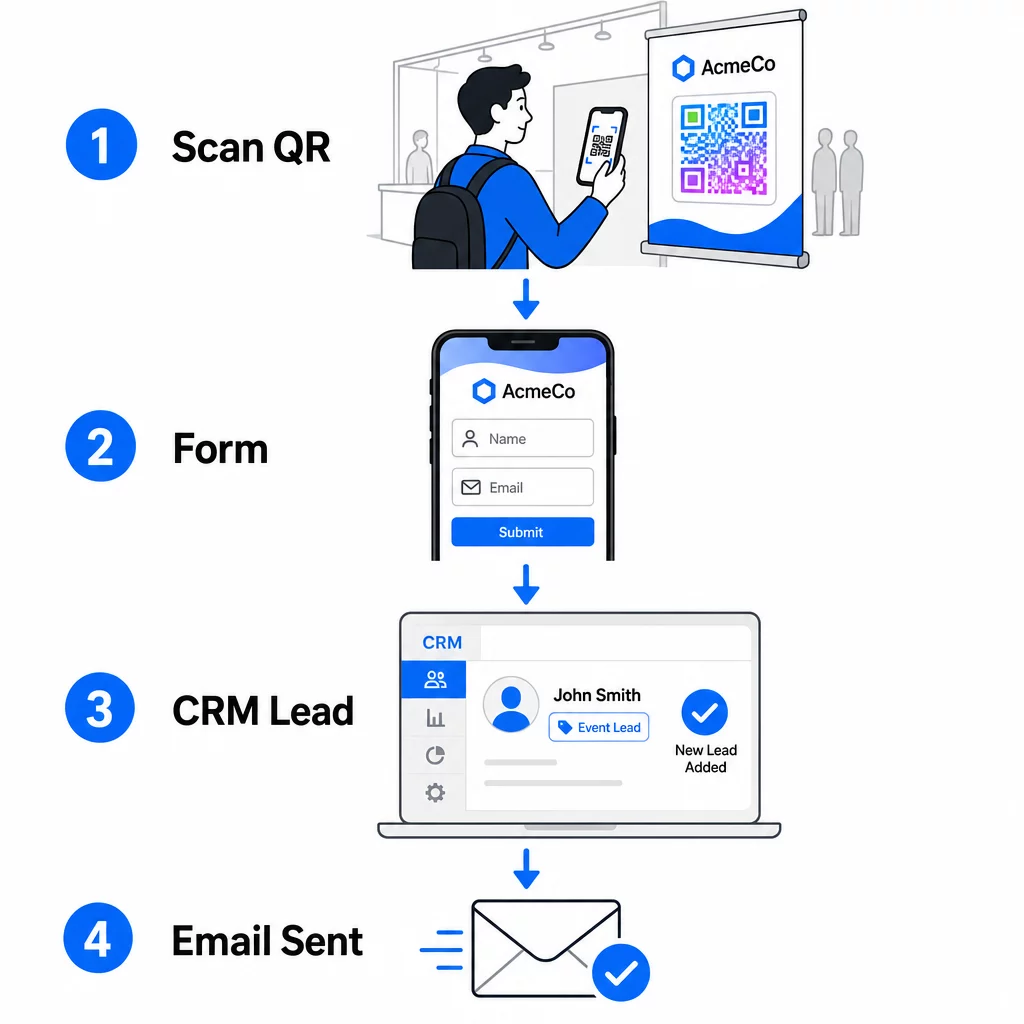
Sediakan aliran kerja anda sebelum anda tiba di acara:
- Integrasi CRM: Salurkan setiap penghantaran borang terus ke CRM anda, ditandakan dengan nama dan tarikh acara untuk segmentasi kemudian
- E-mel susulan segera: Cetuskan e-mel automatik sebaik sahaja seseorang menghantar borang – ucapkan terima kasih kepada mereka, hantar sumber yang dijanjikan, dan tetapkan jangkaan untuk langkah seterusnya
- Pemarkahan atau penghalaan petunjuk: Jika anda menggunakan CRM dengan pemarkahan petunjuk, konfigurasikan tag acara untuk mengutamakan susulan oleh pasukan jualan anda
- Eksport hamparan: Untuk cabutan hadiah atau penjejakan kehadiran, eksport automatik penyerahan ke Google Sheet yang boleh anda semak dalam masa nyata
Untuk melihat dengan lebih mendalam tentang menyambungkan kod QR dinamik ke aliran kerja CRM, panduan di membina kod QR dinamik untuk daftar masuk CRM menjelaskan pengekodan URL, medan gabungan, dan persediaan webhook secara terperinci. Anda juga boleh meneroka Automasi aliran kerja pengimbasan kod QR untuk panduan langkah demi langkah tentang menyambungkan acara imbasan ke platform seperti Zapier atau Make.
Automasi Aliran Kerja Petunjuk Acara Anda Sambungkan anda Cara buat QR code pendaftaran acara ke CRM dan platform e-mel anda supaya setiap imbasan mencetuskan susulan segera, diperibadikan – tanpa usaha manual.
Langkah 4: Insentifkan Imbasan
Peserta di pameran perdagangan atau persidangan sedang didekati oleh berpuluh-puluh gerai dan kenalan. Kod QR sahaja tidak memaksa tindakan – nilai di sebaliknya yang melakukannya.
Insentif berkesan untuk penangkapan petunjuk acara termasuk:
- Penyertaan cabutan hadiah (perundingan percuma, sampel produk, atau kredit perkhidmatan yang dicabut pada akhir acara)
- Akses segera kepada kandungan eksklusif – panduan, senarai semak, atau templat yang relevan dengan audiens
- Keahlian dalam komuniti peribadi atau akses awal kepada produk atau sumber
- Audit, penilaian, atau cadangan peribadi yang disampaikan selepas acara
Insentif harus cukup spesifik untuk terasa bernilai dan cukup rendah geseran sehingga seseorang akan bertindak atasnya di tengah perbualan. “Imbas di sini untuk menyertai dan memenangi sesi strategi 60 minit” lebih menarik daripada “imbas untuk mengetahui lebih lanjut.”
Langkah 5: Urus Pelbagai Acara dengan Satu Kumpulan Kad
Salah satu kelebihan paling praktikal kod QR dinamik ialah anda tidak perlu mencetak semula bahan untuk setiap acara. Kerana URL destinasi disimpan dalam pengalihan – bukan dalam corak kod itu sendiri – anda boleh mengemas kini ke mana kod itu menghantar peserta tanpa menyentuh kad yang dicetak.
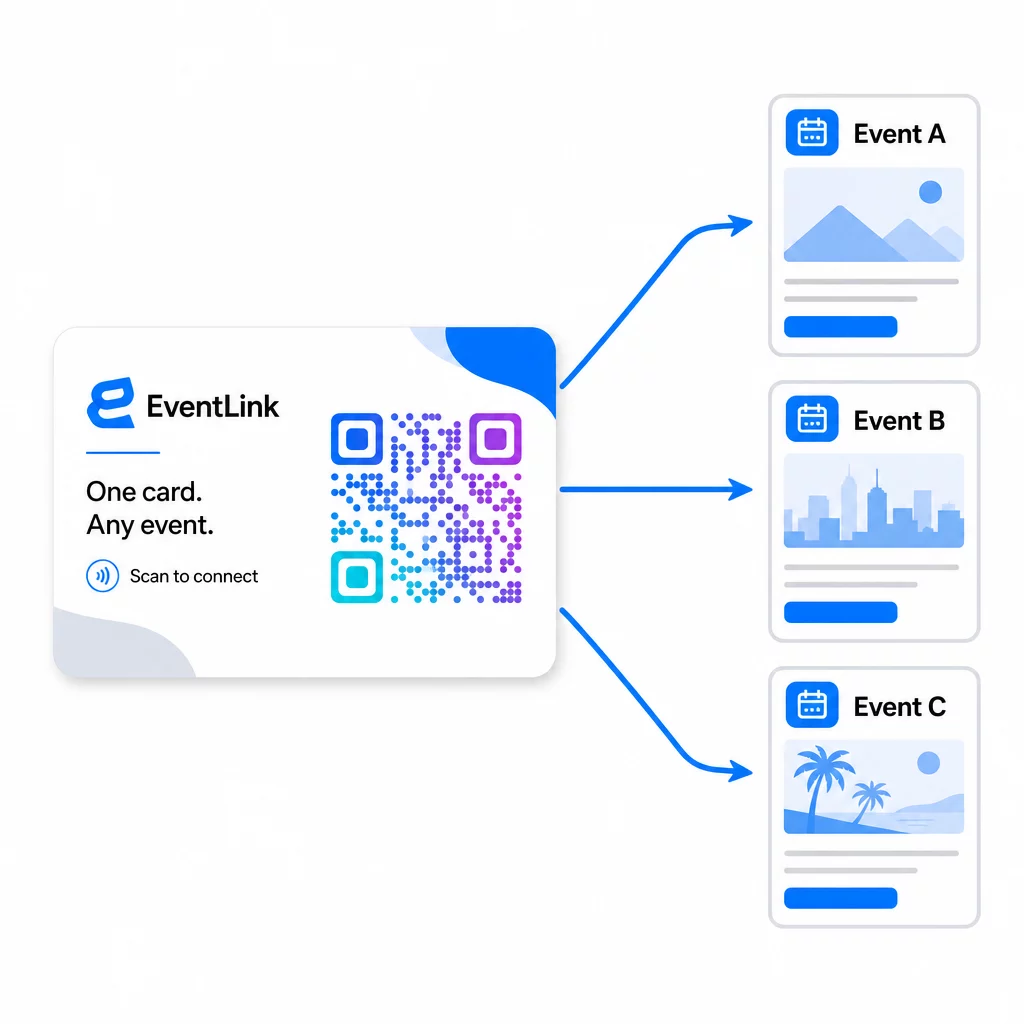
Ini bermakna:
- Sebelum setiap acara, kemas kini halaman pendaratan anda untuk merujuk nama acara dan khalayak khusus itu
- Antara acara, alihkan kod ke laman web utama anda, magnet petunjuk universal, atau halaman hubungan anda
- Jika tawaran tamat tempoh atau halaman pendaratan tidak berfungsi, betulkannya serta-merta dari papan pemuka anda – tiada pencetakan semula, tiada pautan mati yang sampai kepada orang sebenar
Fleksibiliti ini juga terpakai pada paparan gerai, risalah, dan papan tanda bercetak. Satu sepanduk bercetak dengan kod QR boleh digunakan untuk pelbagai acara dengan tawaran, khalayak, dan urutan susulan yang berbeza, selagi kod asasnya dinamik.
Langkah 6: Jejaki Prestasi dan Perhalusi
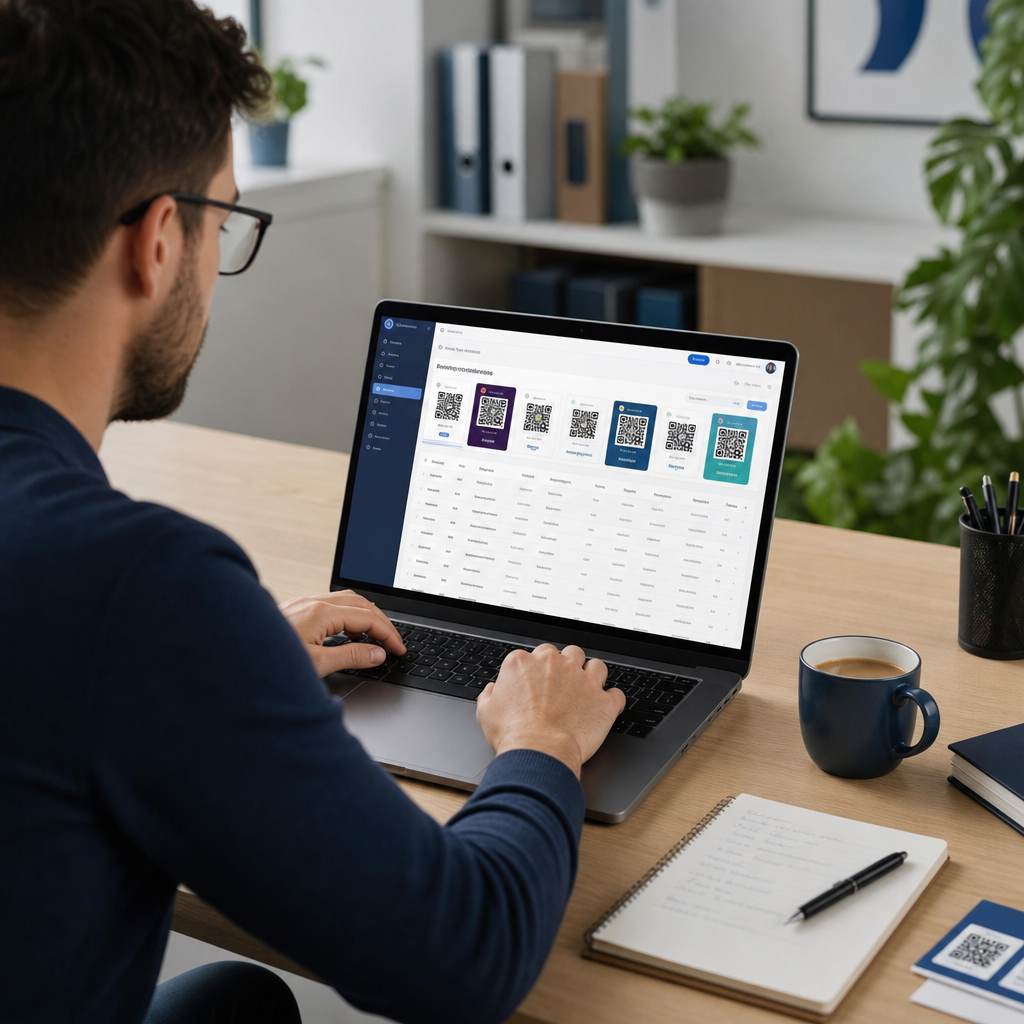
Kempen kod QR yang tidak diukur tidak boleh diperbaiki. Kod QR dinamik memberi anda data tahap imbasan termasuk jumlah imbasan, imbasan unik, jenis peranti, lokasi geografi, dan corak masa dalam sehari. Data itu memberitahu anda sama ada penempatan kad anda berfungsi, acara mana yang menjana petunjuk paling terlibat, dan sama ada halaman pendaratan anda menukar.
Gunakan data ini untuk menjawab soalan praktikal selepas setiap acara:
- Berapa peratus orang yang menerima kad anda sebenarnya mengimbasnya?
- Adakah imbasan berlaku semasa acara atau pada hari-hari berikutnya – menunjukkan tingkah laku susulan yang tertunda?
- Jenis peranti mana yang mendominasi, dan adakah halaman pendaratan anda dioptimumkan sepenuhnya untuknya?
- Bagaimanakah kadar penukaran pada borang berbanding merentasi acara dengan insentif yang berbeza?
Panduan untuk alat penjejakan acara kod QR merangkumi cara menilai dan mentafsir analitik imbasan dalam konteks acara.
Nota Mengenai Persetujuan dan Pematuhan
Mengumpul maklumat hubungan di acara bermakna anda tertakluk kepada undang-undang privasi data yang berkenaan. Di A.S., tiada satu statut privasi persekutuan tunggal, tetapi beberapa peraturan terpakai untuk pemasaran selepas acara:
- Yang Akta CAN-SPAM menghendaki setiap e-mel komersial yang anda hantar menyertakan cara yang jelas untuk penerima menarik diri, dan anda mesti mematuhi permintaan penarikan diri tersebut dalam tempoh 10 hari bekerja.
- Jika anda mengumpul data daripada penduduk California, Akta Hak Privasi California menghendaki anda memaklumkan pengguna bagaimana data mereka dikumpul dan digunakan, serta membenarkan mereka mengakses, membetulkan, atau memadamnya.
- Yang Peraturan persetujuan FCC untuk telemarketing dan pemasaran mesej teks memerlukan persetujuan yang berasingan dan spesifik untuk setiap penghantar – persetujuan berbilang pihak secara menyeluruh yang diperoleh melalui satu borang tidak mencukupi.
Pendekatan paling selamat: jadikan bahasa persetujuan borang anda eksplisit. Nyatakan dengan jelas siapa yang akan menghubungi mereka, untuk tujuan apa, dan bagaimana mereka boleh menarik diri. Untuk aliran RSVP dan pendaftaran acara, mengehoskan borang anda pada halaman HTTPS yang selamat dan menyertakan pendedahan penggunaan data yang telus adalah kedua-duanya garis dasar undang-undang dan isyarat kepercayaan.
Kod QR lwn. Kad Perniagaan: Perbandingan Praktikal
| Pendekatan | Kemasukan data | Integrasi CRM | Kebolehgunaan semula | ANALITIK |
|---|---|---|---|---|
| Kad perniagaan kertas | Manual | Memerlukan input manual | Acara tunggal | Tiada |
| Kad NFC | Automatik | Bergantung pada aplikasi | Boleh diguna semula | Terhad |
| Kod QR (statik) | Berasaskan borang | Melalui alat borang | Boleh diguna semula | Tiada |
| Kod QR (dinamik) | Berasaskan borang | Automatik melalui webhook | Boleh diguna semula, boleh dikemas kini | Analitik imbasan penuh |
Kod QR dinamik juga menangani kebimbangan praktikal yang sering timbul dengan kad NFC: NFC memerlukan peranti penerima berada dalam jarak dekat dan, dalam beberapa konfigurasi, meminta akses peringkat sistem. Kod QR tidak memerlukan apa-apa daripada peranti penerima selain kamera – tiada aplikasi, tiada perubahan tetapan, tiada kebenaran diberikan pada masa itu.
Soalan lazim
Tidak jika anda menggunakan kod QR dinamik. Kod dinamik menunjuk ke URL ubah hala yang boleh anda kemas kini pada bila-bila masa dari papan pemuka anda, jadi anda boleh menukar halaman pendaratan destinasi sebelum setiap acara tanpa mencetak semula kad atau bahan anda.
Pastikan ia fokus dan mesra mudah alih. Sertakan ucapan alu-aluan peribadi yang merujuk kepada acara tersebut, borang ringkas dengan tidak lebih daripada tiga hingga empat medan, dan insentif khusus untuk penyerahan – seperti penyertaan perundingan percuma atau sumber yang boleh dimuat turun. Elakkan teks panjang atau pelbagai seruan tindakan yang bersaing pada halaman yang sama.
Jadikan bahasa persetujuan anda eksplisit pada borang. Nyatakan dengan jelas siapa yang akan menghubungi orang itu, untuk tujuan apa, dan bagaimana mereka boleh menarik diri. Pastikan halaman pendaratan anda dihoskan pada HTTPS, penuhi permintaan penarikan diri dengan segera seperti yang dikehendaki oleh Akta CAN-SPAM, dan semak undang-undang negeri yang berkenaan – seperti Akta Hak Privasi California – jika audiens anda termasuk penduduk negeri-negeri tersebut.