Da li ste nesigurni da li je vaše poslovanje zakonski obavezno da QR kodove učini pristupačnim prema ADA zakonu? Pogrešno postupanje može izložiti vašu organizaciju riziku usklađenosti i isključiti korisnike sa invaliditetom iz sadržaja kojem imaju pravo pristupa. Ovaj vodič objašnjava koji sektori imaju najjasnije zakonske obaveze i koji standardi pristupačnosti se primenjuju kada su QR kodovi deo vaše komunikacije sa klijentima.
Osnovna pravna realnost: Nijedan zakon ne zahteva QR kodove, ali zakoni o pristupačnosti se i dalje primenjuju
Pre nego što zaronimo u specifične industrije, jedno važno pojašnjenje: nijedna odredba Zakona o Amerikancima sa invaliditetom ne nalaže izričito da bilo koje preduzeće ili agencija koristi QR kodove. ADA se fokusira na obezbeđivanje efikasne, jednake komunikacije sa osobama sa invaliditetom – bez obzira na tehnologiju koju odaberete za isporuku te komunikacije.
Kritična implikacija je sledeća: kada jednom odlučite da koristite QR kod kao deo vaše komunikacije sa klijentima, slede obaveze pristupačnosti. Ako je vaš QR kod primarni ili jedini metod pristupa važnim informacijama, mora biti upotrebljiv za sve – uključujući osobe sa oštećenjem vida, ograničenom pokretljivošću ili drugim invaliditetom.
Zamislite to ovako: niste obavezni da instalirate rampu, ali ako vaša zgrada ima stepenice koje korisnici moraju da koriste za pristup vašim uslugama, ADA standardi regulišu kako ta rampa mora biti izgrađena. Slično tome, ako je QR kod način na koji isporučujete meni, obrazac ili kritične javne informacije, onda taj QR kod i sadržaj na koji se povezuje moraju biti pristupačni.
Glava II: Vladine organizacije i organizacije javnog sektora
Državne i lokalne vlasti nose neke od najeksplicitnijih i dobro dokumentovanih obaveza digitalne pristupačnosti prema ADA zakonu. Glava II ADA zakona zahteva od svih državnih i lokalnih vladinih entiteta da komuniciraju sa osobama sa invaliditetom jednako efikasno kao što komuniciraju sa drugima. Ovo pokriva svaki nivo vladinog delovanja – policijske uprave, sudove, usluge glasanja, javne škole, koledže u zajednici, javne biblioteke, vodoprivredna preduzeća i druge okruge posebne namene.
Godine 2024., Ministarstvo pravde SAD-a finalizovalo je pravilo prema Glavi II koje određuje WCAG 2.1 Nivo AA kao tehnički standard za veb sadržaj i mobilne aplikacije državnih i lokalnih vlasti. To znači da kada vladina agencija postavi QR kod na javni dokument, znak ili fizičku lokaciju, digitalni sadržaj na koji se taj QR kod povezuje mora biti usklađen sa kriterijumima uspešnosti WCAG 2.1 Nivo A i Nivo AA.
Savezna uputstva takođe jasno stavljaju do znanja da se od QR kodova koji se koriste u saveznim publikacijama očekuje da ispunjavaju Odeljak 508 Zakona o rehabilitaciji, koji tretira QR kodove kao oblik informacione i komunikacione tehnologije (IKT). Prema Odeljku 508, QR kod u digitalnom dokumentu mora biti tretiran i kao slika koja zahteva opisni alt tekst i kao veza koja zahteva pristupačnu tekstualnu alternativu – tako da korisnici koji ne mogu da skeniraju kod i dalje mogu doći do istih informacija.
Praktični zahtevi za korišćenje QR kodova u vladi uključuju:
- Pristupačan tekst u blizini: Navedite odredišni URL ili kratku kucanu alternativu pored svakog QR koda kako bi korisnici koji ga ne mogu skenirati i dalje mogli pristupiti sadržaju
- Opisni alt tekst: U digitalnim dokumentima, alt tekst mora opisivati šta QR kod radi (npr. “QR kod koji vodi do aplikacije grada za dozvolu za pristupačno parkiranje”), a ne samo njegov izgled
- Fizičko postavljanje: Štampani QR kodovi treba da budu postavljeni tamo gde ih osobe u invalidskim kolicima mogu udobno skenirati – uputstva preporučuju visinu između 3,5 i 4,5 stope
- Pristupačan odredišni sadržaj: Veb stranica ili dokument do kojeg se dolazi putem QR koda mora sama ispunjavati WCAG 2.1 Nivo AA
Za detaljna uputstva o postavljanju specifična za vladinu upotrebu, pogledajte naš vodič o najboljim mestima za postavljanje QR kodova za vladine agencije.
Održavajte vladine QR kodove ažuriranim bez ponovnog štampanja Treba da ažurirate odredišni URL na postavljenom vladinom znaku bez zamene fizičkog materijala? Koristite Dinamički QR kod generator da se povezani sadržaj menja bilo kada – nije potrebno ponovno štampanje.
Glava III: Preduzeća i organizacije otvorene za javnost
Privatna preduzeća i neprofitne organizacije koje služe javnosti obuhvaćene su Glavom III ADA, koja ih definiše kao “javne objekte”. Lista obuhvaćenih entiteta je široka i uključuje skoro svaki tip poslovanja koje je okrenuto kupcima. Prema Glavi III, ove organizacije moraju obezbediti efikasnu komunikaciju za kupce sa oštećenjima vida, sluha i govora, uključujući putem pomoćnih sredstava i usluga kada je to potrebno.
Sledeće kategorije su eksplicitno identifikovane kao javni objekti prema ADA:
| Категорија | Primeri |
|---|---|
| Mesta za smeštaj | Hoteli, moteli, prenoćišta |
| Objekti za hranu i piće | Restorani, barovi |
| Mesta za zabavu | Pozorišta, stadioni, koncertne dvorane |
| Mesta javnog okupljanja | Kongresni centri, auditorijumi |
| Prodajni i iznajmljivački objekti | Prodavnice prehrambenih proizvoda, tržni centri, gvožđare |
| Uslužni objekti | Banke, apoteke, zdravstvene ustanove, advokatske kancelarije, bolnice |
| Saobraćajni terminali | Autobuske i železničke stanice |
| Javni izložbeni prostor ili kolekcija | Muzeji, biblioteke, galerije |
| Rekreacija | Parkovi, zoološki vrtovi, zabavni parkovi |
| Obrazovne ustanove | Privatni vrtići do postdiplomskih programa |
| Socijalne usluge | Dnevni centri za decu, centri za starije osobe, skloništa za beskućnike, banke hrane |
| Vežbanje i rekreacija | Teretane, spa centri, kuglane, golf tereni |
Ako se vaša organizacija nalazi na ovoj listi i koristite QR kodove u bilo kom kontekstu okrenutom kupcima – natpisi, meniji, izlozi proizvoda, terminali za plaćanje ili informativni materijali – obaveze efikasne komunikacije primenjuju se na to iskustvo sa QR kodom.
Zdravstvo: Povećane obaveze i praktični ulozi
Bolnice, klinike, apoteke i privatni zdravstveni radnici pojavljuju se pod Naslovom III kao uslužne ustanove. Ali zdravstvene organizacije često posluju pod dodatnim standardima privatnosti i informacija koji čine pristupačnu komunikaciju posebno važnom.
Kada QR kod vodi do uputstava za otpust, informacija o lekovima, zakazivanja termina ili obrazaca za pacijente, posledice nepristupačnosti nisu samo pravne – one su kliničke. Pacijent sa slabim vidom koji ne može da pristupi uputstvima za doziranje jer QR kod nema rezervnu opciju suočava se sa značajnim zdravstvenim rizikom.
QR kodovi u zdravstvenim ustanovama uvek treba da budu praćeni pristupačnim alternativama kao što su brošure sa velikim slovima, audio objašnjenja ili pomoć osoblja. Za javne zdravstvene ustanove koje su takođe vladini entiteti, obaveze iz Naslova II primenjuju se pored standardnih zahteva za komunikaciju u zdravstvu.
Istražite kako se QR kodovi koriste u bolnicama i zdravstvenim ustanovama za primere praktične primene.
Ugostiteljstvo: Meniji, prijava i usluge za goste
Ugostiteljska industrija – hoteli, restorani i barovi – usvojila je QR kodove izuzetnom brzinom, posebno za digitalne menije. Budući da su restorani i hoteli eksplicitno navedeni kao javni smeštaj pod Naslovom III, svako iskustvo gosta isporučeno putem QR koda nosi obavezu efikasne komunikacije.
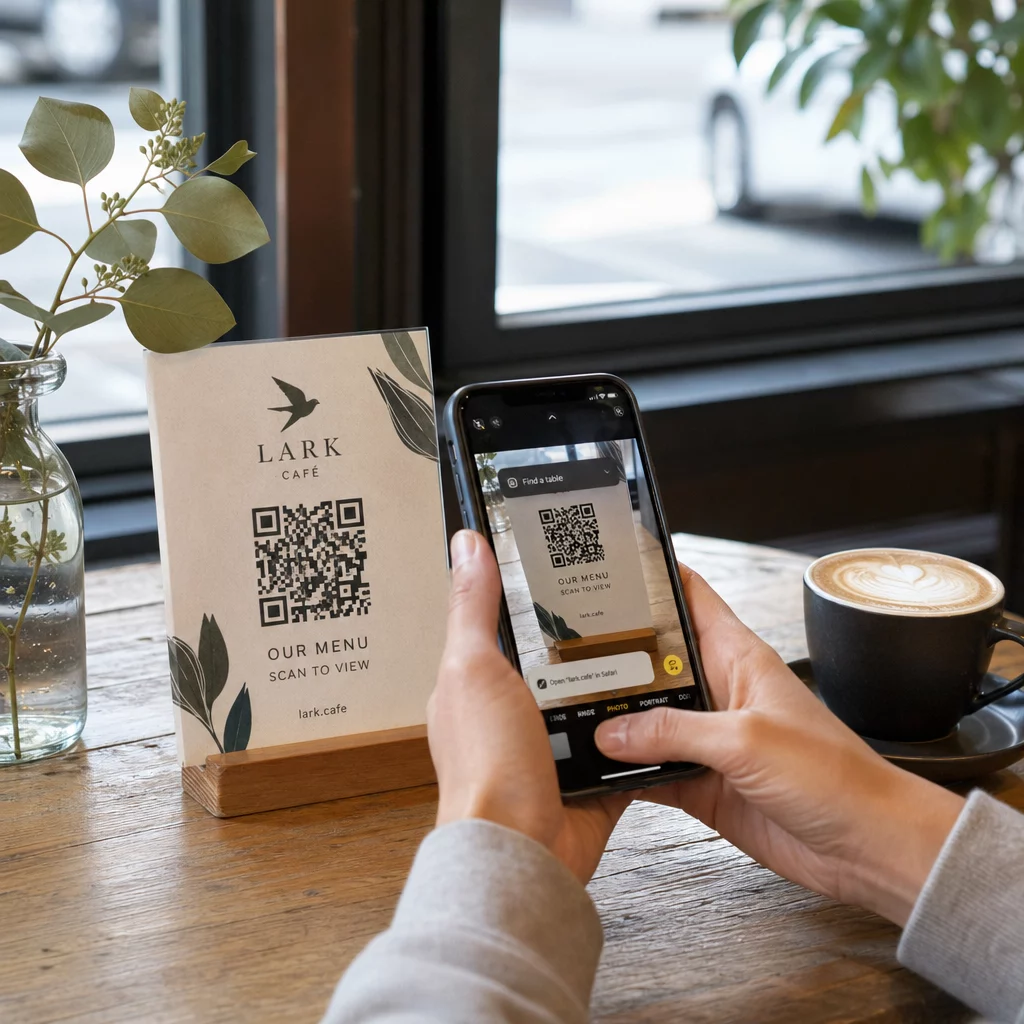
Restoran koji se oslanja isključivo na meni sa QR kodom mora osigurati da je taj meni pristupačan gostima sa oštećenjem vida. To znači da odredišna stranica na koju QR kod vodi treba da bude kompatibilna sa čitačima ekrana, da koristi dovoljan kontrast boja i da ima logičnu strukturu naslova. Gosti koji ne mogu da koriste QR kod – bilo zbog oštećenja vida, nepoznavanja pametnih telefona ili motoričkih ograničenja – moraju imati alternativni način pristupa istim informacijama.
Za implementaciju pristupačnog menija, QR kod za jelovnik: generator omogućava vam da se povežete sa digitalnim menijem koji možete odmah ažurirati bez ponovnog štampanja fizičkih materijala – korisno kada se promeni dostupnost artikala ili kada treba da ažurirate povezanu stranicu radi poboljšanja pristupačnosti.
Za smernice o tome kako učiniti plaćanja QR kodom pristupačnim u ugostiteljskim i maloprodajnim objektima, pogledajte naš članak o najboljih praksi za pristupačnost plaćanja QR kodom.
Obrazovanje: Javne i privatne škole
Obrazovne institucije obuhvataju i Naslov II i Naslov III, u zavisnosti od toga da li su javne ili privatne. Javne škole K–12, koledži u zajednici i državni univerziteti spadaju pod Naslov II, uključujući pravilo Ministarstva pravde koje zahteva usklađenost sa WCAG 2.1 Nivo AA za veb sadržaj i mobilne aplikacije. Privatne škole na svim nivoima pokrivene su Naslovom III kao javni smeštaj.
U svakom slučaju, kada škole koriste QR kodove za distribuciju materijala za kurs, informacija o događajima, obrazaca ili resursa za učenje, ti materijali moraju biti pristupačni. Učenik sa oštećenjem vida mora biti u mogućnosti da pristupi istom sadržaju kao i njegovi vršnjaci. U praksi, to znači:
- Povezani PDF-ovi moraju biti označeni i kompatibilni sa čitačima ekrana
- Veb sadržaj do kojeg se dolazi putem QR kodova mora ispunjavati WCAG standarde
- Fizičko postavljanje QR kodova u učionicama ili hodnicima trebalo bi da bude na visinama pristupačnim učenicima koji koriste invalidska kolica
Pogledajte kako se QR kodovi koriste u školama i obrazovanju za ideje o specifičnim slučajevima upotrebe, i istražite PDF QR kod generator za distribuciju pristupačnih dokumenata kursa.
Maloprodaja: Prodavnice, pakovanja i izložbeni prostori u prodavnicama
Maloprodajne prodavnice, tržni centri i prodavnice prehrambenih proizvoda navedeni su kao javni objekti prema Glavi III. Kako QR kodovi postaju sve češći na pakovanjima proizvoda, izložbenim policama i kasama, maloprodajne organizacije se suočavaju sa sve većom izloženošću obavezama efikasne komunikacije.
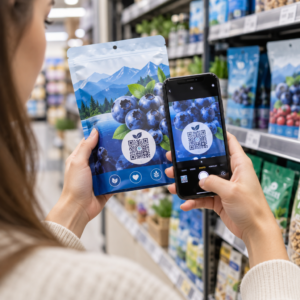
QR kod na etiketi proizvoda koji vodi do uputstava za upotrebu, spiskova sastojaka ili informacija o garanciji mora biti upotrebljiv za kupce sa oštećenjem vida. Ako je kod primarni način pristupa tim informacijama – a nije obezbeđena ekvivalentna alternativa – prodavac možda ne ispunjava svoje obaveze efikasne komunikacije.
Ključna razmatranja pristupačnosti za implementaciju QR kodova u maloprodaji uključuju:
- Obezbeđivanje kucanog URL-a ili štampanog ekvivalenta pored QR kodova na pakovanju
- Osiguravanje da stranice sa informacijama o proizvodu povezane sa QR kodovima ispunjavaju WCAG standarde kontrasta i navigacije
- Postavljanje QR kodova u prodavnicama na visinama i u pozicijama pristupačnim korisnicima invalidskih kolica
Za strategiju postavljanja, pogledajte naš vodič o najboljih pozicija za QR kodove u maloprodajnim objektima.
Tehnički standardi koji se primenjuju u svim industrijama
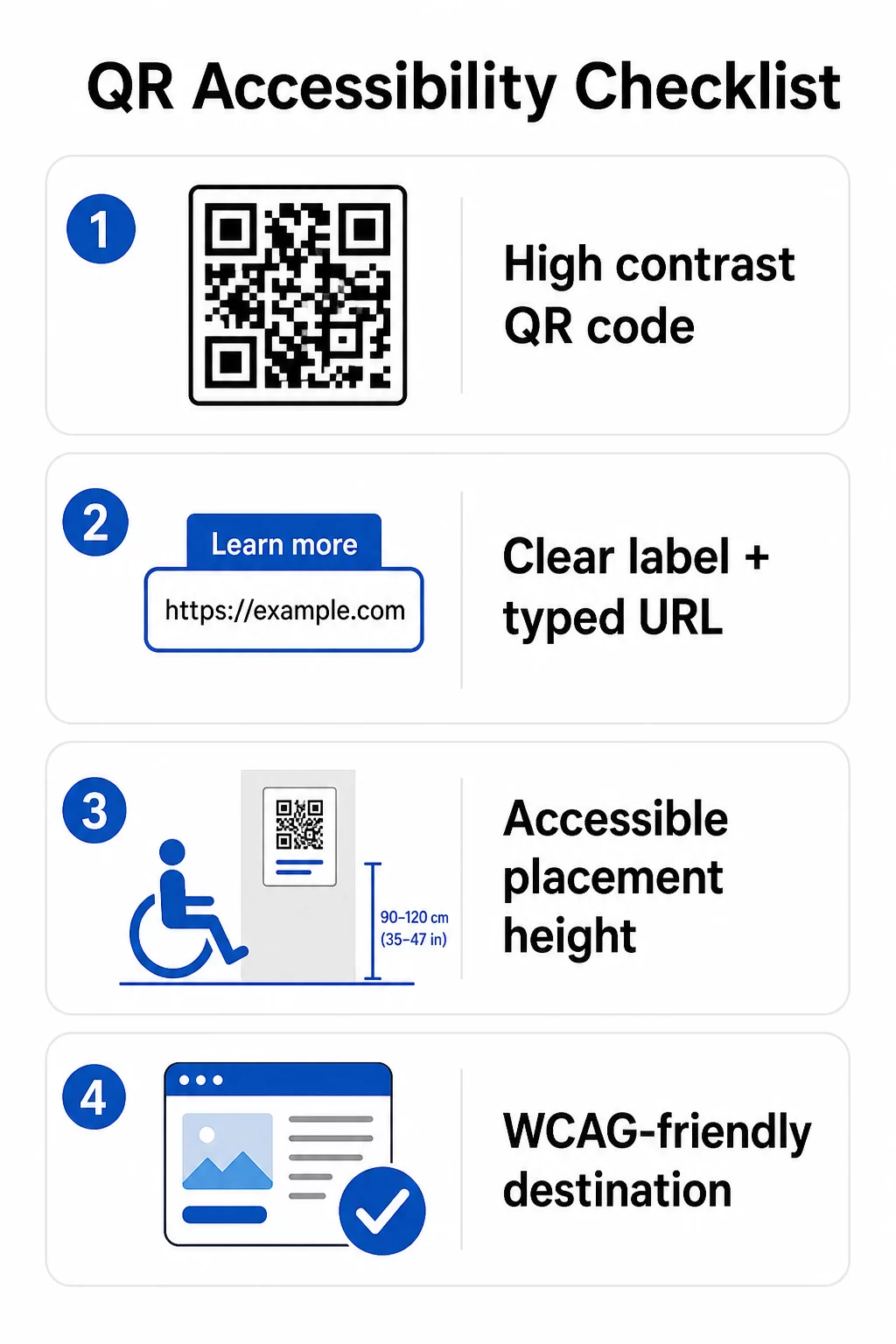
Bez obzira u kom sektoru poslujete, isti osnovni standardi pristupačnosti primenjuju se kada koristite QR kodove. Oni potiču iz WCAG 2.1 i smernica Sekcije 508, i pokrivaju kako sam fizički QR kod, tako i digitalni sadržaj na koji se on povezuje.
Za fizički QR kod:
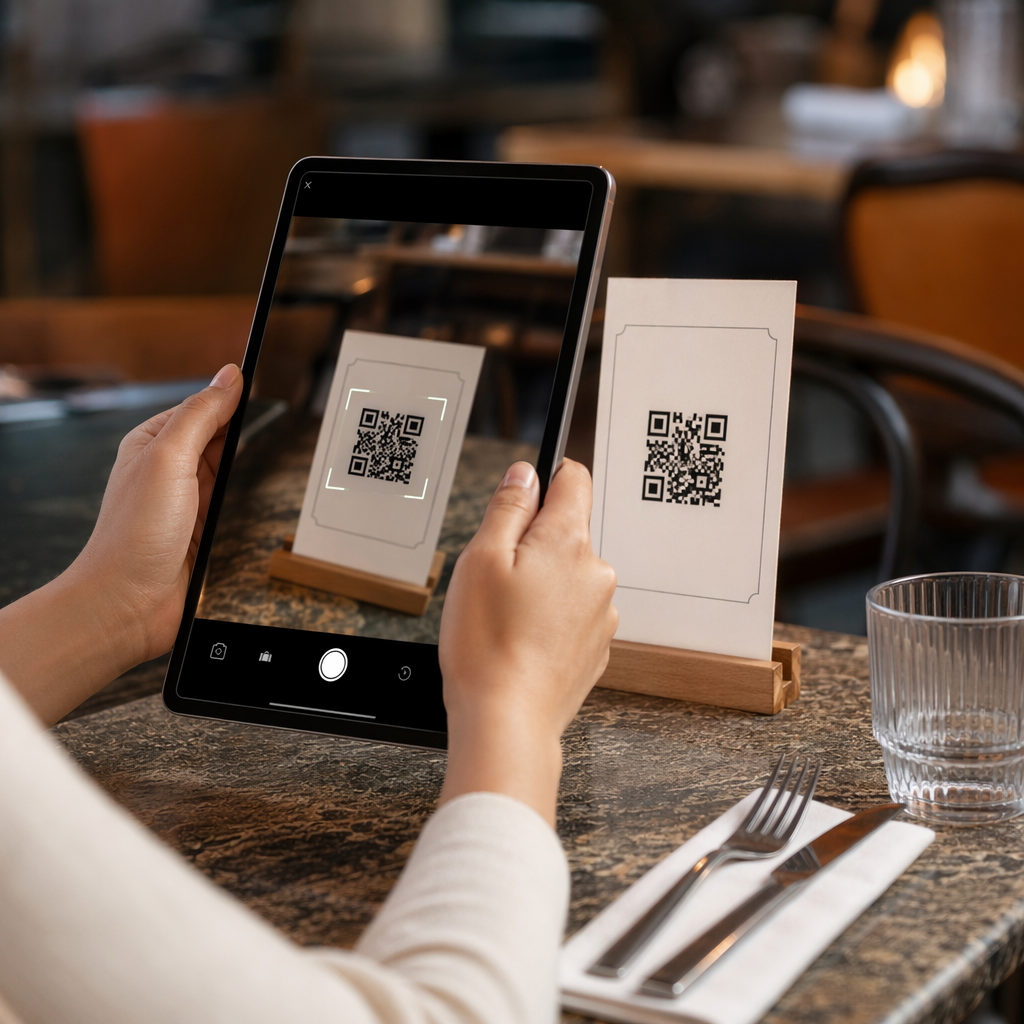
- Koristite tamnu boju na svetloj pozadini, ciljajući odnos kontrasta od najmanje 4.5:1 za potpunu pristupačnost
- Štampajte kodove u minimalnoj veličini od 1 inča × 1 inča i pratite pravilo 10:1 za udaljenost skeniranja (1 inč širine koda na svakih 10 inča očekivane udaljenosti gledanja)
- Postavite štampane kodove između 3.5 i 4.5 stopa od poda kako bi ih korisnici invalidskih kolica mogli udobno dohvatiti
- Dodajte jasnu oznaku ili poziv na akciju u blizini kako bi korisnici razumeli šta kod radi pre skeniranja
- Obezbedite susedni tekstualni URL ili ekvivalentnu alternativu kako bi korisnici koji ne mogu da skeniraju QR kod i dalje mogli da pristupe sadržaju
Za povezani digitalni sadržaj:
- Odredišne veb stranice moraju ispunjavati kriterijume uspešnosti WCAG 2.1 nivoa A i AA
- U digitalnim dokumentima, QR kodovi zahtevaju opisni alt tekst koji objašnjava svrhu koda – a ne njegov vizuelni izgled (WCAG Kriterijum uspešnosti 1.1.1)
- Kontrast ne-tekstualnih modula QR koda u odnosu na njihovu pozadinu mora ispunjavati najmanje odnos 3:1 (WCAG Kriterijum uspešnosti 1.4.11)
- Ako QR kod funkcioniše kao veza, alt tekst mora opisivati gde vodi (WCAG Kriterijum uspešnosti 2.4.4)
Za kompletnu kontrolnu listu implementacije, pogledajte naš vodič o tome kako napraviti QR kodove usklađene sa ADA standardima i našu širu najboljih praksi upotrebljivosti QR kodova.
Takođe možete istražiti glasovno aktivirani QR kodovi i taktilne znakove kao napredne strategije za opsluživanje korisnika sa oštećenjem vida – posebno relevantno za primene u zdravstvu, obrazovanju i vladi.
Kreirajte pristupačne QR kodove od početka Користити Генератор QR kodova za izradu QR kodova visokog kontrasta, pravilne veličine, sa jasnim oznakama i brendiranjem – a zatim ih povežite sa pristupačnim sadržajem koji ispunjava WCAG standarde.
Zašto su pristupačni QR kodovi dobra praksa izvan zakonske usklađenosti
Pored zakonskih obaveza, činjenje QR kodova pristupačnim proširuje publiku koja može da se angažuje sa vašim sadržajem. Nepristupačan QR kod ne stvara samo pravnu izloženost – on stvara prazninu u vašem korisničkom iskustvu. Gost u restoranu koji ne može da pročita QR meni, pacijent koji ne može da pristupi uputstvima za lekove, ili student koji ne može da preuzme materijale za kurs zbog nepristupačnog PDF-a, svi predstavljaju trenutke u kojima vaša organizacija nije uspela da efikasno komunicira.
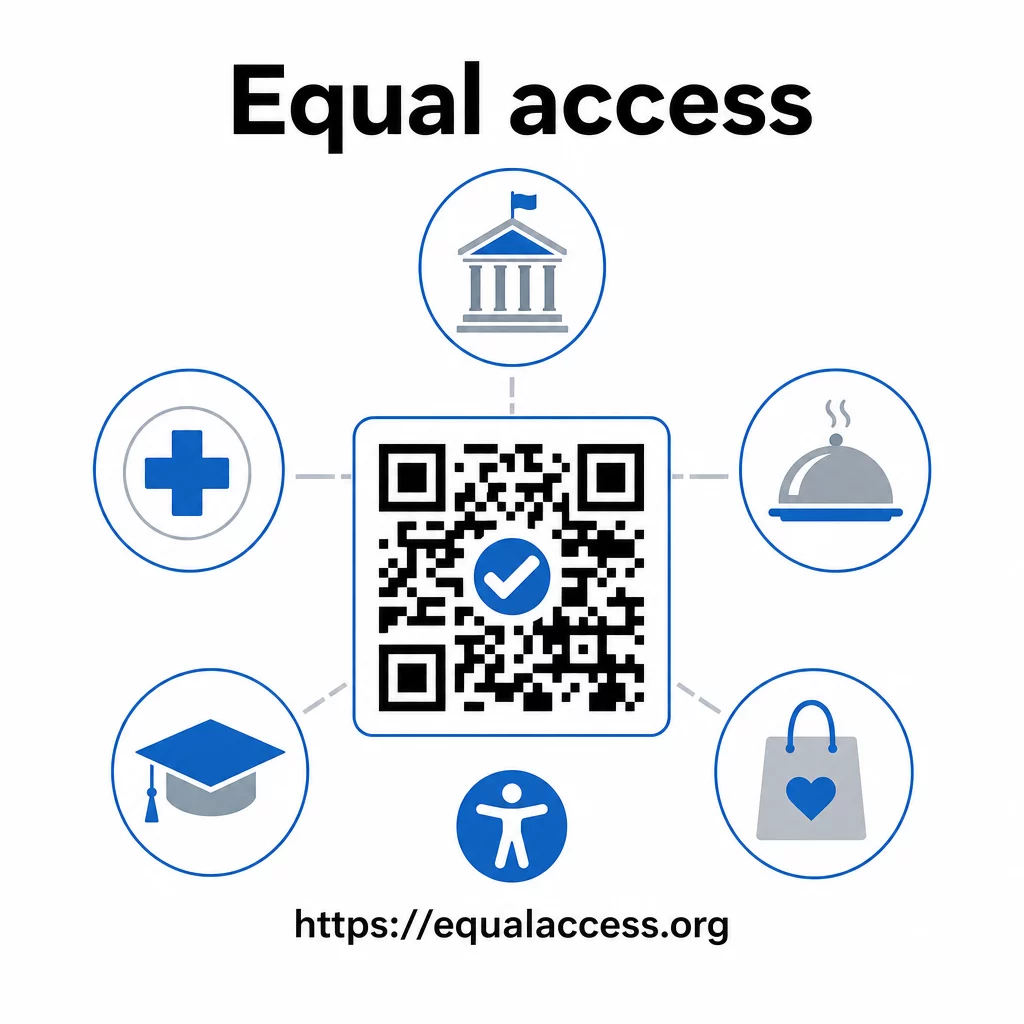
Prakse pristupačnih QR kodova takođe teže da poboljšaju iskustvo za sve. Dovoljan kontrast pomaže kodovima da se brže skeniraju pri slabom osvetljenju. Pravilna veličina pomaže korisnicima svih uzrasta da skeniraju sa udobne udaljenosti. Jasne oznake smanjuju zabunu za korisnike QR kodova koji ih prvi put koriste. Ova poboljšanja koriste celokupnoj vašoj publici, a ne samo korisnicima sa invaliditetom.
Za dublji uvid u kontrast, veličinu, čitljivost i postavljanje, istražite naše vodiče o najbolje prakse čitljivosti QR kodova и najbolje prakse za kontrast boja QR koda.
Obaveze pristupačnosti se široko primenjuju u vladi, zdravstvu, obrazovanju, ugostiteljstvu i maloprodaji – i isti tehnički standardi regulišu sve njih. Praktična polazna tačka je jednostavna: ako je QR kod način na koji komunicirate važne informacije, ta komunikacija mora biti pristupačna. Koristite dinamički QR kodovi tako da možete ažurirati povezani sadržaj kako biste održali usklađenost bez ponovnog štampanja, i istražite ceo spektar rešenja za QR kodove specifična za industriju da biste pronašli pravo rešenje za vaš sektor.
Često postavljana pitanja
Nijedan zakon izričito ne zahteva od preduzeća da koriste QR kodove. Međutim, ako odlučite da koristite QR kodove kao deo vaše komunikacije sa klijentima, primenjuju se zahtevi ADA-e za efikasnu komunikaciju. Ako je QR kod primarni ili jedini način na koji klijenti mogu pristupiti informacijama, to iskustvo mora biti pristupačno osobama sa invaliditetom – uključujući one sa oštećenjem vida ili ograničenom pokretljivošću.
Državne i lokalne vladine agencije suočavaju se sa najizričitijim obavezama prema Glavi II ADA-e i konačnom pravilu DOJ-a iz 2024. godine, koje zahteva usklađenost sa WCAG 2.1 Nivo AA za veb sadržaj i mobilne aplikacije. Privatna preduzeća otvorena za javnost – uključujući restorane, hotele, bolnice, maloprodajne objekte, privatne škole, banke i teretane – pokrivena su Glavom III i moraju obezbediti efikasnu komunikaciju putem pomoćnih sredstava i usluga. Federalne agencije su dodatno regulisane Odeljkom 508 Zakona o rehabilitaciji.
Ne postoji jedinstvena lista provera koju propisuje ADA specifično za QR kodove, ali najbolje prakse proizašle iz smernica WCAG 2.1 i Section 508 uključuju: korišćenje tamnog prednjeg plana na svetloj pozadini sa najmanje 4.5:1 odnosom kontrasta; štampanje kodova u minimalnoj veličini od 1 inch × 1 inch; postavljanje fizičkih kodova na pristupačnim visinama (3.5–4.5 feet od poda); obezbeđivanje obližnjeg tekstualnog URL-a kao alternative za korisnike koji ne mogu da skeniraju; dodavanje opisnog alt text-a u digitalnim dokumentima; i obezbeđivanje da odredišni sadržaj ispunjava WCAG 2.1 Level AA standarde.