האם אינך בטוח אם העסק שלך נדרש על פי חוק להנגיש קודי QR תחת ה-ADA? טעות בכך עלולה לחשוף את הארגון שלך לסיכון תאימות ולמנוע מלקוחות עם מוגבלויות גישה לתוכן שיש להם זכות לגשת אליו. מדריך זה מפרט אילו מגזרים נושאים את החובות המשפטיות הברורות ביותר ואילו תקני נגישות חלים כאשר קודי QR הם חלק מהתקשורת שלך מול לקוחות.
המציאות המשפטית המרכזית: אין חוק המחייב קודי QR, אך חוקי הנגישות עדיין חלים
לפני שצוללים לתעשיות ספציפיות, הבהרה חשובה אחת: אף הוראה בחוק האמריקאים עם מוגבלויות אינה מחייבת באופן ספציפי שום עסק או סוכנות להשתמש בקודי QR. ה-ADA מתמקד בהבטחת תקשורת יעילה ושוויונית עם אנשים עם מוגבלויות – ללא קשר לטכנולוגיה שתבחר כדי לספק תקשורת זו.
ההשלכה הקריטית היא זו: ברגע שתבחר להשתמש בקוד QR כחלק מהתקשורת שלך מול לקוחות, חובות נגישות חלות. אם קוד ה-QR שלך הוא השיטה העיקרית או היחידה לגישה למידע חשוב, הוא חייב להיות שמיש לכולם – כולל אנשים עם ליקויי ראייה, ניידות מוגבלת או מוגבלויות אחרות.
חשוב על זה כך: אינך נדרש להתקין רמפה, אך אם בבניין שלך יש מדרגות שלקוחות חייבים להשתמש בהן כדי לגשת לשירותיך, תקני ה-ADA קובעים כיצד יש לבנות את הרמפה הזו. באופן דומה, אם קוד QR הוא הדרך שבה אתה מספק תפריט, טופס או מידע ציבורי קריטי, אז קוד ה-QR הזה והתוכן שאליו הוא מקשר חייבים להיות נגישים.
כותרת II: ארגוני ממשלה ומגזר ציבורי
ממשלות מדינה ומקומיות נושאות בחלק מחובות הנגישות הדיגיטליות המפורשות והמתועדות ביותר תחת ה-ADA. כותרת II של ה-ADA דורשת מכל ישויות הממשל המדינתי והמקומי לתקשר עם אנשים עם מוגבלויות ביעילות כמו שהן מתקשרות עם אחרים. זה מכסה כל רמה של פעילות ממשלתית – מחלקות משטרה, בתי משפט, שירותי הצבעה, בתי ספר ציבוריים, מכללות קהילתיות, ספריות ציבוריות, מחוזות מים, ומחוזות אחרים למטרות מיוחדות.
בשנת 2024, משרד המשפטים האמריקאי סיים את ניסוחו של כלל תחת כותרת II המייעד WCAG 2.1 רמה AA כתקן הטכני לתוכן אינטרנט ויישומים ניידים של ממשלות מדינה ומקומיות. משמעות הדבר היא שכאשר סוכנות ממשלתית מציבה קוד QR על מסמך ציבורי, שלט או מיקום פיזי, התוכן הדיגיטלי שאליו מקשר קוד ה-QR חייב להתאים לקריטריוני ההצלחה של WCAG 2.1 רמה A ורמה AA.
הנחיות פדרליות מבהירות גם כי קודי QR המשמשים בפרסומים פדרליים צפויים לעמוד ב- סעיף 508 לחוק השיקום, אשר מתייחס לקודי QR כצורה של טכנולוגיית מידע ותקשורת (ICT). לפי סעיף 508, קוד QR במסמך דיגיטלי חייב להיחשב גם כתמונה הדורשת טקסט חלופי תיאורי וגם כקישור הדורש חלופה טקסטואלית נגישה – כך שמשתמשים שאינם יכולים לסרוק את הקוד עדיין יוכלו להגיע לאותו מידע.
דרישות מעשיות לשימוש ממשלתי בקודי QR כוללות:
- טקסט נגיש סמוך: ספק את כתובת ה-URL של היעד או חלופה קצרה מודפסת ליד כל קוד QR, כך שמשתמשים שאינם יכולים לסרוק אותו עדיין יוכלו לגשת לתוכן
- טקסט חלופי תיאורי: במסמכים דיגיטליים, טקסט חלופי חייב לתאר מה קוד ה-QR עושה (לדוגמה, “קוד QR המקשר לבקשה להיתר חניה נגישה של העירייה”), ולא רק את מראהו
- מיקום פיזי: קודי QR מודפסים צריכים להיות ממוקמים במקום שבו אנשים המשתמשים בכיסאות גלגלים יכולים לסרוק אותם בנוחות – ההנחיות ממליצות על גובה שבין 3.5 ל-4.5 רגל
- תוכן יעד נגיש: דף האינטרנט או המסמך שאליו מגיעים באמצעות קוד ה-QR חייב לעמוד בעצמו בתקן WCAG 2.1 רמה AA
להנחיות מיקום מפורטות ספציפיות לשימוש ממשלתי, עיין במדריך שלנו בנושא מיקומי קודי QR הטובים ביותר עבור סוכנויות ממשלתיות.
שמור על קודי QR ממשלתיים מעודכנים ללא הדפסה מחדש צריך לעדכן כתובת URL יעד בשלט ממשלתי מפורסם מבלי להחליף את החומר הפיזי? השתמש ב- מחולל QR דינמי לשנות את התוכן המקושר בכל עת – אין צורך בהדפסה מחדש.
פרק III: עסקים וארגונים הפתוחים לציבור
עסקים פרטיים וארגונים ללא מטרות רווח המשרתים את הציבור מכוסים על ידי פרק III של ה-ADA, המגדיר אותם כ“מקומות אירוח ציבוריים”. רשימת הגופים המכוסים היא רחבה וכוללת כמעט כל סוג של עסק הפונה ללקוחות. על פי פרק III, ארגונים אלה חייבים לספק תקשורת אפקטיבית ללקוחות עם מוגבלויות ראייה, שמיעה ודיבור, לרבות באמצעות עזרי עזר ושירותים בעת הצורך.
הקטגוריות הבאות מזוהות במפורש כמקומות אירוח ציבוריים על פי ה-ADA:
| קטגוריה | דוגמאות |
|---|---|
| מקומות לינה | בתי מלון, מוטלים, פונדקים |
| מפעלי מזון ומשקאות | מסעדות, ברים |
| מקומות בילוי | תיאטראות, אצטדיונים, אולמות קונצרטים |
| מקומות התכנסות ציבוריים | מרכזי כנסים, אודיטוריומים |
| מוסדות מכירה והשכרה | חנויות מכולת, מרכזי קניות, חנויות לחומרי בניין |
| מוסדות שירות | בנקים, בתי מרקחת, ספקי שירותי בריאות, משרדי עורכי דין, בתי חולים |
| מסופי תחבורה | תחנות אוטובוס ורכבת |
| תצוגה או אוסף ציבורי | מוזיאונים, ספריות, גלריות |
| פנאי | פארקים, גני חיות, פארקי שעשועים |
| מוסדות חינוך | גני ילדים פרטיים ועד תוכניות לתארים מתקדמים |
| שירותים חברתיים | מעונות יום, מרכזים לקשישים, מקלטים לחסרי בית, בנקי מזון |
| פעילות גופנית ופנאי | חדרי כושר, מכוני ספא, אולמות באולינג, מגרשי גולף |
אם הארגון שלכם מופיע ברשימה זו ואתם משתמשים בקודי QR בכל הקשר הפונה ללקוח – שילוט, תפריטים, תצוגות מוצרים, מסופי תשלום או חומרי מידע – חלות חובות תקשורת אפקטיבית על חווית קוד ה-QR הזו.
שירותי בריאות: חובות מוגברות והשלכות מעשיות
בתי חולים, מרפאות, בתי מרקחת וספקי שירותי בריאות פרטיים מופיעים תחת פרק III כמוסדות שירות. אך ארגוני בריאות פועלים לעיתים קרובות תחת תקני פרטיות ומידע נוספים שהופכים תקשורת נגישה לחשובה במיוחד.
כאשר קוד QR מקשר להוראות שחרור, מידע על תרופות, קביעת תורים או טפסי מטופלים, ההשלכות של אי-נגישות אינן רק משפטיות – הן קליניות. מטופל עם ראייה ירודה שאינו יכול לגשת להוראות מינון מכיוון שלקוד QR חסרה אפשרות חלופית, עומד בפני סיכון בריאותי משמעותי.
קודי QR במסגרות בריאות צריכים תמיד להיות מלווים בחלופות נגישות כגון עלונים בהדפסה גדולה, הסברים קוליים או סיוע צוות. עבור מתקני בריאות ציבוריים שהם גם גופים ממשלתיים, חלות חובות פרק II בנוסף לדרישות התקשורת הסטנדרטיות של שירותי הבריאות.
גלו כיצד קודי QR משמשים בבתי חולים ובמסגרות בריאות לדוגמאות יישום מעשיות.
אירוח: תפריטים, צ'ק-אין ושירותי אורחים
תעשיית האירוח – בתי מלון, מסעדות וברים – אימצה קודי QR בקצב מדהים, במיוחד עבור תפריטים דיגיטליים. מכיוון שמסעדות ובתי מלון מפורטים במפורש כמקומות אירוח ציבוריים תחת פרק III, כל חווית אורח המועברת באמצעות QR נושאת חובת תקשורת אפקטיבית.
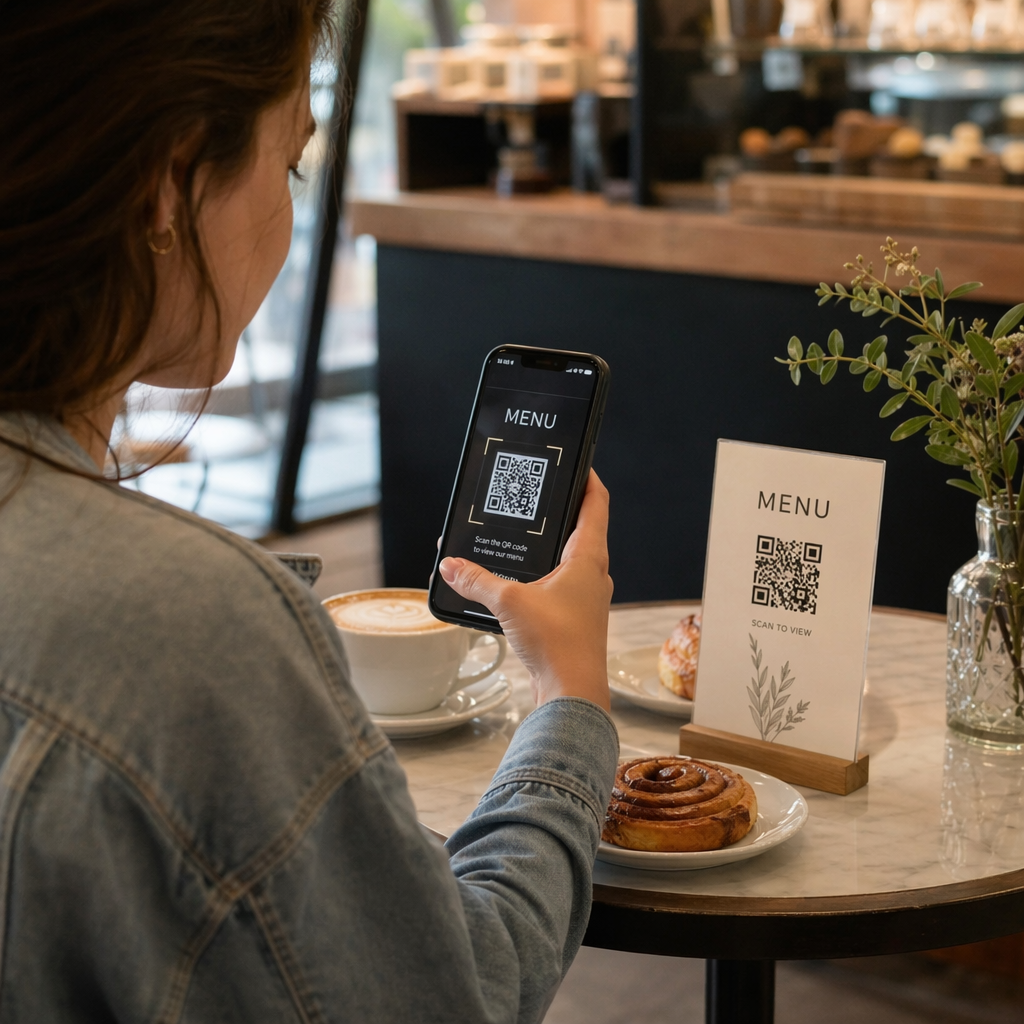
מסעדה המסתמכת אך ורק על תפריט קוד QR חייבת להבטיח שהתפריט נגיש לאורחים עם לקויות ראייה. משמעות הדבר היא שדף הנחיתה שאליו מקשר קוד ה-QR צריך להיות תואם לקוראי מסך, להשתמש בניגודיות צבע מספקת, ובעל מבנה כותרות הגיוני. אורחים שאינם יכולים להשתמש בקוד QR – בין אם עקב לקות ראייה, חוסר היכרות עם סמארטפונים או מגבלות מוטוריות – חייבים לקבל דרך חלופית לגשת לאותו מידע.
ליישום תפריט נגיש, ה- תפריט דיגיטלי למסעדה עם קוד QR מאפשר לכם לקשר לתפריט דיגיטלי שתוכלו לעדכן באופן מיידי ללא הדפסה מחדש של חומרים פיזיים – שימושי כאשר זמינות הפריטים משתנה או כאשר אתם צריכים לעדכן את הדף המקושר כדי לשפר את הנגישות.
להנחיות בנושא הנגשת תשלומי קוד QR במסגרות אירוח וקמעונאות, ראו את המאמר שלנו בנושא שיטות עבודה מומלצות לנגישות תשלומי קוד QR.
חינוך: בתי ספר ציבוריים ופרטיים
מוסדות חינוך נכללים הן בפרק II והן בפרק III, בהתאם לשאלה אם הם מופעלים באופן ציבורי או פרטי. בתי ספר ציבוריים (גן עד כיתה י"ב), מכללות קהילתיות ואוניברסיטאות ממלכתיות נכללים בפרק II, כולל כלל משרד המשפטים הדורש עמידה בתקן WCAG 2.1 רמה AA עבור תוכן אינטרנט ואפליקציות מובייל. בתי ספר פרטיים בכל הרמות מכוסים על ידי פרק III כמקומות אירוח ציבוריים.
בכל מקרה, כאשר בתי ספר משתמשים בקודי QR להפצת חומרי קורס, מידע על אירועים, טפסים או משאבי למידה, חומרים אלה חייבים להיות נגישים. תלמיד עם לקות ראייה חייב להיות מסוגל לגשת לאותו תוכן כמו חבריו. בפועל, משמעות הדבר היא:
- קובצי PDF מקושרים חייבים להיות מתויגים ותואמים לקוראי מסך
- תוכן אינטרנט שאליו מגיעים באמצעות קודי QR חייב לעמוד בתקני WCAG
- מיקומי קודי QR פיזיים בכיתות או במסדרונות צריכים להיות בגבהים נגישים לתלמידים המשתמשים בכיסאות גלגלים
ראו כיצד קודי QR משמשים בבתי ספר ובחינוך לרעיונות ספציפיים למקרי שימוש, ובחנו את ה- מחולל קוד QR ל-PDF להפצת מסמכי קורס נגישים.
קמעונאות: חנויות, אריזות ותצוגות בחנות
חנויות קמעונאיות, מרכזי קניות וחנויות מכולת מפורטים כמקומות אירוח ציבוריים תחת פרק III. ככל שקודי QR הופכים נפוצים יותר על אריזות מוצרים, תצוגות מדפים ואזורי קופה, ארגונים קמעונאיים מתמודדים עם חשיפה הולכת וגוברת לחובות תקשורת אפקטיבית.
קוד QR על תווית מוצר המקשר להוראות שימוש, רשימות רכיבים או מידע אחריות חייב להיות שמיש על ידי לקוחות עם לקויות ראייה. אם הקוד הוא הדרך העיקרית לגשת למידע זה – ולא מסופקת חלופה מקבילה – הקמעונאי עשוי שלא לעמוד בחובות התקשורת האפקטיבית שלו.
שיקולי נגישות מרכזיים לפריסות QR קמעונאיות כוללים:
- מתן כתובת URL מודפסת או מקבילה מודפסת לצד קודי QR על אריזות
- הבטחת דפי מידע על מוצרים המקושרים מקודי QR עומדים בתקני ניגודיות וניווט של WCAG
- הצבת קודי QR בחנות בגבהים ובמיקומים נגישים למשתמשי כיסאות גלגלים
לאסטרטגיית מיקום, ראו את המדריך שלנו בנושא מיקומי קודי QR מובילים לחנויות קמעונאיות.
התקנים הטכניים החלים על פני תעשיות
ללא קשר לאיזה מגזר אתם פועלים בו, אותם תקני נגישות ליבה חלים כאשר אתם פורסים קודי QR. אלה מגיעים מהנחיות WCAG 2.1 ו-Section 508, והם מכסים הן את קוד ה-QR הפיזי עצמו והן את התוכן הדיגיטלי שאליו הוא מקשר.
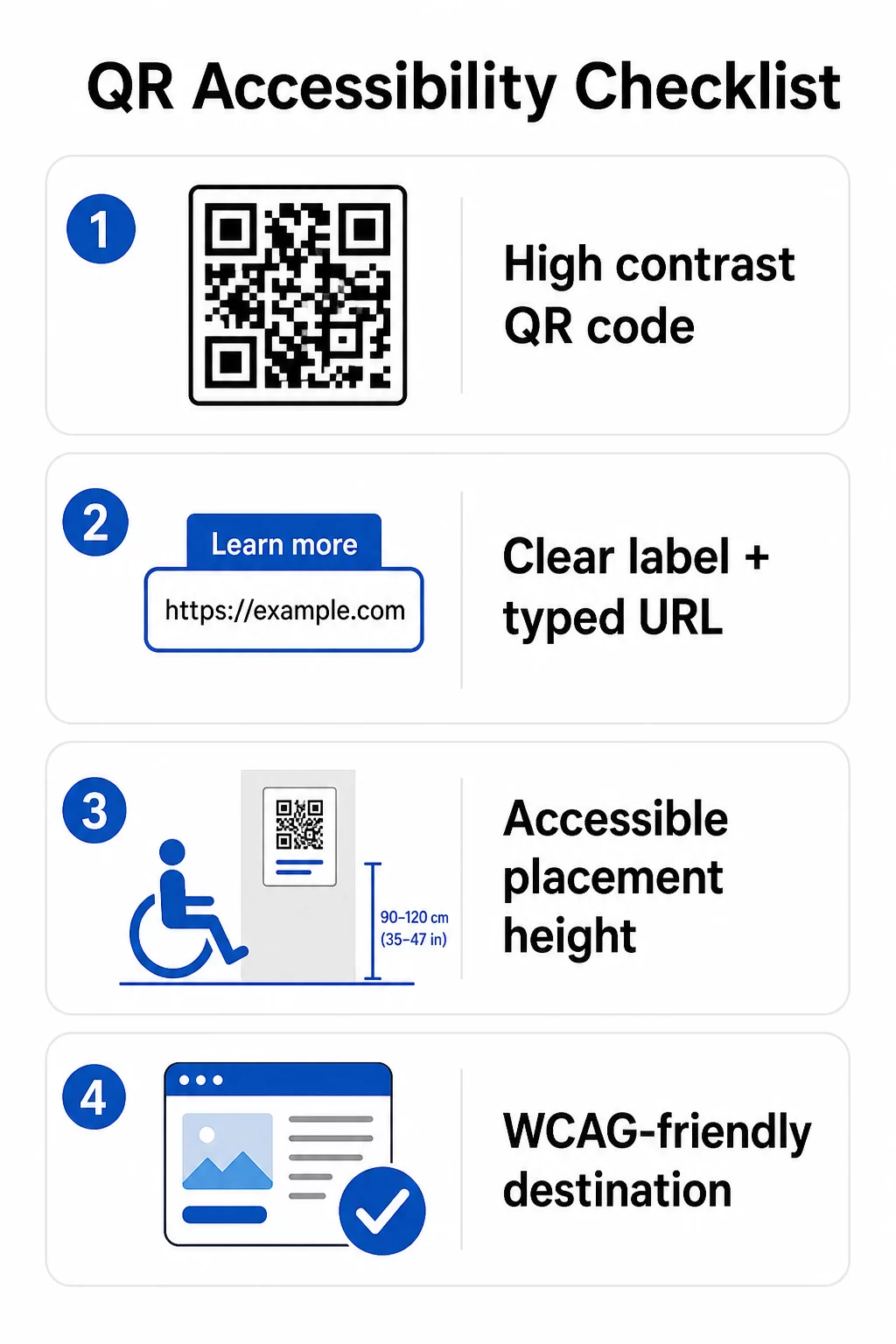
עבור קוד ה-QR הפיזי:
- השתמשו בחזית כהה על רקע בהיר, במטרה ליחס ניגודיות של לפחות 4.5:1 לנגישות מלאה
- הדפיסו קודים בגודל מינימלי של 1 אינץ' × 1 אינץ', ופעלו לפי כלל 10:1 למרחק סריקה (1 אינץ' רוחב קוד לכל 10 אינץ' של מרחק צפייה צפוי)
- מקמו קודים מודפסים בין 3.5 ל-4.5 רגל מהרצפה כך שמשתמשי כיסאות גלגלים יוכלו להגיע אליהם בנוחות
- הוסיפו תווית ברורה או קריאה לפעולה בקרבת מקום כדי שמשתמשים יבינו מה הקוד עושה לפני הסריקה
- ספקו כתובת URL טקסטואלית סמוכה או חלופה מקבילה כך שמשתמשים שאינם יכולים לסרוק את קוד ה-QR יוכלו עדיין לגשת לתוכן
עבור התוכן הדיגיטלי המקושר:
- דפי אינטרנט יעד חייבים לעמוד בקריטריוני ההצלחה של WCAG 2.1 רמה A ו-AA
- במסמכים דיגיטליים, קודי QR זקוקים לטקסט חלופי תיאורי המסביר את מטרת הקוד – לא את המראה החזותי שלו (קריטריון הצלחה 1.1.1 של WCAG)
- ניגודיות שאינה טקסטואלית של מודולי קוד QR מול הרקע שלהם חייבת לעמוד ביחס של לפחות 3:1 (קריטריון הצלחה 1.4.11 של WCAG)
- אם קוד ה-QR מתפקד כקישור, הטקסט החלופי חייב לתאר לאן הוא מוביל (קריטריון הצלחה 2.4.4 של WCAG)
לרשימת בדיקה מלאה ליישום, עיינו במדריך שלנו בנושא כיצד להפוך קודי QR לתואמי ADA וההיבט הרחב יותר שלנו שיטות עבודה מומלצות לשימושיות קודי QR.
תוכלו גם לחקור קודי QR המופעלים קולית ורמזים מישושיים כאסטרטגיות מתקדמות למתן שירות למשתמשים עם לקויות ראייה – רלוונטי במיוחד עבור פריסות בתחומי הבריאות, החינוך והממשל.
צרו קודי QR נגישים מההתחלה להשתמש ב מחולל קודי QR כדי לבנות קודי QR בעלי ניגודיות גבוהה ובגודל מתאים, עם תוויות מובנות ומיתוג ברור – ולאחר מכן לקשר אותם לתוכן נגיש העומד בתקני WCAG.
מדוע קודי QR נגישים הם פרקטיקה טובה מעבר לעמידה בדרישות החוק
מעבר לחובות משפטיות, הפיכת קודי QR לנגישים מרחיבה את הקהל שיכול לעסוק בתוכן שלכם. קוד QR לא נגיש לא רק יוצר חשיפה משפטית – הוא יוצר פער בחוויית הלקוח שלכם. אורח במסעדה שאינו יכול לקרוא את תפריט ה-QR, מטופל שאינו יכול לגשת להוראות תרופה, או סטודנט שאינו יכול להוריד חומרי קורס בגלל קובץ PDF לא נגיש – כל אלה מייצגים רגעים שבהם הארגון שלכם נכשל בתקשורת יעילה.
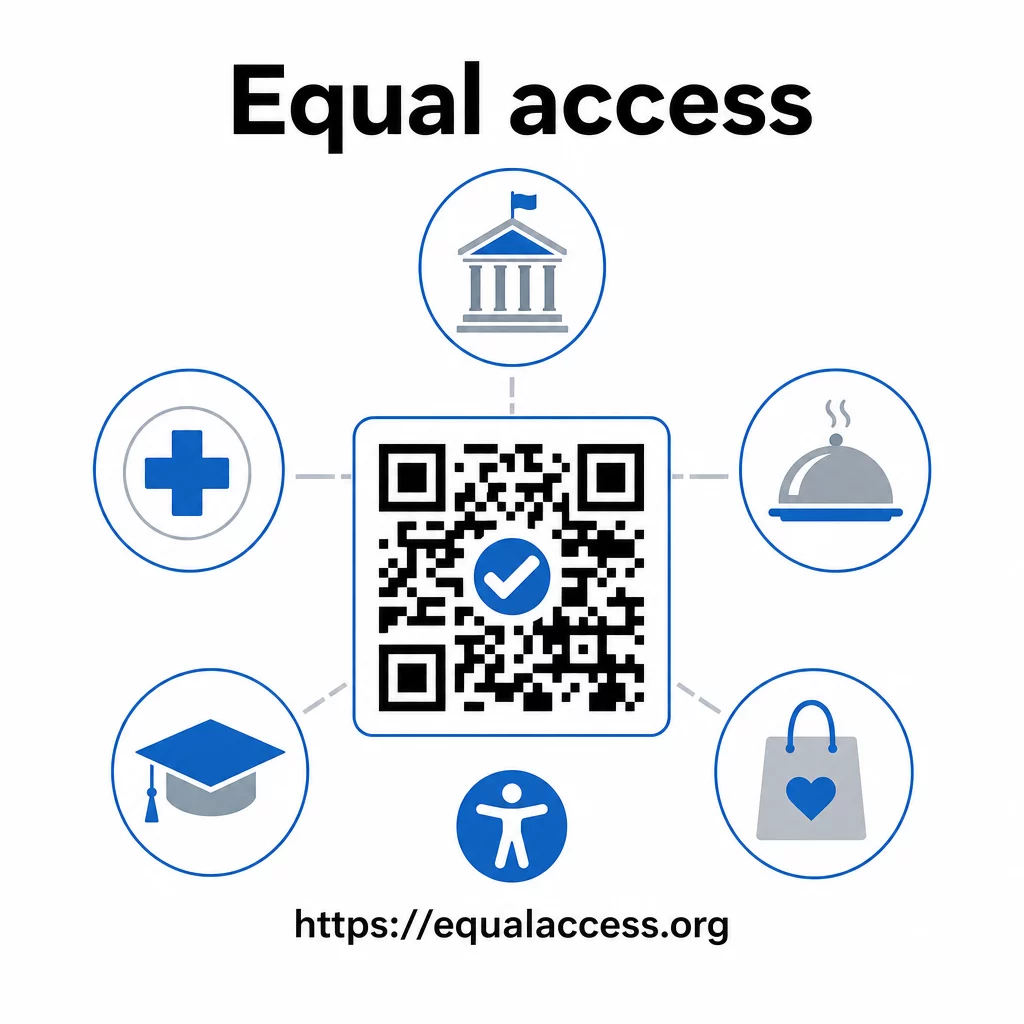
פרקטיקות של קודי QR נגישים נוטות גם לשפר את החוויה עבור כולם. ניגודיות מספקת עוזרת לקודים להיסרק מהר יותר בתאורה חלשה. גודל מתאים עוזר למשתמשים בכל הגילאים לסרוק ממרחק נוח. תוויות ברורות מפחיתות בלבול עבור משתמשי קודי QR בפעם הראשונה. שיפורים אלה מועילים לכל הקהל שלכם, לא רק למשתמשים עם מוגבלויות.
למבט מעמיק יותר על ניגודיות, גודל, קריאות ומיקום, עיינו במדריכים שלנו בנושא שיטות עבודה מומלצות לקריאות קודי QR ו שיטות עבודה מומלצות לניגודיות צבעי קוד QR.
חובות הנגישות חלות באופן נרחב על פני הממשל, שירותי הבריאות, החינוך, האירוח והקמעונאות – ואותם סטנדרטים טכניים חלים על כולם. נקודת המוצא המעשית פשוטה: אם קוד QR הוא הדרך שבה אתם מתקשרים מידע חשוב, תקשורת זו חייבת להיות נגישה. השתמשו ב- קודי QR דינמיים כך שתוכלו לעדכן תוכן מקושר כדי לשמור על תאימות ללא הדפסה מחדש, ולחקור את מגוון הפתרונות המלא של פתרונות קודי QR ספציפיים לתעשייה כדי למצוא את היישום הנכון עבור הסקטור שלכם.
שאלות נפוצות
שום חוק אינו מחייב באופן ספציפי עסקים להשתמש בקודי QR. עם זאת, אם תבחרו להשתמש בקודי QR כחלק מהתקשורת שלכם מול לקוחות, דרישות התקשורת היעילה של ה-ADA חלות. אם קוד QR הוא הדרך העיקרית או היחידה שבה לקוחות יכולים לגשת למידע, חוויה זו חייבת להיות נגישה לאנשים עם מוגבלויות – כולל אלה עם לקויות ראייה או ניידות מוגבלת.
סוכנויות ממשלתיות מדינתיות ומקומיות מתמודדות עם החובות המפורשות ביותר תחת פרק II של ה-ADA וכלל הסופי של משרד המשפטים לשנת 2024, המחייב עמידה בתקן WCAG 2.1 רמה AA עבור תוכן אינטרנט ואפליקציות מובייל. עסקים פרטיים הפתוחים לציבור – כולל מסעדות, בתי מלון, בתי חולים, חנויות קמעונאיות, בתי ספר פרטיים, בנקים וחדרי כושר – מכוסים תחת פרק III וחייבים לספק תקשורת יעילה באמצעות עזרים ושירותים נלווים. סוכנויות פדרליות כפופות בנוסף לסעיף 508 של חוק השיקום.
אין רשימת בדיקה יחידה שנקבעה על ידי ה-ADA במיוחד עבור קודי QR, אך שיטות עבודה מומלצות הנשאבות מהנחיות WCAG 2.1 וסעיף 508 כוללות: שימוש בחזית כהה על רקע בהיר עם יחס ניגודיות של לפחות 4.5:1; הדפסת קודים בגודל מינימלי של 1 אינץ' × 1 אינץ'; הצבת קודים פיזיים בגבהים נגישים (3.5–4.5 רגל מהרצפה); מתן כתובת URL טקסטואלית קרובה כחלופה למשתמשים שאינם יכולים לסרוק; הוספת טקסט חלופי תיאורי במסמכים דיגיטליים; והבטחה שתוכן היעד עומד בתקני WCAG 2.1 רמה AA.