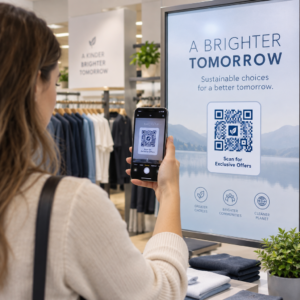
Sind Sie unsicher, ob Ihr Unternehmen gesetzlich verpflichtet ist, QR-Codes gemäß dem ADA zugänglich zu machen? Ein Fehler hierbei kann Ihr Unternehmen einem Compliance-Risiko aussetzen und Kunden mit Behinderungen von Inhalten ausschließen, auf die sie ein Zugangsrecht haben. Dieser Leitfaden erläutert, welche Sektoren die klarsten rechtlichen Verpflichtungen tragen und welche Zugänglichkeitsstandards gelten, wenn QR-Codes Teil Ihrer kundenorientierten Kommunikation sind.
Die rechtliche Kernrealität: Kein Gesetz schreibt QR-Codes vor, aber Zugänglichkeitsgesetze gelten dennoch
Bevor wir uns spezifischen Branchen widmen, eine wichtige Klarstellung: keine Bestimmung des Americans with Disabilities Act schreibt ausdrücklich vor, dass ein Unternehmen oder eine Behörde QR-Codes verwenden muss. Der ADA konzentriert sich darauf, eine effektive, gleichberechtigte Kommunikation mit Menschen mit Behinderungen zu gewährleisten – unabhängig davon, welche Technologie Sie zur Übermittlung dieser Kommunikation wählen.
Die entscheidende Implikation ist diese: sobald Sie sich entscheiden, einen QR-Code als Teil Ihrer kundenorientierten Kommunikation zu verwenden, folgen Zugänglichkeitsverpflichtungen. Wenn Ihr QR-Code die primäre oder einzige Methode ist, um auf wichtige Informationen zuzugreifen, muss er für jeden nutzbar sein – einschließlich Menschen mit Sehbehinderungen, eingeschränkter Mobilität oder anderen Behinderungen.
Stellen Sie es sich so vor: Sie sind nicht verpflichtet, eine Rampe zu installieren, aber wenn Ihr Gebäude Stufen hat, die Kunden nutzen müssen, um Ihre Dienste zu erreichen, regeln die ADA-Standards, wie diese Rampe gebaut werden muss. Ähnlich verhält es sich, wenn ein QR-Code die Art und Weise ist, wie Sie ein Menü, ein Formular oder kritische öffentliche Informationen bereitstellen, dann müssen dieser QR-Code und die Inhalte, auf die er verlinkt, zugänglich sein.
Titel II: Regierungs- und öffentliche Organisationen
Staatliche und lokale Regierungen tragen einige der explizitesten und am besten dokumentierten digitalen Zugänglichkeitsverpflichtungen gemäß dem ADA. Titel II des ADA verlangt von allen staatlichen und lokalen Regierungseinheiten, mit Menschen mit Behinderungen ebenso effektiv zu kommunizieren wie mit anderen. Dies umfasst jede Ebene des Regierungsbetriebs – Polizeidienststellen, Gerichte, Wahldienste, öffentliche Schulen, Community Colleges, öffentliche Bibliotheken, Wasserversorgungsbezirke und andere Sonderzweckbezirke.
Im Jahr 2024 finalisierte das US-Justizministerium eine Regelung unter Titel II, die festlegt WCAG 2.1 Level AA als technischen Standard für Webinhalte und mobile Anwendungen von staatlichen und lokalen Regierungen. Dies bedeutet, dass, wenn eine Regierungsbehörde einen QR-Code auf einem öffentlichen Dokument, Schild oder an einem physischen Ort platziert, der digitale Inhalt, auf den dieser QR-Code verlinkt, den Erfolgskriterien von WCAG 2.1 Level A und Level AA entsprechen muss.
Bundesrichtlinien stellen auch klar, dass QR-Codes, die in Bundespublikationen verwendet werden, die Anforderungen erfüllen müssen Abschnitt 508 des Rehabilitation Act, der QR-Codes als eine Form von Informations- und Kommunikationstechnologie (IKT) behandelt. Gemäß Abschnitt 508 muss ein QR-Code in einem digitalen Dokument sowohl als Bild, das einen beschreibenden Alternativtext erfordert, als auch als Link, der eine zugängliche Textalternative erfordert, behandelt werden – damit Benutzer, die den Code nicht scannen können, trotzdem dieselben Informationen erreichen können.
Praktische Anforderungen für die Verwendung von QR-Codes durch Behörden umfassen:
- Angrenzender zugänglicher Text: Geben Sie die Ziel-URL oder eine kurze getippte Alternative neben jedem QR-Code an, damit Benutzer, die ihn nicht scannen können, trotzdem auf den Inhalt zugreifen können
- Beschreibender Alternativtext: In digitalen Dokumenten muss der Alternativtext beschreiben, was der QR-Code bewirkt (z. B. “QR-Code, der zur Anwendung für barrierefreie Parkausweise der Stadt führt”), nicht nur sein Aussehen
- Physische Platzierung: Gedruckte QR-Codes sollten so positioniert werden, dass Personen im Rollstuhl sie bequem scannen können – die Richtlinien empfehlen eine Höhe zwischen 3,5 und 4,5 Fuß
- Zugänglicher Zielinhalt: Die Webseite oder das Dokument, das über den QR-Code erreicht wird, muss selbst WCAG 2.1 Level AA erfüllen
Für detaillierte Platzierungsrichtlinien speziell für die behördliche Nutzung, siehe unseren Leitfaden zu den besten QR-Code-Platzierungen für Regierungsbehörden.
Regierungs-QR-Codes ohne Neudruck aktualisieren Müssen Sie eine Ziel-URL auf einem ausgehängten Behördenschild aktualisieren, ohne das physische Material zu ersetzen? Verwenden Sie die Dynamischer QR-Code Generator den verlinkten Inhalt jederzeit zu ändern – kein Neudruck erforderlich.
Titel III: Unternehmen und Organisationen, die der Öffentlichkeit zugänglich sind
Private Unternehmen und gemeinnützige Organisationen, die der Öffentlichkeit dienen, fallen unter Titel III des ADA, der diese als “öffentliche Einrichtungen” definiert. Die Liste der erfassten Einrichtungen ist breit gefächert und umfasst nahezu jede Art von kundenorientiertem Unternehmen. Gemäß Titel III müssen diese Organisationen effektive Kommunikation für Kunden mit Seh-, Hör- und Sprachbehinderungen bereitstellen, bei Bedarf auch durch Hilfsmittel und Dienstleistungen.
Die folgenden Kategorien sind im Rahmen des ADA explizit als öffentliche Einrichtungen ausgewiesen:
| Kategorie | Beispiele |
|---|---|
| Beherbergungsbetriebe | Hotels, Motels, Gasthöfe |
| Gastronomiebetriebe | Restaurants, Bars |
| Veranstaltungsorte | Theater, Stadien, Konzerthallen |
| Öffentliche Versammlungsorte | Kongresszentren, Auditorien |
| Verkaufs- und Vermietungsbetriebe | Lebensmittelgeschäfte, Einkaufszentren, Baumärkte |
| Dienstleistungsbetriebe | Banken, Apotheken, Gesundheitsdienstleister, Anwaltskanzleien, Krankenhäuser |
| Verkehrsterminals | Bus- und Bahnhöfe |
| Öffentliche Ausstellung oder Sammlung | Museen, Bibliotheken, Galerien |
| Erholung | Parks, Zoos, Vergnügungsparks |
| Bildungseinrichtungen | Private Kindergärten bis hin zu Graduiertenprogrammen |
| Soziale Dienste | Kindertagesstätten, Seniorenzentren, Obdachlosenunterkünfte, Tafeln |
| Sport und Erholung | Fitnessstudios, Wellnesszentren, Bowlingbahnen, Golfplätze |
Wenn Ihre Organisation in dieser Liste erscheint und Sie QR-Codes in jedem kundenorientierten Kontext verwenden – Beschilderung, Speisekarten, Produktdisplays, Zahlungsterminals oder Informationsmaterialien – gelten für diese QR-Code-Erfahrung Verpflichtungen zur effektiven Kommunikation.
Gesundheitswesen: Erhöhte Verpflichtungen und praktische Auswirkungen
Krankenhäuser, Kliniken, Apotheken und private Gesundheitsdienstleister erscheinen unter Titel III als Dienstleistungseinrichtungen. Doch Gesundheitsorganisationen arbeiten oft unter zusätzlichen Datenschutz- und Informationsstandards, die barrierefreie Kommunikation besonders wichtig machen.
Wenn ein QR-Code auf Entlassungsanweisungen, Medikationsinformationen, Terminplanung oder Patientenformulare verweist, sind die Folgen der Nicht-Barrierefreiheit nicht nur rechtlicher, sondern auch klinischer Natur. Ein Patient mit Sehschwäche, der Dosierungsanweisungen nicht abrufen kann, weil ein QR-Code keine Fallback-Option bietet, sieht sich einem erheblichen Gesundheitsrisiko gegenüber.
QR-Codes in Gesundheitseinrichtungen sollten immer von barrierefreien Alternativen begleitet werden, wie Großdruck-Handouts, Audio-Erklärungen oder Personalunterstützung. Für öffentliche Gesundheitseinrichtungen, die auch staatliche Einrichtungen sind, gelten zusätzlich zu den standardmäßigen Kommunikationsanforderungen im Gesundheitswesen die Verpflichtungen des Titels II.
Erfahren Sie, wie QR-Codes in Krankenhäusern und Gesundheitseinrichtungen verwendet werden für praktische Umsetzungsbeispiele.
Gastgewerbe: Speisekarten, Check-in und Gästeservice
Die Gastgewerbebranche – Hotels, Restaurants und Bars – hat QR-Codes in bemerkenswertem Tempo eingeführt, insbesondere für digitale Speisekarten. Da Restaurants und Hotels unter Titel III explizit als öffentliche Unterkünfte aufgeführt sind, trägt jede über QR-Code bereitgestellte Gasterfahrung eine Verpflichtung zur effektiven Kommunikation.
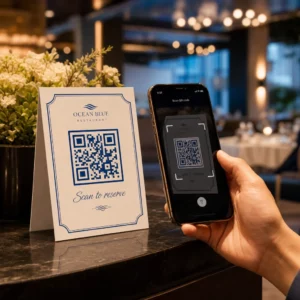
Ein Restaurant, das sich ausschließlich auf eine QR-Code-Speisekarte verlässt, muss sicherstellen, dass diese Speisekarte für Gäste mit Sehbehinderungen zugänglich ist. Das bedeutet, die Landingpage, auf die der QR-Code verweist, sollte mit Screenreadern kompatibel sein, ausreichenden Farbkontrast verwenden und eine logische Überschriftenstruktur aufweisen. Gäste, die einen QR-Code nicht nutzen können – sei es aufgrund von Sehbehinderung, mangelnder Vertrautheit mit Smartphones oder motorischen Einschränkungen – müssen eine alternative Möglichkeit haben, auf dieselben Informationen zuzugreifen.
Für die Implementierung barrierefreier Speisekarten, die Menü QR-Code erstellen ermöglicht es Ihnen, auf eine digitale Speisekarte zu verlinken, die Sie sofort aktualisieren können, ohne physische Materialien neu drucken zu müssen – nützlich, wenn sich die Verfügbarkeit von Artikeln ändert oder wenn Sie die verlinkte Seite aktualisieren müssen, um die Barrierefreiheit zu verbessern.
Für Anleitungen zur Barrierefreiheit von QR-Code-Zahlungen im Gastgewerbe und Einzelhandel, lesen Sie unseren Artikel über Best Practices für die Barrierefreiheit von QR-Code-Zahlungen.
Bildung: Öffentliche und private Schulen
Bildungseinrichtungen fallen sowohl unter Titel II als auch unter Titel III, je nachdem, ob sie öffentlich oder privat betrieben werden. Öffentliche K–12-Schulen, Community Colleges und staatliche Universitäten fallen unter Titel II, einschließlich der DOJ-Regel, die WCAG 2.1 Level AA-Konformität für Webinhalte und mobile Apps vorschreibt. Private Schulen aller Stufen sind als öffentliche Unterkünfte von Titel III abgedeckt.
In beiden Fällen, wenn Schulen QR-Codes verwenden, um Kursmaterialien, Veranstaltungsinformationen, Formulare oder Lernressourcen zu verteilen, müssen diese Materialien zugänglich sein. Ein sehbehinderter Schüler muss in der Lage sein, auf denselben Inhalt zuzugreifen wie seine Mitschüler. In der Praxis bedeutet dies:
- Verlinkte PDFs müssen getaggt und bildschirmleserkompatibel sein
- Webinhalte, die über QR-Codes erreicht werden, müssen den WCAG-Standards entsprechen
- Physische QR-Code-Platzierungen in Klassenzimmern oder Fluren sollten in Höhen angebracht werden, die für Schüler im Rollstuhl zugänglich sind
Sehen Sie, wie QR-Codes in Schulen und Bildungseinrichtungen verwendet werden für spezifische Anwendungsfallideen, und erkunden Sie die PDF QR-Code Generator für die Verteilung zugänglicher Kursdokumente.
Einzelhandel: Geschäfte, Verpackungen und In-Store-Displays
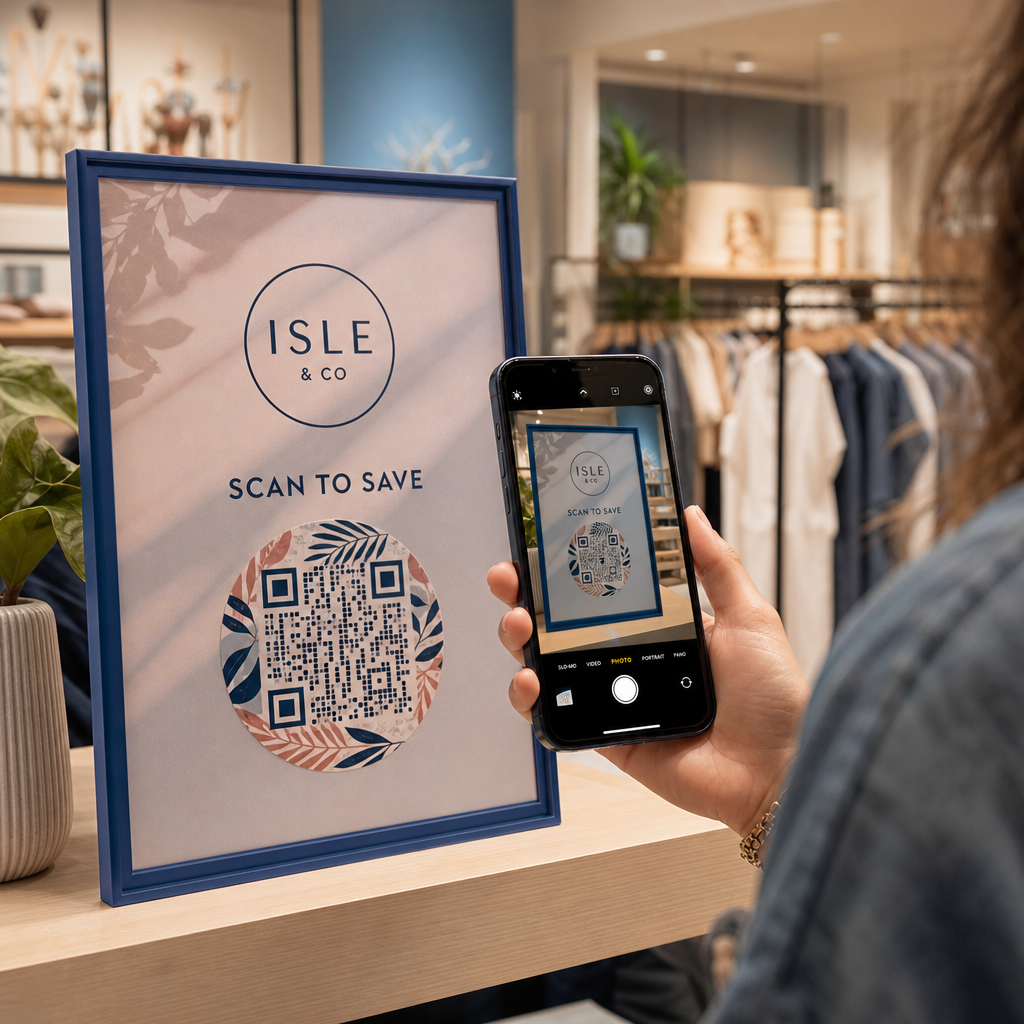
Einzelhandelsgeschäfte, Einkaufszentren und Lebensmittelgeschäfte sind unter Title III als öffentliche Einrichtungen aufgeführt. Da QR-Codes auf Produktverpackungen, Regaldisplays und Kassenbereichen immer häufiger werden, sehen sich Einzelhandelsorganisationen einer wachsenden Verpflichtung zur effektiven Kommunikation gegenüber.
Ein QR-Code auf einem Produktetikett, der auf Gebrauchsanweisungen, Zutatenlisten oder Garantieinformationen verweist, muss von Kunden mit Sehbehinderungen nutzbar sein. Wenn der Code der primäre Weg ist, um auf diese Informationen zuzugreifen – und keine gleichwertige Alternative bereitgestellt wird – erfüllt der Einzelhändler möglicherweise seine Verpflichtungen zur effektiven Kommunikation nicht.
Wichtige Überlegungen zur Barrierefreiheit für den Einsatz von QR-Codes im Einzelhandel umfassen:
- Bereitstellung einer getippten URL oder eines gedruckten Äquivalents neben QR-Codes auf Verpackungen
- Sicherstellen, dass Produktinformationsseiten, die von QR-Codes verlinkt sind, den WCAG-Kontrast- und Navigationsstandards entsprechen
- Platzierung von In-Store-QR-Codes in Höhen und Positionen, die für Rollstuhlfahrer zugänglich sind
Für die Platzierungsstrategie siehe unseren Leitfaden zu Top-QR-Code-Platzierungen für Einzelhandelsgeschäfte.
Die technischen Standards, die branchenübergreifend gelten
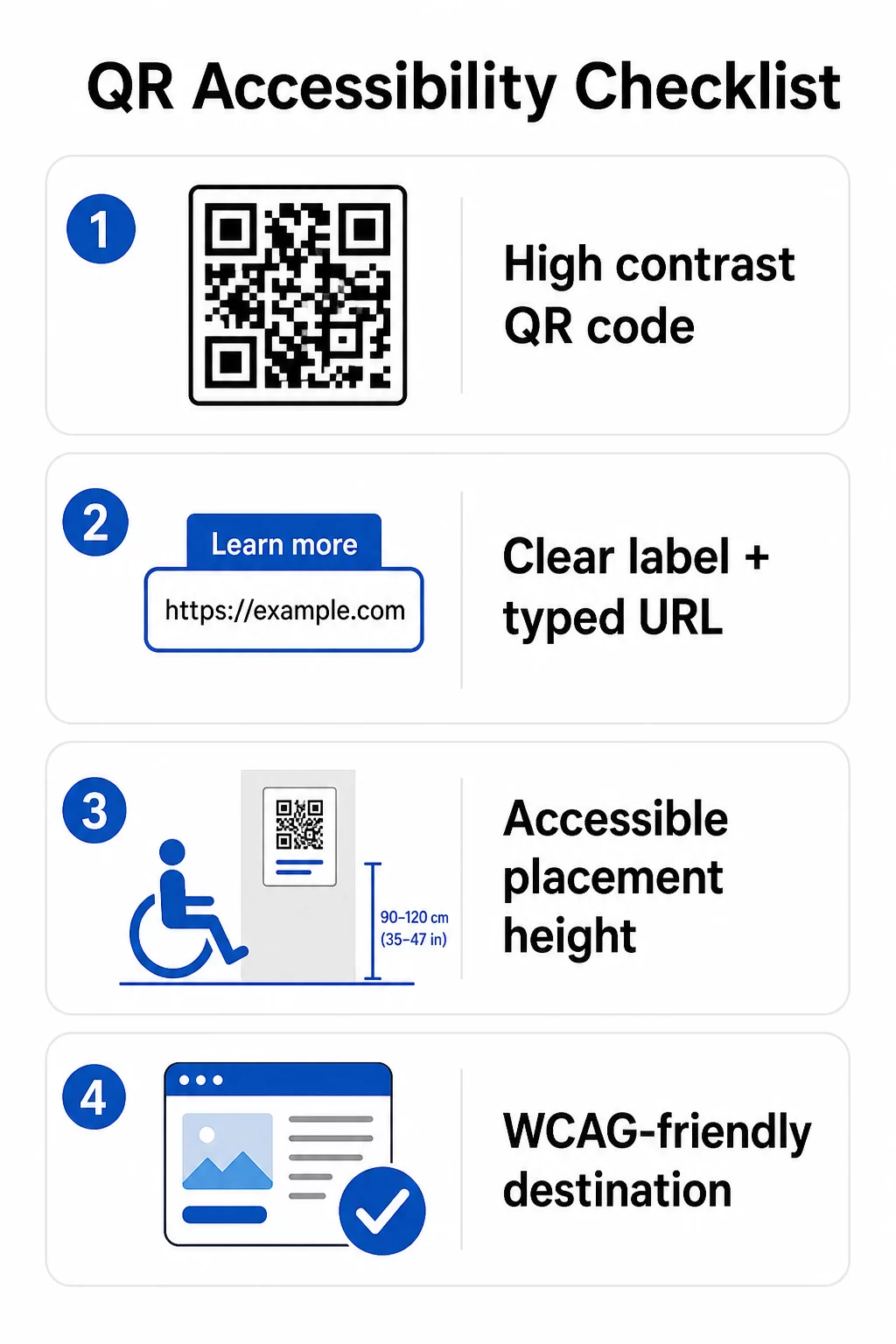
Unabhängig davon, in welchem Sektor Sie tätig sind, gelten die gleichen grundlegenden Barrierefreiheitsstandards, wenn Sie QR-Codes einsetzen. Diese stammen aus den Richtlinien von WCAG 2.1 und Section 508 und umfassen sowohl den physischen QR-Code selbst als auch den digitalen Inhalt, auf den er verweist.
Für den physischen QR-Code:
- Verwenden Sie einen dunklen Vordergrund auf einem hellen Hintergrund und streben Sie ein Kontrastverhältnis von mindestens an 4,5:1 für volle Barrierefreiheit
- Drucken Sie Codes in einer Mindestgröße von 1 Zoll × 1 Zoll und befolgen Sie die 10:1-Regel für den Scanabstand (1 Zoll Codebreite pro 10 Zoll erwarteter Betrachtungsabstand)
- Platzieren Sie gedruckte Codes zwischen 3,5 und 4,5 Fuß über dem Boden, damit Rollstuhlfahrer sie bequem erreichen können
- Fügen Sie ein klares Etikett oder einen Call-to-Action in der Nähe hinzu, damit Benutzer verstehen, was der Code tut, bevor sie ihn scannen
- Stellen Sie eine angrenzende Text-URL oder eine gleichwertige Alternative bereit, damit Benutzer, die den QR-Code nicht scannen können, trotzdem auf den Inhalt zugreifen können
Für den verlinkten digitalen Inhalt:
- Zielwebseiten müssen die Erfolgskriterien von WCAG 2.1 Level A und AA erfüllen
- In digitalen Dokumenten benötigen QR-Codes einen beschreibenden Alternativtext, der den Zweck des Codes erklärt – nicht sein visuelles Erscheinungsbild (WCAG-Erfolgskriterium 1.1.1)
- Der Nicht-Text-Kontrast von QR-Code-Modulen zu ihrem Hintergrund muss mindestens ein Verhältnis von 3:1 erfüllen (WCAG-Erfolgskriterium 1.4.11)
- Wenn der QR-Code als Link fungiert, muss der Alternativtext beschreiben, wohin er führt (WCAG-Erfolgskriterium 2.4.4)
Eine vollständige Implementierungs-Checkliste finden Sie in unserem Leitfaden zu wie man QR-Codes ADA-konform macht und unsere breitere Best Practices für die Benutzerfreundlichkeit von QR-Codes.
Sie können auch erkunden sprachaktivierte QR-Codes und taktile Hinweise als fortgeschrittene Strategien zur Bedienung von Benutzern mit Sehbehinderungen – besonders relevant für den Einsatz im Gesundheitswesen, in der Bildung und in der Regierung.
Barrierefreie QR-Codes von Anfang an erstellen Verwenden Sie die QR-Code-Generator um kontrastreiche, richtig dimensionierte QR-Codes mit klaren Beschriftungen und Branding zu erstellen – und diese dann mit barrierefreien Inhalten zu verknüpfen, die den WCAG-Standards entsprechen.
Warum barrierefreie QR-Codes über die gesetzliche Einhaltung hinaus eine gute Praxis sind
Abgesehen von rechtlichen Verpflichtungen erweitert die Zugänglichmachung von QR-Codes das Publikum, das mit Ihren Inhalten interagieren kann. Ein unzugänglicher QR-Code schafft nicht nur rechtliche Risiken – er schafft eine Lücke in Ihrer Kundenerfahrung. Ein Gast in einem Restaurant, der das QR-Menü nicht lesen kann, ein Patient, der keine Zugang zu Medikamentenanweisungen hat, oder ein Student, der Kursmaterialien aufgrund eines unzugänglichen PDFs nicht herunterladen kann, all dies sind Momente, in denen Ihre Organisation es versäumt hat, effektiv zu kommunizieren.
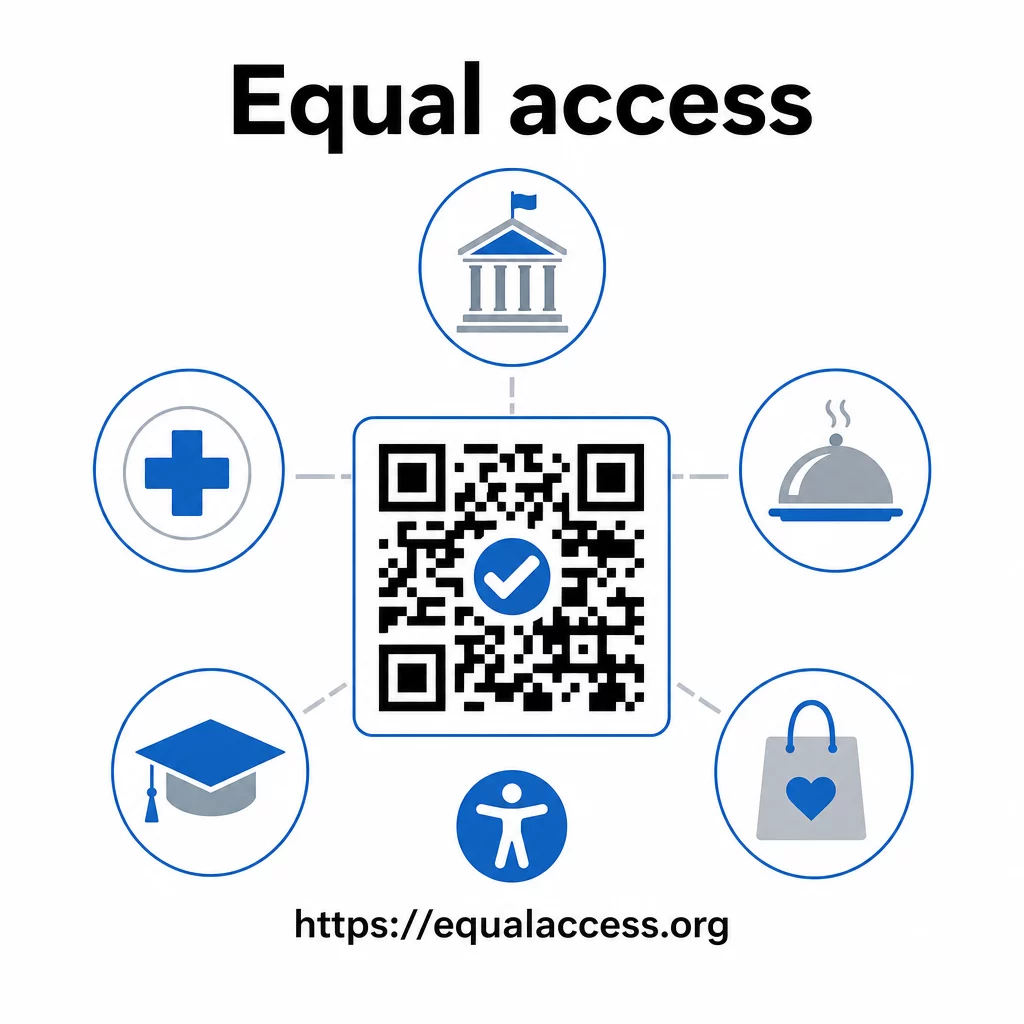
Praktiken für barrierefreie QR-Codes verbessern auch tendenziell die Erfahrung für alle. Ausreichender Kontrast hilft Codes, bei schlechten Lichtverhältnissen schneller zu scannen. Die richtige Größe hilft Benutzern jeden Alters, aus einer angenehmen Entfernung zu scannen. Klare Beschriftungen reduzieren die Verwirrung für erstmalige QR-Code-Benutzer. Diese Verbesserungen kommen Ihrem gesamten Publikum zugute, nicht nur Benutzern mit Behinderungen.
Für einen tieferen Einblick in Kontrast, Größe, Lesbarkeit und Platzierung, erkunden Sie unsere Leitfäden zu Best Practices für die Lesbarkeit von QR-Codes und Best Practices für den Farbkontrast von QR-Codes.
Barrierefreiheitspflichten gelten umfassend in Regierung, Gesundheitswesen, Bildung, Gastgewerbe und Einzelhandel – und dieselben technischen Standards regeln sie alle. Der praktische Ausgangspunkt ist einfach: Wenn ein QR-Code die Art und Weise ist, wie Sie wichtige Informationen kommunizieren, muss diese Kommunikation barrierefrei sein. Verwenden Sie dynamische QR-Codes damit Sie verknüpfte Inhalte aktualisieren können, um die Einhaltung ohne Neudruck zu gewährleisten, und erkunden Sie die gesamte Palette von branchenspezifische QR-Code-Lösungen um die richtige Implementierung für Ihren Sektor zu finden.
Häufig gestellte Fragen
Kein Gesetz schreibt Unternehmen ausdrücklich die Verwendung von QR-Codes vor. Wenn Sie sich jedoch entscheiden, QR-Codes als Teil Ihrer kundenorientierten Kommunikation zu verwenden, gelten die Anforderungen des ADA an effektive Kommunikation. Wenn ein QR-Code die primäre oder einzige Möglichkeit ist, wie Kunden auf Informationen zugreifen können, muss diese Erfahrung für Menschen mit Behinderungen – einschließlich solcher mit Sehbehinderungen oder eingeschränkter Mobilität – zugänglich sein.
Staatliche und lokale Regierungsbehörden stehen unter den explizitesten Verpflichtungen gemäß Titel II des ADA und der endgültigen Regelung des DOJ von 2024, die WCAG 2.1 Level AA-Konformität für Webinhalte und mobile Apps vorschreibt. Private Unternehmen, die der Öffentlichkeit zugänglich sind – einschließlich Restaurants, Hotels, Krankenhäuser, Einzelhandelsgeschäfte, Privatschulen, Banken und Fitnessstudios – fallen unter Titel III und müssen effektive Kommunikation durch Hilfsmittel und Dienstleistungen bereitstellen. Bundesbehörden unterliegen zusätzlich Abschnitt 508 des Rehabilitation Act.
Es gibt keine einzelne, von der ADA vorgeschriebene Checkliste speziell für QR-Codes, aber bewährte Praktiken, die sich aus den Richtlinien von WCAG 2.1 und Section 508 ergeben, umfassen: die Verwendung eines dunklen Vordergrunds auf einem hellen Hintergrund mit einem Kontrastverhältnis von mindestens 4,5:1; das Drucken von Codes in einer Mindestgröße von 1 Zoll × 1 Zoll; das Anbringen physischer Codes in zugänglichen Höhen (3,5–4,5 Fuß vom Boden); das Bereitstellen einer nahegelegenen Text-URL als Alternative für Benutzer, die nicht scannen können; das Hinzufügen von beschreibendem Alternativtext in digitalen Dokumenten; und die Sicherstellung, dass der Zielinhalt die WCAG 2.1 Level AA Standards erfüllt.